

Apple’s iOS 17.3 arrives as a focused security and convenience update that changes how iPhones protect sensitive actions, lets travelers beam content to participating hotel TVs via AirPlay, restores collaborative playlists in Apple Music, and adds a handful of practical quality‑of‑life tweaks and crash‑detection improvements for recent iPhone models. The update’s headline innovation — Stolen Device Protection — is a clear attempt to close a long‑standing exploitation vector where thieves who have observed or otherwise obtained a device passcode could rapidly take over an iPhone and its associated Apple ID. At the same time, the AirPlay hotel support and collaborative playlists are welcome consumer features that are valuable in everyday travel and music sharing, but each arrives with real‑world caveats: hotel rollout is limited and the security feature introduces new operational tradeoffs that users and retail staff need to understand.
iOS 17.3 is a point release in Apple’s iOS 17 cycle that Apple shipped to the public in late January 2024. The release bundles several discrete items: the opt‑in Stolen Device Protection security control; a Security Delay for certain account and device changes; collaborative Apple Music playlists with emoji reactions; AirPlay support for some hotel room TVs; a new Unity wallpaper honoring Black History Month; an AppleCare & Warranty summary in Settings for devices sharing an Apple ID; and under‑the‑hood crash‑detection optimizations for iPhone 14 and iPhone 15 models. Apple published formal release notes and security documentation alongside the update. Those who follow Apple’s beta cycle saw the feature set arrive in developer and public betas in December 2023 and January 2024, and Apple pushed the final release in January 2024. The timing tracked public release candidates and advance notice from Apple; the company’s official security page lists January 22, 2024 as the release date for iOS 17.3.
Conclusion
iOS 17.3 demonstrates a pragmatic balance between usability and security: Apple hardens the weakest practical link in many iPhone theft scenarios without introducing sweeping friction for everyday use. The hotel AirPlay and Apple Music collaboration features add consumer value, but their ultimate impact will depend on partner rollout and user habits. Overall, iOS 17.3 is an example of incremental, high‑value engineering — a platform update that prioritizes protecting accounts and data in a world where physical access to devices still translates to massive security headaches. Users and organizations that take a moment to understand the Security Delay and pairing behaviors will find the benefits outweigh the costs.
Source: BetaNews Apple releases iOS 17.3 with AirPlay hotel support, Stolen Device Protection and more
 Background / Overview
iOS 17.3 is a point release in Apple’s iOS 17 cycle that Apple shipped to the public in late January 2024. The release bundles several discrete items: the opt‑in Stolen Device Protection security control; a Security Delay for certain account and device changes; collaborative Apple Music playlists with emoji reactions; AirPlay support for some hotel room TVs; a new Unity wallpaper honoring Black History Month; an AppleCare & Warranty summary in Settings for devices sharing an Apple ID; and under‑the‑hood crash‑detection optimizations for iPhone 14 and iPhone 15 models. Apple published formal release notes and security documentation alongside the update. Those who follow Apple’s beta cycle saw the feature set arrive in developer and public betas in December 2023 and January 2024, and Apple pushed the final release in January 2024. The timing tracked public release candidates and advance notice from Apple; the company’s official security page lists January 22, 2024 as the release date for iOS 17.3. What’s new, at a glance
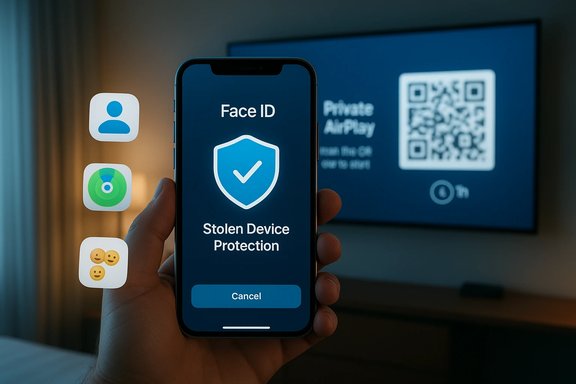
- Stolen Device Protection — an opt‑in setting that forces Face ID or Touch ID (no passcode fallback) to perform many sensitive operations, and introduces a one‑hour Security Delay plus a second biometric confirmation for especially critical changes.
- AirPlay hotel support — the ability to pair with and stream to hotel room TVs at participating properties using a secure QR‑based handshake; rollout initially runs through select IHG properties and other hotel partners. Availability is limited and expanding over time.
- Collaborative Apple Music playlists — invite friends to add, reorder, and remove tracks; add emoji reactions to tracks inside a shared playlist.
- AppleCare & Warranty — Settings now surfaces AppleCare and warranty coverage information for all devices signed in with the same Apple ID.
- Crash detection optimizations — refinements for iPhone 14 and iPhone 15 models intended to reduce false positives and improve detection reliability.
- Unity wallpaper — a new wallpaper celebrating Black history and culture for the Lock Screen during Black History Month.
Deep dive: Stolen Device Protection — how it works
What the feature does
Stolen Device Protection is designed to make an iPhone that’s been physically stolen far harder to take over even if the thief already knows the device passcode. When the feature is turned on, Apple requires biometric authentication — Face ID or Touch ID — with no passcode fallback for a defined set of sensitive actions. For the most critical operations (for example, changing an Apple ID password or removing a trusted device), the feature also imposes a Security Delay: the user must authenticate with Face ID/Touch ID, wait one hour, and then authenticate again before the change completes. The intent is to give a potential victim time to mark the device lost, change passwords remotely, or take other remediation steps.Actions protected (key examples)
When Stolen Device Protection is enabled, users must unlock with biometric authentication to perform operations that previously could be completed with a passcode alone. Items Apple has listed include:- Viewing or using passwords and passkeys stored in iCloud Keychain
- Applying for or using an Apple Card virtual card
- Turning off Lost Mode or erasing the device
- Using payment methods saved in Safari
- Using the iPhone to set up another device
- Certain Wallet actions and Apple Cash operations
- Changing the Apple ID password
- Adding/removing trusted devices or trusted phone numbers, Recovery Key, or Recovery Contact
- Turning off Find My
- Changing the device passcode or fingerprint/Face ID enrollment
- Turning off Stolen Device Protection itself
Device compatibility and prerequisites
Stolen Device Protection requires iOS 17.3 (or later) and is available on iPhones that support iOS 17 — Apple’s stated baseline is devices with the A12 Bionic or newer, which covers iPhone XS and later models as compatible devices. The feature also requires standard security prerequisites such as an Apple ID, two‑factor authentication enabled, and Find My enabled.How to enable (step‑by‑step)
- Open Settings > Face ID & Passcode (or Touch ID & Passcode).
- Authenticate with your device passcode when prompted.
- Scroll and tap Stolen Device Protection.
- Toggle Turn On Stolen Device Protection and follow prompts; you may need to confirm biometrics and leave Significant Locations enabled if you want familiar places to be learned automatically.
Analysis: why Stolen Device Protection matters
Strengths — a real mitigation against passcode‑theft attacks
- Closes a practical attack vector. For some time criminals have exploited the simple fact that watching someone type a PIN or passcode can give full control—Stolen Device Protection makes passcode knowledge alone insufficient to seize accounts and wipe devices. This is a meaningful improvement for the many users who rely on passcodes in mixed biometric availability scenarios.
- Delay buys time. The Security Delay is a small but powerful operational change: it introduces a time window when victims can act (Find My, account password changes) before critical settings are changed by an attacker. That hour can be decisive.
- Granular opt‑in control. Apple makes the control opt‑in rather than defaulting all devices to the new behavior. That reduces surprises for users and allows gradual adoption while Apple gathers telemetry and clarifies documentation.
Risks and operational downsides
- In‑store and trade‑in friction. The Security Delay can create friction during legitimate, time‑sensitive operations that occur outside familiar locations — for example, performing a trade‑in or handing the phone to an Apple Store technician. Reports since the release show some customers caught by the one‑hour delay during trade‑ins and device transfers. Preparing ahead (disabling the feature at home before visiting a store) mitigates this but is a UX burden.
- Potential for accidental lockout. Biometric systems sometimes fail (wet or gloved fingers, face coverings, injuries). Because Stolen Device Protection removes the passcode fallback for some actions, there’s a risk that legitimate owners could be slowed when they genuinely need to perform restricted actions in unfamiliar places. Users must weigh the tradeoff of stronger security versus occasional operational hurdles.
- Reliance on Significant Locations. The feature uses the device’s Significant Locations to distinguish familiar places. If users clear or disable significant location history (or if the mechanism misclassifies travel), they may see the Security Delay applied unexpectedly or conversely see it not applied when they expect it to be. This introduces a privacy/usability coupling that some users may not understand by default.
- Not a theft deterrent. Stolen Device Protection does not stop physical theft; it only increases the difficulty of running off with an account. It’s an important defensive layer, but security advocates warn that it should be one part of a broader posture including good passcodes, 2FA, remote device marking via Find My, and timely reporting to law enforcement.
Practical guidance — what users should do
- Enable Stolen Device Protection if you store sensitive credentials, use Apple Pay, or frequently carry your iPhone in public places where passcode observation is plausible. Make sure Face ID or Touch ID is reliably set up.
- Keep Find My and two‑factor authentication enabled — they’re prerequisites for the full protective benefit and are fundamental account‑security measures.
- If you plan an in‑store trade‑in or a repair appointment, disable the feature at home first (or be prepared to wait the hour for the Security Delay to complete) to avoid queues and delays. Some in‑store workflows can also use the Apple ID password flow or device removal from Find My via the web as alternatives.
- If you use accessibility devices or have erratic biometric reliability, test the behavior and consider whether the stricter controls are an acceptable tradeoff for the extra security. Keep an alternate device or account recovery plan ready.
Deep dive: AirPlay for hotels — convenience with fragmentation
How hotel AirPlay works
The AirPlay hotel feature lets guests scan a QR code displayed on a hotel room TV welcome screen to establish a private, temporary AirPlay connection. The handshake both provisions a private pairing and can optionally join your device to the property’s Wi‑Fi network for the session. Apple initially rolled the feature to selected IHG properties and named partners and has been working with TV manufacturers such as LG to ship or enable the capability on hotel TV firmware. The experience mirrors the convenience of AirPlay at home but is implemented with additional security controls appropriate to shared hospitality hardware.Current availability and limitations
- Limited, partner‑driven rollout. Early reporting showed availability in roughly 60 IHG properties in North America at launch, with gradual expansion planned. The rollout depends on hotel chains, property upgrades, and TV manufacturer support, so coverage is uneven. Users must be prepared to find many hotels without the feature.
- QR pairing and session scope. The QR pairing model reduces risk that a random guest can hijack a TV session; the hotel TV and device complete a private pairing and session only for the duration of the stay or until explicitly ended. Multiple guest devices can pair with the same TV if the hotel supports it.
- Not all content may play. As with AirPlay elsewhere, certain DRM‑protected services may behave differently on hotel TVs; app and service compatibility is still governed by app‑level DRM restrictions and the TV’s support for protected playback.
Strengths and pitfalls
- Strengths: It avoids fiddly HDMI adapters and login‑forgiving hotel streaming portals, and it preserves playback quality and personal app controls. It’s especially useful when you want to watch a streaming app you’ve already authenticated on your device.
- Pitfalls: Hotel coverage is the limiting factor. Even when available, hotel staff may not be trained on the pairing flow the first time it arrives at a property. Travelers also need to exercise usual caution when joining unknown Wi‑Fi networks and ensure they terminate sessions and remove pairing records before checkout.
Collaborative playlists and Apple Music updates
iOS 17.3 restores collaborative playlists to Apple Music, allowing subscribers to create shareable playlists that friends and family can edit — adding, reordering, or removing tracks — and react to individual tracks with emoji. This is a familiar social feature that had been part of earlier streaming experiences and remained a frequent user request for Apple Music. The flow uses Apple’s existing sharing primitives and works across the Music app’s ecosystems. The feature is simple but practically useful for shared parties, road trips, and household playlists.Other changes worth noting
- AppleCare & Warranty in Settings consolidates coverage visibility for devices signed into the same Apple ID, making it easier to check protection status and plan renewals or repairs. This is a small but practical improvement for people managing multiple Apple devices.
- Crash detection optimizations for iPhone 14 and iPhone 15 models aim to reduce false positive emergency calls and make the automatic detection more accurate. Given how crash detection can trigger emergency services, even modest reductions in false alarms are operationally meaningful.
- Unity wallpaper adds a cultural touchpoint with a Lock Screen option commemorating Black history and culture during Black History Month. It’s cosmetic but consistent with Apple’s seasonal release patterns.
Enterprise, privacy, and security considerations
For IT and security teams
- Device management policies. Stolen Device Protection is an opt‑in user setting; organizations that issue iPhones should decide whether to recommend enabling it and include the setting in end‑user onboarding materials. For managed fleets, added documentation and support workflows may be necessary to prevent store or repair delays.
- Recovery paths and helpdesk playbooks. Helpdesks should be briefed on the Security Delay behavior and alternative paths (such as remote device removal via Find My or Apple ID recovery) to assist employees who hit the delay during legitimate business processes.
- Privacy vs. usability tradeoffs. Significant Locations drives “familiar place” recognition; enterprises should be aware that this uses device‑level location histories. While the feature increases security, it also relies on personal location signals that may be sensitive in some contexts. Clear user guidance and privacy notice language are recommended.
For privacy‑minded users
- Understand Significant Locations. If you want the feature to recognize familiar places (and therefore avoid Security Delays at home), leave Significant Locations enabled. If you disable or clear that history, the iPhone will treat nearly every unfamiliar place as “away,” invoking stricter controls.
Cross‑reference and verification notes
Key technical claims in this coverage were verified against Apple’s own iOS 17 changelog and security release notes and independently cross‑checked with major Apple‑focused news outlets and hands‑on guides. Apple’s support pages list the iOS 17.3 release and its security content; MacRumors and 9to5Mac provided the initial feature catalogues and user‑oriented explanations; Macworld and TechRadar documented the AirPlay hotel rollout specifics and real‑world availability; AP and Engadget summarized practical user impacts; and procedural how‑tos appear across multiple outlets. Where precise numbers or lists (for example, the initial count of hotels supporting AirPlay or the exact hotel brands at launch) were reported, those figures reflect the early rollout and are subject to change as hotel partners enable and expand the feature. Readers should expect the hotel list and counts to evolve. (If any reader needs the absolute current list of participating hotels or the latest Apple documentation, Apple’s official iOS release notes and Apple Support pages remain the canonical references and will have the most up‑to‑date device compatibility statements.Final verdict — how to treat iOS 17.3
iOS 17.3 is not a headline‑making overhaul; rather, it is a tightly scoped release that prioritizes real user protection and practical convenience features. Stolen Device Protection is the most consequential item — it materially raises the cost to attackers who rely on passcode observation and gives users time to react when a device is compromised. That alone makes the update worth installing for users who carry sensitive credentials or use Apple Pay and Apple Card features. The usability tradeoffs are real — the Security Delay can create friction in legitimate, out‑of‑home workflows — but these are manageable with user education and simple procedural changes (disable before trade‑ins, know recovery flows). On the consumer side, AirPlay hotel support unlocks an obvious convenience for travelers, but its value depends heavily on ecosystem adoption by hotels and TV manufacturers. Early coverage shows pilot deployments with IHG and LG involvement, but until coverage expands this remains a useful but sporadic perk. Collaborative playlists and the other minor additions are solid quality‑of‑life improvements that round out the update. For most users: install iOS 17.3, enable Stolen Device Protection if you value the extra account safety and can accept the potential tradeoffs, keep two‑factor authentication and Find My enabled, and familiarize yourself with the Security Delay behavior before attempting in‑store transfers or trade‑ins. For IT teams and helpdesks: update support documentation and plan small process adjustments so legitimate workflows aren't slowed by the new protections. The release is a pragmatic step forward for mobile security with sensible defaults and manageable adoption pathways.Conclusion
iOS 17.3 demonstrates a pragmatic balance between usability and security: Apple hardens the weakest practical link in many iPhone theft scenarios without introducing sweeping friction for everyday use. The hotel AirPlay and Apple Music collaboration features add consumer value, but their ultimate impact will depend on partner rollout and user habits. Overall, iOS 17.3 is an example of incremental, high‑value engineering — a platform update that prioritizes protecting accounts and data in a world where physical access to devices still translates to massive security headaches. Users and organizations that take a moment to understand the Security Delay and pairing behaviors will find the benefits outweigh the costs.
Source: BetaNews Apple releases iOS 17.3 with AirPlay hotel support, Stolen Device Protection and more
