

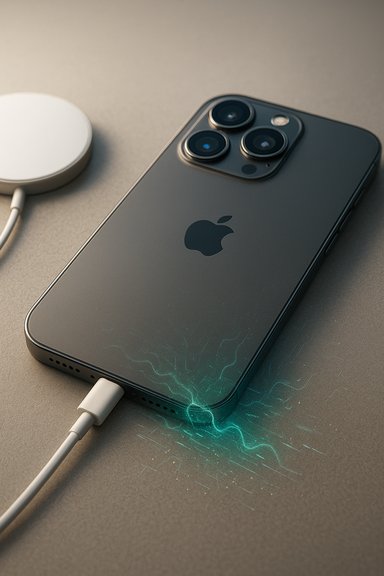
iPhone 17 Pro and Pro Max owners are reporting a faint but persistent hissing or static noise from the speakers while their phones are charging, a problem that has circulated across Reddit, Apple’s support forums, and mainstream tech outlets in recent weeks and appears to persist even on the current iOS 26.2 builds.
Background
When Apple launched the iPhone 17 series, a subset of early buyers began noticing an audible artifact — variously described as a hiss, buzz, crackle, or “old radio” static — that becomes apparent specifically when the device is connected to power. The reports first cropped up in September around the launch window and have continued through November and December as owners tested different chargers, cables, and MagSafe accessories. Conversations about the symptom have landed on major discussion channels including Reddit, Apple Support Communities, and enthusiast forums, and several mainstream outlets have summarized those community reports. Apple rolled out iOS 26.2 in mid-December, bringing a raft of features and fixes, but users say the speaker hissing issue persists on that release. Apple support interactions reported by affected users indicate that cases have been forwarded to Apple engineering for investigation, though Apple has not published a public advisory or timeline for a fix as of this writing.What owners are hearing: symptoms and patterns
Early and repeated reports describe the same core symptom with minor variations in volume and timing:- A faint hissing/static noise from the bottom or top speaker (varies by user) that is audible while the iPhone is charging.
- The noise can be present when audio is playing (and remains noticeable when volume is low or muted) and in some cases when no audio is playing at all.
- Both wired charging (USB-C to iPhone) and MagSafe wireless charging have been implicated; owners say MagSafe tends to produce a quieter version of the noise but does not always eliminate it.
- The sound typically disappears immediately when the phone is unplugged from power, indicating a direct correlation with the charging circuit or power negotiation process.
- Some users who exchanged phones through Apple’s return/replacement process report the issue persisting on replacement units, suggesting a wider design or firmware interaction rather than a single defective batch.
Why charging can introduce audible noise: technical primer
Electrical noise in speakers while a device charges is a known phenomenon in mobile devices and other consumer electronics. The most common technical causes include:- Switch-mode power supply (SMPS) switching noise: Modern fast-charging systems use high-frequency switching regulators (buck converters) to manage voltage and current. Those switching frequencies and their harmonics can create electromagnetic interference (EMI) that couples into the audio amplifier or speaker path, producing audible artifacts.
- Ground loops and poor reference separation: When power and audio share common ground planes or traces in a compact chassis, small voltage fluctuations can be referenced into audio outputs.
- Coil whine and inductor vibration: Inductors and transformers in the power stage can physically vibrate at switching frequencies or harmonics, producing a mechanical sound transmitted through the chassis that sounds like a hiss, whine, or crackle.
- Interference with the audio amplifier or codec: The audio front-end (DAC, amplifier) can pick up interference from the charging negotiation (USB Power Delivery signals) or from ancillary peripherals, turning electrical noise into sound.
- Software / power-managed amplifier behavior: Power-management firmware can change power rails or amplifier bias during charging, and some states may push the audio path into a mode that reveals underlying circuit noise.
Evidence from the field: what multiple sources say
Three mutually reinforcing signals point to a real — if not universal — issue:- Community reports on Apple’s own Support forum show multiple threads where users document static or crackling specifically tied to charging, often noting that it stops when unplugged. These threads date back to launch and include users who tried different chargers and Apple Store diagnostics.
- Reddit threads and cross-platform forum posts corroborate the symptom across many units, with users reporting identical behavior on different chargers and in different regions. Several users said they had their device exchanged but the replacement also showed the noise.
- Technology outlets that monitor Apple community chatter — notably MacRumors and coverage on Forbes — have summarized the threads and reported Apple Support has escalated user reports to engineering. Taken together, press and forum reporting show both prevalence and that Apple is aware.
Possible root causes and how likely each is
No public Apple engineering statement has assigned a definitive root cause. Based on the symptom pattern and known audio/power interactions, the most plausible explanations are:- Power-management / hardware design interaction (most likely): The fact that the sound appears only when charging and disappears when unplugged strongly implicates the charging circuit or power-management firmware. If charging-related switching noise is coupling into the audio path, that points to either PCB layout, shielding, or power stage filtering being insufficient under certain conditions. The quieter effect with MagSafe suggests a different coupling path for wireless charging (lower conducted noise but still present), which aligns with a power-domain problem rather than a purely mechanical speaker fault.
- Manufacturing batch/hardware defect (possible): Replacements that reproduce the issue make a single-unit manufacturing defect less likely, but not impossible — a systemic assembly or component choice across multiple production lines could explain multiple units showing the same behavior. However, broad community reports across many users reduce the probability of a narrowly targeted batch problem.
- Software/firmware issue (plausible): Audio and power regulators are tightly coupled via firmware. A software change (e.g., a new power-management scheme or amplifier driver tweak in iOS) could have reduced the margin that previously suppressed audible artifacts. That said, the symptom’s presence over multiple iOS revisions and across different owners who have installed or not installed updates reduces the likelihood that software alone is the root cause, though it could still be a contributing factor that alters thresholds or timing.
- Accessory incompatibility (less likely): While chargers and cables can affect the phenomenon, many owners report the noise on Apple’s official chargers and multiple third-party adapters. That suggests the problem isn’t limited to a particular third-party accessory, though certain wattage or adapter behaviors may exacerbate the symptom.
What users have tried — and what worked (sometimes)
Community troubleshooting shows a range of user experiments and outcomes:- Basic resets and software reinstalls: Many users performed restarts, full resets, and clean iOS reinstalls (including DFU restores), with mixed outcomes. Some reported no change.
- Changing chargers and cables: Some owners found the noise changed in volume or disappeared when using a lower-wattage charger (e.g., older 5 W bricks) or switching to MagSafe, while others heard the issue across multiple adapters including Apple’s official bricks. This indicates accessory variables can influence but not universally solve the problem.
- Replacements at Apple Store: A number of users traveled to Apple Stores or engaged support; some devices were replaced and the replacements fixed the issue, while others experienced the same noise on replacements — a mixed outcome that suggests both isolated defects and systemic causes exist in practice.
- Diagnostics and escalations: At least one user reported that an Apple support agent escalated their case to engineering, which often indicates the vendor sees potential for a broader firmware- or design-level remediation.
Practical guidance: what affected owners should do now
If you own an iPhone 17 Pro or Pro Max and hear charging-related speaker hiss, follow a pragmatic escalation and documentation path:- Reproduce the noise and document it.
- Record clear video and audio showing the noise while the device is charging (capture charger type and connection).
- Test basic isolation steps.
- Try wired charging with the official Apple cable and adapter, different third-party adapters, and MagSafe. Note differences in volume and occurrence.
- Perform a soft reset and, if comfortable, a DFU restore to test a clean software state.
- Contact Apple Support and open a documented case.
- Provide the recordings and log the case number and any store visit or replacement details.
- If the noise is loud or materially degrades your usage, request an in-store diagnostic and, if allowed, exchange the device.
- Keep in mind that exchanges have produced mixed results for some users; insist on a full diagnostic and, if necessary, escalate to Apple Support engineering.
- Use temporary mitigations.
- Avoid media playback while charging if the noise is bothersome.
- Use MagSafe where the noise is reportedly quieter for some users.
- Preserve warranty and escalate if necessary.
- If Apple confirms a hardware defect, request replacement or repair under warranty. If Apple does not offer a satisfactory remedy, use consumer protection channels relevant to your jurisdiction.
Risks and user impact
- User experience and perception: Even a low-volume hiss can affect perceived product quality on a flagship device priced at a premium. For users sensitive to sound (sleep environments, audio professionals), it is more than an annoyance.
- Hearing safety: The reported noise levels are not described as hazardous; the primary impact is annoyance rather than risk to hearing at reported volumes. Still, sudden loud artifacts could startle users or affect those with existing hearing conditions.
- Warranty and replacement churn: Mixed outcomes from replacement attempts create friction; owners may need to press for exchanges or repairs, consuming time and increasing return volume for Apple.
- Reputational risk and firmware timeline: If Apple requires a hardware change in manufacturing or a complex firmware remediation, the remediation timeline could be longer and more visible across tech media, amplifying attention on the issue.
How Apple and the supply chain typically respond to issues like this
When a problem affects multiple users — and especially when it appears across units after a large launch — vendors generally pursue one or more of the following:- Software / firmware patch: If the root cause is related to power-management sequencing, amplifier bias, or other software-adjustable parameters, Apple can deliver an iOS update to change timing, filtering states, or amplifier control logic to suppress audible artifacts.
- Accessory guidance: If a subset of chargers or accessories exacerbate the problem, Apple may publish best-practice guidance recommending certain accessories or discourage others until a fix is implemented.
- Manufacturing fix: If the issue is traceable to PCB layout, shielding, or a component spec, Apple may alter production specifications for subsequent runs or implement a service repair program for affected units.
- Field service and exchanges: Apple often uses in-store diagnostics and replacement to identify whether issues are isolated or systemic; widespread reports can trigger a more formal repair program.
What remains unverified or uncertain
- Whether the issue affects all iPhone 17 Pro / Pro Max units globally or only a minority of devices: available evidence shows multiple independent reports but does not quantify prevalence.
- Whether Apple will be able to fix the issue via software alone: this depends on whether the noise is purely coupling and timing related or rooted in hardware filtering/shielding; user replacement outcomes suggest both possibilities.
- The exact circuit-level cause (which component or trace is the coupling path): that requires Apple engineering analysis or teardown-level lab work, neither of which Apple has publicly shared.
- The long-term solution pathway and timing: no official Apple statement has set expectations for a bug-fix release or repair program.
Historical context and related incidents
Audio artifacts tied to power or software updates are not unique in the device world. Past incidents across PCs and mobile devices have shown that operating system updates, driver changes, or power-stage firmware tweaks can expose audible behavior previously masked by hardware filtering or different power states. Community troubleshooting threads about audio endpoint issues and switch-mode power supply interference illustrate similar symptom patterns and the range of remedial actions users and vendors took.Given that precedent, both software-side and hardware-side remedies are plausible. The decisive factor will be whether the noise is resolvable by adjusting power-management firmware or whether it demands hardware rework, which is a slower and more expensive fix.
Bottom line and what readers should take away
- The iPhone 17 Pro / Pro Max speaker hiss while charging is a documented, community-verified issue that has been summarized by MacRumors and covered by other outlets; Apple Support has been made aware and cases have been escalated to engineering.
- The symptom appears closely tied to the charging state and to power-management behavior rather than to typical speaker failure modes; practical evidence favors an interference or coupling issue in the charging-to-audio signal chain.
- Owners who encounter the noise should document, test with multiple chargers (including MagSafe), and escalate to Apple Support with recordings and case details. Temporary mitigation can include avoiding audio playback while charging or using MagSafe where the effect seems reduced for some users.
- Whether Apple will resolve this via a software update or a hardware service action remains unknown; the mixed reports from replacement devices suggest the problem could be a design-level interaction that may require more than a single patch for all contexts.
- If Apple releases a formal fix or advisory, that will be the authority to watch. Until then, affected users should pursue documented support routes to ensure their devices are covered by warranty or replacement options if the issue materially affects use.
Quick troubleshooting checklist (one-page)
- Record the noise while charging (audio + video).
- Test with Apple’s official cable and adapter, another official Apple adapter, and MagSafe.
- Reboot; if persistent, perform a DFU restore (after backing up).
- Visit an Apple Store for diagnostic testing; request replacement if diagnostic indicates hardware fault.
- Submit the recording and details to Apple Support and request escalation if the initial support response is insufficient.
The issue highlights how tightly coupled modern mobile power management and sensitive audio subsystems are, and how design trade-offs for fast charging and compact hardware can reveal edge-case behaviors. A careful, documented approach — combined with pressure through official support channels — is the best immediate path for affected users while the vendor investigates.
Source: Technobezz iPhone 17 Pro Users Report Speaker Hiss While Charging
