

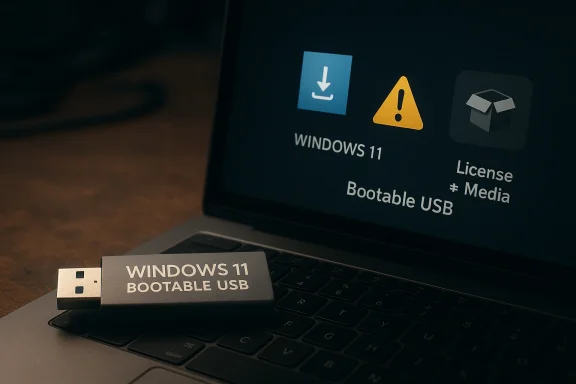
This product listing appears to bundle a pre-made bootable USB drive marketed as “Windows 11 Bootable USB Installation Media,” but that wording should be read carefully. Microsoft’s official guidance is clear that the trusted way to create installation media is through the Media Creation Tool on Microsoft’s own download site, which downloads the latest Windows version and writes it to a USB flash drive or DVD.
At first glance, a 64GB USB drive with Windows 11, Windows 10, Windows 8.1, and Windows 7 “installed” sounds like a convenient shortcut. In practice, the phrase usually means the drive has been prepared as bootable installation media, not that it contains a full licensed operating system ready to use. That distinction matters because Windows installation media is fundamentally a setup and recovery tool, while a usable Windows license is a separate matter. Microsoft’s own documentation frames installation media as something you use to install, clean install, or reinstall Windows.
For consumers, the appeal is obvious: avoid downloading large files, skip the setup work, and keep a ready-made recovery option in a drawer. For businesses, IT staff, and repair shops, a bootable USB can save time during emergency recoveries or fresh installations. But convenience only helps if the media is trustworthy, correctly built, and compatible with the target machine’s firmware and boot configuration. Microsoft repeatedly recommends using official download channels to avoid integrity and compatibility problems.
There is also an important timing issue in 2026. Microsoft ended free support for Windows 10 on October 14, 2025, so any product pitched around Windows 10 installation media now sits in a more complicated support landscape. That does not make Windows 10 media useless, but it does change the value proposition: many users now need it for recovery, migration, or legacy systems rather than as a mainstream everyday install path.
A third factor is trust. A third-party bootable USB may work perfectly, but it may also include altered files, outdated builds, or recovery partitions that do not match what Microsoft would create. Microsoft advises using its own Media Creation Tool for the latest version of Windows and notes that official installation media can be used to perform a clean installation or reinstall Windows.
But convenience can hide ambiguity. The listing does not clearly establish whether the media was created from Microsoft’s official download tools or whether it is a third-party reconstruction of the installer. That difference is not cosmetic; it affects trust, update level, and the likelihood of compatibility problems. Microsoft explicitly warns that official installation media should be created from its download site.
The company also states that installation media can be used to repair, reinstall, or clean install Windows, depending on how the media is used during boot. That means a USB installer is not just for fresh PCs; it is also a recovery lifeline when the operating system no longer starts properly.
It may also appeal to people who are upgrading old hardware, especially if they are moving from Windows 10 to Windows 11. Since Windows 10 support has ended, users who still own compatible hardware may want a clean reinstall path that starts from fresh media. That makes a bootable USB feel like a practical insurance policy.
That is especially important in managed environments where image consistency, Secure Boot compatibility, and compliance matter. A technician can tolerate a shortcut; an enterprise deployment process usually cannot. Microsoft’s own guidance emphasizes using a clean, trustworthy installation source.
Microsoft has also published guidance about updating bootable media for newer Secure Boot trust chains, which underscores how sensitive boot media can be to firmware evolution. This is not an isolated corner case; it is a sign that boot media needs to remain aligned with current security expectations.
The safest assumption is that any third-party installer should be tested before it is needed urgently. A bootable USB you have not verified is, at best, an unproven tool. At worst, it is a false sense of preparedness.
That difference matters because sellers often use the terms interchangeably in product titles. To a buyer, “bootable USB installation media” sounds like a rescue device. In reality, the exact contents determine whether the drive behaves like an installer, a generic repair tool, or a manufacturer-specific recovery environment.
This is why a product description that emphasizes capacity and speed but says little about source provenance should make buyers pause. A 90 MB/s write speed is useful only if the data being written is correct, intact, and appropriate for the target system. The speed of the flash drive is not the real issue; the integrity of the payload is.
The 64GB spec may also reflect product marketing rather than technical necessity. Microsoft notes that only a small amount of space is required to create installation media; the real constraint is having a USB flash drive available and using the correct creation tool. The seller’s capacity boast may therefore be more about perceived value than functional need.
The listing’s mention of Windows 11, Windows 10, Windows 8.1, and Windows 7 may appeal to users with older hardware. But compatibility is not just about the installer files on the drive. It also depends on boot firmware, drivers, and whether the machine is actually eligible to run the target version well.
But the buyer should still treat the purchase as a tool, not a guarantee. Microsoft’s own support materials consistently recommend official media creation because it reduces the risk of boot failures and compatibility problems. That guidance exists for a reason, and it should not be dismissed lightly.
At the same time, Microsoft’s official tooling continues to set the baseline expectation. If a third-party product cannot match the reliability and clarity of the official route, it will always feel like a shortcut with strings attached. That is especially true in recovery scenarios, where the cost of a failed boot attempt is high.
Source: hotelier.com.py https://hotelier.com.py/product/Windows-11-Bootable-USB-Installation-Media/1115434/
 Overview
At first glance, a 64GB USB drive with Windows 11, Windows 10, Windows 8.1, and Windows 7 “installed” sounds like a convenient shortcut. In practice, the phrase usually means the drive has been prepared as bootable installation media, not that it contains a full licensed operating system ready to use. That distinction matters because Windows installation media is fundamentally a setup and recovery tool, while a usable Windows license is a separate matter. Microsoft’s own documentation frames installation media as something you use to install, clean install, or reinstall Windows.For consumers, the appeal is obvious: avoid downloading large files, skip the setup work, and keep a ready-made recovery option in a drawer. For businesses, IT staff, and repair shops, a bootable USB can save time during emergency recoveries or fresh installations. But convenience only helps if the media is trustworthy, correctly built, and compatible with the target machine’s firmware and boot configuration. Microsoft repeatedly recommends using official download channels to avoid integrity and compatibility problems.
There is also an important timing issue in 2026. Microsoft ended free support for Windows 10 on October 14, 2025, so any product pitched around Windows 10 installation media now sits in a more complicated support landscape. That does not make Windows 10 media useless, but it does change the value proposition: many users now need it for recovery, migration, or legacy systems rather than as a mainstream everyday install path.
A third factor is trust. A third-party bootable USB may work perfectly, but it may also include altered files, outdated builds, or recovery partitions that do not match what Microsoft would create. Microsoft advises using its own Media Creation Tool for the latest version of Windows and notes that official installation media can be used to perform a clean installation or reinstall Windows.
What the Listing Appears to Offer
The product description suggests a 64GB bootable USB drive with Windows 11/10/8.1/7 installation media already prepared, plus a claimed transfer speed of 90 MB/s. That is enough capacity for modern Windows installation files and gives the impression of a plug-and-play repair tool. The store also presents the item as a branded, retail-style package rather than a raw flash drive.Convenience Versus Authenticity
The biggest selling point is convenience. Instead of downloading an ISO, preparing the USB, and making sure the drive is bootable, the buyer supposedly receives a ready-to-use installer. That can be helpful for people who are uncomfortable with setup steps or who need an emergency recovery option quickly.But convenience can hide ambiguity. The listing does not clearly establish whether the media was created from Microsoft’s official download tools or whether it is a third-party reconstruction of the installer. That difference is not cosmetic; it affects trust, update level, and the likelihood of compatibility problems. Microsoft explicitly warns that official installation media should be created from its download site.
- The drive is marketed as bootable installation media.
- The product emphasizes 64GB capacity and USB 3.2 positioning.
- The description mixes Windows 11 with older versions, which may suggest a multi-purpose recovery bundle.
- The seller highlights ease of use, not licensing details.
The Licensing Question
A bootable installer is not the same thing as a licensed Windows copy. Users still need a valid activation path if they intend to install Windows on a PC that is not already licensed. Microsoft notes that reinstallation may activate automatically in some cases, but activation depends on the device and entitlement. The listing does not clarify that, which could mislead buyers into thinking the USB itself is equivalent to a Windows license.Microsoft’s Official Position
Microsoft’s recommendation is straightforward: if you need Windows installation media, use the Create installation media for Windows flow. The official instructions direct users to the Windows 11 download page, where the Media Creation Tool downloads the current release and creates a bootable USB drive or DVD. That tool is meant for installing, reinstalling, or clean-installing Windows.Why the Official Route Matters
There are at least three reasons Microsoft insists on the official method. First, it ensures the files are genuine and current. Second, it reduces the risk of missing boot files or malformed partitions. Third, it improves the odds that the installer will work with Secure Boot and modern firmware expectations. Microsoft support and Q&A responses repeatedly point users back to the official tool when USB installation media fails or behaves strangely.The company also states that installation media can be used to repair, reinstall, or clean install Windows, depending on how the media is used during boot. That means a USB installer is not just for fresh PCs; it is also a recovery lifeline when the operating system no longer starts properly.
- Microsoft’s preferred method is the Media Creation Tool.
- The tool can create a bootable USB drive or DVD.
- Official media is intended for install, reinstall, and repair scenarios.
- Microsoft warns that boot-order problems may still need vendor-specific BIOS guidance.
The End of Windows 10 Support Changes the Context
The support cutoff for Windows 10 is now a central part of the story. Microsoft says free security updates, technical assistance, and Windows Update fixes for Windows 10 ended on October 14, 2025. That means Windows 10 installation media remains relevant, but increasingly for legacy recovery or controlled environments rather than general-purpose long-term use.Who Would Buy This Kind of Product?
The most obvious buyers are people who need to restore or reinstall Windows and do not want to create their own installer. That includes homeowners, students, and small-office users who may only need a bootable USB once every few years. For them, the ability to buy a ready-made tool can feel worth the premium.Consumer Use Cases
Consumers often run into Windows problems after malware infections, storage failures, or major software corruption. A bootable USB can help them get back into a working setup without relying on a recovery partition that might no longer exist. Microsoft explicitly describes installation media as useful when a PC cannot boot normally.It may also appeal to people who are upgrading old hardware, especially if they are moving from Windows 10 to Windows 11. Since Windows 10 support has ended, users who still own compatible hardware may want a clean reinstall path that starts from fresh media. That makes a bootable USB feel like a practical insurance policy.
- Home users recovering from a failed update.
- Buyers replacing a dead drive.
- People reinstalling after malware cleanup.
- Users migrating from older systems to Windows 11.
Enterprise and Technician Use Cases
For IT professionals, a bootable installer is only useful if it is standardized and predictable. In that world, official media is often preferred because it reduces the support burden. A repair shop or technician may still buy a pre-made drive for speed, but many will prefer to create and control their own media so they know exactly what build they are deploying.That is especially important in managed environments where image consistency, Secure Boot compatibility, and compliance matter. A technician can tolerate a shortcut; an enterprise deployment process usually cannot. Microsoft’s own guidance emphasizes using a clean, trustworthy installation source.
Compatibility and Boot Issues
A bootable USB is only half the battle. The target PC must also be willing to boot from it, and that depends on firmware settings, boot order, USB port behavior, and in some cases Secure Boot considerations. Microsoft notes that if the setup screen does not appear, users may need to change boot order or consult the manufacturer’s instructions.BIOS, UEFI, and Secure Boot
Modern PCs generally boot Windows installers via UEFI, not the older BIOS approach. That means the USB has to be prepared correctly, and the system firmware has to recognize it as a bootable device. In practical terms, a drive that works on one machine may fail on another if the boot mode or partitioning scheme is wrong.Microsoft has also published guidance about updating bootable media for newer Secure Boot trust chains, which underscores how sensitive boot media can be to firmware evolution. This is not an isolated corner case; it is a sign that boot media needs to remain aligned with current security expectations.
Why Some USB Drives Fail
Even good drives can fail to boot for mundane reasons. The port may be incompatible, the firmware may have USB boot disabled, or the installer may have been created with the wrong partitioning format. Microsoft’s support guidance repeatedly points users back to official media creation steps when a USB installer does not behave as expected.- Firmware settings can block USB booting.
- Secure Boot may reject outdated or altered media.
- The wrong partition style can prevent detection.
- Not every USB port behaves equally during startup.
Practical Implication for Buyers
This means a product like the hotelier.com.py listing is only as useful as the care that went into its preparation. If the seller did not follow Microsoft-aligned procedures, the buyer may discover boot problems only at the worst possible time. In recovery scenarios, that can turn a quick fix into a lengthy troubleshooting session.The safest assumption is that any third-party installer should be tested before it is needed urgently. A bootable USB you have not verified is, at best, an unproven tool. At worst, it is a false sense of preparedness.
Installation Media Versus Recovery Media
The listing’s language blurs a line that matters: installation media is not the same thing as a full recovery drive. Microsoft’s installation media is intended to reinstall Windows, perform a clean installation, or repair a system by booting into the Windows setup environment. A recovery drive, by contrast, is designed to restore or reset a PC using recovery tools and may include manufacturer customizations.Two Different Jobs
A Windows installer is a flexible general-purpose setup tool. It can install a fresh copy of Windows or start the recovery process on a damaged machine. A recovery drive is more specialized and often tied more closely to the specific machine it was created from. Microsoft’s support pages describe the recovery drive as helping restore a device to factory settings, even after a drive replacement or wipe.That difference matters because sellers often use the terms interchangeably in product titles. To a buyer, “bootable USB installation media” sounds like a rescue device. In reality, the exact contents determine whether the drive behaves like an installer, a generic repair tool, or a manufacturer-specific recovery environment.
- Installation media installs or reinstalls Windows.
- Recovery media restores a PC to a recoverable state.
- The two are related, but they are not identical.
- Mixing the terms can create unrealistic buyer expectations.
Why the Distinction Matters in 2026
The distinction is even more important now that Windows 10 support has ended. Users may think they are buying a simple fallback for an older PC, but they may actually need a media type that aligns with their firmware, licensing status, and recovery goals. A drive prepared for one task may not help with the other.The Security and Trust Angle
Whenever a seller offers pre-made operating system media, the first question should be: Where did it come from? Microsoft’s support literature repeatedly encourages users to create media through official channels because unofficial sources may be incomplete or unsafe. That is especially relevant for boot media, which runs before the operating system and therefore has broad access to the device.Integrity Matters More Than Packaging
A retail-style package can look reassuring, but packaging does not prove file integrity. A USB stick can be professionally labeled and still contain modified, outdated, or improperly copied installation files. Microsoft’s guidance about using the official Media Creation Tool is, in part, a trust mechanism: the software you create should be as close as possible to Microsoft’s intended installer.This is why a product description that emphasizes capacity and speed but says little about source provenance should make buyers pause. A 90 MB/s write speed is useful only if the data being written is correct, intact, and appropriate for the target system. The speed of the flash drive is not the real issue; the integrity of the payload is.
What a Buyer Should Verify
- Confirm whether the media was created from the official Microsoft download.
- Ask whether the drive includes Windows 11 only or multiple versions.
- Verify whether the USB contains an installer, recovery image, or both.
- Check whether the seller includes activation or licensing in writing.
- Test the drive on a non-critical machine before depending on it.
Performance, Capacity, and the 64GB Claim
A 64GB USB drive is ample for Windows installation media, and the claimed 90 MB/s write speed suggests a decent modern flash device. In pure storage terms, that is more than enough for one or more Windows installer payloads plus room for extra utilities. The issue is not whether the hardware can hold the files; it almost certainly can.Why Speed Is Not the Main Story
Boot media performance is often less important than stability and firmware compatibility. A slightly slower but well-prepared installer is more valuable than a fast drive that fails to boot. That is why Microsoft’s documentation focuses on the method of creation and the integrity of the installer rather than the raw speed rating of the USB stick.The 64GB spec may also reflect product marketing rather than technical necessity. Microsoft notes that only a small amount of space is required to create installation media; the real constraint is having a USB flash drive available and using the correct creation tool. The seller’s capacity boast may therefore be more about perceived value than functional need.
- 64GB is more than enough for installer payloads.
- Speed matters less than boot reliability.
- The capacity may be marketing-heavy rather than necessity-driven.
- Extra space is useful if the drive also stores tools or backups.
The Real Value of a Larger Drive
A larger drive can still make sense if the seller uses the extra space for multiple tools, recovery files, or versioned installers. That would be beneficial for technicians who want a single portable kit. But the listing does not clearly explain whether the extra capacity is actually used that way, so the value proposition remains only partially defined.Windows Version Checking and Target System Fit
The product title suggests compatibility across several Windows generations, but buyers should not assume that every installer suits every computer. Microsoft’s guidance for checking a device’s Windows version and specifications is useful here because it reminds users that edition, bitness, and hardware architecture matter. On a current PC, the relevant check is typically found under Settings > System > About.Why Version Checks Matter Before Reinstalling
If a buyer is trying to preserve data, match an edition, or recover from a failed upgrade, knowing the installed version matters. Microsoft advises users to check the Windows specifications section to see the current edition and version, and the Device specifications section to confirm whether the system is 32-bit or 64-bit. That can influence what kind of media or recovery approach is appropriate.The listing’s mention of Windows 11, Windows 10, Windows 8.1, and Windows 7 may appeal to users with older hardware. But compatibility is not just about the installer files on the drive. It also depends on boot firmware, drivers, and whether the machine is actually eligible to run the target version well.
What Buyers Should Check First
- Edition: Home, Pro, or Single Language.
- Architecture: 64-bit or 32-bit.
- Firmware: UEFI or legacy boot.
- Hardware support: Especially for Windows 11.
- Licensing: Whether the device already has a digital entitlement.
Buying Third-Party Boot Media: The Pros and the Caveats
The market for ready-made USB installers exists because not everyone wants to build their own media. That is understandable, especially for one-time users who would rather pay than troubleshoot a creation process. A third-party drive can be convenient, but convenience carries tradeoffs in trust, transparency, and supportability.When It Makes Sense
For a non-technical user facing a dead PC, a pre-made USB can be attractive if it is clearly documented and sold by a reputable vendor. It may also be useful for IT support teams that keep spare recovery media in kits and need fast deployment without building every stick from scratch. In those cases, a ready-made device can shorten downtime.But the buyer should still treat the purchase as a tool, not a guarantee. Microsoft’s own support materials consistently recommend official media creation because it reduces the risk of boot failures and compatibility problems. That guidance exists for a reason, and it should not be dismissed lightly.
Where Caveats Begin
The caveats start with provenance and extend to after-sales support. If something goes wrong, Microsoft support is unlikely to troubleshoot a third-party installer image. The buyer may also have no easy way to confirm whether the installer includes current patches, appropriate boot files, or correct recovery content.- Third-party media can save time.
- Official media offers more confidence.
- Seller transparency is critical.
- Support responsibility may fall entirely on the buyer.
Strengths and Opportunities
Despite the caution around unofficial media, products like this can still fill a real need. They serve users who are intimidated by installer creation, those who need a ready backup, and technicians who value speed over DIY setup. If the seller is honest about the source and contents, the product could be genuinely useful.- Quick access to a bootable installer without manual setup.
- Useful for recovery on PCs that no longer boot.
- 64GB capacity leaves room for additional utilities.
- Familiar retail-style packaging may make it less intimidating.
- Could help small shops and home users who want a spare recovery tool.
- Faster than downloading large files on a slow connection.
- Potentially handy as a one-drive emergency kit.
Risks and Concerns
The biggest issue is that the listing seems to compress multiple concepts into one product page without clearly separating installation media, recovery media, and licensing. That can create buyer confusion, especially for users who expect a USB stick to include a full Windows license or a guaranteed one-click repair path.- Licensing ambiguity: the drive is not the same as a Windows license.
- Source uncertainty: unclear whether it was created from official Microsoft media.
- Compatibility risk: older or altered installers may fail on modern firmware.
- Support risk: Microsoft may not help troubleshoot third-party media.
- Expectation mismatch: buyers may confuse installation media with recovery media.
- Security concern: unofficial boot media can carry integrity risks.
- Version confusion: listing multiple Windows versions may imply broader support than reality.
Looking Ahead
The broader trend is clear: as Windows 10 support has ended and Windows 11 becomes the default path, demand for reliable bootable media will remain strong. But users are increasingly likely to judge these products less by packaging and more by provenance, update level, and boot compatibility. The market will reward sellers who explain exactly what their USB contains and how it was created.At the same time, Microsoft’s official tooling continues to set the baseline expectation. If a third-party product cannot match the reliability and clarity of the official route, it will always feel like a shortcut with strings attached. That is especially true in recovery scenarios, where the cost of a failed boot attempt is high.
- More buyers will likely ask whether media was created with the official Media Creation Tool.
- Windows 10 support ending will push more users toward Windows 11 recovery and reinstall media.
- Secure Boot changes will keep media compatibility in focus.
- Transparent sellers will have an advantage over vague listings.
- Technicians will continue to prefer media they can verify and rebuild themselves.
Source: hotelier.com.py https://hotelier.com.py/product/Windows-11-Bootable-USB-Installation-Media/1115434/
