

On February 18, 2026 a fresh wave of user reports and forum threads asked the blunt, familiar question: Is Microsoft Copilot down? The short, evidence‑based answer for most users is: not globally — but yes, intermittent and regionally scoped problems were reported on that date, and the incident exposed a predictable pattern of failure modes that follow from Copilot’s architecture, autoscaling behaviours, and the tangled operational dependencies of a hyperscale AI product. ([downforeveryoneorjnforeveryoneorjustme.com/copilot)
Microsoft’s Copilot is not a single monolithic application; it is a family of services and integrations spanning the Windows desktop, Microsoft 365 (Word, Excel, Outlook, Teams), a standalone Copilot app, and cloud‑hosted model and routing infrastructure. That complexity is deliberate: Copilot stitches model inference, telemetry, eligibility checks, connectors to tenant data, and regional delivery into a single user experience. It also means that when things go wrong, the user-facing symptom — “Copilot failed to respond” — can have many distinct root causes. Microsoft’s published release notes and change history demonstrate constant feature and platform churn through February 2026, which raises the operational surface area for faults.
Operational history over the last 12 months shows repeated episodes where a service change, traffic surge, or regional autoscaling behaviour produced short but disruptive degradations. Notable incidents include a December 9, 2025 regional outage that affected UK and parts of Europe and that Microsoft logged internally under incident code CP1193544; Microsoft’s telemetry and several downstream IT bulletins tied that event to an unexpected increase in request traffic that stressed regional autoscaling and required manual capacity adjustments. Thattsing reports from February 18 — similar symptoms and mitigation patterns tend to repeat.
IsDown.app (a status aggregator) recorded a timeline that included a “Possible outage indicated by user reports” on February 18, and its Microsoft 365 timeline shows a small number of service health notes clustered around mid‑February. These platforms are valuable because they surface real‑time user pain, but they do not substitute for vendor confirmation: they flag anomalies, not root causes.
Community forums — including the DesignTAXI thread that opened with the question on February 18 and several Windows and IT community threads — amplified the same experience: users reporting Copilot returning generic “unable to respond” ets that failed, or longer latencies in Copilot Chat and in‑app assistants. Those grassroots reports are consistent with an intermittent, regionally scattered degradation rather than a single global outage.
In plain terms: the public telemetry and system‑level evidence suggests a patchwork of short degradations and user experience problems on February 18, but not a confirmed single global outage spanning every Copilot endpoint.
For users: don’t assume the worst, but verify quickly using the steps above. For IT leaders: assume outages are a strategic risk, bake in fallback plans, and control how and when Copilot lands on managed devices. The service will continue to improve; the operational imperative for teams that rely on Copilot is to treat it as a powerful accelerator — and also as an external dependency you must design around.
Source: DesignTAXI Community https://community.designtaxi.com/topic/23752-is-microsoft-copilot-down-february-18-2026/
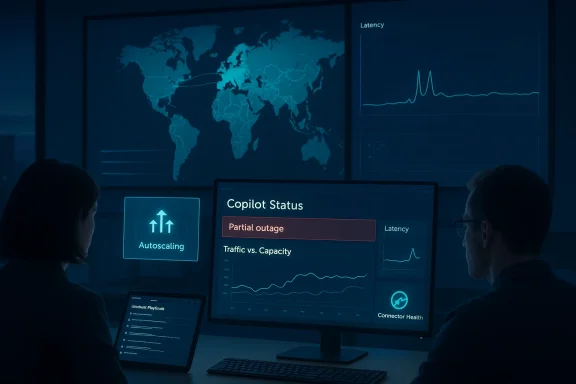 Background
Microsoft’s Copilot is not a single monolithic application; it is a family of services and integrations spanning the Windows desktop, Microsoft 365 (Word, Excel, Outlook, Teams), a standalone Copilot app, and cloud‑hosted model and routing infrastructure. That complexity is deliberate: Copilot stitches model inference, telemetry, eligibility checks, connectors to tenant data, and regional delivery into a single user experience. It also means that when things go wrong, the user-facing symptom — “Copilot failed to respond” — can have many distinct root causes. Microsoft’s published release notes and change history demonstrate constant feature and platform churn through February 2026, which raises the operational surface area for faults.Operational history over the last 12 months shows repeated episodes where a service change, traffic surge, or regional autoscaling behaviour produced short but disruptive degradations. Notable incidents include a December 9, 2025 regional outage that affected UK and parts of Europe and that Microsoft logged internally under incident code CP1193544; Microsoft’s telemetry and several downstream IT bulletins tied that event to an unexpected increase in request traffic that stressed regional autoscaling and required manual capacity adjustments. Thattsing reports from February 18 — similar symptoms and mitigation patterns tend to repeat.
What happened on February 18, 2026 — the signals and what they mean
The raw signals: user reports, public monitors, and forum chatter
On February 18 there were multiple, independent signals that some users could not reach Copilot or experienced slow responses. Public uptime monitors aggregated user reports and automated checks: DownForEveryoneOrJustMe captured multiple user‑submitted incidents on February 18 (reports labeled “Inaccessible”, “Slow”, and “Error Received”), and its summary for Copilot indicated that the last detected outage prior to that page’s capture was a short incident on February 13, 2026, but also recorded the February 18 user complaints.IsDown.app (a status aggregator) recorded a timeline that included a “Possible outage indicated by user reports” on February 18, and its Microsoft 365 timeline shows a small number of service health notes clustered around mid‑February. These platforms are valuable because they surface real‑time user pain, but they do not substitute for vendor confirmation: they flag anomalies, not root causes.
Community forums — including the DesignTAXI thread that opened with the question on February 18 and several Windows and IT community threads — amplified the same experience: users reporting Copilot returning generic “unable to respond” ets that failed, or longer latencies in Copilot Chat and in‑app assistants. Those grassroots reports are consistent with an intermittent, regionally scattered degradation rather than a single global outage.
Vendor telemetry and public status: what Microsoft has said (and not said)
Microsoft’s public release channels and its Microsoft 365 service health records do not always publish immediate, granular incident entries for every regional blip. In past incidents where Copilot degraded, Microsoft eventually published resolved incident notes (for example, the December 2025 incident and several earlier degradations), but there is no contemporaneous, widely circulated Microsoft incident entry that describes a full global outage on February 18. That absence matters: it means either the problem was short‑lived and scoped (and resolved without a public advisory), or Microsoft considered the impact limited enough to handle internally. External monitors and regional IT support services — including NHS and university IT bulletins that mirrored the December and January incidents — meanwhile published localized advisory posts when Microsoft’s telemetry showed measurable impact.In plain terms: the public telemetry and system‑level evidence suggests a patchwork of short degradations and user experience problems on February 18, but not a confirmed single global outage spanning every Copilot endpoint.
Why Copilot can appear to be “down” even when the cloud is otherwise healthy
Understanding the difference between “Copilot is down for everyone” and “Copilot is failing for how Copilot is delivered.- Copilot’s front ends (desktop app, in‑app assistants, web UI) rely on telemetry and eligibility checks to determine which features are shown. If eligibility checks fail or connectors respond slowly, the front end can display a “Coming Soon” or “Unable to respond” page even while underlying model infra is healthy. This pattern hasidents.
- Model inference and response generation run in regional clusters that autoscale. A sudden, unexpected spike in requests in a region can overwhelm autoscaling boundaries or trigger protective throttles, producing transient failures while engineers rebalance capacity manually — precisely the mitigation steps Microsoft used during the December 2025 UK event.
- Copilot’s integrations (tenant connectors, on‑premise gateways, OAuth token exchange, eligibility gates) create numerous failure points. An expired OAuth token, a connector outage, or a misrouted request due to DNS/edge routing anomalies will surface to end users as Copilot errors. Enterprise administrators should treat those integration points as primary suspects in any partial outage.
Timeline and precedent: how February 18 December 9, 2025 — Microsoft recorded a regionally concentrated outage affecting the UK and parts of Europe (internal code CP1193544); root cause reported as an unexpected surge in request traffic that exceeded autoscaling protections, requiring manual capacity and load balancer intervention. The mitigation approach and the symptom set matched what users later reported in other months: inability to access Copilot or degraded responses.
- Early 2026 (January–February) — there were several shorter episodes of intermittent degradation affecting Microsoft 365 Copilot features, Teams agents, and Copilot Chat, often tied to recent service changes or updates. Many of these were not global and were handled with targeted rollbacks or traffic rebalancing. Many IT communities and university service bulletins documented these events.
- February 13, 2026 — a burst of community reports led to threads asking whether Copilot was globally down; investigative posts and technical replies concluded that the issue was not universal but comprised overlapping short outages, quality degradations, and configuration interactions that made the experience noisy for affected users. This episode is instructive because community reaction tends to spike longer than actual incidents when users rely on Copilot for time‑critical work.
- February 18, 2026 — user reports and public monitors again flagged intermittent “inaccessible” and “slow” experiences. IsDown.app and other monitors recorded user reports and flagged a “possible outage indicated by user reports.” There is no durable evidence of a global, hours‑long outage on Feb 18; instead, the signals fit the recurring pattern of short, regional or tenant‑scoped degradations.
Practical verification: how to tell whether Copilot is down for you, your org, or everyone
If you encounter a Copilot failure, follow this quick checklist before assuming a global outage:- Check public monitors and aggregator sites for global symptoms (DownForEveryoneOrJustMe, IsDown.app, BlueMonitor). These pages surface user reports and automated probes. On Feb 18 they flagged multiple user reports but did not confirm a global outage.
- For enterprise tenants, check the Microsoft 365 Admin center’s Service health dashboard — it will show Microsoft‑logged incidents for your tenant and region. If you see no incident, your issue is more likely tenant‑specific or local. (Note: Microsoft sometimes consolidates short or regional incidents and publishes a post‑incident note later.)
- Try a simple isolation test: use an incognito browser or an alternate network (mobile tethering) and a different Microsoft account or tenant. If Copilot works under different network/account conditions, the issue is probably tenant configuration, connector failures, or local network routing.
- Check for recent updates: Windows and Office cumulative updates have, in the past, caused Copilot to be uninstalled or behave differently (an example from 2025 where a Patch Tuesday update removed the Copilot app from some devices). If a recent patch was applied, that may explain local disappearance of the Copilot app.
- If you are an admin, review Azure AD Conditional Access logs, connector health, and consent status for Copilot Connectors; intermittent token failures or connector authentication issues are frequent culprits.
Troubleshooting steps for end users (fast checklist)
- Refresh and retry after 60–90 seconds. Short autoscaling events often resolve quickly.
- Clear browser cache and cookies for the Copilot site, or restart the standalone Copilot app.
- Try an alternate connection (phone hotspot) to rule out local proxy, DNS, or corporate network blocking.
- If using Copilot inside a Mi/Excel/Teams), confirm the app is updated to the latest release; Microsoft has pushed fixes that affect Copilot behaviour.
- If Copilot disappeared after a Windows update, check the Microsoft Store and attempt to reinstall the Copilot app; Microsoft has documented at least one update that inadvertently uninstalled the app and encouraged reinstallation until a fix shipped.
Guidance for administrators and IT decision‑makers
Copilot is increasingly part of mission‑critical workflows. Treat it like any other dependency: design for graceful degradation and test rollback and fallback.- Validate tenant‑level health regularly: use Microsoft 365 Admin alerts and Service Health notifications, and subscribe to the RSS/notification feed for Copilot incidents. When Microsoft posts an incident (e.g., CP1193544), track its scope and affected regions.
- Implement operational playbooks that assume Copilot may be unavailable for short windows: ensure that teams know how to revert to manual processes (meeting notes, manual summaries, older templates) and that critical SLAs do not hinge on uninterrupted Copilot availability.
- Control automatic installs on Windows: Microsoft has been progressively enabling Copilot installs on Windows devices and, more recently, added Group Policy options for admins to remove the Copilot app under certain conditions. Test those policies in your environment rather than assuming default behaviour will match your control requirements.
- Monitor telemetry and set alert thresholds: watch not only outright failures, but also latency and error rates from Copilot connectors and the Microsoft Graph — small increases in these metrics frequently precede visible user complaints.
Risk analysis: what runs through an enterprise when Copilot degrades
Copilot’s promise is productivity, but that promise becomes a risk when:- Organizations embed Copilot into workflows without fallback: automated drafting, triage, and customer responses can all stall when the assistant is unavailable.
- There’s over‑reliance on Copilot for decision supps; degraded responses or fallback generic replies can mislead users.
- Procurement and vendor risk processes underestimate the operational coupling between Copilot, Azure infra, and third‑party model providers — changes in any link can ripple into tenant experiences.
Strengths and resiliency lessons visible from the February 18 trace
- Visibility: Public monitors and community forums flag problems quickly, giving operations teams rapid situatgators recorded Feb 18 user complaints within minutes.
- Rapid mitigation model: Microsoft’s historical pattern (autoscaling, traffic rebalancing, targeted rollbacks) shows that the vendor can and does apply manual interventions to restore service, as seen in December 2025. Those tools work, but they are reactive.
- Administrative control evolution: Microsoft’s introduction of policy controls for removing Copilot on managed devices shows responsiveness to enterprise requirements; giving admins more agency reduces surface area for some local problems even if it doesn’t address cloud delivery issues.
Notable risks and unresolved questions
- Lack of instant vendor confirmation for short, regional incidents creates uncertainty. On February 18 there was no broad, public Microsoft incident bulletin confirming a prolonged global outage — which is both reassuring and frustrating. Reassuring because a global outage is less likely; frustrating because admins need clearer, faster communications about ingestible scope and remediation steps.
- Telemetry sampling and regional visibility: when Microsoft routes tenant traffic across regions for load balancing, debugging can be complex. If a tenant’s affinity is moved between regions during a spike, localized issues can look global to some end users and invisible to others. This cross‑region routing is an operational risk that requires clearer vendor documentation and tooling.
- Propagation of software updates: cumulative updates to Windows and Office have previously caused Copilot app removal or changes in behaviour; environments with aggressive automatic updates should test these scenarios in advance to avoid surprise disruptions.
What users and administrators should do today
- If you see Copilot errors: check public monitors first, then check your tenant admin center and connector health. Use alternate networks to isolate the problem.
- Short‑term mitigation: rely on cached or local templates, use non‑AI drafting for critical communications, and keep a manual backlog process for tasks that Copilot usually automates.
- Medium‑term actions for IT leaders:
- Build and rehearse a Copilot‑outage playbook that maps who will own communications, who will switch to manual processes, and how to track the vendor incident and restoration timeline.
- Adjust monitoring to include latency, unsuccessful token exchanges, and connector error rates — these metrics provide early warning.
- Consider controlling automatic Copilot installs on Windows via Group Policy in sensitive environments, and validate reinstallation procedures for when the app is removed by an update.
- Long‑term: architect for resilient workflows that don’t place single‑threaded dependencies on external AI services. That includes designing for "best‑effort" AI augmentation rather than “must‑have” reliance.
Conclusion — how to read the February 18 signal and prepare for the next one
The February 18, 2026 flare of Copilot complaints was not a single, global outage documented by Microsoft; it was a cluster of user reports and automated monitor flags consistent with short, regionally focused degradations and tenant‑specific issues. Public monitors (DownForEveryoneOrJustMe, IsDown.app, BlueMonitor) recorded user complaints on Feb 18 and earlier in the month, and community threads captured user frustration and the same symptoms. At the same time, Microsoft’s historical incident patterns — especially the December 2025 autoscaling pressure episode — explain why these symptoms can reoccur and why mitigation often involves manual capacity actions and targeted rollbacks.For users: don’t assume the worst, but verify quickly using the steps above. For IT leaders: assume outages are a strategic risk, bake in fallback plans, and control how and when Copilot lands on managed devices. The service will continue to improve; the operational imperative for teams that rely on Copilot is to treat it as a powerful accelerator — and also as an external dependency you must design around.
Source: DesignTAXI Community https://community.designtaxi.com/topic/23752-is-microsoft-copilot-down-february-18-2026/
Attachments

Last edited:
