

Switching to Linux can still be a practical money move in 2026, but the economics are changing fast as Windows 10 has now reached end of support and Microsoft’s Windows 11 requirements continue to push many perfectly usable PCs toward retirement. The original pitch behind Linux migration remains compelling: keep older hardware alive, avoid recurring software bills, and sidestep some repair and support costs. Yet the real story is broader than a simple “Linux is free” headline, because the savings depend on what you use, how long you plan to keep your machine, and how much friction you can tolerate during the transition.
For years, Windows users were told that software upgrades were mostly about features and convenience. That changed as support lifecycles, hardware security requirements, and subscription pricing all converged into a sharper cost conversation. Microsoft has confirmed that Windows 10 support ended on October 14, 2025, which means users who stayed on that platform are no longer receiving free security fixes or routine technical help from Windows Update.
That deadline matters because it reframes the “cost of staying put.” A PC that was once perfectly serviceable now faces either a replacement purchase, an extended security program, or a riskier unsupported life. For many households, schools, and small offices, the cheapest machine is no longer the newest one; it is the one already on the desk. Linux fits neatly into that logic because it can extend the usable life of older hardware without demanding the same kind of platform refresh.
The argument also lands in a software market that has become more subscription-heavy. Office suites, image editors, and many productivity tools are now sold as recurring services rather than one-time purchases. That shift can be rational for vendors, but it changes how users calculate value. The more you pay every month or year, the more attractive free and open source alternatives look, especially if your workflow is fairly standard.
There is also a cultural layer to this story. Windows has long been the default desktop choice, which means many users have learned to treat it as the only “serious” PC platform. Linux has spent decades overcoming the stereotype that it is only for programmers or hobbyists. In reality, modern desktop Linux has become easier to install, easier to update, and easier to use for everyday tasks than many people assume.
The article that inspired this discussion gets the basic point right: Linux is not just a cheaper operating system, it can be a cheaper computing strategy. But the size of the savings depends on whether you are replacing hardware, software licenses, support calls, or all three at once. That nuance matters, because the strongest Linux case is often not the one about ideology; it is the one about total cost of ownership.
For consumers, the savings can be immediate. Instead of spending on a new PC to satisfy a support deadline, you can often keep the current machine and install a lightweight Linux distribution. The value proposition is especially strong for users whose needs are mostly web browsing, email, document editing, photo management, and media playback. Those workloads rarely require the latest silicon.
For small businesses and nonprofits, the math can be even more compelling. Replacing a fleet of older machines in one cycle is expensive, and the cost is not limited to hardware. There is also deployment time, user training, peripheral compatibility checks, and software migration. Linux can reduce or defer those costs, although it does not erase them.
This is where the “save money” promise becomes concrete. You are not just avoiding a purchase; you are reclaiming utility from an asset you already own. For many people, that is the cleanest kind of savings because it does not depend on a rebate or a promotional price.
That means any “savings” from staying on Windows 10 are mostly illusory if you later have to pay for security coverage, recover from a malware incident, or replace a machine after a compromise. Linux is not invulnerable, but the desktop threat landscape is different enough that many home users feel more comfortable on a supported Linux release than on unsupported Windows.
Linux changes that equation because a large portion of the ecosystem is free to use. LibreOffice remains a fully featured, free and open source office suite that supports Microsoft Office file formats and is backed by The Document Foundation. GIMP is a free and open source image editor that can handle a range of photo and graphics tasks without a paid subscription.
The real savings, however, are not just the price tag of individual applications. They come from escaping the feeling that every task now requires a monthly fee. For budget-minded users, open source software restores an older software model: buy the machine, install the tools, and keep using them.
That said, there is a difference between “can replace” and “perfectly matches.” A professional designer deeply embedded in Adobe workflows may not be satisfied with a Linux-only stack. But for many casual and semi-pro users, the free alternatives are more than enough.
Windows systems can drift into a state where a user feels locked out of their own computer. Updates, background services, vendor utilities, and malware cleanup can all create a dependency on paid assistance. Linux is not immune to breakage, but its simpler ownership model often gives users more leverage over basic maintenance.
This matters because tech support costs are not always dramatic. Sometimes they appear as a $100 repair bill, a data recovery charge, or a half-day lost to waiting in a queue. Linux does not eliminate those outcomes, but it can lower the frequency of common nuisance problems.
For some users, that sounds intimidating. Yet the learning curve can be a cost-saving investment. Once a person understands a few basic Linux maintenance habits, they may never need to pay for as many minor fixes again.
The better way to think about it is this: Linux often offers a smaller attack surface for the average home desktop user, which can lower maintenance costs indirectly. That is especially useful for people who want a practical computer, not a constant security project.
That matters because many of those machines are still perfectly fine for everyday productivity. Corporate hardware is frequently built more robustly than budget consumer gear, and a machine that can no longer satisfy Windows 11 can still be an excellent Linux desktop or laptop. For users who want a cheap but capable PC, the used market can be a goldmine.
The environmental angle is important too, even if the article’s core argument is financial. Extending the life of a laptop by a few years reduces the need to manufacture and transport a replacement. Saving money and reducing e-waste are not the same goal, but they often point in the same direction.
There is a practical caution here, though. Not every old laptop is a good purchase. Battery wear, storage age, and screen condition can turn an apparent bargain into a frustrating project. Linux reduces software costs, but it does not cancel bad hardware decisions.
This is why Linux migration feels more approachable now than in the past. You can test your Wi-Fi, printer, graphics output, and external drives before making any irreversible changes. That kind of confidence saves time, which is another form of money.
Ubuntu is often recommended because it has broad community support, strong documentation, and a gentle on-ramp for people crossing over from Windows. It is not the only good choice, but it is one of the least risky starting points for beginners. The benefit of choosing a mainstream distro is that you are more likely to find tutorials, troubleshooting answers, and compatible software.
The wrong distro can cost you time, and time is part of the total expense. A user who spends days fighting an unfamiliar desktop environment may decide the switch was a mistake, even if the software itself was free. That is why choosing something conventional often makes financial sense.
Power users may prefer more bespoke environments. That is fine. But for cost-conscious adopters, predictability is often more valuable than cleverness.
A home user can make a personal decision in an afternoon. An enterprise has to think about imaging, identity management, file shares, app compatibility, and user support. Linux can still make sense in that environment, but the savings may show up gradually rather than instantly.
That difference is crucial because it prevents overselling Linux as a universal cost cure. It is not. It is a strong option when the workstation role is modest, standardized, and not tied to a single proprietary application stack.
For people who only use a computer for practical tasks, Linux offers a rare combination: lower cost and a still-familiar desktop paradigm. That is why it has enduring appeal in budget-focused households.
In other words, Linux is easiest to justify when the organization has already done the discipline work. Standardized processes make a switch cheaper; chaotic environments make it expensive.
Printer drivers, specialized peripherals, game anti-cheat, and niche business tools are common sticking points. Many of these problems have improved over time, but “improved” is not the same as “gone.” Anyone evaluating Linux as a money-saving move should treat compatibility as part of the budget.
That is especially true if the user works with unusual hardware. Audio interfaces, scanners, and industrial devices can all be finicky, and a device that is perfectly fine on Windows may need more manual attention on Linux. The savings can disappear if the switch forces replacement hardware.
This is where a careful pilot install helps. A trial run can reveal whether your daily tools are compatible before you commit fully. That can save more money than any software license.
What will determine future adoption is not ideology but practicality. If Linux distributions keep improving desktop polish, hardware support, and beginner guidance, the platform will remain an attractive money-saving choice for budget-conscious users, schools, and light-duty offices. If not, it will remain valuable but niche.
Source: How-To Geek Switching to Linux saves you money in more way than one
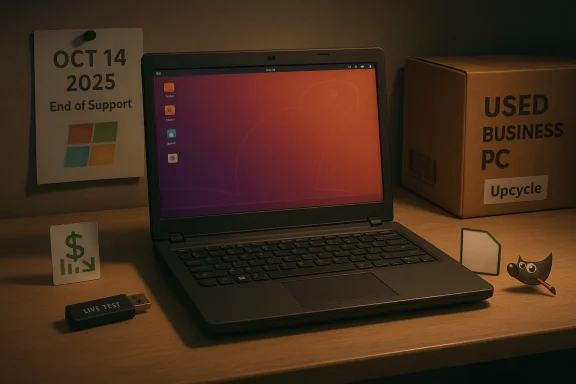 Background
For years, Windows users were told that software upgrades were mostly about features and convenience. That changed as support lifecycles, hardware security requirements, and subscription pricing all converged into a sharper cost conversation. Microsoft has confirmed that Windows 10 support ended on October 14, 2025, which means users who stayed on that platform are no longer receiving free security fixes or routine technical help from Windows Update.That deadline matters because it reframes the “cost of staying put.” A PC that was once perfectly serviceable now faces either a replacement purchase, an extended security program, or a riskier unsupported life. For many households, schools, and small offices, the cheapest machine is no longer the newest one; it is the one already on the desk. Linux fits neatly into that logic because it can extend the usable life of older hardware without demanding the same kind of platform refresh.
The argument also lands in a software market that has become more subscription-heavy. Office suites, image editors, and many productivity tools are now sold as recurring services rather than one-time purchases. That shift can be rational for vendors, but it changes how users calculate value. The more you pay every month or year, the more attractive free and open source alternatives look, especially if your workflow is fairly standard.
There is also a cultural layer to this story. Windows has long been the default desktop choice, which means many users have learned to treat it as the only “serious” PC platform. Linux has spent decades overcoming the stereotype that it is only for programmers or hobbyists. In reality, modern desktop Linux has become easier to install, easier to update, and easier to use for everyday tasks than many people assume.
The article that inspired this discussion gets the basic point right: Linux is not just a cheaper operating system, it can be a cheaper computing strategy. But the size of the savings depends on whether you are replacing hardware, software licenses, support calls, or all three at once. That nuance matters, because the strongest Linux case is often not the one about ideology; it is the one about total cost of ownership.
Why the Windows 11 Transition Changed the Math
Windows 11’s hardware requirements have become one of the clearest drivers pushing users to rethink their desktop stack. In practical terms, many older systems that still run Windows 10 well enough are not eligible for the newer OS, which can make a full replacement feel premature. That is where Linux becomes more than an alternative operating system; it becomes a hardware-preservation tool.For consumers, the savings can be immediate. Instead of spending on a new PC to satisfy a support deadline, you can often keep the current machine and install a lightweight Linux distribution. The value proposition is especially strong for users whose needs are mostly web browsing, email, document editing, photo management, and media playback. Those workloads rarely require the latest silicon.
For small businesses and nonprofits, the math can be even more compelling. Replacing a fleet of older machines in one cycle is expensive, and the cost is not limited to hardware. There is also deployment time, user training, peripheral compatibility checks, and software migration. Linux can reduce or defer those costs, although it does not erase them.
Older Hardware Still Has Life
A lot of PCs that fail the Windows 11 checklist are not “bad computers.” They are simply no longer in the right age band for Microsoft’s security model. Linux distributions, by contrast, often run comfortably on hardware that would struggle with Windows 11’s overhead and background services. That makes Linux especially appealing for budget-conscious users and secondary machines.This is where the “save money” promise becomes concrete. You are not just avoiding a purchase; you are reclaiming utility from an asset you already own. For many people, that is the cleanest kind of savings because it does not depend on a rebate or a promotional price.
Security Costs Are Part of the Equation
Once Windows 10 passed its end-of-support date on October 14, 2025, keeping it as-is became a risk calculation, not a software preference. Microsoft’s own support pages say it no longer provides free updates, technical assistance, or security fixes for the consumer platform after that date.That means any “savings” from staying on Windows 10 are mostly illusory if you later have to pay for security coverage, recover from a malware incident, or replace a machine after a compromise. Linux is not invulnerable, but the desktop threat landscape is different enough that many home users feel more comfortable on a supported Linux release than on unsupported Windows.
- Linux can preserve existing hardware value.
- Windows 11 can force replacement earlier than expected.
- Unsupported Windows 10 creates hidden security costs.
- The cheapest option is not always the least expensive over time.
- For light desktop use, Linux can meet needs without new hardware.
Software Licensing and Subscription Pressure
The second major saving comes from software, not hardware. In many households, the operating system is no longer the biggest recurring tech expense; the subscriptions are. Office suites, photo editors, cloud-connected utilities, and backup tools can quietly add up over a year, especially if multiple family members or workstations are involved.Linux changes that equation because a large portion of the ecosystem is free to use. LibreOffice remains a fully featured, free and open source office suite that supports Microsoft Office file formats and is backed by The Document Foundation. GIMP is a free and open source image editor that can handle a range of photo and graphics tasks without a paid subscription.
The real savings, however, are not just the price tag of individual applications. They come from escaping the feeling that every task now requires a monthly fee. For budget-minded users, open source software restores an older software model: buy the machine, install the tools, and keep using them.
Free Does Not Mean Bare-Bones
A common misconception is that free software is automatically limited software. That may have been true in some categories years ago, but it is no longer a reliable rule. LibreOffice covers the basics for writing, spreadsheets, and presentations, while GIMP and other Linux-native tools handle plenty of creative work.That said, there is a difference between “can replace” and “perfectly matches.” A professional designer deeply embedded in Adobe workflows may not be satisfied with a Linux-only stack. But for many casual and semi-pro users, the free alternatives are more than enough.
Compatibility Still Needs Testing
The most expensive software problem is often not the license itself but the workflow disruption caused by migration. If your documents rely on complex macros, if your business depends on specialized plugins, or if your creative archive uses proprietary project files, the switch may need planning. Linux can save money only if the transition is organized well enough to avoid productivity loss.- LibreOffice is the obvious office-suite alternative.
- GIMP covers many image-editing needs.
- Open source tools reduce recurring subscription fees.
- Compatibility should be tested before committing.
- Power users may need niche apps that have no Linux equivalent.
Support, Repair, and the Hidden Cost of Convenience
One of Linux’s underrated advantages is that it often reduces the need for paid support. When users control the system more directly, they can troubleshoot more of it themselves or with help from online communities. That does not make Linux magically easy, but it does make the machine feel more repairable.Windows systems can drift into a state where a user feels locked out of their own computer. Updates, background services, vendor utilities, and malware cleanup can all create a dependency on paid assistance. Linux is not immune to breakage, but its simpler ownership model often gives users more leverage over basic maintenance.
This matters because tech support costs are not always dramatic. Sometimes they appear as a $100 repair bill, a data recovery charge, or a half-day lost to waiting in a queue. Linux does not eliminate those outcomes, but it can lower the frequency of common nuisance problems.
Why Control Saves Money
A system you understand is cheaper to maintain. That is true for cars, home appliances, and computers. Linux encourages that kind of ownership because the tools for inspecting logs, reinstalling packages, and restoring configuration files are usually built into the ecosystem.For some users, that sounds intimidating. Yet the learning curve can be a cost-saving investment. Once a person understands a few basic Linux maintenance habits, they may never need to pay for as many minor fixes again.
Malware Exposure Is Not the Whole Story
It is fair to say that many common Windows-targeting malware campaigns do not translate directly to Linux desktops. That can reduce the number of times a user needs to clean up a compromised machine or call for emergency help. But the broader lesson is not that Linux is “safe” in some absolute sense.The better way to think about it is this: Linux often offers a smaller attack surface for the average home desktop user, which can lower maintenance costs indirectly. That is especially useful for people who want a practical computer, not a constant security project.
- Fewer common infections can mean fewer repair visits.
- Better visibility into the system helps self-service troubleshooting.
- Community support is often strong and free.
- Basic maintenance becomes more learnable over time.
- Fewer support calls can translate into real annual savings.
Hardware Upcycling and the Second-Hand Market
Linux does not only help you save money on the computer you already own. It also makes the used-hardware market more attractive. Ex-business PCs, especially from Dell, Lenovo, and HP, are often sold at a steep discount once corporate refresh cycles move them out of service.That matters because many of those machines are still perfectly fine for everyday productivity. Corporate hardware is frequently built more robustly than budget consumer gear, and a machine that can no longer satisfy Windows 11 can still be an excellent Linux desktop or laptop. For users who want a cheap but capable PC, the used market can be a goldmine.
The environmental angle is important too, even if the article’s core argument is financial. Extending the life of a laptop by a few years reduces the need to manufacture and transport a replacement. Saving money and reducing e-waste are not the same goal, but they often point in the same direction.
Used Business PCs Are a Sweet Spot
The best value often comes from enterprise castoffs that have already absorbed most of their depreciation. You are paying for a solid chassis, decent ports, and acceptable performance, not for brand-new branding. Linux gives that hardware a second life without demanding a premium OS license or a modern Windows certification checklist.There is a practical caution here, though. Not every old laptop is a good purchase. Battery wear, storage age, and screen condition can turn an apparent bargain into a frustrating project. Linux reduces software costs, but it does not cancel bad hardware decisions.
Cheap Boot Media Is Enough to Start
One of Linux’s user-friendly advantages is the ease of trying it before committing. A simple USB drive can be enough to boot a live session, test compatibility, and install the OS if everything looks good. That low-cost trial lowers the risk of experimentation.This is why Linux migration feels more approachable now than in the past. You can test your Wi-Fi, printer, graphics output, and external drives before making any irreversible changes. That kind of confidence saves time, which is another form of money.
- Used corporate PCs can be excellent Linux candidates.
- Enterprise hardware often offers strong value per dollar.
- A USB installer keeps the entry cost low.
- Testing compatibility before purchase prevents waste.
- Battery and storage health still matter on older machines.
Choosing a Linux Distribution
If there is one area where newcomers can lose the savings advantage, it is distro selection. Linux comes in many flavors, and that variety is both a strength and a source of confusion. Some distributions are designed to feel familiar to Windows users, while others emphasize polish, stability, or customization.Ubuntu is often recommended because it has broad community support, strong documentation, and a gentle on-ramp for people crossing over from Windows. It is not the only good choice, but it is one of the least risky starting points for beginners. The benefit of choosing a mainstream distro is that you are more likely to find tutorials, troubleshooting answers, and compatible software.
The wrong distro can cost you time, and time is part of the total expense. A user who spends days fighting an unfamiliar desktop environment may decide the switch was a mistake, even if the software itself was free. That is why choosing something conventional often makes financial sense.
The Familiarity Factor
A Windows-like layout reduces training costs. That does not mean Linux should imitate Windows in every detail, but it does mean that a recognizable taskbar, menu system, and settings workflow can ease the transition. For a household or small office, reduced training friction is a real economic advantage.Power users may prefer more bespoke environments. That is fine. But for cost-conscious adopters, predictability is often more valuable than cleverness.
Long-Term Support Matters
A distro with long-term support can be cheaper to maintain because it needs fewer disruptive upgrades. Stable release cycles reduce the chance that a working machine gets broken by a major interface change. That stability is especially attractive for users who want to install once and move on.- Mainstream distros offer better community support.
- Familiar interfaces reduce retraining.
- Long-term support lowers maintenance interruptions.
- Stability is often more valuable than novelty.
- Begin with a distro that fits your comfort level, not your ego.
Enterprise vs. Consumer Economics
The money story looks different depending on who is switching. For consumers, the biggest savings usually come from hardware reuse and subscription avoidance. For businesses, the gains can be wider but harder to realize quickly because they involve deployment, policy, and training.A home user can make a personal decision in an afternoon. An enterprise has to think about imaging, identity management, file shares, app compatibility, and user support. Linux can still make sense in that environment, but the savings may show up gradually rather than instantly.
That difference is crucial because it prevents overselling Linux as a universal cost cure. It is not. It is a strong option when the workstation role is modest, standardized, and not tied to a single proprietary application stack.
Consumer Wins Are Easier to Capture
Most consumers need a browser, an office suite, a few media tools, and perhaps some photo editing. Linux can cover that use case at very low cost. The change is often simpler than people expect, and the savings are visible immediately because the monthly software bills shrink.For people who only use a computer for practical tasks, Linux offers a rare combination: lower cost and a still-familiar desktop paradigm. That is why it has enduring appeal in budget-focused households.
Business Wins Depend on Process
A business gets more complicated benefits. If it can standardize on open file formats and cloud services, Linux desktop adoption can slash licensing spend and extend hardware life. But if the company relies heavily on Windows-only line-of-business software, savings may evaporate in migration workarounds.In other words, Linux is easiest to justify when the organization has already done the discipline work. Standardized processes make a switch cheaper; chaotic environments make it expensive.
- Consumers benefit from faster, simpler adoption.
- Businesses need compatibility planning.
- Standardized workflows make Linux cheaper to deploy.
- Proprietary applications can erase savings.
- The best fit is a workload-driven decision, not a platform preference.
Practical Limitations That Affect the Bill
Every savings story has caveats, and Linux is no exception. The platform can be cheaper, but only if the user’s real-world hardware and software needs line up with what Linux does well. If they do not, the hidden cost can be frustration, delays, and extra support.Printer drivers, specialized peripherals, game anti-cheat, and niche business tools are common sticking points. Many of these problems have improved over time, but “improved” is not the same as “gone.” Anyone evaluating Linux as a money-saving move should treat compatibility as part of the budget.
That is especially true if the user works with unusual hardware. Audio interfaces, scanners, and industrial devices can all be finicky, and a device that is perfectly fine on Windows may need more manual attention on Linux. The savings can disappear if the switch forces replacement hardware.
The Hidden Cost of Workarounds
If you need to spend hours finding a replacement app or wrestling with a driver issue, the “free” operating system is no longer free in any meaningful sense. That does not make Linux a bad choice, but it does mean the savings depend on your tolerance for tinkering. Convenience has a price.This is where a careful pilot install helps. A trial run can reveal whether your daily tools are compatible before you commit fully. That can save more money than any software license.
Gaming and Specialized Workloads Are Different
Gaming on Linux has improved a great deal, but it is still not a guaranteed win for every title or anti-cheat system. Professional workflows can be similarly uneven. If your computer is a mission-critical revenue tool rather than a general-purpose workstation, the cheapest option is the one that least interrupts your work.- Driver and peripheral issues can create hidden costs.
- Specialized software may require alternatives or workarounds.
- Some workflows fit Linux much better than others.
- Testing before migration reduces expensive surprises.
- A free OS is only cheap if it supports your actual tasks.
Strengths and Opportunities
Linux’s strongest financial argument is not that it is universally better than Windows, but that it can stretch the useful life of hardware and reduce recurring software spend in a way that is easy to understand. For the right user, it is one of the few technology decisions that can lower both upfront and ongoing costs. That combination is why it keeps resurfacing whenever Windows hardware requirements or licensing models get stricter.- Keeps older PCs useful instead of forcing immediate replacement.
- Avoids recurring subscription costs for many everyday tasks.
- Supports open source alternatives like LibreOffice and GIMP.
- Reduces support dependence for users willing to learn basic maintenance.
- Improves value from used business hardware.
- Encourages long-term ownership rather than short upgrade cycles.
- Offers a low-cost trial path through live USB testing.
Risks and Concerns
The biggest mistake is assuming Linux saves money automatically. It can absolutely do so, but only when the user’s applications, peripherals, and comfort level align with the platform. When they do not, migration can become a time sink, and time is just another line item in the cost ledger.- Compatibility gaps with niche software can force workarounds.
- Peripheral support may not be perfect for every printer or scanner.
- Learning curve costs can be significant for new users.
- Gaming limitations may matter for some households.
- Migration mistakes can create downtime and data risk.
- Used hardware purchases can backfire if the device is tired or worn.
- Support quality varies across distros, forums, and communities.
Looking Ahead
The Linux value proposition is likely to stay strong as long as mainstream PC economics remain under pressure. With Windows 10 now out of support and Windows 11 still excluding a large slice of older machines, many users will continue to ask a simple question: why replace something that already works? That question has no universal answer, but Linux makes it harder for vendors to assume that hardware refresh is the only path forward.What will determine future adoption is not ideology but practicality. If Linux distributions keep improving desktop polish, hardware support, and beginner guidance, the platform will remain an attractive money-saving choice for budget-conscious users, schools, and light-duty offices. If not, it will remain valuable but niche.
- More users will test Linux on older PCs before buying new ones.
- Open source alternatives will continue to challenge subscription software.
- Enterprise adoption will hinge on app compatibility and policy tooling.
- Used business hardware will remain a strong Linux bargain.
- Distro beginners will keep gravitating toward mainstream options with good documentation.
Source: How-To Geek Switching to Linux saves you money in more way than one
