

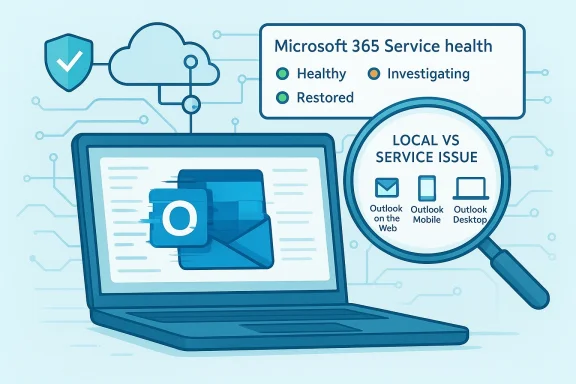
Microsoft Outlook is not showing signs of a broad, platform-wide outage today, and the most credible signals point to a service that is operating normally rather than collapsing under a global failure. Microsoft’s own guidance says admins should check the Microsoft 365 Service health page, while personal users can use the service status page if they cannot sign in, and the company uses those channels to distinguish real incidents from local problems. In other words, when Outlook misbehaves, the first question is often not “Is Microsoft down?” but “Which layer is broken?” citeturn0file16
That distinction matters because Outlook now sits inside a much larger Microsoft 365 identity and cloud stack. Exchange Online monitoring covers Outlook desktop, Outlook on the web, Outlook mobile, and Mac clients, while service-health status definitions separate service degradation, service interruption, and service restored conditions so admins can tell a local issue from a genuine backend event. Microsoft’s own support material also recommends checking for service issues before chasing profile corruption, outdated software, or network problems. citeturn0file16turn0file14
Outlook’s reputation for reliability has always been tied to the wider Microsoft ecosystem, not just the mail client itself. In the classic desktop era, most failures were framed as client-side problems: bad profiles, add-ins, cached credentials, PST issues, or connectivity problems between Outlook and Exchange. Today, the story is more complicated because Outlook is no longer just a standalone app; it is a front end for identity, synchronization, licensing, web services, and cloud collaboration. citeturn0file16turn0file14
That shift has made outage detection both easier and harder. Easier, because Microsoft now publishes service-health dashboards and issue histories that let admins confirm whether a problem is truly service-side. Harder, because a user can experience something that feels like “Outlook is down” even when the backend is healthy, especially when the fault is really in authentication, local caching, or a Windows update regression. Microsoft’s own troubleshooting pages explicitly tell admins to verify service health when multiple users are affected and to check local network issues if the service is fine. citeturn0file16turn0file14turn0file15
The current conversation around Outlook also reflects the changing shape of the product. Microsoft has been gradually pushing users toward the new Outlook for Windows, while classic Outlook remains important for enterprise workflows that still depend on add-ins, archives, macros, or long-tested desktop behavior. That migration has been slow enough that Microsoft delayed the enterprise opt-out phase until March 2027, a sign that the transition is still operationally sensitive. citeturn0file12turn0file13
At the same time, the company has been pruning adjacent products. Outlook Lite for Android is on a fixed retirement path, with new installs blocked and mailbox functionality due to end on May 25, 2026. That move shows Microsoft’s preference for consolidation: fewer clients, fewer edge cases, and more pressure on users to live inside the main Outlook experience. citeturn0file17
For readers wondering whether today’s complaints mean a real outage, the answer is usually more mundane. Microsoft’s guidance still points users to the same triage pattern: confirm service health, test access on another device or browser, and then look at caches, profiles, updates, and sign-in state. That is not a dismissal of problems; it is an acknowledgment that most Outlook failures are now hybrid failures, sitting somewhere between the cloud and the desktop. citeturn0file16turn0file14
This also explains why “Outlook is down” often turns out to be the wrong headline. A user may be unable to send mail, sync folders, or open calendars and assume the whole platform is broken, while Microsoft may classify the event as a localized degradation, a subset of users problem, or a transient issue already in recovery. The wording is important because it frames severity, scope, and likely resolution time. citeturn0file16turn0file14
The same logic applies to Exchange Online monitoring, which tracks organization-level behavior for Outlook desktop, Outlook on the web, and mobile clients. Microsoft’s monitoring distinguishes active user counts, app connectivity, mail flow, and web sign-in, which means a healthy service can still produce individual complaints if one part of the stack is unhappy. That is especially true in cloud-first environments where authentication and content access are tightly linked. citeturn0file16
That issue is important because it was not a classic server outage. Microsoft’s own wording suggests the failure lived in a local state machine, not in Exchange Online itself. In practice, that means a user can be online, the cloud can be healthy, and yet Outlook-related workflows still fail because Windows has misread the device’s connection readiness. That is a very different class of problem from “Microsoft’s servers are down.” citeturn0file16turn0file14
The broader lesson is that modern outage language is often too blunt for the underlying mechanics. Users say “Outlook is down” because that is the visible symptom, but the actual cause may be authentication, token refresh, cached status, or update-induced state corruption. Microsoft’s own guidance on Outlook connection problems still starts with Windows Update, profile repair, diagnostics, and service health checks because those are the most common fault domains. citeturn0file16turn0file14
The enterprise migration to new Outlook has also been slower than Microsoft may have hoped. The company’s decision to delay the opt-out stage until March 2027 signals that organizations still need time to validate add-ins, archives, policies, and workflow compatibility. In practical terms, that means classic Outlook remains the safer choice for many power users, even while Microsoft keeps steering the market toward the new interface. citeturn0file12turn0file13
For consumers, the story is more about convenience and consistency. New Outlook promises a cleaner interface and tighter alignment with Microsoft 365 services, but some users still prefer classic Outlook because it behaves more like the desktop software they know. This preference becomes more pronounced when outages or glitches occur, because people naturally trust the older client that has already survived years of patches and feature changes. citeturn0file12turn0file13
That matters because Microsoft 365 is enormous. Even a tiny fraction of affected users can generate a visible wave of complaints, and that wave may still be small relative to the platform’s total traffic. In other words, “lots of people are posting” does not necessarily mean “the service is largely down.” It may only mean that a narrow bug has hit a very visible slice of the user base. citeturn0file14turn0file16
The social-media effect is even stronger with email because email is so central to daily work. If Outlook stalls, people feel blocked immediately, and they post faster than they troubleshoot. That emotional urgency is understandable, but it is also why official status pages deserve more weight than rumor loops. citeturn0file16
That sequence reflects Microsoft’s own support guidance, which highlights software updates, profile corruption, and service issues as common causes of Outlook connection trouble. The company also points users to Microsoft 365 diagnostics for Outlook user connectivity, which is a better bet than random guesswork when multiple layers of the stack may be involved. citeturn0file14
For Windows users specifically, updates matter more than many people realize. Microsoft’s support pages repeatedly note that out-of-date Windows or Outlook builds can interfere with sending and receiving mail, and the recent March 2026 issue showed how a patch can also introduce a misleading offline state. In that environment, troubleshooting is less about guessing and more about isolating which layer changed most recently. citeturn0file14turn0file16
Microsoft’s Exchange Online monitoring adds even more detail, letting admins see active usage, mail flow, connectivity, and web sign-in. That kind of visibility helps teams determine whether Outlook is actually down or whether the problem is isolated to certain clients, tenants, or network paths. It also makes it easier to justify keeping classic Outlook around longer when compatibility or resiliency is at stake. citeturn0file16
Enterprise teams also know that the cost of a false outage is real. If users think Microsoft is down, help desks get flooded, work stops, and teams waste time on triage that could have been avoided with better status checking. In that sense, Microsoft’s service-health dashboards are not just technical tools; they are productivity tools. citeturn0file16turn0file14
That also means Microsoft has to balance innovation against stability. New features, AI integrations, and interface changes can make the product more attractive, but they can also create more edge cases and more user anxiety about whether today’s update will be the one that breaks something. The existence of monthly known-issues lists is itself a reminder that modern Outlook is a living service, not a frozen desktop program. citeturn0file17turn0file16
Still, the big picture matters. The current evidence supports a conclusion that Outlook is operational, with scattered issues mostly tied to identity, updates, or local client behavior rather than a universal Microsoft outage. That is a healthier state than a true service-wide failure, even if it does not feel that way to the person whose inbox refuses to load. citeturn0file16turn0file14
The other thing to watch is the pace of the new Outlook transition. Microsoft clearly wants a cleaner, more unified Outlook story across desktop, mobile, and web, but the March 2027 enterprise timing shift shows that adoption remains uneven. If the company can improve stability while simplifying the product line, it may finally reduce the confusion that fuels “is Outlook down?” moments. citeturn0file12turn0file13turn0file17
Source: International Business Times Australia Is Microsoft Outlook Down? Outlook Fully Operational as of April 14, 2026, Following Recent Scattered Issues
That distinction matters because Outlook now sits inside a much larger Microsoft 365 identity and cloud stack. Exchange Online monitoring covers Outlook desktop, Outlook on the web, Outlook mobile, and Mac clients, while service-health status definitions separate service degradation, service interruption, and service restored conditions so admins can tell a local issue from a genuine backend event. Microsoft’s own support material also recommends checking for service issues before chasing profile corruption, outdated software, or network problems. citeturn0file16turn0file14
 Background
Outlook’s reputation for reliability has always been tied to the wider Microsoft ecosystem, not just the mail client itself. In the classic desktop era, most failures were framed as client-side problems: bad profiles, add-ins, cached credentials, PST issues, or connectivity problems between Outlook and Exchange. Today, the story is more complicated because Outlook is no longer just a standalone app; it is a front end for identity, synchronization, licensing, web services, and cloud collaboration. citeturn0file16turn0file14That shift has made outage detection both easier and harder. Easier, because Microsoft now publishes service-health dashboards and issue histories that let admins confirm whether a problem is truly service-side. Harder, because a user can experience something that feels like “Outlook is down” even when the backend is healthy, especially when the fault is really in authentication, local caching, or a Windows update regression. Microsoft’s own troubleshooting pages explicitly tell admins to verify service health when multiple users are affected and to check local network issues if the service is fine. citeturn0file16turn0file14turn0file15
The current conversation around Outlook also reflects the changing shape of the product. Microsoft has been gradually pushing users toward the new Outlook for Windows, while classic Outlook remains important for enterprise workflows that still depend on add-ins, archives, macros, or long-tested desktop behavior. That migration has been slow enough that Microsoft delayed the enterprise opt-out phase until March 2027, a sign that the transition is still operationally sensitive. citeturn0file12turn0file13
At the same time, the company has been pruning adjacent products. Outlook Lite for Android is on a fixed retirement path, with new installs blocked and mailbox functionality due to end on May 25, 2026. That move shows Microsoft’s preference for consolidation: fewer clients, fewer edge cases, and more pressure on users to live inside the main Outlook experience. citeturn0file17
For readers wondering whether today’s complaints mean a real outage, the answer is usually more mundane. Microsoft’s guidance still points users to the same triage pattern: confirm service health, test access on another device or browser, and then look at caches, profiles, updates, and sign-in state. That is not a dismissal of problems; it is an acknowledgment that most Outlook failures are now hybrid failures, sitting somewhere between the cloud and the desktop. citeturn0file16turn0file14
What Microsoft’s Own Status Tools Say
Microsoft’s official status tooling remains the best first stop for anyone trying to separate rumor from reality. The company says the Microsoft 365 admin center’s Service health page is where admins can check the status of Exchange Online and related services, while the public service status page is available if users cannot log in to the admin center. Microsoft also directs users to the @MSFT365Status account for certain events, which helps turn a vague complaint into a documented incident. citeturn0file16Why these tools matter
The value of these dashboards is not just that they exist. It is that Microsoft defines the meaning of each status in plain language: investigating, service degradation, service interruption, restoring service, extended recovery, and service restored. That gives users and administrators a shared vocabulary, which is crucial when social media is full of screenshots but not always full of context. citeturn0file16This also explains why “Outlook is down” often turns out to be the wrong headline. A user may be unable to send mail, sync folders, or open calendars and assume the whole platform is broken, while Microsoft may classify the event as a localized degradation, a subset of users problem, or a transient issue already in recovery. The wording is important because it frames severity, scope, and likely resolution time. citeturn0file16turn0file14
The same logic applies to Exchange Online monitoring, which tracks organization-level behavior for Outlook desktop, Outlook on the web, and mobile clients. Microsoft’s monitoring distinguishes active user counts, app connectivity, mail flow, and web sign-in, which means a healthy service can still produce individual complaints if one part of the stack is unhappy. That is especially true in cloud-first environments where authentication and content access are tightly linked. citeturn0file16
- Use the service-health dashboard before restarting everything in sight.
- Check whether multiple users in the same organization are affected.
- Compare Outlook on the web with desktop Outlook.
- Test on another network or device to isolate local issues.
- Look for recent updates, not just server incidents.
Recent Scattered Issues, Not a Total Collapse
The recent pattern around Outlook is best described as scattered friction rather than a full-scale blackout. Microsoft has documented incidents this year involving sign-in failures, add-in behavior, and update-related regressions, but those problems have tended to affect specific components or user groups rather than the entire service. That distinction matters because it shapes how users should interpret complaints they see online. citeturn0file16turn0file8The March 2026 update problem
One of the most instructive examples came after Microsoft’s March 10, 2026 updates, when some Windows 11 users on 24H2 and 25H2 saw Microsoft account sign-in failures in apps including Teams Free, OneDrive, Edge, Word, Excel, and Microsoft 365 Copilot. Microsoft said the device could incorrectly report that it was offline even when internet access was working, and the company noted that a restart while connected could temporarily restore the correct state. citeturn0file16turn0file8That issue is important because it was not a classic server outage. Microsoft’s own wording suggests the failure lived in a local state machine, not in Exchange Online itself. In practice, that means a user can be online, the cloud can be healthy, and yet Outlook-related workflows still fail because Windows has misread the device’s connection readiness. That is a very different class of problem from “Microsoft’s servers are down.” citeturn0file16turn0file14
The broader lesson is that modern outage language is often too blunt for the underlying mechanics. Users say “Outlook is down” because that is the visible symptom, but the actual cause may be authentication, token refresh, cached status, or update-induced state corruption. Microsoft’s own guidance on Outlook connection problems still starts with Windows Update, profile repair, diagnostics, and service health checks because those are the most common fault domains. citeturn0file16turn0file14
Why local bugs feel like outages
A local failure can produce outage-like behavior because Outlook is deeply integrated with identity and cloud services. If sign-in breaks, a user may lose access to mail, calendar sync, browser profiles, shared files, or even the ability to open a document that requires Microsoft account validation. That is why a minor authentication regression can look, to the end user, like a major platform collapse. citeturn0file16turn0file8- A bug can be local and still feel global.
- Authentication failures often masquerade as network failures.
- Outlook problems can spill into Teams, OneDrive, Edge, Word, and Excel.
- One bad update can create multiple symptoms across Microsoft 365.
- The error message users see is not always the real root cause.
Classic Outlook, New Outlook, and the Migration Friction
Microsoft’s Outlook strategy is no longer about one client. It is about managing two experiences at once: the long-standing classic desktop application and the newer web-style Outlook for Windows. That dual-track model is one reason outage stories are so confusing, because the complaint may refer to classic Outlook, new Outlook, Outlook on the web, or Outlook mobile while the underlying issue affects only one of them. citeturn0file12turn0file13Enterprise users versus consumers
Enterprise users often have the clearest path to diagnosis because Microsoft 365 admin tools expose service-health and Exchange Online monitoring. That matters when several employees report the same problem at once, since admins can quickly rule out a broad service incident. Consumers, by contrast, often have to infer whether the problem is theirs by comparing the web app, a mobile app, and the desktop client. citeturn0file16turn0file14The enterprise migration to new Outlook has also been slower than Microsoft may have hoped. The company’s decision to delay the opt-out stage until March 2027 signals that organizations still need time to validate add-ins, archives, policies, and workflow compatibility. In practical terms, that means classic Outlook remains the safer choice for many power users, even while Microsoft keeps steering the market toward the new interface. citeturn0file12turn0file13
For consumers, the story is more about convenience and consistency. New Outlook promises a cleaner interface and tighter alignment with Microsoft 365 services, but some users still prefer classic Outlook because it behaves more like the desktop software they know. This preference becomes more pronounced when outages or glitches occur, because people naturally trust the older client that has already survived years of patches and feature changes. citeturn0file12turn0file13
What the transition really means
The transition is not just cosmetic. It is a signal that Microsoft wants Outlook to be more service-driven, more cloud-synced, and more unified across devices. That can improve long-term consistency, but it also narrows tolerance for old-school offline habits and niche enterprise workflows that were built around the classic app. citeturn0file12turn0file13turn0file17- Classic Outlook still matters for continuity and compatibility.
- New Outlook reflects Microsoft’s cloud-first product direction.
- Enterprises move slower because they test deeper.
- Consumers move faster because they feel pain more immediately.
- Support complexity rises when two clients coexist.
Why Social Media Makes Outages Look Bigger
One of the biggest reasons people ask whether Outlook is down is that complaint spikes travel fast. A few hundred users posting screenshots can create the impression of a global emergency, especially when the problem lands during work hours. But social signals rarely distinguish between a genuine Microsoft-wide incident and a cluster of unrelated local failures. citeturn0file16turn0file14Complaint volume versus actual scope
Monitoring sites like Downdetector can be useful, but they are not the source of truth for service health. They measure user reports, which are valuable as a smoke alarm but not enough to identify the fire. Microsoft’s own documentation makes clear that service health and admin monitoring are the authoritative sources when an organization needs to know whether the problem is systemic. citeturn0file16That matters because Microsoft 365 is enormous. Even a tiny fraction of affected users can generate a visible wave of complaints, and that wave may still be small relative to the platform’s total traffic. In other words, “lots of people are posting” does not necessarily mean “the service is largely down.” It may only mean that a narrow bug has hit a very visible slice of the user base. citeturn0file14turn0file16
The social-media effect is even stronger with email because email is so central to daily work. If Outlook stalls, people feel blocked immediately, and they post faster than they troubleshoot. That emotional urgency is understandable, but it is also why official status pages deserve more weight than rumor loops. citeturn0file16
- High complaint volume can reflect visibility, not scale.
- Email outages feel more urgent than many other software issues.
- Status dashboards should outrank anecdotal reports.
- User frustration can spread faster than the underlying bug.
- The same problem may hit one tenant and miss another.
Troubleshooting: What Users Should Do First
When Outlook seems broken, the first step should be to determine whether the issue is service-side or local. Microsoft recommends checking service health, trying the Outlook web experience, and using diagnostics before assuming a platform outage. That approach saves time and avoids unnecessary escalation. citeturn0file16turn0file14A practical sequence
A sensible troubleshooting order starts with the simplest checks and works upward. First, confirm that the internet connection is stable. Second, try Outlook in a browser or on another device. Third, inspect Microsoft 365 status pages or the admin center if you have access. Fourth, move on to app repair, profile problems, cache clearing, or Windows updates. citeturn0file16turn0file14That sequence reflects Microsoft’s own support guidance, which highlights software updates, profile corruption, and service issues as common causes of Outlook connection trouble. The company also points users to Microsoft 365 diagnostics for Outlook user connectivity, which is a better bet than random guesswork when multiple layers of the stack may be involved. citeturn0file14
For Windows users specifically, updates matter more than many people realize. Microsoft’s support pages repeatedly note that out-of-date Windows or Outlook builds can interfere with sending and receiving mail, and the recent March 2026 issue showed how a patch can also introduce a misleading offline state. In that environment, troubleshooting is less about guessing and more about isolating which layer changed most recently. citeturn0file14turn0file16
- Check the Microsoft 365 service-health page.
- Test Outlook on the web.
- Try a different browser or device.
- Verify whether other users are affected.
- Repair, update, or recreate the Outlook profile if needed.
The Enterprise Angle: Why IT Teams Care So Much
For IT administrators, an Outlook issue is never just an inbox issue. It can affect authentication, mailbox access, calendaring, delegated permissions, search, add-ins, and workflows tied to Exchange Online. That is why Microsoft’s enterprise guidance emphasizes service-health monitoring and diagnostics instead of generic end-user advice. citeturn0file16turn0file14Managed environments need faster triage
Enterprise environments have an advantage because they can compare symptoms across users, devices, and identity systems. Microsoft explicitly notes that some recent sign-in problems affected Microsoft account flows but not Entra ID, which sharply narrows the scope for business customers using managed authentication. That separation is a major relief for corporate IT, even when consumer users are still struggling. citeturn0file16turn0file8Microsoft’s Exchange Online monitoring adds even more detail, letting admins see active usage, mail flow, connectivity, and web sign-in. That kind of visibility helps teams determine whether Outlook is actually down or whether the problem is isolated to certain clients, tenants, or network paths. It also makes it easier to justify keeping classic Outlook around longer when compatibility or resiliency is at stake. citeturn0file16
Enterprise teams also know that the cost of a false outage is real. If users think Microsoft is down, help desks get flooded, work stops, and teams waste time on triage that could have been avoided with better status checking. In that sense, Microsoft’s service-health dashboards are not just technical tools; they are productivity tools. citeturn0file16turn0file14
- Entra ID can be insulated from certain consumer-side issues.
- Admin dashboards shorten incident response time.
- Monitoring helps distinguish app failure from mail-flow failure.
- Compatibility concerns keep classic Outlook relevant in enterprises.
- Help-desk volume spikes quickly during ambiguous incidents.
Why Outlook Still Feels Fragile to Users
Despite strong overall uptime, Outlook still has a reputation for fragility because users experience the product through moments of failure, not through the many ordinary hours when it works fine. The app is so central to modern work that even a brief hiccup feels disproportionate. That psychological effect is one reason “Outlook is down” stories persist. citeturn0file16turn0file14The burden of being essential
Email remains one of the last truly universal business tools. When it fails, people lose not just communication but scheduling, notifications, and access to cloud-linked content. Outlook’s deep integration with Microsoft 365 makes the failure feel larger than a single app crash because so many other workflows sit on top of the same identity and mail infrastructure. citeturn0file16turn0file14That also means Microsoft has to balance innovation against stability. New features, AI integrations, and interface changes can make the product more attractive, but they can also create more edge cases and more user anxiety about whether today’s update will be the one that breaks something. The existence of monthly known-issues lists is itself a reminder that modern Outlook is a living service, not a frozen desktop program. citeturn0file17turn0file16
Still, the big picture matters. The current evidence supports a conclusion that Outlook is operational, with scattered issues mostly tied to identity, updates, or local client behavior rather than a universal Microsoft outage. That is a healthier state than a true service-wide failure, even if it does not feel that way to the person whose inbox refuses to load. citeturn0file16turn0file14
Strengths and Opportunities
Microsoft has built a stronger transparency layer than it had in the old Outlook era, and that helps both users and IT teams make faster decisions. The company’s dashboards, monitoring pages, and issue notes are far more useful than vague reassurance, especially when service health is the difference between normal productivity and a support escalation. That transparency is a genuine strength, even if it does not eliminate bugs. citeturn0file16turn0file14- Clear service-health visibility for admins and users.
- Better separation of cloud and client issues than in the past.
- Enterprise monitoring tools that reduce guesswork.
- Known-issue documentation that speeds remediation.
- A large installed base that still values Outlook’s depth.
- Gradual migration tools that let Microsoft modernize without a hard break.
- Support diagnostics that help identify whether the root cause is local or service-side.
Risks and Concerns
The biggest risk is not a single outage, but the erosion of trust that happens when users repeatedly encounter symptoms that look like outages. If a patch can make a device think it is offline when it is not, people start questioning updates, the platform, and the reliability of the entire ecosystem. That kind of reputational damage can outlast the bug itself. citeturn0file16turn0file8- Misleading error messages can send users down the wrong path.
- Update regressions can reduce confidence in patching.
- Dual-client complexity makes support harder.
- Identity-linked failures can affect many Microsoft 365 apps at once.
- Social-media amplification can exaggerate the appearance of a crisis.
- Enterprise and consumer experiences diverge, confusing public perception.
- Migration friction can create more temporary instability.
Looking Ahead
The near-term question is whether Microsoft can keep narrowing these scattered incidents before they become a broader narrative about Outlook reliability. The company appears to have the monitoring and remediation machinery in place, but the real test is whether future patches and client changes avoid adding new sign-in or state-handling regressions. That will matter more than any one temporary complaint spike. citeturn0file16turn0file14The other thing to watch is the pace of the new Outlook transition. Microsoft clearly wants a cleaner, more unified Outlook story across desktop, mobile, and web, but the March 2027 enterprise timing shift shows that adoption remains uneven. If the company can improve stability while simplifying the product line, it may finally reduce the confusion that fuels “is Outlook down?” moments. citeturn0file12turn0file13turn0file17
- Watch Microsoft 365 service-health updates for Exchange Online incidents.
- Monitor whether recent update-related sign-in issues recur in later patches.
- Track the migration path from classic Outlook to new Outlook.
- Pay attention to Enterprise ID versus Microsoft account behavior.
- Watch for better client-side diagnostics in Outlook and Windows.
Source: International Business Times Australia Is Microsoft Outlook Down? Outlook Fully Operational as of April 14, 2026, Following Recent Scattered Issues
Last edited:
