

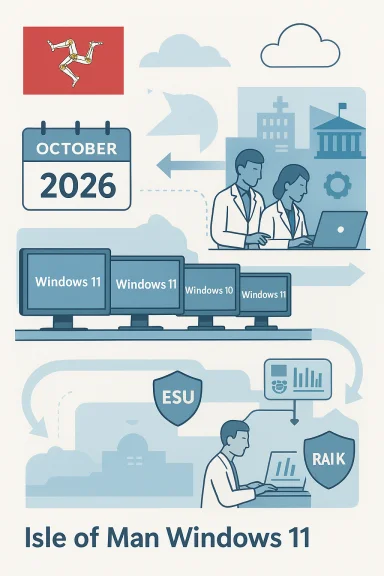
The Isle of Man Government says its desktop estate is being migrated to Windows 11 but the job won’t be finished until October 2026, leaving roughly two‑thirds of devices still on Windows 10 and covered only by paid Extended Security Updates (ESU) while migration continues.
Windows 10 reached Microsoft’s published end‑of‑support date of 14 October 2025, which means routine technical assistance, feature updates and free security updates for the platform stopped on that date. Organizations that cannot immediately migrate to Windows 11 have a limited set of options—upgrade eligible devices, purchase commercial ESU for multi‑year security coverage, or use the consumer ESU one‑year bridge where eligible devices and account conditions apply. Microsoft’s lifecycle pages set these deadlines and outline the ESU options. Public bodies across the UK and Crown Dependencies have faced the same calendar pressure: large device fleets, bespoke line‑of‑business software, procurement cycles and hardware eligibility rules for Windows 11 all conspire to make a rapid cut‑over difficult without temporary measures such as ESU. Industry analyses and advisory threads have documented the typical trade‑offs — short ESU bridges, rising commercial ESU price tiers, and the operational work required to validate mission‑critical applications on Windows 11.
Source: Isle of Man Today Isle of Man Government's IT system won't be fully upgraded until October 2026
 Background
Windows 10 reached Microsoft’s published end‑of‑support date of 14 October 2025, which means routine technical assistance, feature updates and free security updates for the platform stopped on that date. Organizations that cannot immediately migrate to Windows 11 have a limited set of options—upgrade eligible devices, purchase commercial ESU for multi‑year security coverage, or use the consumer ESU one‑year bridge where eligible devices and account conditions apply. Microsoft’s lifecycle pages set these deadlines and outline the ESU options. Public bodies across the UK and Crown Dependencies have faced the same calendar pressure: large device fleets, bespoke line‑of‑business software, procurement cycles and hardware eligibility rules for Windows 11 all conspire to make a rapid cut‑over difficult without temporary measures such as ESU. Industry analyses and advisory threads have documented the typical trade‑offs — short ESU bridges, rising commercial ESU price tiers, and the operational work required to validate mission‑critical applications on Windows 11.What the Isle of Man announced
A Cabinet Office spokesperson confirmed to local media that the government’s Windows 11 rollout is “progressing well” but only 32% of the island’s estate was on Windows 11 at the time of the statement; the remainder remained on Windows 10 and would be migrated by October 2026. To avoid exposure during the migration window, the government paid just under £239,800 for Extended Security Updates to keep Windows 10 devices receiving security patches while compatibility testing and phased deployments continue—Manx Care was specifically singled out as having complex integrated systems that require careful validation. The statement emphasised that “all risks, including those related to information security, have been considered and are being addressed.” This admission is notable because it places a small jurisdiction’s timetable against Microsoft’s lifecycle clock and highlights a pragmatic mix of measures: paid ESU to buy time, staged upgrades for standard endpoints, and extended testing cycles for healthcare systems with complex dependencies.Why migration to Windows 11 is not just an OS swap
Windows 11 hardware and firmware requirements
Windows 11 introduced a stricter hardware baseline than Windows 10. Minimum expectations—TPM 2.0 (or firmware fTPM/PTT), UEFI with Secure Boot, certain supported processor families, 4 GB RAM and 64 GB storage—mean many older or long‑lived devices cannot be upgraded in situ. Enabling TPM in firmware or applying BIOS updates can salvage some devices, but at scale those fixes are time‑consuming and sometimes impossible. Microsoft’s documentation and migration guidance make these prerequisites explicit; the practical upshot is that public estates with mixed‑age hardware often need device replacement programs or alternate options such as cloud‑hosted desktops.Application compatibility and bespoke systems
Public‑sector organisations run a high proportion of bespoke or certified applications—especially in health, justice, transport and case management—where vendors certify against a narrow OS and driver set. Those applications may require vendor updates or revalidation, and in regulated environments re‑certification can be slow and costly. The Isle of Man’s mention of Manx Care illustrates this pattern: some clinical systems must be exhaustively tested on Windows 11 before a live deployment to avoid service or patient risk. That testing and vendor coordination materially lengthen migration timelines.Procurement calendars and budget cycles
Replacing thousands of devices or buying additional software licenses is rarely a one‑quarter decision in the public sector. Tendering rules, capital approval cycles, disposal and e‑waste planning, and supply‑chain lead times all add weeks or months. For small administrations the relative effect is the same: budget windows and procurement governance slow refresh programs and encourage staged, risk‑based rollouts rather than a single overnight cut‑over. Several public‑sector case studies show the same dynamics and the practical reason many organisations used ESU as a short‑term safety valve.The mechanics of Extended Security Updates (ESU) — what coverage buys you
- Consumer ESU: a one‑year bridge that delivers security‑only updates for eligible Windows 10 devices (version 22H2) through October 13, 2026. Enrollment paths include a free route tied to Windows backup and a Microsoft account, redemption of Microsoft Rewards, or a one‑time paid purchase for consumers. This is explicitly a temporary measure and does not offer general technical support or feature updates.
- Commercial / Enterprise ESU: multi‑year (up to three years) coverage sold via volume licensing and typically priced per device. Public reporting and market analysis indicate Year‑One commercial ESU list prices in the low‑tens of dollars per device for some buyers, but pricing is variable and commonly escalates in subsequent years to encourage migration rather than long‑term dependency on paid patches. The design is intentionally a bridge economics model rather than a substitute for migration.
Strengths of the Isle of Man approach
- Pragmatic risk management. Paying for ESU for a bounded set of devices while migrating the majority is a defensible, pragmatic choice when immediate wholesale replacement would risk breaking critical services. The government’s line that risk assessments are in place is consistent with a staged risk‑based remediation strategy.
- Targeted approach to mission‑critical systems. Prioritising Manx Care and other complex services for longer testing windows reduces the chance of care‑affecting outages. This shows an appropriate safety‑first posture for clinical systems where compatibility errors can have real‑world impacts.
- Use of ESU as an explicit bridge. The Isle of Man bought time without claiming ESU as a permanent fix; that aligns with best practice seen across public-sector migrations where ESU is used sparingly and for clearly justified cohorts.
Risks, gaps and open questions
1. Political and reputational exposure
Keeping large parts of a government estate on an out‑of‑support OS—even with paid ESU—invites scrutiny. If a security incident occurs on a Windows 10 device that had not been migrated or adequately isolated, public trust and parliamentary oversight questions will follow, especially when costs for ESU or migration are visible to the electorate. The optics are worse if procurement or progress reporting is not transparent.2. ESU’s limited scope and escalating cost
ESU is a short window that covers only security‑critical fixes. Commercial ESU pricing typically escalates year‑on‑year; buying multi‑year protection for large fleets becomes materially expensive and is intentionally designed to push organisations toward migration. The Isle of Man’s £239,800 bill buys months, not forever; that budget must be accounted for in future financial planning or migration programmes. Where commercial ESU is used widely, organizations should model Year‑2/Year‑3 costs because escalation can be substantial.3. Hidden operational debt: peripherals, drivers and firmware
Even after the OS is upgraded, peripheral drivers, firmware and bespoke middleware can remain unsupported or behave differently on Windows 11. The risk isn’t just the OS but the entire stack; the government must account for driver remediation, firmware updates, and possible vendor re‑certification costs. Those operational tasks are often underestimated in migration budgets.4. Timebound migration calendar vs. supply chain constraints
A deadline of October 2026 to complete migration requires steady procurement and supplier delivery. If the supply market tightens or if a vendor’s update schedule slips (particularly for specialized clinical software), the timetable could slip again, compounding cost and risk. The government’s plan should therefore include contingency allowances and quarterly progress reporting.Practical, prioritized recommendations (technical and governance)
- Inventory and risk‑rank (Days 0–14)
- Create a verified, itemised inventory of every Windows endpoint (OS build, device model, TPM status, line‑of‑business apps, internet exposure and owner).
- Assign a risk score (internet‑facing, privileged accounts, clinical/financial apps), and mark devices that must be upgraded first.
- Harden and isolate (Days 0–30)
- Apply compensating controls for devices that remain on Windows 10: network segmentation, strict access controls, EDR/EDR alerting tuned for legacy endpoints, and removal of unnecessary services.
- Ensure backup and restore processes are validated for every critical system.
- ESU — use narrowly and document coverage (Days 0–30)
- Use ESU for the smallest possible cohort of devices that cannot be migrated immediately, and maintain a register showing which devices are covered, who authorised the coverage, and the planned migration date.
- Financially account for Year‑2/Year‑3 commercial ESU escalation in contingency models even if the intention is to migrate within one year. Flag any unverifiable pricing assumptions and seek firm vendor quotes.
- Prioritised application testing (Days 30–90)
- Work with vendors for certification timelines, run compatibility testing in a controlled lab, and maintain rollback images for each application test plan.
- For clinical systems, require vendor‑provided compatibility attestations and schedule live‑pilot windows outside high‑demand periods.
- Accelerate device refresh where cost‑effective (Quarterly)
- Compare the per‑device total cost of ownership for replacement vs. multi‑year ESU. Where replacement is near break‑even versus prolonged ESU payments, prioritise refresh.
- Use circular procurement (refurbish, securely wipe and recycle) to reduce e‑waste and net capital cost.
- Consider hybrid alternatives for locked‑in systems
- For devices that cannot be replaced (medical devices, industrial controllers), evaluate hosting the workload in a managed Windows 11‑based VM or a Windows 365 Cloud PC where vendor entitlements may include patched images.
- Virtualisation can decisively reduce attack surface by segregating legacy applications from user desktops.
- Governance and transparency
- Publish a public, time‑boxed migration roadmap with quarterly milestones and cost updates for parliamentary oversight.
- Maintain a security exceptions register and ensure any exception has a documented mitigation plan and an explicit sunset date.
- Plan communications and end‑user training
- Prepare clear user communications, training plans and a helpdesk escalation path for the Windows 11 experience to reduce productivity loss and ticket spikes during rollout.
Wider implications: sustainability, licensing and public trust
- E‑waste and lifecycle planning: mass device replacement has an environmental cost. Governments should require suppliers to offer refurbishment, trade‑in and certified recycling options to reduce waste and lower procurement net costs.
- Licensing transparency: one‑off ESU bills and per‑device commercial pricing should be itemised in public budgets when taxpayers fund government IT. Transparent reporting reduces political friction and enables sensible long‑term procurement.
- Strategic lessons: vendor lifecycles are fixed calendars; aligning procurement and upgrade cycles to vendor support calendars should be a standing requirement in public IT strategy to avoid last‑minute scramble and expensive bridges.
Final assessment
The Isle of Man’s approach—progressing a staged Windows 11 rollout while buying time with ESU and prioritising complex clinical systems for longer testing—is a pragmatic, defensible course of action in the short term. It recognises the technical realities of hardware eligibility and application compatibility and avoids reckless, high‑risk cut‑overs. That said, ESU is explicitly a bridge and not a long‑term solution: the monies spent now on emergency coverage must be matched by disciplined, time‑boxed migration work, clear procurement plans, and transparent public reporting of progress and costs. Failure to do so would leave the administration exposed to rising licensing costs, residual security risk and reputational damage if an incident occurs on a still‑unsupported endpoint. For IT leaders and procurement teams in similarly sized administrations, the checklist is clear: inventory thoroughly, prioritise mission‑critical endpoints, use ESU only where strictly necessary and time‑bound, accelerate device refresh where economical, push vendors for compatibility commitments, and make governance and transparency central to the programme. Those steps convert a necessary stopgap into a controlled, auditable migration that strengthens security rather than masking systemic technical debt.Source: Isle of Man Today Isle of Man Government's IT system won't be fully upgraded until October 2026
