Microsoft and the PC industry have quietly opened a narrow but critical window to prevent a pre‑OS security gap this year: Windows will start rolling replacement Secure Boot certificates into device firmware via staged OS updates, while Microsoft is simultaneously intensifying its public push for Windows 10 users to migrate to supported platforms or Extended Security Updates (ESU). The two stories are tightly connected—one is a technical, low‑level fix to preserve the chain of trust that guarantees platform integrity at boot, and the other is a broader security and lifecycle message about the risks of running an unsupported operating system. Taken together, they matter for every Windows user: from consumers to global enterprise fleets—because a failure to act now can convert a subtle certificate expiry into an operational headache or a real security incident later in 2026.
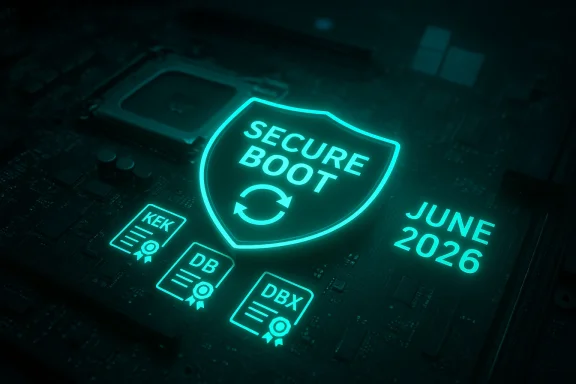
Secure Boot is the UEFI‑level gatekeeper that ensures only cryptographically signed boot code runs before the OS takes over. The trust anchors for that gatekeeper are certificate authorities (CAs) stored in firmware variables (PK, KEK, DB and DBX). Those CA certificates age, and when they expire they can no longer be used to sign or verify the signatures that Secure Boot relies on. Microsoft and OEM partners issued the original family of Microsoft‑supplied Secure Boot certificates around 2011; those certificates are scheduled to begin expiring in mid‑2026, with a final Windows boot‑signing PCA set to reach end of validity later in 2026. That creates a time‑sensitive operational problem: if the firmware on affected devices still only trusts the 2011 certificates, the platform may enter a degraded state where it can no longer accept newly signed pre‑OS components or security revocations, undermining the ability to respond to emerging boot‑level threats.
At the same time, Windows 10 reached its formal end of support era in October 2025. Microsoft’s messaging to users and IT teams since then has emphasized migration to Windows 11 or enrollment in ESU for those who must remain on Windows 10 for business reasons. The intersection of an OS that is out of mainstream support and a certificate renewal that requires OS‑side servicing introduces practical limits: some Secure Boot certificate updates are only being delivered automatically to devices that have the supporting servicing pipeline—meaning most Windows 11 devices will receive them seamlessly, while many Windows 10 devices must either be in ESU or be managed differently. This is why the two announcements—certificate updates and "upgrade now" warnings—are not separate PR items but interrelated risk mitigation steps.
Secure Boot faithfulness is the kind of foundational security work that rarely gets headlines—until it matters. Microsoft’s coordinated certificate refresh and its public pressure to move off Windows 10 are two sides of the same coin: technical continuity and lifecycle management. For administrators, the path forward is straightforward in principle but operationally delicate in practice—inventory, pilot, coordinate with OEMs, and prioritize recovery readiness. For consumers and small businesses, the practical choices are also clear: keep systems updated, back up recovery keys, and make upgrade decisions with both costs and security timelines in mind. The clock is set by certificate expiration dates; the industry’s ability to execute a safe, low‑impact migration will determine whether this is a smooth maintenance milestone—or an avoidable crisis in 2026.
Source: Windows Blog Refreshing the root of trust: industry collaboration on Secure Boot certificate updates
Source: PCMag UK Upgrade Now: Microsoft Issues Security Warning to Those Still on Windows 10
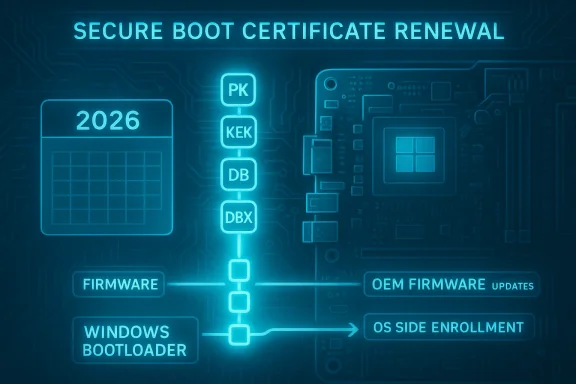 Background: why Secure Boot certificates and Windows lifecycle now matter
Secure Boot is the UEFI‑level gatekeeper that ensures only cryptographically signed boot code runs before the OS takes over. The trust anchors for that gatekeeper are certificate authorities (CAs) stored in firmware variables (PK, KEK, DB and DBX). Those CA certificates age, and when they expire they can no longer be used to sign or verify the signatures that Secure Boot relies on. Microsoft and OEM partners issued the original family of Microsoft‑supplied Secure Boot certificates around 2011; those certificates are scheduled to begin expiring in mid‑2026, with a final Windows boot‑signing PCA set to reach end of validity later in 2026. That creates a time‑sensitive operational problem: if the firmware on affected devices still only trusts the 2011 certificates, the platform may enter a degraded state where it can no longer accept newly signed pre‑OS components or security revocations, undermining the ability to respond to emerging boot‑level threats. At the same time, Windows 10 reached its formal end of support era in October 2025. Microsoft’s messaging to users and IT teams since then has emphasized migration to Windows 11 or enrollment in ESU for those who must remain on Windows 10 for business reasons. The intersection of an OS that is out of mainstream support and a certificate renewal that requires OS‑side servicing introduces practical limits: some Secure Boot certificate updates are only being delivered automatically to devices that have the supporting servicing pipeline—meaning most Windows 11 devices will receive them seamlessly, while many Windows 10 devices must either be in ESU or be managed differently. This is why the two announcements—certificate updates and "upgrade now" warnings—are not separate PR items but interrelated risk mitigation steps.
What Microsoft announced and how it’s being delivered
Key points of Microsoft’s public plan
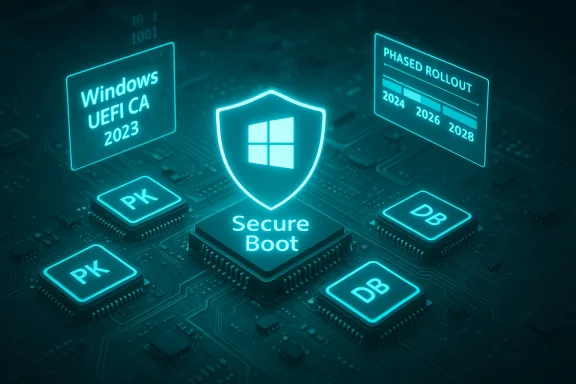
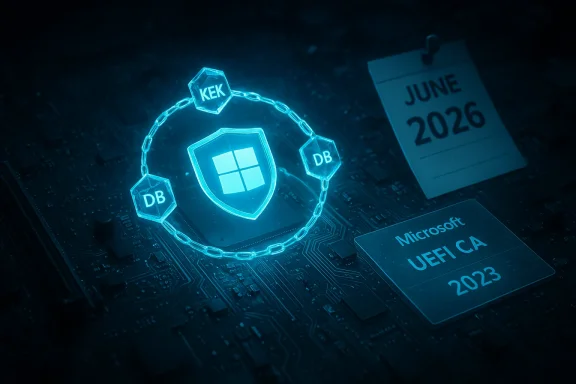
- Microsoft has issued a new family of Secure Boot CAs (the "2023" certificates) to replace the aging 2011 Microsoft CAs. The replacement pairings include a new KEK CA and updated DB‑level CAs for the Windows bootloader and option ROMs. These new certificates are the anchors Windows needs to continue signing and revoking pre‑OS components in a modern cryptographic context.
- Microsoft is delivering the enrollment logic for these new CAs through staged Windows servicing updates, not an immediate mass firmware rewrite. Specifically, recent cumulative updates include targeted device‑eligibility metadata and enrollment logic that can add the 2023 certificates into firmware variables on capable systems. The January 2026 servicing cadence exposed the delivery mechanism: OS packages (notably part of Windows 11's KB5074109 and Windows 10 servicing for ESU devices via KB5073724) now embed the high‑confidence targeting and payloads to start safe enrollments.
- The rollout is gated and telemetry‑aware. Microsoft’s approach only enrolls new CAs automatically on devices that demonstrate a history of successful updates and are deemed safe. Where firmware acceptance or KEK provisioning requires vendor‑signed firmware actions, Microsoft will rely on OEM firmware updates to complete the job. Administrators retain manual controls (registry keys, Group Policy, Intune options) to pilot, force, or defer enrollment.
Concrete expiry dates to watch
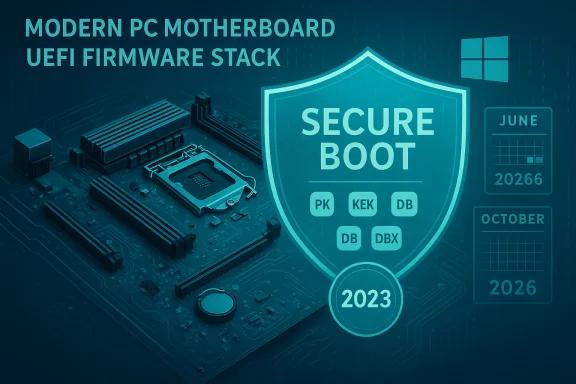
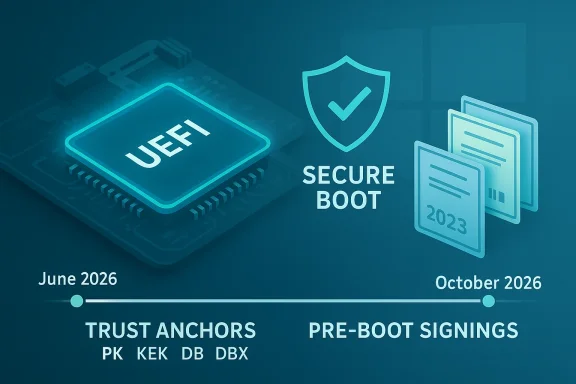
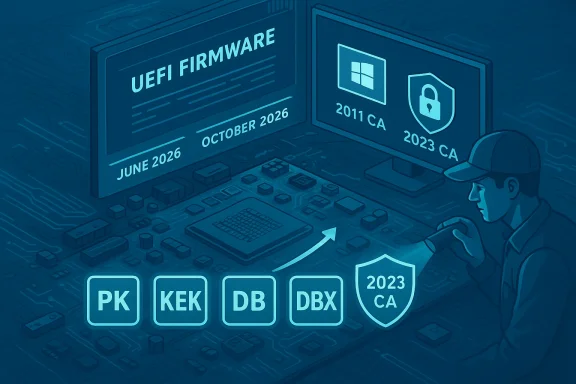
- Microsoft lists June 2026 as the start of expiry windows for two core 2011 CAs (Microsoft Corporation KEK CA 2011 and Microsoft UEFI CA 2011), with the Microsoft Windows Production PCA 2011 following later, through October 2026. These timings are not vague: Microsoft’s Secure Boot guidance and supporting KBs enumerate the replacement mappings and calendar windows. OEM documentation mirrors Microsoft’s dates in device‑level planning tables.
The technical mechanics: how the replacement actually works
Firmware variables and the chain of trust
UEFI Secure Boot uses several firmware stores:- PK (Platform Key) — typically controlled by the OEM; it authorizes the KEK.
- KEK (Key Exchange Keys) — used to sign updates to DB/DBX.
- DB (Allow list) — trusted signatures and certificates for boot components.
- DBX (Deny list) — revoked signatures and known bad components.
Two delivery paths — OS‑side enrollment and OEM firmware updates
Microsoft’s planned delivery is intentionally dual:- OS‑Side Enrollment: Windows quality updates now carry enrollment logic and payloads that can write the new CA entries into the firmware variables on devices that allow OS provisioning. The update will only write the new certificates after health gating and telemetry confirm the device's capacity to accept such changes safely.
- OEM Firmware Flow: For devices where the PK/KEK configuration or UEFI implementation blocks OS‑side write actions, OEM firmware updates—which are delivered either through vendor tools or OEM channels (including Windows Update Firmware delivery where supported)—are required to add the new KEK or accept the enrollment. Some older or EOL hardware will need firmware from vendors; unsupported devices may not be able to complete the update.
Why Microsoft is gating the rollout
The primary risk Microsoft is avoiding is firmware incompatibility and device bricking. Writing cryptographic anchors into firmware can fail on buggy UEFI implementations or where OEMs intentionally lock variables. A bad write can cause boot failures or trigger recovery states (e.g., BitLocker recovery prompts), so Microsoft’s telemetry‑gated mechanism reduces blast radius by enrolling only well‑behaved machines first. The tradeoff is schedule complexity and a small population of devices that will need manual remediation.Who gets the automatic update — and who doesn’t
Windows 11: broad automatic coverage
Most Windows 11 devices that meet update health checks will receive the new 2023 certificates automatically through cumulative updates (the mechanism shipped initially with January 2026 updates). That includes the new devices shipped since 2024 that were preinstalled with the 2023 certificates already. For many consumer and managed Windows 11 PCs, the change will be seamless and require no user action.Windows 10: ESU, restrictions, and caveats
Windows 10 devices are a different story. Microsoft’s servicing notes and KB entries make it clear that Windows 10 recipients of the automatic certificate enrollment are limited to systems enrolled in Microsoft’s Extended Security Updates (ESU) or otherwise in supported servicing channels that receive the relevant packages. In practice, that means many Windows 10 systems—particularly unmanaged consumer devices that did not enroll in ESU—may not receive the automatic enrollment and will instead need OEM firmware updates or manual interventions. This is one reason Microsoft has been urging migrations to Windows 11 or paid ESU enrollment for devices that cannot be upgraded.IoT, Server and Specialized hardware
Server, industrial IoT, and some embedded platforms often use locked or vendor‑specific UEFI implementations. For those classes of devices, firmware updates from the manufacturer will be the primary path to add KEK/DB entries. Microsoft’s documentation explicitly instructs administrators for these device types to coordinate with OEMs for firmware delivery and validation. Failure to do so can leave mission‑critical devices in a state where they cannot receive future pre‑OS revocations or new signed binaries.What can go wrong — risks, edge cases, and real operational impacts
1. Boot failures and recovery traps
Firmware writes fail for many reasons—locked variables, buggy UEFI implementations, or mismatched KEKs. A failed enrollment attempt can surface as a boot failure or cause the system to reject later updates that depend on the new trust anchors. In some cases this will trigger BitLocker recovery prompts requiring recovery keys, which can be operationally painful at scale. Administrators need to inventory recovery keys and prepare boot recovery plans before rolling the change broadly.2. Devices left in a degraded security state
If a device still trusts only the 2011 CAs after expiry, it will enter a degraded state: Windows can still run, but Microsoft cannot deliver future pre‑OS security revocation lists (DBX updates) and may be unable to sign or revoke drivers and boot components. Over time that reduces the defender’s ability to respond to new bootkits or compromised option ROMs. This is exactly why Microsoft labels the updates as necessary for continued boot‑level serviceability.3. Windows 10 exclusion and the ESU dependency
The interplay between Windows 10’s end of support and the certificate renewal is a practical risk: many Windows 10 devices will not be on an automatic rollout path unless they are in ESU. The consequence for organizations that delayed migration is either a set of manual firmware update projects or the risk of devices becoming increasingly insecure or brittle in the face of pre‑OS threats. Microsoft’s public warnings to upgrade are therefore not marketing rhetoric—they’re operational pressure driven by a concrete, calendar‑driven cryptographic lifecycle.4. OEM readiness and hardware lifecycles
Some OEMs explicitly note that older platforms (for example, many models from 2017 and earlier) will not receive firmware updates to accept the 2023 certificates, simply because the vendors no longer support those platforms. That leaves a hardware compatibility cliff: a supported OS but unsupported firmware update path. Organizations using older fleets must decide whether to replace hardware, accept the degraded state, or apply special workarounds where available.5. Telemetry gating and privacy/operational concerns
Microsoft’s health‑based gating relies on update telemetry to decide which machines are enrolled automatically. While this is technically sensible, it raises operational questions: what exact telemetry heuristics determine "healthy" and how will edge cases be handled? Administrators must assume some devices will be held back by the gating algorithm and plan remediation accordingly. Microsoft documentation and KBs provide administrative controls to override or pilot the enrollment, but those controls must be exercised cautiously.Cross‑checking the claims: independent confirmations
Microsoft’s Secure Boot guidance is the authoritative technical baseline: it lists the expiring certificates, the replacement 2023 CA names, and the explicit June/October 2026 windows. OEM advisories (for example, HP’s published readiness guidance) provide independent confirmation of the same expiry dates and concrete platform‑level constraints, including device‑specific BIOS requirements. Coverage from independent tech outlets and security reporting (The Verge, Windows Central, industry patch commentary) corroborates Microsoft’s timeline and highlights how the January servicing cycle began shipping the OS‑side enrollment logic. Those multiple touchpoints—vendor, platform owner, and independent press—give us a robust cross‑reference of the technical facts and the operational urgency. If you see a contrary claim on a vendor page, treat it cautiously and consult both OEM and Microsoft guidance before proceeding.Practical guidance: what IT teams and home users should do now
For enterprise IT and security teams
- Inventory: Build a verified inventory of devices with Secure Boot enabled and identify firmware versions, OEM models, and whether the devices accept OS‑side KEK/DB writes.
- Recovery readiness: Ensure BitLocker recovery keys are accessible and that recovery procedures are tested for affected models.
- Pilot: Use Microsoft’s registry/GPO/Intune controls to pilot the enrollment on a small, representative set of machines to validate vendor firmware behavior and remediation steps.
- Coordinate with OEMs: Request firmware updates and vendor guidance for fleets where OS‑side enrollment is blocked. Prioritize vendor‑supported platforms with upcoming certificate writes.
- Plan migrations: For Windows 10 fleets not in ESU, accelerate migration or ESU enrollment to maintain a supported servicing path for certificate updates. Document a timeline for decommissioning hardware that cannot be updated safely.
For small businesses and individual users
- Run Windows Update and install the latest cumulative updates; many Windows 11 users will receive the certificate enrollment automatically if their device is in a healthy update state.
- Back up BitLocker recovery keys and make sure you can access them if a recovery prompt appears after certificate operations.
- If you’re on Windows 10, check whether you’re eligible for an ESU program or plan to upgrade to Windows 11—Microsoft’s support lifecycle guidance and upgrade tools help determine eligibility. If your device cannot run Windows 11, talk to your OEM or consider hardware replacement plans if security is a priority.
Step‑by‑step checklist for administrators (numbered)
- Run a Secure Boot status sweep: use Confirm‑SecureBootUEFI and Get‑SecureBootUEFI at scale to capture current firmware variables.
- Match firmware versions against OEM advisories for accepted BIOS versions (HP and other OEMs publish platform lists).
- Pilot KB5074109 (Windows 11) or KB5073724 (Windows 10 ESU) on a small set of devices with known good recovery paths.
- Record outcomes, remediation steps, and any vendor firmware updates used.
- Scale the enrollment in waves, maintaining a rollback plan and clear runbooks for BitLocker recovery or firmware re‑flashing.
Why Microsoft’s approach is defensible — and where it could be improved
Strengths
- Risk‑aware phasing. Microsoft’s telemetry‑gated enrollment reduces the chances of catastrophic firmware incompatibility, protecting large swaths of users from avoidable bricking or recovery incidents.
- Industry cooperation. The plan positions OEMs and Microsoft to share responsibility: Microsoft provides the OS‑side mechanics, while OEM firmware updates cover locked devices.
- Transparent timelines. Microsoft and several OEMs have published concrete expiry windows and replacement certificate mappings, allowing administrators to schedule work before calendar deadlines.
Opportunities and unresolved risks
- Complexity for mixed fleets. Organizations with a heterogeneous mix of OEMs, older hardware and locked firmware will face complicated, device‑by‑device processes that increase operational cost and the risk of missed devices.
- Windows 10 fragmentation. The ESU dependency for many Windows 10 devices forces organizations into a business decision—pay for ESU, migrate devices, or accept increased risk. Microsoft’s public warnings are necessary but do not eliminate the pragmatic friction for constrained IT budgets.
- Visibility into gating heuristics. Microsoft could improve clarity around the telemetry criteria used for "healthy" update status; more transparent guidance would help admins pre‑qualify or remediate devices ahead of the enrollment window.
A brief note on unverifiable claims and cautionary language
Some claims you may read in social channels or vendor marketing—such as an exact measurement of what percentage of Windows 11 devices already shipped with 2023 certificates—are difficult to verify independently because that data is proprietary and distributed across OEMs. Where Microsoft or OEM pages publish explicit platform lists or expiry dates, treat those as authoritative. Where third‑party outlets offer numbers or percentages without citing vendor telemetry, flag them as estimates and favor official KBs and OEM advisories for operational planning.Bottom line and recommended timelines
- Immediate (next 0–2 weeks): Ensure Windows Update is applied and backups & BitLocker recovery keys are accessible. Inventory devices and begin communications with OEM partners for firmware roadmaps.
- Short term (1–3 months): Pilot Microsoft’s enrollment packages on representative hardware, test recovery procedures, and identify any devices requiring firmware updates. If running Windows 10 outside ESU, finalize a migration or ESU plan.
- Medium term (3–6 months): Execute staged rollouts, coordinate firmware updates with OEMs, and retire or replace hardware that cannot be updated safely. Maintain monitoring for DBX and pre‑OS revocation decisions.
- Ongoing: Treat firmware trust as part of routine security hygiene—periodic certificate and key rotations are a long‑term responsibility for platform security, not a one‑off event.
Secure Boot faithfulness is the kind of foundational security work that rarely gets headlines—until it matters. Microsoft’s coordinated certificate refresh and its public pressure to move off Windows 10 are two sides of the same coin: technical continuity and lifecycle management. For administrators, the path forward is straightforward in principle but operationally delicate in practice—inventory, pilot, coordinate with OEMs, and prioritize recovery readiness. For consumers and small businesses, the practical choices are also clear: keep systems updated, back up recovery keys, and make upgrade decisions with both costs and security timelines in mind. The clock is set by certificate expiration dates; the industry’s ability to execute a safe, low‑impact migration will determine whether this is a smooth maintenance milestone—or an avoidable crisis in 2026.
Source: Windows Blog Refreshing the root of trust: industry collaboration on Secure Boot certificate updates
Source: PCMag UK Upgrade Now: Microsoft Issues Security Warning to Those Still on Windows 10