

Microsoft’s Patch Tuesday started 2026 with a jolt: a January 13 cumulative rollup intended to close security holes instead produced a cascade of regressions that forced Microsoft into an unusually busy sequence of emergency, out‑of‑band (OOB) updates — and left administrators asking whether frequent OOBs have become the new normal for Windows patching.
The January 2026 Patch Tuesday cycle delivered the usual mix of security and quality patches across Windows servicing channels, but within days reports began to surface about high‑impact regressions: systems configured with virtualization‑based protections failed to shut down correctly, Remote Desktop and brokered desktop sign‑ins repeatedly prompted for credentials or failed outright, and applications that operate on cloud‑synced files (notably classic Outlook with PSTs inside OneDrive folders) hung or crashed. Microsoft moved quickly: targeted OOB updates were released on January 17 to address the most disruptive issues and a second set of cumulative OOB packages followed later in the month to consolidate fixes and repair lingering app and cloud‑file problems.
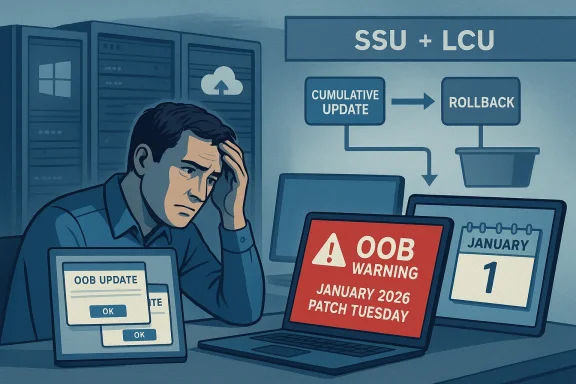
Those fixes carried the familiar pattern of modern Windows servicing: combined servicing stack updates (SSU) bundled with the latest cumulative update (LCU), sometimes creating packages that are harder to uninstall and raising fresh questions about testing, telemetry and release health. The rapid succession of emergency patches has exposed a tension that will sound familiar to any IT administrator: patch promptly to reduce exposure to exploitation, but not so quickly that you break productivity across thousands — or millions — of endpoints.
In some cases the symptoms were highly configuration‑dependent — for example, the shutdown regression was most visible on devices where System Guard Secure Launch or Virtual Secure Mode features were enabled. That pattern made reproduction and root‑cause analysis harder and increased the number of affected, but hard‑to‑predict, enterprise endpoints.
Both narratives contain grain‑of‑truth elements but neither constitutes proof.
Worse, patch hesitancy can create a moral hazard: adversaries know that enterprise customers sometimes wait for others to test patches in the wild before applying them. Attackers may therefore exploit zero‑day vulnerabilities during those windows of deferred adoption. That paradox — where emergency OOBs meant to maintain safety instead weaken the ecosystem’s appetite for timely patching — must be a major concern for both vendors and customers.
For administrators, the immediate playbook is clear: tighten staging and validation, maintain fast rollback paths, and update your risk matrix to balance security urgency against availability risk. For Microsoft, the path forward is equally clear: invest in the instrumentation, automation and release discipline that let the company keep shipping innovation — including the AI features it champions — without repeatedly forcing emergency corrections that erode customer trust.
Both vendor and customers have skin in this game. Predictability matters. So do security and speed. The challenge is to achieve all three without making one come at the expense of the others. If January’s Patch Tuesday and its follow‑ups teach one lesson, it is this: rapid fixes are a safety valve, not a primary design. Preventing breakage demands the slow, patient work of better testing, smarter telemetry and disciplined release engineering — even in an era where AI promises to speed virtually everything else.
Source: theregister.com Microsoft stays quiet while emergency Windows fixes ramp up
 Background
The January 2026 Patch Tuesday cycle delivered the usual mix of security and quality patches across Windows servicing channels, but within days reports began to surface about high‑impact regressions: systems configured with virtualization‑based protections failed to shut down correctly, Remote Desktop and brokered desktop sign‑ins repeatedly prompted for credentials or failed outright, and applications that operate on cloud‑synced files (notably classic Outlook with PSTs inside OneDrive folders) hung or crashed. Microsoft moved quickly: targeted OOB updates were released on January 17 to address the most disruptive issues and a second set of cumulative OOB packages followed later in the month to consolidate fixes and repair lingering app and cloud‑file problems.Those fixes carried the familiar pattern of modern Windows servicing: combined servicing stack updates (SSU) bundled with the latest cumulative update (LCU), sometimes creating packages that are harder to uninstall and raising fresh questions about testing, telemetry and release health. The rapid succession of emergency patches has exposed a tension that will sound familiar to any IT administrator: patch promptly to reduce exposure to exploitation, but not so quickly that you break productivity across thousands — or millions — of endpoints.
The January incident: what happened, in plain language
Timeline recap
- January 13, 2026 — Microsoft ships the monthly cumulative updates for Windows client and server channels as part of Patch Tuesday.
- January 13–16 — Administrators and community telemetry report several regressions, including:
- A Secure Launch / virtualization‑based protection interaction that caused a subset of Windows 11 devices to restart instead of shutting down or entering hibernation.
- Remote Desktop authentication failures and repeated credential prompts affecting modern RDP clients and brokered Cloud PC / AVD scenarios.
- Application crashes and hangs when opening or saving files stored in cloud‑synced folders (OneDrive/Dropbox), significantly affecting classic Outlook PST workflows.
- January 17, 2026 — Microsoft publishes targeted OOB packages for affected branches to remediate the shutdown and RDP problems.
- January 24, 2026 — A second set of, broader OOB packages is issued to address cloud‑file related crashes and to consolidate earlier fixes, with parallel updates released for Windows 10 ESU and supported server SKUs.
The technical footprint
The fixes were distributed as cumulative OOB packages that frequently include a servicing stack update (SSU) alongside the LCU. That packaging approach increases installation reliability but complicates removal. Administrators noted the familiar trade‑offs: faster, more robust installation for most devices versus increased difficulty when rolling back to a known good state.In some cases the symptoms were highly configuration‑dependent — for example, the shutdown regression was most visible on devices where System Guard Secure Launch or Virtual Secure Mode features were enabled. That pattern made reproduction and root‑cause analysis harder and increased the number of affected, but hard‑to‑predict, enterprise endpoints.
Why this matters to IT teams — the operational calculus
For administrators managing fleets, the January sequence crystallised three interlocking headaches.- Risk of leaving systems unpatched. Security fixes in Patch Tuesday rollups close real vulnerabilities. Delaying those updates because of fear of breakage increases exposure to threat actors.
- Risk of applying updates immediately. Applying updates quickly reduces security exposure but raises the chance that a single problematic update will trigger a productivity outage, a costly helpdesk surge, or — in worst cases — a manual recovery procedure for non‑booting devices.
- Cumulative administrative overhead. Every emergency OOB requires staging, testing, packaging for enterprise deployment, potential reboot windows, and post‑install validation. Those overheads multiply when OOBs arrive frequently and unpredictably.
What's changed at Microsoft — context and the debate
Two contextual facts have become part of the public conversation.- Microsoft has gone through multiple rounds of workforce reductions over the last several years, and additional cuts were reported in 2024–2025. Large reorganisations can reduce institutional capacity for exhaustive QA and cross‑team regression testing, especially across a complex product like Windows that must work on enormous varieties of hardware and firmware stacks.
- Microsoft’s leadership has publicly boasted about an aggressive internal adoption of AI tools to accelerate development. Executives have described a substantial share of code contributions coming from AI‑assisted development workflows — with company leaders indicating that AI contributes materially to code in some projects. That increased reliance on AI for code generation and review raises sensible questions: does higher velocity and greater automation alter the balance of testing versus shipping? Does AI‑assisted code generation require different QA strategies?
What Microsoft did right — the positive side
It’s important to be fair in the assessment. Microsoft did many things well in this episode.- Fast detection and response. The vendor acknowledged the problems quickly and shipped targeted OOB packages within days, demonstrating that the release and servicing machinery can still react to high‑impact issues.
- Public documentation. Microsoft updated its official KB and release health content to explain the scope of the OOBs and to list known issues and workarounds. That transparency matters for enterprise triage.
- Broad coverage. The fixes weren’t limited to a single channel; Microsoft issued matching OOBs across Windows 11 branches, Windows 10 ESU, and supported server SKUs so affected customers could get a consistent remediation path.
- Workarounds and mitigation guidance. Where possible, Microsoft provided temporary mitigations (for example, explicit shutdown workarounds and guidance for Outlook PSTs stored in cloud folders) that helped some organisations avoid immediate disruption while preparing for the OOB deployment.
What went wrong — systemic concerns and patterns
That said, there are several recurring problems worth scrutinising.- Increased frequency of OOBs. Administrators are noticing a pattern: every Patch Tuesday followed by at least one emergency OOB to fix what the cumulative rollout broke. Even when an OOB is the right call, frequent emergency releases undermine predictability.
- Testing surface complexity. Windows runs on a dizzying array of hardware, firmware versions, drivers and enterprise configurations. The interaction of a security/quality change with virtualization‑based protections or cloud file sync agents can be subtle and hard to detect without exhaustive pre‑release coverage.
- Combined SSU+LCU packaging. Although combining the servicing stack with the LCU improves installation reliability, it also makes uninstalls more complex. When a combined package is deployed widely and then causes a problem, rolling back is harder and riskier.
- Communication cadence. Administrators cite a desire for clearer, more proactive communication from Microsoft during incidents: better telemetry about which configurations are at highest risk, clearer guidance about mitigations, and faster confirmation when a fix has resolved the issue.
- Patch hesitancy. The net result is a practical one: many administrators may choose to delay installs to avoid being the first to experience a problem, exposing networks to security risk.
Practical guidance for administrators: how to survive a noisy Patch Tuesday cycle
Administrators can adopt pragmatic steps to reduce risk and streamline responses. Here are proven, actionable measures:- Harden your update staging process.
- Maintain multiple deployment rings: pilot, early adopters, general deployment.
- Reduce blast radius by limiting early rollout to a representative, but small, cross‑section of hardware and software profiles.
- Expand pre‑release validation for risky subsystems.
- Include tests for virtualization‑based security (Secure Launch, VBS), remote‑access brokers, and cloud file synchronization in your pre‑production suites.
- Test classic applications (Outlook with PSTs, legacy line‑of‑business apps) against updated images.
- Use layered deployment tools.
- Prefer managed update pipelines (WSUS, SCCM/ConfigMgr, Intune) that let you delay automatic approval and stage broader rollouts after pilot validation.
- Prepare fast rollbacks and recovery plans.
- Maintain image snapshots for critical systems and have documented recovery playbooks for UNMOUNTABLE_BOOT_VOLUME and other startup faults.
- Where possible, use DISM remove‑package or offline servicing to undo problematic LCUs when the SSU+LCU package allows it.
- Automate post‑patch validation.
- After updates, run health checks that cover authentication flows, RDP/AVD login, critical background services and file‑I/O for cloud stores.
- Maintain a clear risk matrix for patch timing.
- For each update, assess security severity vs. potential availability impact and make an explicit, documented decision on rollout timing.
- Leverage Microsoft’s release health resources proactively.
- Monitor official KB and release health pages for known issues and mitigation tips as part of your pre‑deployment checklist.
- Communicate with users and support staff.
- Expect an increase in tickets after a major rollout. Ensure helpdesk teams have checklists and that users know temporary workarounds (for example, how to force a shutdown or use web mail if Outlook is affected).
For Microsoft: recommendations to reduce the recurrence
From an engineering, process and communications standpoint, there are several sensible improvements Microsoft could make:- Shift from reactive OOBs to stronger pre‑release detection. Increase automated testing coverage across virtualization‑based security, firmware interactions and cloud sync clients in nightly or canary builds.
- Expand and publicise targeted telemetry signals. Make it easier for customers and partners to know whether they share configurations that are at elevated risk.
- Improve OOB packaging semantics. Where possible, avoid creating packages that combine SSU and LCU unless strictly necessary, or provide clearer rollback paths and documentation for enterprises.
- Offer clearer guidance for update prioritisation. Issue formal, configuration‑aware guidance when certain features (e.g., Secure Launch, Cloud PC) are widely affected.
- Publish post‑mortems or technical explainers. After an OOB incident, a deep dive on how the regression occurred and the lessons learned would build credibility with enterprise customers.
- Invest in staged rollout tooling that learns from telemetry in near real time and automatically throttles deployment to reduce the blast radius when regressions emerge.
Is AI or layoffs to blame? A careful look
It’s tempting to look for a single smoking gun. Two convenient narratives have emerged in public discussion: (1) that widespread internal use of AI to generate and review code is increasing the introduction of subtle regressions; and (2) that workforce reductions have weakened Microsoft’s QA and long‑tail testing.Both narratives contain grain‑of‑truth elements but neither constitutes proof.
- On AI: company executives have publicly said that AI now writes or assists a significant portion of code in some projects. That can safely be read as evidence of deep adoption of AI tools in development workflows. But AI‑assisted development does not necessarily cause regressions if it is coupled with appropriate testing, code review standards and guardrails. The risk rises if AI accelerates code creation while QA processes or test coverage do not scale at the same pace.
- On layoffs: reorganisations and headcount reductions can reduce institutional capacity to test edge cases, especially for older or less commonly exercised feature combinations. That increases the probability that a regression slips past pre‑release checks. But again, this is a systemic risk factor rather than direct proof of causation.
The reputational and security calculus
Frequent emergency OOBs have real reputational cost for a platform vendor like Microsoft. Enterprises rely on predictable servicing cadences to plan maintenance windows, manage reboot cycles, and preserve productivity. If administrators begin to routinely delay security patches because they expect an OOB to follow, the entire ecosystem’s security posture deteriorates.Worse, patch hesitancy can create a moral hazard: adversaries know that enterprise customers sometimes wait for others to test patches in the wild before applying them. Attackers may therefore exploit zero‑day vulnerabilities during those windows of deferred adoption. That paradox — where emergency OOBs meant to maintain safety instead weaken the ecosystem’s appetite for timely patching — must be a major concern for both vendors and customers.
Conclusion: what success looks like
Microsoft’s rapid emergency response in January 2026 preserved availability for many customers and demonstrated an ability to act fast when things go wrong. Yet speed alone is not enough. Long‑term success will require a mix of stronger pre‑release validation, smarter deployment packaging, clearer communication, and operational tooling that protects both security and reliability.For administrators, the immediate playbook is clear: tighten staging and validation, maintain fast rollback paths, and update your risk matrix to balance security urgency against availability risk. For Microsoft, the path forward is equally clear: invest in the instrumentation, automation and release discipline that let the company keep shipping innovation — including the AI features it champions — without repeatedly forcing emergency corrections that erode customer trust.
Both vendor and customers have skin in this game. Predictability matters. So do security and speed. The challenge is to achieve all three without making one come at the expense of the others. If January’s Patch Tuesday and its follow‑ups teach one lesson, it is this: rapid fixes are a safety valve, not a primary design. Preventing breakage demands the slow, patient work of better testing, smarter telemetry and disciplined release engineering — even in an era where AI promises to speed virtually everything else.
Source: theregister.com Microsoft stays quiet while emergency Windows fixes ramp up
