

Kali Linux’s 2025.4 release advances the distribution’s long march toward a modern, Wayland-first desktop while adding a small but consequential slate of new offensive-security tools and NetHunter updates that will matter to testers, red teams, and virtualization-focused labs alike.
Kali Linux 2025.4 is a feature release focused on desktop polish, virtualization compatibility, and curated tool additions. It consolidates Wayland as the distribution’s default display protocol across its supported desktops, refreshes GNOME, KDE and Xfce experiences, bumps the kernel to 6.16, and ships three notable new packages to the Kali repositories. The release also brings incremental but practical NetHunter upgrades for mobile testing devices. The update is positioned as a pragmatic milestone: it removes the last significant friction many penetration testers faced when running Kali as a guest OS on VirtualBox, VMware and QEMU by addressing previously missing Wayland guest utilities, while still keeping the distribution’s toolset current for offensive-security workflows. These changes target both desktop usability and the operational realities of virtualized labs.
Kali Linux 2025.4 is available for download from the official Kali channels; administrators and testers should consult the release notes, validate hardware and hypervisor compatibility, and follow strict lab containment and legal procedures before integrating the release into operational workflows.
Source: Red Hot Cyber https://www.redhotcyber.com/en/post...power-of-wayland-and-enhanced-security-tools/
 Background / Overview
Kali Linux 2025.4 is a feature release focused on desktop polish, virtualization compatibility, and curated tool additions. It consolidates Wayland as the distribution’s default display protocol across its supported desktops, refreshes GNOME, KDE and Xfce experiences, bumps the kernel to 6.16, and ships three notable new packages to the Kali repositories. The release also brings incremental but practical NetHunter upgrades for mobile testing devices. The update is positioned as a pragmatic milestone: it removes the last significant friction many penetration testers faced when running Kali as a guest OS on VirtualBox, VMware and QEMU by addressing previously missing Wayland guest utilities, while still keeping the distribution’s toolset current for offensive-security workflows. These changes target both desktop usability and the operational realities of virtualized labs. Desktop and Display: Wayland as the Default
What changed and why it matters
Kali 2025.4 ships with Wayland as the default windowing server across the distribution—driven largely by GNOME 49’s removal of X11 session support and an already-established Wayland default for KDE since earlier Kali releases. This marks the point where Kali no longer treats X11 as the baseline expectation; instead, Wayland is the production display stack for most users. The technical rationale is straightforward: Wayland offers a cleaner architecture for modern compositing and input handling, reduces legacy attack surface in the display stack, and enables smoother compositor-driven features such as per-window fractional scaling, improved screen security, and lower-latency window management. For testers, this also means tighter integration with modern toolchains and tool UI behavior that more closely matches contemporary desktop expectations.Desktop environment updates (GNOME, KDE, Xfce)
- GNOME: Upgraded to GNOME 49 with visual tuning, new app-grid categorization for Kali tools, replacement of Totem with the lighter Showtime video player, and the addition of convenient terminal hotkeys (Ctrl+Alt+T / Win+T). GNOME’s shell move to Wayland-only sessions is the single largest desktop-level driver behind the distribution-wide Wayland default.
- KDE Plasma: KDE Plasma is updated to a 6.x line (6.5 in Kali’s notes) and receives improvements like better window tiling, a richer screenshot/editing tool, pinned clipboard items, and fuzzy matching in KRunner—features that make workflow and launcher access more fluid for heavy multi-tool users.
- Xfce: Despite being the default Kali desktop, Xfce receives a focused modernization: a new color-management approach aligning icon themes, GTK/Qt colors, and window decorations into unified Appearance controls. That reduces visual friction for users switching between Kali’s desktop options.
Virtualization: Wayland Guest Utils and VM Support
One of Kali 2025.4’s most operationally significant claims is that the distribution now includes full guest-utilities support for Wayland sessions under mainstream hypervisors—VirtualBox, VMware, and QEMU. That means clipboard sharing, dynamic window resizing and other guest integrations that were historically X11 features are now working with Wayland in the guest. Why this matters:- Many professional test beds run Kali as virtual machines; incomplete Wayland guest support forced maintainers to continue using X11 sessions in guests.
- With guest utilities working on Wayland, virtualized labs can use the modern graphics stack without sacrificing usability features like clipboard sync or seamless display scaling.
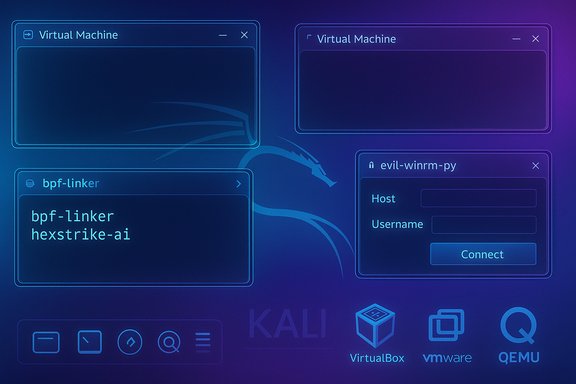
New Tools: bpf-linker, evil-winrm-py, and hexstrike-ai
Kali 2025.4 adds three new packages to the repository. Each represents a different vector of offensive-security capability and potential operational impact.- bpf-linker — A simple static linker for BPF (Berkeley Packet Filter) programs. This tool is useful for developers and red-teamers who work with eBPF tooling and require streamlined linking workflows for kernel-side programs and observability/telemetry payloads. The inclusion reflects Kali’s continued attention to modern attack and observability platforms.
- evil-winrm-py — A Python rewrite of Evil-WinRM that implements remote command execution over Windows Remote Management (WinRM). The package is aimed at testers who rely on WinRM for post-exploitation and lateral-movement workflows; it supports typical authentication modes and convenience features like file transfer and colored output. Because Evil-WinRM recreates the core behaviors of a widely used post-exploitation utility, it’s functionally high-impact for Windows-focused assessments.
- hexstrike-ai — Described by Kali’s release notes as an MCP server that enables AI agents to autonomously run tools. This represents a step toward orchestrating autonomous or semi-autonomous testing agents that can sequence and execute offensive tools programmatically. The concept is powerful but requires careful governance, since automation of offensive tools magnifies both capability and risk.
- The presence of these packages in the Kali repository is corroborated by the official Kali release announcement and several independent reports; the kernel version bump to 6.16 is similarly confirmed.
- Public documentation for hexstrike-ai beyond its short release note mention appears limited at the time of release; there is not yet extensive community or upstream documentation describing its architecture, default security model, or recommended isolation practices. Treat claims of autonomous orchestration as promising but not fully documented until upstream project repositories or maintainers publish more operational details. This lack of detailed public documentation elevates the need for cautious sandboxing and pre-deployment review.
- Tools like evil-winrm-py and weaponized eBPF binaries can be misused by adversaries. Kali’s role as a professional pentesting distro makes these inclusions appropriate for trained practitioners, but they also heighten the importance of ethical usage, controlled lab environments, and compliance with local laws and corporate policies. Operational controls and auditing should be in place where these tools are deployed.
NetHunter and Wireless Tooling
Kali NetHunter receives device and feature updates in 2025.4, including early Android 16 support for selected devices (Samsung Galaxy S10 family, OnePlus Nord) and updated support for other devices like the Xiaomi Mi 9 (Android 15). NetHunter’s terminal improvements—restoring functionality and supporting Magisk interactive mode—improve stability for mobile test sessions. Wifipumpkin3, a widely used rogue-AP and captive portal framework, is integrated more tightly into NetHunter with updated phishing templates (Instagram, iCloud, Snapchat) and a new preview tab in the app. This increases NetHunter’s wireless-phishing convenience for lab use, but it also underscores the dual-use nature of such tools: very powerful for authorized assessments, and highly dangerous if used outside proper legal bounds. Operational guidance:- Use mobile testing images and NetHunter kernels on test hardware or disposable devices.
- Enforce lab-level network isolation when testing wireless rogue APs or credential-capture scenarios.
- Keep device firmware, LineageOS builds, and Magisk versions validated against NetHunter requirements to avoid session instability.
Kernel, Performance and Distribution Logistics
Kali 2025.4 ships with Linux kernel 6.16, which brings a set of upstream improvements relevant to both hardware support and performance tuning. The kernel bump helps with newer hardware compatibility and is consistent with Kali’s practice of tracking modern upstream kernels for improved driver support and mitigations. A practical distribution change: Kali’s Everything live image has grown too large for the Cloudflare CDN’s 5 GB file-size limit, so Kali now distributes live ISOs via BitTorrent only for the larger images; mirrors and smaller images remain available in conventional channels. This is an important logistics note for teams that maintain offline mirrors or need deterministic installer images for air-gapped environments.Security, Governance and Ethical Considerations
Kali remains a dual-use toolkit: its power is the point. The new releases emphasize two recurring responsibilities for operators:- Isolation and audit: Any autonomous orchestration (e.g., hexstrike-ai) or agentized workflow should be deployed under strict containment, with network segmentation, logging, and least-privilege credentials. Autonomous tools increase blast radius—so defense-in-depth and strict CI policies are essential.
- Legal and policy compliance: Wireless credential-capture tools, remote execution utilities, and automated exploitation orchestration must only be used with explicit authorization. Pen testers and red teams should maintain signed engagement letters, scope documents, and escalation paths. Misuse of tools such as Wifipumpkin3 or Evil-WinRM variants can carry criminal liability in many jurisdictions.
- Vendor/driver risk: Wayland’s security and architecture are improvements, but GPU vendors—particularly proprietary NVIDIA drivers—have historically been a pain point with Wayland compositors. Environments that depend on vendor drivers for GPU acceleration should validate the driver/compositor/kernel matrix before migrating production images. In virtualized contexts, ensure host hypervisor tools and guest additions are updated to the versions the Kali release was validated against.
Migration, Troubleshooting and Best Practices
- Backup and test: Create full VM snapshots or disk images before attempting an in-place upgrade. Fresh installs are always safer when changing foundational components such as the display server.
- Validate hypervisor toolchains: Update VirtualBox/VMware/QEMU guest additions and confirm clipboard/resize behaviors in a disposable VM to mirror your production environment.
- Check GPU driver compatibility: If running on bare metal with proprietary drivers, test Wayland sessions for rendering or input regressions. Consider keeping a fallback X11-enabled environment for troubleshooting until your driver/compositor/kernel stack matures.
- Sandboxed automation: If evaluating hexstrike-ai or similar automation frameworks, deploy in an isolated lab with instrumentation, and limit outbound connectivity and credential scopes. Require human approval gates for high-impact actions.
Strengths and Notable Improvements
- Wayland-first maturity: Kali’s focus on making Wayland work cleanly in VMs removes a major roadblock for testers who run the distro virtually. The update closes usability gaps and modernizes the default desktop experience.
- Curated, practical tool additions: The new packages (bpf-linker, evil-winrm-py, hexstrike-ai) are aligned to modern red-team workflows—from kernel observability to Windows post-exploitation and automation. These additions keep Kali relevant for current engagements.
- NetHunter vitality: Continued device support and terminal fixes keep the mobile testing platform useful for field work and demonstrations. Updated wireless tooling and templates make lab setup faster.
Risks, Trade-offs and What to Watch
- Automation risks (hexstrike-ai): Autonomous orchestration of offensive tools increases both utility and potential harm. The initial release notes provide limited architectural detail; until upstream documentation and community validation appear, treat hexstrike-ai as experimental and isolate it.
- Driver and compositor edge cases: Proprietary drivers—especially some NVIDIA combinations—may still require troubleshooting. Users on those stacks should validate thoroughly and have a recovery plan.
- Dual-use exposure: Wifipumpkin3 templates and improved phishing workflows emphasize how quickly lab convenience can translate into legal exposure or misuse. Strict policies, oversight, and clear engagement boundaries are mandatory.
Final Assessment and Recommendations
Kali Linux 2025.4 is a pragmatic, professionally focused release: it completes a long-standing requirement—robust Wayland guest support—while keeping the distribution relevant with tools that reflect modern offensive and automation trends. For penetration testers, red teams, and training labs, the release reduces friction and accelerates setup of Wayland-native workflows inside virtualized environments. Recommended rollout plan:- Test the new ISO in an isolated lab and validate VM guest utilities against your hypervisor versions.
- Fresh install on dedicated lab VMs where possible; snapshot before upgrading key VMs.
- Sandbox any automation tooling (hexstrike-ai) until more upstream documentation and community experience is available. Apply strict outbound/network and credential restrictions.
- Maintain legal and ethical guardrails for wireless and credential-harvesting tools; enforce signed scopes and logging.
Kali Linux 2025.4 is available for download from the official Kali channels; administrators and testers should consult the release notes, validate hardware and hypervisor compatibility, and follow strict lab containment and legal procedures before integrating the release into operational workflows.
Source: Red Hot Cyber https://www.redhotcyber.com/en/post...power-of-wayland-and-enhanced-security-tools/
