

On the morning of June 11, 2024, thousands of Windows 11 machines that accepted the monthly cumulative update KB5039212 found themselves caught in a relentless boot loop: systems crashed to a blue screen, restarted, and crashed again — in many cases making previously productive desktops and laptops temporarily unusable. The update, intended as routine security and stability maintenance for Windows 11 versions 23H2 and 22H2, instead triggered a class of severe startup failures that forced manual recoveries, uninstall routines in Windows Recovery Environment (WinRE), and an emergency mitigation path from Microsoft. This feature examines what happened, how Microsoft responded, what it means for consumers and enterprise IT, and why this episode matters for the broader trust equation around Windows servicing.
Windows shipping and servicing is deliberately continuous: monthly cumulative updates bundle security fixes, reliability improvements, and small feature changes so that millions of devices stay patched without manual reinstallations. That model depends on both quality assurance at scale and rapid remediation options when something breaks in the field.
KB5039212 was the June 11, 2024 cumulative update for Windows 11. Microsoft published the standard Knowledge Base article describing the package and the files it contained, and within days community channels lit up with reports of a boot loop and other severe regressions tied to that release. Affected builds included the mainstream 22H2 and 23H2 channels; symptoms ranged from visual distortions and app crashes to the worst-case scenario of a boot-time crash with a stop code such as 0xC000021A.
What makes this incident notable isn’t simply a buggy update — regressions happen — but the combination of severity (systems rendered unbootable), the breadth of reported hardware interactions (USB, docking stations, certain OEM configurations), and the systemic questions it raised about how such regressions slip past testing and how fixes reach different device classes (consumer vs. enterprise). Community reporting and vendor documentation together paint a clear timeline: widespread reports emerged quickly, Microsoft formally acknowledged the issue in its servicing channels, and engineers engineered mitigations including the Known Issue Rollback mechanism and a follow-up servicing package.
Two technical themes matter here:
Two points are important here:
The consequences are concrete:
Strengths:
For users and administrators, the pragmatic takeaway is simple: treat every update as something to pilot and plan for; keep backups and recovery media current; and expect that the vendor can and will fix most high-impact regressions — but that “fix” may not arrive uniformly across consumer and enterprise rings without explicit, manual steps. The long-term test for Microsoft is whether incidents like KB5039212 become rarities rather than recurring chapters in the Windows update story.
Source: WebProNews A Routine Patch, A Digital Nightmare: Inside Microsoft’s Windows 11 Update Quagmire
 Background / Overview
Windows shipping and servicing is deliberately continuous: monthly cumulative updates bundle security fixes, reliability improvements, and small feature changes so that millions of devices stay patched without manual reinstallations. That model depends on both quality assurance at scale and rapid remediation options when something breaks in the field.KB5039212 was the June 11, 2024 cumulative update for Windows 11. Microsoft published the standard Knowledge Base article describing the package and the files it contained, and within days community channels lit up with reports of a boot loop and other severe regressions tied to that release. Affected builds included the mainstream 22H2 and 23H2 channels; symptoms ranged from visual distortions and app crashes to the worst-case scenario of a boot-time crash with a stop code such as 0xC000021A.
What makes this incident notable isn’t simply a buggy update — regressions happen — but the combination of severity (systems rendered unbootable), the breadth of reported hardware interactions (USB, docking stations, certain OEM configurations), and the systemic questions it raised about how such regressions slip past testing and how fixes reach different device classes (consumer vs. enterprise). Community reporting and vendor documentation together paint a clear timeline: widespread reports emerged quickly, Microsoft formally acknowledged the issue in its servicing channels, and engineers engineered mitigations including the Known Issue Rollback mechanism and a follow-up servicing package.
What went wrong: the observable symptoms
The boot loop and BSOD
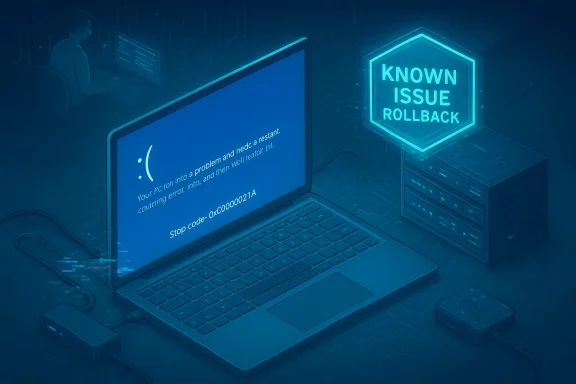
Many users described seeing the classic blue screen message — “Your PC ran into a problem and needs to restart” — often accompanied by the stop code 0xC000021A. That code signals a critical user-mode or system process failure during early system initialization, one that prevents Windows from loading normally and therefore forces repeated restarts. For affected users, the result was a relentless boot loop: neither normal sign-in nor automated repair could consistently complete.Peripheral and configuration triggers
Reports converged on a pattern where the update played poorly with some hardware or driver combinations: USB docking stations, particular OEM drivers, and some device-specific firmware/driver mixes were frequently mentioned in community threads and vendor support posts. In some cases, the system would boot fine with a dock disconnected but fail when the dock or certain USB peripherals were attached. The heterogeneity of the Windows ecosystem — every combination of CPU, GPU, NIC, BIOS/UEFI, and third‑party driver — makes it hard to isolate a single universal trigger; the regression manifested along configuration-dependent lines.The user experience
For non-technical users the recommended recovery steps are daunting: boot to WinRE, navigate through advanced options, possibly run command-line DISM or PowerShell to remove the problematic package, or in the worst case perform a full system reinstall. For enterprises the situation was worse: managed devices may not accept consumer-oriented auto-mitigation, and IT teams faced the risk of mass‑impact across imaging or VDI fleets. Community threads documented frustrated users and administrators attempting complex rollbacks or waiting for a vendor response.The technical anatomy — why a cumulative update can brick systems
A Windows cumulative update bundles many elements: the servicing stack update (SSU), the latest LCU (Latest Cumulative Update), and often updated drivers or system components. That bundling is efficient, but it complicates rollback: once an SSU is applied, you can’t use the simple “Uninstall update” GUI approach for the combined package — removal often requires more advanced DISM commands or recovery tools.Two technical themes matter here:
- Timing and ordering: Some regressions arise from sequences — when a new binary or package must be re-registered or initialized before shell or kernel components call it. If the system attempts to initialize a dependent process before registration completes (a provisioning race), critical services may fail to start.
- Driver and I/O surface area: Low-level drivers (USB controllers, storage drivers, kernel-mode networking stacks) operate at the same privileged layer as servicing changes. A small behavioral change in an OS component can interact unpredictably with OEM-supplied drivers or third‑party kernel components, producing crashes or deadlocks during boot.
Microsoft’s response: acknowledgement, mitigation, and Known Issue Rollback
Microsoft followed the standard remediation playbook for high-impact servicing regressions: detection via telemetry and field reports, public acknowledgement in servicing channels, and activation of mitigations.- Microsoft documented the June 11, 2024 cumulative update KB5039212 in its official KB article and published follow-up guidance. The KB notes the update’s build strings and related servicing details and later identifies remedial packages that address the issue.
- For consumer and unmanaged devices Microsoft activated a Known Issue Rollback (KIR) to remotely disable the offending change for affected configurations. KIR is designed to propagate via Windows Update to consumer devices within a relatively short window (commonly 24–48 hours), restoring affected systems without user action in many cases. The KIR mechanism has been used previously to flip specific patches off on the fly without pushing a full-emergency LCU.
- For enterprise-managed devices Microsoft provided Group Policy templates and guidance that IT administrators could deploy to enable the KIR on managed fleets. Because many enterprise devices do not accept the consumer-facing KIR propagation, admins must take manual steps to ensure the rollback takes effect across corporate images. This creates a meaningful lag between the moment Microsoft identifies a regression and the moment the enterprise fleet is safe.
The enterprise lag: why managed environments remain exposed longer
The consumer auto-KIR propagation is powerful but not universal. Enterprise devices typically:- Use Windows Update for Business controls, or
- Receive updates through WSUS/SCCM or other management tools, or
- Block Microsoft-initiated configuration changes to preserve corporate image stability.
Pattern recognition: a single incident or a systemic trend?
This KB5039212 episode sits inside a broader context: over the 2024–2025 period, several cumulative and preview updates produced notable regressions (broken Start menu or Taskbar elements, HTTP.sys regressions affecting local dev servers, WinRE input problems that rendered recovery unusable in some devices). Community reporting and independent outlets cataloged these incidents, and Microsoft has acknowledged multiple known issues tied to various updates across that timeframe. That pattern has produced a perceptible trust erosion for some user segments, especially enterprise administrators who face the trade-off between applying critical security fixes and avoiding operational regressions.Two points are important here:
- Regressions are not brand-new; complex OS servicing inevitably triggers unexpected interactions in a platform that supports billions of hardware permutations.
- But the frequency and impact of the regressions — particularly when they affect boot, recovery, or broad device classes — matter a lot more than isolated cosmetic bugs.
What administrators and power users must do now
If you run Windows 11 in a managed environment or rely on your machine for critical work, the KB5039212 experience should sharpen your update strategy. Practical recommendations:- Establish a bulk‑test window and pilot ring. Don’t deploy Patch Tuesday rollups to all endpoints immediately; stage them across a representative pilot fleet first.
- Maintain bootable recovery media and verified system images. In a boot-loop scenario, a USB WinPE or recovery image is often the fastest recovery path.
- Keep an enterprise update rollback plan. Identify where you will obtain and deploy Microsoft’s KIR Group Policy template and document the steps to roll it out.
- Watch Microsoft’s Release Health and KB pages for timely advisories and confirmed remediation packages. These authoritative pages list addressed issues and any follow-up KBs that remediate earlier regressions.
- Pause updates for a few days after Patch Tuesday if your device is critical and you don’t test updates proactively.
- Ensure you have recent backups (cloud or external disk). The real cost of these regressions is often lost productivity and data risk, not just a temporary reinstall.
- If you encounter a boot loop, try WinRE uninstall paths first and follow the step-by-step guidance Microsoft and community experts publish; many users recovered by uninstalling the cumulative LCU through WinRE or performing a system restore when available.
The limits of automated rollback and the need for transparency
Known Issue Rollback is an important tool — it allows Microsoft to flip a single problematic change off without requiring consumers to take action. But it is not a cure-all:- KIR depends on accurate detection of affected telemetry and a precise identification of the faulty change. Misidentification can under- or over-correct.
- Enterprise devices may not receive KIR automatically, leaving admins to decide whether to trust Microsoft’s published remediation or to take manual action.
- Users and IT teams often want clearer, earlier communication: which hardware models were involved, which drivers interacted with the regression, and a realistic timeline for remediation.
What this means for trust in the Windows-as-a-Service model
Microsoft’s vision for Windows as a continuously serviced platform is sensible: security patches must reach devices quickly. But the KB5039212 episode exposes a tension at the heart of that model: rapid servicing can outpace the ability to validate every real‑world configuration.The consequences are concrete:
- Enterprises may defer critical security patches, increasing exposure to exploits in the short term.
- Power users may distrust automatic updates and opt to run longer update cadences, reducing the security benefits of the service.
- OEMs and driver vendors must redouble compatibility testing during servicing cycles, especially for low-level drivers and recovery-mode behavior.
How to prepare your environment for the next Patch Tuesday
- Document and automate backup and recovery processes. A tested recovery runbook reduces panic and downtime when a boot loop hits.
- Maintain a small pilot ring that represents the diversity of your fleet (OEMs, dock vendors, specialized drivers).
- Subscribe to Microsoft release-notes channels and confirm the presence or absence of known issues and KIR templates before large-scale deployments.
- Treat every major servicing cycle as a planned maintenance window rather than a background convenience.
Final assessment — strengths, risks, and the road ahead
KB5039212’s boot-loop fallout exposes both strengths and weaknesses in Microsoft’s servicing apparatus.Strengths:
- Microsoft’s ability to detect an issue and activate a Known Issue Rollback demonstrates a mature remediation capability that didn’t exist in earlier eras of Windows servicing. When KIR is accepted by a device, it often restores functionality automatically and quickly for consumers.
- Microsoft’s published KBs and follow-up updates (later packages that address the regression) provide a documented remediation path.
- The lack of absolute transparency about scope and root cause in early advisories frustrates administrators and users who need to triage risk. Microsoft’s “limited reports” framing can undercut the perceived urgency for those actually impacted.
- Enterprise-managed devices often lag in receiving KIR or require manual Group Policy deployment, creating an operational window where critical endpoints remain vulnerable or unusable.
- The recurring nature of high-impact regressions (boot loops, WinRE input failures, driver-level BSODs) suggests that pre-release testing must better emulate the diverse configurations present in the wild. Community and independent outlets have cataloged a steady stream of such incidents, which collectively degrade confidence.
Conclusion
The KB5039212 episode is a sharp reminder that in the modern software era, updates are both a defensive necessity and an operational risk. Microsoft’s Known Issue Rollback and follow-up patches illustrate a capable remediation pipeline, but the continued occurrence of severe regressions that affect booting, recovery, or core shell elements reveals that more is required: better pre-release validation against real-world hardware permutations, clearer and timelier communication during incident response, and enterprise-first rollout and rollback primitives that reduce the manual burden on administrators.For users and administrators, the pragmatic takeaway is simple: treat every update as something to pilot and plan for; keep backups and recovery media current; and expect that the vendor can and will fix most high-impact regressions — but that “fix” may not arrive uniformly across consumer and enterprise rings without explicit, manual steps. The long-term test for Microsoft is whether incidents like KB5039212 become rarities rather than recurring chapters in the Windows update story.
Source: WebProNews A Routine Patch, A Digital Nightmare: Inside Microsoft’s Windows 11 Update Quagmire
