

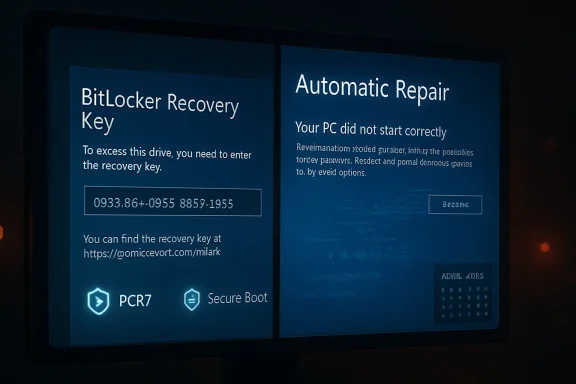
The April 2026 Windows 11 Patch Tuesday release has turned into another uncomfortable test of trust between Microsoft and its users. KB5083769, released for Windows 11 versions 24H2 and 25H2, is now associated with a confirmed BitLocker recovery prompt on some machines and a separate wave of reported boot loops, blue screens, and automatic repair failures that Microsoft has not yet formally classified as a distinct known issue. The confirmed defect is narrow and technical, but the broader pattern is familiar: an update intended to improve security is instead forcing some users to prove they still own their own PCs before Windows will start.
Microsoft’s monthly cumulative updates are supposed to be the quiet plumbing of the Windows ecosystem. They deliver security fixes, servicing stack improvements, reliability patches, and occasionally new interface or platform changes that have been staged through preview channels. For most users, that model works well enough that Patch Tuesday fades into the background.
The trouble is that Windows updates now touch more than application files or user-interface components. They intersect with Secure Boot, TPM measurements, BitLocker protectors, firmware trust chains, boot managers, recovery partitions, and cloud-managed policy. When something goes wrong at that layer, the result is not a broken widget or a failed app launch; it is a machine that may demand a recovery key or refuse to boot at all.
KB5083769 lands at a particularly sensitive moment for Windows 11. Version 24H2 has already spent much of its life under scrutiny for compatibility and servicing issues, while 25H2 is being expanded through Microsoft’s automatic rollout machinery to unmanaged Home and Pro devices. That means a problematic security update is not arriving in isolation; it is arriving during a broader platform transition.
Microsoft has confirmed one part of the story. Devices with a specific, non-default BitLocker Group Policy configuration involving PCR7, Secure Boot, and the 2023-signed Windows Boot Manager may be prompted for a BitLocker recovery key on first restart after installing the update. What remains murkier is the second class of failures, where users report pixelated screens, blue-screen recovery messages, and repeated attempts by Windows Automatic Repair to recover the installation.
The affected machines have BitLocker enabled on the operating system drive and a configured policy named Configure TPM platform validation profile for native UEFI firmware configurations. The key detail is that PCR7 is explicitly included in the validation profile, while System Information reports Secure Boot State PCR7 Binding as Not Possible. The device must also have the Windows UEFI CA 2023 certificate present in the Secure Boot database and must not already be running the 2023-signed Windows Boot Manager.
Microsoft says the recovery prompt should be a one-time event. After the correct recovery key is entered, subsequent restarts should proceed normally as long as the policy configuration remains unchanged. That is reassuring for prepared administrators, but much less comforting for consumers who never knew BitLocker was enabled or never saved a recovery key.
Key confirmed conditions include:
This second failure mode is important because it does not behave like the confirmed BitLocker prompt. A one-time recovery event is disruptive but procedurally clear: find the key, enter it, boot, and rebind the system state. A boot loop is a deeper availability failure, especially when Safe Mode, Startup Repair, or update uninstall options are inaccessible or unreliable.
Microsoft has not publicly confirmed this as a separate KB5083769 known issue. That does not mean the reports are imaginary, but it does mean administrators should avoid overstating causation until telemetry, crash dumps, and hardware patterns are clearer. The responsible framing is that KB5083769 is linked by user reports to boot loops, while Microsoft’s confirmed defect remains the BitLocker recovery prompt.
Reported symptoms include:
That sensitivity is not a flaw by itself. In fact, it is a major reason BitLocker is valuable on laptops, business endpoints, and modern Windows devices that may be lost or stolen. The problem is that Windows servicing now regularly updates pieces of the boot trust chain, and those changes must be coordinated carefully with TPM measurements and recovery behavior.
A simplified boot trust chain looks like this:
Important technical takeaways:
That does not absolve Microsoft. Enterprises rely on Microsoft to preserve compatibility across supported configurations or at least flag risky interactions early. When a monthly security update can trigger recovery prompts across a fleet, the operational cost lands on help desks, endpoint teams, security operations, and users who may be traveling without easy access to recovery procedures.
That uncertainty matters because enterprises plan patching around rollback options. A KIR is not a magic undo button for every failure, but it is part of the trust model for modern Windows servicing. If Microsoft quietly changes mitigation guidance midstream, administrators are left wondering whether they are looking at stale documentation, revised engineering judgment, or an unresolved support escalation.
Enterprise administrators should prioritize:
That creates a painful user experience. A home user installs a routine update, the PC restarts, and Windows asks for a recovery key that looks like something from an enterprise security manual. The machine may be safe, the data may be intact, and the prompt may appear only once, but the user’s immediate conclusion is simple: the update locked me out.
The boot loop reports make the consumer side worse. A BitLocker prompt at least gives the user a clear input field and a path forward. A repair loop gives them uncertainty, repeated failures, and often the fear that their files are gone.
Consumers should understand these practical points:
At the same time, Microsoft has expanded its machine learning-based rollout of Windows 11 25H2 to unmanaged Home and Pro devices running 24H2. In practical terms, many consumer PCs are being moved forward automatically when Microsoft decides they are ready. Users can choose restart timing or postpone for a while, but they cannot treat an old supported branch as a permanent refuge.
The April update therefore carries more symbolic weight than a normal Patch Tuesday. It arrives as Microsoft asks users to accept more automation, more cloud-linked recovery, more encryption by default, and more centralized update orchestration. Every high-profile failure becomes evidence for critics who argue that users have lost too much control over their systems.
The timing raises several concerns:
The most important step is to verify recovery readiness. If BitLocker or device encryption is enabled, make sure the recovery key is accessible before restarting into an update. For businesses, that means checking escrow in directory or endpoint management systems; for consumers, it means confirming the key is visible from the relevant Microsoft account.
Possible recovery actions include:
Competitors will not suddenly displace Windows because of one BitLocker bug. macOS has its own update failures, Linux has its own hardware and driver tradeoffs, and ChromeOS is not a full replacement for many workflows. Still, Windows is judged by a different standard because it sits at the center of gaming PCs, enterprise fleets, school laptops, creator workstations, and family desktops.
The competitive implications are subtle but real:
There is also a difference between confirming a narrow issue and addressing a broader wave of user reports. Microsoft may be waiting for telemetry before acknowledging the boot loop pattern, which is understandable. But from the user’s perspective, silence feels like dismissal, especially when support forums contain multiple similar accounts.
Microsoft could improve confidence with:
The second issue is whether Microsoft updates its BitLocker guidance again. Administrators should watch for changes to the workaround, any renewed KIR availability, and the promised permanent resolution in a future Windows update. Consumers should use this moment to confirm recovery keys, backups, and recovery media rather than waiting for the next unexpected restart.
Watch for these developments:
Source: The FPS Review Windows 11 April Update KB508769 Is Triggering Bitlocker Recovery Screens and Boot Loops
 Overview
Microsoft’s monthly cumulative updates are supposed to be the quiet plumbing of the Windows ecosystem. They deliver security fixes, servicing stack improvements, reliability patches, and occasionally new interface or platform changes that have been staged through preview channels. For most users, that model works well enough that Patch Tuesday fades into the background.The trouble is that Windows updates now touch more than application files or user-interface components. They intersect with Secure Boot, TPM measurements, BitLocker protectors, firmware trust chains, boot managers, recovery partitions, and cloud-managed policy. When something goes wrong at that layer, the result is not a broken widget or a failed app launch; it is a machine that may demand a recovery key or refuse to boot at all.
KB5083769 lands at a particularly sensitive moment for Windows 11. Version 24H2 has already spent much of its life under scrutiny for compatibility and servicing issues, while 25H2 is being expanded through Microsoft’s automatic rollout machinery to unmanaged Home and Pro devices. That means a problematic security update is not arriving in isolation; it is arriving during a broader platform transition.
Microsoft has confirmed one part of the story. Devices with a specific, non-default BitLocker Group Policy configuration involving PCR7, Secure Boot, and the 2023-signed Windows Boot Manager may be prompted for a BitLocker recovery key on first restart after installing the update. What remains murkier is the second class of failures, where users report pixelated screens, blue-screen recovery messages, and repeated attempts by Windows Automatic Repair to recover the installation.
What Microsoft Has Confirmed
The confirmed issue is not a blanket BitLocker failure across every Windows 11 PC. Microsoft describes it as affecting a limited set of systems where all required conditions line up. That distinction matters, because it separates a scary but bounded recovery-key prompt from a universal update catastrophe.The affected machines have BitLocker enabled on the operating system drive and a configured policy named Configure TPM platform validation profile for native UEFI firmware configurations. The key detail is that PCR7 is explicitly included in the validation profile, while System Information reports Secure Boot State PCR7 Binding as Not Possible. The device must also have the Windows UEFI CA 2023 certificate present in the Secure Boot database and must not already be running the 2023-signed Windows Boot Manager.
Why the conditions matter
BitLocker does not merely encrypt the disk and hope for the best. It binds access to measured boot conditions, using the TPM to verify that the environment has not changed in a way that suggests tampering. If a cumulative update changes the boot path, certificate state, or boot manager trust chain, BitLocker may interpret the new measurements as suspicious.Microsoft says the recovery prompt should be a one-time event. After the correct recovery key is entered, subsequent restarts should proceed normally as long as the policy configuration remains unchanged. That is reassuring for prepared administrators, but much less comforting for consumers who never knew BitLocker was enabled or never saved a recovery key.
Key confirmed conditions include:
- BitLocker is enabled on the operating system drive.
- PCR7 is explicitly included through Group Policy or an equivalent registry setting.
- System Information reports PCR7 Binding as not possible.
- The device is eligible for the newer Secure Boot certificate path.
- The device is not already using the 2023-signed Windows Boot Manager.
- The prompt is expected only on the first restart after the update.
The Unconfirmed Boot Loop Reports
The more troubling reports around KB5083769 describe machines that do not simply pause for a BitLocker key. Users on Microsoft’s own Q&A forums and in technology press coverage have described systems entering automatic repair loops, showing visual corruption, producing blue-screen recovery prompts, and failing to complete startup. Several reports mention HP and Dell desktops, though the evidence is still too scattered to establish a reliable hardware profile.This second failure mode is important because it does not behave like the confirmed BitLocker prompt. A one-time recovery event is disruptive but procedurally clear: find the key, enter it, boot, and rebind the system state. A boot loop is a deeper availability failure, especially when Safe Mode, Startup Repair, or update uninstall options are inaccessible or unreliable.
Why this looks different
The reported loop pattern suggests a failure in the boot or recovery path rather than a clean BitLocker challenge. Users describe a sequence in which Windows begins startup, displays abnormal graphics or a recovery message, attempts repair, and then returns to the same state. That may involve display drivers, boot-critical components, firmware interactions, corrupted pending update state, or some combination that only appears on specific hardware.Microsoft has not publicly confirmed this as a separate KB5083769 known issue. That does not mean the reports are imaginary, but it does mean administrators should avoid overstating causation until telemetry, crash dumps, and hardware patterns are clearer. The responsible framing is that KB5083769 is linked by user reports to boot loops, while Microsoft’s confirmed defect remains the BitLocker recovery prompt.
Reported symptoms include:
- Pixelated or corrupted display output before recovery appears.
- A blue-screen-style recovery prompt indicating Windows must be repaired.
- Repeated Automatic Repair attempts that do not restore normal startup.
- Update rollback attempts that may leave Windows trying to reinstall the same patch.
- Reports from both consumer and business environments.
- Mentions of HP and Dell systems, without enough evidence for exclusivity.
Why BitLocker Is So Sensitive to Boot Changes
BitLocker’s job is to protect data when an attacker has physical access to a device. To do that, it watches the early boot environment closely. If the measured state changes unexpectedly, BitLocker can assume that something has tampered with firmware, boot files, boot configuration, or the trusted path into Windows.That sensitivity is not a flaw by itself. In fact, it is a major reason BitLocker is valuable on laptops, business endpoints, and modern Windows devices that may be lost or stolen. The problem is that Windows servicing now regularly updates pieces of the boot trust chain, and those changes must be coordinated carefully with TPM measurements and recovery behavior.
TPM measurements in plain English
A TPM does not decide whether Windows is good or bad in human terms. It records measurements of the boot process into Platform Configuration Registers, or PCRs. BitLocker can then decide whether the measurements match the expected state before releasing the key needed to unlock the operating system drive.A simplified boot trust chain looks like this:
- Firmware initializes the system and validates Secure Boot state.
- Secure Boot checks whether boot components are trusted.
- The boot manager and related components are measured into TPM PCRs.
- BitLocker compares those measurements with expected protectors.
- Windows starts only after the disk unlocks successfully.
Important technical takeaways:
- PCR7 is tied closely to Secure Boot policy and binding.
- Custom validation profiles can be more fragile than default profiles.
- Secure Boot certificate transitions can alter measured boot assumptions.
- BitLocker recovery is a protective response, not necessarily data loss.
- Poorly communicated recovery behavior still creates a real support incident.
Enterprise Impact
For enterprises, the confirmed KB5083769 issue is a policy hygiene problem as much as a Windows update problem. Organizations that explicitly configured PCR7 in BitLocker validation profiles now need to audit whether that decision still makes sense in light of Microsoft’s Secure Boot certificate transition. The machines most likely to be affected are not random home PCs, but managed devices where IT departments made deliberate hardening choices.That does not absolve Microsoft. Enterprises rely on Microsoft to preserve compatibility across supported configurations or at least flag risky interactions early. When a monthly security update can trigger recovery prompts across a fleet, the operational cost lands on help desks, endpoint teams, security operations, and users who may be traveling without easy access to recovery procedures.
Group Policy and KIR uncertainty
Microsoft’s documented workaround focuses on removing the custom Group Policy configuration, forcing policy refresh, suspending BitLocker protectors, and then resuming them so the device uses the Windows-selected default PCR profile. Earlier reporting indicated that a Known Issue Rollback path was available for commercial customers unable to remove the policy before deployment. Later reports said that Microsoft removed that KIR policy workaround without clearly explaining why.That uncertainty matters because enterprises plan patching around rollback options. A KIR is not a magic undo button for every failure, but it is part of the trust model for modern Windows servicing. If Microsoft quietly changes mitigation guidance midstream, administrators are left wondering whether they are looking at stale documentation, revised engineering judgment, or an unresolved support escalation.
Enterprise administrators should prioritize:
- Auditing BitLocker Group Policy settings for explicit PCR7 inclusion.
- Checking msinfo32 for Secure Boot State PCR7 Binding status.
- Verifying recovery key escrow in Active Directory, Entra ID, or management tools.
- Testing KB5083769 against representative hardware before broad deployment.
- Monitoring help desk tickets for recovery prompts and boot failures.
- Confirming whether local rollback options remain available in recovery scenarios.
Consumer Impact
For consumers, the BitLocker angle is more emotionally charged. Many Windows 11 Home users do not think of themselves as BitLocker users at all, even when device encryption is active. They may have signed in with a Microsoft account during setup, accepted defaults, and never learned that a recovery key was generated and stored somewhere outside the machine.That creates a painful user experience. A home user installs a routine update, the PC restarts, and Windows asks for a recovery key that looks like something from an enterprise security manual. The machine may be safe, the data may be intact, and the prompt may appear only once, but the user’s immediate conclusion is simple: the update locked me out.
The recovery key problem
Microsoft’s recommended consumer path is to retrieve the recovery key from the Microsoft account associated with the device. That works when the user used the same account, the device is listed correctly, and the person has access to another phone or computer. It fails when the user set up Windows years ago, used a different account, inherited the PC, or never completed cloud backup of the key.The boot loop reports make the consumer side worse. A BitLocker prompt at least gives the user a clear input field and a path forward. A repair loop gives them uncertainty, repeated failures, and often the fear that their files are gone.
Consumers should understand these practical points:
- A BitLocker recovery prompt does not automatically mean data loss.
- The recovery key may be stored in the Microsoft account used during setup.
- Entering the correct key once should resolve the confirmed BitLocker issue.
- If the machine repeatedly returns to recovery after the correct key, another boot issue may be involved.
- Pausing updates may buy time, but it is not a permanent security strategy.
- Keeping offline backups remains the best defense against update-related surprises.
Windows 11 24H2, 25H2, and the Timing Problem
KB5083769 applies to Windows 11 versions 24H2 and 25H2, with build numbers in the 26100 and 26200 branches. That matters because these two releases are closely linked in Microsoft’s current servicing strategy. Version 25H2 is less a disruptive rebase than a continuation of the same platform foundation, with many features staged through cumulative updates and enabled according to rollout state.At the same time, Microsoft has expanded its machine learning-based rollout of Windows 11 25H2 to unmanaged Home and Pro devices running 24H2. In practical terms, many consumer PCs are being moved forward automatically when Microsoft decides they are ready. Users can choose restart timing or postpone for a while, but they cannot treat an old supported branch as a permanent refuge.
A forced transition amplifies risk
Mandatory feature-update movement is defensible from a security standpoint. Microsoft does not want millions of consumer PCs stranded on releases nearing end of servicing. But forced movement becomes politically and technically harder to defend when the servicing channel itself is associated with boot failures or recovery prompts.The April update therefore carries more symbolic weight than a normal Patch Tuesday. It arrives as Microsoft asks users to accept more automation, more cloud-linked recovery, more encryption by default, and more centralized update orchestration. Every high-profile failure becomes evidence for critics who argue that users have lost too much control over their systems.
The timing raises several concerns:
- 24H2 already carries reputational baggage from earlier compatibility issues.
- 25H2 is being pushed more broadly through automatic rollout logic.
- Security updates and feature enablement are increasingly intertwined.
- Users may not distinguish between a cumulative update and a version upgrade.
- Recovery failures during a forced transition feel more intrusive than optional updates.
- Enterprise admins must manage both monthly patching and lifecycle migration pressure.
Recovery and Mitigation Guidance
Anyone who has not yet installed KB5083769 should treat this as a preparation issue rather than a reason to abandon security updates indefinitely. The confirmed BitLocker problem has identifiable conditions, and administrators can check for them. The boot loop reports are less defined, but normal update hygiene still reduces exposure.The most important step is to verify recovery readiness. If BitLocker or device encryption is enabled, make sure the recovery key is accessible before restarting into an update. For businesses, that means checking escrow in directory or endpoint management systems; for consumers, it means confirming the key is visible from the relevant Microsoft account.
Before you restart
A cautious pre-update checklist looks like this:- Confirm whether BitLocker or device encryption is enabled.
- Back up critical files to a location not dependent on the local Windows installation.
- Verify the recovery key is available and matches the device name or key ID.
- Check whether the PCR7 Group Policy is configured on managed systems.
- If affected, set the TPM validation profile policy to Not Configured.
- Run policy refresh, suspend BitLocker protectors, and resume them to rebind.
- Install the update only after recovery options are confirmed.
Possible recovery actions include:
- Use Uninstall latest quality update from Windows Recovery Environment.
- Try System Restore if a restore point exists.
- Attempt Startup Repair, while recognizing it may not fix update-state corruption.
- Use Safe Mode only if the system can reach it reliably.
- Avoid repeated forced shutdowns once recovery options are available.
- Create installation media from another PC if local recovery tools are damaged.
Competitive and Market Implications
Windows remains the default desktop operating system for most PC users, but default status is not the same as unshakable loyalty. Every problematic update feeds a wider narrative that Windows has become too complex, too automated, and too willing to surprise its owners. That narrative matters even when the actual affected population is small.Competitors will not suddenly displace Windows because of one BitLocker bug. macOS has its own update failures, Linux has its own hardware and driver tradeoffs, and ChromeOS is not a full replacement for many workflows. Still, Windows is judged by a different standard because it sits at the center of gaming PCs, enterprise fleets, school laptops, creator workstations, and family desktops.
Trust is a platform feature
The most valuable feature of an operating system is not a new Start menu, AI integration, or a redesigned settings page. It is confidence that the machine will start when needed. If Windows users begin treating every Patch Tuesday as a potential recovery event, Microsoft has a strategic problem that no feature roadmap can offset.The competitive implications are subtle but real:
- Apple can market tighter hardware-software integration as a reliability advantage.
- Linux desktop advocates can point to user control and transparent update timing.
- ChromeOS benefits from a simpler recovery and update model for mainstream users.
- Enterprise endpoint vendors can position stronger rollback and imaging workflows as essential.
- PC OEMs may face support calls for failures they did not directly cause.
- Security teams may need to defend encryption policies that users now associate with lockouts.
The Communication Gap
Microsoft’s official documentation on KB5083769 is technically useful, but it is written for administrators who already understand BitLocker policy, PCR profiles, Secure Boot databases, and boot manager signing. That is not the audience most likely to panic at a recovery screen. The people most frightened by the issue are the least equipped to interpret the explanation.There is also a difference between confirming a narrow issue and addressing a broader wave of user reports. Microsoft may be waiting for telemetry before acknowledging the boot loop pattern, which is understandable. But from the user’s perspective, silence feels like dismissal, especially when support forums contain multiple similar accounts.
Why clearer language matters
A good servicing incident response needs more than a known-issues table. It needs plain-language separation between confirmed and unconfirmed symptoms, practical steps for home users, and transparent updates when workarounds change. If a KIR option appears and then disappears, administrators deserve a direct explanation.Microsoft could improve confidence with:
- A dedicated consumer-facing explanation of the BitLocker recovery prompt.
- A separate investigation note for reported boot loop cases.
- Clear guidance on when to enter a recovery key versus when to stop and seek help.
- Better surfacing of recovery key location during Windows setup and Settings.
- Explicit update-history notes when mitigation guidance changes.
- More visible warnings for devices with risky BitLocker policy combinations.
Strengths and Opportunities
There is a constructive side to this incident if Microsoft treats it as a signal rather than a footnote. The confirmed KB5083769 issue exposes a narrow interaction between policy, Secure Boot evolution, and BitLocker measurement logic, which means it can be documented, tested, and prevented in future servicing changes. The broader reports also give Microsoft a chance to improve recovery tooling and communication before the next major servicing wave.- BitLocker remains valuable for protecting data on lost or stolen devices.
- Microsoft has identified a specific confirmed configuration rather than leaving the issue completely undefined.
- Enterprises can audit and remediate the risky PCR7 policy before broad deployment.
- The incident may push more users to verify recovery keys and backup practices.
- OEMs and Microsoft can use reported boot loops to improve firmware and driver validation.
- Windows Recovery Environment could become more resilient and more understandable.
- Clearer update health messaging could rebuild trust with administrators and consumers.
Risks and Concerns
The risks are not limited to the machines already affected. The larger concern is cumulative trust damage. When users hear that a security update can trigger BitLocker recovery or leave some PCs in repair loops, they may delay future updates, disable security features, or search for unsupported workarounds that create bigger vulnerabilities.- Users may pause or avoid security updates, increasing exposure to patched vulnerabilities.
- Some consumers may disable device encryption without understanding the data-protection tradeoff.
- Enterprises may face help desk spikes if recovery keys are missing or poorly escrowed.
- Unconfirmed boot loop reports may remain unresolved long enough to generate confusion.
- Forced 25H2 rollout timing may make users feel they lack meaningful control.
- OEM support channels may absorb blame for update interactions outside their control.
- Poor communication could turn a limited technical defect into a broader reputational failure.
What to Watch Next
The immediate question is whether Microsoft formally acknowledges the reported boot loop and blue-screen behavior as a separate known issue tied to KB5083769. If it does, the next details to watch are affected hardware, driver families, firmware versions, and whether the problem can be reversed through Known Issue Rollback, a revised cumulative update, or OEM-specific fixes. If it does not, the story may remain a forum-driven support pattern rather than a documented servicing incident.The second issue is whether Microsoft updates its BitLocker guidance again. Administrators should watch for changes to the workaround, any renewed KIR availability, and the promised permanent resolution in a future Windows update. Consumers should use this moment to confirm recovery keys, backups, and recovery media rather than waiting for the next unexpected restart.
Watch for these developments:
- A Microsoft release-health update addressing boot loops or BSODs.
- A revised KB5083769 package or superseding cumulative update.
- Clarification on the removed or changed KIR workaround.
- OEM advisories from HP, Dell, or other vendors if hardware patterns emerge.
- Additional Secure Boot certificate transition guidance.
- Changes to Windows 11 25H2 rollout safeguards.
Source: The FPS Review Windows 11 April Update KB508769 Is Triggering Bitlocker Recovery Screens and Boot Loops
