KB5083769 Windows 11 Boot Loop Reports: Pixelated Screen & Recovery Failures

It’s too early to call this a confirmed Microsoft-caused “death loop,” but the early pattern around KB5083769 is uncomfortable for Windows 11 users and IT admins alike. In the first days after April’s Patch Tuesday, multiple Microsoft Learn Q&A posts described boot loops, pixelated crash screens, and recovery failures after installation, including reports from an HP desktop, a Dell desktop, and several users inside one company. Microsoft’s own release notes confirm that KB5083769 is the April 14, 2026 cumulative update for Windows 11 24H2 and 25H2, which means the issue is landing in the same patch window as a major security baseline update, not an obscure side channel change.

Blue desktop screen shows a refresh icon beside a pixelated matrix pattern with tool shortcut icons.Background​

April Patch Tuesday was already set up to be a heavy one. Microsoft’s April 2026 baseline and release notes show that KB5083769 is the main cumulative update for Windows 11, with separate build tracks for 26100.8246 and 26200.8246, and the servicing content arrived alongside a broader security push for Windows and Microsoft products. That matters because a large cumulative update touches far more code paths than a small hotfix, especially in boot, graphics, and recovery components.
What makes these reports especially notable is the specific symptom pattern. The affected users describe a “mosaic of weird pixels” followed by a blue recovery screen and then a repair loop that never resolves. That is not the usual “update failed to install” complaint; it suggests something failing after reboot, likely during early boot or display initialization, where even a healthy-looking machine can be pushed into a startup repair dead end.
There is also an important distinction between a single-user bug and a fleet-wide defect. In the Q&A thread, one commenter said the same issue was happening on a Dell Desktop, while another said three people in their company were locked out after the update. That doesn’t prove a universal defect, but it does raise the stakes: if even a small subset of systems can no longer boot, then the update becomes an enterprise continuity issue, not merely a home-user inconvenience.
The timing also echoes a broader pattern that Windows admins have seen for years. Cumulative updates increasingly bundle security fixes, servicing stack behavior, and compatibility changes into a single install path, which means a regression can arrive with no obvious warning. Microsoft’s own documentation shows that the update is distributed through Windows Update, Windows Update for Business, the Microsoft Update Catalog, and server tools, so any systemic issue can spread quickly across both consumer and managed environments.

What Users Are Reporting​

The clearest public signal right now comes from the Microsoft Q&A post itself. The original poster says the machine entered a death loop after attempting the latest security update, showing the pixelated screen, then a recovery prompt, then a repair loop that kept cycling back. That sequence matters because it suggests the system may have been able to reboot partially, but could not complete the full handoff into a stable Windows session.

The shared symptoms​

The details are strikingly similar across posts. The poster on the Q&A thread mentions an HP Pavilion 590-p0044 with an AMD Ryzen 5 2600, 32GB RAM, and a GTX 1080 Ti running Windows 11 Home. Another commenter said they hit the same problem on a Dell desktop, and the visual symptoms matched closely enough to make the thread feel less like random corruption and more like a repeatable pattern.
That said, the sample size is still tiny. Five days after release is enough time for early reports, but not enough to determine incidence, prevalence, or whether a particular OEM, GPU driver, or firmware combination is involved. It is possible that the update is merely the trigger that exposes a pre-existing compatibility flaw, which is often how boot regressions present themselves in the real world.
The most worrying part is that one company report involved multiple people losing access to work systems. That shifts the issue from “my PC won’t boot” to data access interruption, lost work time, and potentially support escalation if local recovery environments are damaged or unavailable. A recovery loop is bad enough; a recovery loop that blocks document access can become a productivity and compliance problem.

Why the Pixelated Screen Matters​

The “pixelated mosaic” description is more than a colorful anecdote. In Windows troubleshooting terms, unusual graphics artifacts during boot often point toward a problem in the early display stack, GPU handoff, memory integrity, or a kernel-level incompatibility that manifests before the desktop ever appears. Because the users are seeing the corruption before the system fully recovers, the problem could sit at the junction of firmware, GPU driver, and OS boot components.

Boot-time graphics versus post-login crashes​

A crash after login can be caused by a wide range of app or driver problems. A crash before or during recovery is more ominous, because it narrows the likely fault domain to code that runs very early in startup. That is why admins tend to treat boot loops with extra caution: the machine is not just unstable, it is unavailable.
The fact that the visual symptom is repeated pixelation also makes the issue feel closer to a display pipeline collapse than a simple blue-screen bug. If the display is garbled before the recovery screen appears, that could indicate a driver issue, but it could just as easily be a side effect of another low-level failure. Without crash dumps or telemetry, the visual evidence is suggestive, not conclusive.

AMD systems and the suspicion factor​

Microsoft’s AI-generated Q&A Assist response reportedly mentions that similar issues have been documented when cumulative updates corrupt boot-critical components or drivers, especially on some AMD-based systems. That language is careful and important: it does not accuse AMD hardware outright, but it does acknowledge that platform-specific interactions are a familiar way update failures become visible.
Still, readers should be cautious about overfitting to the hardware list in one thread. The original poster has an AMD Ryzen system, but the follow-up commenter cited a Dell Desktop, which suggests the problem may not be confined to one CPU vendor or one OEM. The stronger inference is that common update-induced instability is under investigation, not a proven AMD-only regression.

Microsoft’s Official Footprint​

The official Windows release notes confirm that KB5083769 is the April 14, 2026 cumulative update for Windows 11 and that it is being delivered broadly through Microsoft’s normal servicing channels. Microsoft also notes that the package contains the latest servicing stack update together with the cumulative update, which is standard for modern Windows servicing but also means failures can be intertwined across multiple update layers.

What the release notes do and do not say​

At the time of writing, the release notes do not show a public acknowledgment of this specific boot-loop problem. They do, however, show a known issue related to Reset this PC, which Microsoft says this update addresses after problems seen following the March 2026 hotpatch. That is useful context because it underscores how much work Microsoft is doing around the recovery pipeline itself.
The absence of an explicit known-issue entry does not mean the issue is imaginary. It simply means Microsoft has not yet published a formal admission or mitigation for this particular symptom cluster. In the early days after a Patch Tuesday release, that gap is common; the company often needs time to separate isolated user reports from reproducible servicing faults.
The more interesting clue is that Microsoft’s documentation includes both x64 and Arm64 installation instructions, as well as multiple ways to deploy the package. That tells us the update is not a niche consumer hotfix, but a cornerstone security package across supported Windows 11 editions. If a boot regression is real, the blast radius can be substantial.

Likely Causes and Competing Hypotheses​

Right now there are at least three plausible explanations, and it is too soon to crown any one of them as the answer. The first is a direct regression in the cumulative update itself. The second is a driver interaction, most likely in graphics or storage. The third is a hardware-specific quirk that was already lurking and only surfaced once the update changed boot timing or device initialization.

Hypothesis 1: a bad OS-level change​

If the update touched a boot-critical component, it could destabilize systems during early startup before the desktop loads. That would explain why users cannot simply restart through the issue and why repair mode keeps appearing. A true OS regression is the worst-case scenario because it is harder to isolate from the user side and often requires Microsoft to issue a corrective patch.

Hypothesis 2: a driver or firmware interaction​

The fact that the affected systems include an AMD desktop with a discrete NVIDIA GPU is a clue, not proof. Boot-time graphics corruption often points to a device driver, BIOS setting, or firmware mismatch, particularly when one update shifts the sequence of initialization. In that scenario, the patch may be the trigger, while the actual weakness lives in the hardware stack.

Hypothesis 3: recovery-environment fragility​

One commenter reported that a machine’s recovery environment was so broken it could not be used to re-enter Windows. That makes the recovery layer itself part of the story. If the fallback environment is damaged, then even a routine update rollback becomes a rescue mission, and that is a serious operational concern for both consumers and IT teams.
  • A direct Windows update regression would need a Microsoft fix.
  • A driver issue might be mitigated by rolling back graphics or chipset software.
  • A firmware mismatch could require a BIOS update or setting change.
  • A broken recovery stack makes every remedy harder and slower.
  • Multiple hardware vendors reporting the same symptom broadens the likely fault domain.

Consumer Impact​

For home users, the immediate issue is simple: the machine may no longer boot. That means lost access to photos, browser sessions, password managers, local game libraries, school files, and anything else living on the desktop. If the local recovery path fails, the average user may not have the tools or confidence to perform a repair install.

Why ordinary users are vulnerable​

Most consumers do not maintain offline backups or recovery media, and many assume Windows Update is largely self-healing. When that assumption breaks, the support burden shifts to forums, family members, or paid repair shops. A patch that can strand a PC in a loop is therefore not just a technical bug; it is a trust event.
That trust erosion is especially sharp when the symptoms look theatrical, like the reported mosaic of weird pixels. Visual corruption makes the failure feel catastrophic, even if the underlying cause is “only” a driver mismatch. Only is doing a lot of work there, because for a consumer with one PC, the distinction barely matters if the system is unusable.
The poster’s description of attempting a retry and then falling into the repair loop is also a reminder that consumer troubleshooting often starts with the wrong instincts. A normal user will assume Windows can sort it out on the next pass. In reality, repeated retries can simply burn time while the underlying issue remains untouched.

Enterprise Impact​

The business impact is more serious because one broken boot path can multiply across dozens or hundreds of devices. The Q&A comment from Thomas B is especially important because it mentions three other people in the company with the same problem and at least one recovery environment that could not be trusted. That is the kind of language IT teams hear when a support ticket is about to become a change-management incident.

Why admins care differently​

Admins can tolerate a patch that requires rollback if the rollback works. They cannot tolerate a patch that leaves systems unbootable and recovery unavailable. That is why enterprises typically stage cumulative updates, watch the first ring closely, and keep out-of-band recovery processes ready before broad deployment.
A boot-loop issue can also block access to important work documents, which Thomas B explicitly raised. That introduces secondary risk around missed deadlines, delayed customer work, and potentially compliance exposure if systems holding regulated data are inaccessible. In enterprise terms, this is not just a defect; it is an availability event.
The fact that one commenter could uninstall the latest quality update and recover the machine is encouraging, but not fully reassuring. Uninstalling works only if the system can still reach a usable state and if the recovery environment is healthy enough to support rollback. When that is not true, IT staff may have no clean path back.

What Microsoft Q&A Assist Is Suggesting​

Microsoft’s AI-generated Q&A Assist response reportedly recommends a fairly standard hierarchy: use the Windows Recovery Environment, try System Restore, then Startup Repair, and finally consider a local reinstall if those fail. That sequence reflects standard Windows support logic: preserve user data first, then repair boot components, then rebuild the OS if necessary.

How practical those steps are​

In theory, those steps make sense. In practice, their success depends on whether the device can reliably reach recovery mode and whether restore points, boot files, and local installation resources are intact. If the machine is trapped in a repair loop with graphical corruption, the user may never get far enough to execute the recommended fixes.
That is why the guidance is helpful but limited. It is a playbook for recovery, not a diagnosis. It also assumes a level of technical confidence that many consumers simply do not have, which is another reason early update bugs can become support nightmares.
Still, the AI response is a reminder that Microsoft has not left users completely without next steps. If the issue can be contained to a subset of machines, then standard recovery tools may be enough for many of them. The danger is that each failed attempt to repair the system also burns more time and patience, and time is the resource users notice first when a PC won’t boot.
  • Try WinRE only if the machine can still enter it reliably.
  • Use System Restore if a restore point exists.
  • Use Startup Repair to fix boot-path corruption.
  • Consider a repair install if local resources are intact.
  • Escalate quickly if the recovery environment itself is damaged.

Historical Context​

This is not the first time a Windows cumulative update has sent machines into reboot trouble. The Windows ecosystem has a long history of patches exposing hidden driver conflicts, firmware mismatches, or recovery failures, especially when a servicing update changes the timing of low-level initialization. The lesson is uncomfortable but familiar: “Patch Tuesday” is both a security practice and a recurring stress test.

Why these incidents keep recurring​

Windows has to support an enormous spread of hardware, OEM images, chipset combinations, BIOS revisions, and third-party drivers. That diversity is a feature for consumers, but it is a liability for update reliability. A patch that is harmless on one system may trigger a chain reaction on another, especially when the failure is happening before standard telemetry can explain itself.
Microsoft has improved the cadence of servicing, emergency fixes, and known-issue communications over time, but the basic problem remains. The more platforms Windows supports, the more likely it is that a “safe” update will collide with an edge case somewhere in the field. That is why administrators treat every major cumulative update as guilty until proven healthy.
This year’s April baseline makes the point especially well. Microsoft is juggling security hardening, recovery fixes, and broad servicing in a single monthly package. That is efficient for patch management, but it also compresses risk into a narrow window.

Strengths and Opportunities​

There is still a path for Microsoft to turn this into a manageable incident, especially if the root cause is isolated and a rollback or follow-up fix can be deployed quickly. The presence of detailed public reports, coupled with the ability to uninstall the quality update in at least one case, gives support teams something concrete to work with. The sooner Microsoft narrows the trigger, the less damage the issue will do to confidence in Windows Update.
  • Microsoft already has a public KB5083769 release record and servicing channel coverage.
  • At least one affected user reportedly recovered by uninstalling the update.
  • The issue has enough detail to support reproducible troubleshooting.
  • Community reports may help identify a shared hardware or driver pattern.
  • Microsoft can still reduce harm with a targeted out-of-band response.
  • The incident may improve communication around boot-critical update risks.
  • Enterprises can use this as a reminder to tighten update rings and rollback plans.

Risks and Concerns​

The biggest risk is that this is not a single bug at all, but a family of compatibility failures that only look the same from the outside. If that is true, Microsoft may need more time to separate graphics, storage, firmware, and recovery-path failures before issuing precise guidance. In the meantime, every additional machine that fails to boot raises the pressure on support channels and changes how organizations view April’s update cycle.
  • The issue may affect boot-critical components, making it hard to self-repair.
  • A broken recovery environment can block normal rollback options.
  • Mixed hardware reports make root-cause analysis slower.
  • Pixelated crash symptoms may mislead users toward the wrong fix.
  • Enterprise lockouts can interrupt access to work documents and line-of-business data.
  • Early reports may expand as more systems finish installing the update.
  • Confidence in Windows servicing could weaken if no prompt clarification arrives.

Looking Ahead​

The next few days will determine whether this remains a small but scary cluster of reports or grows into a recognized update regression. If Microsoft sees enough telemetry to isolate a common factor, the company may publish a known issue, a workaround, or an out-of-band corrective package. If it does not, users and admins will likely rely on standard rollback and repair procedures while waiting for more signal.

What to watch for​

  • Whether Microsoft updates the KB with a known issue entry.
  • Whether additional reports mention the same pixelated boot screen pattern.
  • Whether AMD, NVIDIA, or OEM-specific configurations show up repeatedly.
  • Whether the problem can be tied to a driver, firmware, or secure boot interaction.
  • Whether Microsoft issues a follow-up patch or servicing alert.
If the reports continue to cluster around the same visual symptoms and boot-loop behavior, the story will likely move from anecdotal complaint to practical mitigation guidance. If they scatter into unrelated failures, then this may turn out to be a misleading first-wave coincidence amplified by the timing of Patch Tuesday. Either way, the episode is a reminder that Windows stability is judged not only by security gains, but by whether a patch leaves users with a machine they can still trust the next morning.
For now, KB5083769 is looking less like a routine monthly update and more like an early warning signal. Microsoft may yet show that the issue is narrow, containable, and fixable, but the presence of boot loops, recovery failures, and pixelated crashes so soon after release is enough to justify caution. In a world where one cumulative update can take a system from secure to inaccessible, restraint is not pessimism; it is sound Windows hygiene.

Source: Neowin Windows 11 April update triggers "death loops" and bizarre pixelated crashes
 

Microsoft’s April Windows 11 cumulative update is once again putting the company in the uncomfortable position of explaining why a Patch Tuesday fix can behave like a crash trigger on some machines. The update in question is KB5083769, released on April 14, 2026 for Windows 11 24H2 and 25H2, and Microsoft’s own support page confirms it as the month’s baseline security release. Reports from users and support forums now describe systems that restart into boot loops, BSODs, and recovery screens that simply send them right back to the same failure state.

Blue laptop screen shows Windows file transfer icons with a circular sync arrow.Overview​

The pattern is depressingly familiar to anyone who has tracked Windows servicing over the past several years. A monthly cumulative update lands, most PCs install it without drama, and then a smaller subset of machines—often with a shared hardware or driver profile—start failing in ways that are far more serious than a simple application bug. In this case, the complaint is not a cosmetic glitch or an installer hiccup; it is a startup failure severe enough to leave users stranded before the desktop even appears.
What makes this episode especially frustrating is that the symptoms are not being described as a single, tidy error code with a neat workaround. Instead, affected users say they see pixelated or mosaic-like screens, then a blue-screen crash, and then an attempted recovery that loops them back to square one. That means the update may be interfering with something boot-critical—firmware interaction, a storage stack component, a kernel driver, or some combination of the above—rather than simply causing a post-login instability.
There is also a branding problem here. Windows 11 24H2 has already accumulated a reputation for being a more aggressive servicing target than some users expected, and 25H2 is now inheriting that same scrutiny. Each new update is judged not only on security fixes and feature improvements, but on whether it preserves trust in the update channel itself. Once users start describing PCs as trapped in “death loops,” the conversation stops being about patch notes and starts becoming about reliability.

What Microsoft Says This Update Is​

Microsoft’s April 14, 2026 release notes identify KB5083769 as the cumulative update for Windows 11 version 25H2 and 24H2. The support documentation lists OS builds 26200.8246 and 26100.8246, which makes it clear that this is not a niche optional preview; it is the standard monthly security package. In other words, this is the update the vast majority of eligible Windows 11 systems are supposed to receive.
The company also points users to the Windows release health dashboard for known issues, which is standard practice when a regression appears after rollout. That matters because it suggests Microsoft is treating this as a servicing and monitoring problem, not merely an isolated support anecdote. The documentation also includes normal update-history language about the release containing security fixes and quality improvements from earlier optional updates, reinforcing that this is the kind of patch that should be broadly safe. Should be is the operative phrase.

Why cumulative updates are risky​

Cumulative updates are convenient for Microsoft and administrators because they bundle a lot of change into one package. They are also more hazardous when a low-level regression slips through, because the update touches a broad slice of the operating system at once. If the failure occurs in a boot path, users can be locked out before any normal troubleshooting tool is available.
The practical consequence is simple: a single bad interaction can become a full system outage.
  • The boot loader may fail before login.
  • WinRE may be inaccessible or ineffective.
  • Recovery attempts may re-trigger the same broken state.
  • Remote support becomes much harder once Windows never fully starts.
That is why this category of bug gets so much attention. It is not just an inconvenience; it is a direct hit to availability, continuity, and confidence.

The Reported Symptoms​

The most alarming reports describe a sequence of failures rather than one clean crash. Users say the machine starts, flashes unusual graphics artifacts, drops into a blue-screen error, and then prompts for recovery. But the recovery flow apparently does not stabilize the system; it just returns the device to the same broken boot sequence.
That matters because a boot loop is more severe than an app crash or a driver hiccup after sign-in. Once the machine cannot complete startup, the user loses access to most standard repair paths, and even simple diagnostics become more complicated. The damage is therefore operational as well as technical: files remain on the disk, but the user’s path to them is blocked.
The forum chatter also suggests that the issue may not be universal. The reports reference HP and Dell systems specifically, which is consistent with a driver- or firmware-specific regression rather than a problem that hits every Windows 11 PC equally. That does not prove the hardware is at fault; it only means the update may be exposing a weak point in a narrow class of device configurations.

Why the hardware angle matters​

When update failures cluster around particular OEMs, the story usually becomes more nuanced than “Microsoft broke Windows.” OEM images often include custom BIOS settings, storage drivers, graphics components, and support utilities that can influence the boot chain. A patch that is harmless on one machine can trigger instability on another if it changes the timing or expectations of an already fragile component.
That is one reason post-update regressions can be so hard to reproduce.
  • The same KB can behave differently across OEM models.
  • Driver versions can differ even within the same laptop family.
  • BIOS revisions can change boot behavior subtly.
  • Security features such as BitLocker and Secure Boot can amplify startup edge cases.
The result is a troubleshooting nightmare: identical update, different outcome, and no simple universal fix.

Why Boot Loops Are So Hard to Fix​

A normal Windows troubleshooting flow assumes the machine can still reach some version of the operating system or recovery environment. But if the update breaks startup in a way that loops immediately after the boot stage, many of those tools become less reliable. That is why users often report that “recovery” does not feel like recovery at all. It may be present in theory, but inaccessible in practice.
Microsoft’s AI-generated Q&A guidance, as summarized by the article’s reporting, recommends System Restore first, then Startup Repair, and then a local reinstall if those steps fail. That sequencing makes sense because it follows the least-destructive path first and escalates only when the system is clearly compromised. But in practice, those options are not equally viable for every user, especially if restore points are missing or the machine never gets far enough to launch repair tools properly.

The usual recovery ladder​

If a Windows update causes a boot failure, users generally have three broad paths:
  • System Restore to roll back a recent state change.
  • Startup Repair to rebuild or correct boot components.
  • Local reinstall or repair install to replace damaged system files.
Each step becomes more invasive and more time-consuming. Each step also carries more risk of data loss, configuration drift, or simply burning hours on a machine that still refuses to start. The best-case scenario is a successful restore. The worst-case scenario is a full reinstall after a day or more of lost productivity.

The BitLocker Complication​

This new boot-loop report lands only days after another Windows update complaint involving BitLocker recovery prompts. That does not mean the two problems are identical, but it does show how quickly a servicing issue can fragment into multiple failure modes when it affects the startup chain. Once encryption, secure boot, and recovery logic are all involved, even a small regression can feel disproportionately catastrophic to the end user.
BitLocker is valuable precisely because it protects data at rest, but that same protection can turn into an obstacle when the boot chain changes unexpectedly. If the system believes a low-level component has been altered or compromised, it may ask for the recovery key before allowing startup to continue. For a home user, that can be alarming but manageable. For an enterprise fleet, it can mean hundreds or thousands of devices requiring intervention.
That is why this issue should not be seen as just another “update bug.” It is a reminder that modern Windows security is tightly integrated with the boot process, and boot-process failures are inherently harder to untangle than ordinary software bugs. Security features do their job—until a regression makes them indistinguishable from the problem itself.

Why enterprises feel this first​

Enterprise IT is usually the first place these problems surface at scale because deployments are broad and managed.
  • Imaging standards mean the same driver stack is repeated across many endpoints.
  • BIOS baselines are often updated in waves, not individually.
  • Security policies can force encryption and recovery behavior.
  • Help desks see the pattern before the public does.
That makes these incidents especially costly. A consumer may lose a morning; an enterprise can lose productivity across an entire team or office.

HP, Dell, and the OEM Factor​

The early reporting names HP and Dell systems, which is notable because those brands have huge Windows install bases and deep enterprise penetration. When a boot problem clusters around mainstream OEMs, it raises the probability that the issue sits somewhere between Microsoft’s update stack and vendor-specific firmware or drivers. That does not let Microsoft off the hook, but it does make the investigation more complicated.
OEMs often ship models with support agents, storage controllers, graphics packages, and recovery tools that are tuned to their hardware. Those utilities can be helpful when things go right, but they can also become part of the blast radius when Windows changes beneath them. A patch that modifies boot behavior, signing validation, or kernel initialization can expose an edge case that only shows up on certain laptops or desktops.
In consumer terms, this means “my PC is broken after updating.” In engineering terms, it means a complex support matrix has surfaced a regression that needs lab reproduction, driver correlation, and likely firmware testing. Those are very different problems, and fixing the latter takes time.

What to look for in affected machines​

When an OEM pattern appears, the important clues usually include:
  • BIOS or UEFI version
  • Storage controller and NVMe driver versions
  • Graphics driver revisions
  • Secure Boot and BitLocker settings
  • Whether the machine uses vendor recovery tools
These details often matter more than the brand logo on the lid. A Dell notebook and a Dell workstation may fail differently because their firmware stacks and peripheral profiles are not the same.

Microsoft’s Suggested Workarounds​

The remedies Microsoft has surfaced through its Q&A guidance are familiar because they are the ones Windows admins have used for years when startup logic goes sideways. System Restore is the least invasive option and should be attempted first if restore points exist. If not, Startup Repair is the next step, and if both fail, a local reinstall becomes the fallback.
That sequence is sensible, but it is not a guarantee. If the update has corrupted a boot-critical driver or triggered a firmware-level incompatibility, restore and repair may simply fail repeatedly. In that situation, the local reinstall is less a “solution” than a reset of the device to a known-good state. That can save the hardware, but it rarely feels elegant to the person doing the work.

Practical impact for users​

The most important practical point is that users should not assume the first recovery attempt will succeed. They may need to be prepared for offline repair, external installation media, or vendor recovery partitions if WinRE is unstable. For a home user, that means time and patience. For a business user, that means help desk escalation and possibly hardware replacement if the affected image is widespread.

The Bigger Update-Quality Problem​

This incident fits a larger pattern in which Windows servicing has become both safer and more complex. Microsoft delivers more security through tightly integrated layers—encryption, virtualization, secure boot, code integrity, recovery enforcement—but that also means the blast radius of a defect can be bigger than it was in the old days. A single regression can ripple across the install path, the boot path, and the recovery path at once.
That’s why users tend to remember update failures much longer than update successes. A month of security fixes fades into the background, but one broken boot sequence can dominate the entire lifecycle of a machine. For Microsoft, the challenge is not only to patch quickly, but to convince users that the patch pipeline remains trustworthy. That trust is hard earned and very easy to lose.
The irony is that Windows Update has improved in many ways over the years, especially in how it bundles servicing and reduces fragmentation. But every gain in consistency also increases the dependency on update quality. If quality slips, there are fewer excuses available and more machines affected at once.

Why trust is the real product​

For many users, Windows Update is not just a feature; it is the operating system’s promise of ongoing safety.
  • Security fixes are expected.
  • Stability is assumed.
  • Recovery should work when needed.
  • Boot failures feel like a breach of contract.
That is why these stories travel so fast. They touch the most basic expectation users have of a PC: press the power button and it should start.

Strengths and Opportunities​

There is still a constructive side to this story, because modern Windows does provide several avenues for containment, diagnosis, and recovery. Microsoft can often correct update regressions more quickly than in the past, and OEMs now have a stronger incentive to coordinate with Redmond when a cross-platform issue emerges. For users, the key opportunity is to treat this as a reminder to improve resilience before the next bad patch lands.
  • Microsoft has a visible update-health process, which makes it easier to track acknowledgments and workarounds.
  • System Restore and WinRE still matter, especially for users who keep recovery points enabled.
  • OEM-specific troubleshooting can narrow the root cause faster than a generic reinstall.
  • Enterprise imaging standards can help isolate which hardware profiles are affected.
  • Support forums provide early signal, often before official advisories are fully detailed.
  • Security-first boot design can ultimately reduce risk once the regression is fixed.
  • Prepared recovery media can turn a disaster into a manageable repair task.

The upside of pain​

Every failure like this also sharpens the ecosystem. Administrators update their rollout practices, users learn why backups matter, and OEMs get another reason to validate new Microsoft builds more aggressively. That is a poor consolation if your laptop will not boot, but it is still how platform reliability improves over time.

Risks and Concerns​

The obvious concern is that the bug may affect more hardware combinations than currently reported. Boot failures often begin as a narrow issue and then expand as more users install the patch across different firmware and driver combinations. The second concern is that many affected users may not have the recovery tools, restore points, or external media needed to escape the loop without professional help.
  • Data access becomes the immediate problem once the machine no longer boots.
  • Restoration may fail if recovery points are absent or corrupted.
  • BitLocker can complicate repair if the machine keeps demanding recovery credentials.
  • OEM variance makes diagnosis harder, especially across HP and Dell fleets.
  • User confidence erodes fast when a security update blocks access to the PC itself.
  • IT support costs rise sharply if the issue repeats across multiple endpoints.
  • Rollback windows are limited, so delayed action can leave systems stuck on a bad build.
The deeper risk is reputational. Windows users tolerate the occasional patch problem, but they are far less forgiving when an update threatens the basic ability to boot. If incidents like this stack up too often, even technically savvy users begin to delay updates out of caution. That is exactly the behavior Microsoft says it wants to avoid.

What to Watch Next​

The next few days should clarify whether this is a contained regression or the start of a broader servicing headache. The most useful signal will come from Microsoft’s own release health and support channels, because those are the places where a pattern can be acknowledged, reproduced, and eventually fixed. If the issue is tied to a narrow set of firmware or driver versions, the remediation may be straightforward; if not, the rollback and repair advice could broaden quickly.
There is also a timing question. If Microsoft identifies the bug rapidly, users may see a mitigation before the incident dominates the broader Windows 11 conversation. If not, the story could merge with the earlier BitLocker-related complaints and create a larger narrative about April’s update quality. That would be a bad month for confidence, even if the underlying defects are technically unrelated.

Watch these items closely​

  • Microsoft’s release health dashboard updates
  • Any revised support guidance for KB5083769
  • Reports of firmware, driver, or BIOS correlations
  • OEM advisories from HP and Dell
  • Signs of an out-of-band fix or rollback recommendation
The most important test is simple: can Microsoft and the OEMs prove that the failure is bounded, reproducible, and fixable without a full wipe? If the answer is yes, the damage will be real but limited. If the answer is no, users may be in for another reminder that the most dangerous Windows bugs are the ones that hit before Windows even starts.
Update quality is one of those invisible infrastructure issues that only becomes visible when it breaks, and when it breaks at boot time, the effect is immediate and brutal. April’s KB5083769 may still turn out to be a narrow regression affecting a small slice of Windows 11 hardware, but the lesson is already clear: the farther Microsoft pushes Windows into tightly secured, deeply integrated startup and recovery flows, the more catastrophic a single defect can become. For now, users with affected HP or Dell systems should treat the situation as a high-priority stability issue, and everyone else should regard it as another reason to keep recovery media, backups, and restore points ready before the next Patch Tuesday arrives.

Source: PCWorld April's Windows 11 update is trapping some PCs in a boot loop
 

Title: Windows 11 24H2 PCs Are Being Moved to 25H2, but April’s KB5083769 Problems Make the Timing Messy
Meta description: Microsoft is automatically moving unmanaged Windows 11 24H2 Home and Pro devices to Windows 11 25H2 before 24H2 support ends on October 13, 2026, while reports of KB5083769 boot loops on some HP and Dell systems complicate the rollout.
Tags: Windows 11, Windows 11 24H2, Windows 11 25H2, KB5083769, Windows Update, BSOD, boot loop, HP, Dell, BitLocker, Patch Tuesday, Microsoft, Windows Recovery Environment

Microsoft has started widening the automatic move from Windows 11 version 24H2 to Windows 11 version 25H2 for unmanaged Home and Pro devices, and on paper the decision makes sense. Windows 11 24H2 Home and Pro editions reach end of updates on October 13, 2026, which means affected PCs will stop receiving monthly security updates, preview updates, time zone updates, bug fixes, and technical support after that date. Microsoft does not want a large consumer install base sitting on an expiring release, so Windows Update is now pushing eligible, unmanaged 24H2 systems toward 25H2.
The awkward part is timing. The push is happening while Microsoft’s April 14, 2026 cumulative update, KB5083769, is still generating user reports of serious startup failures on some Windows 11 24H2 and 25H2 machines. The most severe reports describe systems that install the update, reboot, show corrupted or pixelated graphics, and then fall into a blue-screen or recovery loop that cannot be fixed without manual recovery work. Reports appear to cluster around some HP and Dell hardware, although Microsoft has not publicly listed this specific “pixelated screen plus boot loop” behavior as an active known issue on the Windows 11 24H2 release health page at the time of writing.
That distinction matters. Microsoft’s official KB5083769 notes do list known issues, including a BitLocker recovery-key prompt on devices with a particular, unrecommended Group Policy configuration, and a Remote Desktop warning display issue involving mismatched monitor scaling. But the more dramatic consumer-facing reports of boot loops and graphical corruption are not the same as the documented BitLocker scenario. In other words, there are two conversations happening at once: Microsoft’s documented update issues, and user-reported failures that may be narrower, hardware-specific, or still under investigation.

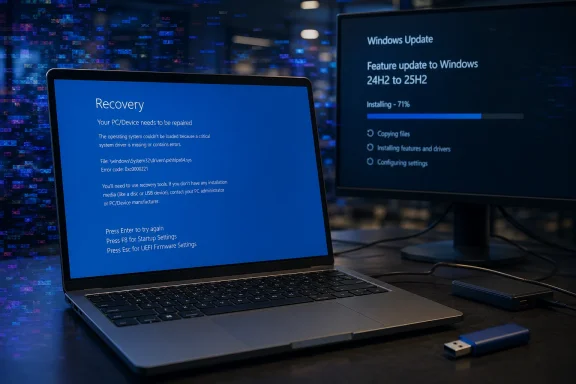
Laptop shows Windows recovery and update screen with installation progress in a dark tech setting.Why Microsoft is moving 24H2 users to 25H2​

Windows 11 24H2 is not obsolete yet, but its support deadline is now close enough that Microsoft is moving consumer devices before the cutoff becomes urgent. For Windows 11 Home and Pro users, the end-of-updates date is October 13, 2026. Once that date passes, PCs left on 24H2 will no longer receive Microsoft’s regular security protections for newly discovered vulnerabilities.
Microsoft’s release health messaging says unmanaged Windows 11 24H2 Home and Pro devices will receive Windows 11 25H2 automatically. “Unmanaged” is the key word. This generally means PCs not controlled by an IT department through enterprise update policies, Windows Update for Business, Microsoft Intune, Configuration Manager, WSUS, or similar management tools. For typical home users, Windows Update remains in charge.
Users can still control the restart time and can postpone updates for a limited period, but they should not treat 25H2 as something they can permanently decline on a consumer Home or Pro machine. The servicing model is designed to keep devices on a supported release. When a version nears end of support, Microsoft becomes more aggressive about automatic feature updates, especially for systems that appear eligible and have no known safeguard block.
For most users, this is not a full operating system migration in the old sense. Windows 11 25H2 is delivered to Windows 11 24H2 devices as an enablement package. Microsoft describes this as a small, quick-to-install switch that activates components already staged on the device through earlier cumulative updates. Most 25H2 files are already present on Windows 11 24H2 machines that have recent monthly updates installed.
That is why some users may see the 25H2 update install surprisingly quickly. The heavy lifting has already happened in previous servicing releases. The 25H2 package largely flips the system from one supported release state to another, enabling dormant features and resetting the support lifecycle.

Why 25H2 is less dramatic than the version number suggests​

The move from 24H2 to 25H2 sounds bigger than it is. Windows 11 24H2 and 25H2 share the same servicing foundation, which means they are much closer than, for example, a traditional full in-place upgrade from one major platform release to another. Microsoft has used this enablement-package model before when two Windows versions share a common servicing branch.
That shared base is good news for reliability in normal circumstances. It means fewer moving parts during the version change, less time spent in the offline installation phase, and a lower chance of upgrade-specific failures compared with a complete OS replacement. Users moving from 24H2 to 25H2 should generally expect something closer to a cumulative update experience than a multi-hour feature upgrade.
It also explains why 25H2 does not feel like a dramatic “new Windows” release for many users. A lot of the visible changes associated with 25H2 were already introduced gradually through Windows 11’s continuous innovation updates. Depending on hardware and region, users may already have seen newer File Explorer behavior, changes to Settings, privacy prompt updates, taskbar refinements, AI-related controls, Copilot+ PC features, and other incremental changes before 25H2 ever appeared as a feature update.
For business and education environments, 25H2 also brings or formalizes several management-focused improvements, including policy-based removal of certain preinstalled Microsoft Store apps on supported editions, Windows Backup for Organizations, Quick Machine Recovery, Wi-Fi 7 enterprise access point support under the right hardware and driver conditions, and updates to taskbar pinning policy behavior. Some Copilot+ PC features remain hardware-dependent and require an NPU-capable device.
For ordinary Home and Pro users, though, the most important practical change may simply be support. Moving to 25H2 keeps the PC inside Microsoft’s servicing window beyond the 24H2 deadline.

The KB5083769 complication​

The problem is that 25H2 is arriving while KB5083769 is still fresh in users’ minds.
KB5083769 is the April 14, 2026 cumulative update for Windows 11 24H2 and 25H2. It advances 24H2 systems to OS build 26100.8246 and 25H2 systems to OS build 26200.8246. It includes security fixes, quality improvements, servicing stack changes, and fixes from previous updates. Microsoft’s documentation also notes changes related to Secure Boot certificate update status, SMB over QUIC reliability, Remote Desktop phishing protections for RDP files, and a fix for a Reset this PC issue involving earlier hotpatch behavior.
That is the normal side of the update. The abnormal side is the reported failure pattern: some users claim that after KB5083769 installs, the PC restarts into a corrupted-looking display, then crashes, then loops through failed startup recovery. Some reports say recovery options do not work cleanly. Others say uninstalling the latest quality update from Windows Recovery Environment restores bootability, at least temporarily.
Because the most severe reports appear to involve particular hardware combinations rather than every Windows 11 24H2 or 25H2 PC, the issue may be difficult for Microsoft’s normal safeguard systems to catch immediately. Safeguard holds work best when Microsoft can identify a repeatable compatibility condition, such as a known problematic driver, app, firmware version, or device class. If the failure depends on a narrower combination of GPU, firmware, OEM image, storage driver, BitLocker state, Secure Boot state, or recovery environment condition, detection becomes harder.
It is also important not to confuse every KB5083769 failure with the officially documented BitLocker issue. Microsoft says a limited number of devices may request a BitLocker recovery key after installing KB5083769 if all required conditions are true. Those conditions include BitLocker being enabled on the OS drive, a configured TPM platform validation profile that includes PCR7, msinfo32 reporting PCR7 Binding as “Not Possible,” the presence of the Windows UEFI CA 2023 certificate in the Secure Boot database, and the system not already running the 2023-signed Windows Boot Manager. Microsoft says that scenario is unlikely on personal devices not managed by IT departments.
The boot-loop reports described by users are more severe and less clearly documented. Until Microsoft confirms the root cause, it should be treated as a reported issue rather than a fully acknowledged known issue.

Why the automatic 25H2 push feels risky to affected users​

For a clean, healthy Windows 11 24H2 machine, the 25H2 enablement package should be low risk. It is small, fast, and built on the same platform foundation. If Windows Update offers it and the system has no known compatibility block, most users will probably install it without drama.
For users already hit by KB5083769, the picture is different. A system that cannot reliably boot after the April cumulative update is not a good candidate for any further feature transition, even one as small as an enablement package. The correct priority is to stabilize the machine first.
That means recovering from the failed update, confirming that Windows can boot consistently, checking whether BitLocker recovery keys are available, backing up important data, and pausing updates if the system still allows it. The version number matters less than bootability. A PC stuck in an automatic repair loop does not benefit from a support lifecycle reset until it can actually start.
This is where Microsoft’s Windows Update strategy can frustrate home users. On unmanaged Home and Pro devices, the user gets some scheduling control but not long-term refusal. You can pause updates. You can choose active hours. You can sometimes delay a restart. But once the pause expires, Windows Update will attempt to bring the device back into a supported state.
That model is reasonable from a security perspective. It is also deeply annoying when a current update is causing serious trouble on a subset of machines.

What affected users should do first​

If your Windows 11 24H2 or 25H2 PC is working normally, do not panic. The available reports do not suggest that KB5083769 breaks every machine, or even most machines. Many systems have installed the April update without obvious problems.
If your machine has not yet installed KB5083769 and you are concerned because you use an affected HP or Dell model, the safest immediate step is to create a backup before allowing the update to proceed. At minimum, copy essential files to external storage or cloud storage. If BitLocker is enabled, make sure you have your recovery key before rebooting into updates. You can usually find it through your Microsoft account if device encryption was automatically enabled, but business-managed devices may store keys in Entra ID or another organizational system.
If your PC still boots, you can pause updates temporarily from Settings. Go to Settings > Windows Update and use Pause updates. This does not remove the need to patch, but it can buy time while Microsoft, OEMs, or the community narrow down the issue.
If the machine is already in a boot loop, start with Windows Recovery Environment. On many systems, repeated failed boots will automatically trigger recovery. If not, you may need to interrupt boot several times, use OEM recovery keys, or boot from Windows installation media.
Once in recovery, try the least destructive options first:
  • Startup Repair
    This attempts to repair boot configuration and startup problems automatically.
  • System Restore
    If restore points exist, rolling back to a point before KB5083769 may restore bootability.
  • Uninstall latest quality update
    This is often the most relevant option when a cumulative update caused the failure. In WinRE, look for the option to uninstall the latest quality update rather than the latest feature update.
  • Command Prompt recovery
    Advanced users may use DISM, bcdedit, manage-bde, or offline servicing commands, but this depends heavily on the failure state and whether the Windows installation is accessible.
  • Reset this PC
    This should be treated as a last resort. Even “Keep my files” can remove apps and settings, and “Remove everything” is destructive. Do not use reset as the first option unless you have backups or no other recovery path works.
If BitLocker is involved, you may need the recovery key before any repair action can access the Windows volume. Do not start random disk or bootloader repair commands on an encrypted system unless you understand the state of the drive and have the key available.

What IT departments should watch​

Enterprise, education, and managed devices are in a different situation. Microsoft’s automatic consumer push does not mean every managed fleet is immediately being forced to 25H2 on the same schedule. IT departments can use Windows Update for Business policies, Intune, Configuration Manager, WSUS, safeguard monitoring, and deployment rings to control rollout timing.
However, KB5083769 deserves careful attention in managed environments too. Even if the dramatic boot-loop reports are limited, the officially documented BitLocker condition is specifically policy-related. Microsoft recommends auditing BitLocker policy settings, especially explicit PCR7 inclusion in the TPM platform validation profile, and checking PCR7 binding status before installing the update on devices that might match the affected configuration.
Organizations should also confirm that help desk teams know where BitLocker recovery keys are escrowed and how to retrieve them. A one-time recovery-key prompt may be manageable for a single user. Across a fleet, it can become a support incident.
For 25H2 deployment, normal best practice still applies: pilot first, expand slowly, monitor failure rates, and keep rollback options available. Because 25H2 is an enablement package from 24H2, it should be less disruptive than a full OS upgrade, but “less disruptive” is not the same as “risk free.”

Should home users install 25H2 now?​

For most home users already on Windows 11 24H2, yes, eventually. Staying on 24H2 past October 13, 2026 is not a good long-term plan. Unsupported Windows releases become increasingly risky because security vulnerabilities continue to be discovered after update support ends.
But “eventually” does not mean “ignore warning signs.” If your PC has already shown update instability, graphics corruption during boot, repeated recovery screens, BitLocker prompts you did not expect, or failed update rollbacks, stabilize the system first. Make a backup. Verify recovery keys. Consider waiting a short period before allowing additional updates, especially if the machine is mission-critical.
If your PC is healthy, fully backed up, and Windows Update offers 25H2, the upgrade itself should be comparatively small. Users moving from 24H2 are not downloading an entirely new OS image in the way they might expect from the version number. They are mostly enabling what is already present.
Still, the broader lesson is that Microsoft’s servicing model depends on trust. Automatic updates protect users at scale, but when a monthly cumulative update is suspected of causing boot failures on even a small set of systems, automatic feature movement becomes a harder sell. Users do not care that 25H2 is technically a small enablement package if their last reboot ended in a recovery loop.

The uncomfortable takeaway​

Microsoft is right to move Windows 11 24H2 Home and Pro users toward 25H2 before support ends. Letting millions of consumer PCs drift toward an unsupported Windows release would create a much larger security problem later in 2026. The 25H2 update path from 24H2 is also technically sensible because it uses an enablement package rather than a heavy full upgrade.
But the rollout is happening against a messy Patch Tuesday backdrop. KB5083769 is not just another routine cumulative update in the eyes of users reporting boot loops, pixelated crash screens, and failed recovery attempts. Microsoft’s official known-issue list does not currently match the most alarming reports, which leaves affected users in an uncomfortable gray area: something is clearly wrong for them, but it is not yet framed as a broad, acknowledged Windows issue.
For unaffected users, 25H2 is mostly a support-lifecycle update with some already-staged features switched on. For affected users, the advice is simple: do not focus on 25H2 first. Focus on getting the system booting reliably, recovering data, confirming BitLocker access, and avoiding destructive reset options unless all safer recovery paths fail.
Windows 11 25H2 may be a small update. The trust problem around April’s cumulative update is not.

Image prompt:
A realistic Windows 11 laptop on a desk showing a blue recovery screen with subtle pixelated distortion in the background, another monitor displaying a Windows Update progress screen labeled 24H2 to 25H2, dramatic but clean newsroom lighting, professional tech journalism style, no logos, no readable brand names.

Source: Notebookcheck Microsoft is pushing Windows 11 24H2 users to 25H2 while April update is breaking machines
 

Microsoft’s April 14, 2026 Windows 11 security update KB5083769, for versions 24H2 and 25H2, is now being linked by PCWorld and Borncity readers to black-screen crashes, corrupted graphics, boot loops, and Automatic Repair failures on some HP and Dell PCs, especially systems with older NVIDIA hardware. The important word is linked, because Microsoft has not yet publicly folded these crash-and-artifact reports into the update’s known-issues list. But the pattern is familiar enough to make IT departments wary: a cumulative security patch ships broadly, fixes real vulnerabilities, and then exposes just how much Windows stability depends on the messy stack of firmware, OEM utilities, graphics drivers, encryption policy, and backup software underneath it.

Futuristic cybersecurity setup with monitors, binary glitch screens, and glowing lock/tools icons.April’s Patch Is Becoming a Case Study in Cumulative Risk​

KB5083769 was not a minor optional tweak. It was the April Patch Tuesday security update for Windows 11 24H2 and 25H2, moving systems to OS builds 26100.8246 and 26200.8246. That alone matters, because a cumulative security update is not the kind of package most organizations can casually skip forever.
The update also arrived with a mixed resume. Microsoft’s own release notes list security fixes, quality improvements, Secure Boot-related changes, and later documentation updates around known issues. The company has acknowledged a BitLocker recovery prompt scenario tied to an unrecommended Group Policy configuration, and a Remote Desktop warning display issue. Separately, reporting around backup failures has focused on Microsoft’s expansion of protections against known vulnerable kernel drivers, a defensible security move that can still break products that depend on blocked drivers.
That is the shape of modern Windows servicing in miniature. Microsoft is not merely fixing bugs each month; it is tightening security boundaries, rotating trust infrastructure, revising kernel-level assumptions, and dragging the installed base away from old driver behavior. When that goes well, users see nothing. When it goes badly, users see a BitLocker screen, a broken backup chain, or now, reportedly, a black screen followed by graphical corruption and failed recovery.
The newly reported crash behavior is more alarming because it lands before Windows is usable. A backup job failing is bad; a machine that cannot reach the desktop is worse. A system that drops into Automatic Repair after showing visual artifacts is the sort of failure that feels less like an application compatibility problem and more like a fault line between Windows, the display stack, and OEM-specific software.

The Graphics Glitch Is the Symptom That Changes the Story​

PCWorld’s report, drawing on Borncity and user complaints, describes affected systems showing black screens and “distorted, mosaic-like graphics.” Some users reportedly end up trapped in Windows Automatic Repair. HP and Dell systems appear prominently in the anecdotes, with NVIDIA GTX 1080 Ti graphics mentioned in the reporting.
That last detail should be handled carefully. A cluster of reports is not a hardware census, and it is too early to say that a specific GPU model is the cause. The GTX 1080 Ti is also old enough to sit at an awkward intersection: still powerful enough to remain in enthusiast and workstation-adjacent PCs, but old enough that driver age, firmware quirks, and OEM platform utilities may matter more than they would on a brand-new machine.
The visual corruption matters because it suggests the problem may be happening very early in the boot or driver initialization path. A machine that shows a clean Windows logo and then crashes after login points investigators toward services, shell extensions, startup apps, and user-mode drivers. A machine that throws pixelated output before it can recover cleanly points in a more uncomfortable direction: display initialization, kernel-mode driver behavior, firmware handoff, or a low-level utility hooking itself into places Windows has become less tolerant of.
That does not mean Microsoft alone broke the machines. It also does not mean Dell, HP, or NVIDIA did. The Windows ecosystem is a supply chain of code that all wants to be close to the metal. Security updates change what is allowed close to the metal, and the weakest assumptions tend to reveal themselves only after millions of real machines reboot.

Dell SupportAssist Is a Suspect, Not a Verdict​

One thread in the reporting points toward Dell SupportAssist as a suspected contributor to some blue-screen behavior. That is plausible in the broad sense that OEM support utilities often install services, drivers, telemetry components, update agents, and hardware-detection tools that run with high privileges. It is not proof.
The SupportAssist angle is still useful because it reminds us that “Windows update broke my PC” is often shorthand for “Windows update changed the operating conditions for a third-party component already living inside the PC.” OEM utilities are rarely loved by sysadmins, but they are also deeply embedded in the consumer and SMB Windows experience. They update BIOS packages, scan drivers, surface warranty alerts, and sometimes meddle just enough to become part of the boot-time risk profile.
For enterprise IT, this is why gold images and Autopilot baselines tend to strip OEM layers down to the minimum. For home users, it is why two machines with the same Windows version can behave completely differently after the same patch. The Windows version number is only one variable; the rest of the machine is an accumulated history of utilities, driver packages, firmware revisions, recovery partitions, and vendor decisions.
If SupportAssist is implicated in some cases, the fix may not be a single Microsoft rollback. It could involve Dell publishing an updated component, Microsoft adding a compatibility hold, NVIDIA adjusting a driver path, or some combination of all three. Until then, uninstalling the update may restore bootability while leaving the underlying compatibility conflict unexplained.

Microsoft’s Known-Issues List Is Not the Whole Reality​

As of the PCWorld report, Microsoft had not publicly acknowledged the black-screen and visual-artifact crash reports as a known issue for KB5083769. That absence matters, but it should not be overread. Microsoft’s known-issues pages are curated, support-driven documents, not live seismographs of every failure report appearing in forums.
There is usually a lag between scattered user complaints and an official known issue. Microsoft must reproduce the problem, identify a pattern, determine scope, and decide whether the fault is in Windows, third-party software, drivers, unsupported configurations, or a combination. That process can be technically necessary and publicly frustrating at the same time.
The company has already documented other KB5083769-related issues. The BitLocker case is narrow but serious: devices with a particular unrecommended Group Policy configuration may be asked for the recovery key after installing the update. The Remote Desktop warning bug is less dramatic but still security-adjacent, because warnings that do not display correctly undermine the point of warning users in the first place.
The backup-software disruption sits in a different category. Microsoft’s vulnerable-driver blocklist is a security hardening measure, and the company’s position is effectively that backup vendors need to adapt if they rely on drivers now considered unsafe. That may be correct security policy. It is also cold comfort to an administrator whose imaging workflow stops working the morning after Patch Tuesday.
This is the uncomfortable truth of secure-by-default operating systems: they sometimes break workflows that were only functioning because Windows was permissive. The problem is not that Microsoft is wrong to harden the kernel. The problem is that Microsoft’s customers experience hardening as downtime when the blast radius is not communicated and staged with enough precision.

The Boot Loop Is Where Consumer Advice Runs Out​

For affected users, PCWorld’s practical recommendation is straightforward: uninstall KB5083769 if the machine can be recovered far enough to do so. That is reasonable advice. If a specific update reliably correlates with a machine failing to boot, rollback is the fastest path back to a working system.
But rollback advice becomes thin once the PC is stuck in Automatic Repair. A user who cannot reach the desktop must rely on Windows Recovery Environment tools: Startup Repair, System Restore, uninstalling the latest quality update, Safe Mode, or Reset this PC. Those options are familiar to enthusiasts and terrifying to ordinary users, especially when BitLocker is also in the mix and a recovery key is suddenly required.
The difference between “uninstall the update” and “recover the system” is not semantic. Uninstalling from Settings is a maintenance task. Uninstalling from WinRE while staring at a recovery loop is incident response. It requires knowing which update was installed, whether the system drive is encrypted, where the recovery key is stored, and whether the user has a restore point that predates the failed boot.
This is where Windows 11’s consumer posture collides with enterprise realities. Microsoft increasingly assumes that users have Microsoft accounts, cloud-synced recovery keys, and resilient recovery paths. Many do. Many others have local accounts, inherited machines, missing BitLocker keys, stale restore points, or no backup recent enough to matter.
The black-screen reports are therefore not just another annoyance in the monthly patch cycle. They are a reminder that boot failures punish the least prepared users hardest. The more secure and self-repairing Windows becomes, the more devastating it feels when the self-repair path cannot actually repair the machine.

Patch Tuesday Is Now a Hardware Compatibility Event​

The old Patch Tuesday mental model treated Windows updates as operating-system events. That model is outdated. In 2026, a Windows cumulative update is also a firmware-adjacent event, a driver-policy event, a backup-software event, an encryption-policy event, and sometimes a remote-access workflow event.
KB5083769 illustrates that convergence neatly. Secure Boot certificate messaging is part of the release context. BitLocker recovery behavior is part of the known-issues story. Vulnerable driver blocking affects backup products. Remote Desktop warning display is in the issue list. Now graphical artifacts and boot loops are being reported by users on specific OEM systems.
That spread is not random. Microsoft has spent years raising the Windows security floor through virtualization-based security, stricter driver rules, TPM-backed encryption, Smart App Control ideas, kernel blocklists, and Secure Boot plumbing. Each layer is rational. Together, they create a patch environment where a single cumulative update can touch assumptions made by many vendors over many years.
For sysadmins, the lesson is not “never patch.” That would be reckless. The lesson is that patch testing must increasingly include representative hardware classes, not just virtual machines and a handful of clean laptops. A VM can tell you whether an update installs. It cannot tell you whether an older NVIDIA-equipped desktop with an OEM support stack will survive the reboot.
For enthusiasts, the lesson is more personal. If your machine depends on older hardware, vendor utilities, imaging tools, or unusual encryption settings, you are running a more complex Windows than the Settings app admits. The fact that Windows Update presents KB5083769 as a single item does not mean the risk is single-dimensional.

Microsoft’s Security Argument Is Stronger Than Its Servicing Story​

It is tempting to frame every bad update as evidence of declining quality control. Sometimes that is fair. But KB5083769 is more interesting because several of the surrounding problems appear connected to security hardening or configuration enforcement rather than simple sloppy coding.
The vulnerable-driver blocklist is a good example. Kernel drivers are a favorite path for attackers because a signed but vulnerable driver can become a privilege-escalation tool. Blocking known bad drivers is exactly what a modern OS vendor should do. If backup software relies on such a driver, the long-term answer cannot be “leave Windows vulnerable forever.”
BitLocker is similar. Microsoft is right to be strict about boot measurement and recovery behavior; disk encryption that silently ignores risky states would be security theater. But when an update changes the boot experience and drops users into recovery, even for a narrow policy configuration, the result is operational pain.
The servicing story is weaker because users rarely experience the security rationale at the moment of failure. They experience a machine that worked yesterday and does not work today. They do not see a vulnerable-driver mitigation; they see their backup fail. They do not see a TPM validation edge case; they see a demand for a recovery key. They do not see a display-stack compatibility investigation; they see corrupted graphics and a repair loop.
That gap between security intent and user impact is where trust erodes. Microsoft can be correct on the engineering merits and still lose credibility if the customer experience feels like surprise downtime. The company’s challenge is no longer simply shipping secure updates. It is making the transition to stricter security feel governed rather than accidental.

The Right Response Is Controlled Delay, Not Patch Panic​

Organizations should resist both extremes. Blindly deploying every Patch Tuesday update to every endpoint on day one is increasingly difficult to defend. Indefinitely delaying security updates because of scattered failure reports is worse.
The mature response is ringed deployment. Test KB5083769 on a small, hardware-diverse pilot group, including Dell and HP systems, older NVIDIA configurations, BitLocker-managed devices, machines with OEM support tools, and endpoints running third-party backup agents. Watch not only installation success but the first two or three reboots, backup behavior, recovery prompts, graphics stability, and remote access warnings.
Home users have fewer tools, but the principle is the same. Before installing a cumulative update that is already attracting reports, make sure the machine has a current backup, that BitLocker recovery information is accessible, and that restore options are not purely theoretical. Pausing updates briefly can be sensible if the machine is mission-critical and there is no immediate exposure requiring urgent patching.
The key word is briefly. Security updates exist because vulnerabilities are real, and attackers do not wait for the perfect maintenance window. A measured delay to gather telemetry is prudent. A month-long refusal to patch because someone on the internet hit a boot loop is not.
For managed environments, KB5083769 should also prompt a review of OEM utilities. If SupportAssist or similar tools are present across fleets, administrators should know why they are there, what components they install, and whether they are updated through a controlled process. “It came with the laptop” is not a lifecycle management strategy.

The April Update Leaves a Practical Paper Trail​

The concrete lesson from KB5083769 is that Windows recovery planning has to be done before the bad reboot, not after it. The affected users in these reports are discovering the recovery stack under stress. That is the worst time to find out whether System Restore is enabled, whether WinRE works, or whether the BitLocker key is retrievable.
  • KB5083769 was released on April 14, 2026 for Windows 11 versions 24H2 and 25H2, with builds 26100.8246 and 26200.8246.
  • Microsoft has acknowledged some known issues around the update, including a BitLocker recovery-key scenario and a Remote Desktop warning display problem.
  • PCWorld and Borncity are now reporting user complaints involving black screens, mosaic-like graphics corruption, boot loops, and Automatic Repair failures after the same update.
  • The crash-and-graphics reports appear concentrated in anecdotes involving HP and Dell PCs, with older NVIDIA hardware mentioned, but the exact scope and root cause remain unconfirmed.
  • Affected users who can reach recovery options may need to uninstall the latest quality update, use System Restore, attempt Startup Repair, or fall back to Reset this PC if less destructive options fail.
  • Administrators should treat this as another reminder to test cumulative updates against real hardware, OEM utilities, BitLocker policy, graphics drivers, and backup software before broad deployment.
The more Windows becomes a security platform rather than merely a desktop operating system, the more each cumulative update becomes a negotiation between protection and compatibility. KB5083769 may yet turn out to have a narrow crash footprint, or Microsoft may confirm a broader issue and ship a fix. Either way, April’s update has already delivered the real message: the future of Windows reliability depends less on whether patches are necessary — they are — and more on whether Microsoft and its hardware ecosystem can make necessary change feel less like a roll of the dice at reboot.

Source: PCWorld Windows 11's April update is now causing PC crashes and visual glitches
 

Back
Top