
 Overview
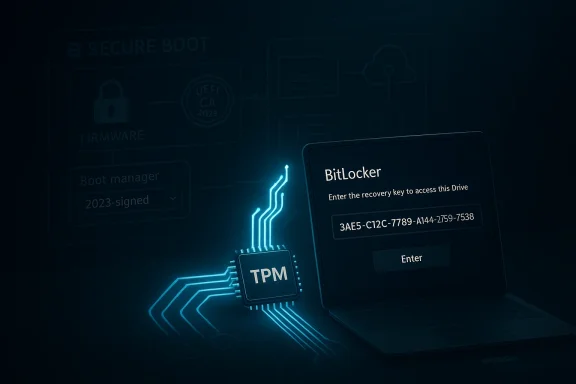
This episode is a good reminder that Windows servicing is no longer just about patching vulnerabilities. It is also about managing the interaction between firmware trust chains, Secure Boot state, TPM measurements, and device management policy. Microsoft’s own description of the issue makes that clear: the update may cause recovery behavior only when BitLocker is enabled on the operating system drive, a particular BitLocker policy explicitly includes PCR7, Secure Boot’s PCR7 binding is reported as “Not Possible,” the Windows UEFI CA 2023 certificate is already in the Secure Boot database, and the machine is not yet using the 2023-signed Windows Boot Manager. (support.microsoft.com)
That is not a typical home-PC scenario. It is, in Microsoft’s words, a configuration that is “unlikely to be found on personal devices not managed by IT departments.” In practice, that means the issue is mostly about business estates, staged rollouts, imaging workflows, and administrators who have standardized BitLocker policy for security compliance. That distinction matters because consumer users are likely to encounter the headline, panic, and assume the update is broadly broken, while enterprises need to treat it as a predeployment risk assessment problem. (support.microsoft.com)
Microsoft has also been careful to frame the symptom as temporary. Once the recovery key is entered, subsequent restarts should proceed normally so long as the policy remains unchanged. The company also offers two paths forward: remove the conflicting policy and refresh BitLocker bindings, or apply a Known Issue Rollback before deployment to block the trigger condition entirely. (support.microsoft.com)
The broader context is that Microsoft is shipping more aggressive Secure Boot certificate management and other firmware-adjacent improvements at the same time it is continuing to harden Windows. The April updates also mention improved Secure Boot status reporting and phased certificate targeting, underscoring that the company is trying to modernize the boot trust chain while avoiding mass breakage. That is a hard balancing act, and BitLocker recovery prompts are one of the most visible ways when the balance slips. (support.microsoft.com)
What Microsoft actually changed
The plain-English version is that Microsoft’s April security updates altered enough around Secure Boot and boot manager selection that a small subset of devices now re-evaluates BitLocker trust during restart. The key detail is the interaction between the 2023 Boot Manager and an older validation model that explicitly includes PCR7. Microsoft’s documentation says the update can lead eligible systems to switch automatically to the 2023-signed boot manager, and that switch is what collides with certain BitLocker policy choices. (support.microsoft.com)
This is not a random encryption failure. It is a trust-binding mismatch. BitLocker relies on hardware and firmware measurements, and PCR-based validation is designed to detect changes to the boot path. If a device is configured to insist on a specific validation profile, and Microsoft’s update nudges the platform toward a new signed boot component, the TPM can decide the environment no longer matches the previous expected state. That is exactly the kind of edge case administrators spend months trying to prevent. Ironically, the more carefully a fleet is locked down, the more likely it is to expose these rare dependencies. (support.microsoft.com)
Why PCR7 matters
PCR7 is one of the TPM platform configuration registers tied closely to Secure Boot state and firmware trust. Microsoft specifically flags the problem when “Configure TPM platform validation profile for native UEFI firmware configurations” is enabled and PCR7 is included in the validation profile. That wording matters because it suggests the issue is not BitLocker itself, but the policy-based choice to validate with that exact measurement in this exact firmware posture. (support.microsoft.com)
For administrators, that means the fix is not “turn off BitLocker” or “skip updates forever.” Instead, the right answer is to decide whether explicit PCR7 binding is truly needed on every endpoint. In many estates, the default Windows-selected PCR profile may be sufficient and less fragile. Microsoft’s own workaround explicitly ends with the goal of updating bindings to use the Windows-selected default PCR profile. (support.microsoft.com)
- BitLocker is still working as designed
- The update changed boot trust behavior
- Policy choice determines whether recovery is triggered
- Explicit PCR7 inclusion raises the odds of mismatch
- Default bindings may be less brittle for mixed hardware fleets
Why Secure Boot status is part of the problem
Microsoft’s documentation also requires a Secure Boot state where PCR7 Binding shows “Not Possible” in msinfo32.exe. That is an important clue, because it indicates the machine’s current boot-chain measurement state is not fully aligned with the binding policy. When that sits alongside eligibility for the Windows UEFI CA 2023 certificate, the device can be pushed toward the new 2023-signed boot manager in a way that the old validation profile does not expect. (support.microsoft.com)
This is one of those situations where the update is not “causing BitLocker to fail” in a generic sense. It is exposing a trust transition that had already been partially prepared by the device’s firmware and certificate state. That is why the problem appears on first restart, not repeatedly, and why the machine can settle down afterward if nothing else changes. It looks like a reboot problem, but it is really a boot-state continuity problem. (support.microsoft.com)
Which systems are affected
Microsoft’s criteria are narrow enough that the issue should not spook most consumers. The conditions include BitLocker on the OS drive, explicit PCR7 validation, a “Not Possible” PCR7 binding in system information, the presence of the Windows UEFI CA 2023 certificate in the Secure Boot database, and the absence of the 2023-signed Windows Boot Manager. All of those boxes have to be checked for the recovery prompt to appear. (support.microsoft.com)
That combination is most plausible in enterprise-managed environments. Think of corporate laptops with hardened security baselines, managed firmware settings, and staged migrations to newer boot trust material. By contrast, a typical home PC is far less likely to have explicit PCR7 policy tuned by hand or an enterprise-style policy pushed through Group Policy or registry settings. (support.microsoft.com)
Enterprise fleets versus consumer devices
The enterprise impact is higher not because the bug is more severe, but because the governance burden is heavier. One recovery prompt on a managed laptop can mean a help desk ticket, a remote support call, a delayed login, and unnecessary concern over data loss. Multiply that by a batch deployment, and a “limited issue” becomes an operational disruption. (support.microsoft.com)
Consumers, meanwhile, mostly need reassurance. If a lone personal PC does hit the prompt, the good news is that Microsoft says the recovery key is only needed once, and later restarts should be normal. That does not make the experience pleasant, but it does reduce the chance of an ongoing boot loop or permanent lockout. Still, unexpected recovery prompts erode confidence, especially when they arrive immediately after a security update that users were told to trust. (support.microsoft.com)
The update scope is broader than Windows 11 alone
This story also extends beyond Windows 11. Microsoft’s April 2026 Windows 10 cumulative update KB5082200 carries the same known issue language, and the company says it can also affect Windows 10 systems, including supported enterprise and IoT LTSC editions. In other words, this is not a one-off Windows 11 regression. It is a broader servicing interaction across multiple supported release lines. (support.microsoft.com)
That matters because many organizations run mixed estates. A patching team may validate Windows 11 and assume a clean rollout, while a set of Windows 10 ESU machines or LTSC endpoints sits in a different policy state and exposes the same behavior. The lesson is that boot-chain policy consistency matters at least as much as OS version consistency. (support.microsoft.com)
- Windows 11 24H2 and 25H2 are affected through KB5083769
- Windows 11 26H1 is affected through KB5082052
- Windows 10 ESU builds are affected through KB5082200
- Enterprise-managed devices are the most likely exposure point
- Home users are less likely to meet the full trigger conditions
What Microsoft recommends
Microsoft’s first recommendation is simple: review the policy before you deploy the patch. That means auditing devices for explicit PCR7 inclusion and checking msinfo32.exe for PCR7 binding status. The company is effectively telling administrators to treat this like a preflight check, not a postmortem. (support.microsoft.com)
The prescribed workflow is also practical. If the configuration is unnecessary or can be standardized, set the BitLocker policy to Not Configured, propagate the change with gpupdate /force, temporarily suspend BitLocker protectors on the OS drive, and then re-enable them so BitLocker rebinds using Windows’ default PCR profile. That sequence is not just a workaround; it is a repair strategy for the machine’s trust relationship with its boot environment. (support.microsoft.com)
The step-by-step fix
Here is the sequence Microsoft outlined, translated into operational terms:
- Open Group Policy Editor or Group Policy Management Console.
- Navigate to the BitLocker operating system drive policy location.
- Change “Configure TPM platform validation profile for native UEFI firmware configurations” to Not Configured.
- Run
gpupdate /force. - Run
manage-bde -protectors -disable C:. - Run
manage-bde -protectors -enable C:.
That is a classic example of policy-first remediation. Microsoft is not asking admins to reverse the OS update; it is asking them to remove a policy condition that no longer fits the updated boot stack. (support.microsoft.com)
Why KIR exists here
The second option is a Known Issue Rollback. Microsoft says the KIR should be used by customers who cannot remove the PCR7 policy before deployment, and it should be deployed before installing the update on affected devices. The purpose is to stop the automatic switch to the 2023 Boot Manager, which in turn avoids the BitLocker recovery trigger. (support.microsoft.com)
KIR is one of Microsoft’s more useful but less glamorous servicing tools. It is essentially an escape hatch for regressions that are real but too specific to justify pulling the whole update. That makes it especially useful in enterprise environments where administrators need a temporary policy-safe path while waiting for a permanent fix. In practice, KIR is Microsoft admitting that not every compatibility problem can be solved by one patch for everyone. (support.microsoft.com)
The Secure Boot angle is the real story
It is tempting to describe this as a BitLocker bug, but that would be too narrow. The deeper story is that Microsoft is still in the middle of evolving the Secure Boot trust chain and the certificate infrastructure that supports it. The April update notes explicitly mention improved status reporting for Secure Boot and broader targeting for devices eligible to receive new Secure Boot certificates. (support.microsoft.com)
That matters because Windows security is increasingly about managed transitions. Expiring certificates, evolving boot managers, firmware changes, and TPM measurement profiles all have to move in step. If one side of the system changes ahead of the others, users experience that as a recovery screen, not as an architecture discussion. The user-facing symptom is BitLocker asking for a key, but the root cause is often much earlier in the chain. (support.microsoft.com)
The June 2026 certificate deadline adds pressure
Microsoft’s April 2026 Windows 11 support page also highlights that Secure Boot certificates used by most Windows devices are set to expire starting in June 2026. That looming deadline is important because it explains why Microsoft is actively updating certificate handling and boot-chain behavior now. The company needs to prepare devices for a certificate transition without breaking boot reliability. (support.microsoft.com)
That timing gives this BitLocker issue a second layer of significance. It is not merely an isolated regression introduced by a quality update. It is a side effect of a broader modernization cycle for the Windows boot ecosystem. The more certificate and boot-manager transitions Microsoft pushes through this year, the more attention administrators will need to pay to TPM profiles and Secure Boot telemetry. (support.microsoft.com)
- Secure Boot reporting is becoming more visible in Windows Security
- Certificate renewal is a live platform concern
- Firmware and boot-manager changes can affect BitLocker bindings
- Managed fleets need predeployment validation, not just after-the-fact troubleshooting
- The boot chain is now part of patch management
Why this affects trust in updates
Every time a security update asks for a recovery key, even once, it costs confidence. Users may not distinguish between a legitimate protective response and a broken patch. Enterprises feel that most sharply because they are already balancing controlled rollout, endpoint compliance, and help desk load. A surprise recovery prompt undermines the very notion of predictable monthly servicing. (support.microsoft.com)
That said, the update still carries real security and quality improvements, including Secure Boot-related enhancements and fixes for other issues such as Reset this PC on Windows 11. The challenge for Microsoft is that the security upside is real, but so is the administrative friction. That tension has defined Windows servicing for years, and it is not going away. (support.microsoft.com)
Why the issue is limited but still serious
Microsoft repeatedly emphasizes that this affects only a limited set of devices. That wording is important, but it should not be mistaken for triviality. A narrow issue can still be serious if it hits the wrong endpoints at the wrong time, especially in regulated industries or environments with tightly controlled login windows. (support.microsoft.com)
The one-time nature of the prompt also matters. This is not, based on Microsoft’s current guidance, a permanent lockout condition. But a one-time recovery event can still disrupt a shift change, a field deployment, a classroom lab, or a remote worker who does not have the key handy. In operational terms, one-time can still mean expensive. (support.microsoft.com)
Administrative overhead is the hidden cost
The biggest hidden cost is not the recovery screen itself. It is the work required to identify which systems meet the exact trigger conditions, confirm the BitLocker and PCR settings, and decide whether to roll out a KIR or remap policy. That makes this issue a classic example of an enterprise-only problem with enterprise-only remediation overhead. (support.microsoft.com)
The good news is that Microsoft has already done some of that diagnostic work for administrators by publishing the conditions in a highly specific format. The bad news is that specificity does not simplify execution. Administrators still need inventory data, firmware awareness, and policy control across potentially thousands of devices. Precision in the advisory does not equal simplicity in the deployment room. (support.microsoft.com)
The update is still worth deploying
Even with this issue, the update should not be viewed as something to avoid across the board. Microsoft’s patch includes the latest security fixes and quality improvements, and the company has already documented the known issue rather than hiding it behind vague language. That transparency matters, especially during a month when Secure Boot and BitLocker are both in flux. (support.microsoft.com)
For most organizations, the right response is not fear but sequencing. Validate the device cohort, fix the policy mismatch where needed, and then proceed with a controlled rollout. That approach preserves the security benefits of the patch while minimizing the chance of an unnecessary recovery event. (support.microsoft.com)
Enterprise response playbook
If you run a managed Windows environment, this issue belongs in your patch calendar, not your incident queue. The best outcome is to catch the risk before the update lands, especially on devices that already have BitLocker tightly integrated with corporate security policy. (support.microsoft.com)
Administrators should pay particular attention to systems where BitLocker policy was inherited from older baselines, imaging templates, or legacy hardware assumptions. Those are the places where explicit PCR7 settings often linger longest. In mixed fleets, a policy that made sense two hardware generations ago may now be the reason a newer device trips recovery on first reboot. (support.microsoft.com)
Practical sequencing for IT teams
A sane deployment plan would look like this:
- Inventory devices with BitLocker on the OS drive
- Identify policies that explicitly include PCR7
- Check
msinfo32.exePCR7 binding status on at-risk endpoints - Decide whether to normalize policy or apply KIR
- Roll out the update in waves after remediation
That sequence is not glamorous, but it is exactly how mature Windows management should work. It is also the best way to separate a software update from a help desk surprise. (support.microsoft.com)
How this changes patch hygiene
This also reinforces a broader lesson: patch hygiene now includes firmware and boot-chain awareness. If a monthly cumulative update can interact with a Boot Manager transition, then endpoint management has to extend beyond the OS layer. In other words, Windows servicing has become cross-domain operations. (support.microsoft.com)
That will likely push more organizations to tighten configuration control around Secure Boot, TPM policy, and BitLocker baselines. Expect more formal checks before cumulative updates, and more documentation in internal change tickets about whether an endpoint is already aligned with Microsoft’s default PCR assumptions. (support.microsoft.com)
Consumer impact and reassurance
For most personal PCs, the practical takeaway is reassuring: you are probably not affected. Microsoft says the conditions are unlikely to exist on unmanaged home devices, which means the average Windows user should not need to do anything special. (support.microsoft.com)
If a recovery prompt does appear, it is worth treating it as a protective response rather than a sign of lost data. Entering the correct recovery key should clear the condition, and Microsoft says it should not recur on later restarts unless policy settings change again. That is still inconvenient, but it is not the same as a permanent failure. (support.microsoft.com)
Why home users still notice these stories
Home users notice these reports because BitLocker recovery is one of the most frightening Windows screens you can see. It looks dramatic, and it interrupts the assumption that updates are routine. Even when the actual risk is narrow, the perception problem is broad. (support.microsoft.com)
That perception problem is why Microsoft should keep making these advisories more explicit. The more clearly the company explains the conditions, the less likely general users are to panic over an enterprise-scoped issue. Transparency is doing some heavy lifting here, and so far it is the right move. (support.microsoft.com)
Strengths and Opportunities
Microsoft’s handling of this issue shows some maturity in its servicing process. The company disclosed the problem quickly, listed the precise conditions, documented the remediation steps, and provided a fallback through KIR. That is not perfect, but it is the kind of operational honesty enterprises need when boot trust and encryption policy collide. The broader opportunity is to use this moment to modernize BitLocker baselines and reduce reliance on brittle, manually tuned PCR configurations.
- Clear documentation of the trigger conditions
- Practical remediation steps for administrators
- KIR availability for customers who need immediate mitigation
- Low consumer exposure because the issue is narrowly scoped
- Improved Secure Boot visibility in Windows Security
- Opportunity to simplify BitLocker policy in enterprise baselines
- Better alignment between boot certificates and update cadence
The update also gives Microsoft a chance to improve its guidance around firmware transitions. Enterprises have long needed better tooling and clearer defaults when boot-chain changes affect encryption posture. If Microsoft can make these transitions less disruptive, Windows will be easier to manage at scale. That would be a meaningful win beyond this specific bug. (support.microsoft.com)
Risks and Concerns
The biggest concern is not the size of the affected population but the unpredictability of the symptom. A one-time recovery prompt can still derail a critical endpoint at the worst possible moment, and it can do so in a way that looks like a serious security failure to end users. There is also the risk that organizations with older policy templates will not realize they have explicit PCR7 inclusion until after deployment.
- Unexpected help desk volume
- User anxiety over apparent boot failures
- Policy drift across mixed hardware fleets
- Delayed patch adoption in cautious organizations
- Confusion between consumer and enterprise impact
- Potential for repeated issues if policy remains unchanged in edge cases
- Need for predeployment validation across multiple Windows versions
Another concern is sequencing. If administrators deploy the update before fixing the policy condition and without a KIR, they may create unnecessary work. That is especially true in environments where machines are remote, off-network, or only intermittently managed. The update itself is not the enemy; poor rollout order is. (support.microsoft.com)
Looking Ahead
The most important near-term question is how quickly Microsoft can deliver the permanent fix it says is already in development. A durable resolution should reduce the chance that Secure Boot and BitLocker policy interact in a way that triggers recovery on first reboot. Until then, Microsoft’s own guidance makes clear that administrators should treat the current situation as a deployment planning issue. (support.microsoft.com)
The second question is whether the coming Secure Boot certificate transition will produce more edge cases like this one. Microsoft has already said most Windows devices face certificate expiration pressure starting in June 2026, which means the boot ecosystem is entering a sensitive phase. If certificate updates, boot-manager changes, and TPM validation profiles are not aligned, similar prompts may appear in future updates. (support.microsoft.com)
What to watch next
- Microsoft’s permanent fix in a future cumulative update
- Whether additional BitLocker-related regressions surface during Secure Boot certificate rollout
- Enterprise guidance for devices transitioning to the 2023 Boot Manager
- Updated best practices for PCR7 policy handling
- Any follow-up clarification in the Windows release health dashboard
The broader lesson is that Windows security is becoming more integrated, but also more interdependent. BitLocker, Secure Boot, TPM policy, and boot certificates now operate as a single operational system rather than separate checkboxes. That is good for security when everything lines up, but it also means a single policy mismatch can surface as a dramatic recovery prompt. (support.microsoft.com)
For users and administrators alike, the right response is measured rather than alarmed. Install the patch where appropriate, validate the device class, fix the policy mismatch if it exists, and keep an eye on Microsoft’s follow-up fix. In the long run, this is less a story about a bad update than a story about how modern Windows security now depends on careful choreography between the operating system, the firmware, and the policies that bind them together.
