

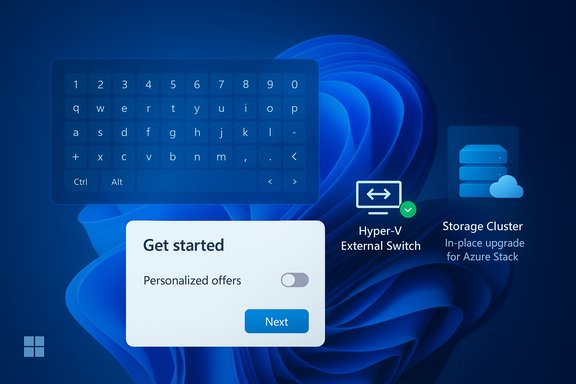
Microsoft quietly shipped an optional, non‑security preview cumulative — KB5067112 — to the Release Preview channel for Windows 11, version 23H2, delivering a narrowly scoped set of reliability fixes (touch‑keyboard input after resume, a Hyper‑V external virtual‑switch NIC binding regression, and disk communication reliability for Azure Stack/Azure Local cluster upgrades) while also flipping on the new “Personalized Offers” experience during Out‑of‑Box Experience (OOBE) and exposing the control in Settings.
Microsoft’s servicing model for Windows 11 continues to rely on staged channels and parallel build families, so an individual KB can map to slightly different OS build numbers depending on the servicing baseline and gating. Administrators should confirm the precise build on any target machine (winver) before acting, because KB5067112 appears in community and insider feeds as Build 22631.6132 in some reports and Build 22631.6133 in the official Release Preview announcement.
This package is an optional Preview (non‑security) cumulative distributed through the Release Preview channel — a conservative channel designed for early validation ahead of inclusion in a later monthly cumulative update. It is intended for testing and pilot deployment, not mandatory production rollout. The update’s release timing is notable because Windows 11, version 23H2 (consumer SKUs) approaches its servicing cutoff, which affects strategy for long‑term patching versus short‑term remediation.
Why it matters: Devices that rely on the on‑screen keyboard (kiosks, tablets, field devices, shared kiosks) become unusable if users cannot authenticate. This drives immediate helpdesk calls and can break automated provisioning flows.
What to test:
Why it matters: Virtualization hosts underpin lab environments, developer rigs, and even production Hyper‑V clusters. Losing external bindings after routine reboots causes outage scenarios with potentially complex recovery steps, especially if automation expects the external network to be present.
What to test:
Why it matters: Cluster upgrades are high‑risk operations; any storage connectivity glitch can cascade into node evictions or prolonged recovery windows. The fix reduces that specific risk but must be validated against vendor storage firmware and controller drivers.
What to test:
Why it matters for IT and imaging teams: OOBE is the first impression for new devices and is critical for automated provisioning flows (Autopilot, SCCM, MDT). Introducing a promotional toggle during setup complicates zero‑touch provisioning, may trigger privacy reviews in regulated environments, and can break unattended imaging unless suppressed.
Governance and suppression:
If troubleshooting or escalation is required after deployment, collect exact winver output, the installed KB package identifier, and the pertinent Event/Hyper‑V/Host Network Service/storage logs before opening a support case — those artifacts materially speed diagnosis and remediation.
Source: Microsoft Support October 28, 2025—KB5067112 (OS Build 22631.6133) Preview - Microsoft Support
 Background / Overview
Microsoft’s servicing model for Windows 11 continues to rely on staged channels and parallel build families, so an individual KB can map to slightly different OS build numbers depending on the servicing baseline and gating. Administrators should confirm the precise build on any target machine (winver) before acting, because KB5067112 appears in community and insider feeds as Build 22631.6132 in some reports and Build 22631.6133 in the official Release Preview announcement.This package is an optional Preview (non‑security) cumulative distributed through the Release Preview channel — a conservative channel designed for early validation ahead of inclusion in a later monthly cumulative update. It is intended for testing and pilot deployment, not mandatory production rollout. The update’s release timing is notable because Windows 11, version 23H2 (consumer SKUs) approaches its servicing cutoff, which affects strategy for long‑term patching versus short‑term remediation.
What KB5067112 Changes — Quick Summary
- A fix for a touch‑keyboard regression where visual keyboard UI appears after resume from sleep but characters fail to be delivered — sometimes blocking sign‑in on touch‑first devices.
- A Hyper‑V external virtual switch fix that prevents the external switch from losing its physical NIC binding and reverting to an internal switch after the host restarts, which could isolate VMs from external networks.
- A storage communication reliability fix targeted at preventing connectivity errors during in‑place cluster upgrades for Azure Stack Hub and Azure Local clusters.
- Controlled enablement of the Personalized Offers recommendations surface during OOBE and subsequent visibility in Settings → Privacy & security → Recommendations & offers (toggleable, region and telemetry gated).
The Build Number Puzzle — Confirm Before You Deploy
Microsoft’s servicing model often produces slightly different build suffixes for the same KB across build families (e.g., the 22621 family vs the 22631 family). Community trackers and the Release Preview announcement show Build 22631.6132 in multiple places, while some official references list Build 22631.6133. This divergence is real and practical — OS build strings can differ by a single revision digit depending on the precise servicing branch or a micro‑revision push. Confirm the exact build on your endpoint using winver or Settings → System → About before installing or reporting behavior.Deep Dive: Each Fix, the Operational Impact, and What to Test
Touch keyboard input after resume — symptom, impact, and validation
Symptom: After resuming from sleep on tablet or convertible hardware, the touch keyboard displays and animates normally, yet keystrokes are not inserted into the focused text field. On lock screens and OOBE flows this can effectively prevent sign‑in.Why it matters: Devices that rely on the on‑screen keyboard (kiosks, tablets, field devices, shared kiosks) become unusable if users cannot authenticate. This drives immediate helpdesk calls and can break automated provisioning flows.
What to test:
- Reproduce the resume → lock‑screen → sign‑in sequence on representative devices (detachable, convertible, slate tablets).
- Test both PIN and password entry at the sign‑in prompt and within desktop text fields.
- Validate on both a stock user profile and a fresh local account to rule out profile corruption or third‑party input filters.
- Capture Event Viewer logs (System, Application) and dump the Win32k/TS/Touch input traces if available.
Hyper‑V external vSwitch NIC binding regression — root cause and mitigation
Symptom: After a host restart, an external virtual switch may lose its binding to the physical NIC and convert to an internal switch type, which isolates guest VMs from external networks. The community and traces point at incorrect orphaned‑vSwitch detection during the Host Network Service startup as the proximate cause.Why it matters: Virtualization hosts underpin lab environments, developer rigs, and even production Hyper‑V clusters. Losing external bindings after routine reboots causes outage scenarios with potentially complex recovery steps, especially if automation expects the external network to be present.
What to test:
- Apply the preview to a non‑critical Hyper‑V host in a test lab.
- Reboot the host multiple times and confirm external vSwitch bindings persist.
- Validate VM guest network connectivity and test NIC‑failover scenarios where applicable.
- Collect Host Network Service traces and Hyper‑V event logs to confirm the binding state transitions.
Storage connectivity for Azure Stack Hub / Azure Local cluster upgrades — scope and caution
Scope: The update addresses disk communication faults that could cause connectivity errors during in‑place cluster upgrades for Azure Stack Hub and Azure Local clusters. This is a targeted fix aimed at on‑premises Azure stacks that perform delicate, multi‑node upgrade orchestrations.Why it matters: Cluster upgrades are high‑risk operations; any storage connectivity glitch can cascade into node evictions or prolonged recovery windows. The fix reduces that specific risk but must be validated against vendor storage firmware and controller drivers.
What to test:
- Stage a mirrored or test cluster and perform an in‑place upgrade simulation under the preview build.
- Monitor storage I/O metrics, cluster health events, and disk controller logs closely.
- Coordinate with hardware vendors for known firmware interactions — do not assume the fix is universally safe across vendor stacks.
Personalized Offers in OOBE — what changed and governance implications
What it is: “Personalized Offers” is Microsoft’s latest label for the in‑OS recommendations/promotional surface (previously surfaced under names like Tailored Experiences). The control can show product suggestions, sign‑up prompts, and targeted offers during OOBE and inside Settings. The feature is toggleable and governed by regional and telemetry gating but will now appear during first‑run for eligible devices after installing the preview.Why it matters for IT and imaging teams: OOBE is the first impression for new devices and is critical for automated provisioning flows (Autopilot, SCCM, MDT). Introducing a promotional toggle during setup complicates zero‑touch provisioning, may trigger privacy reviews in regulated environments, and can break unattended imaging unless suppressed.
Governance and suppression:
- Confirm whether your provisioning flows surface the Personalized Offers toggle during OOBE.
- Use Autopilot/MDM provisioning CSPs or provisioning packages to suppress or preconfigure the Recommendations & offers setting where necessary.
- Update imaging documentation and user guidance to reflect the new toggle; for regulated environments, flag the feature through compliance review tracks.
How to Obtain KB5067112 and Practical Deployment Steps
- Distribution surface: KB5067112 is being offered to devices enrolled in the Windows Insider Release Preview channel and will appear under Optional updates; it is also available via the Microsoft Update Catalog for manual deployment to unmanaged devices.
- Confirmation: After installation, verify the OS build with winver or Settings → System → About and confirm the build suffix (22631.6132 or 22631.6133) reported on the device.
- Rollback options: Optional preview updates can sometimes be uninstalled via Settings → Update history → Uninstall updates, or by restoring a prior system image. For cluster or Hyper‑V hosts, maintain a tested image restore plan and backups before applying the preview.
- Inventory: Identify devices matching the affected profiles (touch tablets, Hyper‑V hosts, Azure Stack nodes, Autopilot images).
- Pilot: Apply preview to a small cohort and hold for 48–72 hours under real workload conditions.
- Validate: Reproduce the specific behavior (resume‑sign‑in, vSwitch reboots, cluster upgrade tests).
- Monitor: Gather Event logs, Host Network Service traces, Hyper‑V logs, and storage controller metrics.
- Rollout: If pilot is successful, proceed with a phased rollout; if issues arise, roll back and open vendor/Microsoft support cases with precise logs.
Strengths, Risks, and the Bigger Servicing Picture
Strengths- Targeted, high‑impact fixes: Microsoft addressed precise failures that produced immediate user and operational pain (blocked touch sign‑in, VM network loss, cluster storage errors). That focused approach reduces long tail regressions and speeds validation on critical flows.
- Conservative distribution: Rolling the fixes through Release Preview gives administrators a safe early test path without forcing a mandatory update into production.
- Preview stability: By definition, preview updates are less hardened than LCUs; they should not be treated as production releases without pilot validation. There is always a modest risk that a preview will introduce a regression in an environment you didn’t anticipate.
- OOBE changes and privacy governance: The Personalized Offers enablement in OOBE introduces a marketing/recommendation surface into initial setup; that can complicate compliance, procurement, and zero‑touch provisioning unless suppression policies are applied.
- Servicing lifecycle pressure: Windows 11, version 23H2 consumer SKUs have a servicing cutoff close to this release — relying repeatedly on optional previews is not a substitute for upgrading to a supported baseline like 24H2 or 25H2. Organizations must plan upgrade timelines rather than extend the life of an unsupported platform through optional fixes.
Verification and Cross‑Checks — What Is Confirmed and What Remains a Hypothesis
Verified (cross‑checked across multiple reports and Microsoft channels):- KB5067112 exists as an optional Release Preview update targeting Windows 11, version 23H2, and contains the touch keyboard, Hyper‑V, and storage fixes plus OOBE enablement referenced above.
- The update is distributed in Release Preview and as an optional cumulative (manual catalog availability for non‑Insider deployments).
- Administrator guidance to pilot, monitor logs, and not rely on preview updates as a long‑term servicing plan is the recommended best practice.
- Low‑level root causes for some regressions (for example, exact race conditions inside Host Network Service causing the vSwitch NIC binding loss) have been discussed in community analysis and telemetry summaries, but the precise engineering root cause has not been published in full detail by Microsoft. Treat such statements as plausible hypotheses unless confirmed by Microsoft’s official engineering notes.
- If your deployment depends on third‑party storage or NIC drivers, verify vendor firmware and driver compatibility with the preview; interactions between driver stacks and servicing changes are a frequent source of edge regressions.
Practical Checklist — Pilot to Production (Actionable)
- Identify affected device classes:
- Touch‑first devices and kiosks.
- Hyper‑V hosts (single‑node or clustered).
- Azure Stack Hub / Azure Local cluster nodes.
- Autopilot/Imaging pipelines.
- Prepare test environment:
- A non‑critical Hyper‑V host and a mirrored cluster for storage tests.
- Representative touch hardware for OOBE and resume validation.
- Baseline collection:
- Take system images or snapshots.
- Export Event logs and existing Windows Update history.
- Install preview on pilot devices via Release Preview enrollment or manual catalog package.
- Validate:
- Resume → sign‑in behavior on touch devices.
- External vSwitch persistence across multiple reboots.
- Storage connectivity during simulated upgrade operations.
- Monitor for 48–72 hours under production‑like loads and capture any repro steps.
- Decide:
- If stable, gradually expand rollout with monitoring gates.
- If unstable, roll back and file an evidence‑backed support case; escalate to vendor firmware teams if disks or NICs are implicated.
Conclusion — Practical Verdict for IT Pros and Power Users
KB5067112 is a pragmatic, narrowly focused Release Preview package that corrects several real, high‑impact reliability regressions and introduces a small but consequential OOBE change. For enterprise and imaging teams, the update is valuable but should be treated as a test payload: pilot on representative hardware, validate Autopilot/OOBE flows and Hyper‑V/storage scenarios, and prepare suppression policies for Personalized Offers where required. For consumer devices not experiencing the listed regressions, waiting for the fix to be folded into the next monthly cumulative update is the lower‑risk choice. Finally, because Windows 11, version 23H2 consumer servicing is time‑bounded, organizations should use this preview as a short‑term mitigation while accelerating migration to a supported servicing baseline rather than deferring an upgrade strategy.If troubleshooting or escalation is required after deployment, collect exact winver output, the installed KB package identifier, and the pertinent Event/Hyper‑V/Host Network Service/storage logs before opening a support case — those artifacts materially speed diagnosis and remediation.
Source: Microsoft Support October 28, 2025—KB5067112 (OS Build 22631.6133) Preview - Microsoft Support
