

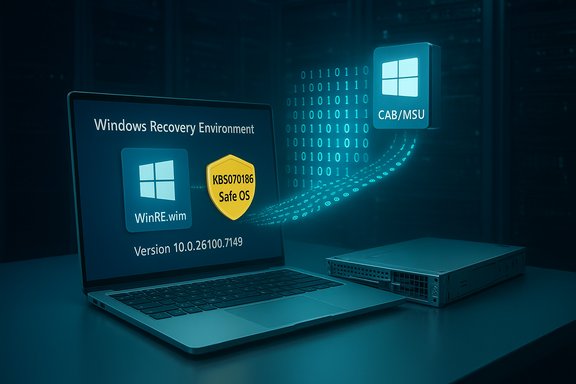
Microsoft has published KB5070186 — a Safe OS (WinRE) Dynamic Update for Windows 11, version 24H2 and 25H2, and Windows Server 2025 — dated November 11, 2025, that refreshes the Windows Recovery Environment used by Reset, Automatic Repair, and cloud reinstall flows; the package is available through Windows Update, the Microsoft Update Catalog, and WSUS, and when applied it sets the WinRE image version to 10.0.26100.7149.
Windows uses a compact, pre‑boot runtime called the Windows Recovery Environment (WinRE) — often referred to as the Safe OS — to run recovery operations such as Reset this PC, Automatic Repair, offline troubleshooting, and cloud reinstall. Because WinRE boots outside the running OS, it must carry the right set of pre‑boot binaries and drivers (kernel helpers, storage controllers, USB/HID, TPM/BitLocker handlers, and small orchestration libraries) in order to interact correctly with modern hardware and with the installed OS’ servicing state.
Microsoft’s Safe OS Dynamic Update model exists to deliver small, surgical updates to that WinRE payload without requiring administrators to rebuild full ISOs or recapture golden images. These updates are most important when the running OS or cumulative updates introduce behaviors that WinRE’s older driver/binary set cannot accommodate — for example, USB host controller variants that don’t initialize inside the trimmed WinRE runtime. KB5070186 is one of those Safe OS dynamic packages targeted at Windows 11 24H2 / 25H2 and Windows Server 2025.
Source: Microsoft Support https://support.microsoft.com/en-us...-11-2025-02134826-15a8-4289-b950-449854521cdd
 Background / Overview
Windows uses a compact, pre‑boot runtime called the Windows Recovery Environment (WinRE) — often referred to as the Safe OS — to run recovery operations such as Reset this PC, Automatic Repair, offline troubleshooting, and cloud reinstall. Because WinRE boots outside the running OS, it must carry the right set of pre‑boot binaries and drivers (kernel helpers, storage controllers, USB/HID, TPM/BitLocker handlers, and small orchestration libraries) in order to interact correctly with modern hardware and with the installed OS’ servicing state.Microsoft’s Safe OS Dynamic Update model exists to deliver small, surgical updates to that WinRE payload without requiring administrators to rebuild full ISOs or recapture golden images. These updates are most important when the running OS or cumulative updates introduce behaviors that WinRE’s older driver/binary set cannot accommodate — for example, USB host controller variants that don’t initialize inside the trimmed WinRE runtime. KB5070186 is one of those Safe OS dynamic packages targeted at Windows 11 24H2 / 25H2 and Windows Server 2025.
What Microsoft says KB5070186 does
- Summary: This update makes improvements to the Windows recovery environment (WinRE).
- Applicability: Windows 11, version 24H2 and 25H2 (all editions) and Windows Server 2025.
- Delivery channels: Available via Windows Update, Microsoft Update Catalog (standalone CAB/MSU), and synchronizable via WSUS. The KB explicitly instructs administrators to use the Update Catalog for offline downloads and references the published guidance for adding update packages to Windows RE.
- Restart / prerequisites: No restart required; no prerequisites. The KB also notes the update cannot be removed once it is applied to a Windows image (a typical peculiarity for Safe OS DUs).
- Replacement behavior: This update replaces the previously released Safe OS DU KB5067040. Administrators should therefore treat KB5070186 as the current authoritative Safe OS package for the 24H2/25H2 servicing families.
- Post‑install verification: After installation the WinRE version should report 10.0.26100.7149; Microsoft publishes a small PowerShell script (
GetWinReVersion.ps1) and recommendsreagentc /infoor DISM-based inspection to verify the WinRE image.
Why this matters: real operational impact
Safe OS Dynamic Updates are small in bytes but big in consequence for recoverability. Practical field experience and community testing during 2025 demonstrate why these packages deserve attention:- Recovery reliability is business continuity. When WinRE is outdated relative to installed cumulatives or device firmware, common actions such as Reset this PC, cloud reinstall, or Startup Repair can fail, force BitLocker recovery prompts, or leave devices in a partially recovered state. Refreshing WinRE reduces this class of failures and restores predictable recovery behavior.
- Hardware compatibility in pre‑boot is fragile. Modern thin laptops and USB‑C only devices depend entirely on specific USB host controller drivers and HID stacks to function in trimmed recovery runtimes. Community incidents in October–November 2025 showed how a cumulative update could break USB input only in WinRE, prompting emergency fixes and companion Safe OS DU packages to restore keyboard/mouse functionality. KB5070186 is the maintained DU for these servicing branches.
- Image hygiene without full rebuilds. Organizations that maintain frozen installers (install.wim / winre.wim) can inject a Safe OS DU to bring recovery tooling up to date without re‑capturing the entire image — a major operational win for large fleets and air‑gapped environments. The Update Catalog CAB contains the file manifest that imaging teams should validate before injecting.
Technical specifics and verification
Microsoft’s KB page explicitly instructs administrators how to verify the WinRE version after installation, and providesGetWinReVersion.ps1 and DISM-based instructions. The key verification facts you must confirm in your environment:- Expected WinRE version after applying KB5070186: 10.0.26100.7149. Confirm with
reagentc /info, WinREAgent servicing events (Event ID 4501), or by mountingwinre.wimand checking the file versions inside (winpeshl.exeor other WinRE binaries). - How to check (recommended sequence):
- From an elevated command prompt:
reagentc /info— note the path to your WinRE image. - Mount the WinRE image (example):
dism /Mount-Image /ImageFile:"C:\Recovery\WindowsRE\winre.wim" /Index:1 /MountDir:C:\mnt - Inspect file versions in
C:\mnt\Windows\System32(for examplewinpeshl.exe,winload.sys,storufs.sys) or run the providedGetWinReVersion.ps1. - Unmount:
dism /Unmount-Image /MountDir:C:\mnt /Discard(or/Commitif you changed it). - File manifest: Microsoft publishes a file list in the KB/update catalog entry. Administrators should compare the file versions and SHA‑256 checksums in the Update Catalog CAB to the contents of their
winre.wimbefore and after injection. Historically, Safe OS DUs update components such assecurekernel,winload,storufs,tpm.sys, and pre‑boot orchestration DLLs — exact file names and versions are listed in the KB or catalog manifest. If you need offline validation or forensics, the Update Catalog CAB is the authoritative artifact to inspect.
Deployment and practical guidance for IT teams
Because Safe OS DUs behave differently from regular LCUs, follow a disciplined rollout plan:- Prioritize test coverage
- Build a small lab that mirrors your fleet (chips, storage types, USB controller families, BitLocker-enabled devices).
- Validate WinRE flows explicitly: Recovery → Troubleshoot → Advanced options → ensure keyboard/mouse works, cloud reinstall flow, and BitLocker unlock behavior. Community guidance repeatedly emphasizes testing interactive flows inside WinRE after DU injection.
- Choose the appropriate distribution method
- For single PCs or pilots: Allow Windows Update to deliver KB5070186, or download the CAB from the Microsoft Update Catalog and apply it manually. The KB page links to Update Catalog instructions and to the Learn documentation “Add an update package to Windows RE” for manual servicing of
winre.wim. - For enterprise/air‑gapped environments: Use the Microsoft Update Catalog CAB and integrate the package into your imaging pipeline (DISM). The Update Catalog entries include the package manifest and SHA‑256 values; download and verify them before injection.
- For WSUS: Ensure Products and Classifications are set correctly (Windows 11 / Update) so the Safe OS DU synchronizes; some DUs require manual import into WSUS if they are published as catalog-only initially.
- Injection workflow (high level)
- Mount
winre.wimfrom your golden image. - Add the package using DISM:
dism /image:C:\mount /add-package /packagepath:C:\path\to\KB5070186.cab(architecture-specific). - Verify file versions and run
GetWinReVersion.ps1or validatewinpeshl.exerevision. - Unmount and commit the image.
- Recreate ISO / update deployment share and test.
Note: follow Microsoft’s “Add an update package to Windows RE” guidance for exact command syntax and for BitLocker reconfiguration steps. - Rollout sequencing (recommended)
- Pilot: small subset of hardware families (USB‑C-only, corporate laptops, desktops with legacy controllers).
- Phase: broader pilot across multiple geographies and firmware revisions.
- Production: staggered waves, monitor WinREAgent logs and helpdesk tickets for recovery failures.
- Fallback plan: maintain up‑to‑date external recovery media and be ready to restore a known‑good
winre.wimif needed.
Risks, limitations, and what to watch for
- Non‑removability: Safe OS DUs are often non‑removable once applied to an image. That means a problematic injection can be costly to reverse in regulated or heavily‑managed environments; plan comprehensive testing before committing to gold images.
- Possible regressions: While the DU’s intent is to improve compatibility, any change to pre‑boot drivers and orchestration code risks introducing regressions on niche hardware. Community reports during the October–November 2025 cycle documented both fixes and a small number of lingering edge cases after emergency fixes. Test on representative hardware thoroughly.
- WinRE partition sizing: Some WinRE update wrappers require a minimum free space in the recovery partition (historically 250 MB for certain wrappers). KB5070186’s KB page does not list a partition‑size prerequisite, but other WinRE delivery wrappers have required partition resizing; confirm the Update Catalog documentation or the wrapper KB if you plan to update running devices rather than images. If you plan to update live devices and the update is not offered, check WinRE free space and consider the Microsoft sample scripts for resizing or manual image patching.
- WSUS / Catalog timing: Dynamic updates are published in the Update Catalog; some packages may take time to propagate to WSUS or other management tooling. If you rely on WSUS, verify the package is synchronized before relying on server‑side delivery.
Troubleshooting and remediation for stuck devices
- If a device is already booted into a non‑responsive WinRE (USB input not working):
- Attempt booting from external Windows install USB / WinPE — full recovery media typically initializes more drivers and may accept input.
- If available, use PS/2 input on older desktops or vendor‑provided recovery images that contain broader driver support.
- As a last resort, offline extraction and replacement of
winre.wimfrom a known‑good matching ISO (advanced admin operation): disable WinRE, replace thewinre.wimfile, thenreagentc /enable. Use DISM mounting operations to avoid corruption. Community scripting and Microsoft sample scripts exist to automate this safely — use them carefully and test first. - If the WinRE version does not update after applying the package:
- Confirm the device actually received the specific Safe OS DU and not only the LCU; check
Windows Updatehistory and catalog import logs. - Inspect WinREAgent event logs (Service Name: WinREAgent) for servicing events (Event ID 4501 indicates success and logs the new WinRE version).
- Remount and inspect
winre.wimwith DISM to confirm file changes or useGetWinReVersion.ps1from Microsoft’s KB guidance.
Verification checklist (copyable)
- Confirm KB5070186 is available for your target branch (24H2/25H2/Server 2025).
- Download CAB from Microsoft Update Catalog and verify SHA‑256 checksum.
- In a lab, mount
winre.wimand inject package with DISM. - Run
GetWinReVersion.ps1or checkreagentc /info; expect WinRE version 10.0.26100.7149 after successful injection. - Boot test: validate keyboard/mouse and storage/BitLocker unlock flows inside WinRE for representative hardware families.
- Stage rollout, monitor WinREAgent events, helpdesk tickets, and rollback readiness (maintain known‑good external media).
Critical analysis: strengths and risks — an operational view
Strengths- Targeted fix for a high‑value, low‑blast‑radius area: WinRE. Organizations gain a hardened recovery environment without full image rebuilds, reducing lifecycle cost for golden images.
- Rapid defendability: When a cumulative breaks pre‑boot hardware support (for example USB in WinRE), Safe OS DUs allow Microsoft and administrators to restore recoverability quickly via catalog delivery and image injection. Real incidents in late 2025 show this model working as intended.
- Clear verification guidance: Microsoft publishes expected WinRE version numbers and helper scripts, enabling repeatable validation across fleets.
- Immutable changes in images: Non‑removability of applied DU packages means mistakes can be costly to reverse for golden images and downstream deployments. Rigorous testing is mandatory.
- Possible regression surface: Any update to pre‑boot drivers may interact unpredictably with niche OEM firmware or uncommon controllers; plan for early detection and staged rollouts. Community reports during the October–November 2025 window show edge cases do appear and are manageable but require attention.
- Management tooling timing: WSUS / SCCM synchronization delays and catalog propagation can complicate deployment schedules; administrators should download authoritative CABs directly when planning offline injection.
Conclusion and practical next steps
KB5070186 is a focused, operationally meaningful Safe OS Dynamic Update for Windows 11 (24H2/25H2) and Windows Server 2025 that sets WinRE to build 10.0.26100.7149 and replaces the older KB5067040 package. It’s an essential image‑hygiene artifact for administrators preparing media, building golden images, or recovering devices impacted by pre‑boot driver mismatches. Administrators should:- Retrieve the standalone CAB from the Microsoft Update Catalog and verify checksums.
- Pilot injection on representative hardware families and verify WinRE flows (keyboard/mouse, BitLocker, cloud reinstall).
- Use DISM and Microsoft’s
GetWinReVersion.ps1script to confirm the WinRE version after injection. - Stagger rollouts and keep external WinPE/install media updated as a fallback.
Source: Microsoft Support https://support.microsoft.com/en-us...-11-2025-02134826-15a8-4289-b950-449854521cdd
