

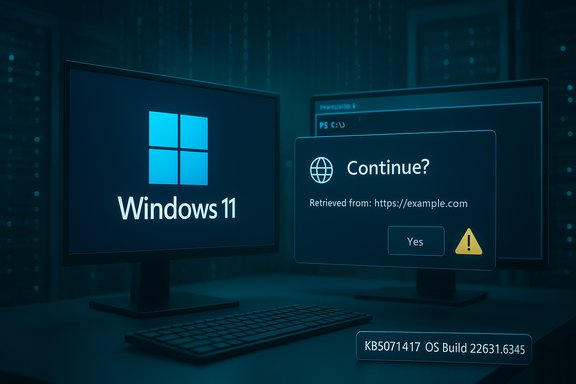
Microsoft’s December Patch Tuesday brought a focused Windows 11 rollup for the 23H2 servicing baseline: KB5071417 (OS Build 22631.6345), a cumulative security-and-quality update that formally carries forward fixes from November’s roll and introduces a notable behavioral change in PowerShell 5.1 — specifically, a confirmation prompt when scripts or content are retrieved from the web using Invoke‑WebRequest. This update is delivered as part of Microsoft’s normal December servicing wave but builds on fixes published earlier in November, and administrators should treat it as a routine security roll with an operational twist that requires careful testing before broad deployment.
Background / Overview
Windows servicing in 2025 continues the pattern of monthly cumulative updates (LCUs) combined with servicing stack updates (SSUs) and an occasional preview/opt‑in package ahead of Patch Tuesday. The November cumulative (KB5068865) consolidated security patches and quality fixes for Windows 11, version 23H2 and served as the baseline for the December roll. Microsoft explicitly advises using the relevant enablement/update KB (KB5027397 in this servicing family) if you need to move a device onto the 23H2 baseline before installing monthly rollups. This operational scaffolding is important because combined SSU+LCU packages alter rollback behavior and sequencing for manual deployments. Why this specific December package matters now:- It consolidates November’s security work while delivering targeted quality improvements for 23H2 devices still on that servicing baseline.
- It introduces a security-oriented change in PowerShell 5.1 that intentionally interrupts a long-standing silent web-content path (Invoke‑WebRequest → script execution) with a confirmation prompt to reduce accidental or commodity web-delivered script execution. The change is positioned as mitigation tied to an identified CVE and a companion advisory/KB for PowerShell. (See the “PowerShell” section for analysis and verification notes.
What’s in KB5071417 (high-level summary)
The update bundle for OS Build 22631.6345 is a typical cumulative mix: security fixes, quality improvements carried from the earlier cumulative, and one or more targeted behavior changes that influence developer and automation tooling.Key bullets:
- Security patches and telemetry-driven fixes from November’s cumulative are included so systems not yet patched with the November roll receive the full security baseline.
- Quality-of-life fixes for shell and servicing behavior reported in community and preview channels were carried forward; these are the incremental reliability changes Microsoft surfaces in monthly LCUs.
- PowerShell 5.1: Invoke‑WebRequest now emits a confirmation prompt when web content is coerced to script execution, giving the operator a visible security warning and a choice to continue or cancel the action. Microsoft ties this behavioral hardening to a CVE entry and an additional KB that explains guidance for administrators and script authors.
Deep dive: the PowerShell 5.1 Invoke‑WebRequest change
What changed, in plain language
PowerShell 5.1’s Invoke‑WebRequest has historically been a convenient tool for downloading HTML, assets, or even raw script payloads from the internet. The default behavior — nail-down through pipeline automation and script blocks — could also be abused or cause accidental execution of remote code, especially on systems where scripts run unattended or in ephemeral automation contexts.With KB5071417, Microsoft adds a confirmation prompt when Invoke‑WebRequest (or related code paths) attempts to invoke or execute script content retrieved from web URLs. That prompt presents a security warning that script content may execute and permits the user or operator to either continue or cancel the action. Microsoft documents the change as a mitigation tied to script-execution risk and references a CVE identifier and a secondary KB describing the rationale and hardening guidance.
Security benefits
- Stop accidental execution: Administrators and power users running ad‑hoc web fetches with Invoke‑WebRequest now receive an explicit warning before a retrieved payload is executed. This reduces the “click‑happy” or copy‑paste risk that has been used in many commodity phishing or drive‑by scenarios.
- Add a human-in-the-loop: For interactive sessions, forcing confirmation can block many low-skill attacks where a user is tricked into running a single command that downloads and runs a remote script.
- Align with least‑privilege operational models: The change nudges automation toward explicit allowlisting and pre‑approved content pipelines rather than ad‑hoc remote script pulls.
Compatiblity and automation risks
- Breakage for automation scripts: Noninteractive automation (scheduled tasks, CI/CD agents, remote management scripts) that relied on silent web retrieval and direct execution may now prompt and hang or fail. In many fleets, such scripts are pervasive and often authored without robust telemetry or error handling for interactive prompts.
- Silent CLI tools and installers: Third‑party installers or management tooling that used Invoke‑WebRequest to pull installers or scripts may encounter unexpected prompts, causing unattended deployments to fail. Those failures could cascade in enterprise deployment pipelines.
- Legacy portfolio impact: Organizations with a large corpus of older scripts written against PowerShell 5.1 will need to inventory, test, and adjust pipelines to either avoid script execution from untrusted web sources or migrate to safer delivery patterns.
Mitigation options for administrators (recommended)
- Establish a policy-based control: Wherever possible, shift automated retrieval-and-execute patterns into a secure artifact pipeline (internal web server, package repository, or content signed and validated). Avoid ad‑hoc internet pulls in production jobs.
- Create test and pilot rings: Before approving KB5071417 broadly, apply it in a test group that includes CI agents, imaging hosts, remote management consoles, and automation runbooks. Capture failures and patch scripts accordingly.
- Update runbooks and documentation: Replace ambiguous Invoke‑WebRequest + IEX (Invoke‑Expression) idioms with explicit downloads + signature validation or with signed modules served via an internal package feed.
- Where unavoidable, evaluate documented escape or developer guidance in the companion KB for PowerShell (the vendor-supplied KB that explains whether an API switch, policy, or trusted origin allowlist is supported). If the KB provides a supported bypass (for example, an administrative registry or policy to suppress prompts in managed, air‑gapped automation contexts), document and apply it only to tightly controlled hosts. If no supported bypass exists, plan to update automation to a supported pattern.
Deployment and operational guidance (practical checklist)
- Inventory the estate
- Identify hosts on Windows 11, version 23H2 and confirm OS build (winver). Note which systems are consumer vs. enterprise SKUs; servicing behavior and rollouts vary.
- Pilot the update in a controlled ring
- Include imaging hosts, automation servers, CI/CD agents, remote management consoles, and sample user devices.
- Test PowerShell workflows
- Exercise any scripts that call Invoke‑WebRequest, Invoke‑Expression (IEX), net downloads in provisioning tasks, and third‑party installers that may embed ad‑hoc web fetch behavior.
- Validate unattended behavior: scheduled tasks and services must not stop waiting for a prompt.
- Validate SSU sequencing for manual installs
- If deploying manually via MSU/CAB packages (Update Catalog), confirm the servicing stack version requirement and apply SSU first if required; combined SSU+LCU packages alter uninstall behavior.
- Review group policy / endpoint controls
- For enterprise automation, enforce safe delivery via code signing and internal feeds (PowerShell Gallery private feeds, internal HTTPS artifact servers, signed MSIs).
- Approve broadly only after verification
- Roll the update to the next wave after pilot success, and monitor patch telemetry, Windows Update logs, and automation runbook error rates for 72–120 hours post-deployment.
Compatibility case studies and known problem profiles
- Imaging and provisioning: Past servicing changes have produced race conditions where UI packages are not registered in time for first sign‑in; staged rollouts and pilots helped discover and remediate those issues. The same discipline applies here: image and provisioning hosts are prime candidates for early failure if they automate web-based script pulls during OOBE or first logon.
- Automation servers (CI/CD, build agents): These hosts often use ad‑hoc script pulls for bootstrapping; a user-interactive prompt will cause job timeouts and undetected failures. Convert to pre-baked, signed artifacts before applying the update to these hosts.
- WSUS and servicing stack considerations: Recent months demonstrated that server-side update services are a critical part of a reliable deployment pipeline, and emergency fixes to WSUS and servicing stack components required careful SSU sequencing and reboots. Validate WSUS/ConfigMgr delivery flows and ensure your management servers themselves are patched and functioning before approving large-scale client rollouts. Evidence from October–November 2025 servicing incidents underscores the operational imperative to keep update infrastructure patched.
Why Microsoft is making this move (analysis)
The PowerShell hardening reflects a defensive posture seen over the past several years: reduce the ease with which attackers or low‑skill “malvertisers” can weaponize web‑based script downloads. Script downloads followed by immediate execution (e.g., Invoke‑WebRequest | Invoke‑Expression) are a frequent component in commodity attack chains and supply‑chain glitch scenarios. For interactive sessions this change provides a lightweight barrier to exploitation.From the standpoint of Microsoft’s threat model:
- It reduces user‑assisted attack success rates.
- It improves telemetry fidelity by creating explicit decision points (confirmed vs cancelled) visible to local logging.
- It nudges the ecosystem toward safer artifact distribution mechanics (signed packages, internal repositories, and managed feeds).
Cross‑verification and fact checks
- The November cumulative baseline that KB5071417 builds on is documented in Microsoft’s November KB for Windows 11, version 23H2 (KB5068865). That KB lists the security and servicing stack improvements which KB5071417 inherits and references for continuity. Confirmed against Microsoft’s KB article for November’s roll.
- Microsoft’s Release Preview and Insider channels show December preview builds (KB5070311 family) and public messaging about the December servicing schedule, demonstrating Microsoft’s staged rollout approach for December updates and reinforcing the recommendation to pilot before broad deployment.
- Community and enterprise operational reporting recorded multiple servicing incidents in the autumn and early winter that highlight why SSU sequencing, WSUS health, and pilot rings are essential; those operational threads and advisories inform practical rollout playbooks.
Recommended remediation timeline for IT teams
- Day 0–3 (Immediate): Run an inventory to identify hosts on Windows 11 23H2 and special-purpose automation servers. Confirm WSUS/ConfigMgr servers are patched and validate update-distribution health before client rollouts.
- Day 3–7 (Pilot): Deploy KB5071417 to a mixed pilot ring that includes automation servers, imaging hosts, and representative user devices. Monitor logs for hung scripts or interactive prompts. Capture any automation failures tied to Invoke‑WebRequest usage.
- Day 7–21 (Assess & Remediate): Modify failing automation to use signed artifacts or internal feeds. Where a supported policy or registry exists to control the PowerShell prompt behavior for managed hosts, document and apply it only after confirming there is no better modernization path.
- Day 21+ (Broad roll): Approve broad deployment after pilot success and apply to remaining devices, keeping a 72–120 hour monitoring window for regressions.
Final analysis — strengths and potential risks
Strengths- Direct mitigation of a common attack vector: Adding a prompt for web‑sourced script execution addresses many user‑assisted exploit patterns without needing heavy telemetry or endpoint edr rules.
- Incremental security posture improvement: This change nudges automation and development practices toward safer distribution mechanisms and reduces silent, ad‑hoc remote execution.
- Unintended automation outages: The most immediate operational risk is broken unattended tooling; many organizations still rely on lightweight PowerShell bootstraps that will now hang or fail. Plan to remediate automation scripts or apply tightly‑scoped exceptions as required.
- Incomplete public guidance at time of rollout: If Microsoft’s companion KB for the PowerShell behavior does not yet enumerate supported bypasses or enterprise-grade controls, administrators may be pressed to choose between brittle suppression workarounds and updating many legacy scripts. Confirm official guidance before broad suppression.
- Servicing complexity: As recent WSUS and SSU incidents show, update plumbing matters — improperly ordered SSU installations or unpatched WSUS management servers can delay or block safe rollout of LCUs. Keep update infrastructure patched first.
Conclusion
KB5071417 (OS Build 22631.6345) is a routine‑looking December security roll that delivers the expected November security baseline plus a notable defensive behavior change in PowerShell 5.1: an explicit confirmation prompt when Invoke‑WebRequest would facilitate script execution from web content. The security tradeoff is clear — improved protection against easy web‑delivered script exploitation at the cost of potential automation breakage. The practical course for administrators is disciplined: inventory, pilot, remediate automation that relies on ad‑hoc web pulls, and verify update‑infrastructure health before broad approval. Confirm the precise PowerShell control options in Microsoft’s published advisory for the PowerShell change and treat any suppression as a last resort for narrowly scoped, fully controlled automation hosts.
Source: Microsoft Support December 9, 2025—KB5071417 (OS Build 22631.6345) - Microsoft Support
