

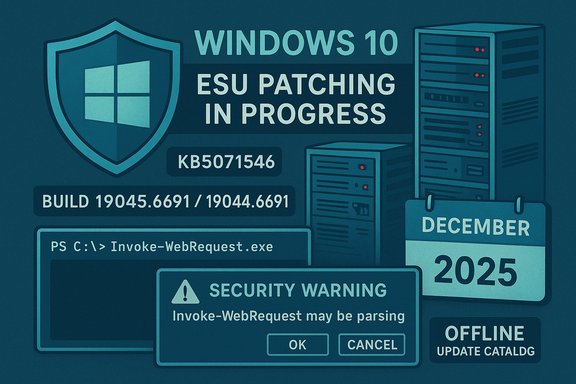
Microsoft released the December 2025 cumulative for Windows 10 ESU today as KB5071546, advancing eligible systems to Build 19045.6691 / 19044.6691 and packaging the November fixes plus a security-focused tweak to PowerShell 5.1. The update is available through Windows Update for devices that are enrolled in Extended Security Updates (ESU) and as offline .msu packages in the Microsoft Update Catalog for administrators. While there are no user-facing features beyond the PowerShell change, this rollup contains an across‑the‑board security package that remediation and incident-response teams should treat as a priority for ESU‑covered Windows 10 endpoints.
Microsoft ended mainstream support for Windows 10 on November 14, 2025; the ESU program continues to deliver security updates for eligible Windows 10 editions on a time‑boxed basis. Consumer ESU enrollment is surfaced in Settings → Windows Update with an “Enroll now” experience (or via purchase/redeem options), and Microsoft has been shipping small out‑of‑band fixes and servicing‑stack updates to ensure the enrollment and servicing pipeline works reliably for consumer and subscription‑activated devices. If you manage Windows 10 devices that must remain on Windows 10, ESU is the supported channel to keep those devices patched. This December rollup (KB5071546) is a combined package that includes servicing‑stack updates (SSU) when applicable; Microsoft explicitly warns administrators to install the required SSU(s) first when manually servicing images or when older baselines are present. Combined SSU+LCU packaging simplifies the normal Windows Update flow but also makes offline servicing ordering and rollback considerations more important.
Security Warning: Script Execution Risk
Invoke‑WebRequest parses the content of the web page. Script code in the web page might be run when the page is parsed.
RECOMMENDED ACTION: Use the -UseBasicParsing switch to avoid script code execution.
When run interactively, the user can choose to continue (parse using the richer DOM path) or cancel (prevent parsing). For unattended automation, the recommended mitigation is to explicitly use -UseBasicParsing (or switch to PowerShell Core and use safe HTTP retrieval libraries) to avoid unexpected prompts.
KB5071546 is not a headline feature release, but it is an important security and servicing milestone for Windows 10 endpoints still on the platform: it consolidates prior OOB fixes, hardens a common PowerShell pattern that could be abused, and bundles security mitigations for a set of vulnerabilities that include actively exploited items. For any Windows 10 system that will remain online while awaiting migration, enrolment in ESU and timely application of KB5071546 should be treated as an operational priority.
Source: Windows Latest Windows 10 KB5071546 ESU released, direct download links for offline installer (.msu)
 Background / Overview
Microsoft ended mainstream support for Windows 10 on November 14, 2025; the ESU program continues to deliver security updates for eligible Windows 10 editions on a time‑boxed basis. Consumer ESU enrollment is surfaced in Settings → Windows Update with an “Enroll now” experience (or via purchase/redeem options), and Microsoft has been shipping small out‑of‑band fixes and servicing‑stack updates to ensure the enrollment and servicing pipeline works reliably for consumer and subscription‑activated devices. If you manage Windows 10 devices that must remain on Windows 10, ESU is the supported channel to keep those devices patched. This December rollup (KB5071546) is a combined package that includes servicing‑stack updates (SSU) when applicable; Microsoft explicitly warns administrators to install the required SSU(s) first when manually servicing images or when older baselines are present. Combined SSU+LCU packaging simplifies the normal Windows Update flow but also makes offline servicing ordering and rollback considerations more important. What’s new in KB5071546 — short summary
- KB5071546 is an ESU‑only cumulative (Windows 10 versions 22H2 / 21H2) that advances builds to 19045.6691 / 19044.6691 and rolls November’s fixes into the December bundle.
- The most visible change is a PowerShell 5.1 behaviour update: running Invoke‑WebRequest against web pages now shows a security confirmation prompt warning that parsing page content could execute embedded script; admins are advised to use the -UseBasicParsing switch in scripted automation to avoid the new pause.
- The release contains a significant security roll‑up: independent outlets and Microsoft’s security guidance report roughly 56–57 CVEs in the December 2025 updates, including multiple privilege escalation and remote‑execution issues and at least one vulnerability that has been observed exploited in the wild. Because Microsoft’s KB is a summary, analysts are consulting the Security Update Guide and third‑party trackers to get CVE counts and exploitation status. Treat the headline tally as an approximate figure; different vendors group CVEs differently.
Why this update matters now
- At least one high‑impact privilege‑escalation zero‑day that surfaced in November (documented across vendor trackers and included in ESU rollups) remains one of the top reasons to apply these patches immediately on ESU‑covered devices. That kernel race‑condition/double‑free style issue (flagged in multiple advisories) enables local attackers with a foothold to escalate to SYSTEM and has been observed in the wild. Patch priority should be high for exposed endpoints (jump boxes, developer workstations, admin consoles) where a local foothold could be leveraged.
- The PowerShell behaviour change reduces an attack surface where malicious webpages could cause script execution during DOM parsing. For automation-heavy environments, this is operationally relevant because scripts that call Invoke‑WebRequest interactively may now prompt and halt, and unattended automation must be updated to explicitly opt into the safer parsing mode or handle the confirmation.
Deep dive: the PowerShell change and operational impact
What changed
PowerShell 5.1’s Invoke‑WebRequest previously parsed returned HTML using the system’s HTML parser; parsing could run inline script elements found in the response. Starting with the November/December servicing that KB5071546 includes, Invoke‑WebRequest now displays a security confirmation prompt in many contexts that warns:Security Warning: Script Execution Risk
Invoke‑WebRequest parses the content of the web page. Script code in the web page might be run when the page is parsed.
RECOMMENDED ACTION: Use the -UseBasicParsing switch to avoid script code execution.
When run interactively, the user can choose to continue (parse using the richer DOM path) or cancel (prevent parsing). For unattended automation, the recommended mitigation is to explicitly use -UseBasicParsing (or switch to PowerShell Core and use safe HTTP retrieval libraries) to avoid unexpected prompts.
Why Microsoft made this change
Parsing a web page’s DOM can, in certain conditions, lead to script code execution during the parsing process. The new confirmation prompt forces humans to consent to behavior that could execute script code from a remote page, closing a practical vector attackers could leverage in social‑engineering chains (for example, maliciously crafted webpages served as part of a lure document). It’s a suggested hardening that favors safer default behavior for interactive and unattended scenarios.Operational guidance (short)
- Update any automation that calls Invoke‑WebRequest to include -UseBasicParsing when you only need raw response body retrieval.
- For code that depends on full DOM parsing, explicitly handle the new prompt (or move logic to PowerShell Core where you can use HTML parsing libraries under your control).
- Run tests on representative endpoints—the prompt can break unattended scripts that previously ran without user interaction.
Security content: scope, counts, and zero‑day context
Microsoft’s KB for KB5071546 summarizes the bundled fixes but points to the December Security Update Guide for detailed CVE lists. Independent security coverage for the same release counts between 56 and 57 CVEs across Microsoft products in the December roll, including several privilege‑escalation flaws, remotely executable vulnerabilities, and at least one zero‑day seen exploited in the wild. Different outlets report slightly different breakdowns: one vendor lists 57 CVEs including 28 privilege vulnerabilities and 19 remote code execution issues; another source reports 56. Because CVE tallies can vary depending on whether non‑Windows Microsoft products are included, treat the exact figure as approximate and consult the Security Update Guide for authoritative per‑CVE data. Key points to emphasize:- Zero‑day exposure: At least one kernel elevation‑of‑privilege vulnerability discovered and exploited in November appears in the rollups and is critical to remediate on exposed machines. Security teams should prioritize devices where a local foothold is possible.
- Attack surface: The December roll tightens PowerShell usage and includes multiple fixes for drivers and file‑system filters that historically have been exploited for local escalation and escalation‑to‑system.
How to get KB5071546 (offline .msu and online delivery)
Delivery channels
- Windows Update / Microsoft Update — ESU‑enrolled devices will receive KB5071546 automatically. The in‑OS enrollment UI (“Enroll now”) must have been completed for consumer ESU paths.
- Microsoft Update Catalog — offline .msu packages are available for administrators who need to stage packages, service images, or install updates offline. Use the catalog to download the exact package for your SKU and architecture.
Offline installer: practical steps
- Check OS and architecture: run winver or Settings → System → About to confirm you’re on Windows 10 22H2 (or 21H2 where applicable) and note x64/ARM64.
- Open the Microsoft Update Catalog and search for KB5071546; pick the appropriate .msu for your SKU and language.
- Verify the file: run PowerShell Get‑FileHash -Algorithm SHA256 on the downloaded .msu and compare with the catalog-provided checksum if available.
- Install interactive: double‑click the .msu (Wusa will run) or run:
- wusa.exe KB5071546_x64.msu /quiet /norestart (for silent install)
- For servicing offline images: mount the image and use DISM /Add‑Package /PackagePath:<path_to_msu>.
- Reboot when prompted and verify build via winver (should show 19045.6691 / 19044.6691).
- Servicing‑stack updates: many catalog packages include the SSU. If you manually script installs, ensure the correct SSU baseline is present or install the SSU included in the combined package. SSUs are persistent and cannot always be uninstalled via WUSA, so plan rollback strategies accordingly (image restore).
- Express/delta vs catalog size: Windows Update typically applies an express delta (small download). The catalog full .msu will be larger because it contains the full LCU + SSU and language resources. Expect catalog packages to be significantly bigger than the in‑place delta.
Deployment checklist and recommended practice
- Inventory entitlement and enrollment: confirm which devices are ESU‑enrolled and which are not; consumer enrollment often requires a Microsoft Account for the free path or a paid one‑time ESU purchase.
- Pilot first: test KB5071546 on a representative pilot ring covering different OEMs, GPU/driver families, and key business apps. Observe automated scripts that call Invoke‑WebRequest for interactive prompts.
- Verify SSU prerequisites for offline installs: ensure the servicing stack baseline is satisfied when applying MSU packages manually. Failure to have the expected SSU can cause “not applicable” or fail installs.
- Update automation and runbooks: update PowerShell scripts that use Invoke‑WebRequest to include -UseBasicParsing or switch to non‑parsing HTTP libraries to avoid interactive prompts in unattended tasks.
- Backups and recovery plan: create system images or ensure restore points, capture BitLocker recovery keys, and hold a tested rollback strategy before mass deployment. Remember some SSU changes may affect rollback behaviour.
Known and potential risks
- Servicing stack implications: installing an SSU changes the servicing components and can complicate rollback. For offline servicing and image maintenance, test the full combined package thoroughly.
- Automation interruptions: the new PowerShell confirmation can break unattended jobs that expect no prompts. If automation systems cannot be updated immediately, consider temporary measures (run in environments that suppress prompts) but plan a code update to adopt secure parsing patterns.
- Counting and reporting: public counts of patched CVEs differ across outlets. For compliance, use Microsoft’s Security Update Guide export or the KB’s file information CSV to reconcile exact CVE lists for audits. Treat third‑party tallies as useful but non‑authoritative.
Quick responses to common admin questions
- Should I delay enrollment in ESU? No — for systems that must remain on Windows 10, ESU enrollment is the supported way to receive critical security updates. Microsoft provides free consumer enrollment routes (Microsoft Account + Settings sync, Microsoft Rewards redemption) and a paid one‑time purchase as a fallback. If you need ESU protection, enroll and apply the rollups.
- Will KB5071546 upgrade non‑ESU systems? No — KB5071546 is targeted to ESU‑eligible devices. It will not convert unsupported systems into supported ones. If you are not ESU‑enrolled, Windows Update will not deliver this cumulative.
- Do I have to change every PowerShell script? Only those that call Invoke‑WebRequest (or aliases like curl) and that run unattended or depend on silent behaviour without user interaction. Update those scripts to include -UseBasicParsing or use modern HTTP modules that explicitly control HTML parsing.
Final analysis — strengths, practical value, and lingering questions
KB5071546 is lightweight in visible features but substantive in security impact. Packaging November’s out‑of‑band fixes and the PowerShell hardening into an ESU cumulative gives organizations and home users who must remain on Windows 10 a clearly supported patch path. The presence of at least one high‑impact, actively exploited zero‑day makes the update operationally critical for exposed endpoints and systems where a local foothold can be translated to full‑system control. Strengths:- Addresses real exploited weaknesses and rolls previous OOB fixes into the monthly servicing cadence.
- Provides a defined offline path via Microsoft Update Catalog for isolated or air‑gapped installs.
- Tightens PowerShell default behavior to reduce accidental parsing/execution of web‑embedded scripts.
- SSU/LCU combined packaging increases the importance of preflight checks and tested rollback strategies.
- Automation and unattended systems must be audited for Invoke‑WebRequest usage to avoid service interruptions.
- Public CVE counts and labeling may vary — use the Security Update Guide for authoritative CVE lists for compliance reporting.
- CVE tallies reported in the wild vary between outlets (56 vs 57); this is a counting methodology difference and not a sign of missing patches. Administrators should use Microsoft’s Security Update Guide CSV for exact, auditable lists.
Practical next steps (immediate to short term)
- Immediately: confirm which endpoints are ESU‑enrolled, check Windows Update for KB5071546, and apply it to high‑risk machines first (workstations that are jump hosts, servers that allow local logon, developer/admin machines).
- Within 24–72 hours: deploy KB5071546 to pilot groups and validate sign‑in workflows, automation scripts (Invoke‑WebRequest), and any driver‑ or GPU‑heavy workflows.
- This month: roll the update into broader rings after validation; if you require offline deployment, download .msu packages from the Microsoft Update Catalog, verify hashes, and stage SSUs as required.
KB5071546 is not a headline feature release, but it is an important security and servicing milestone for Windows 10 endpoints still on the platform: it consolidates prior OOB fixes, hardens a common PowerShell pattern that could be abused, and bundles security mitigations for a set of vulnerabilities that include actively exploited items. For any Windows 10 system that will remain online while awaiting migration, enrolment in ESU and timely application of KB5071546 should be treated as an operational priority.
Source: Windows Latest Windows 10 KB5071546 ESU released, direct download links for offline installer (.msu)
