KB5072033 AppXSVC Change Triggers Boot Slowdowns in Windows 11 and Server 2025

  • Thread Author
Microsoft’s December cumulative—KB5072033—promised security and reliability fixes, but a seemingly minor configuration change to the AppX Deployment Service (AppXSVC) has produced tangible slowdowns, monitoring noise, and management headaches across some Windows 11 and Server 2025 installations.

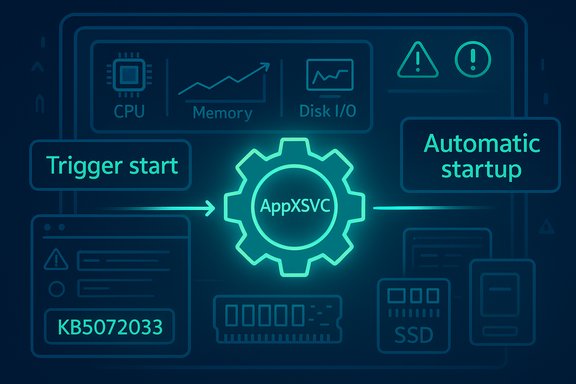
Neon tech diagram with AppXsvc gear at center, connecting trigger start to automatic startup.Background / Overview​

Microsoft shipped the December 9, 2025 cumulative update identified as KB5072033 (OS builds 26100.7462 for 24H2 and 26200.7462 for 25H2). The official change log in the update’s notes includes a concise but consequential line: “The AppX Deployment Service (Appxsvc) has moved to Automatic startup type to improve reliability in some isolated scenarios.” This single-sentence change is the root cause of the community and IT response now circulating across forums and vendor blogs. Put simply, a service that previously started on demand now launches at boot on many devices, which alters early-session behavior, memory residency, and disk I/O timing. For many modern PCs this will be invisible. For others—particularly devices with limited RAM, older storage, or monitored server images—the difference can be meaningful.

What is AppXSVC and why startup type matters​

The role of AppX Deployment Service (AppXSVC)​

AppXSVC (service name AppXSVC) is the Windows service responsible for installing, registering, updating and removing Microsoft Store packages (AppX / MSIX / UWP). It unpacks packages, registers app containers and coordinates background provisioning tasks for Store-distributed and some system-provided modern apps. Under normal operation the service is invoked only when package work is needed.

Trigger-start vs Automatic: a behavioral difference that matters​

  • Trigger-start (Manual): the service remains dormant until a specific event (Store activity, a scheduled task, or an installer action) starts it. Work is done, the service exits, and the system returns to a low steady-state footprint.
  • Automatic: the service is launched during boot and remains resident (or is at least present in the process lifecycle), introducing timers, queues and periodic checks into the early-session window.
This change alters when package enumeration, registration and background checks happen. Moving AppXSVC from trigger-start to automatic increases the chance that those tasks run during boot or just after a user logs in—precisely when responsiveness matters most. That behavioral flip is the technical explanation for the slowdowns and higher resource usage users report.

The official change: what Microsoft published​

Microsoft’s KB documentation for KB5072033 records the startup-type change in the System Components section. The vendor frames the alteration as intended to “improve reliability in some isolated scenarios,” but offers no public engineering detail about which scenarios or device classes inspired the decision. The short public rationale has left administrators requesting more context as they weigh the trade-offs of the change. Microsoft Q&A threads and the update notes confirm the change is deliberate in the shipped package; those community posts have become a primary locus for technical detail, real-world telemetry and remediation ideas even as Microsoft collects telemetry from broader deployments.

Real-world impact: symptoms observed in the field​

Multiple independent community reports and forum threads converged on the same symptom set shortly after the December rollup:
  • Higher idle RAM shortly after boot with AppXSVC visible as a resident process in Task Manager or Process Explorer.
  • Longer boot times and early-session sluggishness as disk, CPU and I/O are used for package enumeration or manifest validation.
  • Elevated disk I/O during login, worst on HDDs or congested NVMe drives, which can delay app launches and increase perceived lag.
  • Service start/stop “flapping” in some Server 2025 images where the binary appears to expect trigger semantics: SCM starts the service, it exits quickly, and SCM restarts it—triggering monitoring alerts.
Consumer desktops with ample RAM and fast NVMe storage often show little or no visible change. By contrast, entry-level notebooks (4–8 GB RAM), older desktops with HDDs, and certain virtualized or image-managed environments (VDI, Azure Virtual Desktop, cloud images) amplify the user experience of the change.

Why some environments are disproportionately affected​

Low-spec client devices​

Small increases in resident working set (tens to hundreds of MB) on devices with limited RAM can push systems into paging and swap activity, causing noticeable UI lag and longer response times. Because AppXSVC can trigger package validation and manifest scans early in a session, that I/O is particularly disruptive on HDDs.

Virtualization and session hosts​

Density-sensitive VDI hosts and session hosts rely on predictable, low-footprint images. Any additional resident process reduces session density or triggers false monitoring alerts, especially where orchestration expects AppXSVC to be trigger-start.

Monitored servers​

Monitoring platforms like Zabbix, Nagios, and similar products can interpret repeated start/stop cycles as failures. When AppXSVC is set to Automatic but the binary exits quickly because it was designed as an on-demand task, monitoring dashboards light up with flapping alerts and incident noise. This is a practical operations problem—alerts flood helpdesks and obscure genuine incidents. Microsoft Q&A and community threads document these monitoring impacts.

What’s verified, what’s unconfirmed​

  • Verified: KB5072033 explicitly documents the AppXSVC startup-type change. That fact is confirmed by Microsoft’s official KB entry.
  • Verified: Community reporting from multiple independent outlets and forum captures shows real users and administrators experienced higher memory use, early-session disk and CPU spikes, and monitoring alerts after installing the December cumulative.
  • Unverified / caution: Broader claims about a specific memory leak in Delivery Optimization (DoSvc) or an outright persistent runaway process are observationally consistent with user traces, but Microsoft has not publicly confirmed a DoSvc memory-leak root cause at the time of reporting. Treat memory-leak assertions as observed symptoms pending a vendor-level engineering advisory.
When reports go beyond observable telemetry (for example, specific GBs of memory leaked by DoSvc), those should be flagged and escalated for controlled diagnostics rather than accepted as universal facts. The engineering distinction matters: observed memory growth requires a different response (trace & debug) than a configuration change that increases steady-state residency.

Practical mitigations and trade-offs​

Enterprises, SMBs and power users landed quickly on a set of mitigations—some safe and reversible, others riskier. Below is a practical, prioritized list built from community-tested steps and Microsoft Q&A guidance.

Quick, reversible troubleshooting steps (recommended first)​

  • Confirm whether KB5072033 is installed:
  • Settings → Windows Update → Update history, or
  • Win + R → winver to confirm OS build.
  • Check AppXSVC startup type and status (elevated command prompt):
  • sc qc AppXSVC
  • sc qtriggerinfo AppXSVC
    These show the configured START_TYPE and any trigger events.
  • Temporarily stop the service (short-term only):
  • net stop AppXSVC
    This stops the service until the next boot and is useful for quick reproduction tests.
  • Revert startup type for troubleshooting:
  • sc config AppXSVC start= demand
    Reboot and observe performance. This sets the service back to demand start (manual/trigger) without permanently disabling it. It’s reversible and the recommended first step for pilots.

Administrative and rollout guidance (for IT)​

  • Pilot the change in a small ring before wide deployment. Measure end-user responsiveness, boot times, application latency and monitoring alerts.
  • For VDI and non-persistent images, evaluate the image with AppXSVC set to Manual in the golden image to preserve density and reduce alerting noise.
  • Collect structured diagnostics before and after mitigation: ETW traces (Windows Performance Recorder), Process Explorer dumps, CBS logs, and monitoring logs for Zabbix/Nagios correlation. These artifacts are essential if Microsoft support engagement is required.

What not to do — risky or irreversible actions​

  • Do not permanently disable AppXSVC using services.msc or registry edits unless you accept breakage. Disabling AppXSVC can prevent Store app installations/updates and affect some modern-system flows. Microsoft documentation for service configuration highlights that AppXSVC supports deploying Store applications and notes potential feature breakage when it’s disabled.
  • Avoid heavy-handed ACL changes or forcing ownership changes on system service binaries; these may conflict with TrustedInstaller protections and can cause servicing or security issues. Community “deep hacks” are reversible only with strong OS expertise and are not recommended for production images.

Technical steps IT teams should include in a remediation playbook​

  • Baseline collection (before patching)
  • Boot time trace capture (WPR), Process Explorer snapshot, memory working set dump, Event Logs, monitoring alert baselines.
  • Controlled deployment
  • Pilot KB5072033 on a small percentage of machines across hardware classes (thin clients, low-end laptops, desktops, VM images).
  • Collect post-install telemetry for 48–72 hours to detect steady-state effects.
  • Reversion and rollback
  • For images where AppXSVC is problematic, set startup back to demand for the image: sc config AppXSVC start= demand, update golden image, redeploy.
  • If uninstalling KB5072033 is considered, understand that removing a cumulative may also remove security fixes; prefer per-service mitigations where possible.
  • Microsoft escalation
  • If start/stop flapping or memory growth affects production, gather the trace artifacts and open a formal support case with Microsoft. Attach ETW captures, Process Explorer dumps and a timeline correlated to KB install time. Microsoft Q&A and support processes are tracking the issue and provide a channel for engineered fixes.

Monitoring and alert tuning to reduce noise​

If Zabbix (or similar) is flagging AppXSVC flapping after KB5072033, administrators can take short-term steps:
  • Adjust monitoring thresholds or suppress repeated alerts from services known to be in diagnostic change windows.
  • Create a targeted rule to suppress automated restart alerts for AppXSVC for a brief maintenance window while pilots and mitigations run.
  • Log and retain the original alerts so that noise suppression doesn’t hide unrelated genuine failures.
These changes should be temporary and tied to a remediation timeline—suppressing alerts without addressing the root cause simply shifts the problem. Community posts underscore how overwhelming alert storms can be for small ops teams and why measured tuning during major servicing waves is essential.

Analysis: strengths, risks, and Microsoft’s communication gap​

Notable strengths behind Microsoft’s change​

  • The move to automatic startup likely targets real race conditions where app provisioning or Store updates fail because the deploy service wasn’t running early enough—an operational reliability improvement for certain edge scenarios.
  • Bundling fixes into a cumulative ensures critical security and quality patches are delivered together, which simplifies patch management for many organizations.

Real risks and trade-offs​

  • The lack of public detail about which “isolated scenarios” motivated the flip left many admins guessing whether their fleets were targeted, increasing cautious reaction and operational overhead.
  • A seemingly small configuration change in a widely distributed cumulative caused disproportionate impact on low-spec and density-sensitive environments—illustrating how micro-changes can cascade.
  • Communication could have been clearer: advanced notice, advisory ranges (device classes or SKUs) or opt-in pilot channels would have reduced confusion.

The communication gap​

Microsoft’s KB entry is accurate but terse. The absence of explicit guidance describing the targeted scenarios or rollout plan created a vacuum rapidly filled by forums, vendor blogs and community labs. That vacuum generated operational churn—pilot restarts, mitigations, and monitoring workarounds—that could have been minimized with more detailed vendor commentary.

Long-term implications and guidance for Windows administrators​

  • Treat cumulative updates as packages that can change default runtime characteristics—not only binaries and bug fixes but also configuration defaults that can alter runtime behavior.
  • Build disciplined pilot rings: consumer, low-end, mainstream and server images should be represented in early rings so configuration-sensitive changes are detected early.
  • Maintain a short-term mitigation playbook for all critical images: quick commands to revert service startup types, isolated suppression rules for monitoring noise, and a structured diagnostics checklist to escalate to vendor engineering.
  • Advocate for better vendor transparency: request deeper KB notes or a “what changed and why” companion advisory that details the operational scope and device types that motivated configuration changes.

Quick reference: commands and checks​

  • Check KB install / build:
  • Win + R → winver or Settings → Windows Update → Update history.
  • Check AppXSVC config (elevated):
  • sc qc AppXSVC
  • sc qtriggerinfo AppXSVC
  • Revert to demand start:
  • sc config AppXSVC start= demand
  • net stop AppXSVC (optional, until next boot)
  • Temporary stop:
  • net stop AppXSVC
  • Collect diagnostics:
  • Windows Performance Recorder (WPR) → capture boot & CPU/IO traces
  • Process Explorer snapshot and memory dump
  • CBS and WindowsUpdate logs for servicing correlation
Use the above in pilot images first; always document state before and after changes.

Conclusion​

A short line in a cumulative update—changing AppXSVC to Automatic—has reminded administrators and power users that small defaults matter. The technical trade-off Microsoft describes—reliability in some isolated scenarios—is plausible, and the vendor did make the change intentionally; however, the practical consequence is real for a subset of systems. Community reporting, Microsoft Q&A threads and independent outlets all converge on an actionable picture: some machines are slower, some servers generate monitoring noise, and some administrators must temporarily revert startup behavior while telemetry and fixes mature. For IT teams, the path forward is clear: pilot, measure, and use reversible mitigations rather than blunt-force changes. For Microsoft, clearer communication on why a configuration flip was necessary and which device classes benefited would reduce operational friction and restore confidence more quickly. Until then, administrators should treat KB5072033 as a case study in why service startup semantics deserve as much attention as binaries and patches when planning maintenance windows and update rings.
Source: Gizmochina Microsoft’s December update frustrates some Windows 11 users with slower performance - Gizmochina
 

Microsoft’s December servicing rollup quietly flipped a key Windows service to always‑on, and the change is already producing a mix of improved reliability in some scenarios and real performance headaches for others.

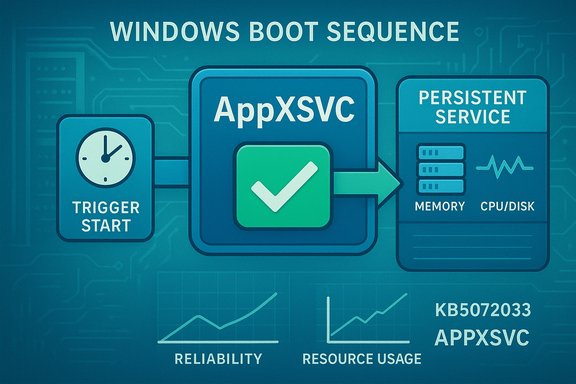
Windows boot sequence: Trigger start → AppXVC (check) → persistent service, showing memory/CPU usage.Background / Overview​

On December 9, 2025 Microsoft shipped the cumulative update identified as KB5072033 for Windows 11 (builds 26100.7462 for 24H2 and 26200.7462 for 25H2) and related Server channels. The update’s change log was amended in mid‑December to include a single but consequential line: “The AppX Deployment Service (Appxsvc) has moved to Automatic startup type to improve reliability in some isolated scenarios.” This change moves Appxsvc from a trigger‑start (manual) model into an Automatic startup, meaning the service is started at boot rather than only when Store‑related work requires it. The practical result: machines that used to invoke Appxsvc only when installing or updating Microsoft Store packages may now see Appxsvc resident (or repeatedly starting) during early sessions. For many modern, well‑provisioned PCs this will be invisible; for lower‑spec laptops, older storage subsystems, virtual desktop hosts and some Server 2025 images the change can be perceptible and disruptive. Community and IT discussion threads compiled after the rollout document boot‑time memory increases, occasional CPU/disk spikes and, in some server images, start/stop “flapping” that triggers monitoring alerts.

What AppXSVC is and why the startup type matters​

The role of the AppX Deployment Service​

AppX Deployment Service, service name AppXSVC, is the Windows component responsible for installing, registering, updating and removing Microsoft Store packages (AppX/MSIX/UWP). Its responsibilities include unpacking packages, registering app containers, coordinating licensing and handling background provisioning tasks for Store‑distributed apps and some system‑bundled modern apps. Because that work is typically episodic, Appxsvc historically used a trigger‑start model: it would run only when a specific trigger (Store activity, scheduled package task, or an installer action) invoked it, then exit when idle.

Trigger‑start vs Automatic — a behavioral difference​

  • Trigger‑start: service remains dormant until a defined trigger runs it; keeps steady‑state footprint tiny.
  • Automatic: service is launched during boot and remains resident (or at least is present at boot); that introduces timers, threads and periodic checks earlier in the session.
That seemingly small behavioral change matters because background service activity is most noticeable during boot and early user sessions when responsiveness and I/O contention are most sensitive. On low‑memory systems (4–8 GB) or those using older HDDs, tens or hundreds of megabytes of additional resident working set and a handful of periodic disk reads can push a system into paging and cause perceived sluggishness.

What Microsoft says and what was changed​

Microsoft’s official KB entry for KB5072033 explicitly lists the AppXSVC startup‑type change and names the intention: to “improve reliability in some isolated scenarios.” The KB also bundles a number of other fixes and quality improvements in the same package. The build numbers and that single‑line change are verified in Microsoft’s support documentation for the December 2025 rollup. Microsoft has not published a public, detailed engineering rationale enumerating which hardware profiles or isolated scenarios motivated the change; the KB note remains terse. That lack of public detail has pushed administrators and power users to reproduce behavior and file feedback while community troubleshooting fills in operational context.

Real‑world impact: where users and IT teams are feeling it​

Multiple independent community reports, forum threads and helpdesk tickets converged on a consistent symptom set shortly after the update:
  • Higher idle memory shortly after boot with Appxsvc present in Task Manager or Process Explorer.
  • Early‑session disk activity (manifest enumeration, package validation) that delays foreground app launches or increases boot time.
  • Occasional CPU spikes tied to Appxsvc activity on constrained hardware.
  • Repeated start → exit → restart cycles (service “flapping”) on some Windows Server 2025 images that still expect trigger semantics, which generate noise in monitoring tools such as Zabbix or Nagios.
Who notices the impact most:
  • Low‑spec consumer devices (4–8 GB RAM, HDDs or constrained SSDs): visible sluggishness and increased paging.
  • VDI / session hosts: lower density, session responsiveness regressions.
  • Server images and monitored hosts: false positive alerts and resource thrash when the service repeatedly starts/stops.
Independent tech outlets and community testing corroborate that symptoms are real for a subset of devices while being invisible on higher‑end configurations. This distribution explains why Microsoft characterized the change as targeting isolated scenarios rather than a universal benefit.

Is this a bug, a policy change, or part of a broader strategy?​

The change appears to be deliberate in the released package — Microsoft documented it in the KB — but there are two overlapping explanations for why it landed across consumer and server SKUs:
  • Reliability rationale: making the deployment service always ready reduces race conditions where app installs or updates fail because Appxsvc hasn’t been started yet. That improves reliability for Store installs and certain provisioning paths. Microsoft frames the change in exactly that way in the KB.
  • Rollout/manifest mismatch and unintended server impact: community threads and a Microsoft Q&A discussion indicate that Server images may have received a client‑oriented manifest change, producing start/stop loops because the binary still expects trigger semantics. Microsoft’s Q&A community and independent admins labeled that behavior a regression for Server 2025 and proposed reverting the startup type in server images as a practical mitigation.
IT industry analysts and community experts also view this as consistent with Microsoft’s longer‑term direction: tighter integration between Windows, the Microsoft Store and automatic app servicing; moving some app updates under the Windows Update umbrella (or closer to it) would logically require more persistent deployment helpers to be present and ready. That strategic view helps explain why Microsoft might accept small steady‑state costs for perceived platform reliability gains, but it also raises friction with resource‑sensitive environments.

Microsoft’s guidance and community workarounds​

The KB itself documents the configuration change but does not prescribe manual registry edits or service ACL changes. Community discussion and Microsoft Q&A threads show two contrasting recommendations:
  • Microsoft‑style caution: do not disable Appxsvc entirely because Store app provisioning, certain system features and parts of the servicing stack rely on it; disabling can cause broken Store apps and servicing issues. The safer operational advice is to avoid disabling the service outright.
  • Community / admin mitigation: many administrators recommend reverting the startup type from Automatic back to Manual (demand) for server or density‑sensitive images until Microsoft issues a targeted fix. Practical commands and registry edits have been shared, and Microsoft Q&A contains an accepted community answer showing how to restore manual start (including ACL considerations where the update hardened the service key to TrustedInstaller). That Q&A answer walks administrators through temporarily taking ownership of the registry key, changing the Start value, and restoring ownership — an advanced, reversible workaround for experienced admins. Note that this technique modifies security descriptors and requires careful handling.
Practical, safer steps for most administrators and advanced users:
  • Confirm whether KB5072033 is installed (Winver, Windows Update history).
  • Check Appxsvc startup type: sc qc AppXSVC.
  • If you must reduce noise on servers or VDI, prefer: sc config AppXSVC start= demand (sets Manual trigger start); do not set to Disabled.
  • Collect diagnostics (Process Explorer, RAMMap, ETW traces) before and after changes so you can revert if needed and provide evidence when filing feedback.
Be aware: some systems report an “Access is denied” error when attempting to change the service because the security descriptor was hardened to NT SERVICE\TrustedInstaller; the Q&A thread documents both the access denial and a step‑by‑step way to temporarily take ownership and change the registry Start value if necessary — but that approach is risky and should be used only when you understand and can revert ACL changes.

How to diagnose whether AppXsvc is affecting your PC​

  • Use Task Manager or Process Explorer to find Appxsvc and measure private bytes, CPU usage and I/O activity, especially during boot and the first 5–10 minutes of a session.
  • Run sc qc AppXSVC to confirm START_TYPE (2 = Automatic, 3 = Manual).
  • Use sc qtriggerinfo AppXSVC to list registered triggers for the service (helps verify what events normally start it).
  • Capture a RAMMap or ProcDump snapshot during symptomatic activity for later analysis.
  • On servers, correlate monitoring alerts with the exact timestamp of the KB install to see whether flapping started after the patch.

The Windows Server 2025 storage context — why this matters now​

While Appxsvc’s automatic startup has drawn headlines for its performance cost on some machines, Microsoft also shipped a separate, high‑impact storage modernization for Windows Server 2025: Native NVMe support. Microsoft and its engineering community published lab microbenchmarks showing dramatic IOPS gains (up to ~80% in select 4K random read tests) and reduced CPU cycles per I/O when comparing the new Native NVMe stack against the legacy SCSI translation path used previously. The feature is opt‑in and designed primarily for enterprise server scenarios, but it underscores a broader Microsoft focus on aligning the OS with modern hardware. The two changes together illustrate a paradox administrators face: Microsoft is modernizing the platform for future‑heavy workloads (AI, NVMe performance) while also incrementally shifting runtime behavior in ways that can hurt resource constrained devices. The net effect is wildly positive for performance‑sensitive server workloads that adopt Native NVMe, but potentially worse for small consumer devices that lose a trigger‑start optimization for Appxsvc.

Risk assessment and critical analysis​

Strengths and rationale​

  • Reliability gains in edge cases: Making Appxsvc available at boot reduces race conditions and can prevent install/update failures in certain provisioning scenarios, improving user experience where these failures occurred. Microsoft documented that reason directly in KB5072033.
  • Platform modernization continuity: The Server 2025 Native NVMe initiative demonstrates Microsoft’s commitment to modern storage paths and serious performance improvements for enterprise workloads. The company’s lab figures (up to ~80% IOPS gains in controlled tests) are compelling for datacenter operators.

Risks and trade‑offs​

  • Resource regression on constrained devices: Always‑on service residency is a known trade‑off; small memory or older storage systems can see perceptible slowdowns. Community telemetry and forum testing back this up.
  • Operational noise in server environments: For Server 2025 images that retained trigger semantics in the binary while receiving an Automatic startup flag, repeated start/stop cycles generate false positives in monitoring systems and can affect consolidation density. Microsoft Q&A threads document this as a regression under certain conditions.
  • Limited public rationale and telemetry: Microsoft’s KB explanation is brief; lack of detailed public signal leaves administrators to pilot or revert changes without precise guidance about which fleets benefit and which suffer — a transparency gap that increases operational risk.

Unverified or cautionary claims​

  • Some regional news summaries and social media threads state that Microsoft issued a blanket warning explicitly telling users not to revert Appxsvc; a careful review of Microsoft’s KB and official public posts does not show a single, formal Microsoft message forbidding reversion. What is clear from Microsoft’s support and community pages is a caution: do not disable the service entirely because it is required for Store functionality and other platform workflows. Characterizing that as a direct prohibition against reverting the startup type is an overreach unless Microsoft publishes such a notice. Treat claims that Microsoft forbids startup reversion as unverified unless an official Microsoft support bulletin is posted to that effect.

Practical recommendations (for home users, IT admins, and makers of images)​

For home users​

  • If your PC feels slower after the December update: check Task Manager for Appxsvc and Delivery Optimization (DoSvc) activity, and confirm KB5072033 is installed. If you’re uncomfortable making changes, wait for Microsoft to publish a targeted fix; keep your system backed up.
  • Quick reversible step: open Settings → Windows Update → Advanced options → Delivery Optimization and disable “Allow downloads from other devices” (or set to “Devices on my local network only”) to reduce DoSvc network activity that can magnify perceived overhead. This is reversible and generally safe for consumer use.

For IT administrators and VDI operators​

  • Pilot KB5072033 across representative rings before broad deployment. Collect ETW traces, Process Explorer dumps and monitoring artifacts.
  • If servers/hosts experience flapping or monitoring noise, prefer changing the startup type back to Manual (demand) rather than disabling Appxsvc: sc config AppXSVC start= demand. Do not set Disabled.
  • If sc config or standard APIs return “Access is denied,” carefully evaluate the Microsoft Q&A guidance about registry ownership and ACLs; only apply that advanced technique if you can fully revert ownership and ACLs afterwards. Document changes and notify monitoring teams to suppress false alarms while you test.
  • File structured feedback with Microsoft (Feedback Hub or support case) and attach diagnostic artifacts — that accelerates engineering response if the change is regressional.

For enterprise architects planning hardware refreshes​

  • Consider the Native NVMe opt‑in improvements in Windows Server 2025 for workloads sensitive to IOPS and CPU per I/O. The payoff can be large in targeted server scenarios; plan driver and vendor validation before widespread enablement. The feature is opt‑in and disabled by default in many cumulative channels; enable it only after storage vendor validation.

What to expect next​

  • Expect Microsoft to gather telemetry from the field and respond to high‑impact regressions on server and VDI SKUs with targeted servicing or clarification. Community workarounds — particularly reverting the startup type to demand on server images — are already widely discussed and documented in Microsoft Q&A and forum threads.
  • The platform shift toward closer Store servicing and automatic app updates (including limits on permanent pause controls) suggests Microsoft will continue moving app update plumbing closer to Windows Update semantics. That long‑term trend makes persistent deployment services more likely to be favored by engineering teams, even if it means administrators must adapt policies for resource‑sensitive environments.

Bottom line​

KB5072033’s change to make Appxsvc start automatically is a textbook trade‑off between reliability and minimal resource footprint. Microsoft documented the change and framed it as improving reliability for isolated scenarios, but the practical consequences — higher resident memory and occasional I/O/CPU activity on low‑end machines and monitoring noise on some Server 2025 images — landed in real environments immediately after the rollout. Administrators can and have safely reverted the startup type to Manual as a temporary mitigation, but they should avoid disabling the service entirely and should document and revert any ACL/ownership changes made during more intrusive workarounds. Meanwhile, Microsoft’s simultaneous server‑side storage modernization (Native NVMe) highlights a platform roadmap that favors performance for enterprise workloads while raising the configuration bar for mixed fleets.
For now, the safest posture is measured: test KB5072033 in representative rings, gather clear diagnostics when you see regressions, apply reversible mitigations (Manual/demand start) rather than destructive ones (Disabled), and submit structured feedback so Microsoft can target fixes or provide better guidance for the scenarios it described as “isolated.”
Conclusion: small platform tweaks can have outsized operational impact. The AppX Deployment Service change in KB5072033 is a useful example of why every cumulative update deserves careful piloting — especially in environments where memory, storage or monitoring sensitivity make the difference between a quiet update and a noisy incident.

Source: Bangkok Post Microsoft's change to Appxsvc may slow some Windows 11 PCs
 

Back
Top