

Microsoft has published a targeted preparation update that organizations must install to ensure Windows 10 devices enrolled in the Extended Security Updates (ESU) program continue to receive security rollups and that ESU licensing is recognized correctly across managed environments.
The Windows 10 Extended Security Updates (ESU) program was introduced to provide a time‑boxed, security‑only servicing path for devices that cannot immediately transition to Windows 11. Microsoft set the end of mainstream support for Windows 10 at October 14, 2025, and consumer ESU coverage is available through October 13, 2026. The ESU offering is explicitly security‑only: it supplies critical and important fixes defined by Microsoft Security Response Center, not feature updates or general product support.
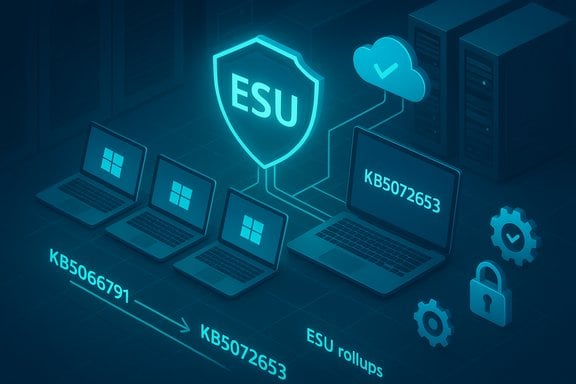
For organizations — especially those using WSUS, System Center Configuration Manager (ConfigMgr/SCCM), or tightly controlled update rings — Microsoft has published a specific preparation package that must be applied after the October 2025 cumulative to enable ESU licensing and smooth servicing for managed fleets. The new preparation package is released as KB5072653 and is intended to be installed after the October cumulative update (KB5066791). It is available through the usual enterprise channels (Windows Update, WSUS, Microsoft Update Catalog and business management tooling).
Key operational facts about the package:
For IT leaders, the takeaway is twofold. First, treat ESU as an operational bridge: deploy the preparation package and ESU rollups swiftly for systems that truly need more time to migrate. Second, accelerate migration plans where feasible: ESU reduces immediate exposure but does not absolve organizations of long‑term technical debt. A disciplined rollout, thorough testing, and clear communications plan will minimize disruption and keep devices secure while migration work proceeds.
Source: Microsoft - Message Center KB5072653: Extended Security Updates (ESU) Licensing Preparation Package for Windows 10 - Microsoft Support
 Background
The Windows 10 Extended Security Updates (ESU) program was introduced to provide a time‑boxed, security‑only servicing path for devices that cannot immediately transition to Windows 11. Microsoft set the end of mainstream support for Windows 10 at October 14, 2025, and consumer ESU coverage is available through October 13, 2026. The ESU offering is explicitly security‑only: it supplies critical and important fixes defined by Microsoft Security Response Center, not feature updates or general product support.For organizations — especially those using WSUS, System Center Configuration Manager (ConfigMgr/SCCM), or tightly controlled update rings — Microsoft has published a specific preparation package that must be applied after the October 2025 cumulative to enable ESU licensing and smooth servicing for managed fleets. The new preparation package is released as KB5072653 and is intended to be installed after the October cumulative update (KB5066791). It is available through the usual enterprise channels (Windows Update, WSUS, Microsoft Update Catalog and business management tooling).
What KB5072653 is and why it matters
KB5072653 is an ESU Licensing Preparation Package for Windows 10. Its stated purpose is straightforward: ensure devices that will be covered by ESU have the correct prerequisite plumbing and licensing hooks in place so that subsequent ESU rollups are delivered reliably in managed environments.Key operational facts about the package:
- It is explicitly a preparation package and must be installed after the October 2025 cumulative (KB5066791).
- It is available through standard enterprise distribution channels (Windows Update, WSUS, Update Catalog).
- The package updates servicing/driver components in a way that helps the OS recognize and accept ESU licensing and entitlements on enrolled devices.
- Installation triggers an automatic restart on target machines.
The operational context: recent enrollment and messaging issues
The KB5072653 preparation package arrives in the wake of two closely related problems that affected ESU adoption and operational confidence:- A subset of consumer devices experienced a failure in the Windows 10 ESU enrollment wizard, causing the wizard to abort or display a generic “Something went wrong” message and preventing enrollment via the in‑OS flow.
- Some properly licensed ESU devices — and certain LTSC/IoT SKUs still under support — displayed an incorrect Windows Update banner stating “Your version of Windows has reached the end of support.” That message was cosmetic but consequential, triggering compliance alerts and help‑desk churn.
- An out‑of‑band cumulative (KB5071959) that repaired the consumer ESU enrollment wizard and included the prior October cumulative fixes so blocked devices would not miss security content.
- A security‑only ESU rollup for enrolled devices (released as KB5068781 in the same timeframe) that corrected the incorrect “end of support” banner for ESU‑entitled systems.
- A cloud‑delivered configuration correction for devices that accept dynamic OneSettings updates.
- A Known Issue Rollback (KIR) targeted at locked‑down or air‑gapped enterprise environments that do not accept cloud configuration changes.
Who should care immediately
- IT teams that manage Windows 10 fleets using WSUS, SCCM/ConfigMgr, Intune (in hybrid or on‑prem modes), or other enterprise patch distribution systems.
- Organizations that expect to rely on ESU coverage for Windows 10 devices that cannot be upgraded before or shortly after October 14, 2025.
- Service providers and MSPs responsible for ensuring compliance and reporting for customer environments.
- Security teams who require assurance that Windows 10 endpoints remain eligible for critical and important fixes through the ESU window.
Deployment and sequencing — practical guidance for organizations
Applying ESU-related updates in the correct order and verifying entitlement is crucial. The following sequence is recommended for Windows 10 devices in managed environments:- Inventory and classification
- Identify devices on Windows 10 and determine edition and build (22H2 vs older feature updates, plus LTSC/IOT status).
- Classify by update channel (WSUS/ConfigMgr, Intune, cloud‑managed, air‑gapped).
- Install the October 2025 cumulative
- Ensure KB5066791 (the October 2025 cumulative) or a later cumulative is installed first. This is a prerequisite for the KB5072653 package.
- Deploy KB5072653 (ESU Licensing Preparation)
- Distribute the preparation package through your chosen management channel.
- For WSUS environments, ensure Products and Classifications are set to include Windows 10, version 1903 and later, and Security Updates.
- Expect a reboot; plan maintenance windows accordingly.
- Verify servicing stack state
- Confirm that any required Servicing Stack Updates (SSUs) have been applied or that subsequent updates include the required SSU components.
- Apply ESU rollups to entitled devices
- Once the preparation package is installed and devices show as ESU‑ready, deploy the ESU‑only cumulative updates (for example, the first ESU rollups released in November 2025 and later).
- Use phased rings: pilot → broad → full.
- Confirm activation and update receipt
- For ESU licensing that uses product‑key activation or other mechanisms, verify activation state (use built‑in licensing tools or management reports).
- Confirm that Windows Update history shows successful ESU rollup installation.
- Use KIR for isolated/locked environments
- If devices do not accept cloud configuration corrections and are showing an incorrect “end of support” banner, consider deploying Microsoft’s Known Issue Rollback policy as instructed until the full remediation is approved for your ring.
- Monitor telemetry and helpdesk channels
- Watch for any installation anomalies, application compatibility issues, or devices that do not accept the preparation package.
Security and compliance implications
- ESU provides a focused stream of security fixes for critical and important issues. Devices enrolled in ESU continue to receive fixes that reduce exposure to actively exploited vulnerabilities.
- The enrollment failure and UI banner regressions demonstrate how diagnostic and presentation regressions can generate false positives in compliance scans and automation pipelines. Relying solely on UI banners for lifecycle state in automated systems is a brittle approach.
- Applying KB5072653 and the correct sequence of updates reduces the risk of devices missing ESU rollups, limiting potential windows for exploitation.
- Organizations should prioritize patching systems that face the internet, handle untrusted documents, or run services where a local privilege escalation can be weaponized into full system compromise.
Strengths in Microsoft's response
- Rapid, multi‑track remediation: Microsoft issued immediate out‑of‑band fixes for consumer enrollment failures and published KIR guidance for locked environments, demonstrating a layered response calibrated for both consumer and enterprise contexts.
- Preparation package approach: KB5072653 gives organizations a clear, manageable artifact to deploy — a single package that prepares devices for ESU recognition — easing mass management in enterprise update pipelines.
- Use of SSUs and cumulative packaging: Bundling servicing stack updates with critical rollups reduces chained failure modes and installation fragility.
- Multiple enrollment paths: For consumer devices Microsoft offered flexible enrollment options (account‑based, Microsoft Rewards redemption, and a paid option), while organizations retain traditional licensing mechanisms.
Risks, limitations and areas of concern
- ESU is explicitly time‑boxed and security‑only: Relying on ESU as a long‑term strategy is costly and operationally burdensome. For enterprises, ESU pricing and year‑over‑year escalation make it an interim measure, not a migration alternative.
- Complexity of mixed fleets: Diverse device images, driver stacks, and management tooling increase the chance of update‑specific regressions. Pilot testing is essential.
- Dependence on cloud configuration: The cloud‑delivered configuration correction that removed the incorrect “end of support” banner works only for devices that permit OneSettings dynamic updates. Air‑gapped or heavily firewalled environments may require KIR and manual intervention.
- Enrollment and identity friction: Consumer ESU enrollment frequently requires a linked Microsoft account for activation paths. For organizations and privacy‑sensitive installations this can be undesirable and requires alternative licensing workflows.
- Reputational erosion and trust: The enrollment and banner failures — even though largely cosmetic or procedural — erode confidence in post‑EOL servicing. IT decision‑makers may prefer to accelerate migrations rather than trust extended servicing mechanics.
- Potential for new regressions: Any out‑of‑band or sequenced update carries a non‑zero chance of unexpected compatibility or install behaviors; maintain robust rollback and backup plans.
Best practices and operational checklist for IT teams
- Plan and test: Run KB5066791 → KB5072653 → ESU rollups in a pilot ring that reflects the diversity of your estate (drivers, apps, security agents).
- Backups and rollback: Ensure image‑level or application backups exist before broad deployment. Keep offline installers (.msu/.cab) for emergency recovery.
- Inventory and tagging: Track which machines are enrolled in ESU, their entitlements, and whether the installation sequence completed successfully.
- Monitor update telemetry: Use WSUS/ConfigMgr/SCCM/Intune reporting to confirm patch status and error rates. Track devices that still report the incorrect banner after remediation attempts.
- Communication: Notify helpdesk and business stakeholders in advance of the deployment window and expected reboots. Prepare a concise script for support staff to explain the “end of support” banner if users still encounter it.
- Use KIR where appropriate: For disconnected or policy‑restricted environments, test and deploy Microsoft’s Known Issue Rollback to neutralize the cosmetic banner while preserving security patching.
- Prioritize high‑risk systems: Public‑facing servers, RDP hosts, and endpoints that process untrusted documents should be patched first.
- Plan migration: Treat ESU as a bridge; develop concrete migration plans to move devices to supported platforms (Windows 11, Cloud PC, or alternative OS) and budget accordingly.
Technical caveats and unverifiable claims
- Some community reports may include numeric statistics, internal artefact descriptions, or device‑specific bug traces that are not officially documented; treat those as unverified until confirmed by vendor engineering notes.
- If you rely on automated compliance tooling that scrapes the Windows Update UI for lifecycle state, update those rules: the UI banner can be incorrect and should not be the sole source of truth for entitlement or patch status.
- The precise behavior of enrollment failures can vary by device state (previous account associations, MDM enrollment, Azure AD join). Organizations should validate enrollment scenarios representative of their environment rather than assume a single‑fix outcome.
A practical rundown of what to do this week
- Confirm your environment’s Windows 10 inventory and identify devices still on 22H2 and supported LTSC builds.
- Validate that KB5066791 or a later cumulative is applied where required.
- Stage and deploy KB5072653 through your patching pipeline to the pilot group; monitor installation and reboots.
- After successful pilot results, expand deployment in controlled waves.
- Once prepared, deploy the ESU rollups to entitled devices.
- For stuck or isolated devices that still show the incorrect “end of support” message, apply Microsoft’s KIR guidance and verify update receipt.
- Keep stakeholders updated; document enrollment/activation state for compliance evidence.
Conclusion
KB5072653 is a small but essential piece of the ESU puzzle for organizations: it prepares managed Windows 10 devices to recognize ESU licensing and receive the security‑only updates that Microsoft will provide during the ESU window. The preparation package — combined with Microsoft’s out‑of‑band enrollment repair and the Known Issue Rollback options — reflects a pragmatic, multi‑track response to a set of problems that were at once procedural and security‑sensitive.For IT leaders, the takeaway is twofold. First, treat ESU as an operational bridge: deploy the preparation package and ESU rollups swiftly for systems that truly need more time to migrate. Second, accelerate migration plans where feasible: ESU reduces immediate exposure but does not absolve organizations of long‑term technical debt. A disciplined rollout, thorough testing, and clear communications plan will minimize disruption and keep devices secure while migration work proceeds.
Source: Microsoft - Message Center KB5072653: Extended Security Updates (ESU) Licensing Preparation Package for Windows 10 - Microsoft Support
