

Microsoft’s optional Release Preview update KB5074105 is quietly rolling out as a dense, pragmatic package that fixes a nagging reliability problem with File Explorer and, more importantly for many power users and administrators, removes a major lifecycle limitation from Smart App Control (SAC) — allowing SAC to be turned on and off from Windows Security without forcing a clean reinstall.
Windows servicing has shifted toward frequent cumulative updates and controlled feature rollouts, and KB5074105 is a textbook example: a Release Preview cumulative update that mixes broad reliability fixes with server-gated feature enablement. It targets Windows 11 servicing lanes (24H2 and 25H2) and was published to the Release Preview channel in late January 2026, delivering build families in the 26100 and 26200 ranges. Installing the package makes a device eligible for the new features, but Microsoft’s controlled rollout means not every device will see every capability immediately.
Two themes define KB5074105:
Why this matters:
Practical takeaway: If you’ve experienced Explorer locking or freezing at login or when opening network shares, KB5074105 is likely to help; still, validate with your network drives and mapped locations in a test ring before broad rollout to confirm no regressions in your environment.
That decision, while defensible on integrity grounds, created an operational problem: once a system’s SAC decision trended to Off (or was unavailable), turning it back on required a reinstall. This prevented many users and organizations — especially those with in-place upgrades or heavily customized systems — from testing or adopting SAC.
That said, KB5074105 is demonstrably a preview rollup: several of its most appealing capabilities are controlled server-side, and some items touch low-level platform surfaces that demand careful validation. The right posture for administrators is measured: pilot first, validate broadly used workflows (boot, DPAPI, automation, network shares), and then roll out in stages with policy controls to govern SAC and elevation behavior. For home and enthusiast users who like to tinker, the update offers genuine practical wins; for production fleets, the recommended approach is staged testing and careful governance.
KB5074105 demonstrates an incremental but important evolution in how Microsoft ships Windows features: instead of waiting for a single major release, Microsoft is iterating through cumulative updates and server‑gated rollouts to deliver targeted improvements. That model delivers faster wins — but it also requires disciplined testing, policy governance, and clearer visibility into per‑device entitlement to avoid unexpected behavior in managed environments.
If you plan to test KB5074105: snapshot a test machine, install the preview, verify whether the SAC toggle appears, exercise Explorer and your network shares, and validate any admin scripts that rely on persistent elevation. Those steps will let you capture the benefits of the update while keeping your fleet safe and recoverable.
Conclusion: KB5074105 fixes a real pain point and ships useful platform improvements — but treat it as pilot‑ready, not automatic production material, until you verify behavior across your environment.
Source: Windows Report https://windowsreport.com/windows-11-kb5074105-removes-major-limitation-from-smart-app-control/
Source: Windows Report https://windowsreport.com/windows-11-kb5074105-resolves-explorer-freeze-at-startup/
 Background / Overview
Windows servicing has shifted toward frequent cumulative updates and controlled feature rollouts, and KB5074105 is a textbook example: a Release Preview cumulative update that mixes broad reliability fixes with server-gated feature enablement. It targets Windows 11 servicing lanes (24H2 and 25H2) and was published to the Release Preview channel in late January 2026, delivering build families in the 26100 and 26200 ranges. Installing the package makes a device eligible for the new features, but Microsoft’s controlled rollout means not every device will see every capability immediately.Two themes define KB5074105:
- Continuity and creator-focused changes (notably expanded Cross‑Device Resume and a modernization of Windows MIDI Services).
- Manageability and security usability shifts (notably the Smart App Control toggle, Windows Hello ESS expansion, and Administrator Protection mechanics).
What KB5074105 actually changes — the essentials
Smart App Control becomes toggleable without a clean install
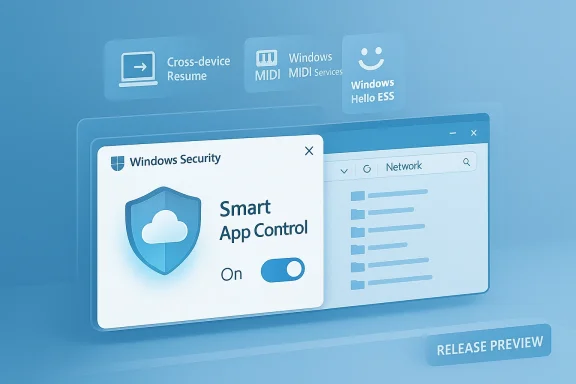
One of the most visible and practical changes in KB5074105 is that Smart App Control (SAC), the Windows 11 feature that blocks unknown or suspicious applications at launch time using cloud app intelligence, can now be enabled or disabled from the Windows Security UI. Historically, SAC’s initial enablement was tied to a clean install of Windows 11; once a device’s image decided not to enforce SAC, re-enabling required a reset or full reinstall. KB5074105 removes that friction by exposing a toggle under Settings > Privacy & security > Windows Security > App & browser control > Smart App Control settings, so eligible devices can flip SAC on and off without reimaging.Why this matters:
- For home users and creators: You can temporarily disable SAC to install legacy or unsigned tooling, then re-enable protection without wiping the device.
- For administrators and pilots: SAC becomes manageable in test and pilot rings without rebuilding images, reducing friction for adoption and testing.
Explorer freeze at startup — repaired
A separate but important reliability fix included in KB5074105 addresses File Explorer freezes or hangs during startup and when navigating certain remote/network locations. The update bundles responsiveness and stability improvements for Explorer, particularly for SMB and remote folder navigation where users previously reported stalls and freezes on large folders or network mounts. Early Release Preview testing and community reports indicate improved responsiveness after the update.Practical takeaway: If you’ve experienced Explorer locking or freezing at login or when opening network shares, KB5074105 is likely to help; still, validate with your network drives and mapped locations in a test ring before broad rollout to confirm no regressions in your environment.
Additional headline items
KB5074105 isn’t just SAC and Explorer. The package also includes:- Expanded Cross‑Device Resume (Android → Windows) to more real-world apps and scenarios using a metadata-based AppContext handoff. This is intended to resume Spotify playback, continue Microsoft 365 edits started in Copilot mobile, and resume supported browser sessions. Feature availability depends on OEM and app support.
- Windows MIDI Services modernization — improved MIDI 1.0 and MIDI 2.0 support, shared ports across apps, loopback, and an SDK/tools package for creators. Early tooling may be distributed separately and could trigger installer warnings.
- Windows Hello ESS (Enhanced Sign‑in Security) extended to compatible external fingerprint readers, broadening biometric options for desktops without built-in sensors. Certification, driver, and firmware support are required.
- Administrator Protection/just‑in‑time elevation model improvements that create ephemeral elevation tokens and require explicit interactive verification (Windows Hello or credentials), reducing the long-lived elevation surface. This exposes new telemetry for auditing.
Deep dive: Smart App Control’s lifecycle change — technical and operational analysis
What SAC is and why it previously required a clean install
Smart App Control was designed as a proactive execution‑control layer that blocks untrusted binaries and scripts using Microsoft’s cloud‑hosted app intelligence plus local code integrity checks. When SAC first shipped, Microsoft tied its initial enablement to a known-good image policy — the idea being that SAC should build its evaluation baseline from a clean system to avoid enabling enforcement on systems that already contain unknown binaries and configuration variances.That decision, while defensible on integrity grounds, created an operational problem: once a system’s SAC decision trended to Off (or was unavailable), turning it back on required a reinstall. This prevented many users and organizations — especially those with in-place upgrades or heavily customized systems — from testing or adopting SAC.
How the toggle works now
KB5074105 surfaces an explicit UI control in Windows Security that allows devices entitled to the change to select SAC modes (Evaluation, On/Enforcement, Off) without reinstalling. The practical effect is that SAC becomes a manageable policy component rather than a one-time decision baked into setup. This change first appeared in Insider Preview builds in the 26220 series and has been included in the Release Preview staging via KB5074105.Security and governance implications
- Benefits:
- Lower adoption friction: Enabling SAC in pilot groups or on home systems no longer requires rebuilds.
- Better usability: Power users can temporarily disable SAC to run legitimately unsigned installers and re-enable protection afterward.
- Risks:
- Inconsistent rollout and visibility: Controlled feature gating means SAC toggles will appear unpredictably across devices; IT must inventory which machines show the toggle and enforce state with policy when needed.
- Policy drift: If administrators rely on the toggle for occasional troubleshooting, unauthorized toggles in unmanaged environments could create windows of reduced protection. Use Group Policy, MDM, or endpoint management to lock desired SAC state in production.
- Telemetry and privacy considerations: SAC relies on cloud reputation signals; organizations with strict network egress policies should verify telemetry behavior and any corporate data flows before enabling SAC at scale. If you require precise telemetry boundaries, test with your EDR and network monitoring tools to see how SAC behaves when enabled.
Best-practice rollout recommendation for SAC
- Pilot KB5074105 on test hardware or a small release ring to confirm the toggle appears and behaves as expected.
- Validate the interplay of SAC with existing endpoint protection stacks, line-of-business installers, and developer tooling.
- Lock SAC state via Group Policy/MDM for production endpoints once the desired configuration and telemetry are confirmed.
- Prepare support documentation for helpdesk staff to identify SAC state and to assist with temporary disable/enable workflows when necessary.
Explorer freeze fix — what was happening and how KB5074105 addresses it
The symptom and user impact
Users reported File Explorer freezing at startup or during navigation of large directories and network shares. Symptoms included Explorer becoming unresponsive, high CPU or disk I/O during folder enumeration, and delayed shell responsiveness after sign-in. For knowledge workers and administrators relying on SMB shares or NAS devices, this was a significant productivity pain.The fix and operational notes
KB5074105 bundles reliability improvements that focus on Explorer responsiveness—particularly SMB and remote path navigation—and other minor Start menu and login/UI fixes. Community testing in the Release Preview ring reported more responsive navigation and fewer stalls after applying the update. That said, because Explorer interacts with drivers, network storage devices, and third‑party shell extensions, the fix can be subject to environmental dependencies. Administrators should:- Test with representative network shares (large directories, nested folders).
- Validate third‑party context menu and shell extensions (disable or update those if they cause regressions).
- Keep recovery and rollback paths ready in case of boot or UI regressions.
Other notable additions and their impacts
Cross‑Device Resume: practical continuity, not streaming
The Cross‑Device Resume changes expand metadata-based "AppContext" handoffs from Android phones to Windows. Rather than streaming the phone UI, Resume provides a small metadata payload that tells Windows what to open, favoring native desktop apps where installed and otherwise falling back to the browser. Expect this to work for supported apps like Spotify and supported OEM/browser integrations, but availability is OEM and app dependent and is server-gated. Don’t treat it as universally available immediately after installing KB5074105.Windows MIDI Services modernization
Creators get a meaningful upgrade: better support for MIDI 1.0 and 2.0, shared ports across applications, loopback and app-to-app routing, and an SDK/tools package. If you rely on MIDI hardware or software, test the new stack—especially because the SDK and supporting tools may install separately and could be flagged by SmartScreen if unsigned.Administrator Protection (elevation model)
KB5074105 surfaces a just‑in‑time, ephemeral elevation model that reduces the attack surface created by long-lived elevated tokens. Elevations are granted as temporary admin tokens after interactive verification (Windows Hello or credentials) and are destroyed after use, with added telemetry for auditing. This is a structural security win but may break scripted or unattended admin workflows that assume persistent elevation. Validate scripts, imaging workflows, and remote management tools before enabling at scale.Windows Hello ESS external fingerprint support
ESS now supports certified external fingerprint readers, expanding higher‑assurance biometric sign‑in options to more desktops. This requires driver and firmware support and device certification; administrators should confirm vendor support before deploying ESS broadly.Verification, cross-references, and what’s been confirmed
I cross‑checked KB5074105’s major claims across multiple independent Release Preview summaries and community reporting in the Release Preview ring. The following points are corroborated in more than one independent source within the preview dataset:- KB5074105 is a Release Preview cumulative update that surfaced in late January 2026 and targets Windows 11 builds in the 26100 and 26200 families.
- The update includes the Smart App Control toggle change that removes the prior clean-install re‑enablement requirement.
- Explorer/network navigation responsiveness fixes are part of the package and have produced positive reports in preview testing.
- Cross‑Device Resume and Windows MIDI Services modernization are featured additions, but both are gated by app/OEM support and Microsoft’s server-side entitlement.
Risks, regressions, and what to watch for before deploying
KB5074105 introduces changes that interact with low-level components (Secure Boot boot manager replacements, DPAPI domain backup controls, driver behavior for external biometric devices). While most fixes are benign, some items carry potential operational risk:- Secure Boot and pre-boot changes: any modifications to boot components can interact badly with custom UEFI chains, third‑party boot managers, or older OEM firmware. Prepare recovery media and test pre-boot scenarios.
- DPAPI and key rotation controls: changes to cryptographic backup and key management can affect enterprise recovery and encrypted profiles. Confirm DPAPI behavior in your environment.
- MIDI tooling and unsigned installers: creators should check installer provenance and anticipate SmartScreen warnings for early tools. Test audio and MIDI workflows on a lab machine.
- Administrator Protection impact on automation: ephemeral elevation tokens may break unattended admin scripts and automation that assume elevated contexts persist. Audit scripts and update them where necessary.
- Feature gating inconsistency: because Microsoft uses controlled feature rollouts, a device with KB5074105 installed may not immediately show all advertised features. Do not assume instantaneous availability in production.
Practical rollout checklist for IT admins and power users
- Image and snapshot test devices before installing KB5074105 so you can rollback quickly.
- Install KB5074105 in a Release Preview/pilot ring first; confirm build numbers (winver) and verify whether the SAC toggle appears.
- Validate File Explorer behavior with representative network shares and large folders; confirm that the startup freeze is resolved in your environment.
- Test Cross‑Device Resume flows only on supported phone+app combos; confirm app/OEM support and that privacy/telemetry behavior meets policy.
- Review and update automation and scripts that assume persistent elevation tokens; test Administrator Protection impacts.
- Confirm external fingerprint reader support if you plan to deploy ESS broadly; obtain vendor confirmation and updated drivers.
- Prepare helpdesk guidance on SAC state: how to check it, how to temporarily disable for troubleshooting, and how to re-enable while documenting the reason for the change.
Final assessment — value, caveats, and verdict
KB5074105 is a pragmatic, high‑value preview update that addresses real user pain points while expanding Windows 11’s continuity and creator features. The two items most likely to matter to everyday users and administrators — the SAC toggle and Explorer reliability fixes — remove meaningful friction (no more reinstall to enable SAC) and improve day‑to‑day stability for file navigation. The package’s other additions — Cross‑Device Resume, MIDI modernization, Administrator Protection, and external ESS support — are solid incremental advances that broaden Windows’ capability set for creators, security‑minded users, and hybrid workflows.That said, KB5074105 is demonstrably a preview rollup: several of its most appealing capabilities are controlled server-side, and some items touch low-level platform surfaces that demand careful validation. The right posture for administrators is measured: pilot first, validate broadly used workflows (boot, DPAPI, automation, network shares), and then roll out in stages with policy controls to govern SAC and elevation behavior. For home and enthusiast users who like to tinker, the update offers genuine practical wins; for production fleets, the recommended approach is staged testing and careful governance.
KB5074105 demonstrates an incremental but important evolution in how Microsoft ships Windows features: instead of waiting for a single major release, Microsoft is iterating through cumulative updates and server‑gated rollouts to deliver targeted improvements. That model delivers faster wins — but it also requires disciplined testing, policy governance, and clearer visibility into per‑device entitlement to avoid unexpected behavior in managed environments.
If you plan to test KB5074105: snapshot a test machine, install the preview, verify whether the SAC toggle appears, exercise Explorer and your network shares, and validate any admin scripts that rely on persistent elevation. Those steps will let you capture the benefits of the update while keeping your fleet safe and recoverable.
Conclusion: KB5074105 fixes a real pain point and ships useful platform improvements — but treat it as pilot‑ready, not automatic production material, until you verify behavior across your environment.
Source: Windows Report https://windowsreport.com/windows-11-kb5074105-removes-major-limitation-from-smart-app-control/
Source: Windows Report https://windowsreport.com/windows-11-kb5074105-resolves-explorer-freeze-at-startup/
