

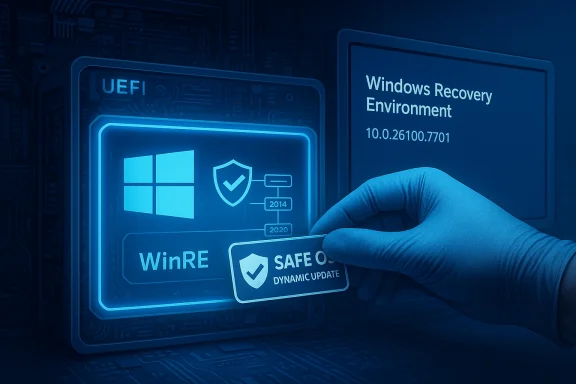
Microsoft released a Safe OS Dynamic Update designated KB5074111 for Windows 11, versions 24H2 and 25H2 on January 29, 2026, delivering targeted improvements to the Windows Recovery Environment (WinRE). The small but consequential package raises the WinRE image to version 10.0.26100.7701, replaces the earlier WinRE dynamic update released on January 13 (KB5074108), and explicitly calls out the looming Secure Boot certificate expirations that IT teams must prepare for. (support.microsoft.com)
Windows ships a separate, minimal runtime called the Windows Recovery Environment (WinRE) that runs independently of the main OS to repair boot problems, restore system images, and provide recovery tools. Microsoft deploys Safe OS Dynamic Updates to update WinRE and other pre-boot components outside the full OS servicing channels. These updates are delivered through Windows Update, the Microsoft Update Catalog, and WSUS so that recovery images remain current and can handle modern boot and signing requirements. KB5074111 is the latest of these Safe OS Dynamic Updates for the current Windows 11 consumer/enterprise stream. (support.microsoft.com)
This release arrives amid an unusually turbulent January update cycle for Windows 11. A January 13 cumulative update (KB5074109) introduced security fixes, a Secure Boot certificate delivery mechanism, and a series of subsequent out‑of‑band hotfixes. That broader update sequence has been associated with several problematic regressions — including remote sign‑in and cloud-storage app hangs — and a small set of systems reporting boot failures. Microsoft has been tracking and addressing those issues across multiple KBs while continuing to publish targeted Safe OS updates like KB5074111 to keep WinRE and recovery tools aligned with current requirements.
Practical implications of the certificate lifecycle change include:
If you manage Windows devices:
KB5074111 is a good example of maintenance Microsoft must perform at the pre‑boot level to preserve boot security and recovery capability. The work is necessary and timely — but in an update cycle already complicated by platform regressions and a major certificate transition, administrators and users should approach rollout with discipline: pilot, verify, and keep recovery options ready. (support.microsoft.com)
Conclusion: apply KB5074111 in a controlled manner, verify WinRE version (10.0.26100.7701), and prioritize certificate readiness for Secure Boot before the June/October 2026 expirations; doing so will minimize surprises when recovery is most needed. (support.microsoft.com)
Source: Microsoft Support KB5074111: Safe OS Dynamic Update for Windows 11, versions 24H2 and 25H2: January 29, 2026 - Microsoft Support
 Background / Overview
Windows ships a separate, minimal runtime called the Windows Recovery Environment (WinRE) that runs independently of the main OS to repair boot problems, restore system images, and provide recovery tools. Microsoft deploys Safe OS Dynamic Updates to update WinRE and other pre-boot components outside the full OS servicing channels. These updates are delivered through Windows Update, the Microsoft Update Catalog, and WSUS so that recovery images remain current and can handle modern boot and signing requirements. KB5074111 is the latest of these Safe OS Dynamic Updates for the current Windows 11 consumer/enterprise stream. (support.microsoft.com)This release arrives amid an unusually turbulent January update cycle for Windows 11. A January 13 cumulative update (KB5074109) introduced security fixes, a Secure Boot certificate delivery mechanism, and a series of subsequent out‑of‑band hotfixes. That broader update sequence has been associated with several problematic regressions — including remote sign‑in and cloud-storage app hangs — and a small set of systems reporting boot failures. Microsoft has been tracking and addressing those issues across multiple KBs while continuing to publish targeted Safe OS updates like KB5074111 to keep WinRE and recovery tools aligned with current requirements.
What KB5074111 includes
Summary of changes
KB5074111 is focused on improving WinRE behavior and reliability. The update's own summary lists the tangible fixes it delivers:- KDNET debug DLLs: Corrects a scenario where KDNET utility DLLs (kdstub.dll and kdnet.dll) could become unresponsive when Boot Manager (bootmgr) debugging is enabled during system start.
- Narrator: Fixes an issue where Narrator would fail to start when Windows was installed from an ISO image.
Delivery and installation notes
- Availability: The update is available through Windows Update, the Microsoft Update Catalog, and WSUS. Administrators can get the standalone package from the Update Catalog and integrate it into managed servicing workflows. (support.microsoft.com)
- Prerequisites: Microsoft lists no prerequisites for applying this dynamic update.
- Restart behavior: The update does not require a system restart once applied to the WinRE image.
- Removal: The WinRE update cannot be removed once it is applied to an image; administrators should treat it as an idempotent servicing operation. (support.microsoft.com)
How Microsoft expects you to verify installation
KB5074111 includes guidance and a small PowerShell script (GetWinReVersion.ps1) plus instructions using reagentc and DISM to mount the WinRE WIM and confirm the file version of winpeshl.exe. The KB specifically tells administrators what WinRE version to expect (10.0.26100.7701) and shows how to read WinREAgent servicing events (Event ID 4501) to confirm a successful servicing operation. These verification techniques are practical for imaging teams and support staff. (support.microsoft.com)Why this matters now: Secure Boot certificates and the January update context
Secure Boot certificates are expiring in 2026
One of the most consequential sentences buried in recent Windows update notices is the warning about expiring Microsoft Secure Boot certificates originally issued in 2011. Microsoft has warned that the 2011 certificate authorities (CAs) used for KEK/DB/DBX updates will begin to expire starting June 2026 (with one CA expiring in October 2026), making it impossible to sign future boot‑time components unless devices receive new 2023 certificates first. Microsoft is coordinating a phased rollout of the new CA certificates to eligible devices and urging administrators to ensure their fleets receive the 2023 certificates ahead of 2011 expirations to maintain the ability to receive pre‑boot security updates. KB5074111 reiterates that broader Secure Boot certificate guidance because WinRE and other pre‑boot components must be able to accept new signing certificates.Practical implications of the certificate lifecycle change include:
- Devices that do not receive the 2023 certificates risk losing the ability to apply security fixes to boot components after the 2011 certificates expire.
- Anti‑cheat and other anti‑tamper systems that rely on Secure Boot may be affected if certificates are not updated.
- OEM firmware (UEFI) interactions matter: some certificate updates require firmware cooperation, and Microsoft will deliver certificate updates via Windows updates as an assist where possible.
January 2026 cumulative update fallout
The January 13, 2026 cumulative update (KB5074109) bundled security fixes and began a controlled rollout of Secure Boot certificate updates to devices that meet Microsoft's telemetry-based deployment criteria. That same update has been associated with several regressions — including Remote Desktop authentication issues and cloud storage app hangs — which Microsoft addressed via two out‑of‑band emergency fixes (for example KB5077744 and KB5078127). More seriously, some users reported a small but impactful set of devices failing to boot with the stop code UNMOUNTABLE_BOOT_VOLUME after the January LCU; Microsoft acknowledged the reports and opened investigations. Admins juggling recovery tools and deployment pipelines therefore need to be mindful that WinRE updates and cumulative updates can overlap in troublesome ways on affected systems.Critical analysis: strengths, implementation risks, and operational impacts
Strengths and intent
- Targeted remediation: KB5074111 is narrowly scoped. Small, focused WinRE fixes are the right approach for recovery image stability because they reduce blast radius and limit the changes introduced into the environment that runs outside the full OS. This is preferable to bundling recovery image changes into large LCUs.
- Proactive Secure Boot alignment: By reiterating Secure Boot certificate guidance and ensuring WinRE is compatible with current certificate sets, Microsoft helps prevent a future where devices can boot but cannot receive pre‑boot security updates — a scenario that would erode platform trust.
- Operational clarity for administrators: The update includes explicit verification procedures (scripted and command‑line) to confirm WinRE versioning, which improves auditability in managed environments. (support.microsoft.com)
Risks and real operational concerns
- Non-removable updates: The WinRE image update cannot be uninstalled once applied to an image. For organizations that test or stage images, this means a mistaken application can’t be trivially rolled back — you must restore from a known-good image or re-create the WinRE image. This elevates the importance of pre-deployment testing and snapshot-based recovery for imaging servers. (support.microsoft.com)
- Interplay with buggy cumulative updates: When a platform has a problematic LCU — as occurred in January — adding new recovery image components at the same time increases complexity for root cause analysis. If a device fails to boot, admins must reason across both the LCU that patched the running image and the Safe OS update that touched WinRE. That makes troubleshooting more time-consuming and error-prone. Recent reports of UNMOUNTABLE_BOOT_VOLUME after KB5074109 underline how a small set of failures can cascade into lengthy recovery operations.
- Firmware and OEM dependencies: The Secure Boot certificate transition is partly a firmware-level problem. Not every device will accept Microsoft-delivered certificate updates automatically; some older UEFI implementations or OEM‑managed Secure Boot flows may require firmware updates or manual certificate injection. Organizations with mixed hardware vendors should expect uneven timelines to complete the transition.
- Potential for confusing support paths: Because Safe OS updates target WinRE (the environment you use when the OS won't boot), any failure in applying or verifying those updates may itself require recovery operations that depend on the very component that failed — a bootstrap paradox that forces reliance on external boot media or pre-provisioned recovery tools.
Practical guidance for home users and IT administrators
Below are tactical steps you should take now to safely manage KB5074111 and the surrounding update landscape.1. Plan and pilot before broad deployment
- Identify a small pilot group of test devices representing your hardware diversity (laptops, desktops, VM images, Surface/OEM images).
- Apply KB5074111 to that pilot set first (via Windows Update, the Update Catalog, or WSUS).
- Verify WinRE version and Run end‑to‑end recovery scenarios (automatic repair, system restore, image apply) using both the local WinRE and bootable media.
2. Verify WinRE version and servicing success (commands you can use)
- Check Windows RE location and status:
- Open an elevated command prompt and run: reagentc /info
- Use the PowerShell script approach Microsoft publishes:
- Mount WinRE image and read the winpeshl.exe file version (the KB includes GetWinReVersion.ps1 and DISM mounting steps).
- The KB expects WinRE version 10.0.26100.7701 after KB5074111 is applied.
- Monitor Event Viewer for WinREAgent servicing events (Event ID 4501) to confirm successful servicing.
- Create a mount directory (e.g., C:\mnt).
- Mount the WinRE WIM: dism /Mount-Image /ImageFile:"<WinRE path>\winre.wim" /Index:1 /MountDir:"C:\mnt"
- Inspect the file version of C:\mnt\Windows\System32\winpeshl.exe
- Unmount: dism /Unmount-Image /MountDir:"C:\mnt" /Discard
3. Check and plan for Secure Boot certificate updates
- Treat the Secure Boot CA transition as a high-priority dependency for your fleet. Confirm whether devices already carry the 2023 certificates (many devices manufactured since 2024 already do).
- For managed fleets, coordinate with OEMs for firmware updates where necessary. For unknown or older devices, keep manual or scripted procedures ready to update KEK/DB entries where Windows Update cannot apply the certificates on its own.
- Audit devices using PowerShell checks Microsoft documents and be prepared to escalate to vendor firmware updates for devices that reject certificate changes.
4. Use the Update Catalog and WSUS for controlled delivery
- If you need to apply KB5074111 to offline images or pre-boot recovery partitions, download the standalone package from the Microsoft Update Catalog and use Microsoft’s documented method to add an update package to Windows RE.
- Configure WSUS to sync the Product “Windows 11” and Classification “Update” so KB5074111 is available in your controlled distribution channels. KB5074111 is explicitly published to synchronize to WSUS in this configuration. (support.microsoft.com)
5. If you’re seeing boot failures after January LCUs
- If devices show UNMOUNTABLE_BOOT_VOLUME or fail to boot after the January cumulative update (KB5074109), Microsoft guidance and community reporting indicate that recovery usually requires working from WinRE (or external boot media) to uninstall the offending LCU or perform repair operations. For devices that cannot boot into WinRE, external bootable media with known-good recovery tools is essential.
- Consider pausing automatic updates for affected device groups until root-cause and mitigations are confirmed; for enterprise environments, apply Known Issue Rollback (KIR) or Group Policy workarounds Microsoft provides for specific regressions where applicable.
Recommended rollout checklist
- Back up recovery partitions and system images for all critical devices.
- Create a small, representative pilot and apply KB5074111 first.
- Confirm WinRE version is 10.0.26100.7701 using Microsoft’s verification steps.
- Validate recovery scenarios using both WinRE and external boot media.
- Audit devices for Secure Boot certificate status; identify firmware update requirements.
- Use Update Catalog/WSUS for controlled distribution and avoid universal auto-deploy until pilots pass.
- Prepare rollback and remediation playbooks focused on external boot recovery if an image becomes unserviceable.
Final assessment: what to watch for next
KB5074111 itself is a modest and narrowly scoped WinRE update, and as such it represents the right kind of maintenance to keep recovery tools compatible with evolving platform signing requirements. However, it arrives during a volatile update window that has already produced several regressions and required emergency out‑of‑band fixes. The combination of an ecosystem-wide Secure Boot certificate renewal, firmware diversity across OEMs, and the presence of a non‑removable WinRE image update means the operational burden falls squarely on administrators to test, verify, and stage the rollout carefully. (support.microsoft.com)If you manage Windows devices:
- Treat KB5074111 as necessary maintenance for WinRE and Secure Boot continuity.
- But do not treat it as trivial — test, verify, and stage it.
- Rehearse recovery with external bootable media and ensure imaging servers retain pre-update WinRE snapshots for fallbacks.
KB5074111 is a good example of maintenance Microsoft must perform at the pre‑boot level to preserve boot security and recovery capability. The work is necessary and timely — but in an update cycle already complicated by platform regressions and a major certificate transition, administrators and users should approach rollout with discipline: pilot, verify, and keep recovery options ready. (support.microsoft.com)
Conclusion: apply KB5074111 in a controlled manner, verify WinRE version (10.0.26100.7701), and prioritize certificate readiness for Secure Boot before the June/October 2026 expirations; doing so will minimize surprises when recovery is most needed. (support.microsoft.com)
Source: Microsoft Support KB5074111: Safe OS Dynamic Update for Windows 11, versions 24H2 and 25H2: January 29, 2026 - Microsoft Support
