• Thread Author
Microsoft has quietly reissued a Windows Recovery Environment (WinRE) servicing update for Windows 10—KB5075039—that finally addresses a serious regression introduced by October 14, 2025 updates that in some cases left WinRE unable to start or accept USB input. The re-release and associated Safe OS dynamic package correct the broken WinRE image and restore recoverability for affected systems, but the fix comes with important caveats for home users, imaging workflows, and administrators managing post–end-of-support Windows 10 fleets.

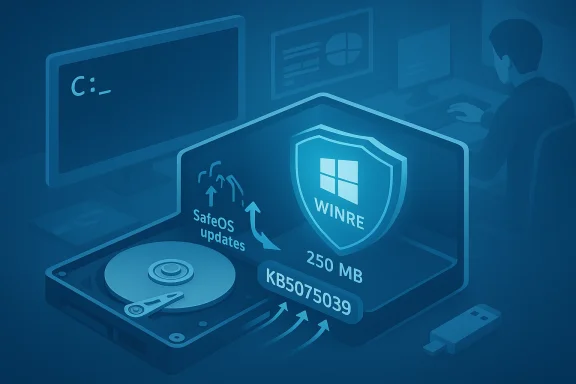
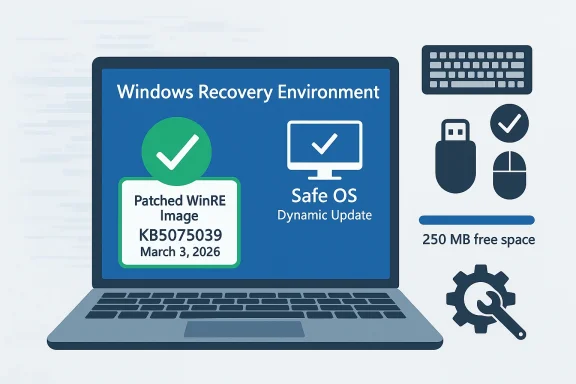
Infographic of patched Windows Recovery Environment image (KB5075039) and Safe OS dynamic update.Background / Overview​

In mid‑October 2025 a set of Safe OS dynamic packages and WinRE servicing updates shipped alongside regular security releases. Those October updates included a driver package that contained a faulty USB stack binary (notably a specific USB hub driver) and a WinRE servicing package that, on some installations, produced a WinRE image that either would not mount properly or would not accept keyboard and mouse input inside the recovery environment. The consequence was striking: systems that needed offline recovery tools—Reset, troubleshooting options, image recovery, or the built‑in Command Prompt from WinRE—could be left effectively unmanageable without external boot media.
Microsoft and multiple industry observers documented the problem in October 2025, and Microsoft subsequently issued out‑of‑band updates for Windows 11 and follow‑up recovery updates for Windows 10 customers who had extended support entitlements. Beginning in January 2026 Microsoft published WinRE servicing updates intended to repair WinRE, and on March 3, 2026 Microsoft updated its WinRE support article and reissued KB5075039 to explicitly add the fix for the known October 14, 2025 issue.
This article unpacks what went wrong, explains exactly what KB5075039 does (and for whom it’s offered), walks through how to check whether your WinRE is repaired, and outlines practical mitigations and best practices for both consumers and enterprise admins in the months ahead.

What broke in October 2025: the technical root cause​

The driver / Safe OS dynamic package regression​

The October 14, 2025 cumulative/security cycle included Safe OS dynamic updates designed to refresh the WinPE/WinRE runtime and several kernel‑mode drivers used by the recovery environment. One of those dynamic packages included an updated USB stack driver with a file version reported in vendor metadata as 10.0.26100.6891. On some systems the replacement WinRE image incorporated the faulty driver binary, which caused USB input devices—wired USB keyboards and mice—to be non‑functional inside WinRE. In other cases the WinRE servicing flow produced an image that would not start at all.
The immediate impact was operational: repair options that rely on keyboard/mouse input became inaccessible, and automated recovery flows that depend on WinRE could fail. For many users the most practical workaround was booting external recovery media created prior to October 2025, or using older images that contained a working WinRE image.

Why WinRE matters more than you think​

WinRE is not just an optional recovery utility: it is the standard offline environment Windows uses for system repair, resetting, BitLocker recovery workflows, and pre‑OS troubleshooting. When WinRE is broken:
  • Automatic and manual recovery operations can fail.
  • Administrators lose a native path to offline servicing of system images.
  • Systems that enter a boot failure state may require full external media reinstallation or hardware‑level support to recover.
Given that Windows 10 reached its mainstream support endpoint on October 14, 2025, the timing of the regression increased anxiety: many Windows 10 machines either no longer receive broad consumer servicing or rely on Extended Security Updates (ESU) entitlements for continued support. That created an uneven remediation landscape.

Microsoft’s response timeline: October 2025 → March 2026​

  • October 14, 2025 — Microsoft shipped the Patch Tuesday updates that included Safe OS dynamic packages and WinRE servicing packages. After field reports and internal validation surfaced the USB/WinRE regressions, Microsoft acknowledged the problem in its release‑health notes and began developing targeted fixes.
  • Mid‑ to late October 2025 — Microsoft issued emergency recovery updates for Windows 11 channels, plus guidance for administrators and consumers on workarounds. The early fixes restored USB input to WinRE for affected Windows 11 SKUs.
  • January 15, 2026 — Microsoft released a Windows 10 WinRE servicing update (KB5075039) that applied a Safe OS dynamic update into WinRE on running PCs in an attempt to repair the environment.
  • March 3, 2026 — Microsoft updated the KB article and re‑released KB5075039 with additional change log information explicitly stating the update “Fixed: WinRE would not start after installing the October 14, 2025 update KB5068164.” The reissued update installs a Safe OS dynamic package into WinRE to address the failures and also adds improved verification and guidance for administrators.
Put simply: Microsoft iterated on the WinRE repair packages across several months, with a specific reissue in early March 2026 that formalizes the fix for machines that had become unbootable or that had WinRE images left in a broken state following the October 2025 changes.

KB5075039: what it does, how it is delivered, and the important limits​

Core behavior​

  • KB5075039 is a Windows Recovery Environment update that automates the application of a Safe OS Dynamic Update into the WinRE image of a running PC. That Safe OS dynamic update contains newer WinPE runtime components and corrected drivers intended to remove the October‑introduced regression.
  • After installation, the WinRE image version on the device should be greater than or equal to a specified baseline (the KB describes the target WinRE version you should see after the update is applied).
  • The update performs servicing of the WinRE image; there is no user‑visible reboot requirement after applying the package to the running OS.

Deployment channels and the big delivery caveat​

  • KB5075039 is offered through Windows Update. It is not available in the Microsoft Update Catalog, and it is not deployable through WSUS or Microsoft Endpoint Configuration Manager. This matters tremendously for managed environments that rely on catalog downloads and WSUS for staged rollouts.
  • The Microsoft KB metadata for the March 3, 2026 reissue spells out the Applies To scope: the update is published against Windows 10 Enterprise LTSC 2021 and Windows 10 devices covered by Extended Security Updates (ESU). In short: the published scope prioritizes enterprise LTSC and ESU customers.
  • The update requires at least 250 MB of free space in the WinRE recovery partition to install successfully. Microsoft provides guidance and scripts for resizing the recovery partition where necessary.

Irreversible and replacement behavior​

  • The update cannot be removed once it is applied to a Windows image.
  • KB5075039 replaces the previously released WinRE servicing update associated with the October 2025 release (KB5068164), addressing the known issue introduced by that prior package.

Who gets the fix — and who might be left behind​

One of the most consequential details buried in Microsoft’s support metadata is the explicit Applies To scope. Because Windows 10’s mainstream free support ended on October 14, 2025, Microsoft’s KB entries for these post‑EOL recovery updates are targeted primarily at customers with paid entitlements (for example, Extended Security Updates) and certain long‑term servicing channel SKUs (LTSC).
That produces three practical consequences:
  • Enterprise LTSC and ESU‑subscribed customers will be offered KB5075039 via Windows Update and can have WinRE repaired as part of the regular servicing flow if their WinRE partition has sufficient free space.
  • Mainstream Windows 10 Home and Pro devices that are not enrolled in ESU may not be offered the reissued package via Windows Update. In those cases, affected home devices could be left without an official, Microsoft‑distributed WinRE repair through standard update channels.
  • Managed environments that rely on WSUS, Configuration Manager, or offline catalog downloads will not see KB5075039 through those channels. Administrators must plan for alternative delivery mechanisms, such as orchestrated imaging or custom WinRE servicing using offline image servicing tools.
This distribution model has real risk: typical home users and small businesses who did not purchase ESU or who did not create their own recovery media may discover they cannot rely on Windows Update to fix a broken WinRE. For many of those users, the fallback will be to use earlier created external media (USB recovery drives), reinstall from installation media, or seek paid support.

How to verify whether your WinRE is repaired (practical checks)​

Administrators and power users should proactively check WinRE on machines in their environment. Microsoft documents a few reliable ways to confirm WinRE health; here are the key checks you can run locally.

1) Check whether WinRE is enabled and the image path​

Run an elevated command prompt and execute:
  • reagentc /info
This will display whether WinRE is Enabled and the path to the WinRE image on the recovery partition.

2) Inspect the WinRE image version with DISM​

Once you have the path, you can use DISM to obtain image info:
  • dism /Get-ImageInfo /ImageFile:<full‑path‑to‑winre.wim> /index:1
The output will show the WinRE image version. After a successful KB5075039 application you should see a WinRE image version at or above the baseline Microsoft documents for the fix.

3) Use Microsoft’s PowerShell helper​

Microsoft publishes a small PowerShell script (GetWinReVersion.ps1) that automates the discovery, mounting, and version extraction of winre.wim and prints the WinRE version. Running that script with administrator credentials is a quick way to get a consistent result.

4) Event logs​

Look for WinREAgent servicing events in the System log. A successful servicing event will show an event such as “Servicing succeeded. The Windows Recovery Environment version is now: <version>.”
If verification shows WinRE is still below the baseline, or you cannot mount the winre.wim, you will need to consider manual servicing steps or external recovery media.

How to fix WinRE when automated delivery is not available​

If your device does not receive KB5075039 through Windows Update, or if you are managing devices at scale and need deterministic controls, there are a few alternatives.

Manual WinRE servicing (enterprise / advanced users)​

  • Obtain a known‑good WinRE image containing the corrected Safe OS dynamic components (for example, an image from a patched reference machine or a patched WIM exported by a supported channel).
  • Mount the recovery partition, copy your existing winre.wim to a safe location, and replace the winre.wim with the known‑good image.
  • Use DISM to apply any required servicing updates offline to the mounted WinRE image.
  • Re‑register WinRE if necessary (using reagentc /setreimage /path <path>), then confirm version and WinREAgent servicing events.
Note: Microsoft documents an official “Add an update package to Windows RE” process that details how to attach servicing packages to the WinRE image. Administrators should prefer documented procedures and perform operations on test images first.

Resizing the WinRE partition​

Because KB5075039 requires 250 MB of free space on the recovery partition, you may need to enlarge the WinRE partition before the update can install. Microsoft provides guidance and sample scripts for resizing the partition safely. Administrators should:
  • Validate available free space with reagentc /info and by inspecting the partition.
  • Use tested scripts or disk management tooling to expand the recovery partition.
  • Perform partition changes in a maintenance window and ensure backups exist before manipulating partitions.

Create external recovery media now​

If your device is not eligible for the Microsoft reissue, or you prefer redundancy, create a USB recovery drive from a known‑good Windows 10 machine that has been patched with the corrected WinRE image. This recovery USB can be used to boot systems and access recovery options independently of a potentially broken local WinRE.

Short‑term mitigations you can apply today​

  • Keep a working external recovery drive or installation media on hand—preferably one created or updated after March 3, 2026 for Windows 10 devices that might be affected.
  • Use PS/2 keyboards or device types that do not rely on the affected USB stack if you must access WinRE immediately and cannot update the device.
  • For managed fleets, test KB5075039 on a pilot set of machines (preferably ESU/LTSC images) and export a working winre.wim that can be used to repair offline devices.
  • If you rely on WSUS/Configuration Manager, prepare a process to obtain the corrected WinRE image from a patched reference device and distribute it through an approved imaging/servicing workflow.

Enterprise management considerations and recommendations​

For IT departments the situation is a reminder that post‑end‑of‑life patching and recovery workflows require operational attention.
  • Do not assume Windows Update will deliver every emergency repair to all SKUs. KB publication metadata can limit the Applies To scope to ESU or LTSC SKUs, and some recovery servicing updates are not published to catalogs that WSUS consumes.
  • Maintain a patched golden image that contains a healthy winre.wim and ensure that it is refreshed after every patching cycle that touches Safe OS or WinRE components.
  • Document a WinRE verification runbook: reagentc /info, DISM image inspection, PowerShell script check, and log verification. Run these checks as part of periodic compliance scans and image validation.
  • Consider adding a simple monitoring rule to detect whether WinREAgent servicing events have failed or whether the recovery partition free space is low. Preventative maintenance is cheaper and less disruptive than field remediation.
  • If your environment still uses cloned images, ensure you are regenerating unique SIDs and other identifiers during imaging workflows—some WinRE and safety features expect distinct system identifiers.

Larger implications: testing, dynamic updates, and EOL realities​

This incident highlights several broader lessons for Windows administrators and users:
  • Safe OS dynamic updates and WinRE servicing are powerful but fragile. They operate outside the normal OS runtime, and a problematic library or driver in the recovery image can have outsized impact because the recovery environment is a last‑resort path.
  • Dynamic updates that touch drivers should be subjected to thorough validation in recovery contexts. Driver regressions are more tolerable in the main OS than in the recovery runtime where administration is limited.
  • End-of‑support OSes create asymmetric remediation behavior. When mainstream consumer servicing ends, enterprises can expect continued paid support channels while consumers may not. That can create a support cliff where ordinary users have fewer options to recover without external intervention.
  • Delivery channels matter. Microsoft’s decision to limit KB5075039 to Windows Update delivery—without Microsoft Update Catalog or WSUS availability—puts more burden on live Windows Update paths and complicates mass remediation for organizations that rely on catalog‑based distribution.

Best practices checklist — what administrators and advanced users should do now​

  • Immediately verify WinRE on representative systems:
  • reagentc /info
  • DISM /Get-ImageInfo for winre.wim
  • Run the GetWinReVersion.ps1 helper script and check WinREAgent events
  • Ensure the recovery partition has ≥250 MB free; if not, plan and test a safe resize operation in a maintenance window.
  • Patch a reference machine that receives KB5075039 via Windows Update, then extract and archive the patched winre.wim as a trusted recovery image.
  • For WSUS/ConfigMgr environments, prepare a documented offline remediation plan (export patched winre.wim, script replacement on target devices).
  • Build and maintain up‑to‑date external recovery USB drives for end users in high‑risk roles or offices.
  • Update documentation and runbooks to include WinRE verification as part of periodic compliance and post‑patch validation.
  • Communicate to users: instruct home and small business users who are not on ESU to create recovery media now and to contact support if they encounter a non‑working WinRE.

Strengths, weaknesses, and risk appraisal​

Notable strengths of Microsoft’s approach​

  • Microsoft identified and acknowledged the regression, and produced targeted WinRE servicing updates for both Windows 11 and Windows 10 post‑EOL channels.
  • The March 3, 2026 KB reissue clarifies the fix and provides automated servicing steps to repair WinRE on running systems.
  • Microsoft provides diagnostic guidance, scripts, and event IDs to help administrators confirm WinRE health.

Persistent weaknesses and risks​

  • The limited Applies To scope and the absence of the update in Microsoft Update Catalog/WSUS leaves a large surface of Windows 10 Home and Pro devices at risk of being underserved.
  • Administrators who depend on WSUS/ConfigMgr cannot rely on standard catalog synchronization to deliver KB5075039; they must adopt manual or custom remediation workflows.
  • Because the update requires 250 MB of free recovery partition space, systems with small recovery partitions (very commonly seen in OEM images or devices with older imaging practices) may not get the automated fix without a prior partition resize operation—an operation that itself introduces risk when performed at scale.
  • The underlying problem stems from a driver/data regression inside a Safe OS dynamic package; this underscores the risk of delivering binary updates into recovery runtimes without broad recovery‑path validation across a range of hardware and OEM images.

Final assessment and practical takeaways​

KB5075039’s reissue on March 3, 2026 is an important corrective step: it gives organizations and eligible Windows 10 customers a route to restore a functional WinRE image after the October 2025 regression. However, the repair is not universally and automatically available to all Windows 10 installations. Home and Pro users without ESU, and organizations that rely strictly on WSUS or catalog‑driven patching, should not assume their systems will receive KB5075039 through their usual channels.
Actionable next steps:
  • Verify WinRE status on your machines today.
  • If you manage fleets, patch a reference device and export a repaired winre.wim to use as a fallback.
  • Create or refresh external recovery media for endpoints that cannot be guaranteed an automatic fix.
  • Plan an inventory and remediation path for systems with inadequate recovery partition space.
  • Reassess imaging and update validation workflows to include recovery‑path testing as mandatory for any Safe OS or dynamic updates that affect WinPE/WinRE components.
This episode is a useful reminder that recovery environments deserve the same engineering and QA rigor as the main OS runtime. When the last‑resort tools fail, the cost of remediation and user impact can be severe. For now, KB5075039 is a welcome fix for eligible systems—deploy it where you can, and prepare a fallback plan where you cannot.

Source: BornCity Windows 10: WinRE Update KB5075039 fixes issue from Oct. 2025
 

Microsoft’s latest Windows 10 servicing drama has left a subset of machines vulnerable to serious recoverability problems: a Patch Tuesday update delivered in mid‑October 2025 introduced a regression that, on some systems, broke the Windows Recovery Environment (WinRE), producing boot failures, BitLocker recovery prompts, and an inability to use built‑in recovery tools — and the repair path Microsoft published in early March 2026 is targeted and uneven, leaving many home and unmanaged devices with complicated workarounds.

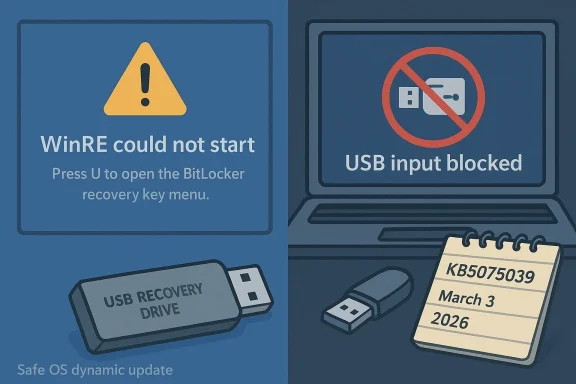
Two-panel Windows-themed illustration showing WinRE recovery failure and USB input blocked.Background / Overview​

The Windows Recovery Environment (WinRE) is a compact, “Safe OS” image docked on a protected recovery partition that provides essential tools when Windows cannot boot: Repair startup, System Restore, Reset this PC, offline Command Prompt, and BitLocker recovery workflows. For many users WinRE is the difference between a quick repair and a complete reinstall.
On October 14, 2025 Microsoft shipped its regular monthly cumulative updates. Several of those updates included Safe OS dynamic packages intended to refresh the WinPE/WinRE runtime and associated kernel‑mode drivers. Unfortunately, one of the driver updates — a USB stack/hub driver variant — was incorporated into an updated WinRE image on some systems and produced two critical failure modes: WinRE would not start at all on some devices, and on others WinRE booted but stopped accepting USB keyboard and mouse input, rendering the recovery UI non‑interactive. The result: users could neither navigate recovery options nor perform offline repairs without external boot media.
Microsoft and ecosystem observers first documented the regression in October 2025, and a sequence of remediation attempts followed over the next several months, culminating in a reissued WinRE servicing update on March 3, 2026 that explicitly targeted the October regression. That reissue — published as KB5075039 — automates applying a corrected Safe OS dynamic package into the local WinRE image. But the delivery is not universal: Microsoft published the reissued package with an Applies To scope that prioritizes Windows 10 Enterprise LTSC 2021 and devices covered by Extended Security Updates (ESU), and it is not available in the Microsoft Update Catalog or deployable via WSUS or Configuration Manager in the usual way. That delivery model creates real-world complications for many Home and Pro users and for administrators who rely on cataloged updates.

What exactly went wrong — a technical postmortem​

The Safe OS dynamic package regression​

Windows ships a WinRE image that runs outside the main OS. When Microsoft updates WinRE, it uses Safe OS dynamic updates and WinRE servicing packages to replace or patch components in the recovery image. The October 14, 2025 cycle included such a Safe OS dynamic update that carried an updated USB driver binary. On a subset of devices that driver either prevented the WinRE image from starting, or prevented USB input devices from working inside WinRE, while the full Windows environment continued to accept those same USB devices. In short, the fix for the running OS migrated a faulty binary into the recovery image.

Where the damage showed up​

  • Boot failures: Some machines fell into repeated boot loops or stopped booting into the full OS, instead landing in WinRE or a BitLocker recovery prompt with no reliable way to progress.
  • Non‑interactive recovery UI: On affected devices the recovery options appeared but keyboards and mice connected via USB were unresponsive in WinRE, blocking navigation. This mostly affected USB HID devices and certain USB controller driver combinations.
  • BitLocker prompts: Several reports described systems unexpectedly dropping into BitLocker recovery screens, asking for the 48‑digit recovery key — sometimes even when BitLocker had not been explicitly configured by the user — complicating recovery further.

Why this is worse than a normal update bug​

WinRE is the last line of defense. A broken recovery environment has outsized consequences because it prevents the very tools meant to rescue a machine. That amplifies risk: devices with corrupted WinRE may require external recovery media, offline servicing of the winre.wim, or full reinstallation — all of which increase downtime and, in severe cases, the chance of data loss if BitLocker keys are not accessible.

Timeline of Microsoft’s response​

  • October 14, 2025 — Microsoft shipped the monthly cumulative updates that included the problematic Safe OS dynamic packages. Field reports and community threads quickly surfaced symptoms.
  • Mid‑to‑late October 2025 — Microsoft issued hotfixes and out‑of‑band patches for Windows 11 channels and published guidance and workarounds for administrators and power users. Early fixes targeted USB input restoration inside WinRE for Windows 11 SKUs.
  • January 15, 2026 — Microsoft released a Windows 10 WinRE servicing update (KB5075039) intended to repair WinRE images on running PCs by injecting an updated Safe OS dynamic package.
  • March 3, 2026 — Microsoft updated the KB article and reissued KB5075039 to explicitly state the fix for machines affected by the October 14, 2025 changes; the reissue included verification, additional guidance, and clarified the Applies To scope.
This iterative timeline shows Microsoft acknowledged the problem and moved to remediate it, but the fixes were rolled out with significant caveats that matter for many users.

Who gets the official fix — and who may be left out​

The corrected WinRE servicing update (KB5075039) is delivered through Windows Update, but Microsoft restricted the Applies To scope in the reissued metadata. The update is targeted at:
  • Windows 10 Enterprise LTSC 2021 and
  • Windows 10 devices covered by Extended Security Updates (ESU).
Crucially, the package is not published in the Microsoft Update Catalog and cannot be deployed through WSUS or Microsoft Endpoint Configuration Manager, which many organizations use to stage updates. That means:
  • Enterprise LTSC and ESU customers should receive the repair via Windows Update when their devices meet free space and other prerequisites.
  • Home and Pro devices that are not enrolled in ESU may not be offered the reissued package automatically, and therefore could remain without a Microsoft‑delivered WinRE repair via normal Windows Update channels. This creates a real risk for home users and small businesses who rely on automatic updates and have not prepared external recovery media.
This distribution decision is a critical point: the remedy exists, but it is not universally available through standard enterprise/distribution channels, and many common management paths are excluded.

How to check whether your WinRE is broken (practical verification)​

If you suspect your machine may be affected, these are the most reliable checks administrators and power users should run. Microsoft documents and community experts use the same sequence.
  • Run an elevated command prompt and check WinRE status:
  • reagentc /info
  • This will tell you whether WinRE is enabled and show the path to the winre.wim image on the recovery partition.
  • Inspect the WinRE image version using DISM:
  • dism /Get-ImageInfo /ImageFile:<path_to_winre.wim> /index:1
  • The output shows the WinRE image version. After a successful KB5075039 installation the image version should meet or exceed the baseline Microsoft documents.
  • Use Microsoft’s helper script:
  • Microsoft publishes a PowerShell script (GetWinReVersion.ps1) that automates discovery, mounting, and version extraction of winre.wim. Run it elevated to get a consistent result.
  • Check Event Viewer:
  • Look for WinREAgent servicing events in the System log. Successful servicing shows events describing the new WinRE version. Failed servicing events indicate further action is required.
If the winre.wim cannot be mounted, or the image version is below the published baseline after updates, assume WinRE is still broken and follow remediation guidance below.

How to fix or mitigate the problem now​

There are three realistic remediation paths depending on your device, skills, and whether you are in an enterprise.

1) Install the reissued KB5075039 via Windows Update (where offered)​

  • If your device is in the update scope (Enterprise LTSC or ESU) and Windows Update offers KB5075039, apply it.
  • The update performs servicing of the WinRE image on the running OS and does not require a visible reboot.
  • Note: The update requires at least 250 MB of free space on the recovery partition to install; administrators may need to resize the recovery partition before the update can succeed. Microsoft provides guidance and scripts for resizing.

2) Manual WinRE servicing (enterprise / advanced users)​

If the automated package is not offered to your device — for example, Home/Pro devices not on ESU or managed environments that require WSUS — you can repair WinRE manually, but this requires administrative skill and access to a known‑good winre.wim.
  • Obtain a known‑good winre.wim from a patched reference device or a vetted source.
  • Mount the recovery partition, copy the existing winre.wim to a safe location, and replace the winre.wim with the known‑good image.
  • Use DISM to apply any required servicing updates offline to the mounted WinRE image.
  • Re‑register WinRE if necessary (reagentc /setreimage /path <path_to_mount>), then verify with reagentc /info and DISM.
  • This workflow is documented and should be performed on test images before broad deployment.
Caveats: manual servicing is not trivial. Mistakes can make a device unbootable. Always take a full backup and, if in doubt, seek professional assistance.

3) Create and use external recovery media as an immediate fallback​

If WinRE is broken and you cannot apply fixes promptly, create bootable external recovery media on a known‑good machine and use that to boot affected devices. This is the simplest universal fallback.
  • Use a patched Windows 10 installation to create a USB recovery drive (Recovery Drive utility or Media Creation Tool).
  • Boot the affected machine from the USB drive to access recovery options independent of the local WinRE.
  • Keep this recovery USB on hand — ideally created after March 3, 2026 for machines that may be affected by the October 2025 regression.
Short‑term mitigations while you work on a fix:
  • Use a PS/2 keyboard or non‑affected input type if possible to navigate WinRE on systems where USB HID is broken.
  • Export and safely store BitLocker recovery keys now; if your device hits a BitLocker prompt you will need the 48‑digit key.

Enterprise considerations and recommended runbook​

This incident exposes weak points in post‑end‑of‑life servicing, dynamic Safe OS updates, and imaging processes. For IT teams, here are prioritized actions:
  • Inventory and categorize affected devices:
  • Identify Windows 10 SKUs, determine which devices are LTSC or ESU‑enrolled, and which rely on WSUS/Configuration Manager.
  • Verify WinRE health across fleets:
  • Run reagentc /info and the Microsoft PowerShell helper as part of a compliance job or runbook. Flag devices where WinRE image version is below the baseline.
  • Prepare patched golden images:
  • Maintain a patched golden image that includes a healthy winre.wim. Refresh it after any servicing cycle that touches Safe OS or WinRE components.
  • Plan delivery for KB5075039 where automatic delivery is blocked:
  • Because KB5075039 is not available through WSUS/catalog, prepare offline remediation workflows: extract the corrected winre.wim from a patched reference machine and distribute it via your imaging and provisioning pipeline.
  • Ensure recovery partition space and processes:
  • KB5075039 requires ~250 MB free on the recovery partition; include partition validation and resizing in your remediation plan. Use tested scripts and maintenance windows for partition changes.
  • Train support staff:
  • Ensure frontline support knows how to use external recovery media and has procedures to recover BitLocker keys from company key escrow.

Risks, tradeoffs, and long‑term implications​

This incident has several meaningful consequences beyond the immediate repair cycle.
  • EOL dynamics matter: Windows 10 reached mainstream end of support on October 14, 2025. Post‑EOL servicing inevitably requires paid entitlements in some scenarios; the distribution choices Microsoft made for KB5075039 illustrate how EOL status can create patching gaps for home and small‑business devices. That leaves certain users dependent on manual remediation or external media.
  • Fragility of recovery stacks: WinRE sits outside the main runtime and is sensitive to driver and component mismatches. Safe OS dynamic updates are powerful but can be fragile — a single bad driver in a recovery image has an outsized effect. Organizations should treat WinRE as a first‑class citizen in their test matrices.
  • Imaging and management friction: Because the reissued fix is not available via WSUS or the catalog, organizations that rely on those channels face additional operational burdens. This incident should prompt IT teams to review their reliance on closed cataloging processes for emergency recovery servicing.
  • User risk and potential data loss: BitLocker recovery prompts without accessible keys can lead to data loss. Home users who have not backed up or stored recovery keys centrally are at risk if they face an unrecoverable BitLocker prompt. The onus is on both vendors and users to plan for and store recovery material safely.

What ordinary Windows 10 users should do today​

  • Don’t panic, but act cautiously. If your PC is running normally, monitor Windows Update and Microsoft’s KB guidance and keep backups. Sudden action like forcing updates can expose you to problems if your device is among those that would be offered the flawed WinRE image.
  • Create external recovery media now. Use a known‑good Windows 10 machine to create a USB recovery drive updated after March 3, 2026 where possible. Keep this drive safe; it’s the simplest way to regain access if WinRE on your local disk is corrupted.
  • Export BitLocker keys and backups. If BitLocker is enabled (or you’re not sure), sign into your Microsoft account or organizational key escrow and export the recovery key. Store copies in a secure location.
  • If you’re an advanced user, verify WinRE. Run reagentc /info and inspect winre.wim with DISM or the Microsoft helper script. If your image is below the baseline or cannot be mounted, prepare to use external media or perform manual servicing.
  • If you’re stuck at boot, don’t panic:
  • Try to boot from external recovery USB media.
  • If prompted for a BitLocker key and you don’t have it, check your Microsoft account or any printed/escrowed copies before proceeding to reinstall.

Final assessment and takeaways​

The October 2025 servicing regression and the subsequent KB5075039 reissue in March 2026 form a textbook example of how recovery environments can be inadvertently destabilized by routine updates — and how the distribution model for fixes matters as much as the fix itself. Microsoft produced a technical remedy, but the remediation’s selective availability and the operational friction of manual servicing and partition constraints mean that many home and unmanaged devices could remain exposed without proactive steps from users or administrators.
For IT teams this is a stark reminder to:
  • Treat WinRE as critical infrastructure, include it in validation matrices, and maintain patched golden images.
  • Maintain offline recovery media and processes independent of Windows Update.
  • Ensure BitLocker keys are discoverable and backed up.
For home users the takeaways are simple and actionable: back up your data, create a recovery USB, and verify BitLocker keys. Those preventive steps will make a real difference if your PC ever lands in a state where the built‑in recovery tools are the only hope.
This episode underscores a broader lesson: updates are essential for security, but they must be paired with robust recovery planning. When the safety net itself is weakened, preparedness — not haste — becomes the best defense.

Source: WinCentral Windows 10 Update Causing Boot and Recovery Issues
 

Microsoft quietly closed a year‑long wound in the Windows recovery stack this week: a March 3, 2026 patch (KB5075039) finally fixes a regression introduced by an October 14, 2025 WinRE update (KB5068164) that in some configurations left the Windows Recovery Environment (WinRE) unable to start — and it does so while exposing policy, testing, and deployment tensions that every IT pro should understand. (support.microsoft.com)

Blue infographic showing Windows SafeOS updates, WinRE shield, 250 MB patch KB5075039.Background​

The Windows Recovery Environment (WinRE) is the minimal, pre‑OS troubleshooting environment Windows relies on to repair a corrupt boot, perform system restores, run diagnostics, or remove pernicious malware. Because WinRE runs outside the main OS, updates to its SafeOS image (the minimal Windows image used for recovery) are handled separately from the regular cumulative updates that land in the running OS image. That separation has operational benefits — but it also creates an update surface that can be missed by conventional testing and rollout scenarios. (support.microsoft.com)
On October 14, 2025 Microsoft shipped multiple updates that touched the SafeOS/WinRE surface. For Windows 11 consumers and enterprise customers, KB5066835 caused USB keyboards and mice to stop responding inside WinRE, preventing users from navigating recovery menus. Microsoft acknowledged the issue and later delivered an out‑of‑band fix for Windows 11 builds. (support.microsoft.com)
On the same day Microsoft released a WinRE update for Windows 10 (KB5068164). In February 2026 Microsoft’s notes were updated to indicate that KB5068164 contained a known issue: it could prevent WinRE from starting successfully on affected devices. That problem persisted for months and left some Windows 10 devices without an accessible recovery environment.

What Microsoft released and why it matters​

The KB5075039 fix — what it contains​

On March 3, 2026 Microsoft published KB5075039, described as a “Windows Recovery Environment update for Windows 10, version 21H2 and 22H2.” The change log explicitly states the purpose: “Fixed: WinRE would not start after installing the October 14, 2025 update KB5068164.” Microsoft also notes that KB5075039 replaces the previously released KB5068164. (support.microsoft.com)
This is not a conventional in‑OS cumulative update. KB5075039 is applied as a SafeOS Dynamic Update to the WinRE image, meaning it updates the recovery image that Windows mounts when creating or servicing WinRE. Because WinRE lives in a separate partition and image, typical Windows Update mechanics and catalog offerings behave differently for these packages. (support.microsoft.com)

The partition size requirement — an important caveat​

Microsoft’s KB page states that the update requires 250 MB of free space in the WinRE recovery partition to install successfully. Devices with smaller WinRE partitions will not receive the patch until the partition is resized to provide that free space; Microsoft provides guidance and sample scripts to increase the partition size. This is a crucial operational detail because many OEM and custom installations use WinRE partitions that are smaller than 250 MB. (support.microsoft.com)
Note: some secondary reporting has stated a 256 MB requirement; the authoritative Microsoft documentation specifies 250 MB. Where third‑party outlets or summarizations conflict with Microsoft’s KB text, treat the Microsoft page as definitive and follow its guidance.

Timeline of the regression and remediation​

  • October 14, 2025 — Microsoft publishes multiple updates that include SafeOS/WinRE changes: KB5066835 for Windows 11 and KB5068164 for Windows 10. These updates introduce regressions that affect WinRE behavior on certain systems. (support.microsoft.com)
  • October–November 2025 — Users and IT admins report USB input failures inside WinRE on Windows 11, and inconsistent WinRE behavior on Windows 10 installations where the October WinRE update applied. Microsoft acknowledges the Windows 11 issue publicly and works toward a fix. (support.microsoft.com)
  • February 2026 — Microsoft’s documentation for KB5068164 is updated to include a known issue: WinRE may not start after installing the update. That public admission confirmed user reports about recovery failures on Windows 10.
  • March 3, 2026 — Microsoft publishes KB5075039, a WinRE servicing update that addresses the WinRE startup failure and supersedes KB5068164. The update is delivered via Windows Update only and requires at least 250 MB free on the recovery partition to apply. (support.microsoft.com)

Technical analysis: what likely happened under the hood​

SafeOS vs. OS image — divergence creates blind spots​

WinRE runs from a SafeOS image stored in the recovery partition (winre.wim). Because SafeOS is an offline image, it is updated through a different mechanism (SafeOS Dynamic Update) that doesn’t follow the same catalog or patch flow as the running OS. That separation helps ensure a lean recovery image, but it also reduces the real‑world exposure of SafeOS images during pre‑release testing: test labs focus on the running OS and may not exercise every WinRE hardware combination. When a SafeOS change interacts with hardware initialization, USB controller drivers, or partition layout assumptions, the result can be a recovery environment that doesn’t detect or enumerate input devices correctly. (support.microsoft.com)

Driver initialization timing and firmware differences​

WinRE depends on the firmware (UEFI/BIOS) and low‑level drivers to enumerate devices in a constrained time window. Small changes to the WinRE image — updated kernel components, driver versions, or boot arguments — can affect initialization order. If a SafeOS update changed how USB controllers are initialized or included a driver variant that misbehaves under WinRE kernel parameters, keyboards and mice could become nonfunctional inside recovery even while working normally in the full OS. The October 2025 updates displayed exactly this pattern on Windows 11 devices. (support.microsoft.com)

Recovery partition sizing — an awkward dependency​

KB5075039’s requirement for 250 MB free drive space highlights an operational dependency: dynamic updates must stage inside the recovery partition to be applied to winre.wim. Historically, many vendors carved small recovery partitions (sometimes 100–128 MB) to save space, and administrators who shrink partitions or recreate images can leave limited free space for servicing. When dynamic servicing must copy or expand a WIM image to apply a patch, insufficient free space causes the update to be deferred — or worse, leaves the image partially updated and inconsistent. Microsoft’s decision to require 250 MB is a pragmatic constraint, but it shifts the remediation burden onto admins to resize partitions or recreate WinRE images safely. (support.microsoft.com)

Impact assessment: who was affected and why​

  • Consumers with stock OEM images: OEMs often set WinRE partitions to sizes that reflect older recovery images. Devices that received the October 2025 SafeOS update could find their WinRE image in a nonbootable state, and if their recovery partition lacked space they would not receive the fix automatically.
  • Enterprises with large, diverse fleets: Corporate fleets include hardware permutations and custom drivers. The WinRE regression disproportionately impacted environments that require recovery operations at scale because AV, encryption, and custom boot stacks can complicate recovery. Many enterprise admins discovered the issue during hardware refresh cycles or after attempting offline recoveries for endpoint remediation.
  • Windows 10 customers after EOL: Windows 10’s public support ended on October 14, 2025. Still, customers on extended servicing or those who deferred migration to Windows 11 were left with a painful situation: a recovery environment that might not boot, and an applied fix (KB5075039) that requires a nontrivial partition change to install. Microsoft explicitly calls out end‑of‑support messaging in the KB notes. (support.microsoft.com)

Practical guidance for admins and power users​

If you manage Windows devices — particularly Windows 10 devices that installed October‑2025 WinRE updates — follow these prioritized steps. These are operational suggestions, not exhaustive diagnostics; treat them carefully and backup before altering partitions.
  • Verify WinRE status:
  • Run reagentc /info from an elevated command prompt to see whether WinRE is enabled and the path to the winre.wim image. If WinRE is disabled or shows errors, document the status before making changes. (support.microsoft.com)
  • Check WinRE image version:
  • Use the PowerShell helper or DISM commands Microsoft publishes to check the WinRE version and confirm whether it already meets the post‑fix threshold (WinRE version >= 10.0.19041.6807 for KB5075039). Microsoft provides a GetWinReVersion.ps1 script and DISM methods to verify image versions. (support.microsoft.com)
  • Confirm recovery partition free space:
  • Ensure at least 250 MB of free space exists on the WinRE partition. If it’s smaller, plan a maintenance window to resize the partition or recreate WinRE, and backup critical data first. Microsoft includes instructions and sample scripts for resizing. Do not attempt partition resizing without a verified backup. (support.microsoft.com)
  • If WinRE is unusable now, use installation media:
  • Bootable Windows installation media provides an alternate recovery environment that includes more drivers and can often access internal disks even if WinRE is broken. Create official Windows media and use it for offline recovery tasks until WinRE is restored. (support.microsoft.com)
  • Plan for image remediation:
  • For fleets, automate detection (inventory reagentc /info output) and stage remediation workflows that either expand the WinRE partition or apply a repaired winre.wim. Test on representative hardware before broad rollout.
These steps are not a substitute for a formal change control process. Back up system images and ensure an offline recovery path before resizing partitions or replacing WinRE images. The risk of making recovery partitions unusable increases when changes are applied without a fallback plan.

Why this is a systemic issue, not a one‑off bug​

Several broader themes emerge from this incident that are relevant to Windows servicing and vendor practices.
  • Fragmented servicing paths create blind spots. The SafeOS image is updated via dynamic updates separate from regular cumulative updates, which reduces exposure during standard test cycles. That structural separation increases the risk that a change affecting pre‑OS behavior will be discovered only after wide deployment. (support.microsoft.com)
  • Tight coupling of recoverability to partition layout is brittle. Relying on a narrowly provisioned recovery partition means a single update can become blocked by space constraints, turning a recoverability feature into a fragility. Administrators and OEMs must treat the recovery partition as a critical asset and provision it accordingly. (support.microsoft.com)
  • End of support windows magnify impact. The timing of these updates — coinciding with Windows 10’s October 14, 2025 EOL — compounded confusion. Many organizations were in transition, and Microsoft’s EOL messaging and the selective availability of update packages complicated remediation options for customers who remained on Windows 10 under extended servicing or who planned to migrate later. (support.microsoft.com)
  • Testing on diverse hardware matters. Recovery environments exercise firmware and driver initialization sequences in ways that desktop and server OS testing does not. This incident underscores the importance of including recovery workflows and firmware permutations in pre‑release validation matrices.

How Microsoft handled disclosure and response — strengths and weaknesses​

Strengths​

  • Microsoft ultimately issued an explicit fix (KB5075039) and updated the documentation to call out the regression and replacement. Publishing the fix as a SafeOS Dynamic Update is technically correct for updating winre.wim without touching the running OS image. The KB page provides verification steps, diagnostic scripts, and partition resizing guidance — practical resources for administrators. (support.microsoft.com)
  • Microsoft acknowledged the related Windows 11 USB input issue (KB5066835) and provided targeted fixes for Windows 11 editions, which shows an ability to deliver out‑of‑band updates when the problem affects the recovery scenario broadly. (support.microsoft.com)

Weaknesses and risks​

  • Timing and disclosure: the WinRE regression for Windows 10 was only added to KB5068164’s documentation months after the initial October release and after users reported problems. That latency in public acknowledgment increased troubleshooting friction for administrators trying to diagnose nonboot systems.
  • Complexity for affected customers: requiring partition resizing to receive the fix places a manual and risky operational burden on many users. Resizing the WinRE partition is nontrivial in environments without centralized imaging or disk management automation, and guidance must stress backups and testing. The 250 MB requirement will leave many devices unpatched until remedial work is completed. (support.microsoft.com)
  • Communication consistency: third‑party reporting sometimes conflated the Windows 11 USB input regression with Windows 10 WinRE failures, and some outlets misstated the partition requirement (256 MB vs. Microsoft’s 250 MB figure). When fragments of the community rely on differing numbers or timelines the result is operational confusion. For administrators, always consult the official KB entry for the authoritative guidance.

Recommendations for Microsoft and OEMs​

  • Integrate recovery‑path testing into regular QA. Recovery environment validations should be part of the regression test matrix for any update touching SafeOS or boot components, including device driver permutations, especially for USB controller families and storage/firmware combos common in OEM fleets.
  • Standardize recovery partition sizing across OEM images. Microsoft and OEMs should converge on minimal safe sizes to allow servicing without partition work. If SafeOS growth is expected, OEM images must be sized to accommodate reasonable future servicing windows.
  • Improve telemetry for WinRE outcomes. Better telemetry (respecting privacy and opt‑ins) that reports WinRE boot success/failure centrally could trigger faster automated rollbacks or targeted mitigations before a regression hits wider audiences.
  • Provide safer remediation tooling. Microsoft’s sample scripts and guidance are helpful, but a dedicated, well‑tested Microsoft tool that can nondestructively expand the recovery partition and stage updates with a built‑in backup could reduce the risk of manual mistakes.

Final thoughts: recoverability is nonnegotiable​

WinRE is a safety net users rely on when the OS fails. When the very environment designed to repair Windows becomes brittle, the consequences ripple from hobbyists to enterprises. KB5075039 is the right technical remedy to the specific regression introduced last October, but the episode exposes deeper fragilities in how recovery surfaces are maintained and tested.
For administrators: verify your WinRE status now, ensure you have a tested offline recovery plan (installation media), and prioritize remediation workflows for devices that cannot auto‑install KB5075039 because of WinRE partition sizing. For OEMs and Microsoft: the cost of not holistically testing recovery paths is a measurable operational risk — the industry must treat recoverability with the same rigor as feature releases.
This incident should be a prompt to reassess assumptions about what "working" means — not just that the full OS boots, but that the system has a reliable, updateable, and serviceable recovery environment when things go wrong. (support.microsoft.com)
Conclusion
KB5075039 closes a long‑running chapter of WinRE instability on Windows 10 by repairing a SafeOS regression and restoring recovery boot functionality where the October 2025 update had failed. The technical fix is straightforward, but the operational aftercare — partition resizing, validation, and communication — is where the hard work now lies. Treat your recovery partitions as first‑class infrastructure, verify WinRE health, and don’t wait until you need recovery to find out it no longer works. (support.microsoft.com)

Source: Dataconomy Microsoft resolves year-old WinRE boot failure in Windows 10
 

Microsoft quietly released an emergency recovery update on March 3, 2026 that repairs a corrupted Windows Recovery Environment (WinRE) image left behind by an October 14, 2025 servicing package — a problem that left some Windows 10 and Windows 11 systems unable to boot into automatic repair, factory reset, system image recovery and other rescue tools. The fix, shipped as KB5075039 for Windows 10 versions 21H2 and 22H2, restores WinRE by applying a Safe OS dynamic update and replacing the damaged WinRE image, closing a gap that persisted after Windows 10 reached end of servicing on October 14, 2025.

A hand inserts a USB drive into a motherboard during a Safe OS updating process.Background​

The Windows Recovery Environment (WinRE) is the built‑in rescue toolkit Microsoft ships with Windows. It provides critical functions including Automatic Repair, Reset this PC, boot configuration repair, system image recovery, and an environment for advanced troubleshooting when the regular OS will not start. For home users and IT administrators alike, WinRE is the last and often only way to recover a failing installation without performing a full clean reinstall.
On October 14, 2025 — the day Microsoft declared Windows 10 support ended for consumer channels — a WinRE servicing package (identified in Microsoft documentation as KB5068164 in many release notes and support threads) was issued. In some configurations that package corrupted or otherwise prevented WinRE from starting correctly. The result was a sudden and visible problem for users who tried to access recovery options: WinRE either failed to launch or launched without input devices working properly, rendering keyboard and mouse useless inside the recovery environment on affected machines.
Microsoft acknowledged similar WinRE regressions affecting Windows 11 equivalents earlier, and the company has since released targeted fixes. In the Windows 10 case, the March 3, 2026 update KB5075039 was published to repair the WinRE image and to automatically apply the Safe OS dynamic update (package KB5073933) to affected systems.

What went wrong: a technical recap​

How WinRE is delivered and updated​

WinRE lives in a small, separate operating environment embedded on disk as a WIM image (commonly Winre.wim) and referenced by boot configuration data. It is not part of the running primary Windows image in the same way system files are, so updating it requires a distinct servicing process that replaces or re-registers the WinRE image and updates boot metadata. That servicing can come from monthly cumulative updates, recovery servicing packages, or special-purpose Safe OS dynamic updates.
When the October 14, 2025 servicing package was applied in some installations, the WinRE image became inconsistent with the system boot configuration, or the WinRE image itself became corrupted during servicing. That left the boot manager with a WinRE reference that either pointed to a missing or damaged image, or to an image that lacked working drivers for USB input devices inside the recovery sandbox. Affected users encountered:
  • WinRE failing to start (no Automatic Repair prompt)
  • WinRE starting with non-responsive keyboard/mouse (making recovery options inaccessible)
  • Factory Reset / Reset this PC failing to proceed
  • System image recovery becoming unavailable

Why this mattered more than a day‑to‑day bug​

WinRE is a safety net. When it fails, the only options left for many users are reinstalling Windows from external media or seeking paid professional repairs. For enterprises with many endpoints, a broken recovery environment complicates remote remediation and increases downtime risk. Because WinRE runs outside the main OS, it tends to be overlooked in routine testing and can be fragile when update pipelines assume the primary OS image is the only deliverable to validate.

The March 3, 2026 fix (KB5075039) — what it does​

The recovery servicing update published on March 3, 2026 was explicitly targeted at the WinRE startup failure caused by the October 14, 2025 servicing package. In practical terms, the update:
  • Restores a functioning WinRE image by replacing corrupted components.
  • Reintroduces or reinstalls the Safe OS dynamic package necessary for proper WinRE operation.
  • Applies automatically to running systems to repair the WinRE environment without requiring manual reimage in most cases.
For administrators and savvy users, the update also ensures that WinRE is present and references are correctly set in the BCD store. If the update applies successfully, WinRE should again be accessible via advanced startup (Shift + Restart), automatic repair prompts, or recovery drives.

Cross‑platform timing and why this was notable​

Two facts made this incident noteworthy beyond the technical details:
  • The problem emerged on the same day Microsoft marked Windows 10 as past its mainstream servicing life (October 14, 2025). That timing created confusion: an OS that was being pushed to retirement still required an emergency recovery fix months later.
  • Windows 11 experienced similar WinRE regressions earlier, and Microsoft had to issue emergency patches there as well. The recurrence suggested that the underlying update servicing mechanism — used across both OS families — had a fragility that surfaced under certain update delivery scenarios.
Microsoft’s response — issuing fixes for both Windows 11 and Windows 10 — was pragmatic, but the sequence prompted questions about the robustness of release validation for recovery components and about the responsibilities vendors owe users for post‑end‑of‑servicing incidents.

What this means for users and administrators​

Immediate actions (for home users)​

If you run Windows 10 version 21H2 or 22H2, or if you're on affected Windows 11 builds and you encountered recovery failures:
  • Apply all pending updates through Windows Update. The March 3, 2026 WinRE servicing update is designed to apply automatically in most configurations.
  • Verify WinRE status using Command Prompt (run as Administrator):
  • reagentc /info — shows whether WinRE is enabled and where the WinRE image resides.
  • reagentc /enable — attempts to enable and register WinRE if it’s disabled.
  • If reagentc reports a corrupted image or no WinRE image found, create recovery media from another healthy machine or use external installation media.
  • Create offline recovery media immediately: use the Windows recovery drive tool (recommended with system files included) to ensure you have a fallback.
  • Back up critical data and take a full system image if you don’t already — WinRE failures increase the probability you’ll need to restore from an image.

Enterprise recommendations​

  • Patch testing: Delay broad deployment of new servicing packages until they’ve passed targeted pilot rings that specifically test recovery workflows — including booting into WinRE, Reset this PC, and system image restores.
  • Inventory and monitoring: Use endpoint management tools (WSUS, Intune, SCCM, third‑party patch managers) to report reagentc status across your estate; alert if any devices report WinRE disabled or corrupted.
  • Recovery media staging: Maintain a limited number of bootable recovery images and a clear process for manual recovery when WinRE is not available.
  • Extended Security Updates (ESU): If your organization is running Windows 10 under ESU, ensure you have procedures to apply emergency recovery updates and to escalate to Microsoft support when update failures occur, particularly when KB packages fail to install (errors like 0x80070643 were reported in some cases).

How to check whether WinRE is healthy (quick checklist)​

  • Open an elevated Command Prompt and run: reagentc /info
  • Expected: “Windows RE status: Enabled” and a valid WinRE location.
  • Use Shift + Restart from the Start menu and confirm the Advanced Startup menu appears.
  • Boot to external recovery media and test keyboard/mouse responsiveness inside WinRE tools.
  • If WinRE is missing or reagentc reports problems, try reagentc /enable. If that fails, rebuilding a WinRE image or restoring from backup may be necessary.

Root causes and accountability — a critical analysis​

This incident raises several important issues about how operating system vendors manage critical recovery components.

Testing blind spots​

Major update pipelines often prioritize application compatibility, kernel stability, and performance metrics, which are essential. But recovery environments run outside typical application paths and can be missed in automated end‑to‑end tests. That can allow bugs that only manifest in the recovery sandbox, or only when a sequence of servicing actions occurs (e.g., a cumulative update followed by a recovery servicing package), to slip through.

Cross‑platform shared code​

The fact that similar WinRE regressions affected Windows 11 and Windows 10 around the same timeframe suggests the servicing and Safe OS delivery mechanisms — shared across OS families — were the weak link. When a shared subsystem has a regression, it multiplies impact across product lines.

The optics of fixing EOL systems​

Microsoft’s decision to ship an emergency recovery update for Windows 10 after its end of servicing demonstrates two competing pressures:
  • The ethical/operational imperative to prevent irreversible damage to users’ systems.
  • The practical reality that official support had been sunset for most customers, meaning fixes are not guaranteed and often depend on paid programs such as Extended Security Updates.
For many users who relied on Microsoft’s stated end‑of‑service date when planning upgrades, seeing a critical bug appear and then be fixed after EOL invites questions about whether Sunsetting policies are always safe to follow without contingency plans.

Strengths in Microsoft’s handling — and where it fell short​

Where Microsoft did well​

  • Rapid patching: Microsoft identified and published targeted recovery servicing updates to restore WinRE functionality on affected platforms.
  • Cross‑platform mitigation: The company recognized the issue affected both Windows 11 and Windows 10 builds and issued fixes accordingly.
  • Automatic application: The March 3, 2026 update was designed to apply safely to running systems and to repair WinRE without requiring an image reimage in most scenarios.

Where Microsoft needs improvement​

  • Communication clarity: The timing of a WinRE regression against the backdrop of Windows 10’s official end of servicing created confusion about who was responsible for mitigation and what users should expect.
  • Validation of recovery tooling: Recovery environments must be first‑class citizens in update test matrices. Because WinRE is a last resort, it should receive even more rigorous pre‑deployment validation than routine feature updates.
  • Handling of EOL transitions: Vendors retiring a product need to be explicit about responsibilities and remediation paths for critical failures that appear after support ends. Customers on retirement boundaries require clear escalation channels and transparent timelines for fixes.

The risk landscape going forward​

This incident should be a wake‑up call for PC users and organizations:
  • Relying on a single recovery path is risky. If WinRE is unavailable, organizations without offline recovery media and images face extended downtime.
  • Rapid OS migrations (many organizations and users upgraded to Windows 11 following Windows 10’s EOL) increase the velocity of change and the chance that edge cases will be missed.
  • Update behavior differs across devices and OEMs; some systems ship custom recovery partitions or OEM recovery tools that can complicate the diagnosis and repair of WinRE problems.

Practical, step‑by‑step remediation guide​

  • Verify whether the March 3, 2026 recovery update (KB5075039) is present in Windows Update history or in endpoint management dashboards.
  • If the update is missing, run Windows Update and install all updates recommended for your current Windows version. For enterprise environments, approve KB5075039 in your patch ring after pilot validation.
  • Open an elevated Command Prompt and run reagentc /info. Note the WinRE location and status.
  • If WinRE is disabled or the image is missing:
  • Attempt reagentc /enable.
  • If reagentc fails, export system logs and collect BCD entries with bcdedit /enum all for diagnosis.
  • Use recovery media (USB drive created via the Windows recovery drive tool) to boot and perform offline repairs or image restore.
  • If update installation errors occur (for example, transient 0x8007xxx classes), capture Windows Update logs and consider manual deployment via your software distribution tool or Microsoft Update Catalog equivalents.
  • For stubborn cases, rebuild WinRE image from a healthy machine of the same Windows build and register it manually via reagentc /setreimage and reagentc /enable.

Broader lessons for IT managers and OEMs​

  • Make recovery testing non‑negotiable. Include meaningful WinRE tests in your continuous integration and pre‑release validation.
  • Maintain an inventory of OEM recovery solutions; OEM tools sometimes override or interact poorly with Microsoft’s recovery stack.
  • Train helpdesk and field engineers on reagentc, bcdedit, and how to create and use bootable recovery media quickly.
  • Consider a policy: never retire a critical OS or fleet segment without a documented and rehearsed recovery contingency — especially if a portion of your estate will continue to run EOL systems under ESU.

What to tell non‑technical users​

  • If your PC can still start normally, apply updates now and create a recovery drive using the Windows Recovery Drive tool.
  • If your PC cannot boot and advanced startup options don’t appear, do not panic: boot from a recovery USB or contact support. Reinstalling Windows should be a last resort when recovery tools cannot be restored.
  • Treat recovery drive creation and file backups as regular maintenance — not an emergency activity.

The bigger picture: trust, testing, and platform stewardship​

Operating system vendors must balance innovation with reliability. Recovery environments represent a unique axis of trust: users rarely think about them, but they expect them to work when everything else fails. When they don’t, the result is more than an inconvenience — it erodes trust in update channels and in the vendor’s stewardship.
Microsoft responded with an emergency update for Windows 10 months after the OS reached its official end of servicing, which was the right call for affected users. But the sequence — regression, EOL timing, fix — exposes gaps in testing pipelines and in communication around lifecycle transitions. For platform vendors, the lesson is clear: recovery technologies require elevated testing, and lifecycle messaging must always include contingency pathways for critical regressions.

Final verdict and recommendations​

The March 3, 2026 KB5075039 recovery update closes a dangerous gap: WinRE is a core safety net, and restoring it for Windows 10 versions 21H2 and 22H2 was necessary. Microsoft’s rapid remedial action is commendable; the fix should reduce the number of bricks and forced reinstalls experienced by users and admins.
That said, the incident should prompt stronger internal controls at the vendor level and renewed operational hygiene across IT teams:
  • Vendors: make recovery environments a first‑class target for validation, and publish clearer protocols for EOL remediation.
  • Enterprises: tighten pilot deployments, maintain offline recovery images, and instrument reagentc and BCD checks centrally.
  • Consumers: create recovery media, back up regularly, and apply updates promptly — but keep recovery contingencies in place in case updates misbehave.
Windows’ recovery stack has recovered — literally — but the episode should remain a cautionary tale about how a single servicing regression can impair the last line of defense. Prioritize recovery, test it regularly, and treat end‑of‑service timelines as transitions that require planned redundancies rather than single‑point abandonments.
In the weeks and months ahead, watch your update channels, verify WinRE status on your most critical machines, and treat this as an opportunity to strengthen rollback and recovery playbooks across the board. The systems that survive greatest adversity are the ones that expect failure and are prepared to respond when it happens.

Source: Windows Central Windows 10 has been open to a severe recovery bug without this update
 

Microsoft quietly reissued a targeted Windows Recovery Environment (WinRE) servicing package — KB5075039 — on March 3, 2026 to repair a regression introduced by October 14, 2025 WinRE servicing (KB5068164) that, on some systems, left the recovery environment unable to start or unable to accept USB input devices. ([support.microsoft.microsoft.com/en-us/topic/kb5075039-windows-recovery-environment-update-for-windows-10-version-21h2-and-22h2-march-3-2026-aac888cb-fd3e-4bc0-9ef6-eabd32d4039e)

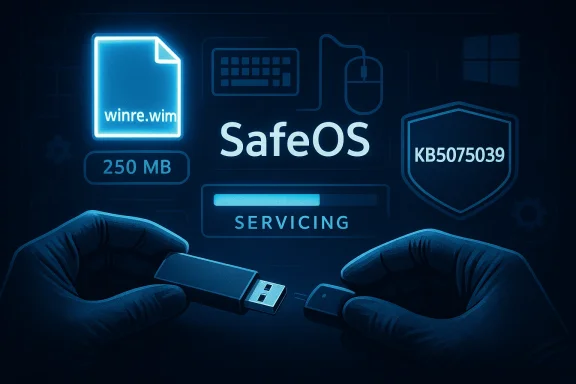
Blue, high-tech illustration of inserting a USB drive to service SafeOS (winre.wim, 250 MB).Background / Overview​

The Windows Recovery Environment (WinRE) is the low-footprint, pre‑OS toolkit Windows uses for startup repair, image recovery, factory reset, BitLocker recovery, and other emergency tasks. Because WinRE runs from a separate SafeOS image (winre.wim) on its own recovery partition, it is serviced differently than the running OS. That architectural separation reand keeps the recovery runtime small, but it also creates a distinct update plane that can be overlooked by conventional test matrices and rollout processes.
In mid‑October 2025 Microsoft shipped a set of updates that included SafeOS/WinRE components. On that same day the company announced mainstream end‑of‑servicing for some Windows 10 channels, creating an unusual overlap: a WinRE servicing change landed the day support for the OS was transitioning. Subsequent field reports documented two related symptoms in affected machines: WinRE failing to start at all, or WinRE starting but refusing to accept USB keyboard and mouse input — effectively rendering the recovery UI non‑interactive. Microsoft acknowledged relatens for Windows 11 and later issued targeted fixes; for Windows 10 the remediation sequence extended into early 2026.

What went wrong: technical recap​

The SafeOS servicing model and why it matters​

WinRE is a SafeOS (a WinPE‑derived image) stored on a protected recovery partition and referenced by the boot configuration. Updating that image requires a distinct servicing flow — a SafeOS dynamic update or WinRE servicing package — that replaces or patches the winre.wim image rather than altering the live OS. That means changes intended to improve recoverability are applied to a separate binarted only when WinRE is invoked. Because test labs and update validation tend to focus on the running OS, this separate image path sometimes receives less real‑world coverage across OEM firmware variants, USB controllers, and driver permutations.

The symptom: non‑functional or non‑starting WinRE​

The October 14, 2025 packages included an updated USB stack/driver variant that, when incorporated into certain WinRE images, either prevented the image from booting or prevented USB Human Interface Devices (HID) from being enumerated inside the recovery sandbox. The desktop environment continued to accept the same USB devices — this was a WinRE‑specific failure caused by differences in driver innd the minimal driver set used by SafeOS. The result: users attempting automatic repair, Reset this PC, or offline image recoveries could find themselves without a path to recovery unless they had pre‑created external media.

Timeline: October 2025 → March 2026​

  • October 14, 2025 — Microsoft shipped multiple updates including SafeOS dynamic packages and WinRE servicing wrappers (for example, KB5068164 for Windows 10 and KB5066835 for Windows 11). Field reports of WinRE failures and USB input loss appeared shortly after.
  • October–November 2025 — Microsoft issued out‑of‑band fixes SB input regressions and published guidance and workarounds for administrators and consumers.
  • January–February 2026 — Microsoft published follow‑up servicing attempts for affected Windows 10 systems to repair WinRE images on running machines. Community and admin feedback guided further adjustments.
  • March 3, 2026 — Microsoft reissued KB5075039, explicitly stating the update “Fixed: WinRE would not start after installing the October 14, 2025 update KB5068164.” This reissue replaces the earlier wrapper and formalizes the repair path.

What KB5075039 does — the practical mechanics​

  • Intended effect: KB5075039 installs a SafeOS dynamic update into the local WinRE image (wi repair the faulty component(s) that broke WinRE startup or USB input. After successful servicing, the local WinRE version should meet or exceed the baseline version Microsoft publishes in the KB.
  • Delivery model: The update is applied as a SafeOS dynamic update to the recovery image. It is not a conventional in‑OS cumulative update and behaves differently in cataloging and distribution.
  • No visible reboot requirement: In most cases the package performs servicing on the runnot require an immediate reboot to make the WinRE image usable.

Important caveats and operational limits​

1) Recovery partition free space — 250 MB requirement​

Microsoft’s KB notes a minimum free space requirement inside the WinRE recovery partition for the dynamic update to stage and install. The authoritative KB text specifies 250 MB of free space; some secondary outlets reported 256 MB, but administrators should rely on Microsoft’s published figure. Devices with smaller WinRE partitions will not automatically receive the repair until the partition is resized or the image is serviced offline. This is a critical operational constraint because many OEM and older custom images use smaller recovery partitions.

2) Distribution channels — not universally available​

KB5075039 is being offpdate as a SafeOS servicing package, but it is not published in the Microsoft Update Catalog for offline distribution and cannot be deployed via WSUS or Microsoft Endpoint Configuration Manager in the usual cataloged way. Microsoft’s reissued metadata also narrows the applies‑to scope toward Windows 10 Enterprise LTSC 2021 and deviceed Security Updates (ESU)*. That means many unmanaged Windows 10 Home/Pro devices may not be offered the reissued package via their normal Windows Update feed. Administrators who depend on WSUS or Configuration Manager must plan for manual remediation workflows. ([support.msupport.microsoft.com/en-us/topic/kb5075039-windows-recovery-environment-update-for-windows-10-version-21h2-and-22h2-march-3-2026-aac888cb-fd3e-4bc0-9ef6-eabd32d4039e) replacement behavior
Once KB5075039 is applied to a WinRE image it
replaces* the prior WinRE image and is not designed to be rolled back. Organizations should test the outcome in pilot rings before broad application where p to check whether your WinRE is healthy (practical verification)
Administrators and savvy users should verify WinRE status across endpoints. These are the exact checks to run:
  • Open an elevated Command Prompt or PowerShell and run:
  • reagentc /info
  • This reports whether WinRE is enabled and the path to winre.wim.
  • If WinRE is enabled, determine winre.wim version:
  • Use DISM to inspect the image:
    dism /Get-ImageInfo /ImageFile:<path-to-winre.wim>
  • Microsoft also publishes PowerShell helper scripts that automate mounting and version extraction; use those if available.
  • Check Event Viewer for WinREAgent servicing events in the System log. Successful servicing writes confirmatory events; failed attempts produce error events that can guide next steps.
If reagentc reports a missing or corrupted image, or DISM shows a WinRE image version below Microsoft’s published baseline after installing updates, treat the system as still affected and follow remediation guidance below.

Remediation and mitigation options​

Which path you choose depends on whether the reissued KB appears on Windows Update, whether the recovery partition has suff whether you manage devices centrally.

Option A — Apply KB5075039 via Windows Update (if offered)​

  • Check Windows Update for the KB5075039 servicing package and apply it. The package should repair WinRE in place if the WinRE partition has ≥250 MB free. Verify with reagentc /info and DISM after the update completes.

Option B — Manual WinRE servicing (enterprise / power users)​

This is an advanced flow intended for administrators comfortable with offline image servicinood winre.wim from a patched reference device (preferably one that applied KB5075039 successfully).
  • Mount the recovery partition, back up the current winre.wim, and replace it wite.
  • Use DISM to apply any remaining SafeOS servicing offline if necessary, then re‑register the image with reagentc /setreimage /path:<new-path>.
  • Verify with reagentc /info and DISM. Test on a non‑production device first; mistakes here can make a device unbootable.

Option C — Create bootable external recovery media (universal fallback)​

  • Use a known‑good, patched Windows 10 PC to create a recovery USB drive (Recovery Drive utility or Media Creation Tool). Boot affected machines from that USB to access recovery options independent of the local WinRE. This is the simplest, most reliable fallback for home users and small shops that cannot rely on KB availability via Windows Update.

Short‑term mitigations​

  • If the recovery UI boots but USB HID is dead, try a wired PS/2 keyboard (if supported), a different USB controller, or a Bluetooth/USB receiver variant that may be enumerated differently. These are stopgaps — not cures.
  • Export and securely store BitLocker recovery keys now. A broken WinRE exacerbates BitLocker recovery risks, and users without keys face data loss or the need for

Enterprise runbook and recommended actions​

For IT teams, the WinRE regression and the KB5075039 rollout expose procedural gaps that should be closed immediately.
  • Inventory and classify endpoints:
  • Identify Windows 10 SKUs, LTSC devices, and ESU‑enrolled systems.
  • Verify WinRE state across your fleet:
  • Run reagentc /info as a compliance check and flag devices where WinRE is disabled or the image is below baseline.
  • Pilot and stage:
  • Patch a reference device, extract the repaired winre.wim, and validate it across hardware profiles before mass deployment.
  • Plan partition remediation:
  • For devices with <250 MB free in the recovery partition, prepare a tested partition resize procedure (back up first) or use offline image replacement.
  • Maintain external recovery media:
  • Keep a secure bank of recovery USB drives (created from patched reference images) for emergency recovery workflows.
  • Update golden images:
  • Ensure that all reference/golden images include a healthy winre.wim and that imaging pipelines refresh WinRE images when creating new device images.

Critical analysis — strengths, weaknesses, and systemic lessons​

Strengths​

  • Microsoft produced a technical mic update that directly repairs the WinRE image without forcing a full reimage for many affected systems. The March 3, 2026 reissue explicitly links the fix to the October 14 regression and provides verification steps. That directness is important; it targets the root WinRE image rather than applying bundling workaroundt.com]

Weaknesses and risks​

  • Distribution friction: Not publidate Catalog and excluding WSUS/ConfigMgr delivery channels creates a coverage gap for many environments. Relying solely on Windows Update delivery with a narrowed applies‑to scope (LTSC/ESU focus) leaves unmanaged Home/Pro machines and many small businesses without a straightforward path to remediation.
  • Partition sizing dependency: Requiring 250 MB free in the WinRE partition imposes manual operational work on administrators. Many OEM images created in past years used smaller recovery partitions (100–128 MB), and resizing partitions at scale is nontrivial and risky if not automated and tested.
  • V: The root cause — a SafeOS binary that behaved correctly in the full OS but failed inside WinRE — underscores incomplete test coverage. Recovery‑path testing must be part of standard QA and pre‑release validation, including a variety of firmware, USB controller, and OEM driver permutations.
  • Transparency and timing: The lag betweenlic KB acknowledgment increased troubleshooting overhead for admins and home users. Faster, clearer public communications would have reduced confusion and prevented attempts at unsafe manual fixes.

Systemic lesson​

Recoverability is not optional. When the "last resort" environment breaks, the consequences are magnified — longer downtime for businesses, data loss risk for consumers, and increased support costs. The industry n environments with the same QA rigor, telemetry, and automated rollback tooling as the main OS image.

Practical recommendations — what to do today​

For home users:
  • Create an external recovery USB drive from a known‑good machine and store it securely.
  • Export BitLocker keys and save them to your Microsoft account, printed copy, or secure vault.
  • Run reagentc /info and verify WinRE status; if you’re unsure how to interpret results, keep the recovery USB as your fallback.
For IT admins:
  • Immediately inventory WinRE health with reagentc and DISM on endpoints.
  • Pilot KB5075039 on a representative hardware set; extract a repaired winre.wim for fallback distribution.
  • Prepare tested scripts and automation for safe partition resizing where necessary, including full backups before altering partition layouts.
For OEMs and Microsoft:
  • Standardize WinRE partition sizing to accommodate reasonable SafeOS growth and dynamic servicing.
  • Integrate recovery‑path tests, including USB enumeration and BitLocker workflows, into regression suites.
  • Consider a safer remediation toolset: a vetted Microsoft utility that can nondestructively expand WinRE partitions, stage updates safely, and back up the previous winre.wim before applying changes.

Final assessment and conclusion​

KB5075039 is the correct technical fix for a very real problem: itcorrupted or destabilized by the October 14, 2025 servicing package. Microsoft’s March 3, 2026 reissue formalizes the remediation and gives administrators an explicit verification path. However, the delivery model and operational constraints — Windows Update‑only distribution for a narrowed applies‑to scope, the 250 MB recovery partition free space requirement, and lack of Update Catalog/WSUS availability — mean that many Home/Pro users and unmanaged fleets could remain underserved unless they take proactive steps.
This episode is a textbook reminder that recoverability is as important as feature stability. Organizations must inventory and test WinRE as part of their standard update validation matrices, maintain known‑good recovery media, and keep BitLocker keys escrowed. For consumers, the simplest and most important actions are: create external recovery media, back up BitLocker keys, and verify WinRE status today.
KB5075039 restores a broken safety net. It should be treated not as the end of the conversation but as a prompt: reassess testing, imaging, and recovery‑planning practices so that the next update never leaves users without the tools they need to get back to work.

Source: Windows Report https://windowsreport.com/microsoft-ships-kb5075039-to-repair-windows-10-recovery-environment-bug/
 

Back
Top