Windows 11 Dynamic Updates 2026: WinRE Fixes and Secure Boot Change

  • Thread Author
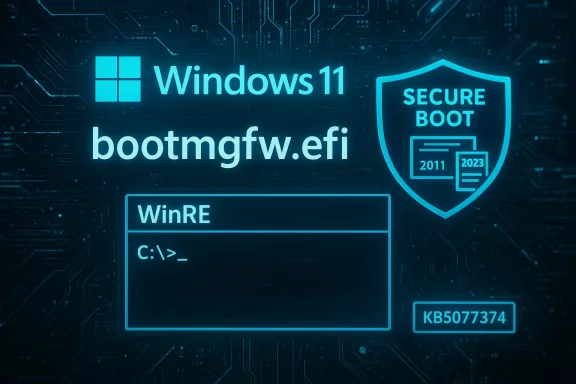
Neon blue Windows 11 boot screen showing bootmgfw.efi, WinRE, and a Secure Boot shield.
Microsoft shipped a set of behind‑the‑scenes Windows 11 dynamic updates on February 10, 2026 — KB5077178, KB5077180, KB5076124 and KB5077374 — that target the Windows Recovery Environment (WinRE) and setup binaries, and one of those setup updates includes a consequential Secure Boot signing change you need to plan for now.

Background​

Microsoft uses Dynamic Updates to patch the components that run before the full OS boots or that are used during feature upgrades: the Windows Recovery Environment (WinRE), setup binaries (Setup.exe and associated files), Servicing Stack pieces and related support files. These packages are delivered as Safe OS updates (WinRE / SafeOS) and Setup Dynamic Updates, and they are applied automatically via Windows Update for supported Windows 11 feature updates and images.
Dynamic Update packages are not cosmetic: they directly affect how Windows upgrades, how recovery tools behave when a machine won’t boot, and how pre‑boot components like the Boot Manager are signed and validated during UEFI Secure Boot. Because they are applied to the WinRE image or the setup image itself, they are not removable from the image once applied — which makes testing and awareness essential for administrators and power users alike.

What Microsoft released this week (summary)​

  • KB5077178 — Safe OS Dynamic Update for Windows 11, version 26H1 (WinRE improvements).
  • KB5077180 — Safe OS Dynamic Update for Windows 11, versions 24H2 and 25H2 (WinRE improvements).
  • KB5076124 — Safe OS Dynamic Update for Windows 11, version 23H2 (WinRE improvements; KDNET fix).
  • KB5077374 — Setup Dynamic Update for Windows 11, version 23H2 (Setup improvements; Secure Boot Boot Manager signing change).
All of these packages were published on February 10, 2026 and are distributed through the Windows Update delivery channels (also available in the Microsoft Update Catalog for image-level or offline acquisition). Microsoft’s published release notes make two things clear: these updates improve WinRE and setup behaviors, and they will be downloaded and installed automatically on managed and unmanaged devices that match the applicable OS version.

Why these updates matter now​

There are three reasons these specific dynamic updates are worth attention:
  1. WinRE reliability matters — WinRE is the last resort for repairing unbootable systems. Updates to SafeOS and WinRE binaries can fix bugs that previously broke debugging or recovery tools during boot or when performing offline repairs.
  2. Secure Boot certificate lifecycle is in play — Microsoft and OEMs are rolling out new Secure Boot certificates (the “2023” CA family) to replace certificates that expire in 2026. The Setup Dynamic Update (KB5077374) explicitly replaces 2011‑signed Boot Manager binaries with 2023‑signed ones on devices that already have the new 2023 UEFI certificate in their firmware DB. That replacement has real operational consequences for devices that have custom Secure Boot DB/DBX states or for users who toggle Secure Boot or reset firmware keys.
  3. Targeted fixes for niche but critical tooling — KB5076124 resolves a KDNET (kernel debugger over network) hang that affected kdstub.dll and kdnet.dll when Boot Manager debugging was enabled at startup. If your workflow relies on pre‑boot kernel debugging or you manage test/dev machines that use Boot Manager debugging, this matters.
These updates are not feature releases; they are infrastructure patches that either prevent or fix pre‑boot and recovery failures. For IT pros and advanced users that deploy or image Windows at scale, dynamic updates should be reviewed, acquired and applied to installation media where appropriate before mass deployment.

Deep dive: What each KB actually changes​

KB5077178 (26H1) and KB5077180 (24H2 / 25H2) — Safe OS (WinRE) updates​

  • Purpose: Improve the Windows Recovery Environment (WinRE).
  • Delivery: Automatic via Windows Update; available to apply to images from the Update Catalog for media-based installs.
  • Notable operational notes: After installation the WinRE component versions increment (Microsoft provides the expected WinRE file versions in the KB so an admin can verify installation). These updates do not require a full system restart and cannot be removed once embedded into a WinRE image.
Why this matters: WinRE contains the tools used by automated recovery, Startup Repair, offline servicing operations and other pre‑boot diagnostics. Keeping WinRE current improves the chances that recovery attempts succeed and that the WinRE environment can service recent hardware and file system conditions.

KB5076124 (23H2 Safe OS) — KDNET fix​

  • Primary fix: The KDNET utility DLLs (kdstub.dll and kdnet.dll) could stop responding when Boot Manager (bootmgr) debugging is enabled during Windows start. This update patches those DLLs in the WinRE image to stop the hang.
  • Replacement: This update replaces an earlier WinRE dynamic update (Microsoft notes which prior KB it supersedes).
  • Result: The WinRE image version will reflect the new build number after the update.
Why this matters: KDNET is used for kernel debugging over the network; on specialized dev/test systems where boot‑time debugging is enabled, this fix restores reliable pre‑boot debug flows. For most enterprise production endpoints this is not daily‑critical, but for developers, driver writers and some OEM diagnostics workflows, it is essential.

KB5077374 (23H2 Setup Dynamic Update) — Boot Manager signing change and Secure Boot implications​

  • Primary change: On devices that already have the Windows UEFI CA 2023 certificate present in the firmware’s Secure Boot Signature Database (DB), Microsoft will update the Boot Manager binary (bootmgfw.efi) by replacing the 2011‑signed copy with the 2023‑signed copy.
  • Operational warning: Resetting the Secure Boot DB or toggling Secure Boot settings on firmware that has been modified can trigger a Secure Boot violation. In rare cases that can leave a device unable to boot with the updated Boot Manager unless appropriate recovery media or firmware adjustments are used. Microsoft’s guidance: create Secure Boot recovery media when making changes that affect the DB or DBX, and coordinate with OEM firmware updates and IT tooling.
Why this matters: Changing which certificate signs the pre‑boot binaries is not purely a code update — it changes the trust chain enforced by the platform’s UEFI Secure Boot policy. Devices that received the new 2023 certificate in firmware will accept the new signing; those that didn’t may end up rejecting a 2023‑signed binary, or conversely, if the DB/KEK state is modified (for instance, a DB reset), the system may consider the boot binary untrusted. For mixed‑fleet environments, firmware and update management become more important than ever.

Secure Boot certificate transition: context and operational guidance​

Microsoft and OEMs are doing a phased transition of their Secure Boot certificates: the certificates originally issued in 2011 are set to begin expiring in June 2026 and will be superseded by a 2023 CA family. The short version for administrators:
  • You must plan for certificate updates between now and June–October 2026. OEMs and Microsoft are coordinating updates to KEK/DB/DBX entries to add the new 2023 certs and eventually revoke the old 2011 ones.
  • Microsoft’s rollout uses device telemetry and phased targeting to decide which devices are eligible to receive the new certificates automatically. Devices that show a reliable update/boot history will be prioritized so the rollout is safer.
  • If your environment manages firmware centrally (SCCM/Intune/other OEM tools), review OEM guidance and available BIOS/UEFI updates that add the 2023 certificates. Many OEMs have published their own advisories and platform lists.
Practical steps to protect your estate:
  • Inventory: Identify devices that are still on older firmware or that don’t have the 2023 certs. OEM support pages (or hardware vendor update matrices) will list applicable BIOS updates by model and release date.
  • Test: In a lab or ringed pilot group, apply the setup dynamic update and then exercise Secure Boot toggling and recovery scenarios to confirm behavior.
  • Recoverability: Prepare Secure Boot recovery media and documented recovery procedures. If a machine reports a Secure Boot violation after you apply updates or after a firmware change, having recovery USB media that contains the correct signed boot manager and an updated WinRE image will save hours.
  • Communications: Let helpdesk and field technicians know the potential for firmware‑level impacts and give them steps to create or obtain recovery media.
Note: resetting the Secure Boot DB or toggling Secure Boot after these replacement actions can cause a Secure Boot violation. That’s not a bug per se — it’s the firmware enforcing cryptographic trust boundaries — but it is a situation that must be handled methodically.

How Dynamic Updates work — short, practical primer​

Dynamic Updates are acquired by Setup (or by a Windows Update triggered feature upgrade) at the start of an upgrade or image application and are applied to the installation media or WinRE image. Key points:
  • Content types included:
    • Setup Updates — fixes to Setup.exe and related binaries.
    • Safe OS Updates — WinRE / SafeOS fixes and updated binaries for recovery.
    • Servicing Stack or CU components — sometimes included to make sure the image can accept later updates.
    • Driver targeting updates — in some cases, driver packages for supported hardware.
    • Reacquisition of Language Packs (LP) and Features on Demand (FOD) — dynamic updates can reacquire language packs and FOD content so they remain present after upgrades.
  • Application paths:
    • Online: Setup reaches out to Microsoft endpoints to fetch applicable dynamic update content at the start of an upgrade.
    • Offline: Administrators can pre‑acquire dynamic update packages from the Microsoft Update Catalog and apply them to media (WIM images) before deployment.
  • Permanence: Many dynamic updates that modify WinRE or setup images become part of the image and cannot be easily removed from that image later; plan and test accordingly.

VBScript, FODs and the upgrade path​

A small but important note for developers and admins: Microsoft has been transitioning VBScript to a Feature on Demand (FOD) model. That means VBScript components are no longer guaranteed to be permanently embedded and will be treated as optional content during upgrades. Dynamic updates and the upgrade process try to preserve FOD content like VBScript or language packs, but admins should confirm presence post‑upgrade or plan for alternatives (PowerShell/JavaScript/etc.) where possible.

Real‑world signals: reports of update instability and what to watch​

February 2026 has been a bumpy ride for Windows updating. While the dynamic updates discussed here are infrastructure patches, they follow a period where cumulative updates created boot problems for some users — reports of boot loops, “no boot device” errors, and failed startups after KB5077181 circulated in the forums and news outlets.
Actionable advice:
  • Don’t panic, but be cautious. Dynamic updates themselves are small and focused; the larger cumulative OS updates have been the ones causing broader startup impact in some reports.
  • If you manage many endpoints, stage the updates and use a phased rollout approach: pilot -> broad pilot -> production.
  • Maintain known‑good system images and verified recovery media. If a device becomes unbootable after an update, recovery media that matches the device’s expected Secure Boot state and WinRE contents will be critical.
Flagging unverifiable claims: community reports of mass failures often come from a subset of affected devices. While they are real and require response, verify impact across a representative sample in your environment before assuming a global outage.

How to verify these updates were applied and WinRE versions​

If you want to confirm that a dynamic update has been applied to a machine or image, use one of the following standard checks:
  1. Run reagentc /info to discover the WinRE location.
  2. Mount the WinRE WIM and inspect file versions directly with DISM or by checking file properties.
  3. Use the published script Microsoft includes in KB articles (GetWinReVersion.ps1) to retrieve the WinRE version that should match the version the KB lists.
  4. For Setup Dynamic Updates, verify file version differences in the setup/update file manifests included in the KB.
Important details Microsoft publishes in each KB:
  • Expected WinRE file version identifiers and specific DLL/EXE names. Match those against what’s on the image.
  • Whether the update replaces or supersedes previous KBs.
  • Whether a restart is required (for these Safe OS dynamic updates, Microsoft notes no restart is required after applying to the image).

Recommended checklist for IT administrators​

  1. Inventory firmware and BIOS versions across your fleet; prioritize vendors that have published patches enabling the Windows UEFI CA 2023 certificates.
  2. Acquire the new dynamic update packages in your test ring (Update Catalog), and apply them to test images before rolling them into production media.
  3. Test these scenarios in a controlled lab:
    • Normal boot and recovery paths (Startup Repair, System Restore).
    • Toggling Secure Boot and resetting the DB to validate recovery processes.
    • Pre‑boot debugging (for those using KDNET) after KB5076124 to verify KDNET stability.
  4. Prepare recovery USB images that include an updated WinRE and the appropriate signed Boot Manager for the certificate state in your environment.
  5. Communicate with helpdesk: what to expect, how to identify Secure Boot violations and how to use recovery media to recover devices.
  6. If you use imaging automation (SCCM, MDT, third‑party) incorporate dynamic update acquisition into your media‑build pipelines.

Risks and potential pitfalls​

  • Secure Boot mismatches: Replacing a boot manager signed by a different CA can lead to Secure Boot violations if the firmware state doesn’t include the 2023 certificate or if the DB/KEK state is altered. That can prevent normal boot until recovery media or firmware updates are applied.
  • Unremovable image changes: Dynamic updates applied to a deployed WinRE or setup image are effectively permanent for that image. If a platform‑specific problem emerges after applying them, rolling back is not always trivial.
  • Telemetry‑based rollout: Microsoft’s plan to use rollout targeting based on device health signals is intended to avoid widespread failures, but it also means administrators can’t force a universal immediate apply for certificates on all devices — they must coordinate firmware and update distribution instead.
  • Edge cases in niche tools: KDNET and other debugging tools are used in specialized workflows. If you rely on those, validate in a test lab before applying to your broader developer fleet.

Final analysis — strengths and where caution is warranted​

Strengths:
  • Microsoft’s dynamic update mechanism is mature and addresses a class of pre‑boot and setup issues that, when broken, can prevent recovery or successful upgrades.
  • The explicit Secure Boot signing change is proactive: it aligns pre‑boot binaries with the new 2023 CA certificates, which is necessary to avoid an emergency serviceability problem when the 2011 certs expire in 2026.
  • KB5076124’s KDNET fix resolves a real pain point for kernel debugging in pre‑boot contexts and shows Microsoft is tracking developer workflows inside WinRE.
Cautions:
  • The certificate transition is a firmware and platform coordination problem as much as it is a software update. Expect manufacturer coordination and pilot testing to be the most time‑consuming part of a safe deployment.
  • The broader update quality environment in early 2026 remains wobbly; combine incremental testing with robust rollback and recovery planning.
  • Some community reports of boot instability associated with recent cumulative updates (e.g., KB5077181) underscore the need to test cumulative OS rollups and dynamic updates together rather than in isolation.

Quick reference: do this now​

  • For IT admins: Add KB5077178, KB5077180, KB5076124 and KB5077374 to your update‑test backlog this week, acquire packages for lab testing from the Update Catalog, and validate recovery media and Secure Boot states across a representative sample of devices.
  • For developers and debugging teams: If you use Boot Manager debugging (KDNET), pull KB5076124 into your test images to avoid a pre‑boot KDNET hang on debug boots.
  • For helpdesk and field technicians: Ensure access to Secure Boot recovery media and document the steps to recover a Secure Boot violation (don’t rely solely on toggling Secure Boot without a recovery plan).
  • For curious users: Expect these updates to land silently via Windows Update; they mainly enable safer upgrades and recovery and are not feature updates you need to opt into.

These Safe OS and Setup dynamic updates are the classic example of infrastructure work that most users never see until something breaks. The recent KBs patch that infrastructure — improving recovery tooling, fixing diagnostic hangs, and aligning Boot Manager signing with the forthcoming Secure Boot certificate lifecycle. That makes them low‑visibility but high‑impact for firms that manage images, run pre‑boot debug workflows, or support heterogeneous fleets where firmware state varies. Plan, test, and prepare recovery media — and use the next few weeks to ensure that the 2023 certificate rollout will be a controlled, predictable transition for your estate.

Source: Neowin Microsoft released KB5077180, KB5077374, KB5076124 Windows 11 setup & recovery updates
 

Windows Recovery Environment on a laptop with a blue shield and February 2026 dynamic updates.
Microsoft quietly shipped a set of behind‑the‑scenes Windows 11 dynamic updates on February 10, 2026 — KB5077178, KB5077180, KB5076124, and KB5077374 — that refresh the Windows Recovery Environment (WinRE) and Setup binaries, and one of those Setup updates contains a consequential change to the Boot Manager signing that administrators and power users should plan for now.

Background​

Dynamic Updates are a special servicing channel Microsoft uses to deliver targeted fixes to the tiny, critical runtimes that run before the full operating system boots or that are used during feature upgrades. These come in two main flavors:
  • Safe OS (WinRE) Dynamic Updates — small WinRE (Windows Recovery Environment) image patches sometimes called Safe OS updates.
  • Setup Dynamic Updates — updates to the Setup runtime and small binaries Setup uses during in-place feature updates and media‑based installs.
These packages are intentionally minimal but operationally important: they update recovery tooling, pre‑boot binaries and setup components so the upgrade and recovery flows remain compatible with changing firmware, drivers and signing policies. Dynamic Updates are distributed through Windows Update and the Microsoft Update Catalog and will be applied automatically to matching devices; they can also be injected into installation images prior to deployment. Because many of the changes are embedded into the WinRE or setup images, they are effectively permanent for that image unless you re-image from a preserved golden image.
Dynamic Updates also play a role in preserving Language Packs (LPs) and Features on Demand (FODs) during upgrades — for example, VBScript remains a Features on Demand item on Windows 11 24H2 and may be preserved or re-acquired during upgrade flows that use dynamic updates. Administrators should therefore treat these packages as image hygiene rather than routine monthly patches.

What Microsoft published on February 10, 2026 — the headlines​

Microsoft published the following Safe OS and Setup Dynamic Updates on February 10, 2026:
  • KB5077178 — Safe OS Dynamic Update for Windows 11, version 26H1. This package makes WinRE improvements.
  • KB5077180 — Safe OS Dynamic Update for Windows 11, versions 24H2 and 25H2. This package makes WinRE improvements.
  • KB5076124 — Safe OS Dynamic Update for Windows 11, version 23H2. Notable fix: resolves a hang in KDNET utility DLLs (kdstub.dll and kdnet.dll) when Boot Manager debugging is enabled during Windows start.
  • KB5077374 — Setup Dynamic Update for Windows 11, version 23H2. This update includes a Secure Boot Boot Manager signing change: on devices that already include the Windows UEFI CA 2023 certificate in their firmware Secure Boot Signature Database (DB), the package will replace the 2011‑signed bootmgfw.efi with a 2023‑signed bootmgfw.efi. Microsoft warns that resetting the DB or toggling Secure Boot can cause a "Secure Boot violation"; in those rare cases the recovery path is to use Secure Boot recovery media.
All of these packages are being distributed automatically via Windows Update and are also available in the Update Catalog for administrators who want to download them for image injection.

Why these updates matter​

These updates are not glamorous feature work — they are infrastructure fixes that have outsized operational impact for three reasons.

1) WinRE reliability is critical​

WinRE is the environment Windows drops into when a device fails to boot, when running automated repair, or during offline servicing. Updates that improve WinRE directly increase the chances that recovery flows succeed and that OEM or enterprise recovery tooling can operate with new hardware or firmware conditions. Because WinRE runs outside the main OS, changes must be small, well‑tested and compatible across a broad hardware base.

2) The Secure Boot certificate lifecycle is in play​

Microsoft and major OEMs are moving from older Secure Boot certificates to a newer CA family issued in 2023. The Setup Dynamic Update outlined above will switch Boot Manager binaries from being signed by the 2011 certificate family to the 2023 family on devices that already contain that 2023 certificate in their firmware DB. Swapping the signing certificate for pre‑boot binaries changes the trust chain enforced by the platform’s UEFI Secure Boot policy — and that can have real, visible consequences if firmware Secure Boot variables are reset or toggled later. In short: this is a trust‑chain change, not merely a binary update.

3) Small, targeted fixes restore key tooling for niche workflows​

The KB5076124 KDNET fix matters to driver developers, OS engineers and diagnostic teams who rely on kernel debugging over the network at boot. Fixing kdstub.dll and kdnet.dll hangs restores critical pre‑boot debug flows that some development and OEM labs depend on. For the general enterprise endpoint fleet this matters less day‑to‑day, but for specialized debug/test systems it’s essential.

Deep dive: What each KB actually changes​

KB5077178 — Safe OS Dynamic Update (Windows 11 26H1)​

  • Purpose: Improves the Windows Recovery Environment (WinRE) for devices on the 26H1 servicing branch.
  • Delivery: Automatic via Windows Update; available to inject into images from the Update Catalog.
  • Operational note: After installation the on‑device WinRE component versions increment; Microsoft provides expected file versions in the KB so administrators can verify installation. These Safe OS updates are applied to the WinRE image; once applied to an image they are not removable without image replacement.

KB5077180 — Safe OS Dynamic Update (Windows 11 24H2 / 25H2)​

  • Purpose: Same as above, for 24H2 and 25H2 servicing branches — refreshes WinRE binaries and orchestration logic to improve recovery outcomes.
  • Operational guidance: Validate the WinRE image version after application using manifest checks, DISM inspection or Microsoft’s helper scripts. No host restart is required for the update to be recorded in the WinRE image, but updated WinRE files are used when recovery flows run.

KB5076124 — Safe OS Dynamic Update (Windows 11 23H2) — KDNET fix​

  • Primary fix: The KDNET utility DLLs (kdstub.dll and kdnet.dll) could stop responding (hang) when Boot Manager (bootmgr) debugging is enabled during Windows start; this update patches those DLLs inside the WinRE image to prevent the hang.
  • Impacted workflows: Kernel debugging over network at boot (KDNET) — primarily developer, driver, and OEM diagnostic environments. Microsoft notes this update replaces a prior WinRE dynamic update and increments the WinRE image version accordingly.

KB5077374 — Setup Dynamic Update (Windows 11 23H2) — Boot Manager signing change​

  • Primary change: On devices that already have the Windows UEFI CA 2023 certificate present in the firmware Secure Boot signature DB, Microsoft will replace the 2011‑signed copy of bootmgfw.efi with a 2023‑signed copy. This aligns pre‑boot binaries with the newer CA family being rolled out.
  • Risk warning: Resetting the Secure Boot DB (or toggling Secure Boot) on firmware that has received the new 2023 certificate can lead to a Secure Boot violation if the platform is left without the expected signing certificate. In rare cases the device may refuse to boot the new Boot Manager until appropriate recovery steps are taken (for example, using Secure Boot recovery media or re-applying firmware updates). Microsoft explicitly recommends creating Secure Boot recovery media and coordinating changes with OEM firmware updates.

The Secure Boot certificate transition: context and operational concerns​

Microsoft’s shift from older 2011 Secure Boot certificates to the 2023 family is not new — it’s a planned lifecycle event. The 2011 certificates are set to begin expiring in mid‑2026, and Microsoft plus OEMs are pre‑staging the new 2023 CA family into firmware in a phased rollout. The February dynamic updates are part of that broader transition: they proactively move pre‑boot components to the newer signing where firmware already trusts that CA.
Operational risks to watch for:
  • Mixed‑fleet complexity: In environments with diverse OEMs or mixed firmware versions, some devices may have the 2023 CA while others do not. A device that lacks the 2023 certificate may not accept a 2023‑signed Boot Manager if the older signing has been removed or replaced.
  • Firmware changes and DB resets: Resetting the Secure Boot DB, toggling Secure Boot off/on, or performing certain firmware updates can alter which certificates are trusted and lead to Secure Boot violations. Microsoft warns that this can cause boot failures with the newly signed bootmgfw.efi and to plan for recovery accordingly.
  • Recovery media necessity: In the small number of cases where toggling/resetting Secure Boot breaks boot due to signing changes, Secure Boot recovery media is the prescribed remedy. Administrators should build recovery media now rather than scrambling later.

Practical guidance: what IT teams and power users should do now​

Below is a prioritized checklist that operational teams can adopt immediately.

1) Inventory and firmware audit (high priority)​

  1. Enumerate devices and firmware versions across your estate.
  2. Identify which devices have the Windows UEFI CA 2023 certificate present in the vendor UEFI Secure Boot DB. This requires either vendor‑provided firmware tooling, MDM telemetry (if supported), or manual firmware inspection on test devices.
  3. Flag mixed‑fleet groups that may be vulnerable to signing mismatches.

2) Create and validate Secure Boot recovery media​

  • Prepare a verified recovery USB that includes boot repair tools and any OEM‑specific firmware utilities necessary to restore firmware keys or apply recovery steps. Test this media on representative hardware in a lab. Microsoft’s guidance explicitly recommends creating Secure Boot recovery media for environments where Boot Manager signing may change.

3) Acquire and stage the dynamic updates into your images​

  • For mass deployments, download the dynamic update CABs from the Microsoft Update Catalog and inject them into your install.wim or a golden image before mass imaging. This avoids surprises during feature updates and ensures your recovery environment in images is current. The updates are also delivered automatically via Windows Update to running devices, but image injection gives you deterministic control.

4) Validate WinRE and Setup file versions​

  • After applying the Safe OS dynamic updates to an image or device, validate the WinRE version and file manifests. Microsoft publishes expected file versions in the KBs and provides helper scripts or PowerShell snippets (for example, GetWinReVersion.ps1) to inspect the on‑device WinRE. Use DISM or the provided manifests to confirm that files like ResetEngine.dll, sysreset.exe, kdstub.dll, and kdnet.dll reflect the new versions.

5) Test upgrade and recovery flows in a lab​

  • Execute representative feature upgrades using updated media and exercise all recovery paths (Startup Repair, Reset this PC, offline servicing, and Secure Boot toggling scenarios) on lab hardware that mirrors the production firmware diversity. Specifically test:
    • Booting with the updated Boot Manager when the firmware contains the 2023 CA.
    • Resetting the firmware Secure Boot DB (or toggling Secure Boot) to observe whether a Secure Boot violation occurs and whether recovery media restores the device.
  • These tests will reveal mismatches before they occur in production and let you script or document recovery steps.

6) Communicate with OEMs and software vendors​

  • If you manage devices from multiple OEMs, coordinate firmware update schedules and Secure Boot support timelines. OEMs may publish firmware updates that include the 2023 CA or tools to export/restore firmware variables; align your rollout to minimize risk.

A testing checklist — concrete items to run in a pre‑production window​

  • Verify WinRE image version number before and after applying Safe OS DUs.
  • Confirm KDNET functionality on lab devices where Boot Manager debugging is enabled; ensure kdstub.dll and kdnet.dll do not hang after KB5076124 is applied.
  • On devices that have the 2023 CA in firmware, validate that the replaced Boot Manager (2023‑signed bootmgfw.efi) boots cleanly.
  • Simulate a DB reset or Secure Boot toggle on test devices to confirm the recovery media successfully restores bootability.
  • Run feature update workflows using images with injected dynamic updates and monitor Setup logs for manifest verification and appraiser behavior.

Risks, mitigations and long‑term considerations​

Risk: Secure Boot violations on firmware changes​

  • Mitigation: Create tested recovery media, and avoid ad‑hoc toggling or resetting Secure Boot variables in production. Coordinate with OEMs for firmware updates.

Risk: Mixed‑fleet signing mismatches​

  • Mitigation: Segment deployments by firmware capability and stage updates only to devices that report the 2023 CA presence. Use lab validation to confirm behavior and maintain a fallback plan for devices lacking the 2023 CA.

Risk: Permanent image changes complicating rollback​

  • Mitigation: Preserve golden images and recovery snapshots. Treat Safe OS and Setup DUs as image hygiene that should be applied in controlled image refresh windows rather than ad‑hoc on production images without validation.

Long‑term: Plan certificate lifecycle management into OS servicing​

  • The 2023 CA family will be the new normal; organizations that manage their own firmware or bespoke Secure Boot policies should bake certificate lifecycle policies into their change control processes and ensure monitoring for certificate additions/expirations. The dynamic updates shipped in February 2026 are an early operationalization of that lifecycle.

Guidance for home users and enthusiasts​

For consumers and enthusiasts the immediate risk is much lower, but a few practical steps make sense:
  • Let Windows Update install these updates automatically — Microsoft is distributing them through standard update channels for a reason.
  • If you experiment with toggling Secure Boot or modifying firmware keys, create a recovery USB beforehand and test it on a spare device. This is especially important for custom firmware or dual‑boot setups.
  • If you rely on pre‑boot kernel debugging for development, ensure your lab devices receive KB5076124 so KDNET reliability is restored.

Quick reference — Why administrators should prioritize these updates now​

  • They update the last‑resort recovery environment and the setup toolchain used during upgrades. This increases the probability that recovery and upgrade flows succeed.
  • The Setup DU includes a Boot Manager signing change that interacts with firmware’s Secure Boot DB and therefore affects device trust chains. If your estate contains diverse firmware versions, this must be managed.
  • Some fixes (KDNET) restore critical developer/OEM workflows; others prevent edge‑case recovery failures. Treat them as image hygiene and incorporate them into your image‑maintenance cycle.

Final analysis and recommendations​

The dynamic updates Microsoft published on February 10, 2026 are a textbook example of low‑visibility but high‑impact servicing: they don’t add consumer features, yet they materially change how Windows boots, recovers and upgrades across a heterogeneous device base. The Setup Dynamic Update’s Boot Manager signing swap is the most operationally consequential element — it’s not a bugfix in the traditional sense, it’s a trust‑chain change that will interact with firmware policies and human processes (toggling Secure Boot, resetting DBs, applying firmware updates).
Key takeaways:
  • Plan and test. Treat these DUs as image hygiene and run a short test campaign in a lab that mirrors your production firmware diversity.
  • Create recovery media now. Microsoft’s published guidance recommends Secure Boot recovery media for scenarios where DB/resets could produce violations. Don’t wait until a user is stranded.
  • Coordinate with OEMs. Firmware updates and vendor tooling will be part of a smooth transition to the 2023 CA family; coordinate rollout windows to ensure a predictable, supported migration.
  • Preserve golden images. Because Safe OS updates embed into images, maintain and version your golden images so you can rollback or re-create images if needed.
These dynamic updates are an invitation to take a small, practical step that yields outsized benefits: verify your recovery tooling, validate signing expectations, and ensure you can restore a device in the event of firmware or DB changes. For administrators and enthusiasts alike, the path forward is clear — test deliberately, document recovery procedures, and align firmware and update schedules to avoid surprises when pre‑boot trust chains are updated.

In short: Microsoft’s February 10 dynamic updates improve WinRE, fix niche but critical debugging behavior, and push a Boot Manager signing change that ties directly into the Secure Boot certificate transition. Plan, test, and prepare recovery media before you let these changes touch broad production images.

Source: Neowin Microsoft released KB5077180, KB5077374, KB5076124 Windows 11 setup & recovery updates
 

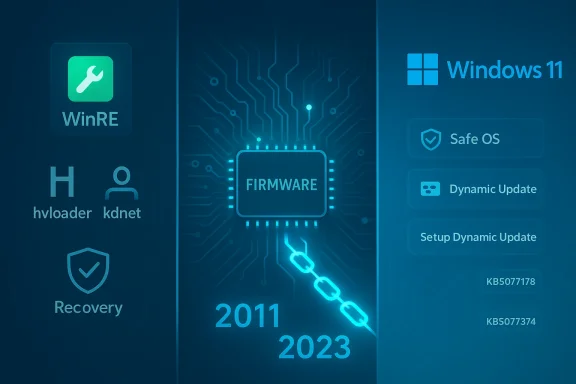
Futuristic firmware schematic linking WinRE and Windows 11 with updates (2011–2023).
Microsoft has quietly pushed a set of behind‑the‑scenes dynamic updates for Windows 11 that refresh the Windows Recovery Environment (WinRE) and change how the Boot Manager is signed under UEFI Secure Boot — changes that administrators, OEMs, and power users must treat as image‑level maintenance, not optional tweaks. com](https://support.microsoft.com/en-au...-10-2026-040babb2-5a34-452f-9691-34e21399a0d4)

Background / Overview​

Microsoft uses two targeted servicing channels — Safe OS (WinRE) Dynamic Updates and Setup Dynamic Updates — to patch the small set of runtime binaries that run before the full OS loads or are used during in‑place feature upgrades. These packages are minimal by design but have outsized operational impact because they modify images (WinRE.wim or Setup files) that are embedded into installation media or recovery ied to an image they are effectively permanent for that image and cannot be removed without replacing or re‑imaging the installation media. (support.microsoft.com
On February 10, 2026 Microsoft published a batch of dynamic updates that cover multiple Windows 11 servicing branches:
  • KB5077178 — Safe OS Dynamic Update for Windows 11, version 26H1 (WinRE improvements). (support.microsoft.com
  • KB5077180 — Safe OS Dynamic Update for Windows 11, versions **24HRE improvements). (support.microsoft.com
  • KB5076124 — Safe OS Dynamic Update for Windows 11, 23H2 (WinRE improvements; KDNET fix). (support.microsoft.com
  • KB5077374 — Setup Dynamic Update for Windows 11, 23H2 (Setup improvements; Boot Manager signing change). (support.microsoft.com
Multiple outlets picked up the change and flagged the operational implications; WindowsReport summarized the updates and the Secure Boot signing change that administrators need to plan for.

Why these updates matter​

These releases matter for three practical reasons:
  • WinRE reliability is mission critical. WinRE is the fallback environment for automated repairs, offline servicing, and many OEM recovery tools. Improving WinRE binaries increases the chance recovery flows succeed on diverse hardware. The KBs explicitly update WinRE images and provide version numbers administrators can verify after installation. (support.microsoft.com
  • Secure Boot certificate lifecycle is changing. Microsoft and OEMs are moving from the original Microsoft UEFI CA (2011 family) to a newer CA family issued in 2023. Re‑signing or replacing boot manager binaries to the 2023 certificate family changes the pre‑boot trust chain. On devices that already contain the 2023 certificate in firmware, the Setup Dynamic Update (KB5077374) will replace the 2011‑signed bootmgfw.efi with a 2023‑signed copy — a change that can produce visible Secure Boot errors if firmware Secure Boot variables are later reset or toggled. (support.microsoft.com
  • Small fixes restore key workflows for niche tooling. KB5076124 fixes a KDNET (kernel debugger over the network) hang that affected kdstub.dll and kdnet.dll when Boot Manager debugging was enabled. That’s critical for driver development labs and OEM debug workflows even if it has minimal day‑to‑day impact on general fleets. (support.microsoft.com
Taken together, these are image hygiene packages: not flashy features, but changes you should plan into imaging, deployment, and recovery testing because they alter how pre‑OS components behave or how they are trusted by firmware.

What each KB actually does — technical verification​

Below are the key, verifiable technical points from Microsoft’s published release notes and supporting reports.

KB5077178 — Safe OS Dynamic Update (Windows 11 26H1)​

  • Purpose: WinRE improvements; targeted Safe OS update for 26H1.
  • WinRE verification: After installation the WinRE component version should be 10.0.28000.1574; Microsoft documents file manifests (hvloader.dll, kdnet.dll, securebootai.dll, ntoskrnl.exe, etc.) and methods to verify installed WinRE versions via a PowerShell helper. (support.microsoft.com

KB5077180 — Safe OS Dynamic Update (Windows 11 24H2 / 25H2)​

  • Purpose: WinRE improvements for servicing branches 24H2 and 25H2.
  • WinRE verification: After installing KB5077180, the WinRE version should be 10.0.26100.7817; Microsoft lists updated file versions (bootux.dll, winload.efi, etc.) in the KB. (support.microsoft.com

KB5076124 — Safe OS Dynamic Update (Windows 11 23H2)​

  • Purpose: WinRE improvements and a targeted fix: KDNET utility DLLs (kdstub.dll and kdnet.dll) that could stop responding when Boot Manager debugging is enabled.
  • WinRE verification: Post‑install WinRE version is 10.0.22621.6630. Microsoft’s KB includes the explicit KDNET fix and the updated file manifest. (support.microsoft.com

KB5077374 — Setup Dynamic Update (Windows 11 23H2)​

  • Purpose: Updates to setup binaries that are used during feature upgrades and media installs. Crucially this update contains a Secure Boot Boot Manager signing change: on devices that already include the Windows UEFI CA 2023 certificate in their firmware Secure Boot Signature Database (DB), the update will replace the 2011‑signed bootmgfw.efi with a 2023‑signed bootmgfw.efi. Microsoft warns that resetting the DB or toggling Secure Boot afterward can cause a Secure Boot violation, and recovery in those rare cases requires Secure Boot recovery media. (support.microsoft.com
Where possible I cross‑checked these file versions and descriptions directly against Microsoft’s KB pages and independent write‑ups. The KB notes and file lists above are authoritative for exact file version numbers; independent coverage from news sites confirms the same behavioral descriptions and the operational concerns raised. (support.microsoft.com

The Secure Boot certificate transition — what administrators should know​

Microsoft has signaled that the original Secure Boot certificates (the Microsoft UEFI CA 2011 family) begin expiring in June 2026. To prevent boot failures or a "degraded security state" for some devices, Microsoft is coordinating an ecosystem update that includes Windows updates and OEM firmware updates. Dynamic updates like KB5077374 are part of that lifecycle: they update pre‑boot binaries and re‑sign Boot Manager with a new CA family where the firmware already trusts that new CA. (support.microsoft.com
Important operational notes:
  • The Setup Dynamic Update performs the replacement only on devices that already have the 2023 UEFI CA certificate in their firmware DB. It is not a universal re‑sign for all machines; it is conditional on firmware state. (support.microsoft.com
  • If firmware Secure Boot variables (the DB or dbx, or the secure keys) are later reset, toggled, or otherwise modified on a device that had bootmgfw.efi replaced with a 2023‑signed version, the mismatch can produce a Secure Boot violation that prevents booting until corrected. Microsoft’s guidance for those rare recovery scenarios is to create and use Secure Boot recovery media. (support.microsoft.com
  • Microsoft is also using staged targeting in other updates (Patch Tuesday quality updates) to identify devices that are safe to receive new Secure Boot certificates automatically — a safety‑first rollout to avoid breaking older or unusual firmware configurations. Independent reporting confirms this staged approach is being used across multiple updates. (support.microsoft.com
In short: the signing switch is a trust‑chain change, not just a binary replacement. That makes it riskier for machines with custom Secure Boot configurations or for environments that frequently reset firmware variables.

Practical impact matrix — who needs to care and why​

  • Enterprises with managed fleets: High priority. Test these dynamic updates against any golden images and confirm WinRE behavior and secure‑boot expectations before mass deployment. Inject the updates into your build images and validate recovery paths. (support.microsoft.com
  • OEMs and hardware labs: Critical. KDNET and WinRE improvements restore pre‑boot debug flows; the Boot Manager re‑sign impacts firmware trust chains and should be coordinated with OEM firmware updates. (support.microsoft.com
  • Power users / advanced home users: Moderate. If you toggle Secure Boot or experiment with custom Secure Boot DB entries, be aware of the risk of a Secure Boot violation after these updates and have recovery media available. For typical users with stock firmware, Microsoft’s staged rollout aims to reduce risk. (support.microsoft.com
  • Developers using KDNET: High interest. The KDNET hang fix in KB5076124 restores a previously broken pre‑boot debug path that some driver and OS engineers rely on. Validate your debug setups after the update. (support.microsoft.com

Recommended actions — a checklist for IT teams and power users​

  • Inventory and flag devices that have any custom Secure Boot DB/DBX entries or that use manual Secure Boot management tools.
  • Acquire the dynamic update packages (they are available automatically via Windows Update and in the Microsoft Update Catalog) and inject them into your golden images in a lab environment before pushing to production. (support.microsoft.com
  • Verify WinRE version numbers after applying updates to your image or devices (tools and scripts are provided by Microsoft in the KBs, e.g., GetWinReVersion.ps1). (support.microsoft.com
  • Test full recovery scenarios from the updated WinRE (automated repair, offline servicing, and any OEM tools your support teams use). Don’t assume WinRE behavior will remain identical after the image change.
  • If an environment toggles Secure Boot or resets firmware variables as part of imaging or provisioning, prepare Secure Boot recovery media and document the recovery procedures for helpdesk/escalation. Microsoft explicitly points to Secure Boot recovery media as the remediation for Secure Boot violations caused by DB resets. (support.microsoft.com
  • For KDNET users: verify that kernel debugging over the network functions as expected post‑install. KB5076124 documents the specific KDNET DLLs and WinRE version you should see. (support.microsoft.com

Risk analysis and caveats​

  • Unavoidable image permanence. Safe OS and Setup Dynamic Updates are applied to images and are not removable from that image; you must rebuild or re‑image to revert. This raises the bar for testing and means you should treat these as image maintenance events.
  • Firmware heterogeneity. There is no universal firmware state across all OEMs and models. The replacement of Boot Manager signatures is conditional on firmware having the 2023 CA certificate; the interplay between Windows dynamic updates and OEM firmware updates can be complex. In rare cases, toggling Secure Boot or firmware resets can cause a Secure Boot violation and require recovery media. The exact scale of affected devices is unknown; Microsoft’s staged rollout is intended to limit exposures, but some older or custom devices may still need OEM firmware updates. (support.microsoft.com
  • Targeting and rollout timing. Microsoft is using staged targeting and device health signals to prioritize certificate updates; this means not every device will get the same set of pre‑boot changes at once. That is safer for general fleets but complicates the testing matrix for imaging teams. (support.microsoft.com
  • Telemetry and visibility limitations. Windows Update and Microsoft Update Catalog distribution mean you can acquire the packages, but unless you validate file versions in images or track WinRE versions across your estate you may lack clear visibility into which golden images already contain the updated WinRE. Microsoft provides scripts and DISM verification methods, but organizations must actively use them. (support.microsoft.com
  • Unverified third‑party claims. Some community write‑ups and social posts speculate about broad breakage or incompatibility. Rely on Microsoft’s KB file manifests and the documented recovery path rather than anecdote; where we quote or summarize community reports, we flag them as such. If you see specific breakage reports for a hardware model, escalate to the OEM and check for firmware updates. (nsaneforums.com

Real world scenario: imaging a new laptop fleet​

Imagine you maintain a golden image for a corporate laptop roll‑out. You inject the latest Safe OS updates into your WinRE.wim and rebuild your deployment media. After deployment, one of the technicians toggles Secure Boot during an imaging script to enroll a custom signing key — that toggle resets the firmware DB on some models. A handful of machines then show a Secure Boot violation at first boot because the Boot Manager on disk is signed by the 2023 CA while the firmware DB no longer contains the matching 2023 certificate. Without Secure Boot recovery media the technician will be forced to re‑image the device at the firmware level, causing days of lost productivity.
Mitigation: test the imaging script on the same OEM model family, incorporate Secure Boot recovery media (or ensure firmware keys are preserved), and avoid DB resets or toggles unless the model has been validated. KB5077374 warns exactly about this rare but recoverable scenario and recommends Secure Boot recovery media for remediation. (support.microsoft.com

Questions this update raises for IT leaders​

  • Do our golden images already contain the updated WinRE versions? If not, which images need rework?
  • Do we have a documented Secure Boot recovery procedure and recovery media readily available across our helpdesk regions?
  • Which models in our estate have custom Secure Boot DB entries or a history of firmware key resets?
  • Are our OEM partners planning firmware updates that must be deployed in coordination with Windows dynamic updates?
Answering these questions requires inventory plus practical testing; Microsoft’s KBs provide the technical indicators (file versions and WinRE version numbers) to answer the first, but discovery and process need to be in place to answer the rest. (support.microsoft.com

Final assessment: strengths, opportunities and risks​

  • Strengths
  • These dynamic updates proactively address pre‑boot reliability and targeted debugging breaks (KDNET) that impact engineering and recovery tooling. They are narrowly scoped and documented with exact file manifests and version numbers, which is excellent for deterministic testing. (support.microsoft.com
  • The staged, signal‑driven approach Microsoft is using for Secure Boot certificate updates reduces the likelihood of mass breakage while enabling a broad, coordinated security lifecycle for UEFI CA transitions. Independent reporting corroborates Microsoft’s staged rollout approach. (support.microsoft.com
  • Opportunities
  • Organizations that incorporate these dynamic updates into their imaging pipelines now will avoid surprises later when the Secure Boot certificate expiration window widens in June 2026. Proactive image hygiene reduces helpdesk churn.
  • Risks
  • The Bootstrap: the fact that Boot Manager signing changes are conditional on firmware state means there’s an operational surface where toggling Secure Boot or resetting firmware variables can create Secure Boot violations; recovery requires a prepared Secure Boot recovery media. This is a low‑frequency but high‑impact event for affected machines. (support.microsoft.com
  • Lack of visibility into which images already contain the updated WinRE or setup files can leave teams blind to whether deployed devices will hit edge‑cases. Organizations must implement WinRE version verification as part of release automation. (support.microsoft.com

Bottom line and recommended next steps​

Microsoft’s February 10, 2026 dynamic updates (KB5077178, KB5077180, KB5076124, KB5077374) are important, narrowly scoped infrastructure releases that improve WinRE reliability, restore key debug flows, and enact a controlled transition of Boot Manager signing tied to the Windows UEFI CA 2023 certificates. They are being distributed automatically and are available in the Microsoft Update Catalog for image injection; however, because they modify images permanently and change pre‑boot trust behavior, they warrant immediate test planning and image maintenance activities from any organization that manages images or does pre‑boot customization. (support.microsoft.com
Actionable starter checklist:
  • Inject these dynamic updates into your golden images in a lab environment and verify WinRE file versions (use Microsoft’s GetWinReVersion.ps1 or DISM checks). (support.microsoft.com
  • Build and validate Secure Boot recovery media and recovery runbooks for helpdesk staff. (support.microsoft.com
  • Coordinate with OEMs for firmware updates where required, especially for older models that might not have the 2023 CA certificate. (windowscentral.com
  • For KDNET users, confirm that pre‑boot debugging works after the WinRE update. (support.microsoft.com
These things are not glamorous, but they are the kind of image hygiene that prevents a lot of painful, emergency troubleshooting when firmware and signing policies change. Test now; avoid the firefight later.

Source: Windows Report https://windowsreport.com/windows-1...077374-deliver-winre-and-secure-boot-changes/
 

Back
Top