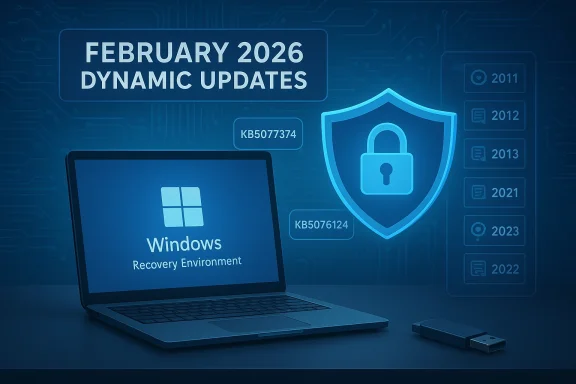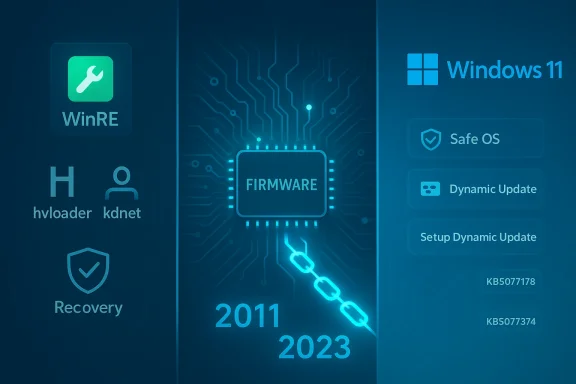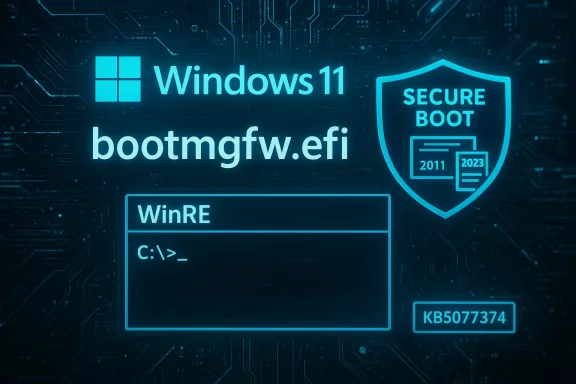
Microsoft shipped a set of behind‑the‑scenes Windows 11 dynamic updates on February 10, 2026 — KB5077178, KB5077180, KB5076124 and KB5077374 — that target the Windows Recovery Environment (WinRE) and setup binaries, and one of those setup updates includes a consequential Secure Boot signing change you need to plan for now.
Background
Microsoft uses Dynamic Updates to patch the components that run before the full OS boots or that are used during feature upgrades: the Windows Recovery Environment (WinRE), setup binaries (Setup.exe and associated files), Servicing Stack pieces and related support files. These packages are delivered as Safe OS updates (WinRE / SafeOS) and Setup Dynamic Updates, and they are applied automatically via Windows Update for supported Windows 11 feature updates and images.Dynamic Update packages are not cosmetic: they directly affect how Windows upgrades, how recovery tools behave when a machine won’t boot, and how pre‑boot components like the Boot Manager are signed and validated during UEFI Secure Boot. Because they are applied to the WinRE image or the setup image itself, they are not removable from the image once applied — which makes testing and awareness essential for administrators and power users alike.
What Microsoft released this week (summary)
- KB5077178 — Safe OS Dynamic Update for Windows 11, version 26H1 (WinRE improvements).
- KB5077180 — Safe OS Dynamic Update for Windows 11, versions 24H2 and 25H2 (WinRE improvements).
- KB5076124 — Safe OS Dynamic Update for Windows 11, version 23H2 (WinRE improvements; KDNET fix).
- KB5077374 — Setup Dynamic Update for Windows 11, version 23H2 (Setup improvements; Secure Boot Boot Manager signing change).
Why these updates matter now
There are three reasons these specific dynamic updates are worth attention:- WinRE reliability matters — WinRE is the last resort for repairing unbootable systems. Updates to SafeOS and WinRE binaries can fix bugs that previously broke debugging or recovery tools during boot or when performing offline repairs.
- Secure Boot certificate lifecycle is in play — Microsoft and OEMs are rolling out new Secure Boot certificates (the “2023” CA family) to replace certificates that expire in 2026. The Setup Dynamic Update (KB5077374) explicitly replaces 2011‑signed Boot Manager binaries with 2023‑signed ones on devices that already have the new 2023 UEFI certificate in their firmware DB. That replacement has real operational consequences for devices that have custom Secure Boot DB/DBX states or for users who toggle Secure Boot or reset firmware keys.
- Targeted fixes for niche but critical tooling — KB5076124 resolves a KDNET (kernel debugger over network) hang that affected kdstub.dll and kdnet.dll when Boot Manager debugging was enabled at startup. If your workflow relies on pre‑boot kernel debugging or you manage test/dev machines that use Boot Manager debugging, this matters.
Deep dive: What each KB actually changes
KB5077178 (26H1) and KB5077180 (24H2 / 25H2) — Safe OS (WinRE) updates
- Purpose: Improve the Windows Recovery Environment (WinRE).
- Delivery: Automatic via Windows Update; available to apply to images from the Update Catalog for media-based installs.
- Notable operational notes: After installation the WinRE component versions increment (Microsoft provides the expected WinRE file versions in the KB so an admin can verify installation). These updates do not require a full system restart and cannot be removed once embedded into a WinRE image.
KB5076124 (23H2 Safe OS) — KDNET fix
- Primary fix: The KDNET utility DLLs (kdstub.dll and kdnet.dll) could stop responding when Boot Manager (bootmgr) debugging is enabled during Windows start. This update patches those DLLs in the WinRE image to stop the hang.
- Replacement: This update replaces an earlier WinRE dynamic update (Microsoft notes which prior KB it supersedes).
- Result: The WinRE image version will reflect the new build number after the update.
KB5077374 (23H2 Setup Dynamic Update) — Boot Manager signing change and Secure Boot implications
- Primary change: On devices that already have the Windows UEFI CA 2023 certificate present in the firmware’s Secure Boot Signature Database (DB), Microsoft will update the Boot Manager binary (bootmgfw.efi) by replacing the 2011‑signed copy with the 2023‑signed copy.
- Operational warning: Resetting the Secure Boot DB or toggling Secure Boot settings on firmware that has been modified can trigger a Secure Boot violation. In rare cases that can leave a device unable to boot with the updated Boot Manager unless appropriate recovery media or firmware adjustments are used. Microsoft’s guidance: create Secure Boot recovery media when making changes that affect the DB or DBX, and coordinate with OEM firmware updates and IT tooling.
Secure Boot certificate transition: context and operational guidance
Microsoft and OEMs are doing a phased transition of their Secure Boot certificates: the certificates originally issued in 2011 are set to begin expiring in June 2026 and will be superseded by a 2023 CA family. The short version for administrators:- You must plan for certificate updates between now and June–October 2026. OEMs and Microsoft are coordinating updates to KEK/DB/DBX entries to add the new 2023 certs and eventually revoke the old 2011 ones.
- Microsoft’s rollout uses device telemetry and phased targeting to decide which devices are eligible to receive the new certificates automatically. Devices that show a reliable update/boot history will be prioritized so the rollout is safer.
- If your environment manages firmware centrally (SCCM/Intune/other OEM tools), review OEM guidance and available BIOS/UEFI updates that add the 2023 certificates. Many OEMs have published their own advisories and platform lists.
- Inventory: Identify devices that are still on older firmware or that don’t have the 2023 certs. OEM support pages (or hardware vendor update matrices) will list applicable BIOS updates by model and release date.
- Test: In a lab or ringed pilot group, apply the setup dynamic update and then exercise Secure Boot toggling and recovery scenarios to confirm behavior.
- Recoverability: Prepare Secure Boot recovery media and documented recovery procedures. If a machine reports a Secure Boot violation after you apply updates or after a firmware change, having recovery USB media that contains the correct signed boot manager and an updated WinRE image will save hours.
- Communications: Let helpdesk and field technicians know the potential for firmware‑level impacts and give them steps to create or obtain recovery media.
How Dynamic Updates work — short, practical primer
Dynamic Updates are acquired by Setup (or by a Windows Update triggered feature upgrade) at the start of an upgrade or image application and are applied to the installation media or WinRE image. Key points:- Content types included:
- Setup Updates — fixes to Setup.exe and related binaries.
- Safe OS Updates — WinRE / SafeOS fixes and updated binaries for recovery.
- Servicing Stack or CU components — sometimes included to make sure the image can accept later updates.
- Driver targeting updates — in some cases, driver packages for supported hardware.
- Reacquisition of Language Packs (LP) and Features on Demand (FOD) — dynamic updates can reacquire language packs and FOD content so they remain present after upgrades.
- Application paths:
- Online: Setup reaches out to Microsoft endpoints to fetch applicable dynamic update content at the start of an upgrade.
- Offline: Administrators can pre‑acquire dynamic update packages from the Microsoft Update Catalog and apply them to media (WIM images) before deployment.
- Permanence: Many dynamic updates that modify WinRE or setup images become part of the image and cannot be easily removed from that image later; plan and test accordingly.
VBScript, FODs and the upgrade path
A small but important note for developers and admins: Microsoft has been transitioning VBScript to a Feature on Demand (FOD) model. That means VBScript components are no longer guaranteed to be permanently embedded and will be treated as optional content during upgrades. Dynamic updates and the upgrade process try to preserve FOD content like VBScript or language packs, but admins should confirm presence post‑upgrade or plan for alternatives (PowerShell/JavaScript/etc.) where possible.Real‑world signals: reports of update instability and what to watch
February 2026 has been a bumpy ride for Windows updating. While the dynamic updates discussed here are infrastructure patches, they follow a period where cumulative updates created boot problems for some users — reports of boot loops, “no boot device” errors, and failed startups after KB5077181 circulated in the forums and news outlets.Actionable advice:
- Don’t panic, but be cautious. Dynamic updates themselves are small and focused; the larger cumulative OS updates have been the ones causing broader startup impact in some reports.
- If you manage many endpoints, stage the updates and use a phased rollout approach: pilot -> broad pilot -> production.
- Maintain known‑good system images and verified recovery media. If a device becomes unbootable after an update, recovery media that matches the device’s expected Secure Boot state and WinRE contents will be critical.
How to verify these updates were applied and WinRE versions
If you want to confirm that a dynamic update has been applied to a machine or image, use one of the following standard checks:- Run reagentc /info to discover the WinRE location.
- Mount the WinRE WIM and inspect file versions directly with DISM or by checking file properties.
- Use the published script Microsoft includes in KB articles (GetWinReVersion.ps1) to retrieve the WinRE version that should match the version the KB lists.
- For Setup Dynamic Updates, verify file version differences in the setup/update file manifests included in the KB.
- Expected WinRE file version identifiers and specific DLL/EXE names. Match those against what’s on the image.
- Whether the update replaces or supersedes previous KBs.
- Whether a restart is required (for these Safe OS dynamic updates, Microsoft notes no restart is required after applying to the image).
Recommended checklist for IT administrators
- Inventory firmware and BIOS versions across your fleet; prioritize vendors that have published patches enabling the Windows UEFI CA 2023 certificates.
- Acquire the new dynamic update packages in your test ring (Update Catalog), and apply them to test images before rolling them into production media.
- Test these scenarios in a controlled lab:
- Normal boot and recovery paths (Startup Repair, System Restore).
- Toggling Secure Boot and resetting the DB to validate recovery processes.
- Pre‑boot debugging (for those using KDNET) after KB5076124 to verify KDNET stability.
- Prepare recovery USB images that include an updated WinRE and the appropriate signed Boot Manager for the certificate state in your environment.
- Communicate with helpdesk: what to expect, how to identify Secure Boot violations and how to use recovery media to recover devices.
- If you use imaging automation (SCCM, MDT, third‑party) incorporate dynamic update acquisition into your media‑build pipelines.
Risks and potential pitfalls
- Secure Boot mismatches: Replacing a boot manager signed by a different CA can lead to Secure Boot violations if the firmware state doesn’t include the 2023 certificate or if the DB/KEK state is altered. That can prevent normal boot until recovery media or firmware updates are applied.
- Unremovable image changes: Dynamic updates applied to a deployed WinRE or setup image are effectively permanent for that image. If a platform‑specific problem emerges after applying them, rolling back is not always trivial.
- Telemetry‑based rollout: Microsoft’s plan to use rollout targeting based on device health signals is intended to avoid widespread failures, but it also means administrators can’t force a universal immediate apply for certificates on all devices — they must coordinate firmware and update distribution instead.
- Edge cases in niche tools: KDNET and other debugging tools are used in specialized workflows. If you rely on those, validate in a test lab before applying to your broader developer fleet.
Final analysis — strengths and where caution is warranted
Strengths:- Microsoft’s dynamic update mechanism is mature and addresses a class of pre‑boot and setup issues that, when broken, can prevent recovery or successful upgrades.
- The explicit Secure Boot signing change is proactive: it aligns pre‑boot binaries with the new 2023 CA certificates, which is necessary to avoid an emergency serviceability problem when the 2011 certs expire in 2026.
- KB5076124’s KDNET fix resolves a real pain point for kernel debugging in pre‑boot contexts and shows Microsoft is tracking developer workflows inside WinRE.
- The certificate transition is a firmware and platform coordination problem as much as it is a software update. Expect manufacturer coordination and pilot testing to be the most time‑consuming part of a safe deployment.
- The broader update quality environment in early 2026 remains wobbly; combine incremental testing with robust rollback and recovery planning.
- Some community reports of boot instability associated with recent cumulative updates (e.g., KB5077181) underscore the need to test cumulative OS rollups and dynamic updates together rather than in isolation.
Quick reference: do this now
- For IT admins: Add KB5077178, KB5077180, KB5076124 and KB5077374 to your update‑test backlog this week, acquire packages for lab testing from the Update Catalog, and validate recovery media and Secure Boot states across a representative sample of devices.
- For developers and debugging teams: If you use Boot Manager debugging (KDNET), pull KB5076124 into your test images to avoid a pre‑boot KDNET hang on debug boots.
- For helpdesk and field technicians: Ensure access to Secure Boot recovery media and document the steps to recover a Secure Boot violation (don’t rely solely on toggling Secure Boot without a recovery plan).
- For curious users: Expect these updates to land silently via Windows Update; they mainly enable safer upgrades and recovery and are not feature updates you need to opt into.
These Safe OS and Setup dynamic updates are the classic example of infrastructure work that most users never see until something breaks. The recent KBs patch that infrastructure — improving recovery tooling, fixing diagnostic hangs, and aligning Boot Manager signing with the forthcoming Secure Boot certificate lifecycle. That makes them low‑visibility but high‑impact for firms that manage images, run pre‑boot debug workflows, or support heterogeneous fleets where firmware state varies. Plan, test, and prepare recovery media — and use the next few weeks to ensure that the 2023 certificate rollout will be a controlled, predictable transition for your estate.
Source: Neowin Microsoft released KB5077180, KB5077374, KB5076124 Windows 11 setup & recovery updates