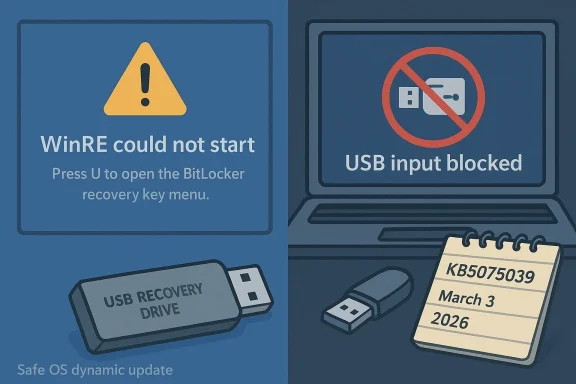
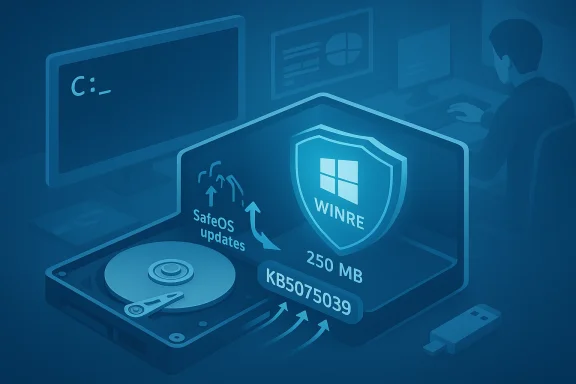
Microsoft has quietly reissued a Windows Recovery Environment (WinRE) servicing update for Windows 10—KB5075039—that finally addresses a serious regression introduced by October 14, 2025 updates that in some cases left WinRE unable to start or accept USB input. The re-release and associated Safe OS dynamic package correct the broken WinRE image and restore recoverability for affected systems, but the fix comes with important caveats for home users, imaging workflows, and administrators managing post–end-of-support Windows 10 fleets.
In mid‑October 2025 a set of Safe OS dynamic packages and WinRE servicing updates shipped alongside regular security releases. Those October updates included a driver package that contained a faulty USB stack binary (notably a specific USB hub driver) and a WinRE servicing package that, on some installations, produced a WinRE image that either would not mount properly or would not accept keyboard and mouse input inside the recovery environment. The consequence was striking: systems that needed offline recovery tools—Reset, troubleshooting options, image recovery, or the built‑in Command Prompt from WinRE—could be left effectively unmanageable without external boot media.
Microsoft and multiple industry observers documented the problem in October 2025, and Microsoft subsequently issued out‑of‑band updates for Windows 11 and follow‑up recovery updates for Windows 10 customers who had extended support entitlements. Beginning in January 2026 Microsoft published WinRE servicing updates intended to repair WinRE, and on March 3, 2026 Microsoft updated its WinRE support article and reissued KB5075039 to explicitly add the fix for the known October 14, 2025 issue.
This article unpacks what went wrong, explains exactly what KB5075039 does (and for whom it’s offered), walks through how to check whether your WinRE is repaired, and outlines practical mitigations and best practices for both consumers and enterprise admins in the months ahead.
The immediate impact was operational: repair options that rely on keyboard/mouse input became inaccessible, and automated recovery flows that depend on WinRE could fail. For many users the most practical workaround was booting external recovery media created prior to October 2025, or using older images that contained a working WinRE image.
That produces three practical consequences:
If verification shows WinRE is still below the baseline, or you cannot mount the winre.wim, you will need to consider manual servicing steps or external recovery media.
Actionable next steps:
Source: BornCity Windows 10: WinRE Update KB5075039 fixes issue from Oct. 2025
 Background / Overview
In mid‑October 2025 a set of Safe OS dynamic packages and WinRE servicing updates shipped alongside regular security releases. Those October updates included a driver package that contained a faulty USB stack binary (notably a specific USB hub driver) and a WinRE servicing package that, on some installations, produced a WinRE image that either would not mount properly or would not accept keyboard and mouse input inside the recovery environment. The consequence was striking: systems that needed offline recovery tools—Reset, troubleshooting options, image recovery, or the built‑in Command Prompt from WinRE—could be left effectively unmanageable without external boot media.Microsoft and multiple industry observers documented the problem in October 2025, and Microsoft subsequently issued out‑of‑band updates for Windows 11 and follow‑up recovery updates for Windows 10 customers who had extended support entitlements. Beginning in January 2026 Microsoft published WinRE servicing updates intended to repair WinRE, and on March 3, 2026 Microsoft updated its WinRE support article and reissued KB5075039 to explicitly add the fix for the known October 14, 2025 issue.
This article unpacks what went wrong, explains exactly what KB5075039 does (and for whom it’s offered), walks through how to check whether your WinRE is repaired, and outlines practical mitigations and best practices for both consumers and enterprise admins in the months ahead.
What broke in October 2025: the technical root cause
The driver / Safe OS dynamic package regression
The October 14, 2025 cumulative/security cycle included Safe OS dynamic updates designed to refresh the WinPE/WinRE runtime and several kernel‑mode drivers used by the recovery environment. One of those dynamic packages included an updated USB stack driver with a file version reported in vendor metadata as 10.0.26100.6891. On some systems the replacement WinRE image incorporated the faulty driver binary, which caused USB input devices—wired USB keyboards and mice—to be non‑functional inside WinRE. In other cases the WinRE servicing flow produced an image that would not start at all.The immediate impact was operational: repair options that rely on keyboard/mouse input became inaccessible, and automated recovery flows that depend on WinRE could fail. For many users the most practical workaround was booting external recovery media created prior to October 2025, or using older images that contained a working WinRE image.
Why WinRE matters more than you think
WinRE is not just an optional recovery utility: it is the standard offline environment Windows uses for system repair, resetting, BitLocker recovery workflows, and pre‑OS troubleshooting. When WinRE is broken:- Automatic and manual recovery operations can fail.
- Administrators lose a native path to offline servicing of system images.
- Systems that enter a boot failure state may require full external media reinstallation or hardware‑level support to recover.
Microsoft’s response timeline: October 2025 → March 2026
- October 14, 2025 — Microsoft shipped the Patch Tuesday updates that included Safe OS dynamic packages and WinRE servicing packages. After field reports and internal validation surfaced the USB/WinRE regressions, Microsoft acknowledged the problem in its release‑health notes and began developing targeted fixes.
- Mid‑ to late October 2025 — Microsoft issued emergency recovery updates for Windows 11 channels, plus guidance for administrators and consumers on workarounds. The early fixes restored USB input to WinRE for affected Windows 11 SKUs.
- January 15, 2026 — Microsoft released a Windows 10 WinRE servicing update (KB5075039) that applied a Safe OS dynamic update into WinRE on running PCs in an attempt to repair the environment.
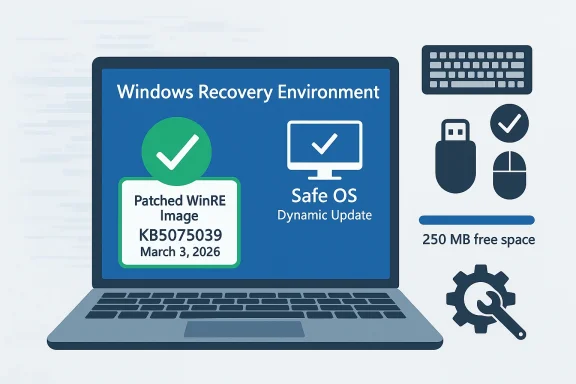
- March 3, 2026 — Microsoft updated the KB article and re‑released KB5075039 with additional change log information explicitly stating the update “Fixed: WinRE would not start after installing the October 14, 2025 update KB5068164.” The reissued update installs a Safe OS dynamic package into WinRE to address the failures and also adds improved verification and guidance for administrators.
KB5075039: what it does, how it is delivered, and the important limits
Core behavior
- KB5075039 is a Windows Recovery Environment update that automates the application of a Safe OS Dynamic Update into the WinRE image of a running PC. That Safe OS dynamic update contains newer WinPE runtime components and corrected drivers intended to remove the October‑introduced regression.
- After installation, the WinRE image version on the device should be greater than or equal to a specified baseline (the KB describes the target WinRE version you should see after the update is applied).
- The update performs servicing of the WinRE image; there is no user‑visible reboot requirement after applying the package to the running OS.
Deployment channels and the big delivery caveat
- KB5075039 is offered through Windows Update. It is not available in the Microsoft Update Catalog, and it is not deployable through WSUS or Microsoft Endpoint Configuration Manager. This matters tremendously for managed environments that rely on catalog downloads and WSUS for staged rollouts.
- The Microsoft KB metadata for the March 3, 2026 reissue spells out the Applies To scope: the update is published against Windows 10 Enterprise LTSC 2021 and Windows 10 devices covered by Extended Security Updates (ESU). In short: the published scope prioritizes enterprise LTSC and ESU customers.
- The update requires at least 250 MB of free space in the WinRE recovery partition to install successfully. Microsoft provides guidance and scripts for resizing the recovery partition where necessary.
Irreversible and replacement behavior
- The update cannot be removed once it is applied to a Windows image.
- KB5075039 replaces the previously released WinRE servicing update associated with the October 2025 release (KB5068164), addressing the known issue introduced by that prior package.
Who gets the fix — and who might be left behind
One of the most consequential details buried in Microsoft’s support metadata is the explicit Applies To scope. Because Windows 10’s mainstream free support ended on October 14, 2025, Microsoft’s KB entries for these post‑EOL recovery updates are targeted primarily at customers with paid entitlements (for example, Extended Security Updates) and certain long‑term servicing channel SKUs (LTSC).That produces three practical consequences:
- Enterprise LTSC and ESU‑subscribed customers will be offered KB5075039 via Windows Update and can have WinRE repaired as part of the regular servicing flow if their WinRE partition has sufficient free space.
- Mainstream Windows 10 Home and Pro devices that are not enrolled in ESU may not be offered the reissued package via Windows Update. In those cases, affected home devices could be left without an official, Microsoft‑distributed WinRE repair through standard update channels.
- Managed environments that rely on WSUS, Configuration Manager, or offline catalog downloads will not see KB5075039 through those channels. Administrators must plan for alternative delivery mechanisms, such as orchestrated imaging or custom WinRE servicing using offline image servicing tools.
How to verify whether your WinRE is repaired (practical checks)
Administrators and power users should proactively check WinRE on machines in their environment. Microsoft documents a few reliable ways to confirm WinRE health; here are the key checks you can run locally.1) Check whether WinRE is enabled and the image path
Run an elevated command prompt and execute:- reagentc /info
2) Inspect the WinRE image version with DISM
Once you have the path, you can use DISM to obtain image info:- dism /Get-ImageInfo /ImageFile:<full‑path‑to‑winre.wim> /index:1
3) Use Microsoft’s PowerShell helper
Microsoft publishes a small PowerShell script (GetWinReVersion.ps1) that automates the discovery, mounting, and version extraction of winre.wim and prints the WinRE version. Running that script with administrator credentials is a quick way to get a consistent result.4) Event logs
Look for WinREAgent servicing events in the System log. A successful servicing event will show an event such as “Servicing succeeded. The Windows Recovery Environment version is now: <version>.”If verification shows WinRE is still below the baseline, or you cannot mount the winre.wim, you will need to consider manual servicing steps or external recovery media.
How to fix WinRE when automated delivery is not available
If your device does not receive KB5075039 through Windows Update, or if you are managing devices at scale and need deterministic controls, there are a few alternatives.Manual WinRE servicing (enterprise / advanced users)
- Obtain a known‑good WinRE image containing the corrected Safe OS dynamic components (for example, an image from a patched reference machine or a patched WIM exported by a supported channel).
- Mount the recovery partition, copy your existing winre.wim to a safe location, and replace the winre.wim with the known‑good image.
- Use DISM to apply any required servicing updates offline to the mounted WinRE image.
- Re‑register WinRE if necessary (using reagentc /setreimage /path <path>), then confirm version and WinREAgent servicing events.
Resizing the WinRE partition
Because KB5075039 requires 250 MB of free space on the recovery partition, you may need to enlarge the WinRE partition before the update can install. Microsoft provides guidance and sample scripts for resizing the partition safely. Administrators should:- Validate available free space with reagentc /info and by inspecting the partition.
- Use tested scripts or disk management tooling to expand the recovery partition.
- Perform partition changes in a maintenance window and ensure backups exist before manipulating partitions.
Create external recovery media now
If your device is not eligible for the Microsoft reissue, or you prefer redundancy, create a USB recovery drive from a known‑good Windows 10 machine that has been patched with the corrected WinRE image. This recovery USB can be used to boot systems and access recovery options independently of a potentially broken local WinRE.Short‑term mitigations you can apply today
- Keep a working external recovery drive or installation media on hand—preferably one created or updated after March 3, 2026 for Windows 10 devices that might be affected.
- Use PS/2 keyboards or device types that do not rely on the affected USB stack if you must access WinRE immediately and cannot update the device.
- For managed fleets, test KB5075039 on a pilot set of machines (preferably ESU/LTSC images) and export a working winre.wim that can be used to repair offline devices.
- If you rely on WSUS/Configuration Manager, prepare a process to obtain the corrected WinRE image from a patched reference device and distribute it through an approved imaging/servicing workflow.
Enterprise management considerations and recommendations
For IT departments the situation is a reminder that post‑end‑of‑life patching and recovery workflows require operational attention.- Do not assume Windows Update will deliver every emergency repair to all SKUs. KB publication metadata can limit the Applies To scope to ESU or LTSC SKUs, and some recovery servicing updates are not published to catalogs that WSUS consumes.
- Maintain a patched golden image that contains a healthy winre.wim and ensure that it is refreshed after every patching cycle that touches Safe OS or WinRE components.
- Document a WinRE verification runbook: reagentc /info, DISM image inspection, PowerShell script check, and log verification. Run these checks as part of periodic compliance scans and image validation.
- Consider adding a simple monitoring rule to detect whether WinREAgent servicing events have failed or whether the recovery partition free space is low. Preventative maintenance is cheaper and less disruptive than field remediation.
- If your environment still uses cloned images, ensure you are regenerating unique SIDs and other identifiers during imaging workflows—some WinRE and safety features expect distinct system identifiers.
Larger implications: testing, dynamic updates, and EOL realities
This incident highlights several broader lessons for Windows administrators and users:- Safe OS dynamic updates and WinRE servicing are powerful but fragile. They operate outside the normal OS runtime, and a problematic library or driver in the recovery image can have outsized impact because the recovery environment is a last‑resort path.
- Dynamic updates that touch drivers should be subjected to thorough validation in recovery contexts. Driver regressions are more tolerable in the main OS than in the recovery runtime where administration is limited.
- End-of‑support OSes create asymmetric remediation behavior. When mainstream consumer servicing ends, enterprises can expect continued paid support channels while consumers may not. That can create a support cliff where ordinary users have fewer options to recover without external intervention.
- Delivery channels matter. Microsoft’s decision to limit KB5075039 to Windows Update delivery—without Microsoft Update Catalog or WSUS availability—puts more burden on live Windows Update paths and complicates mass remediation for organizations that rely on catalog‑based distribution.
Best practices checklist — what administrators and advanced users should do now
- Immediately verify WinRE on representative systems:
- reagentc /info
- DISM /Get-ImageInfo for winre.wim
- Run the GetWinReVersion.ps1 helper script and check WinREAgent events
- Ensure the recovery partition has ≥250 MB free; if not, plan and test a safe resize operation in a maintenance window.
- Patch a reference machine that receives KB5075039 via Windows Update, then extract and archive the patched winre.wim as a trusted recovery image.
- For WSUS/ConfigMgr environments, prepare a documented offline remediation plan (export patched winre.wim, script replacement on target devices).
- Build and maintain up‑to‑date external recovery USB drives for end users in high‑risk roles or offices.
- Update documentation and runbooks to include WinRE verification as part of periodic compliance and post‑patch validation.
- Communicate to users: instruct home and small business users who are not on ESU to create recovery media now and to contact support if they encounter a non‑working WinRE.
Strengths, weaknesses, and risk appraisal
Notable strengths of Microsoft’s approach
- Microsoft identified and acknowledged the regression, and produced targeted WinRE servicing updates for both Windows 11 and Windows 10 post‑EOL channels.
- The March 3, 2026 KB reissue clarifies the fix and provides automated servicing steps to repair WinRE on running systems.
- Microsoft provides diagnostic guidance, scripts, and event IDs to help administrators confirm WinRE health.
Persistent weaknesses and risks
- The limited Applies To scope and the absence of the update in Microsoft Update Catalog/WSUS leaves a large surface of Windows 10 Home and Pro devices at risk of being underserved.
- Administrators who depend on WSUS/ConfigMgr cannot rely on standard catalog synchronization to deliver KB5075039; they must adopt manual or custom remediation workflows.
- Because the update requires 250 MB of free recovery partition space, systems with small recovery partitions (very commonly seen in OEM images or devices with older imaging practices) may not get the automated fix without a prior partition resize operation—an operation that itself introduces risk when performed at scale.
- The underlying problem stems from a driver/data regression inside a Safe OS dynamic package; this underscores the risk of delivering binary updates into recovery runtimes without broad recovery‑path validation across a range of hardware and OEM images.
Final assessment and practical takeaways
KB5075039’s reissue on March 3, 2026 is an important corrective step: it gives organizations and eligible Windows 10 customers a route to restore a functional WinRE image after the October 2025 regression. However, the repair is not universally and automatically available to all Windows 10 installations. Home and Pro users without ESU, and organizations that rely strictly on WSUS or catalog‑driven patching, should not assume their systems will receive KB5075039 through their usual channels.Actionable next steps:
- Verify WinRE status on your machines today.
- If you manage fleets, patch a reference device and export a repaired winre.wim to use as a fallback.
- Create or refresh external recovery media for endpoints that cannot be guaranteed an automatic fix.
- Plan an inventory and remediation path for systems with inadequate recovery partition space.
- Reassess imaging and update validation workflows to include recovery‑path testing as mandatory for any Safe OS or dynamic updates that affect WinPE/WinRE components.
Source: BornCity Windows 10: WinRE Update KB5075039 fixes issue from Oct. 2025