

Microsoft’s February 10, 2026 ESU rollup, KB5075912, raises Windows 10 22H2 to Build 19045.6937 while quietly widening the platform-level work that will keep Secure Boot functional as Microsoft’s 2011 Secure Boot certificate authorities approach expiry later this year. The update is small on the surface — fixes for fonts, File Explorer renaming, and a GPU stability patch — but it carries two high-impact changes IT teams must treat as urgent: a fix for a shutdown/hibernation regression that affected some Secure Launch/VSM configurations, and the inclusion of targeting data in Windows quality updates that gates delivery of the new Secure Boot certificates in a phased, telemetry-guided rollout.
Windows 10 reached the official end of mainstream support in late 2025, and Extended Security Updates (ESU) are the only route for Windows 10 devices to continue receiving platform fixes and security patches. KB5075912 is the February 2026 ESU cumulative update for Windows 10 versions 22H2 and 21H2, producing builds 19045.6937 and 19044.6937 respectively. The package includes a combined servicing stack update (SSU) component and the latest cumulative LCU; Microsoft’s release notes explicitly remind administrators to ensure the latest SSU is installed before applying the LCU.
Two items make this otherwise routine ESU rollup consequential:
Microsoft and OEMs produced a replacement family of 2023 CA certificates and are distributing them through a coordinated path: a mixture of firmware updates from OEMs and OS-delivered changes written to UEFI variables where firmware permits. The coordination is deliberately conservative — rolling the new certs only to devices that demonstrate stable update signals reduces the risk of wide‑scale boot issues caused by older or buggy firmware implementations. But that same conservatism creates edge cases: unmanaged Windows 10 systems that aren’t enrolled in ESU, air‑gapped devices, or machines with outdated firmware may not receive the new certificates automatically and therefore are at greater risk.
Why this matters:
Source: Notebookcheck Windows 10 ESU update KB5075912 bumps 22H2 to Build 19045.6937
 Background / Overview
Windows 10 reached the official end of mainstream support in late 2025, and Extended Security Updates (ESU) are the only route for Windows 10 devices to continue receiving platform fixes and security patches. KB5075912 is the February 2026 ESU cumulative update for Windows 10 versions 22H2 and 21H2, producing builds 19045.6937 and 19044.6937 respectively. The package includes a combined servicing stack update (SSU) component and the latest cumulative LCU; Microsoft’s release notes explicitly remind administrators to ensure the latest SSU is installed before applying the LCU.Two items make this otherwise routine ESU rollup consequential:
- A shutdown/hibernation regression affecting some Secure Launch-capable PCs that also have Virtual Secure Mode (VSM) enabled — systems could restart instead of powering down after certain 2026 updates.
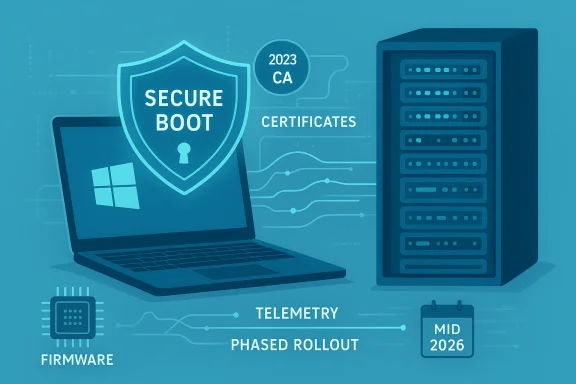
- A Secure Boot certificate rollout mechanism: KB5075912 adds targeting metadata to Windows quality updates so Microsoft can detect which devices are safe to receive the replacement Secure Boot certificates and then push those certificates only after devices show “sufficient successful update signals.” This is part of a wider, coordinated certificate refresh effort ahead of mid‑to‑late 2026 expirations.
What KB5075912 actually changes
Summary of fixes (user-facing)
- Updates to Chinese fonts to comply with GB18030‑2022A.
- Fix for localized folder names in File Explorer where desktop.ini-based LocalizedResourceName was ignored.
- Stability fixes affecting specific GPU configurations.
- The critical fix: resolved a regression where devices using Secure Launch with VSM could be prevented from powering off or entering hibernation after installing security updates released on or after January 13, 2026. Affected systems would unexpectedly restart instead of fully powering down or hibernating.
Platform-level additions (under-the-hood)
- Secure Boot targeting data: KB5075912 embeds telemetry/targeting signals into Windows quality updates. That metadata allows Microsoft’s servicing pipeline to identify which devices are eligible to receive the new 2023 CA Secure Boot certificates and to release them gradually once a device demonstrates stable update behavior. This prevents a broad, single‑shot certificate enrollment that could break older firmware stacks at scale.
Servicing stack notes
- Microsoft packaged the latest SSU alongside the LCU (notably KB5077456 for the SSU), and the KB article warns that not having the latest SSU installed can block update offerability. IT teams should install the SSU first on images and managed systems.
Why the Secure Boot certificate refresh matters now
Secure Boot is a firmware-level integrity control. It depends on a small set of cryptographic trust anchors stored in UEFI NVRAM — the Platform Key (PK), Key Exchange Keys (KEK), the allowed signatures database (DB), and the revocation database (DBX). Microsoft issued a set of CA entries around 2011 when Secure Boot first shipped; those same CA entries are now time‑bound and begin to reach the end of their validity in mid‑2026, with a related Microsoft boot‑signing PCA expiring later in October 2026. If those anchors expire while devices are still relying on them, firmware will generally continue to boot, but it can no longer accept new signed pre‑OS components or revocation updates — in other words, the device will enter a degraded Secure Boot state over time.Microsoft and OEMs produced a replacement family of 2023 CA certificates and are distributing them through a coordinated path: a mixture of firmware updates from OEMs and OS-delivered changes written to UEFI variables where firmware permits. The coordination is deliberately conservative — rolling the new certs only to devices that demonstrate stable update signals reduces the risk of wide‑scale boot issues caused by older or buggy firmware implementations. But that same conservatism creates edge cases: unmanaged Windows 10 systems that aren’t enrolled in ESU, air‑gapped devices, or machines with outdated firmware may not receive the new certificates automatically and therefore are at greater risk.
The shutdown/hibernation regression — technical context and impact
Microsoft’s KB notes a configuration-dependent regression: certain Secure Launch‑capable machines with Virtual Secure Mode (VSM) enabled — a scenario more likely in enterprise deployments that use HVCI, Credential Guard, or other virtualization-based security — were observed to restart instead of shutting down or hibernating after installing updates published on/after January 13, 2026. The symptom is disruptive: scheduled patch cycles or normal shutdown behavior on laptops and servers may not behave as expected, complicating maintenance windows and possibly contributing to data integrity risks where shutdown is part of system procedures. KB5075912 explicitly fixes this behavior.Why this matters:
- Laptops and mobile devices depend on reliable suspend/hibernate transitions to maintain user state and battery life.
- Servers and appliances that use hibernation or rely on expected shutdown semantics during maintenance windows can see operational impacts.
- The regression surfaced only on systems using advanced firmware/OS integrity combinations, underlining how modern hardening (Secure Launch, VSM) increases surface area for subtle regressions.
The phased Secure Boot certificate rollout: how it works (and how it affects you)
Microsoft’s approach balances two opposing risks: rolling out new certs too broadly (which could trigger firmware or boot failures on some legacy devices) versus not replacing expiring CAs in time (which will freeze the platform’s ability to accept future pre‑boot fixes). The mechanics are:- Windows quality updates (LCUs) will carry targeting metadata that indicates a device’s suitability for certificate enrollment.
- Microsoft observes update telemetry and “sufficient successful update signals” from a device (successful installations, error telemetry, servicing stack health). Only after the device demonstrates these signals will Windows or the OEM-enablement path write the new 2023 certificates to firmware variables.
- OEM firmware updates remain an important path: some devices will require OEM firmware updates before they can accept the new certificates via Windows servicing. In managed environments, IT teams may need to coordinate firmware pushes with OEMs or use vendor tools to stage certificate deployment.
- The 2011 KEK and UEFI CA certificates begin to expire in late June 2026; one of the Microsoft boot PCA certificates expires later, in October 2026. These are operational deadlines, not hypothetical. If a system still relies solely on the 2011 entries after expiration, it will still boot initially — but it will no longer accept newly signed Secure Boot updates, DBX revocations, or newer bootloader signatures.
Who is at risk — and who is not
- At relatively low risk: modern PCs shipped since 2024 and many Windows 11 machines that were built with the 2023 CA family already present in firmware.
- At intermediate risk: devices that are online, managed by Windows Update but have older firmware — these typically will receive the certs through a mix of OS-side and firmware updates, provided the device demonstrates update health signals.
- At highest risk: devices running unsupported OS versions that are not enrolled in ESU (Windows 10 without ESU), devices that are air‑gapped, severely firmware‑constrained servers or appliances, and systems where OEM firmware updates are not available. Such systems may enter a degraded security state if they miss the certificate refresh in time.
How to check whether your devices already have the 2023 certificates (quick checks and enterprise options)
Microsoft and third‑party guides converge on a few practical checks administrators can run. These are safe read-only checks:- GUI quick check:
- Open Start → Settings → Privacy & security → Windows Security → Device security.
- Under Device security, inspect the Secure boot section. If it reads On, Secure Boot is enabled.
- PowerShell (local, single‑device checks — run as Administrator):
- Confirm Secure Boot is enabled:
- Confirm-SecureBootUEFI — returns True/False.
- Inspect the DB for the 2023 CA string:
- [System.Text.Encoding]::ASCII.GetString((Get-SecureBootUEFI db).bytes) -match 'Windows UEFI CA 2023'
- If the command returns True, the device already contains the 2023 certificate entries in the DB. Popular guides and Microsoft Q&A responses use this approach as the simplest human‑readable check.
- Registry / Servicing keys (for advanced checks used by management tooling):
- Inspect HKEY_LOCAL_MACHINE\SYSTEM\CurrentControlSet\Control\SecureBoot\Servicing to see whether servicing-related capability flags are present. Microsoft’s Secure Boot certificate guidance includes example scripts and recommends scripted telemetry capture for large fleets.
- Fleet-scale: use management tooling (Intune, SCCM/ConfigMgr, third‑party patch tools) to run a compliance script that returns the aforementioned PowerShell checks and report centrally. Microsoft’s guidance includes a deployment playbook and example scripts for monitoring event logs and enrollment signals.
Recommended action plan (home users and IT administrators)
The certificate refresh and KB5075912 together create a short checklist of high‑priority tasks:- Prioritize rollout of KB5075912 and the associated SSU (KB5077456) to affected devices, starting with pilot groups and progressing to wider fleet deployment only after confirming stability. Install SSU first on images and maintenance windows.
- For machines showing the shutdown/hibernation symptom: apply KB5075912 immediately and validate shutdown/hibernate behavior post-installation. If you cannot apply updates right away, plan an alternate mitigation for scheduled maintenance windows.
- Verify Secure Boot enablement with Confirm-SecureBootUEFI and inspect DB entries for the presence of “Windows UEFI CA 2023” via the Get‑SecureBootUEFI DB check. Automate these checks where possible.
- Coordinate with OEMs for firmware updates: check vendor advisories and update channels (Lenovo, Dell, HP vendor notes) for firmware that explicitly adds the 2023 CA family to UEFI for older models. Some devices will need an OEM firmware update before Windows-servicing can write the new entries.
- For WSUS and other offline environments: ensure offline catalog packages and appropriate SSUs are approved and staged. Microsoft’s offline catalog includes the ESU rollups and the servicing guidance that administrators must follow for offline servicing.
- For unmanaged Windows 10 systems: evaluate ESU enrollment if continued Windows Update paths are required to receive the certificate refresh and future pre‑boot security fixes. Microsoft’s blog and support posts emphasize that unsupported versions not enrolled in ESU will not receive the new certificates via Windows Update.
Risks, caveats and things that remain uncertain
- Phased rollouts are conservative by design. That reduces the chance of mass disruption but may leave a tail of older hardware without the new certs until OEM firmware updates are available or until telemetry shows those machines are stable. For organizations with long‑lifecycle hardware, this requires proactive firmware coordination.
- Microsoft’s telemetry gating is deliberately opaque: the exact “sufficient successful update signals” criteria are not published in full. IT teams should treat the rollout as operationally dependent on update health and be ready to remediate machines that fail to progress through the gating stages. If you rely on deterministic timelines for certification replacement, allow extra buffer time around June–October 2026 windows.
- Some community and vendor writeups have linked anti‑cheat software or specific pre‑boot components to Secure Boot behavior. Those linkages are real in the sense that Secure Boot defends early‑boot code, but the precise operational risk to any one anti‑cheat stack or vendor driver must be validated with the vendor. Do not rely on third‑party claims without vendor confirmation; instead test representative systems before and after updates.
- If a machine’s UEFI variables are reset or the firmware is reflashed, you may need to re-enroll the new certs; that process often requires OEM tools or reapplication of the Windows-servicing path. This is a non-trivial recovery path for some embedded and appliance devices.
- Because Microsoft’s gating criteria are telemetry-derived, the community lacks a precise published threshold; treat any specific numeric claim about “how many successful updates” is required as unverifiable at the public level. Administrators should instead rely on the published checks and Microsoft’s monitoring guidance to validate readiness.
Practical examples — sample commands and interpretation
- Confirm Secure Boot is turned on:
- Confirm-SecureBootUEFI
- Returns True if UEFI Secure Boot is enabled and supported; False otherwise. If the cmdlet errors, you may be on legacy BIOS or lack admin privileges.
- Check for new 2023 CA entries in DB:
- [System.Text.Encoding]::ASCII.GetString((Get-SecureBootUEFI db).bytes) -match 'Windows UEFI CA 2023'
- True indicates the 2023 UEFI CA is present in DB. False likely indicates you still have the 2011 CAs and need to wait for or force the update. Use this test during pilots and when inventorying devices.
Conclusion — what to prioritize this week
KB5075912 is a small ESU rollup by size, but a large one by implication: it closes a disruptive shutdown/hibernate regression for hardened systems and carries the machinery Microsoft needs to steer a global Secure Boot certificate refresh during a tight calendar window in mid‑to‑late 2026. For IT teams, the action items are straightforward and time bound:- Patch pilot groups with KB5075912 + SSU immediately and verify both the shutdown fix and the absence of new regressions.
- Run the Secure Boot checks and collect fleet telemetry now; identify devices lacking the 2023 CA entries and prepare firmware remediation plans with OEMs.
- For unmanaged Windows 10 devices, evaluate ESU enrollment if you require continuing Windows-serviced certificate rollout and updates through 2026.
Source: Notebookcheck Windows 10 ESU update KB5075912 bumps 22H2 to Build 19045.6937
