Microsoft has started shipping an optional Windows 11 preview update — KB5077241 — to Insiders in the Release Preview Channel, and while the package is modest on headline-grabbing features it changes how the OS is serviced and surfaces several small, practical improvements that will matter to help desks, IT admins, and everyday users alike. ([blogs.windows.com].com/windows-insider/2026/02/17/releasing-windows-11-builds-26100-7918-and-26200-7918-to-the-release-preview-channel/)
Microsoft released Builds 26100.7918 and 26200.7918 as part of KB5077241 on February 17, 2026, targeting Windows 11 versions 24H2 (build series 26100) and 25H2 (build series 26200). The Release Preview update is presented as a non-security preview ahead of the March 2026 cumulative servicing wave and is being rolled out in phases via Controlled Feature Rollout (ft later pushed a minor follow-up (26100.7921 / 26200.7921) to address small underlying issues.
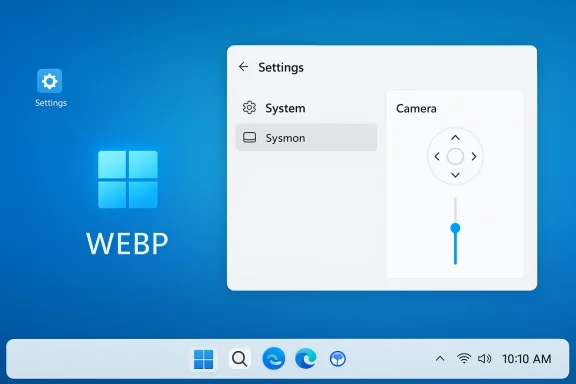
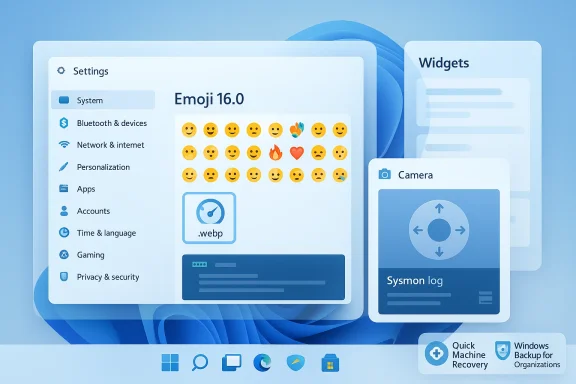
This Release Preview package reads like a quality‑of‑life and management-focused rollup rather than a major feature release. It bundles a handful of user-facing conveniences — a built‑in taskbar speed test, pan/tilt camera controls, the ability to use .webp files as wallpapers, and a curated subset of Emoji 16.0 — together withges important to enterprises, such as native Sysmon integration and Microsoft Entra ID SID-resolution improvements. Multiple independent outlets and community writeups captured the same set of changes when the update hit Insiders.
Why this is important:
Caveat: Microsoft’s CFR approach intentionally staggers feature exposure; some Insiders will see features before others, and the company sometimes revises rollout behavior after initial telemetry. Where the changelog says a feature is included, availability can still be phased. Treat dates such as a planned GA rollout (reported by several outlets as March 10, 2026) as targets subject to change.
Given that KB5077241 is a non-security preview that carries platform‑level additions (Sysmon) and management‑affecting changes (QMR defaults, Entra hooks), enterprises should:
Recommendations:
In conclusion, this Release Preview shows Microsoft continuing a methodical approach: modest, targeted UX wins for users, coupled with deeper, potentially game‑changing platform integrations for organizations. If you manage Windows fleets, make KB5077241 the next item on your test‑ring checklist — but test thoroughly before broad deployment.
Source: Windows Report https://windowsreport.com/windows-11-kb5077241-preview-update-rolls-out-with-build-number-changes/
 Background
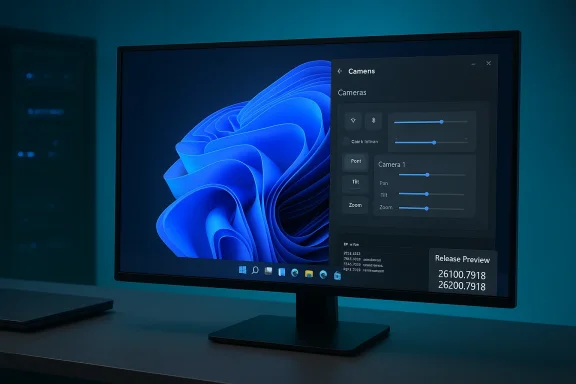
Microsoft released Builds 26100.7918 and 26200.7918 as part of KB5077241 on February 17, 2026, targeting Windows 11 versions 24H2 (build series 26100) and 25H2 (build series 26200). The Release Preview update is presented as a non-security preview ahead of the March 2026 cumulative servicing wave and is being rolled out in phases via Controlled Feature Rollout (ft later pushed a minor follow-up (26100.7921 / 26200.7921) to address small underlying issues.This Release Preview package reads like a quality‑of‑life and management-focused rollup rather than a major feature release. It bundles a handful of user-facing conveniences — a built‑in taskbar speed test, pan/tilt camera controls, the ability to use .webp files as wallpapers, and a curated subset of Emoji 16.0 — together withges important to enterprises, such as native Sysmon integration and Microsoft Entra ID SID-resolution improvements. Multiple independent outlets and community writeups captured the same set of changes when the update hit Insiders.
What’s in KB5077241 — feature-by-feature
Below I break down the most relevant user- and IT-facing items included in KB5077241, with precise notes on what changes, what remains cosmetic, and what administrators should watch for.Taskbar network speed test (quick diagnostics)
- What changed: Windows now surfaces a one‑click *network speem tray and Wi‑Fi/Cellular Quick Settings. Selecting it launches a browser-hosted speed measurement (for example, the embedded web widget) and reports download/upload/latency so users can quickly validate connectivity. This is a shortcut* to a web test, not a native packet-level throughput engine.
- Why it matters: This lowers the barrier to running a simple connectivity check — useful for tier‑1 support and less technical users — and reduces support time for “it’s slow” reports that turn out to be ISP issues.
- Caveats: Because the test opens the default browser and uses a web service for measurement, results may vary by browser, DNS, CDN routing, and the external service used. Enterprises that care about controlled diagnostics should continue to validate with internal toolst endpoints.
Native Sysmon (System Monitor) shipping in-box
- What changed: KB5077241 introduces Sysmon functionality integrated into the OS image rather than provided solely as a separate Sysinternals download. The intent is to give administrators richer, persistent event logging for detection and forensics without requiring a manual Sysmon install.
- Why it matters: Organizations that rely on Sysmon for endpoint telemetry will gain easier deployment and possibly better lifecycle management, since the component can be updated and configured via Group Policy, Intune, or other management tooling.
- Caveats & questions: Embedding a powerful telemetry tool into the base OS raises questions about default configuration, telemetry volume, and storagt. Admins will want to validate default rulesets and ensure log ingestion pipelines are prepared for any change in event volume.
Camera pan/tilt (PTZ) controls in Settings
- What changed: For cameras that expose pan/tilt/zoom (PTZ) capabilities, Windows now shows basic pan/tilt controls inside Settings under Bluetooth & devices > Cameras. This removes the need for many vendor-only utilities for simple adjustments. (pureinfotech.com)
- Why it matters: This is a straightforward ergonomics win for hybrid workers and meeting-room setups where users want to reframe themselves without accessing a third-party control app.
.webp wallpaper support and Emoji 16 subset
- What changed: Windows can now set .webp images as desktop background images. In addition, Microsoft added a curated subset of Emoji 16.0 glyphs to the system picker. These are small UX updates that tidy personalization and UX consistency. (pureinfotech.com)
- Why it matters: Support for modern image formats simplifies workflows (smaller files for high-quality images) and Unicode emoji updates keep the OS visually current.
Quick Machine Recovery and backup-first sign-in behavior
- What changed: The update tweaks Quick Machine Recovery (QMR) defaults. For non-managed Pro devices, QMR is now enabled by default, offering an automated recovery safety net. Backups and first-sign-in restore behaviors for Microsod and Cloud PCs have also been extended and refined.
- Why it matters: QMR can reduce the friction of device recovery for consumers and unmanaged business users, but organizations should verify that the new defaults align with their compliance and data protection policies.
Entra ID SID translation and management hooks
- What changed: The package improves Microsoft Entra (Azure AD) SID translation and management integration, easing scenarios that require mapping cloud identities to local SIDs for policy and access control.
- Why it matters: This is an important operational improvement for enterprises moving to hybrid identity models and doing cloud‑onboarding of devices.
Reliability and quality fixes
- The update includes a range of reliability fixes — sleep/resume stability, printing service improvements, Nearby Sharing resilience, File Explorer reliability tweaks, Windowing and Taskbar fixes, and Windows Update responsiveness enhancements. These are not flashy but cumulatively improve daily stability.
The build-number question: what changed and why it matters
Windows 11 uses build-series numbers to differentiate major servicing baselines and feature streams. KB5077241 is packaged as two closely related builds:- Build 26100.7918 — for Windows 11 version *24H28** — for Windows 11 rolling/25H2.
Why this is important:
- Administrators must track the base build series (26100 vs 26200) when testing updates, because Group Policy, driver signing, and enterprise app compatibility may be validated differently across baselines.
- When scripting or automating via Configuration Manager or Intune, targeting should consider both the KB and the build suffix to avoidollouts.
Verification and sources: how these claims were validated
The core technical details above are corroborated by Microsoft’s own Windows Insider blog post announcing the Release Preview rollouts and by contemporary coverage and changelogs published by independent Windows-focused outlets. The Windows Insider announcement provides the official changelog and the update timeline; independent reporting and in-community testing notes capture the practical behavior and early availability pattern. That mix of primary (Microsoft) and secondary (industry press, community reporting) sources confirms both the intent of the changes and the observed behavior rolling out to testers.Caveat: Microsoft’s CFR approach intentionally staggers feature exposure; some Insiders will see features before others, and the company sometimes revises rollout behavior after initial telemetry. Where the changelog says a feature is included, availability can still be phased. Treat dates such as a planned GA rollout (reported by several outlets as March 10, 2026) as targets subject to change.
Security, telemetry, and enterprise implications — a critical read
KB5077241’s inclusion of Sysmon as an integrated component is the single most consequential change from a security operations perspective. Below I unpack the benefits and the potential hidden costs.Benefits for defenders
- Easier deployment: Having Sysmon in-box removes the friction of installing a separate Sysmon binary and managing its lifecycle across thousands of endpoints.
- Standardization potential: If Microsoft ships sensible default rule sets and lets admins push custom configurations via MDM or Group Policy, teams can expect more consistent event semantics across managed fleets.
- Faster telemetry onboarding: Out-of-the-box event sources can accelerate detection engineering, enabling earlier detection of living-off-the-land or lateral-movement patterns.
Risks and operational concerns
- Default configuration unknowns: The critical question is what rules and sampling rates Microsoft enables by default. If aggressive rules are on by default, event volume could overwhelm SIEM ingestion or force administrators into ad hoc reductions. If too conservative, defenders will still need to install custom rule sets.
- Telemetry and privacy: Built-in telemetry can trigger privacy and compliance reviews, particularly for organizations in regulated sectors. Admins must verify whether Sysmon data is retained locally or forwarded to Microsoft services by default; current public notes emphasize local logging, but finer details require review of enterprise documentation and policy settings.
- Attack surface and update cadence: Embedding additional compmaintenance surface. Organizations must track how Sysmon will be updated — as part of OS cumulative updates, or via separate servicing channels — to avoid surprises during patching windows.
Practical guidance for security teams
- Validate the default Sysmon configuration on a staging image and measure event volume for the top 48 hours.
- Configure log forwarding or SIEM throttling before enabling Sysmon at scale.
- Define an update policy for Sysmon rules and the binary itself — treat it as a critical detection component akin to EDR tooling.
- Communicate toams about event types and retention to preempt audit issues.
Experience and compatibility: what end-users will see (and not see)
From the user perspective, most changes are small and often behind gradual rollouts. Expect the following:- A quick test: right-click the network icon or open Quick Settings; if your device has received the feature you’ll see a “Test internet speed” or similar option that launches a web test. This is a convenience rather than a replacement for in-house diagnostics; the test uses your browser.
- Camera controls show as simple pan/tilt sliders where supported hardware exposes such controls; not all webcams will surface PTZ controls — only those that implement the relevant interfaces.
- System personalization now lets you select .webp files as wallpapers; most users will notice smaller file sizes for high-resolution backgrounds.
- Some fixes improve day-to-day reliability (sleep/resume, printing, Windows Update responsiveness) but these are distributed across the servicing stack and may not be immediately obvious without targeted testing.
Update risks in the wild: why patching cadence still matters
Recent history shows that even well‑tested cumulative updates can produce regressions on diverse hardware. Earlier February servicing (a different KB) produced substantial installation and runtime problems on some systems; independent reporting captured a range of failure modes, including install errors, networking regressions, and GPU/display problems that forced rollbacks for affected users. This context is a reminder that preview releases are not risk‑free and that administrators should treat Release Preview updates as testing and validation opportunities, not automatic production deployments.Given that KB5077241 is a non-security preview that carries platform‑level additions (Sysmon) and management‑affecting changes (QMR defaults, Entra hooks), enterprises should:
- Test on representative hardware images that mirror real deployments.
- Validate critical business apps and drivers, especially printing, GPU, and VPN stacks.
- Plan rollback paths and document specific uninstallation steps for the KB in case of regression.
Practical deployment checklist for IT teams
Below is a short, practical checklist teams can follow when validating and planning deployment of KB5077241:- Create a representative test ring: include laptops, docking scenarios, conference-room PCs, and any systems with PTZ cameras.
- Verify Sysmon defaults and event volume: enable the integrated Sysmon in a controlled subset, confirm retention and forwarder behavior.
- Measure update installation behavior: watch for long install times, reboots, or driver reinstallation prompts.
- Validate printing and display scenarios: run high-volume print tests and dock/undock/resume tests on frequently used hardware.
- Confirm Quick Machine Recovery behavior: ensure QMR defaults match organizational policies for backup, restore, and data protection.
- Plan communication: inform help desks and end users about small UX changes (e.g., the new speed-test option) to reduce help-desk friction.
What this update signals about Microsoft’s direction
KB5077241 underscores several broader trends in Windows platform evolution:- Microsoft continues to fold traditionally optional utilities (Sysmon) into the OS, reflecting a move to reduce friction for security operators and to make endpoint telemetry a first‑class citizen. That said, the company is deliberately conservative about user-facing change scale in Release Preview updates and favors iterative rollouts.
- Small, convenience-focused features — like a taskbar speed test and PTZ camera controls — are being prioritized because they reduce support costs and improve the out-of-box experience for hybrid work.
- Microsoft is balancing personalization and modern format support (WebP, Emoji 16 subsets) with enterprise manageability improvements (Entra SID translation, QMR behavior), indicating an attempt to serve both consumer and enterprise constituencies in the same servicing wave.
Limitations, unknowns, and unverifiable items
A few claims and details require cautious interpretation until Microsoft publishes more exhaustive enterprise documentation:- The exact default Sysmon rules and retention/forwarding behavior were not fully enumerated in the initial changelog; administrators must validate defaults locally. This is an implementation detail Microsoft typically documents in follow-up guidance.
- Controlled Feature Rollout timing is inherently variable and region/hardware dependent; published GA dates (reported by multiple outlets) should be treated as planned targets and not guarantees.
- The long-term update cadence for the embedded Sysmon binary — whether updated independently or as part of cumulative OS servicing — needs cprise release notes.
Bottom line and recommendations
KB5077241 is a steady, management-oriented preview release that mixes practical user conveniences with significant enterprise-focused plumbing. The inclusion of Sysmon as an integrated capability is the most consequential change for defenders and operations teams, while the taskbar speed test and camera controls signal Microsoft’s push to reduce trivial support interactions.Recommendations:
- Treat KB5077241 as a test-and-validate release, not a production push. Use the Release Preview to exercise Sysmon behavior, Quick Machine Recovery defaults, and workload-specific compatibility scenarios.
- Coordinate with security, privacy, and compliance teams before enabling integrated Sysmon broadly.
- Inform help desks about the new taskbar speed-test shortcut and camera control options so tier‑1 agents can guide users effectively.
- Keep rollback and uninstallation plans at hand and monitor Microsoft’s follow-up release notes for Sysmon configuration guidance and any emergent hotfixes.
In conclusion, this Release Preview shows Microsoft continuing a methodical approach: modest, targeted UX wins for users, coupled with deeper, potentially game‑changing platform integrations for organizations. If you manage Windows fleets, make KB5077241 the next item on your test‑ring checklist — but test thoroughly before broad deployment.
Source: Windows Report https://windowsreport.com/windows-11-kb5077241-preview-update-rolls-out-with-build-number-changes/