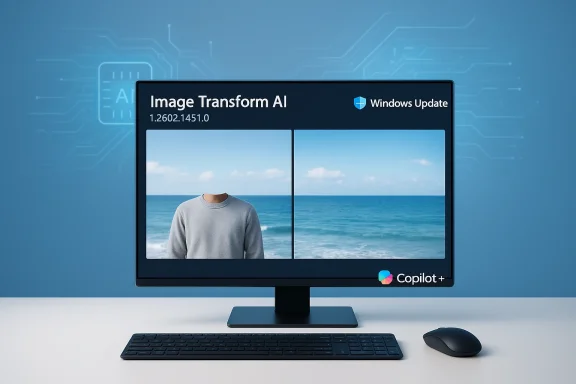
KB5079253 Copilot+ Image Transform AI Update 1.2602.1451.0 on Windows 11 24H2/25H2

  • Thread Author
Microsoft quietly released a targeted component update for Copilot+ PCs this February: KB5079253 advances the Image Transform AI component to version 1.2602.1451.0, and — like its immediate predecessors — is delivered automatically through Windows Update to eligible Windows 11 devices running version 24H2 or 25H2 that already have the latest cumulative update installed. (support.microsoft.com)

Windows Update screen displays Image Transform AI with a split image of a torso and the sea.Background​

The Image Transform AI component is one of several modular AI packages Microsoft ships separately from the OS cumulative updates for Copilot+ machines. At a functional level, Image Transform powers the generative erase-and-fill primitives used by built-in apps such as Photos, Paint (Cocreator/Fill/Erase) and other Studio Effects workflows: select a foreground or object, erase it, and the model generates a plausible background to fill the gap. The KB text for KB5079253 reiterates this exact capability and lists the new component version as the visible artifact users can confirm in Update history after installation. (support.microsoft.com)
This release follows Microsoft’s ongoing cadence of small, hardware-targeted AI component updates for Copilot+ devices. That pattern — incremental component updates delivered independently of large feature or cumulative updates — has been used repeatedly in 2024–2026 to tune on-device models for different silicon (Qualcomm, Intel, AMD) and to address quality, accuracy, and performance of on-device AI features. Industry coverage and prior KBs show this steady, iterative approach.

What KB5079253 actually says (and what it doesn’t)​

The public KB article for KB5079253 is concise and follows Microsoft’s standardized component-update template:
  • Applies to: Windows 11 version 24H2 and 25H2 (all editions) on Copilot+ PCs only. (support.microsoft.com)
  • What it does: The article confirms the Image Transform AI component “can be used to erase a foreground and object and fill in the space with a generated background.” (support.microsoft.com)
  • Delivery: “This update will be downloaded and installed automatically from Windows Update.” (support.microsoft.com)
  • Prerequisite: You must have the latest cumulative update for Windows 11, version 24H2 or version 25H2 installed. (support.microsoft.com)
  • Replacement note: KB5079253 replaces the previous Image Transform component update referenced under KB5077533. (support.microsoft.com)
What Microsoft does not publish in the KB is a line-by-line changelog, model-architecture notes, or explicit per-silicon variant information in this short support article. Historically, Microsoft has used separate KBs (and the broader Release Information for AI Components page) to list availability and versioning; detailed algorithmic or dataset-level changes are not disclosed in these support notes. Where a KB is terse on specifics, we rely on the release-history page and developer/press briefings for context.

Why this matters: functional impact for users and creators​

For end users, the change you will observe (if any) is subtle improvements to the quality and reliability of generative erase and fill operations inside Photos, Paint, and other built-in experiences. Improvements typically translate to:
  • Better foreground/background segmentation when selecting objects for removal.
  • Fewer visible seams or repetitive artifacts in generated fill regions.
  • Faster on-device inference on machines with NPUs and properly tuned drivers.
Because these AI primitives are often embedded in user-facing UI (for example, the “Erase Objects” action in the Photos app and the Paint Fill/Erase workflows), even modest per-release quality gains directly improve everyday photo editing tasks for casual users and prosumers alike. Independent coverage of Windows 11’s Copilot+ imaging features has repeatedly highlighted generative erase/fill and Cocreator features as flagship use cases for NPU-enabled devices.
For creators and power users, iteration on the Image Transform component can reduce the amount of manual touch-up required after an automated erase, making the built-in Photos and Paint experiences more credible alternatives to third-party tools for quick edits.

The delivery model and enterprise implications​

Microsoft distributes these AI components primarily through Windows Update, not as standalone, user-driven application updates. KB5079253’s KB text explicitly states the update “will be downloaded and installed automatically from Windows Update,” and that the device must have the latest cumulative update for the relevant Windows 11 branch installed. That means:
  • Individual Copilot+ devices receive the update automatically; end users don’t need to take action in most consumer scenarios. (support.microsoft.com)
  • Enterprise administrators should expect this update to follow the same delivery channels as other component updates, but the KB does not state explicit support for manual catalog downloads or WSUS-based targeting in its short text. Historically some AI component updates appear in the Microsoft Update Catalog while others are only shown through Windows Update; your mileage may vary. If precise rollout control is required, admins should monitor the Release Information for AI Components and Microsoft’s servicing announcements.
Practical admin steps to confirm deployment and inventory:
  • Check a test device: Settings > Windows Update > Update history; look for the Image Transform version entry (KB5079253, version 1.2602.1451.0). (support.microsoft.com)
  • Use built-in reporting: Windows Update for Business/Intune and other telemetry channels to track which devices have installed the component.
  • If a device fails to get the component, ensure the device has the latest cumulative OS update for its branch and that no device policies block optional component servicing.
These steps mirror Microsoft’s guidance and the usual enterprise operational practices when components are delivered automatically. (support.microsoft.com)

Technical anatomy: what “Image Transform v1.2602.1451.0” likely represents​

Microsoft’s on-device AI stack is modular: Image Transform is one component responsible for inpainting and border-aware generative fill; Image Processing handles scaling, foreground/background extraction, denoising and pre/post processing; Phi Silica handles local language model tasks on copilot-capable hardware. Version tags like 1.2602.1451.0 are Microsoft’s internal package identifiers for the component model and runtime bundle. While a public KB won’t decode the internal versioning scheme, the numbering progression and prior KBs show that Microsoft ships small, incremental model updates several times a year to improve quality and to better map workloads to vendor NPUs and drivers.
Because Image Transform performs generative inpainting locally on Copilot+ devices, the release likely contains one or more of the following:
  • A refreshed model checkpoint (improved weights) for inpainting.
  • Improved segmentation heuristics to better separate foreground and background boundaries.
  • Performance optimizations to reduce CPU/NPU latency or to lower memory usage.
  • Vendor-specific runtime binaries or accelerated kernels for better offload to NPUs/accelerators.
Microsoft’s developer-facing release page for AI components and prior KBs show similar patterning — the company rarely publishes model internals but confirms the functional capability and the deliver mechanism.

Privacy and moderation: what runs locally and what may go to the cloud​

One repeated selling point for Copilot+ features is on-device processing: many generative operations, including erase-and-fill for images, are executed locally on the machine’s NPU or GPU when the device is Copilot+ capable. This reduces latency and keeps user images on-device by default. Coverage and Microsoft statements from product updates indicate that many image-editing features run locally and that web services are used for content moderation or to supplement capabilities only when necessary. That hybrid privacy model is an intentional design choice for speed and data minimization.
Caveats and notes:
  • The KB for the component itself does not include a privacy or telemetry breakdown; for details, review Microsoft’s privacy and AI-in-Windows documentation and any per-app privacy settings. (support.microsoft.com)
  • If a generative operation calls out to cloud moderation, that will usually be documented at the feature or app level (for example, Photos or Copilot settings), not in a short component KB. Users who handle sensitive imagery should confirm app-level privacy settings and corporate policy before using generative features.

Risk assessment: what could go wrong​

Every incremental model or runtime update brings a small risk profile that administrators and advanced users should track:
  • Regressions: Visual artifacts, degraded fill quality or new edge-cases where a previously reliable erase workflow produces worse output. Historically, Microsoft responds to regressions with follow-up component releases or cumulative fixes.
  • Compatibility: Driver or firmware mismatches (graphics, NPU drivers) can cause slower inference, crashes, or the feature falling back to CPU modes. Ensure OEM drivers and Windows cumulative updates are current before expecting the best on-device experience.
  • Rollout variance: Not all Copilot+ devices see updates at the same time; Microsoft often targets pilots, regions or silicon variations first. Expect staged rollouts.
  • Visibility: Microsoft’s KBs for components are intentionally short. If you need deeper validation for enterprise change control, the KB alone is not a changelog — rely on test-device validation and vendor release notes.
If you experience a regression or need to prevent the update in a managed fleet, plan for standard remediation options (driver rollbacks, targeted update deferral policies, or diagnostic reporting to Microsoft). The KB itself does not provide rollback instructions beyond ordinary Windows servicing channels. (support.microsoft.com)

How to confirm the update and basic troubleshooting​

Short checklist for consumers and admins:
  • Confirm prerequisites: make sure the device is a Copilot+ PC running Windows 11 24H2 or 25H2 and has the latest cumulative update installed. The KB lists this as a prerequisite. (support.microsoft.com)
  • Check Update history: Settings > Windows Update > Update history. The entry you should see after installation is “Image Transform version 1.2602.1451.0 (KB5079253).” (support.microsoft.com)
  • If the entry is missing: reboot and re-check Windows Update; verify the device meets the Copilot+ hardware and OS criteria; confirm vendor drivers are updated.
  • If the feature appears degraded: collect repro screenshots, check Event Viewer for relevant errors (app crash or driver issues), and consider filing feedback via Feedback Hub to ensure Microsoft receives telemetry.
  • For enterprise blocks: consult Windows Update for Business and Intune policies to control when components get installed, and use test rings to validate new component versions before broad deployment.

What this incremental update says about Microsoft’s on-device AI strategy​

KB5079253 is modest in scope on paper, but its existence is meaningful. Microsoft’s strategy for embedding AI into Windows increasingly rests on modular, on-device components that can be updated independently of major OS releases. That gives Microsoft two advantages:
  • Faster iteration on model quality and performance without waiting for a large feature update cycle.
  • Ability to tailor components and optimizations to specific silicon vendors and NPUs, which improves performance on Copilot+ devices.
This strategy is visible across recent releases: Image Processing, Image Transform, Phi Silica, and various Execution Provider updates have all been shipped as separate KBs tied to component version numbers — a clear pattern that KB5079253 follows. For readers tracking Windows’ AI roadmap, that modularity is the most important operational shift of the last 24 months.

Recommendations (for regular users and IT admins)​

For most users
  • Let the update install automatically. The changes are incremental and aimed at quality improvements for everyday image editing.
  • If you rely on Image Transform for important edits, test the feature after the update and keep a backup of originals until you’re comfortable with the output.
For IT administrators
  • Validate in a small pilot ring before broad rollout.
  • Ensure driver and firmware stacks from OEMs are up to date; NPUs and GPU drivers matter for the best on-device performance.
  • Monitor the Microsoft AI Components release page and support KBs for adjacent updates (Image Processing, Phi Silica, Execution Provider) because multiple AI components often land within the same servicing window.

What remains unknown and what to watch next​

KB5079253’s public note is intentionally short. Microsoft does not provide internal model release notes, quantitative benchmarks, or per-silicon performance deltas in the KB itself. If you need to understand the exact improvements (for example, the classes of artifacts reduced, or latency improvements on a particular NPU), you will have to rely on:
  • OEM release notes for device-specific driver and firmware updates.
  • Microsoft’s broader Release information for AI components page for rollout context.
Watch for follow-up: Microsoft frequently issues multiple component updates in a single month and may publish more detailed guidance in support forums, blog posts, or larger OS servicing announcements. Community feedback (Feedback Hub, Insiders, and technical forums) is often the earliest visible indicator of regressions or notable gains, so keep an eye on those channels.

Final analysis — practical takeaways​

KB5079253 is a classic example of Microsoft’s new, modular on-device AI servicing approach: small, frequent, targeted component updates that refine user-facing AI features while minimizing the need for large cumulative OS updates. The update is narrowly scoped to Copilot+ PCs running Windows 11 24H2/25H2 and will install automatically once prerequisites are met; the KB replaces the earlier KB5077533 release and surfaces the new Image Transform component version in Update history. For everyday users this means slightly better generative erase-and-fill behavior in Photos and Paint; for IT operators it means this is another incremental binary to validate in your environment and to include in your managed-update plans. (support.microsoft.com)
If you rely on Image Transform for production workflows, validate the update on a test device and keep a rollback/backup plan for mission-critical edits. For everyone else: update, test, and enjoy slightly smarter on-device editing — just be mindful of drivers, staged rollout, and the fact that these KBs rarely contain deep technical changelogs, so real-world testing remains the most reliable verification method. (support.microsoft.com)

Source: Microsoft Support KB5079253: Image Transform AI component update (version 1.2602.1451.0) - Microsoft Support
 

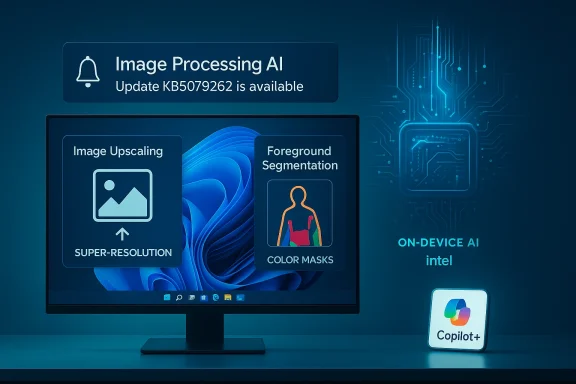
Microsoft has quietly pushed KB5079262 — an Image Processing AI component update that advances the Intel-targeted on‑device imaging stack to version 1.2601.1273.0 for Copilot+ PCs running Windows 11, version 26H1, and it installs automatically through Windows Update provided the device already has the latest 26H1 cumulative update. (support.microsoft.com)

Monitor showcases Image Processing AI with Image Upscaling and Foreground Segmentation.Background​

Microsoft’s modern Windows servicing model increasingly treats advanced AI subsystems as modular, vendor‑specific components that can be updated independently of the core OS. The Image Processing AI component is one such module: it supplies local models and code used by Photos, Paint/Cocreator, Studio Effects, and related experiences to perform tasks such as image scaling (super‑resolution) and foreground/background segmentation (foreground extraction, matting, and related masks). These changes are part of Microsoft’s Copilot+ strategy to offload inference to on‑device NPUs and optimized runtimes where available. (support.microsoft.com)
Microsoft’s public KB entry for KB5079262 is short and non‑technical — the company describes the release simply as “includes improvements,” notes the prerequisite (latest cumulative update for Windows 11, version 26H1), and lists how the update appears in Update history after installation. The KB also explicitly states this package replaces an earlier Intel image processing refresh, KB5078976. (support.microsoft.com)

What KB5079262 actually changes (what we can verify)​

High‑level scope​

  • KB5079262 targets Intel‑powered Copilot+ PCs running Windows 11, version 26H1. (support.microsoft.com)
  • The package increments the Image Processing AI component to 1.2601.1273.0 and is described by Microsoft as an improvements release for image scaling and foreground/background extraction tasks. (support.microsoft.com)

Delivery and prerequisites​

  • The update is distributed automatically via Windows Update to eligible devices; no manual download link or catalog package is published in the KB article. Administrators must ensure the device has the latest cumulative update for 26H1 before the component appears in Update history. (support.microsoft.com)

Relationship to prior packages​

  • Microsoft’s KB text lists KB5079262 as a replacement for KB5078976, a prior Intel update targeting 26H1. That earlier package and comparable releases for AMD/Qualcomm show Microsoft’s pattern: frequent, small, silicon‑specific on‑device AI component updates. (support.microsoft.com)

Why Microsoft ships these as separate, vendor‑specific components​

Microsoft now breaks advanced AI features into modular component updates for several reasons:
  • Hardware optimization — vendor runtime stacks (OpenVINO for Intel, MIGraphX for AMD, QNN/ONNX providers for Qualcomm) benefit from kernels and model parameter tuning that vary by silicon. Shipping per‑vendor model packages lets Microsoft tune performance and power for each NPU or accelerator.
  • Faster iteration — shipping small, focused updates enables quicker fixes and model rollouts without waiting for a monthly cumulative OS update. This keeps features like super‑resolution, background segmentation, and inpainting current.
  • Controlled rollout for Copilot+ features — some capabilities remain gated to Copilot+ hardware for now; component updates are a mechanism to open features to qualifying Intel/AMD devices on a measured schedule. Independent tech press and Microsoft’s Windows team have explained that Copilot+ experiences roll out by device capability and update timing.

What this means for end users​

If your PC is a Copilot+ Intel system running Windows 11, version 26H1:
  • Expect the update to appear automatically through Windows Update when your device has the latest 26H1 cumulative update. Look in Settings > Windows Update > Update history after the package installs; the KB displays as “Image Processing version 1.2601.1273.0 for Intel‑powered systems (KB5079262) — 2026‑02”. ([support.microsoft.microsoft.com/en-us/topic/kb5079262-image-processing-ai-component-update-version-1-2601-1273-0-for-intel-powered-systems-fbbebe11-9121-437a-b94e-520007a6d4b6))
  • Visible improvements are likely to be subtle and incremental: higher quality scaling, fewer artifacts when enlarging photos, and cleaner foreground masks in Photos/Copilot image workflows. Microsoft’s terse KB notes do not enumerate test vectors or metrics, so perceived improvements will vary by scenario and hardware.
  • If your device isn’t Copilot+ certified or you haven’t installed the required 26H1 cumulative update, the component won’t install. Microsoft’s KB emphasizes the prerequisite cumulative update — that gating is intentional. (support.microsoft.com)

What this means for IT administrators and enterprise fleets​

Rapid, targeted updates increase operational surface​

Microsoft’s componentized approach improves agility but introduces new operational considerations for administrators:
  • Update visibility and control: these on‑device AI components are delivered through Windows Update. Enterprises using WSUS, Windows Update for Business, or third‑party patch orchestration must verify whether the component will be visible and controllable in their management stack; Microsoft’s KB article does not provide an offline MSU or CAB for this package. That absence complicates fully offline or air‑gapped deployment strategies. Administrators should confirm distribution options in their management console and consider testing in a pilot ring. (support.microsoft.com)
  • Per‑silicon patch mapping: keeping track of separate Intel/AMD/Qualcomm component KBs can become cumbersome at scale. Documentation and internal inventory of Copilot+ device types (by SKU / NPU capability) will help route the correct updates to the right systems. Community analysis has already flagged the potential for servicing fragmentation in mixed fleets.
  • Compatibility and rollback: Microsoft’s KBs typically do not publish detailed regression matrices. If an update causes compatibility issues with vendor drivers or third‑party imaging software, administrators may need to coordinate with OEMs and rely on image rollback or system restore; the KB itself does not include explicit rollback instructions. Treat component updates as functional changes that merit pilot testing. (support.microsoft.com)

Recommended enterprise checklist​

  • Confirm a targeted pilot group of Intel Copilot+ devices and install the latest 26H1 cumulative update.
  • Observe Windows Update behavior and verify Update history entry for KB5079262 after the update window. (support.microsoft.com)
  • Validate key scenarios: Photos app scaling, Paint/Cocreator erasure+fill primitives, Windows Studio Effects camera processing.
  • Monitor for unexpected regressions in GPU / NPU drivers and coordinate with OEM support as needed.
  • Have a rollback plan that includes image snapshots or system restore points for production systems.

Technical context: what “Image Processing AI” commonly covers​

The label “Image Processing AI” in Microsoft KBs covers a family of locally executed models and inference glue code used across multiple apps:
  • Image scaling / super‑resolution — neural upscaling models that improve perceived sharpness when images are enlarged. These are often sensitive to quantization and runtime kernels; vendor execution providers (OpenVINO, MIGraphX, QNN) can materially affect results.
  • Foreground/background segmentation — mask generation and matting used for background blur, replacement, or object extraction. Improvements can mean crisper edges around hair or transparent regions and fewer false positives. (support.microsoft.com)
  • Denoising and pre/post processing — small model steps that clean sensor noise or smooth seams after inpainting.
  • Integration with on‑device runtimes — the component communicates with execution providers so inference runs on the fastest available engine (NPU, integrated GPU, or CPU fallback). This is why Microsoft ships separate packages per silicon: the execution path and optimizations differ.
Note: Microsoft’s KB articles intentionally avoid a deep technical breakdown of the models, weights, or performance counters. If you need to measure quality changes (PSNR, SSIM, or perceptual metrics) you will have to run your own test harness against representative workloads; the KB does not provide model binaries or performance claims in the public article. This gap is common across Microsoft’s component KBs and should be treated as an information limitation rather than secrecy. (support.microsoft.com)

Cross‑reference: how this update fits into Microsoft’s broader on‑device AI cadence​

This update is the latest in a steady stream of targeted component refreshes Microsoft has pushed over the last 18 months. Comparable KBs include:
  • KB5077532 — Image Processing AI component update (1.2601.1268.0) for AMD‑powered systems (24H2/25H2 targeted). That KB demonstrates Microsoft’s cross‑vendor approach: similar features delivered in vendor‑specific packages.
  • KB5078976 — the immediate predecessor Intel component for 26H1 that KB5079262 replaces. Examining the replacement chain shows Microsoft is iterating quickly through incremental releases.
Independent coverage from Windows media has repeatedly described Microsoft’s strategy: Copilot+ features are progressively expanded acrod delivered in controlled rollouts, often gated by device capability and cumulative update prerequisites. This contextual reporting underscores two practical conclusions: feature parity across vendors takes time, and component updates are Microsoft’s mechanism to deliver tuned, on‑device AI experiences without waiting for full OS feature releases.

Privacy and security considerations​

  • Microsoft’s KB text for KB5079262 does not discuss telemetry, data retention, or privacy implications for on‑device inference. By design, many of these image operations run locally, reducing cloud upload risk — but the KB does not explicitly confirm that inference remains fully local in all scenarios. If your organization has strict privacy controls, treat the KB’s silence as a gap: verify application settings (Photos, Paint, Copilot) and enterprise policies that control cloud features. (support.microsoft.com)
  • From a security standpoint, KB5079262 is a functional component update (not a security patch). That means defenders should still evaluate it for potential attack surface change: new model formats, updated runtime libraries, or changed interactions with drivers could introduce vulnerabilities even if none are disclosed. Regular patch testing and code‑signing enforcement remain good practice. (support.microsoft.com)

Testing and verification: how to confirm KB5079262 is installed and behaving​

  • Confirm installation: Settings > Windows Update > Update history — the entry will read “Image Processing version 1.2601.1273.0 for Intel‑powered systems (KB5079262) — 2026‑02.” Microsoft lists this exact phrasing in the KB. (support.microsoft.com)
  • Functional checks: open Photos or Paint, run a known scaling or foreground extraction workflow (for example, enlarge a high‑detail photo by 150–200% and compare edges), and validate whether artifacts have changed relative to baseline. Results will be subjective; automated test harnesses provide repeatable signals.
  • Runtime verification: examine event logs or Windows Update logs if your management tools capture component update events. For developers, use performance traces to measure inference latency and CPU/NPU utilization; compare before/after snapshots for representative workloads.
  • Troubleshooting: if the update doesn’t appear, confirm the device has the latest 26H1 cumulative update and is a Copilot+ qualified device. Microsoft’s KB explicitly lists the prerequisite. If problems persist, escalate through Microsoft support channels or OEM partner support. (support.microsoft.com)

Risks, gaps, and things Microsoft didn’t say (cautionary notes)​

  • The KB does not provide a downloadable offline package (MSU/CAB) or an official deployment guide for enterprise offline installs. That omission complicates environments that do not allow automatic updates or have limited connectivity. Enterprises should validate how their patch tooling surfaces these component updates. (support.microsoft.com)
  • No performance or quantitative quality metrics are published; Microsoft’s “includes improvements” wording is non‑specific. If your deployment depends on measurable quality (for image upscaling pipelines, media workflows, or automated content moderation), you will need to benchmark the component yourself. (support.microsoft.com)
  • Per‑silicon fragmentation: the requirement for separate Intel/AMD/Qualcomm updates creates a long tail of KB artifacts to track. That increases servicing complexity for heterogeneous fleets and raises the risk that some devices will lag behind in on‑device feature parity. Community reporting has warned about this fragmentation and recommends careful inventorying of Copilot+ devices.
  • Lack of visibility on model provenance: the KBs do not disclose model training data, sizes, or update frequency. For organizations with regulatory or compliance obligations around model provenance, this lack of transparency is worth noting and may require vendor dialogue. (support.microsoft.com)

Practical recommendations (for home users, enthusiasts, and IT)​

  • Home users / enthusiasts:
  • Keep Windows Update enabled and install the latest cumulative update for 26H1 to become eligible for KB5079262.
  • If you test Photos/Copilot features frequently, note differences and opt into pilot channels if you want earlier access to feature work. (support.microsoft.com)
  • Power users and creators:
  • Use a small test corpus of representative images and produce before/after comparisons. Keep versioned backups of important work in case you need to rollback to a previous system image.
  • IT and enterprise:
  • Inventory Copilot+ devices and classify by silicon vendor.
  • Pilot KB5079262 on a subset of Intel Copilot+ machines after installing the 26H1 cumulative patch. (support.microsoft.com)
  • Monitor vendor driver compatibility and collect user reports for image processing workflows.
  • Communicate rollout schedules to users who rely on imaging features for production work.

Bottom line​

KB5079262 is another example of Microsoft’s pragmatic, incremental approach to shipping on‑device AI improvements: small, vendor‑focused component updates that let Microsoft tune models and runtimes per silicon while avoiding the long wait for a monolithic OS feature release. For Intel‑powered Copilot+ PCs on Windows 11, version 26H1, the package moves the Image Processing AI component to 1.2601.1273.0, replaces a prior Intel package, and will install automatically when the device meets Microsoft’s prerequisite. The update is likely to deliver modest quality and performance refinements for image scaling and foreground/background extraction, but Microsoft’s public notes do not include metrics or deep technical detail — so organizations and power users should pilot and measure outcomes for their workloads. (support.microsoft.com)

Quick reference​

In the months ahead expect Microsoft to continue issuing small, targeted AI component updates across Intel, AMD, and Qualcomm platforms; staying on top of cumulative OS servicing, maintaining an accurate inventory of Copilot+ devices, and piloting updates in controlled rings will be the best way for users and administrators to harvest the improvements while managing risk.

Source: Microsoft Support KB5079262: Image Processing AI component update (version 1.2601.1273.0) for Intel-powered systems - Microsoft Support
 

Back
Top