

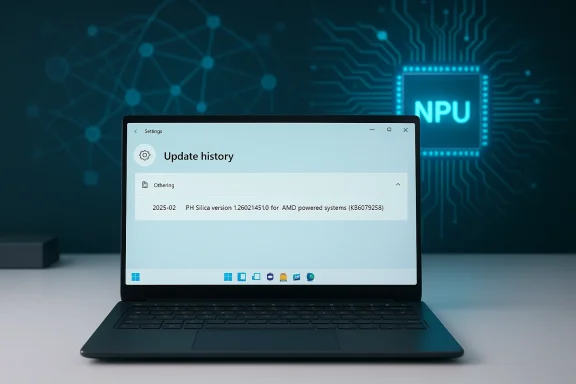
Microsoft has quietly released KB5079256, a targeted Phi Silica AI component refresh that installs Phi Silica version 1.2602.1451.0 on eligible AMD-powered Copilot+ Windows 11 PCs, bringing another incremental but important step in Microsoft’s strategy to ship a locally running, NPU‑tuned small language model (SLM) inside the operating system for low‑latency AI experiences. (support.microsoft.com)
Phi Silica is Microsoft’s purpose‑built Transformer‑based local language model engineered to run on the Neural Processing Units (NPUs) inside Copilot+ PCs. It is intended to deliver many of the conveniences of cloud LLMs—summarization, on‑device rewrite, contextual “Click to Do” actions and other Copilot experiences—while keeping inference local to the device for latency and privacy advantages. Microsoft positions Phi Silica as the most powerful NPU‑tuned local language model in Windows and ships it as an OS component on qualifying Copilot+ hardware. (support.microsoft.com)
Key facts announced in the official KB and accompanying Microsoft documentation:
Two developer features to note:
If you operate Copilot+ hardware in a business environment:
Microsoft’s engineering and developer posts provide fuller context on the model architecture and developer surfaces (speculative decoding, KV cache reuse, LoRA adapters, and API gating), and those materials are worth reading for teams evaluating on‑device LLM adoption. The public KB does what it intends to do—record a component version and servicing instruction—but deeper operational and compliance questions still require direct dialogue with vendor support or a controlled pilot.
Phi Silica’s evolution—shipped as a small, NPU‑tuned model inside Windows—represents a foundational shift in how personal computing delivers AI: a tradeoff of capability for locality and efficiency that promises useful new workflows, but one that obliges IT teams to adopt new practices for model lifecycle, firmware compatibility, and security governance. As KB5079256 rolls out to AMD Copilot+ systems, prudent administrators will validate the update in pilot rings, confirm driver parity, and update their governance playbooks to manage the next generation of on‑device intelligence. (support.microsoft.com)
Source: Microsoft Support KB5079256: Phi Silica AI component update (version 1.2602.1451.0) for AMD-powered systems - Microsoft Support
 Background / Overview
Phi Silica is Microsoft’s purpose‑built Transformer‑based local language model engineered to run on the Neural Processing Units (NPUs) inside Copilot+ PCs. It is intended to deliver many of the conveniences of cloud LLMs—summarization, on‑device rewrite, contextual “Click to Do” actions and other Copilot experiences—while keeping inference local to the device for latency and privacy advantages. Microsoft positions Phi Silica as the most powerful NPU‑tuned local language model in Windows and ships it as an OS component on qualifying Copilot+ hardware. (support.microsoft.com)Key facts announced in the official KB and accompanying Microsoft documentation:
- The KB applies to Windows 11, version 24H2 and 25H2 on Copilot+ PCs and targets AMD‑powered systems for this package. (support.microsoft.com)
- The update is delivered automatically through Windows Update and requires the latest cumulative update on the target OS before installing. (support.microsoft.com)
- This release replaces the prior AMD package in Microsoft’s on‑device AI update sequence for Phi Silica. (support.microsoft.com)
Why Microsoft ships Phi Silica as an OS component
The hardware + model pairing
Microsoft’s strategy with Copilot+ PCs is to marry small, efficient models with dedicated edge accelerators so advanced language capabilities run locally without consuming large amounts of CPU/GPU power or network bandwidth. Phi Silica is explicitly engineered and tuned for NPU offload: in Microsoft’s public briefings the model family (Phi) includes small variants designed for on‑device use and claims such as token generation measured in tokens/second and single‑watt‑class power consumption on NPUs. That engineering tradeoff aims for useful on‑device reasoning while keeping the model compact enough for endpoint integration.- Benefits Microsoft highlights:
- Low latency inference for interactive scenarios (e.g., Click to Do, on‑device summarization).
- Low power draw by leveraging NPU efficiency versus CPU/GPU for matrix math.
- A pre‑tuned, inbox model for developers to call through Windows AI APIs.
A short history of component updates
Phi Silica has been updated repeatedly across silicon families as Microsoft rolls out Copilot+ support to more vendors. Prior updates have been delivered as processor‑targeted component packages (Intel, Qualcomm, AMD), with each update carrying a model‑component version (for example earlier 1.25xx/1.26xx releases). These targeted packages have been published as Microsoft Support KBs and distributed through Windows Update to qualifying Copilot+ devices. Community tracking and forum archives show a steady cadence of per‑silicon Phi Silica revisions as Microsoft calibrates model performance and compatibility.What’s new in KB5079256 (technical summary)
The KB itself is concise and follows Microsoft’s typical component‑update practice: it does not publish fine‑grained technical release notes in the public KB text. Instead, it records the target OS editions, the delivered component version (1.2602.1451.0), prerequisites, and the replacement relationship with the previous AMD package. Practical takeaways:- This is a component update rather than a traditional security or cumulative OS patch; its scope is the Phi Silica AI component for AMD Copilot+ systems. (support.microsoft.com)
- The package will be pushed automatically to eligible devices via Windows Update; administrators should expect it to appear in update history once installed. (support.microsoft.com)
- The update requires the latest cumulative update on Windows 11 24H2/25H2 as a prerequisite—meaning staged servicing and correct OS servicing baseline matters for deployment. (support.microsoft.com)
Deployment and rollout considerations for IT
Automatic delivery, but test fast
Component updates for on‑device AI are typically delivered as targeted packages through Windows Update. That means standard update controls (Windows Update for Business, Intune, WSUS policy configurations) determine when and how they hit managed fleets. Administrators should:- Confirm eligible hardware: Copilot+ devices with AMD‑branded Copilot+ silicon or firmware flagged by Microsoft as supported.
- Ensure the device has the latest cumulative update for the OS baseline (24H2 or 25H2). The KB will not install without prerequisites. (support.microsoft.com)
- Pilot the update on a representative set of devices—especially those with custom drivers or uncommon security configurations—before broad rollout.
Replacing previous packages and versioning
KB5079256 explicitly replaces the prior AMD Phi Silica component release (KB5077535). Replacement semantics can affect troubleshooting: if you must roll back, confirm whether the earlier package remains available in the Update Catalog or whether Microsoft’s servicing stack enforces a one‑way forward replacement. Because these are component model packages (rather than full OS rollbacks), rollback paths can be limited and may require a restore point or image re‑deployment in managed environments. (support.microsoft.com)Security, privacy and compliance — what administrators need to know
On‑device models change the threat and compliance profile
Shipping an SLM like Phi Silica locally moves inference—and some data—off the cloud and onto the client. That shift has immediate benefits but also distinct responsibilities:- Privacy advantages:
- Local inference reduces some class of data transit to cloud LLM endpoints, helping with latency and lowering cloud‑data exposure for ephemeral user interactions.
- Features designed to operate entirely offline (or in a hybrid mode) limit dependence on external services for the selected workloads.
- New local risk vectors:
- Local storage of model assets and weights increases the importance of filesystem protections and secure storage access controls. If a local attacker gains filesystem access, they could attempt model extraction or unauthorized model use.
- Model behavior is controlled by OS components and driver stacks—bugs in NPU drivers, firmware, or the Windows AI runtime could produce regressions that impact security or stability. Community and admin forums that track Phi Silica package rollouts show operational issues are primarily compatibility and stability‑oriented rather than classical CVE‑style vulnerabilities, but administrators should remain vigilant.
Where the public KB is intentionally silent
The KB is intentionally terse. It does not disclose:- Exact model parameter changes (weights, tokenization changes).
- Telemetry or diagnostic data collected by the Phi Silica runtime.
- Whether the updated model changes inference determinism or tokenization for previously stored user data.
Performance and functional impact — what users will notice
Microsoft’s public performance claims for Phi Silica focus on NPU efficiency: high tokens per second at low power draw for context processing and token iteration improvements compared to CPU‑only inference. Real‑world impact varies with workload and hardware configuration.- Common positive outcomes:
- Faster on‑device responses in Copilot features (rewrite, summarization).
- Lower CPU use and better battery characteristics during prolonged on‑device inference tasks on properly configured Copilot+ NPUs.
- Practical caveats:
- Gains depend on a working, up‑to‑date NPU driver stack and firmware. Mismatches between driver versions and a new Phi Silica component have historically created performance anomalies until driver/firmware updates follow. Community tracking indicates administrators often pair Phi Silica drops with updated chipset/NPU driver packages to get the intended behavior.
- Multi‑tenant scenarios where other apps compete for NPU resources could see contention. NPUs are specialized accelerators—if multiple heavy workloads try to use NPU offload, the runtime arbitration and scheduling become noticeable.
Developer surface and fine‑tuning: what’s enabled now and what’s coming
Microsoft exposes Phi Silica through the Windows App SDK APIs, but initial access may be gated as a Limited Access Feature—developers must request unlock tokens to use Phi Silica in production, per Microsoft Learn docs. That restricted access suggests Microsoft is managing early usage and rollout to balance quality, security and privacy considerations.Two developer features to note:
- LoRA (low‑rank adaptation) support for Phi Silica: Microsoft announced previews for LoRA fine‑tuning that enable specialized task adaptation without re‑training the full model—useful for domain‑specific improvements with a small footprint. LoRA tooling and workflows are exposed in Microsoft’s developer toolset (AI Toolkit in VS Code, WinApp SDK experimental channels).
- Multimodal capability rollouts: Microsoft has documented adding vision capabilities to Phi Silica, enabling image + text reasoning on Copilot+ devices with supported NPUs. The arrival of multimodal functionality affects how developers design local RAG (retrieval augmented generation) and accessibility features.
- Request access tokens and test in a controlled environment.
- Validate LoRA fine‑tuning workflows end‑to‑end including model adapter packaging, distribution, and runtime integration on target Copilot+ hardware.
- Audit local storage, encryption of adapters, and update processes to ensure secure deployment across managed fleets.
Troubleshooting and known issues — community signals
Microsoft’s KB page notes no known issues in many of these component‑level releases, but community threads and administrator reports sometimes document early regressions or deployment complications. The update cadence for Phi Silica across Intel, Qualcomm, and AMD packages has prompted admins to watch for:- Driver or firmware incompatibility that prevents the component from offloading to the NPU properly.
- Situations where Windows Update stalls due to missing OS cumulative prerequisites.
- Behavioral changes in Copilot features if the local model’s tokenization or generation heuristics were modified in a way that affects downstream UX.
Risks and longer‑term considerations
Shipping models as OS components is transformational—but not risk‑free. Here are the primary strategic risks every IT leader should consider:- Operational surface area growth: Every new OS component increases the update matrix IT must manage (OS update baseline, device firmware, NPU drivers, component packages).
- Model governance complexity: Fine‑tuning, LoRA adapters and local model behavior mean you must put governance around what custom adapters are allowed to run on corporate devices. A rogue adapter could produce inaccurate or non‑compliant outputs in regulated workflows.
- Supply‑chain and provenance: Although on‑device models reduce cloud callbacks, they shift the need to ensure the model package itself is trustworthy, signed, and delivered via secure channels. Microsoft’s servicing model helps, but organizations should verify update provenance and auditing for critical fleets.
- Security posture: Local models change the threat model (local model theft, prompt injection inside local apps, or elevation of privilege via compromised model runtime). Ensure local model runtime components and the Windows AI APIs are included in your security assessments and endpoint protection policies.
Action checklist (for admins and power users)
- Verify prerequisites: Ensure devices have the latest cumulative update for Windows 11 24H2/25H2 before expecting KB5079256 to install. (support.microsoft.com)
- Pilot early: Deploy to a small, diverse pilot fleet that includes representative AMD Copilot+ hardware and typical corporate software to uncover driver/contention issues.
- Update drivers: Coordinate chipset/NPU driver updates in tandem with Phi Silica component updates; check vendor guidance for AMD Copilot+ firmware. Community history indicates driver mismatch is a frequent source of issues.
- Audit model access: If you plan to allow local fine‑tuning or LoRA adapters, create a signed‑adapter policy and ensure secure distribution channels.
- Monitor UX and telemetry: Track Copilot feature behavior after the update and compare performance and power metrics to the pre‑update baseline.
- Prepare rollback/restore plans: Confirm MSU availability or maintain clean images if you must revert in production.
Critical assessment — strengths, weaknesses and open questions
Strengths
- Latency and offline capability: On‑device models like Phi Silica remove round trips to cloud LLM endpoints, dramatically reducing latency for interactive features and providing offline capability for many tasks. Microsoft’s NPU‑centric optimization and claims about tokens/sec and watts draw attention to a meaningful energy/latency advantage.
- Pre‑tuned inbox model: Delivering a ready‑to‑use SLM as an OS component lowers friction for developers and ensures a consistent experience across certified Copilot+ hardware.
- Developer toolchain (LoRA): The ability to add low‑cost task specialization via LoRA adapters enables practical, controlled customization without wholesale model re‑training.
Weaknesses and risks
- Opaque release notes: Public KBs are intentionally terse about the change details in model packages. For administrators who must certify behavior for compliance, the lack of granular changelogs is a practical obstacle. The KB for KB5079256 follows that pattern—officials record the version but not the inner changes. (support.microsoft.com)
- Operational complexity: Per‑silicon updates require close coordination with vendors and driver lifecycles; that complexity translates to more testing and potential for mismatched stacks to create regressions. Community logs reflect this reality.
- Evolving threat model: On‑device models create new local risks that many security teams have not formally addressed in endpoint protection or DLP strategies.
Open questions (requires verification with Microsoft or more authoritative engineering notes)
- What specific telemetry does the Phi Silica runtime emit by default on-device? The KB does not describe telemetry; administrators should request clarity for regulated environments. (support.microsoft.com)
- Are there explicit mitigation or hardening guides for model extraction attacks or for restricting adapter loading on corporate devices? Public docs hint at gating (Limited Access Feature) but do not cover hardened deployment patterns in depth.
Final verdict and recommendations
KB5079256 is another logical step in Microsoft’s phased rollout of Phi Silica across the Copilot+ hardware ecosystem. For eligible AMD‑powered Copilot+ devices it brings an updated on‑device language model (version 1.2602.1451.0) that Microsoft intends to manage as an OS component delivered through Windows Update—streamlining the experience for end users while increasing the operational responsibilities for IT teams. (support.microsoft.com)If you operate Copilot+ hardware in a business environment:
- Treat KB5079256 like any targeted platform update: pilot, pair with driver updates, and validate telemetry and compliance properties before broad deployment.
- Engage vendor channels (AMD OEM partners and Microsoft support) if you require guarantees about driver compatibility or signed adapter deployment.
- Update your security assessments to include local model storage, adapter signing policies and runtime protections for the Windows AI stack.
Microsoft’s engineering and developer posts provide fuller context on the model architecture and developer surfaces (speculative decoding, KV cache reuse, LoRA adapters, and API gating), and those materials are worth reading for teams evaluating on‑device LLM adoption. The public KB does what it intends to do—record a component version and servicing instruction—but deeper operational and compliance questions still require direct dialogue with vendor support or a controlled pilot.
Phi Silica’s evolution—shipped as a small, NPU‑tuned model inside Windows—represents a foundational shift in how personal computing delivers AI: a tradeoff of capability for locality and efficiency that promises useful new workflows, but one that obliges IT teams to adopt new practices for model lifecycle, firmware compatibility, and security governance. As KB5079256 rolls out to AMD Copilot+ systems, prudent administrators will validate the update in pilot rings, confirm driver parity, and update their governance playbooks to manage the next generation of on‑device intelligence. (support.microsoft.com)
Source: Microsoft Support KB5079256: Phi Silica AI component update (version 1.2602.1451.0) for AMD-powered systems - Microsoft Support
