

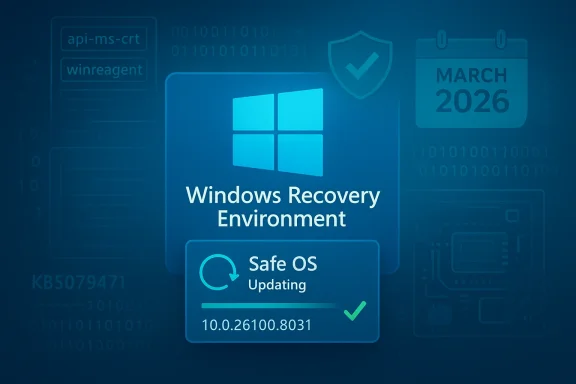
Microsoft quietly pushed a targeted WinRE refresh to Windows 11 on March 10, 2026 — a Safe OS dynamic update tracked as KB5079471 that refreshes the Windows Recovery Environment (WinRE) image for Windows 11 versions 24H2 and 25H2, installs automatically via Windows Update (or can be pulled from the Update Catalog), and cannot be removed once applied to a Windows image. (support.microsoft.com)
The Windows Recovery Environment (WinRE) is a compact, isolated "Safe OS" used for reset, automatic repair, and cloud-reinstall flows. Microsoft periodically issues what it calls Safe OS Dynamic Updates — small, surgical packages that replace or refresh the WinRE image and a handful of pre-boot/setup binaries to improve reliability during recovery and setup operations. KB5079471 is the latest entry in that lineage and was published in tandem with March 2026 servicing activity. (support.microsoft.com)
This is not a typical monthly cumulative: Safe OS updates are delivered differently, are often applied automatically to devices, and are treated as persistent changes to on-disk WinRE images rather than optional LCUs that can be uninstalled. KB5079471 follows this model: it is available via Windows Update, WSUS/SCUP/Update Catalog, and is intended to leave the on-device WinRE at version 10.0.26100.8031 after installation. (support.microsoft.com)
That connection matters for two reasons:
Forums and community threads recorded rapid discussion once servicing landed: admins and power users flagged the permanent nature of the change, questioned imaging impacts, and asked how to verify WinRE versions post-install. Those collective conversations are a reminder that behind-the-scenes updates still generate operational concerns for IT teams.
Source: Neowin Microsoft released Windows 11 KB5079471 OS recovery update
 Background / Overview
The Windows Recovery Environment (WinRE) is a compact, isolated "Safe OS" used for reset, automatic repair, and cloud-reinstall flows. Microsoft periodically issues what it calls Safe OS Dynamic Updates — small, surgical packages that replace or refresh the WinRE image and a handful of pre-boot/setup binaries to improve reliability during recovery and setup operations. KB5079471 is the latest entry in that lineage and was published in tandem with March 2026 servicing activity. (support.microsoft.com)This is not a typical monthly cumulative: Safe OS updates are delivered differently, are often applied automatically to devices, and are treated as persistent changes to on-disk WinRE images rather than optional LCUs that can be uninstalled. KB5079471 follows this model: it is available via Windows Update, WSUS/SCUP/Update Catalog, and is intended to leave the on-device WinRE at version 10.0.26100.8031 after installation. (support.microsoft.com)
What KB5079471 actually contains
Technical scope: small but consequential binaries
KB5079471 is a narrowly scoped package that updates a set of WinRE and setup-related binaries. The Microsoft support note lists the WinRE image version and the specific files included; many are small API shims and runtime DLLs rebuilt at the 10.0.26100.8031 WinRE revision. In other words, this is a behind‑the‑scenes refresh of the recovery runtime rather than a feature release for end users. (support.microsoft.com)- The update refreshes the WinRE image so the on‑device recovery environment reports the new version after servicing.
- Files and DLLs replaced are primarily core runtime components used by WinRE and Setup: updated API-MS and CRT stubs, WinRE components, and WinREAgent servicing hooks. (support.microsoft.com)
Delivery and permanence
Microsoft explicitly states KB5079471 "will be downloaded and installed automatically" through Windows Update, and also offers the package in the Microsoft Update Catalog for manual or imaging workflows. Importantly, Microsoft notes: "This update cannot be removed once it is applied to a Windows image." That permanence is typical for Safe OS dynamic updates and reflects the fact that WinRE lives outside the primary Windows installation and becomes part of the device’s recovery image. (support.microsoft.com)Why this matters now: Secure Boot certificates and the March 2026 servicing context
KB5079471 ships at a time when Microsoft is coordinating a broader platform effort — a refresh of Secure Boot certificates — because long‑lived Microsoft UEFI certificates issued around 2011 begin to expire starting June 2026. Microsoft has tied a number of Safe OS and setup updates to that calendar, and March servicing included several packages intended to ensure recovery, setup, and pre-boot trust remain intact during the certificate transition. The KB5079471 support text explicitly flags the Secure Boot certificate expiration and urges administrators to prepare. (support.microsoft.com)That connection matters for two reasons:
- Recovery and setup code run before the full OS — they rely on firmware trust and pre-boot certificate chains. Refreshing WinRE and setup components helps ensure those flows continue to function across certificate changes.
- Organizations running air-gapped or firmware-stale devices are the highest risk group if the device firmware doesn’t receive the new CA updates in time; WinRE updates alone won’t fix firmware-level certificate problems, buy companion to the overall transition. (support.microsoft.com)
Independent corroboration and how the industry reported it
Microsoft’s official KB article is the definitive record for the package (publish date March 10, 2026 and WinRE target version 10.0.26100.8031). Independent coverage and community write-ups — including mainstream outlets and specialist Windows sites — confirmed the rollout, emphasized the permanence of Safe OS updates, and placed KB5079471 in the broader March 2026 update wave that included cumulative updates (for example KB5079473) and additional Secure Boot / KEK transitions. These independent accounts underline that this was a coordinated servicing activity tied to pre‑boot trust maintenance rather than a standard quality-of-life patch. (support.microsoft.com)Forums and community threads recorded rapid discussion once servicing landed: admins and power users flagged the permanent nature of the change, questioned imaging impacts, and asked how to verify WinRE versions post-install. Those collective conversations are a reminder that behind-the-scenes updates still generate operational concerns for IT teams.
Practical implications for users and administrators
For home users
- You will likely never see an interactive prompt; the update is small and installs automatically. After it runs, WinRE on your device will reflect the revised version number. You do not need to reboot, and most users will not notice any change except in the rare case where a recovery flow behaves differently. (support.microsoft.com)
For IT administrators and imaging teams
- Because the update is persistent and "cannot be removed once applied to a Windows image," you need to plan how it affects your images and recovery media. If you maintain offline WinRE images or custom recovery partitions, inject this update into your build process or validate images post‑servicing. Microsoft provides guidance and a PowerShell helper script (GetWinReVersion.ps1) to verify the installed WinRE version. (support.microsoft.com)
- Deployment channels supported: the package is available via Windows Update, Server Update Services (WSUS), and the Microsoft Update Catalog. For controlled rollouts or air‑gapped environments, download the standalone package and apply it to images before deployment. (support.microsoft.com)
For security and platform teams
- This update is part of a larger Secure Boot certificate refresh irmware-level certificates on managed devices are updated (via OEM firmware updates or vendor tools) where required; WinRE updates help, but they cannot alter firmware trust stores. Devices without updated firmware may encounter booting or servicing issues when the 2011 CA chain sunsets beginning in June 2026. Microsoft has published guidance on the certificate transition and recommends validating device readiness. (support.microsoft.com)
How to verify installation and what to check
Microsoft provides explicit verification steps and a small PowerShell script to confirm the WinRE version. Use these approaches after servicing:- Run reagentc /info to discover the WinRE location and confirm it is enabled.
- Use DISM to mount the winre.wim and inspect the WinRE image version.
- Run the provided GetWinReVersion.ps1 script (reprivileges) to report the embedded WinRE revision; post-install the WinRE version should be 10.0.26100.8031. (support.microsoft.com)
Risks, limitations, and what to watch for
- Permanence of the change. The update cannot be removed once applied to the image. That makes testing and pre-deployment validation critical. If your organization uses frozen golden images or custom recovery tooling, you must either test the updated WinRE or ensure you can re‑image if unexpected behavior appears. (support.microsoft.comsibility.** Because Safe OS dynamic updates are often delivered automatically, administrators who rely solely on monthly cumulative patch notes may miss them. Organizations should monitor Windows Update servicing channels, WSUS synchronization logs, and the Update Catalog to track when these packages land on devices.
- Firmware vs. software limits. KB5079471 cannot change firmware-level certificate stores. If an OEM or device firmware is out of date and does not receive the new CA family, patching WinRE will not prevent pre‑boot failures once certificates begin expiring. Hardware and OEM firmware updates are a parallel and necessary piece of the puzzle. (support.microsoft.com)
- Edge-case regressions. Historically, small recovery-image changes can interact with vendor drivers or unusual disk layouts in surprising ways. While Microsoft’s intent is to improve recovery robustness, any change to the recovery stack invites testing on devices with encryption, custom partitions, or third‑party boot helpers. Consider adding image-level tests (boot to WinRE, exercise Reset and Automatic Repair, validate BitLocker behavior) before wide deployment. Community reports from previous Safe OS rollouts show robust results overall, but also highlight a small number of problematic combinations that required follow-up fixes.
Recommended checklist for deployments (practical steps)
- Inventory: Identify devices running Windows 11 24H2 and 25H2 and note those with custom recovery partitions or offline images.
- Firmware review: Coordinate with OEMs to confirm firmware updates that deliver the new Secure Boot CA family are available y for unmanaged or legacy fleets. (support.microsoft.com)
- Test image injection: For organizations that maintain gold images, inject KB5079471 into a test image and validate:
- Boot to WinRE
- Reset/Cloud-recovery flows
- BitLocker/TPM and recovery key prompts
- Monitoring: Add WinREAgent servicing event checks (Event ID 4501) and deploy the GetWinReVersion.ps1 script to confirm the WinRE revision across devices. (support.microsoft.com)
- Communication: Notify helpdesk and frontline support that the WinRE image was updated and provide recovery verification steps and rollback/reimaging guidance in case of unusual failures.
- Imaging cadence: If you publish offline installation media, rebuild images with the updated WinRE and redistribute recovery media to technicians.
Critical analysis: What KB5079471 reveals about Microsoft’s servicing strategy
KB5079471 is emblematic of a broader servicing posture that Microsoft adopted over the last two years: more frequent, surgical updates to pre‑boot and recovery components that are delivered automatically and persistently. That approach yields clear benefits — faster hardening of recovery flows, quicker fixes to pre‑boot regressions, and tighter coupling between cumulative updates and the recovery image — but it also raises legitimate operational questions.- Strength: these small dynamic updates let Microsoft correct critical recovery and setup regressions quickly without waiting for a full OS rollup, reducing the window in which devices could be left unbootable or with broken recovery workflows. In the March 2026 wave, WinRE refreshes were paired with cumulative updates addressing Secure Boot transitions and other stability items, showing a coordinated platform approach. (support.microsoft.com)
- Risk: the automatic, non-removable nature of Safe OS updates reduces admin control. Enterprise environments that expect full vetting before changes reach golden images must adapt their build and test pipelines. The inability to remove these updates from images complicates rollback strategies and increases reliance on re‑imaging as the primary recovery path if a regression is discovered. (support.microsoft.com)
- Transparency and telemetry: Microsoft’s machine‑learning driven rollout for feature updates and its choice to silently push certain dynamic updates can create visibility gaps. Admins need improved telemetry and clearer issuance advisories in change windows to reconcile the benefits of rapid fixes with the need for change control. Community discussions during this servicing wave made that point repeatedly.
- Interdependence with firmware: The Secure Boot certificate transition shows how software updates and firmware updates are tightly coupled. Even flawless WinRE updates cannot substitute for absent firmware CA updates; organizations therefore must treat OEM firmware distribution and update cadence as part of their patching lifecycle. (support.microsoft.com)
Final takeaways and practical advice
- KB5079471 is a targeted Safe OS dynamic update for Windows 11 24H2/25H2 published March 10, 2026. It refreshes WinRE to version 10.0.26100.8031, installs automatically via supported channels, and cannot be removed from a Windows image once applied. (support.microsoft.com)
- This update is part of the March 2026 servicing wave that also included cumulative updates and Secure Boot certificate transition work. Treat it as a maintenance step in a larger platform readiness plan tied to the June 2026 certificate expiration. (windows101tricks.com)
- Administrators should verify WinRE version post‑install, inject the update into golden images used for deployment, coordinate with OEMs on firmware CA updates, and add WinRE checks into imaging and recovery validation workflows. Use the provided PowerShell and DISM verification methods Microsoft publishes. (support.microsoft.com)
- Test before broad rollout — because Safe OS updates are permanent on images, a robust test pass (boot / reset / BitLocker / setup flows) is the right tradeoff compared with being surprised later and having to re‑image.
Source: Neowin Microsoft released Windows 11 KB5079471 OS recovery update
