

Microsoft released the March 10, 2026 cumulative update for Windows 11 — KB5079473 — advancing supported installations to OS Build 26200.8037 (25H2) and OS Build 26100.8037 (24H2) and bundling a mix of security patches, stability fixes, performance improvements, and a handful of visible quality-of-life features that matter to both consumers and IT teams. ([support.microsoft.icrosoft.com/en-gb/topic/march-10-2026-kb5079473-os-builds-26200-8037-and-26100-8037-9c222a8e-cc02-40d4-a1f8-ad86be1bc8b6)
Microsoft’s monthly Patch Tuesday cadence landed as scheduled on March 10, 2026. KB5079473 is a cumulative rollup: it contains the latest security patches for Windows components, carries forward prior cumulative fixes, and also includes non-security refinements that Microsoft previewed in optional releases earlier in the servicing cycle. The update is distributed through Windows Update and as offline installers (MSU/CAB packages) for manual deployment.
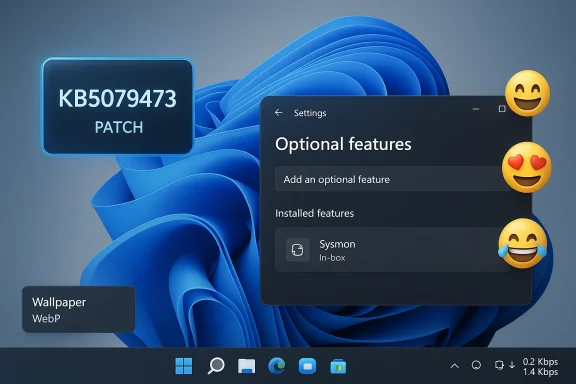
This particular release is notable for two reasons. First, it continues the usual security hardening across Windows client surface area that Patch Tuesday delivers; third-party trackers and security vendors reported that Microsoft’s March cycle addressed a large set of vulnerabilities (industry reporting varies, with summaries listing roughly 79–83 CVEs across Microsoft products in this cycle). Second, KB5079473 surfaces a set of platform changes and usability improvements — the most headline-grabbing being Sysmon arriving as an optional, in-box component, Emoji 16.0 glyphs, a taskbar network speed test shortcut, and WebP wallpaper support — each of which changes how admins and end users interact with Windows telemetry and UI.
For home users, the update delivers visible improvements and important security patches via Windows Update with minimal action required beyond the standard check-and-install cycle. For IT teams, the operational changes demand planning: pilot the new Sysmon option, reconcile existing deployments, ensure SIEM and storage readiness, and keep BitLocker recovery keys handy in case of firmware-related prompts. Refer to Microsoft’s KB5079473 release notes and the Microsoft Update Catalog for the official package listings and offline installers, and coordinate with hardware and driver vendors if you manage fleets with legacy firmware.
Apply after testing, tune telemetry, and monitor post-deployment behavior — that combination will give you the security benefits of the March 2026 Patch Tuesday wave without unnecessary operational surprises.
Source: thewincentral.com Windows 11 Update KB5079473 Released. Download Link
 Background / Overview
Microsoft’s monthly Patch Tuesday cadence landed as scheduled on March 10, 2026. KB5079473 is a cumulative rollup: it contains the latest security patches for Windows components, carries forward prior cumulative fixes, and also includes non-security refinements that Microsoft previewed in optional releases earlier in the servicing cycle. The update is distributed through Windows Update and as offline installers (MSU/CAB packages) for manual deployment.This particular release is notable for two reasons. First, it continues the usual security hardening across Windows client surface area that Patch Tuesday delivers; third-party trackers and security vendors reported that Microsoft’s March cycle addressed a large set of vulnerabilities (industry reporting varies, with summaries listing roughly 79–83 CVEs across Microsoft products in this cycle). Second, KB5079473 surfaces a set of platform changes and usability improvements — the most headline-grabbing being Sysmon arriving as an optional, in-box component, Emoji 16.0 glyphs, a taskbar network speed test shortcut, and WebP wallpaper support — each of which changes how admins and end users interact with Windows telemetry and UI.
What’s new in KB5079473
Key highlights (quick list)
- OS builds: Moves devices to 26200.8037 (25H2) and 26100.8037 (24H2).
- Sysmon in‑box (optional): Sysmon (System Monitor, from Sysinternals) is now available as an optional, native Windows capability. This lets organizations enable detailed host telemetry without deploying a separate Sysinternals binary.
- Emoji 16.0: Fluent emoji assets updated to include Emoji 16.0 glyphs in the emoji panel.
- Taskbar network speed test: A taskbar shortcut surfaces an internet speed test experience for quick diagnostics (note: this launches a web-hosted experience rather than shipping a fully offline native speed test).
- WebP wallpaper support: Windows can natively set .webp images as desktop backgrounds without conversion.
- Security fixes: Part of Microsoft’s broader March 2026 security rollout; multiple CVEs across Windows and other Microsoft products were addressed. Independent trackers reported dozens of vulnerabilities remediated in the cycle.
Security updates and the bigger Patch Tuesday picture
KB5079473 is the Windows 11 client component of Microsoft’s March 2026 servicing wave. Security-focused outlets and vendor advisories characterize the March cycle as significant — third-party summaries put the number of patched vulnerabilities in the high double-digits agh‑severity and publicly disclosed issues that administrators must triage. As always, apply these cumulative updates promptly in production environments after standard testing and verification.Sysmon in‑box: Why it matters and how to handle it
What changed
For years, defenders have used Sysmon from Microsoft Sysinternals to capture high-fidelity telemetry (process creation, network connections, file and registry activity, driver/image loa73 brings Sysmon into the Windows image as an optional, OS-serviced feature — meaning it can be enabled using the same mechanisms administrators use for other optional components (Settings, Optional Features; DISM / Add-WindowsCapability; MDM policies), and it will be serviced and updated through Windows Update rather than as a separate Sysinternals release. This lowers the barrier for broad host telemetry adoption.Practical implications (benefits)
- Lower operational friction: Organizations can enable Sysmon without introducing an externally-managed binary into their software inventory. The OS-serviced approach simplifies lifecycle and patching.
- Standardized telemetry: A single, supported source for high‑fidelity events can make detection, hunting, and post-incident forensics more consistent.
- Policy-driven enablement: Sysmon can be rolled out through MDM (Intune), Group Policy, or imaging workflows, enabling controlled, auditable deployments.
Practical implications (risks and caveats)
- Log volume and storage: Sysmon generates high-volume telemetry. Plan for storage, SIEM ingestion, and retention before a wide rollout; ingesting raw Sysmon events indiscriminately will quickly create noise and cost.
- Coexistence with existing installations: The in‑box Sysmon does not coexist with some pre-existing standalone Sysmon binaries; organizations with a managed Sysmon deployment must plan migration and configuration reconciliation.
- Configuration drift and policy review: Existing teams will need to translate their current sysmon.xml rule sets and exclusions into the supported in‑box configuration model and run pilot groups to ensure parity.
How to enable Sysmon (admin-friendly)
- For a GUI path: Open Settings → Optional Features (or Settings → Apps → Optional features → More Windows features), then locate and enable Sysmon (requires a restart or service activation).
- For scripted deployment: Use DISM or the Windows capability cmdlets to add the optional feature or to deploy via MDM/Intune. Example approach (illustrative):
- Query optional features with
DISM /Online /Get-Capabilities - Add the capability or package via
DISM /Online /Add-Package /PackagePath:<path-to-msu>or viaAdd-WindowsCapability -Online -Name <SysmonCapabilityName>depending on how Microsoft exposes the in-box feature.
Important: test configurations on pilot hosts and coordinate with SIEM/EDR teams to tune rules before a broad enablement.
User-facing features and quality-of-life changes
Emoji 16.0
KB5079473 updates the system emoji assets to include Emoji 16.0 glyphs in Windows 11’s emoji panel. This is a cosmetic but widely visible change for end users and content creators. Expect richer emoji support in chats, documents, and UWP/WinUI controls after installation.Taskbar network speed test
A taskbar shortcut now surfaces a network speed test experience for quick, on-demand checks. Note that the feature launches a web-hosted speed test experience (a quick bridge to a browser-based test) rather than a heavy native diagnostic tool; treat it as a convenience for consumers and helpdesk triage rather than as a replacement for enterprise network monitoring.WebP wallpaper support and other polish
Windows now supports .webp images as desktop backgrounds natively, which reduces storage for high‑quality images and simplifies themed wallpaper473 also includes several under‑the‑hood reliability improvements to File Explorer, Widgets, search, and sign-in flows — small changes that aggregate into fewer random crashes and better responsiveness for multi‑tasking workloads.Installation: options and step-by-step guidance
Automatic (recommended for most users)
- Open Settings → Windows Update.
- Clic. When KB5079473 appears, click Download and install**.
- Restart when prompted to complete the update cycle.
This is the most straightforward and safest path; Windows Update handles compatibility checks and rollbacks where necessary.
Manual / offline installation (for IT and imaging)
- Microsoft publishes the standalone installers (MSU or CAB packages) via the Microsoft Update Catalog and the Microsoft support download pages. Administrators can download the appropriate package for their architecture and apply it with ler or using offline servicing tools (DISM / Add-Package). If you deploy via software distribution systems (SCCM/MECM/Intune), use the offline package to build your application or task sequence.
Verification
- After installation, confirm the OS build by running winver or checking Settings → System → About; the target builds for this cumulative update are 26200.8037 and 26100.8037.
- If you enable Sysmon, verify its event channel in Event Viewer: Applications and Services Logs → Microsoft → Windows → Sysmon → Operational.
Deployment guidance for IT teams
- Test first: Always deploy monthly cumulative updates to a pilot ring (representative hardware and software) before company-wide rollout. This is especially important for firmware-related items (Secure Boot/KEK updates) and host telemetry changes like Sysmon.
- Escrow recovery keys: When Secure Boot or UEFI updates are in play, BitLocker recovery prompts can surface on some devices. Make sure recovery keys are escroAD/AD backup system.
- Coordinate telemetry: If enabling Sysmon, coordinate retention policies, SIEM ingestion filters, and legal/privacy sign-off before a mass rollout. Use staged enablement with tuned rules to avoid storage and analyst overload.
- **Watch for driver and f Some older or irregular UEFI implementations and third‑party kernel drivers (anti‑cheat, virtualization, custom filter drivers) may trigger compatibility issues during KEK/DB updates; maintain a rollbendor advisories.
Known issues and risk profile
- Microsoft’s initial release notes for KB5079473 report no known issues at publication, which is a normal initial state; however, staged telemetry rollouts and vendor reports can reveal regrue to monitor vendor advisories and Windows Update health dashboards.
- **Secure Boot certificate updates (as been performing phased updates to Secure Boot trust anchors to replace aging certificates. While intended to prevent future Secure Boot failures, these updates interact with firmware and platform drivers and can, in rare cases, generate device-specific issues. Validate on representative hardware.
- Sysmon migration hazards: If you already run Sysmon from Sysinternals, plan an orderly migration; the in‑box option may conflict with preexisting standalone installs. Ensure removal or version reconciliation on pilot hosts.
Critical analysis — strengths and potential risks
Strengths
- Operational simplicity for defenders: Making Sysmon an in‑box optional feature reduces fragmentation; Microsoft servicing of the component simplifies patching and lifecycle management. This is a win for security teams that want consistent host telemetry without the hassles of third‑party packaging.
- Tangible user polish: Emoji 16, WebP wallpaper support, and a quick-access network speed test are user-facing touches that improve day‑to‑day experience and reduce small helpdesk tickets.
- Immediate security hardening: As a Patch Tuesday release, KB5079473 folds in fixes that reduce exploitable surface area across Windows components; timely deployment reduces exposure windows.
Risks and caveats
- Telemetry volume and cost: Sysmon’s benefits come with storage and ingestion costs. Organizations that flip the switch without a tuned ruleset will see SIEM ingestion spikes, increased analyst load, and higher cloud storage bills. Plan and test accordingly.
- Migration friction: Existing Sysmon deployments with custom configurations will need careful migration planning to avoid losing historical fidelity or creating conflicts with the OS-packaged variant.
- Firmware/driver edge cases: Secure Boot certificate updates and other low-level changes increase the risk of device-specific failures; pilot and staged rollouts are essential to mitigate operational impact.
Quick checklist: what to do right now
- Inventory: Identify Windows 11 endpoints (25H2 / 24H2) and note which hosts run specialized low‑level drivers (anti‑cheat, virtualization, VPN).
- Pilot: Apply KB5079473 to a small, representative pilot ring (diverse hardware, imaging, and business-critical apps).
- Backup & escrow: Ensure BitLocker recovery keys and firmware configuration backups are in place.
- If you plan to use Sysmon: Prepare a canonical sysmon.xml, tune filters, and test SIEM ingestion limits on pilot hosts.
- Schedule broad deployment: Roll out broadly only after pilot validation, coordination with application owners, and recovery planning.
Closing assessment
KB5079473 is a typical Patch Tuesday cumulative update in one sense — it pushes security and stability fixes — but atypical in another: it marks a meaningful operational shift for enterprise defenders by bringing Sysmon into the Windows servicing pipeline as an optional, in-box capability. Combined with user-facing polish (Emoji 16, WebP wallpaper support, taskbar speed test) and the usual set of security hardening items, this release is worth prioritizing for testing and staged deployment.For home users, the update delivers visible improvements and important security patches via Windows Update with minimal action required beyond the standard check-and-install cycle. For IT teams, the operational changes demand planning: pilot the new Sysmon option, reconcile existing deployments, ensure SIEM and storage readiness, and keep BitLocker recovery keys handy in case of firmware-related prompts. Refer to Microsoft’s KB5079473 release notes and the Microsoft Update Catalog for the official package listings and offline installers, and coordinate with hardware and driver vendors if you manage fleets with legacy firmware.
Apply after testing, tune telemetry, and monitor post-deployment behavior — that combination will give you the security benefits of the March 2026 Patch Tuesday wave without unnecessary operational surprises.
Source: thewincentral.com Windows 11 Update KB5079473 Released. Download Link
