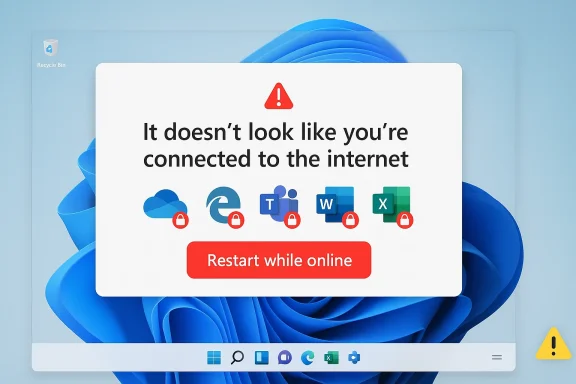
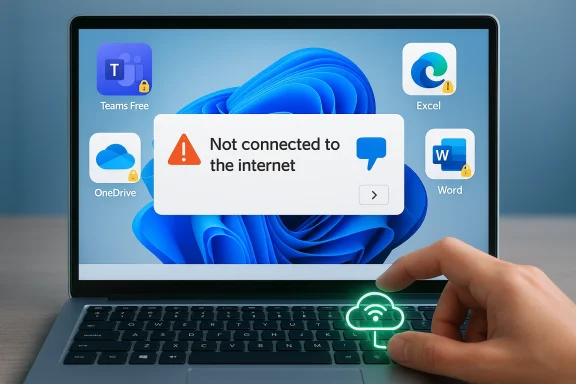
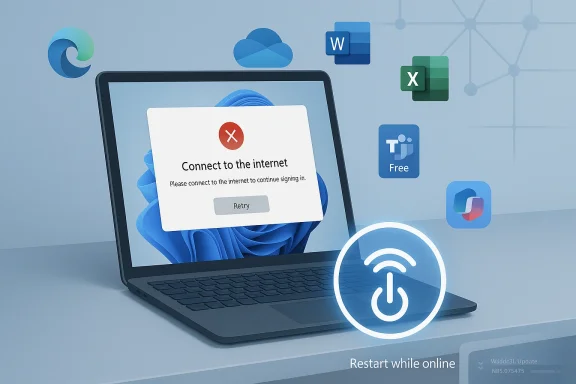
Microsoft’s latest Windows 11 cumulative update has run into a very familiar kind of trouble: the kind that looks small on paper but can quietly break the day-to-day rhythm of millions of users. The company has now confirmed that KB5079473, released on March 10, 2026, can interfere with sign-ins to Microsoft account-based apps, including Teams Free and OneDrive, and can also trip up sign-in-dependent features in Edge, Excel, Word, and Microsoft 365 Copilot. Microsoft says the issue affects Microsoft accounts, not Entra ID-based business authentication, and it currently recommends a narrow workaround: restart the device while it remains connected to the internet. (support.microsoft.com)
Microsoft’s monthly Windows servicing cadence is built around a simple promise: patches should reduce risk, not create it. In practice, cumulative updates often bundle security fixes, quality changes, and servicing-stack adjustments into one package, which means a single bad interaction can ripple across login flows, cloud sync, and productivity apps all at once. KB5079473 is one of those monthly cumulative updates for Windows 11 version 25H2 and 24H2, and Microsoft’s release notes now explicitly acknowledge a newly added known issue tied to sign-in failures. (support.microsoft.com)
The timing matters. Microsoft updated the release notes on March 19, 2026, nine days after the patch’s original release date, to add the sign-in problem. That kind of post-release admission usually indicates that the bug escaped the initial validation net and was then confirmed through a combination of telemetry, support escalation, and public reports. In other words, this is not a theoretical edge case buried in a lab; it is an operational defect Microsoft considered significant enough to document in Windows release health. (support.microsoft.com)
The affected user experience is also especially frustrating because it mimics a network outage. Microsoft says the error can tell users they need the internet even when the device is already online, which makes the issue look like a local connectivity problem, a captive portal issue, or a router glitch before anyone suspects a Windows update. That kind of false diagnosis can waste time in both home and enterprise environments, particularly when support teams begin troubleshooting the wrong layer first. (support.microsoft.com)
There is an important boundary line in Microsoft’s own wording. Businesses using Entra ID for app authentication will not experience this issue, which narrows the blast radius somewhat, but it also highlights how deeply Microsoft’s consumer and prosumer identity stack is intertwined with the operating system. A sign-in bug that only touches Microsoft accounts may sound limited, yet it hits the parts of Windows most ordinary users interact with every day: personal cloud storage, consumer messaging, browser profile syncing, Office sign-in prompts, and AI-powered features. (support.microsoft.com)
Microsoft also makes clear that this is tied to a specific network connectivity state, which suggests a state-machine or session-handling defect rather than a general outage. That phrasing is important because it implies the bug may not hit every machine equally and may depend on a sequence of events, such as sleep, resume, adapter changes, cached tokens, or account state transitions. The precise trigger is not disclosed, which is often the hallmark of a bug that still needs deeper postmortem analysis. That uncertainty is exactly what makes the issue harder to support at scale. (support.microsoft.com)
That said, many organizations are hybrid by nature. They may use Microsoft accounts for specific consumer-style services, shared devices, labs, pilot systems, or personal workflows embedded in managed endpoints. So even if the official scope is narrow, the practical impact can still be broader than Microsoft’s single sentence suggests. Real-world identity usage is rarely as cleanly separated as product documentation assumes.
Consumers are also less likely to have fallback paths. A business user may sign in with Entra ID through managed apps and device policies, but a home user typically has one Microsoft account, one browser profile, and one sync relationship. When that relationship fails, there is no alternate channel to keep work moving.
The inclusion of Microsoft 365 Copilot is particularly noteworthy. Copilot is not just another feature; it is a strategic pillar in Microsoft’s modern software story, and account authentication is the gateway to much of its value. If an update creates friction there, the issue becomes more than a support ticket—it becomes a credibility problem for Microsoft’s AI-first user experience.
This is the kind of fix that support desks can recommend but cannot truly rely on. It may help one user regain access while doing almost nothing to prevent the next user from running into the exact same wall. That is why temporary workarounds are useful operationally but unsatisfying strategically.
For organizations, this creates a support burden even if the patch is technically limited. Help desks may need to explain why a working internet connection is not enough, why a Microsoft account prompt is failing, and why a reboot has to be performed online rather than offline. That is a lot of nuance to ask from frontline support staff, especially when the visible symptom is so misleading.
That makes this less of a pure enterprise outage and more of an identity-policy edge case. Still, edge cases matter when they interrupt business-critical tools, and the presence of a misleading connectivity message makes it harder for IT teams to classify the problem correctly on first contact.
In consumer settings, the update risk is especially acute because Microsoft accounts are often the default identity layer for Windows itself. When sign-in breaks in adjacent apps, the user experience feels circular: the same account that unlocks the device is the one that cannot authenticate the apps the device is meant to run.
What makes this case especially interesting is that the issue is not a dramatic crash or a catastrophic boot failure. It is a trust-breaker. The device says the internet is unavailable when it is not, and that is the kind of bug that erodes confidence in the platform’s basic reliability.
Microsoft has not said whether the issue is in token handling, network-state detection, or another subsystem, but the presence of a network-like error in a clearly connected environment suggests something deeper than a surface-level UI glitch. When a login error lies about the network, the bug is almost always hiding in the plumbing.
This is also a good moment to preserve user context: note whether the device was recently offline, whether it resumed from sleep, and whether other Microsoft services were already authenticated. Those details may help teams understand whether the trigger is environmental, behavioral, or tied to a specific connectivity transition.
In managed fleets, administrators should also consider whether app sign-in failures are being masked as broader internet issues by help desk scripts or automated health checks. A clearer incident label—authentication regression after KB5079473—will save time compared with vague “no internet” triage.
What to watch next is not just the patch itself, but the after-action story: whether Microsoft clarifies the triggering condition, whether it ships a targeted remediation, and whether related authentication pathways show any signs of stress. If the defect really is tied to a specific network state, the eventual fix will tell us a lot about how Windows handles connectivity transitions after cumulative updates.
Source: BetaNews Microsoft confirms that the KB5079473 update is breaking app sign-ins
 Background
Microsoft’s monthly Windows servicing cadence is built around a simple promise: patches should reduce risk, not create it. In practice, cumulative updates often bundle security fixes, quality changes, and servicing-stack adjustments into one package, which means a single bad interaction can ripple across login flows, cloud sync, and productivity apps all at once. KB5079473 is one of those monthly cumulative updates for Windows 11 version 25H2 and 24H2, and Microsoft’s release notes now explicitly acknowledge a newly added known issue tied to sign-in failures. (support.microsoft.com)The timing matters. Microsoft updated the release notes on March 19, 2026, nine days after the patch’s original release date, to add the sign-in problem. That kind of post-release admission usually indicates that the bug escaped the initial validation net and was then confirmed through a combination of telemetry, support escalation, and public reports. In other words, this is not a theoretical edge case buried in a lab; it is an operational defect Microsoft considered significant enough to document in Windows release health. (support.microsoft.com)
The affected user experience is also especially frustrating because it mimics a network outage. Microsoft says the error can tell users they need the internet even when the device is already online, which makes the issue look like a local connectivity problem, a captive portal issue, or a router glitch before anyone suspects a Windows update. That kind of false diagnosis can waste time in both home and enterprise environments, particularly when support teams begin troubleshooting the wrong layer first. (support.microsoft.com)
There is an important boundary line in Microsoft’s own wording. Businesses using Entra ID for app authentication will not experience this issue, which narrows the blast radius somewhat, but it also highlights how deeply Microsoft’s consumer and prosumer identity stack is intertwined with the operating system. A sign-in bug that only touches Microsoft accounts may sound limited, yet it hits the parts of Windows most ordinary users interact with every day: personal cloud storage, consumer messaging, browser profile syncing, Office sign-in prompts, and AI-powered features. (support.microsoft.com)
What Microsoft Confirmed
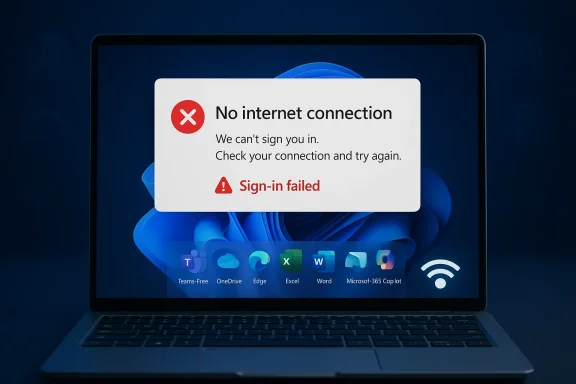
Microsoft’s wording in release health is direct and unusually specific. After installing KB5079473, users may find that signing into apps with a Microsoft account might fail, even when there is a working internet connection. The company names Microsoft Teams Free and OneDrive as examples, then expands the affected surface area to include Microsoft Edge, Excel, Word, and Microsoft 365 Copilot when those apps need Microsoft account authentication. (support.microsoft.com)The core symptom
The key symptom is not a crashed app or a broken installer. It is an authentication failure that presents as a misleading connectivity warning, suggesting the device is offline when it is not. That matters because login systems are trust systems: once an app says the internet is missing, users naturally assume the fault lies outside Windows, and they may spend a long time checking Wi-Fi, DNS, VPN, or proxy settings before realizing the update is the real culprit. (support.microsoft.com)Microsoft also makes clear that this is tied to a specific network connectivity state, which suggests a state-machine or session-handling defect rather than a general outage. That phrasing is important because it implies the bug may not hit every machine equally and may depend on a sequence of events, such as sleep, resume, adapter changes, cached tokens, or account state transitions. The precise trigger is not disclosed, which is often the hallmark of a bug that still needs deeper postmortem analysis. That uncertainty is exactly what makes the issue harder to support at scale. (support.microsoft.com)
- The error can appear even when the device is online.
- The failure is tied to Microsoft account sign-in, not all authentication.
- The problem can affect multiple Microsoft apps, not just Teams or OneDrive.
- The trigger appears to involve a specific connectivity state.
- Microsoft has not published a permanent fix yet. (support.microsoft.com)
Why the wording matters
Microsoft’s note distinguishes between Microsoft accounts and Microsoft Entra ID, which is a critical line for enterprise readers. Entra ID-backed business authentication remains unaffected, meaning the issue is more likely to inconvenience consumers and small-business users than fully managed corporate environments that have already standardized on Entra-based identity flows. (support.microsoft.com)That said, many organizations are hybrid by nature. They may use Microsoft accounts for specific consumer-style services, shared devices, labs, pilot systems, or personal workflows embedded in managed endpoints. So even if the official scope is narrow, the practical impact can still be broader than Microsoft’s single sentence suggests. Real-world identity usage is rarely as cleanly separated as product documentation assumes.
Why Teams Free and OneDrive Are the Canaries
Microsoft highlighted Teams Free and OneDrive because they are among the most visible consumer-facing services to rely on Microsoft account authentication. If those fail, the issue is immediately obvious to users who are expecting cloud sync or messaging access on startup. That makes them the canaries in the coal mine, but not necessarily the only services harmed. (support.microsoft.com)Consumer services feel it first
Teams Free and OneDrive are heavily tied to personal identity, device sign-in, and cloud-backed state. When one of those layers is disrupted, the user experience quickly degrades from “minor glitch” to “my stuff is gone,” even if the actual failure is only on the authentication layer. This is why identity bugs are so destabilizing: they make a healthy device look broken at the service level.Consumers are also less likely to have fallback paths. A business user may sign in with Entra ID through managed apps and device policies, but a home user typically has one Microsoft account, one browser profile, and one sync relationship. When that relationship fails, there is no alternate channel to keep work moving.
Broader app impact goes beyond chat and cloud storage
Microsoft lists Edge, Excel, Word, and Microsoft 365 Copilot as additional affected apps when features inside them need a Microsoft account login. That raises the stakes considerably, because it means the bug is not constrained to one standalone app but can interrupt the platform experience across the Windows-Microsoft 365 ecosystem. In practical terms, it can interfere with profile syncing, cloud document access, personal subscriptions, and AI features that depend on authenticated Microsoft services. (support.microsoft.com)The inclusion of Microsoft 365 Copilot is particularly noteworthy. Copilot is not just another feature; it is a strategic pillar in Microsoft’s modern software story, and account authentication is the gateway to much of its value. If an update creates friction there, the issue becomes more than a support ticket—it becomes a credibility problem for Microsoft’s AI-first user experience.
- Teams Free sign-in is visible and user-facing.
- OneDrive failures threaten file access and synchronization.
- Edge sign-in problems can affect profiles and sync.
- Office app authentication can interrupt cloud workflows.
- Copilot access adds an AI-era twist to an old-fashioned login bug. (support.microsoft.com)
The Workaround Is a Band-Aid, Not a Fix
Microsoft says the issue may resolve on its own, and if it does not, the suggested workaround is to restart the device while it remains connected to the internet. The company says this should repair the device connectivity state and prevent the issue from occurring, but it also warns that restarting without active internet access could put the machine back into the problematic state. That is a workaround in the narrowest sense, not a durable solution. (support.microsoft.com)Why “restart while online” is such a fragile remedy
A restart-based workaround can be effective when a bad state is held in memory or when a service handshake needs to be refreshed. But it is a poor user experience because it depends on timing, connectivity, and luck. If the problem is related to a transient network state or cached authentication metadata, the reboot may clear it—until the next sleep cycle, disconnect, or network transition reintroduces the same condition.This is the kind of fix that support desks can recommend but cannot truly rely on. It may help one user regain access while doing almost nothing to prevent the next user from running into the exact same wall. That is why temporary workarounds are useful operationally but unsatisfying strategically.
The absence of a permanent resolution matters
Microsoft says it is working to release a resolution in the next few days, which suggests a patch or server-side mitigation is already in motion. Still, there is a meaningful difference between “we know what’s broken” and “the ecosystem is protected.” Until an update lands, users are left juggling delays, retries, and reboot sequences whenever a sign-in prompt appears. (support.microsoft.com)For organizations, this creates a support burden even if the patch is technically limited. Help desks may need to explain why a working internet connection is not enough, why a Microsoft account prompt is failing, and why a reboot has to be performed online rather than offline. That is a lot of nuance to ask from frontline support staff, especially when the visible symptom is so misleading.
- The workaround is conditional, not guaranteed.
- It depends on keeping the machine online during reboot.
- It may fail again after an offline restart.
- It does not address the root cause.
- It increases support complexity for service desks. (support.microsoft.com)
What This Means for Enterprise vs. Consumer Users
The fact that Entra ID users are exempt is perhaps the most important business takeaway from Microsoft’s disclosure. That means managed corporate environments that authenticate through Microsoft’s enterprise identity stack are less likely to be directly affected, at least for the specific failure Microsoft has documented. (support.microsoft.com)Enterprise impact is narrower but not zero
Enterprises are not completely insulated, because many organizations still have pockets of Microsoft account usage. Shared test devices, personal productivity setups, contractor workflows, and mixed-authentication scenarios can all exist inside a company. If an employee uses a personal Microsoft account inside Edge or Word on a managed PC, the bug can still surface even if the machine itself is domain-joined or Entra-managed.That makes this less of a pure enterprise outage and more of an identity-policy edge case. Still, edge cases matter when they interrupt business-critical tools, and the presence of a misleading connectivity message makes it harder for IT teams to classify the problem correctly on first contact.
Consumers feel the pain more directly
For consumers, the issue is simpler and uglier. A home user opening OneDrive or signing into Edge may have no idea that KB5079473 is the cause of the problem. They just see repeated failures, confusing network messages, and perhaps a need to reboot multiple times before things normalize. That is exactly the sort of experience that erodes trust in automatic updates, even when the broader Windows patching model remains necessary and beneficial. (support.microsoft.com)In consumer settings, the update risk is especially acute because Microsoft accounts are often the default identity layer for Windows itself. When sign-in breaks in adjacent apps, the user experience feels circular: the same account that unlocks the device is the one that cannot authenticate the apps the device is meant to run.
The policy implication
This episode is another reminder that organizations should separate consumer convenience from business continuity wherever possible. If an enterprise can standardize on Entra ID and reduce dependence on consumer Microsoft accounts, it narrows the blast radius of bugs like this one. That is not a cure-all, but it is a defensive architecture choice with real practical value.- Enterprises with Entra ID are better insulated.
- Mixed-auth environments still face some exposure.
- Consumer users are most likely to encounter the issue directly.
- The misleading error message delays diagnosis.
- Identity separation reduces operational risk. (support.microsoft.com)
Microsoft’s Update Quality Problem Is Not New
Windows has long lived with a difficult balancing act: monthly updates must fix security issues quickly, but any patch can also introduce regressions in authentication, networking, printing, or device compatibility. KB5079473 fits that pattern. It is a security update with quality improvements, yet the post-release known issue shows how one regression can overshadow the intended benefits of the patch. (support.microsoft.com)A familiar rhythm of patch, report, and rollback pressure
The sequence is familiar to anyone who watches Windows servicing closely. Microsoft ships a cumulative update. Users begin reporting strange behavior. Support escalates. Microsoft adds a known issue. A workaround appears. A permanent fix follows later, usually in another update or out-of-band patch. That cycle has become part of modern Windows maintenance, but it still carries reputational cost.What makes this case especially interesting is that the issue is not a dramatic crash or a catastrophic boot failure. It is a trust-breaker. The device says the internet is unavailable when it is not, and that is the kind of bug that erodes confidence in the platform’s basic reliability.
The hidden cost of authentication bugs
Authentication bugs are disproportionately expensive because they affect almost every layer of the modern Microsoft stack. A single sign-in failure can disrupt cloud storage, collaboration, productivity apps, AI features, browser sync, and licensing checks all at once. That is why seemingly small identity regressions can generate outsized frustration among users and support teams alike.Microsoft has not said whether the issue is in token handling, network-state detection, or another subsystem, but the presence of a network-like error in a clearly connected environment suggests something deeper than a surface-level UI glitch. When a login error lies about the network, the bug is almost always hiding in the plumbing.
- Patch quality is only as strong as the weakest integration point.
- Sign-in bugs damage trust faster than cosmetic defects.
- Identity systems amplify the reach of small regressions.
- The same update can be both necessary and disruptive.
- Workarounds rarely restore confidence for long. (support.microsoft.com)
How IT Teams Should Think About KB5079473
For IT administrators, the right response is not panic but triage. The most important first step is to identify whether affected users are actually signing in with Microsoft accounts or using Entra ID. Microsoft’s own documentation says the latter should be unaffected, which can quickly narrow the troubleshooting tree and prevent wasted time on unrelated network diagnostics. (support.microsoft.com)Triage before remediation
Support staff should first confirm the exact app, the exact account type, and whether the error appears only after the March 10 update. If the symptom matches Microsoft’s description, a restart while connected to the internet is the only official workaround available right now. That makes a disciplined incident process more important than ever, because ad hoc troubleshooting is likely to produce conflicting results.This is also a good moment to preserve user context: note whether the device was recently offline, whether it resumed from sleep, and whether other Microsoft services were already authenticated. Those details may help teams understand whether the trigger is environmental, behavioral, or tied to a specific connectivity transition.
Communication matters as much as the workaround
A good IT response is partly technical and partly psychological. Users need to know that the device is not necessarily broken, that the error message can be misleading, and that a temporary workaround exists while Microsoft prepares a fix. Without that communication, people may blame the wrong system, open duplicate tickets, or repeatedly reboot devices in ways that make matters worse.In managed fleets, administrators should also consider whether app sign-in failures are being masked as broader internet issues by help desk scripts or automated health checks. A clearer incident label—authentication regression after KB5079473—will save time compared with vague “no internet” triage.
- Confirm whether the account is Microsoft or Entra.
- Check whether the device installed KB5079473 on March 10, 2026.
- Reboot only while the device stays online.
- Record whether the issue follows sleep or network changes.
- Update support messaging to avoid misdiagnosis. (support.microsoft.com)
Strengths and Opportunities
The upside of Microsoft’s quick acknowledgment is that users and administrators are not left guessing forever, and the narrowness of the issue gives enterprises a clearer path to containment. The episode also reinforces a broader strategy that many organizations should already be following: reduce consumer-account dependence where possible, and design identity flows so that one bad update does not cripple every app on the machine.- Microsoft documented the issue in release health rather than leaving it unacknowledged.
- The affected scope is narrower than a full system outage.
- Entra ID users appear insulated from the bug.
- The workaround is simple enough to deploy quickly in support scenarios.
- The problem may be resolved within days, according to Microsoft.
- Enterprises can use this as a prompt to review identity segregation.
- The incident may lead to better telemetry around connectivity-state regressions. (support.microsoft.com)
Risks and Concerns
The main concern is not that the bug is technically complex, but that it undermines a core user expectation: if the device is online, Microsoft sign-in should work. Because the error message misidentifies the problem as a connectivity failure, the bug can burn support hours, frustrate users, and create unnecessary distrust in Windows updates and Microsoft account services.- The error message is misleading and slows diagnosis.
- The workaround depends on a fragile network condition.
- Offline restarts may reintroduce the issue.
- Users may misattribute the fault to Wi-Fi, VPN, or DNS.
- Consumer accounts are more exposed than enterprise accounts.
- The bug touches high-visibility apps like Teams, OneDrive, and Office.
- Repeated patch regressions weaken confidence in monthly servicing. (support.microsoft.com)
Looking Ahead
The next few days will determine whether KB5079473 becomes a footnote or another entry in Windows’ long list of patching headaches. Microsoft says a resolution is coming soon, and if that fix arrives cleanly, the damage may be contained to a short-lived support spike. If not, the company risks prolonging a bug that hits exactly the kind of everyday services users notice immediately.What to watch next is not just the patch itself, but the after-action story: whether Microsoft clarifies the triggering condition, whether it ships a targeted remediation, and whether related authentication pathways show any signs of stress. If the defect really is tied to a specific network state, the eventual fix will tell us a lot about how Windows handles connectivity transitions after cumulative updates.
- A replacement fix or out-of-band update from Microsoft.
- Whether Microsoft explains the underlying network-state trigger.
- Reports of similar failures in other Microsoft 365 apps.
- Evidence that the workaround remains reliable across reboot cycles.
- Any sign that non-Microsoft-account sign-ins are impacted after all. (support.microsoft.com)
Source: BetaNews Microsoft confirms that the KB5079473 update is breaking app sign-ins