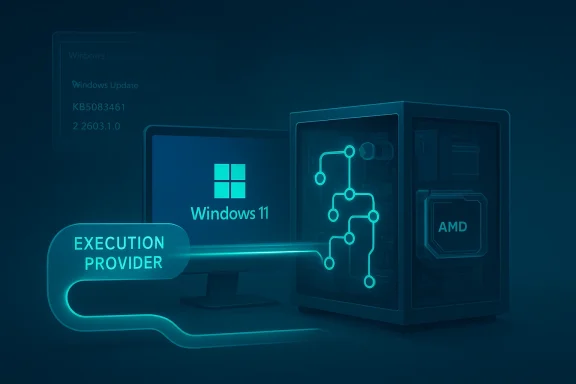
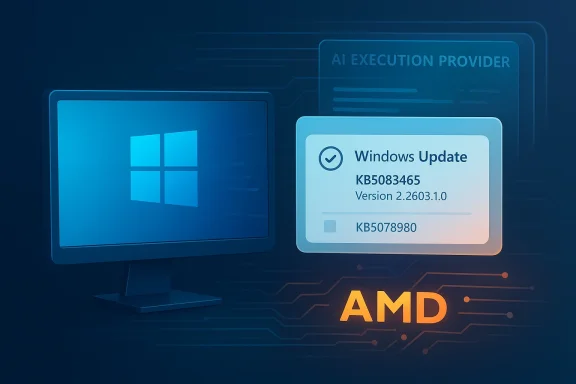
Microsoft has quietly added another AI servicing package to Windows 11’s growing stack of component updates, and this one is aimed squarely at AMD-powered systems running Windows 11 version 26H1. The new package, KB5083465, updates the AMD MIGraphX Execution Provider to version 2.2603.1.0 and is delivered automatically through Windows Update. Microsoft says it contains improvements to the MIGraphX AI component, and it replaces the previously released KB5078980. (support.microsoft.com)
The significance of KB5083465 is not the update itself, but what it reveals about Microsoft’s AI servicing model in 2026. Windows is no longer treating AI capability as a single feature drop or a monolithic runtime; instead, Microsoft is shipping a layered ecosystem of execution providers, model components, and device-specific optimizations that can be updated independently of the operating system core. That is a major shift in how Windows evolves, especially for devices expected to run local AI workloads. (support.microsoft.com)
The AMD MIGraphX stack is part of that strategy. Microsoft describes MIGraphX as AMD’s graph inference engine, which is used to accelerate machine-learning inference. In practical terms, that means Windows can route AI workloads more efficiently on supported AMD hardware, reducing the need to rely exclusively on CPU execution or more generic acceleration paths. The promise is better responsiveness, lower overhead, and more predictable on-device AI behavior. (support.microsoft.com)
What makes this notable is that Microsoft is also making the update feel more like a service channel than a feature event. The update is not something users manually hunt down; it is pushed automatically, provided the device already has the latest cumulative update for Windows 11 version 26H1 installed. That dependency matters, because it links AI component refreshes to the broader Windows servicing cadence rather than to standalone driver installation routines. (support.microsoft.com)
The timing also fits a broader pattern. Microsoft has been publishing an AI update log that tracks separate releases across AMD, Intel, Nvidia, and Qualcomm components, showing that the company now treats AI acceleration stacks as a first-class servicing surface. In that log, AMD MIGraphX already appeared at version 1.8.43.0 for 26H1 on February 10, 2026, and then again at 1.8.53.0 on February 24, 2026. KB5083465 now moves that line forward to 2.2603.1.0, signaling another turn in a rapid update cycle. (support.microsoft.com)
That shift reflects a broader industry reality: AI features are only as good as the hardware-aware execution layer beneath them. A generic model runtime can function, but the experience improves when the operating system knows how to use the right accelerator, the right graph compiler, and the right execution provider for the device. AMD’s MIGraphX is one of the pieces that helps make that optimization possible on AMD systems. (support.microsoft.com)
Windows 11 version 26H1 appears to be the latest testbed for this approach. Microsoft’s support documentation and AI update history show that 26H1 receives multiple AI component updates across different vendor stacks, which suggests Microsoft is preparing the platform for a more modular AI future. That future is not just about Copilot-facing features; it is also about the infrastructure that lets local AI functions run efficiently and reliably on mainstream PCs. (support.microsoft.com)
A useful clue is how Microsoft phrases the update. The KB does not frame the release as a flashy new capability or a consumer-facing feature. Instead, it says the package “includes improvements” to the AMD MIGraphX Execution Provider AI component. That language usually means the update is about refinement, compatibility, or reliability rather than a dramatic new user-visible function. In other words, this is plumbing, but it is increasingly important plumbing. (support.microsoft.com)
Another important detail is replacement behavior. KB5083465 supersedes KB5078980, meaning Microsoft is actively revising the AMD AI provider path inside the 26H1 servicing line. That replacement suggests either bug fixes, compatibility improvements, or a newer packaging approach. Whatever the exact internal change set, the practical result is clear: Microsoft wants systems to move off the older AMD AI provider build and onto the newer one. (support.microsoft.com)
That also means the update behaves more like part of Windows servicing than like a consumer GPU control-panel release. The dependency on the latest cumulative update is a good example of this relationship. Microsoft is effectively saying that the AI component lifecycle is tied to the OS baseline, which simplifies compatibility for Microsoft but narrows the path for users who prefer independent component management. (support.microsoft.com)
For Windows users, the practical point is that AI workloads can become less CPU-bound and more hardware-aware. That can matter for everything from local copilots and image processing to future AI-assisted Windows features that depend on fast inference. The more efficiently the runtime understands the hardware, the less friction the user experiences when AI tasks are invoked. (support.microsoft.com)
That is why updates like KB5083465 deserve attention even when Microsoft keeps the release notes terse. A small version bump in the execution provider layer can translate into broader stability gains across AI-enabled apps. It can also reduce the odds of compatibility breakage when Microsoft or its partners ship new Windows AI features. Small package, potentially large effect. (support.microsoft.com)
The strategy has advantages, but it also raises expectations. If Microsoft is going to present Windows as an AI platform, it has to keep these backend components current and aligned. KB5083465 is one more sign that the company is trying to do exactly that. (support.microsoft.com)
There is one catch: the device must already have the latest cumulative update for Windows 11 version 26H1 installed. That prerequisite is important because it ensures the AI component is layered on top of the right OS baseline. It also implies that users with delayed patching may not receive the component until they catch up on ordinary monthly servicing. (support.microsoft.com)
For enterprise environments, that kind of naming consistency is useful. It gives help desks and deployment teams a concrete string to search for in device inventories, update logs, or compliance dashboards. It also reduces ambiguity when comparing one AI component package against another. (support.microsoft.com)
But automation also shifts responsibility to Windows Update quality. If the wrong cumulative update level blocks the package, or if a later AI component depends on it, patch hygiene becomes more consequential. In that sense, KB5083465 is part of a much larger shift toward servicing discipline as a prerequisite for AI functionality. (support.microsoft.com)
Equally important is that KB5083465 replaces KB5078980. Replacement updates are often a sign that the earlier package is no longer the preferred path, either because of stability improvements or because Microsoft has simply moved the serviced component forward. For end users, the message is clear: the old package is being retired in favor of the new one. (support.microsoft.com)
The important takeaway is that the AI runtime layer is being maintained aggressively. That is usually good news for reliability, but it also means the component landscape may evolve faster than typical consumers expect from Windows updates. Users and administrators need to treat these packages as active parts of the platform, not as one-time optional add-ons. (support.microsoft.com)
The downside is that replacement behavior can obscure historical drift. If a help desk needs to understand whether a bug existed in KB5078980 and was fixed in KB5083465, the change path matters. That is the tradeoff of making component servicing smoother: the machine gets easier to maintain, but the software stack gets less transparent to end users. (support.microsoft.com)
This matters especially in environments where local AI features are beginning to creep into productivity workflows. The more Microsoft integrates AI into Windows, the more enterprises will need to think about backend runtime quality in the same way they already think about graphics drivers, chipsets, and security updates. In a world of on-device AI, the execution provider becomes part of the user experience layer. (support.microsoft.com)
It also means reporting has to be more granular. A device might appear current on security patches yet still lack the newest AI component. For organizations testing Copilot-adjacent features or local inference tools, that gap could explain inconsistent behavior across seemingly identical systems. (support.microsoft.com)
The good news is that Microsoft is standardizing the delivery path. The bad news is that standardization increases the number of places where a missed prerequisite can create confusion. Administrators should expect support tickets that read like driver issues even when the root cause is simply a missing cumulative update. (support.microsoft.com)
Still, the update has consumer implications. On an AMD-based Windows 11 26H1 device, improved AI execution infrastructure could translate into smoother local AI features, better responsiveness in AI-assisted apps, and fewer compatibility hiccups when new Windows features lean on the runtime. Those gains may be modest individually, but they add up over time. (support.microsoft.com)
The other likely effect is reduced friction. When the AI component aligns more closely with Microsoft’s current baseline, users are less likely to hit obscure compatibility problems after monthly updates. That kind of reliability is easy to overlook but highly valuable when AI features become woven into everyday tasks. Reliability is the feature. (support.microsoft.com)
AMD’s presence here is meaningful because it keeps the company in the conversation for local AI acceleration on Windows PCs. If Microsoft is going to keep shipping more AI-capable components into Windows, then AMD must be represented in the runtime layer as a credible first-class path, not just as a GPU vendor. KB5083465 helps reinforce that position. (support.microsoft.com)
For AMD, a quick and visible update path is important because it demonstrates that its acceleration stack is actively maintained in the Windows ecosystem. For Microsoft, it means users can buy different hardware without feeling locked out of AI improvements. For rivals, it means the expectation bar rises across the board. Every vendor now has to look current. (support.microsoft.com)
The opportunity lies in consistency. As more Windows features depend on local AI acceleration, Microsoft can reduce fragmentation by keeping execution providers updated in the background. That benefits both consumers and enterprises, especially on AMD hardware where the runtime path is now more clearly serviced. (support.microsoft.com)
There is also the risk of overpromising. Users may hear “AI update” and expect visible new features, when in reality KB5083465 is primarily an infrastructure improvement. That gap between expectation and impact can lead to disappointment unless Microsoft continues to document these changes clearly. Transparency will matter more over time. (support.microsoft.com)
The bigger question is how visible these improvements will become to end users. If Microsoft keeps pushing AI capability deeper into Windows, then execution-provider updates may become as routine as graphics driver updates once were. The difference is that they will likely arrive even more quietly, hidden inside the OS maintenance flow. (support.microsoft.com)
Source: Microsoft Support KB5083465: AMD MIGraphX Execution Provider update (version 2.2603.1.0) - Microsoft Support
 Overview
The significance of KB5083465 is not the update itself, but what it reveals about Microsoft’s AI servicing model in 2026. Windows is no longer treating AI capability as a single feature drop or a monolithic runtime; instead, Microsoft is shipping a layered ecosystem of execution providers, model components, and device-specific optimizations that can be updated independently of the operating system core. That is a major shift in how Windows evolves, especially for devices expected to run local AI workloads. (support.microsoft.com)The AMD MIGraphX stack is part of that strategy. Microsoft describes MIGraphX as AMD’s graph inference engine, which is used to accelerate machine-learning inference. In practical terms, that means Windows can route AI workloads more efficiently on supported AMD hardware, reducing the need to rely exclusively on CPU execution or more generic acceleration paths. The promise is better responsiveness, lower overhead, and more predictable on-device AI behavior. (support.microsoft.com)
What makes this notable is that Microsoft is also making the update feel more like a service channel than a feature event. The update is not something users manually hunt down; it is pushed automatically, provided the device already has the latest cumulative update for Windows 11 version 26H1 installed. That dependency matters, because it links AI component refreshes to the broader Windows servicing cadence rather than to standalone driver installation routines. (support.microsoft.com)
The timing also fits a broader pattern. Microsoft has been publishing an AI update log that tracks separate releases across AMD, Intel, Nvidia, and Qualcomm components, showing that the company now treats AI acceleration stacks as a first-class servicing surface. In that log, AMD MIGraphX already appeared at version 1.8.43.0 for 26H1 on February 10, 2026, and then again at 1.8.53.0 on February 24, 2026. KB5083465 now moves that line forward to 2.2603.1.0, signaling another turn in a rapid update cycle. (support.microsoft.com)
Background
To understand why KB5083465 matters, it helps to step back and look at how Windows AI servicing has changed. In earlier eras, Windows update discussions centered on quality fixes, security patches, driver revisions, and the occasional feature upgrade. In the current model, Microsoft is increasingly distributing specialized AI packages that sit beside those traditional update streams, each tuned to a specific silicon partner or runtime layer. (support.microsoft.com)That shift reflects a broader industry reality: AI features are only as good as the hardware-aware execution layer beneath them. A generic model runtime can function, but the experience improves when the operating system knows how to use the right accelerator, the right graph compiler, and the right execution provider for the device. AMD’s MIGraphX is one of the pieces that helps make that optimization possible on AMD systems. (support.microsoft.com)
Windows 11 version 26H1 appears to be the latest testbed for this approach. Microsoft’s support documentation and AI update history show that 26H1 receives multiple AI component updates across different vendor stacks, which suggests Microsoft is preparing the platform for a more modular AI future. That future is not just about Copilot-facing features; it is also about the infrastructure that lets local AI functions run efficiently and reliably on mainstream PCs. (support.microsoft.com)
A useful clue is how Microsoft phrases the update. The KB does not frame the release as a flashy new capability or a consumer-facing feature. Instead, it says the package “includes improvements” to the AMD MIGraphX Execution Provider AI component. That language usually means the update is about refinement, compatibility, or reliability rather than a dramatic new user-visible function. In other words, this is plumbing, but it is increasingly important plumbing. (support.microsoft.com)
Another important detail is replacement behavior. KB5083465 supersedes KB5078980, meaning Microsoft is actively revising the AMD AI provider path inside the 26H1 servicing line. That replacement suggests either bug fixes, compatibility improvements, or a newer packaging approach. Whatever the exact internal change set, the practical result is clear: Microsoft wants systems to move off the older AMD AI provider build and onto the newer one. (support.microsoft.com)
What the update is, and what it is not
This is not a standalone AMD driver package in the traditional sense. It is an AI component update delivered through Windows Update, and that distinction matters because it changes both deployment and troubleshooting. Users who are accustomed to hunting down GPU driver revisions in AMD’s own tools may not realize that some AI acceleration components are now serviced as part of the Windows ecosystem. (support.microsoft.com)That also means the update behaves more like part of Windows servicing than like a consumer GPU control-panel release. The dependency on the latest cumulative update is a good example of this relationship. Microsoft is effectively saying that the AI component lifecycle is tied to the OS baseline, which simplifies compatibility for Microsoft but narrows the path for users who prefer independent component management. (support.microsoft.com)
- Delivered through Windows Update
- Requires the latest 26H1 cumulative update
- Replaces KB5078980
- Applies to Windows 11 version 26H1, all editions (support.microsoft.com)
What AMD MIGraphX Does
AMD MIGraphX is AMD’s graph inference engine, and that phrase is doing a lot of work. In AI systems, a “graph” typically refers to the computation structure used to represent model operations. An inference engine takes that graph and schedules it efficiently, often deciding how to map workloads to available hardware acceleration. (support.microsoft.com)For Windows users, the practical point is that AI workloads can become less CPU-bound and more hardware-aware. That can matter for everything from local copilots and image processing to future AI-assisted Windows features that depend on fast inference. The more efficiently the runtime understands the hardware, the less friction the user experiences when AI tasks are invoked. (support.microsoft.com)
Why execution providers matter
An execution provider is not just a branding term; it is the bridge between the AI framework and the underlying hardware. If that bridge is tuned well, the same model can run faster or more efficiently on AMD, Intel, Nvidia, or Qualcomm systems. If the bridge is poorly tuned, performance falls back to a more generic path and the user sees slower responses or weaker battery life. (support.microsoft.com)That is why updates like KB5083465 deserve attention even when Microsoft keeps the release notes terse. A small version bump in the execution provider layer can translate into broader stability gains across AI-enabled apps. It can also reduce the odds of compatibility breakage when Microsoft or its partners ship new Windows AI features. Small package, potentially large effect. (support.microsoft.com)
Where it fits in the Windows AI stack
Microsoft’s AI update history shows multiple vendor-specific tracks, including AMD MIGraphX, AMD Vitis, Intel OpenVINO, Nvidia TensorRT-RTX, and Qualcomm QNN. That lineup makes it obvious that Windows is not relying on a single universal AI backend. Instead, it is creating a multi-vendor support structure that can adapt to different chips and device classes. (support.microsoft.com)The strategy has advantages, but it also raises expectations. If Microsoft is going to present Windows as an AI platform, it has to keep these backend components current and aligned. KB5083465 is one more sign that the company is trying to do exactly that. (support.microsoft.com)
Delivery and Installation
Microsoft says KB5083465 will be downloaded and installed automatically from Windows Update. That means the update is designed to be invisible for most users, surfacing only in update history after the fact. In the ideal case, no manual interaction is needed at all. (support.microsoft.com)There is one catch: the device must already have the latest cumulative update for Windows 11 version 26H1 installed. That prerequisite is important because it ensures the AI component is layered on top of the right OS baseline. It also implies that users with delayed patching may not receive the component until they catch up on ordinary monthly servicing. (support.microsoft.com)
What admins and users should look for
Microsoft provides a straightforward verification path. Users should open Settings > Windows Update > Update history and check for Windows ML Runtime AMD MIGraphX Execution Provider (KB5083465). That is the visible artifact that confirms installation. (support.microsoft.com)For enterprise environments, that kind of naming consistency is useful. It gives help desks and deployment teams a concrete string to search for in device inventories, update logs, or compliance dashboards. It also reduces ambiguity when comparing one AI component package against another. (support.microsoft.com)
- Check Windows Update > Update history
- Confirm the entry reads Windows ML Runtime AMD MIGraphX Execution Provider
- Verify the device is on the latest 26H1 cumulative update
- Expect installation via standard Windows Update channels (support.microsoft.com)
Why automatic delivery matters
Automatic delivery lowers the support burden for Microsoft and AMD. If the component is strongly tied to OS servicing, then compatibility testing can be more controlled and deployment is less fragmented than traditional driver ecosystems. That is particularly important for AI workloads, where mismatched runtime versions can create subtle failures rather than obvious installation errors. (support.microsoft.com)But automation also shifts responsibility to Windows Update quality. If the wrong cumulative update level blocks the package, or if a later AI component depends on it, patch hygiene becomes more consequential. In that sense, KB5083465 is part of a much larger shift toward servicing discipline as a prerequisite for AI functionality. (support.microsoft.com)
Versioning and Replacement Strategy
The version number 2.2603.1.0 suggests Microsoft and AMD are treating the AMD MIGraphX provider as a living component with its own release cadence. That is not unusual in modern software, but it is notable inside Windows because component versioning like this used to be more visible in driver packages or standalone runtimes than in OS-native update history. (support.microsoft.com)Equally important is that KB5083465 replaces KB5078980. Replacement updates are often a sign that the earlier package is no longer the preferred path, either because of stability improvements or because Microsoft has simply moved the serviced component forward. For end users, the message is clear: the old package is being retired in favor of the new one. (support.microsoft.com)
Interpreting the cadence
The AI update history shows AMD MIGraphX moving from 1.8.43.0 in February to 1.8.53.0 later in February, and now to 2.2603.1.0 in March. That is a fast cadence, and it suggests either a meaningful engineering cycle or a strategic push to harden the AI execution path quickly. It could also reflect packaging changes that require a version-family jump rather than a simple patch increment. Microsoft does not spell that out, so caution is warranted. (support.microsoft.com)The important takeaway is that the AI runtime layer is being maintained aggressively. That is usually good news for reliability, but it also means the component landscape may evolve faster than typical consumers expect from Windows updates. Users and administrators need to treat these packages as active parts of the platform, not as one-time optional add-ons. (support.microsoft.com)
Why replacement updates are strategically useful
Replacement updates let Microsoft steer devices toward a known-good package version without asking users to think about version management. That is ideal for broad consumer deployment, where most people will never inspect the update log. It is also useful for enterprise policy, because it aligns fleet devices around a common runtime surface. (support.microsoft.com)The downside is that replacement behavior can obscure historical drift. If a help desk needs to understand whether a bug existed in KB5078980 and was fixed in KB5083465, the change path matters. That is the tradeoff of making component servicing smoother: the machine gets easier to maintain, but the software stack gets less transparent to end users. (support.microsoft.com)
Enterprise Impact
For enterprise IT, KB5083465 is less about novelty and more about operational consistency. AI execution providers are now part of the Windows patch surface, which means IT teams must include them in compliance checks, pilot rings, and validation baselines. Ignoring these updates risks leaving fleets on older AI runtimes even when the underlying OS is patched. (support.microsoft.com)This matters especially in environments where local AI features are beginning to creep into productivity workflows. The more Microsoft integrates AI into Windows, the more enterprises will need to think about backend runtime quality in the same way they already think about graphics drivers, chipsets, and security updates. In a world of on-device AI, the execution provider becomes part of the user experience layer. (support.microsoft.com)
Operational considerations for IT
IT teams should not assume that a cumulative OS update alone is enough. The prerequisite explicitly ties this AI package to the latest 26H1 cumulative update, which means patch sequencing can influence when the AI provider appears on machines. That adds one more dependency to image baselines and post-deployment remediation workflows. (support.microsoft.com)It also means reporting has to be more granular. A device might appear current on security patches yet still lack the newest AI component. For organizations testing Copilot-adjacent features or local inference tools, that gap could explain inconsistent behavior across seemingly identical systems. (support.microsoft.com)
- Add AI execution providers to patch compliance reporting
- Validate component presence after cumulative update deployment
- Test with representative AMD hardware before broad rollout
- Track both OS build level and AI package version (support.microsoft.com)
Enterprise vs consumer impact
Consumers will mostly experience this as a background improvement, if they notice it at all. Enterprises, by contrast, have to care because the update can alter behavior in managed fleets where local AI capabilities are either piloted or policy-controlled. That is a classic invisible update, visible consequences scenario. (support.microsoft.com)The good news is that Microsoft is standardizing the delivery path. The bad news is that standardization increases the number of places where a missed prerequisite can create confusion. Administrators should expect support tickets that read like driver issues even when the root cause is simply a missing cumulative update. (support.microsoft.com)
Consumer Impact
For most consumers, the new AMD MIGraphX package should be almost completely invisible. It downloads automatically, installs through Windows Update, and only shows up in update history if the user goes looking for it. That is exactly how Microsoft wants background platform improvements to behave. (support.microsoft.com)Still, the update has consumer implications. On an AMD-based Windows 11 26H1 device, improved AI execution infrastructure could translate into smoother local AI features, better responsiveness in AI-assisted apps, and fewer compatibility hiccups when new Windows features lean on the runtime. Those gains may be modest individually, but they add up over time. (support.microsoft.com)
What users may notice
Most users will not see a pop-up or a dramatic before-and-after change. Instead, the benefits are likely to emerge indirectly through better stability or slightly improved performance in AI-driven parts of Windows. That is typical of runtime updates, especially ones delivered through servicing rather than through app-level feature releases. (support.microsoft.com)The other likely effect is reduced friction. When the AI component aligns more closely with Microsoft’s current baseline, users are less likely to hit obscure compatibility problems after monthly updates. That kind of reliability is easy to overlook but highly valuable when AI features become woven into everyday tasks. Reliability is the feature. (support.microsoft.com)
Consumer-facing practical notes
- No manual download is expected
- The update depends on the latest 26H1 cumulative update
- Users can verify it in Update history
- The installed entry should reference KB5083465 (support.microsoft.com)
Competitive Implications
The release also says something about the competition between AI hardware ecosystems. Microsoft’s update log shows separate tracks for AMD MIGraphX, AMD Vitis, Intel OpenVINO, Nvidia TensorRT-RTX, and Qualcomm QNN, which underscores how Windows is trying to remain an even-handed platform for multiple silicon strategies. That neutrality is good for users, but it also means every vendor must keep pace. (support.microsoft.com)AMD’s presence here is meaningful because it keeps the company in the conversation for local AI acceleration on Windows PCs. If Microsoft is going to keep shipping more AI-capable components into Windows, then AMD must be represented in the runtime layer as a credible first-class path, not just as a GPU vendor. KB5083465 helps reinforce that position. (support.microsoft.com)
Why this matters versus rivals
Intel, Nvidia, and Qualcomm all have their own Windows AI execution pathways, and Microsoft’s update cadence suggests that the company wants to normalize this vendor competition inside the OS. That means the competitive battleground is shifting away from simple device specs and toward runtime quality, update velocity, and compatibility depth. (support.microsoft.com)For AMD, a quick and visible update path is important because it demonstrates that its acceleration stack is actively maintained in the Windows ecosystem. For Microsoft, it means users can buy different hardware without feeling locked out of AI improvements. For rivals, it means the expectation bar rises across the board. Every vendor now has to look current. (support.microsoft.com)
The platform message
Microsoft’s bigger message is that Windows should abstract the hardware complexity as much as possible while still exposing the best accelerator available. That creates a familiar but tougher challenge: the platform must be broad enough to support different architectures and fast enough to keep their runtimes fresh. KB5083465 is one example of that balancing act in action. (support.microsoft.com)- Microsoft is maintaining multiple vendor AI paths
- AMD remains a key player in Windows AI acceleration
- Runtime quality is becoming a competitive differentiator
- Update velocity now matters as much as raw hardware claims (support.microsoft.com)
Strengths and Opportunities
The strengths of KB5083465 are mostly strategic rather than flashy. It improves the AMD-side AI execution path, keeps Windows’ AI runtime architecture moving forward, and does so through a delivery method that is easy to manage at scale. That combination is exactly what a modern platform update should aim for. (support.microsoft.com)The opportunity lies in consistency. As more Windows features depend on local AI acceleration, Microsoft can reduce fragmentation by keeping execution providers updated in the background. That benefits both consumers and enterprises, especially on AMD hardware where the runtime path is now more clearly serviced. (support.microsoft.com)
- Automatic deployment reduces user friction
- Replacement of KB5078980 simplifies baseline management
- Versioned AI servicing supports rapid refinement
- Windows Update delivery aligns with standard patch workflows
- AMD support strengthens platform neutrality
- Update history visibility helps support teams verify installation
- Component-level servicing is well suited to AI features (support.microsoft.com)
Risks and Concerns
The main concern is complexity. The more Microsoft breaks AI capability into separate execution-provider updates, the more opportunities there are for mismatched versions, missing prerequisites, and support confusion. That complexity is manageable, but it will still create friction in mixed environments and older deployment pipelines. (support.microsoft.com)There is also the risk of overpromising. Users may hear “AI update” and expect visible new features, when in reality KB5083465 is primarily an infrastructure improvement. That gap between expectation and impact can lead to disappointment unless Microsoft continues to document these changes clearly. Transparency will matter more over time. (support.microsoft.com)
- Prerequisite dependency can delay installation
- Version churn may complicate troubleshooting
- Invisible updates can confuse users who expect feature changes
- Replacement updates may obscure historical issue tracking
- Enterprise baselines must account for AI component drift
- Mixed hardware fleets will need careful validation
- Support teams may need new terminology and runbooks (support.microsoft.com)
Looking Ahead
KB5083465 is likely not the last AMD AI runtime update we will see for Windows 11 version 26H1. Microsoft’s AI update history already shows repeated refreshes across different vendors and component families, which implies an ongoing cadence rather than a one-off release. That is exactly what you would expect if AI features are becoming a permanent part of the Windows servicing model. (support.microsoft.com)The bigger question is how visible these improvements will become to end users. If Microsoft keeps pushing AI capability deeper into Windows, then execution-provider updates may become as routine as graphics driver updates once were. The difference is that they will likely arrive even more quietly, hidden inside the OS maintenance flow. (support.microsoft.com)
What to watch next
- Additional AMD MIGraphX revisions for Windows 11 version 26H1
- Similar AI runtime refreshes for Intel, Nvidia, and Qualcomm
- Whether Microsoft expands AI component servicing beyond 26H1
- How enterprises document AI package compliance in managed fleets
- Whether future updates produce visible performance changes in local AI features (support.microsoft.com)
Source: Microsoft Support KB5083465: AMD MIGraphX Execution Provider update (version 2.2603.1.0) - Microsoft Support
Last edited: