

Windows 11’s April 14, 2026 cumulative update KB5083769 is causing third-party backup failures on Windows 11 24H2 and 25H2 systems by blocking the vulnerable
The April update arrived as the sort of Patch Tuesday payload most Windows administrators have learned to process with a weary discipline: test where possible, deploy where necessary, watch the monitoring dashboards afterward. KB5083769 was not a novelty feature release. It was a security update for Windows 11 versions 24H2 and 25H2, the kind of update organizations are conditioned not to delay for long.
Then the backup jobs started failing.
The common symptom was familiar enough to be misleading. Users and admins saw Microsoft VSS timeout messages during snapshot creation, along with errors such as
But this case has a sharper edge. The reported failures are tied to Windows code integrity blocking
That is why this is not merely another “Windows Update broke my app” story. It is a collision between Microsoft’s increasingly assertive kernel-security posture and the messy dependency chain of backup software, where a single low-level component can sit under multiple brands, products, agents, and managed-service stacks.
Seen from Redmond, blocking known-bad drivers is not optional housekeeping. It is part of the operating system’s immune response. Windows has spent years moving toward a model in which code integrity, virtualization-based security, memory integrity, and driver block rules work together to make the kernel less hospitable to old mistakes.
The snag is that the Windows ecosystem is not a neat diagram. Backup vendors, endpoint-management providers, storage utilities, and disk-imaging tools often need privileged access precisely because they operate below the comfort layer of ordinary applications. They install drivers, hook into snapshot services, mount volumes, and perform operations that look suspiciously like the things security controls are designed to scrutinize.
So when Microsoft says
That is the paradox at the center of KB5083769. Security improved in the abstract while recoverability degraded in practice.
When everything works, the process feels mundane. A scheduled job starts, VSS coordinates writers, the imaging engine captures a consistent state, and the resulting backup lands on local storage, a network share, or a cloud repository. When something in that chain fails, the error often surfaces as a vague snapshot problem even if the real culprit is lower in the stack.
That is why the blocked-driver angle matters. A VSS timeout can sound like a service coordination problem. In this case, it may be the visible symptom of Windows refusing to load a kernel driver that a product expected to be available.
The affected product list makes the story broader than Macrium alone. Reports have connected the issue to Macrium Reflect, Acronis Cyber Protect Cloud, NinjaOne Backup, and UrBackup Server. The exact failure mode may vary by product, configuration, driver version, and workflow, but the pattern is consistent enough: systems updated with KB5083769 can lose previously working backup functionality because Windows now blocks a driver in the path.
For managed service providers, that is especially ugly. A home user may discover the problem when a manual backup fails. An MSP may discover it after dozens or hundreds of endpoints have quietly stopped producing valid recovery points, or after a customer machine appears offline in a cloud console. Backup failures are bad; backup failures that masquerade as routine VSS weirdness are worse.
This is the dilemma that administrators hate most: choose between exposure to a known security flaw and loss of confidence in backups. In a cleanly managed world, the answer would be to patch, update the affected backup software, and move on. In the real world, the vendor fix may not be available yet, the affected endpoints may be remote, the maintenance window may be gone, and the most recent successful image may predate the update.
That trade-off lands differently across environments. A single enthusiast workstation with Macrium Reflect is one thing. A fleet of laptops under Acronis Cyber Protect Cloud or NinjaOne Backup is another. A regulated business with recovery-time obligations and audit requirements may have little patience for a workaround that amounts to “uninstall the security update and pause Windows Update.”
The trust issue is not that Microsoft blocks vulnerable drivers. It is that the block can appear through a routine cumulative update with operational consequences that many customers only understand after jobs fail. For something as foundational as backup, that is a brutal discovery mechanism.
Security teams often argue that delayed patching creates unacceptable exposure. Infrastructure teams reply that insufficiently tested patching creates outages. KB5083769 gives both sides ammunition.
Uninstalling a cumulative update is not like toggling off a cosmetic feature. It removes security changes bundled into the release. In this case, that means giving up fixes that organizations may have rushed to deploy because they address active exploitation risk.
That does not make uninstalling irrational. If a machine has no valid backup and the current update prevents one from being created, an administrator may reasonably decide that restoring recoverability for a short period is the lesser evil. A system with no restorable image is not exactly secure in any meaningful operational sense.
But the workaround should be treated as temporary and deliberate. It should be documented, scoped, and paired with compensating controls where possible. The danger is not that an admin removes the update to buy time; the danger is that a hurried rollback becomes the new steady state because the backup dashboard turns green again.
There is also a psychological trap here. Once backups start working after uninstalling KB5083769, the human temptation is to declare the problem solved. It is not solved. It has merely been moved from the backup column to the patching column.
That puts vendors in a difficult but unavoidable position. Backup software sells confidence. It cannot depend on a kernel component that the platform owner has decided is too risky to load. Once Windows draws that line, the vendor’s job is not to argue customers into weakening Windows; it is to deliver a compatible and secure update quickly.
Macrium has reportedly indicated that an update is in development. Acronis has confirmed affected Cyber Protect Cloud behavior and described failures that can include machines losing connectivity with the cloud console and appearing offline. For MSP-focused tools, that latter symptom is particularly painful because it blurs the line between a backup failure and a management-plane visibility problem.
The vendor response will determine how long this story lasts. If updated drivers arrive quickly and install cleanly, KB5083769 becomes another sharp but limited compatibility incident. If customers remain stuck choosing between Windows security patches and functioning backups, it becomes a case study in why kernel dependencies are an enterprise liability.
The lesson for vendors is uncomfortable. In 2026, shipping a Windows backup product means living inside Microsoft’s security model, not beside it. A driver that worked yesterday can become unshippable tomorrow if it fails the platform’s evolving risk standard.
For 24H2 and 25H2 machines, KB5083769 is not an obscure optional tweak that only adventurous users installed. It is part of the mainstream cumulative-update rhythm. The optional May preview update KB5083631 reportedly carries the same driver-blocking behavior, which means moving to that newer build is not an escape hatch.
That matters because many users reach for a preview update when something seems broken, hoping the next package contains relief. In this case, the underlying behavior is intentional. The newer update does not solve the fact that Windows has decided the driver should not load.
This is a pattern Windows users have seen before in other forms. A security baseline changes. A legacy component loses trust. A dependent product breaks. Microsoft describes the change as protective; customers experience it as surprise breakage. Both views can be true, and that is what makes these incidents so combustible.
The more precise criticism is about coordination and blast radius. Backup software is not a game overlay or a niche hardware utility. It is part of the recovery fabric. If a Microsoft blocklist change is likely to break common backup applications, that change deserves visible warning, vendor coordination, and administrator-facing telemetry that makes the cause obvious.
Imagine a better failure mode. Windows installs the update and logs a clear code integrity event. Security Center surfaces that a blocked vulnerable driver belongs to a backup product. Windows Update’s known-issues page names the affected workflow. The backup vendor has a signed replacement ready, or at least a supported mitigation that does not require removing the month’s security fixes.
That is not fantasy; it is the standard Microsoft should be aiming for as it tightens kernel policy. The company cannot simultaneously demand rapid patch adoption and treat high-impact compatibility fallout as something customers discover in backup logs.
Administrators can live with hard choices. What they resent is ambiguity. A failed backup job with a VSS timeout is ambiguity masquerading as diagnosis.
That distinction matters. Backup consoles are full of reassuring green icons until the day a restore is needed. An image that cannot be mounted, browsed, or validated is not a recovery plan; it is a hope file.
Admins should also inspect affected systems for code integrity events related to blocked drivers. The point is to avoid chasing generic VSS repairs when the underlying issue is driver enforcement. Restarting VSS services, re-registering components, or tweaking timeouts may be cathartic, but it will not persuade Windows to load a driver now on the blocklist.
For organizations with patch rings, KB5083769 is a reminder that backup validation belongs in the ring criteria. It is not enough for a pilot group to boot, browse, print, authenticate, and launch Office. It must also back up and restore. The dullest test in the runbook is often the one that matters most.
Home users have a simpler but no less important task: open the backup application and confirm the date of the last successful backup. Then test mount or browse an image if the product supports it. A backup strategy that has not been checked since the April update may already have failed silently enough to matter.
Microsoft is not wrong to harden Windows against vulnerable kernel drivers, and backup vendors are not wrong to need privileged components to do difficult work. The failure is the brittle seam between those truths. KB5083769 shows that the next phase of Windows security will be fought not only over exploits and mitigations, but over whether the platform, vendors, and administrators can keep recoverability intact while the kernel becomes less forgiving.
Source: Notebookcheck Windows 11 KB5083769 is breaking Acronis, Macrium, and other backup apps
psmounterex.sys kernel driver used by Macrium Reflect, Acronis Cyber Protect Cloud, NinjaOne Backup, UrBackup Server, and related imaging workflows. Microsoft’s explanation is security-hardening, not accident: the driver landed on the vulnerable driver blocklist. That makes the episode more uncomfortable, not less, because it pits the thing administrators install to reduce risk against the thing they rely on when risk becomes reality. The backup tool did not simply “break”; Windows changed the rules underneath it.
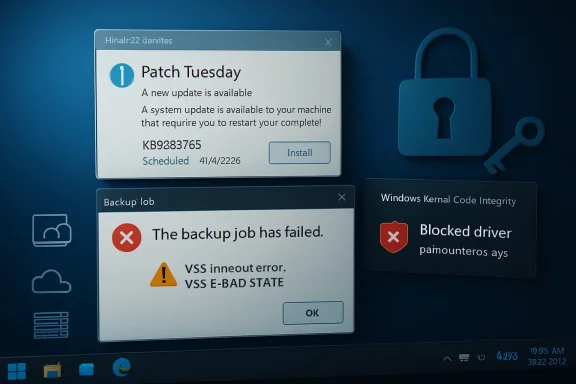 Microsoft’s Security Fix Walked Straight Into the Backup Window
The April update arrived as the sort of Patch Tuesday payload most Windows administrators have learned to process with a weary discipline: test where possible, deploy where necessary, watch the monitoring dashboards afterward. KB5083769 was not a novelty feature release. It was a security update for Windows 11 versions 24H2 and 25H2, the kind of update organizations are conditioned not to delay for long.Then the backup jobs started failing.
The common symptom was familiar enough to be misleading. Users and admins saw Microsoft VSS timeout messages during snapshot creation, along with errors such as
VSS_E_BAD_STATE. Anyone who has spent time around Windows imaging tools knows that Volume Shadow Copy Service failures can be a swamp: writers get stuck, services misbehave, antivirus products interfere, storage drivers hiccup, and the event log offers just enough information to waste an afternoon.But this case has a sharper edge. The reported failures are tied to Windows code integrity blocking
psmounterex.sys, a driver associated with Macrium’s image-mounting functionality and used across several backup products or bundled workflows. Once Windows refuses to load that driver, software that depends on it can no longer complete the same image, mount, browse, or snapshot path it did before the update.That is why this is not merely another “Windows Update broke my app” story. It is a collision between Microsoft’s increasingly assertive kernel-security posture and the messy dependency chain of backup software, where a single low-level component can sit under multiple brands, products, agents, and managed-service stacks.
The Driver Blocklist Is Doing Its Job, Which Is the Problem
Microsoft’s vulnerable driver blocklist exists because signed kernel drivers have become a favored abuse path for attackers. If an attacker can load a signed but vulnerable driver, they may be able to undermine protections that would otherwise stop unsigned or obviously malicious kernel code. This is the logic behind bring-your-own-vulnerable-driver attacks: the attacker does not need Microsoft to sign malware if they can abuse a legitimate driver that already has a trusted signature.Seen from Redmond, blocking known-bad drivers is not optional housekeeping. It is part of the operating system’s immune response. Windows has spent years moving toward a model in which code integrity, virtualization-based security, memory integrity, and driver block rules work together to make the kernel less hospitable to old mistakes.
The snag is that the Windows ecosystem is not a neat diagram. Backup vendors, endpoint-management providers, storage utilities, and disk-imaging tools often need privileged access precisely because they operate below the comfort layer of ordinary applications. They install drivers, hook into snapshot services, mount volumes, and perform operations that look suspiciously like the things security controls are designed to scrutinize.
So when Microsoft says
psmounterex.sys is vulnerable and should not load, that may be technically correct. But for the customer whose recovery chain depends on it, the distinction between “blocked for your protection” and “broken after Patch Tuesday” is academic. The operating system protected the machine by disabling the mechanism intended to protect the machine’s data.That is the paradox at the center of KB5083769. Security improved in the abstract while recoverability degraded in practice.
Backup Software Lives Where Windows Is Least Forgiving
Modern backup software has the unenviable job of making Windows look still while Windows keeps moving. Applications are open, databases are writing, system files are locked, users are logged in, and cloud agents are syncing. VSS exists to make a coherent snapshot possible in the middle of that motion.When everything works, the process feels mundane. A scheduled job starts, VSS coordinates writers, the imaging engine captures a consistent state, and the resulting backup lands on local storage, a network share, or a cloud repository. When something in that chain fails, the error often surfaces as a vague snapshot problem even if the real culprit is lower in the stack.
That is why the blocked-driver angle matters. A VSS timeout can sound like a service coordination problem. In this case, it may be the visible symptom of Windows refusing to load a kernel driver that a product expected to be available.
The affected product list makes the story broader than Macrium alone. Reports have connected the issue to Macrium Reflect, Acronis Cyber Protect Cloud, NinjaOne Backup, and UrBackup Server. The exact failure mode may vary by product, configuration, driver version, and workflow, but the pattern is consistent enough: systems updated with KB5083769 can lose previously working backup functionality because Windows now blocks a driver in the path.
For managed service providers, that is especially ugly. A home user may discover the problem when a manual backup fails. An MSP may discover it after dozens or hundreds of endpoints have quietly stopped producing valid recovery points, or after a customer machine appears offline in a cloud console. Backup failures are bad; backup failures that masquerade as routine VSS weirdness are worse.
Patch Tuesday Has Become a Trust Exercise
Microsoft wants customers to install security updates quickly. That is reasonable. The April 2026 patch set includes fixes for serious vulnerabilities, including a Windows Shell issue that has been reported as actively exploited. Removing the update to restore backup functionality therefore reopens risk that the update was meant to close.This is the dilemma that administrators hate most: choose between exposure to a known security flaw and loss of confidence in backups. In a cleanly managed world, the answer would be to patch, update the affected backup software, and move on. In the real world, the vendor fix may not be available yet, the affected endpoints may be remote, the maintenance window may be gone, and the most recent successful image may predate the update.
That trade-off lands differently across environments. A single enthusiast workstation with Macrium Reflect is one thing. A fleet of laptops under Acronis Cyber Protect Cloud or NinjaOne Backup is another. A regulated business with recovery-time obligations and audit requirements may have little patience for a workaround that amounts to “uninstall the security update and pause Windows Update.”
The trust issue is not that Microsoft blocks vulnerable drivers. It is that the block can appear through a routine cumulative update with operational consequences that many customers only understand after jobs fail. For something as foundational as backup, that is a brutal discovery mechanism.
Security teams often argue that delayed patching creates unacceptable exposure. Infrastructure teams reply that insufficiently tested patching creates outages. KB5083769 gives both sides ammunition.
The Uninstall Workaround Is a Door With a Warning Sign
The immediate workaround circulating from affected vendors and administrators is simple enough: remove KB5083769, reboot, pause Windows Update, and verify whether backups resume. On individual machines, that may be the fastest path back to a successful image. For businesses, it is less a fix than a controlled retreat.Uninstalling a cumulative update is not like toggling off a cosmetic feature. It removes security changes bundled into the release. In this case, that means giving up fixes that organizations may have rushed to deploy because they address active exploitation risk.
That does not make uninstalling irrational. If a machine has no valid backup and the current update prevents one from being created, an administrator may reasonably decide that restoring recoverability for a short period is the lesser evil. A system with no restorable image is not exactly secure in any meaningful operational sense.
But the workaround should be treated as temporary and deliberate. It should be documented, scoped, and paired with compensating controls where possible. The danger is not that an admin removes the update to buy time; the danger is that a hurried rollback becomes the new steady state because the backup dashboard turns green again.
There is also a psychological trap here. Once backups start working after uninstalling KB5083769, the human temptation is to declare the problem solved. It is not solved. It has merely been moved from the backup column to the patching column.
Vendors Now Own the Clock Microsoft Started
The permanent fix has to come from backup vendors shipping updated, non-blocked drivers or reworking the affected path so that backup and image-mount operations no longer depend on vulnerable code. Microsoft can adjust documentation, clarify known issues, or possibly refine deployment behavior, but it is unlikely to bless a vulnerable kernel driver indefinitely simply because backup tools use it.That puts vendors in a difficult but unavoidable position. Backup software sells confidence. It cannot depend on a kernel component that the platform owner has decided is too risky to load. Once Windows draws that line, the vendor’s job is not to argue customers into weakening Windows; it is to deliver a compatible and secure update quickly.
Macrium has reportedly indicated that an update is in development. Acronis has confirmed affected Cyber Protect Cloud behavior and described failures that can include machines losing connectivity with the cloud console and appearing offline. For MSP-focused tools, that latter symptom is particularly painful because it blurs the line between a backup failure and a management-plane visibility problem.
The vendor response will determine how long this story lasts. If updated drivers arrive quickly and install cleanly, KB5083769 becomes another sharp but limited compatibility incident. If customers remain stuck choosing between Windows security patches and functioning backups, it becomes a case study in why kernel dependencies are an enterprise liability.
The lesson for vendors is uncomfortable. In 2026, shipping a Windows backup product means living inside Microsoft’s security model, not beside it. A driver that worked yesterday can become unshippable tomorrow if it fails the platform’s evolving risk standard.
The 24H2 and 25H2 Timing Makes Everything Feel Less Optional
This episode is also happening against the backdrop of Windows 11 24H2 and 25H2 transition pressure. Microsoft has been moving users forward aggressively, and unmanaged systems tend to receive fewer opportunities for careful sequencing than enterprise-managed fleets. That makes compatibility failures more visible to ordinary users who do not think in terms of servicing channels, deployment rings, or driver block policies.For 24H2 and 25H2 machines, KB5083769 is not an obscure optional tweak that only adventurous users installed. It is part of the mainstream cumulative-update rhythm. The optional May preview update KB5083631 reportedly carries the same driver-blocking behavior, which means moving to that newer build is not an escape hatch.
That matters because many users reach for a preview update when something seems broken, hoping the next package contains relief. In this case, the underlying behavior is intentional. The newer update does not solve the fact that Windows has decided the driver should not load.
This is a pattern Windows users have seen before in other forms. A security baseline changes. A legacy component loses trust. A dependent product breaks. Microsoft describes the change as protective; customers experience it as surprise breakage. Both views can be true, and that is what makes these incidents so combustible.
The Real Failure Is Not Blocking a Bad Driver
It is tempting to frame the story as Microsoft overreaching, but that is too easy. Vulnerable kernel drivers are not theoretical hazards. They are useful tools for attackers, and a modern operating system that knowingly allows them to load is making a security bargain on behalf of every customer.The more precise criticism is about coordination and blast radius. Backup software is not a game overlay or a niche hardware utility. It is part of the recovery fabric. If a Microsoft blocklist change is likely to break common backup applications, that change deserves visible warning, vendor coordination, and administrator-facing telemetry that makes the cause obvious.
Imagine a better failure mode. Windows installs the update and logs a clear code integrity event. Security Center surfaces that a blocked vulnerable driver belongs to a backup product. Windows Update’s known-issues page names the affected workflow. The backup vendor has a signed replacement ready, or at least a supported mitigation that does not require removing the month’s security fixes.
That is not fantasy; it is the standard Microsoft should be aiming for as it tightens kernel policy. The company cannot simultaneously demand rapid patch adoption and treat high-impact compatibility fallout as something customers discover in backup logs.
Administrators can live with hard choices. What they resent is ambiguity. A failed backup job with a VSS timeout is ambiguity masquerading as diagnosis.
The Backup Check Is Now Part of Patch Management
The practical response starts with verification, not blame. Anyone running Macrium Reflect, Acronis Cyber Protect Cloud, NinjaOne Backup, UrBackup Server, or any backup stack that depends on similar image-mounting components should check backup history on machines updated after April 14, 2026. The question is not whether the schedule ran. The question is whether a restorable, complete backup was actually created after KB5083769 landed.That distinction matters. Backup consoles are full of reassuring green icons until the day a restore is needed. An image that cannot be mounted, browsed, or validated is not a recovery plan; it is a hope file.
Admins should also inspect affected systems for code integrity events related to blocked drivers. The point is to avoid chasing generic VSS repairs when the underlying issue is driver enforcement. Restarting VSS services, re-registering components, or tweaking timeouts may be cathartic, but it will not persuade Windows to load a driver now on the blocklist.
For organizations with patch rings, KB5083769 is a reminder that backup validation belongs in the ring criteria. It is not enough for a pilot group to boot, browse, print, authenticate, and launch Office. It must also back up and restore. The dullest test in the runbook is often the one that matters most.
Home users have a simpler but no less important task: open the backup application and confirm the date of the last successful backup. Then test mount or browse an image if the product supports it. A backup strategy that has not been checked since the April update may already have failed silently enough to matter.
The April Patch Leaves Administrators With a Narrow Path
The immediate operational path is awkward, but it is not mysterious. Organizations need to preserve security coverage where they can, restore backup functionality where they must, and press vendors for fixed drivers rather than settling into indefinite rollback.- Systems running Windows 11 24H2 or 25H2 with KB5083769 installed should have their backup job history reviewed for failures after April 14, 2026.
- Machines using Macrium Reflect, Acronis Cyber Protect Cloud, NinjaOne Backup, UrBackup Server, or related imaging tools should be checked for blocked
psmounterex.sysbehavior before administrators spend time on generic VSS repairs. - Uninstalling KB5083769 may restore backup functionality, but it also removes April security fixes and should be treated as a temporary exception rather than a durable fix.
- The optional KB5083631 preview update should not be assumed to resolve the issue, because the same driver-blocking behavior has been reported there as well.
- The durable answer is an updated backup product or driver from the vendor that satisfies Windows code integrity requirements.
- Patch-management test rings should include at least one real backup-and-restore validation step, not merely confirmation that the endpoint remains usable.
Microsoft is not wrong to harden Windows against vulnerable kernel drivers, and backup vendors are not wrong to need privileged components to do difficult work. The failure is the brittle seam between those truths. KB5083769 shows that the next phase of Windows security will be fought not only over exploits and mitigations, but over whether the platform, vendors, and administrators can keep recoverability intact while the kernel becomes less forgiving.
Source: Notebookcheck Windows 11 KB5083769 is breaking Acronis, Macrium, and other backup apps
