

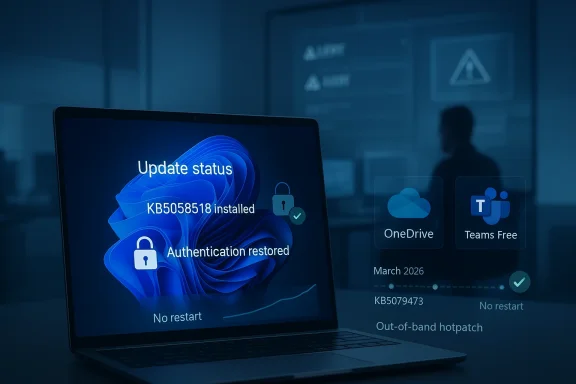
Microsoft has moved again to contain the fallout from its March 2026 Windows 11 update cycle, and this time the target is enterprise authentication. According to reports, KB5085518 is an emergency out-of-band fix aimed at Windows 11 enterprise and LTSC systems that were left dealing with persistent sign-in failures after the March Patch Tuesday release KB5079473. The problem may sound narrow on paper, but in practice it touched core productivity services such as Teams Free and OneDrive, turning a routine update into a workflow interruption for managed environments. For IT departments, the arrival of a hotpatch-style repair is less a convenience than a reminder of how quickly authentication regressions can ripple across a modern Windows estate.
The March 10, 2026 security update for Windows 11, KB5079473, was meant to be a standard monthly cumulative release for Windows 11 version 24H2 and 25H2. Microsoft’s support entry confirms that the package applied to those releases and bundled the month’s security fixes with additional non-security changes carried forward from the prior preview cycle. In other words, it was business as usual until it wasn’t.
What made this particular issue so disruptive was not a system crash or a visual glitch, but a failure in sign-in behavior. Public reporting and Microsoft’s own documentation trail show that the March update triggered problems for Microsoft account-based services, including OneDrive and Teams Free, with some users seeing error messages that implied the device was offline even when connectivity was intact. That kind of failure is especially confusing because it points users in the wrong direction, sending them to the network stack when the root problem lies in authentication.
Microsoft first addressed the consumer side of the problem with an out-of-band fix, KB5085516, which was reported as the remedy for Microsoft account sign-in failures on affected Windows 11 devices. The existence of a consumer fix before the enterprise update strongly suggests that Microsoft split the response into distinct paths, likely because managed environments, enterprise identity flows, and commercial servicing rings required a separate validation and distribution approach. That is a familiar pattern in Windows servicing, where one bug can yield multiple corrective packages depending on edition, deployment channel, and customer impact.
The new KB5085518 fix, according to the WindowsReport summary, is meant for enterprise systems including Windows 11 Enterprise and Enterprise LTSC 2024, and is described as an out-of-band hotpatch update for 24H2 and 25H2 devices. If that characterization holds, it matters because hotpatching is designed to reduce downtime and avoid restarts, which is exactly what enterprise admins want when the goal is to restore logon-dependent services without creating a second round of disruption.
This is also part of a broader pattern in Microsoft’s 2025–2026 update cadence. Over the past year, the company has increasingly relied on emergency OOB packages when monthly servicing introduces regressions that affect authentication, recovery, setup, or logon behavior. That has a practical upside—faster remediation—but it also reveals the fragile coupling between Windows security updates and cloud identity workflows. The more Windows depends on connected services, the more any sign-in defect becomes a platform problem rather than a single-app annoyance.
For IT teams, that distinction is crucial. A broken file sync client or chat app can be triaged, but when the sign-in token exchange is faulty, the result can look like a downstream outage across multiple apps at once. That is why a single bug in Microsoft account authentication can feel much bigger than the number of affected binaries would suggest. It undermines trust in the login flow, and once users start believing “the internet is broken,” support desks spend hours proving the network is fine. That is a productivity tax, not just a software bug.
That likely explains why Microsoft first addressed consumer devices and then moved to a separate enterprise remedy. If the issue primarily affected Microsoft account authentication inside enterprise-managed Windows 11 environments rather than full Entra ID sign-in, then the blast radius would be narrower in theory but still painful in reality. In mixed environments, users do not care whether a problem is “consumer” or “enterprise”; they only know OneDrive, Teams Free, or another account-linked service stopped working. The label matters to administrators, not to frustrated employees.
That makes KB5085518 strategically important beyond the immediate bug. If the package truly installs automatically and does not require a restart, then Microsoft is using the same servicing philosophy it has already pushed in Windows Server and Windows 11 Enterprise: fewer restarts, faster remediation, and lower operational cost for IT. But the tradeoff is subtle. Hotpatching is powerful precisely because it changes how quickly a bad or good fix can reach production machines, which raises the stakes for validation. Speed is useful only when the fix is correct.
That matters because Patch Tuesday is not just a maintenance event; it is a trust contract. Organizations plan change freezes, help desk staffing, and deployment rings around the assumption that Microsoft’s monthly baseline is relatively stable. When an update disrupts authentication, the cost is not limited to those directly affected. It changes rollout behavior for everyone watching from the sidelines. The next update now inherits the burden of suspicion.
The second question is scope. The WindowsReport summary says the issue affected Windows 11 Enterprise and Enterprise LTSC 2024 systems, specifically on 24H2 and 25H2. That means admins should assess whether they are running those builds, whether hotpatch enrollment is enabled, and whether their identity stack uses services that still depend on Microsoft account sign-in rather than pure Entra flows. Those are not trivial distinctions in hybrid estates.
The enterprise sign-in fix is a good example of both the strengths and weaknesses of that model. On one hand, Microsoft was able to respond with a targeted emergency update instead of forcing organizations to wait for the next regular patch cycle. On the other hand, the need for that emergency response underscores that the original update slipped through with a defect serious enough to affect daily workflows. Fast remediation is admirable, but prevention remains better.
Competitively, this is exactly the kind of incident that gives rivals rhetorical ammunition. Endpoint competitors, cross-platform collaboration vendors, and alternative identity stacks can all point to Microsoft’s update turbulence as evidence that integrated platforms come with hidden operational risk. Of course, that argument cuts both ways: Microsoft’s integrated stack also delivers smoother management and faster fixes when it works properly. The difference is that reliability becomes the real battleground, not just feature count.
The more important long-term question is how much tolerance enterprises will have for repeated emergency servicing around core authentication and productivity workflows. In a world where Windows, identity, and cloud apps are intertwined, reliability is now a platform feature in its own right. Microsoft can still win that argument—but only if the company keeps proving that emergency fixes are the exception, not the new normal. That will be the real test of Windows 11’s enterprise credibility.
Source: https://windowsreport.com/microsoft...-to-fix-windows-11-enterprise-sign-in-issues/
 Background
The March 10, 2026 security update for Windows 11, KB5079473, was meant to be a standard monthly cumulative release for Windows 11 version 24H2 and 25H2. Microsoft’s support entry confirms that the package applied to those releases and bundled the month’s security fixes with additional non-security changes carried forward from the prior preview cycle. In other words, it was business as usual until it wasn’t.What made this particular issue so disruptive was not a system crash or a visual glitch, but a failure in sign-in behavior. Public reporting and Microsoft’s own documentation trail show that the March update triggered problems for Microsoft account-based services, including OneDrive and Teams Free, with some users seeing error messages that implied the device was offline even when connectivity was intact. That kind of failure is especially confusing because it points users in the wrong direction, sending them to the network stack when the root problem lies in authentication.
Microsoft first addressed the consumer side of the problem with an out-of-band fix, KB5085516, which was reported as the remedy for Microsoft account sign-in failures on affected Windows 11 devices. The existence of a consumer fix before the enterprise update strongly suggests that Microsoft split the response into distinct paths, likely because managed environments, enterprise identity flows, and commercial servicing rings required a separate validation and distribution approach. That is a familiar pattern in Windows servicing, where one bug can yield multiple corrective packages depending on edition, deployment channel, and customer impact.
The new KB5085518 fix, according to the WindowsReport summary, is meant for enterprise systems including Windows 11 Enterprise and Enterprise LTSC 2024, and is described as an out-of-band hotpatch update for 24H2 and 25H2 devices. If that characterization holds, it matters because hotpatching is designed to reduce downtime and avoid restarts, which is exactly what enterprise admins want when the goal is to restore logon-dependent services without creating a second round of disruption.
This is also part of a broader pattern in Microsoft’s 2025–2026 update cadence. Over the past year, the company has increasingly relied on emergency OOB packages when monthly servicing introduces regressions that affect authentication, recovery, setup, or logon behavior. That has a practical upside—faster remediation—but it also reveals the fragile coupling between Windows security updates and cloud identity workflows. The more Windows depends on connected services, the more any sign-in defect becomes a platform problem rather than a single-app annoyance.
What KB5085518 Is Intended to Fix
At the center of the story is a deceptively simple failure: users could not sign in to services tied to Microsoft accounts despite having network access. In enterprise settings, that meant friction for services like OneDrive and Teams Free, and potentially for other Microsoft consumer-oriented integrations that still surface inside managed Windows environments. The key distinction is that the device itself might still function, but the identity layer above it did not.For IT teams, that distinction is crucial. A broken file sync client or chat app can be triaged, but when the sign-in token exchange is faulty, the result can look like a downstream outage across multiple apps at once. That is why a single bug in Microsoft account authentication can feel much bigger than the number of affected binaries would suggest. It undermines trust in the login flow, and once users start believing “the internet is broken,” support desks spend hours proving the network is fine. That is a productivity tax, not just a software bug.
Why sign-in failures are so disruptive
Sign-in failures are uniquely costly because they block access to the control plane of modern work. Users often cannot tell whether the fault belongs to Windows, the app, the identity provider, or the network, which means they retry, reboot, escalate, and delay work while the problem persists. In that sense, the error message becomes part of the incident.- They interrupt access to cloud files and collaboration tools.
- They trigger repeated support calls because the symptom looks like connectivity failure.
- They can affect multiple applications simultaneously when token acquisition fails.
- They are harder to isolate than a single app crash.
- They create a false sense that local troubleshooting will fix a service-side issue.
Why Enterprise Was Hit Differently
The enterprise angle matters because Microsoft separates consumer identity behavior from managed-device identity behavior more aggressively than casual observers realize. Consumer devices often rely on Microsoft accounts in a more direct way, while enterprise fleets are commonly built around Entra ID, device management policies, and corporate service configurations. Even so, Microsoft’s commercial ecosystems still contain plenty of Microsoft-account-dependent components, and those can surface in managed deployments.That likely explains why Microsoft first addressed consumer devices and then moved to a separate enterprise remedy. If the issue primarily affected Microsoft account authentication inside enterprise-managed Windows 11 environments rather than full Entra ID sign-in, then the blast radius would be narrower in theory but still painful in reality. In mixed environments, users do not care whether a problem is “consumer” or “enterprise”; they only know OneDrive, Teams Free, or another account-linked service stopped working. The label matters to administrators, not to frustrated employees.
Consumer versus enterprise identity paths
Microsoft’s ecosystem uses overlapping but distinct identity pathways. That overlap is efficient when everything works, but it also means defects can surface in ways that are hard to predict from the outside. The same update can leave one class of user impacted and another untouched, depending on how the device is enrolled, how the account is provisioned, and which sign-in methods are being invoked.- Consumer users tend to hit Microsoft account-based flows directly.
- Enterprise users often rely on Entra ID, but still use Microsoft services tied to Microsoft accounts.
- Managed devices may encounter policy-driven differences in how updates are deployed.
- Different editions can have different servicing expectations and hotpatch eligibility.
- A fix that works for one fleet may not be appropriate for another.
Hotpatching as a Delivery Mechanism
The most interesting part of the report is not only that Microsoft issued a fix, but that it is described as a hotpatch update. Hotpatching is meant to let organizations apply security and quality updates without a reboot, which is especially attractive in enterprise environments where scheduled downtime is expensive and disruptive. Microsoft’s documentation for hotpatch on Windows 11 Enterprise and related deployment channels shows that the feature is explicitly designed to reduce user interruption.That makes KB5085518 strategically important beyond the immediate bug. If the package truly installs automatically and does not require a restart, then Microsoft is using the same servicing philosophy it has already pushed in Windows Server and Windows 11 Enterprise: fewer restarts, faster remediation, and lower operational cost for IT. But the tradeoff is subtle. Hotpatching is powerful precisely because it changes how quickly a bad or good fix can reach production machines, which raises the stakes for validation. Speed is useful only when the fix is correct.
Why no-reboot updates matter
No-reboot servicing sounds like a minor convenience, but at scale it changes enterprise operations. A patch that would normally wait for an after-hours maintenance window can land during the workday if it does not interrupt active sessions. That improves compliance and closes vulnerability windows faster, especially in large fleets.- It lowers the friction of emergency remediation.
- It reduces lost productivity from reboot-driven downtime.
- It allows IT teams to react faster to regressions and zero-day-style issues.
- It is especially valuable for roaming and distributed workforces.
- It does, however, raise confidence requirements for Microsoft’s release quality.
The March Patch Tuesday Fallout
The March 2026 update cycle is now looking like one of those months that administrators will remember for the wrong reasons. First came the cumulative update, then reports of sign-in failures, then the consumer fix, and now a separate enterprise remedy. Even when Microsoft successfully contains the damage, the surrounding noise makes the monthly update cadence feel less like a disciplined service and more like an iterative rescue operation.That matters because Patch Tuesday is not just a maintenance event; it is a trust contract. Organizations plan change freezes, help desk staffing, and deployment rings around the assumption that Microsoft’s monthly baseline is relatively stable. When an update disrupts authentication, the cost is not limited to those directly affected. It changes rollout behavior for everyone watching from the sidelines. The next update now inherits the burden of suspicion.
Why trust breaks quickly
Trust breaks quickly in enterprise servicing because administrators are forced to make decisions under uncertainty. If a security update is known to have caused one category of user-impacting failure, teams become more conservative about deploying the next package, even if it is unrelated. That can slow patch adoption and widen exposure to unrelated vulnerabilities.- Administrators may pause update rings longer than planned.
- Help desks may spend more time on symptom triage.
- Security teams may need to justify faster deployment despite publicized regressions.
- Risk-averse organizations may rely more heavily on pilot groups.
- End users may start reporting every odd behavior as an update issue.
How This Affects IT Administrators
For administrators, the immediate question is not whether the bug exists in the abstract, but how quickly the fleet can be normalized. If KB5085518 is automatically installed and restart-free, that lowers operational overhead, especially for organizations that cannot afford a reboot during business hours. Microsoft’s hotpatch model is built for exactly this kind of scenario.The second question is scope. The WindowsReport summary says the issue affected Windows 11 Enterprise and Enterprise LTSC 2024 systems, specifically on 24H2 and 25H2. That means admins should assess whether they are running those builds, whether hotpatch enrollment is enabled, and whether their identity stack uses services that still depend on Microsoft account sign-in rather than pure Entra flows. Those are not trivial distinctions in hybrid estates.
Practical admin priorities
The most sensible response is to verify deployment status, monitor authentication telemetry, and validate that affected users regain access to OneDrive and Teams Free after the fix. Even where no outage is currently visible, administrators should assume this kind of defect can generate lingering reports as cached tokens age out and users reconnect from different network states.- Confirm affected devices are on Windows 11 24H2 or 25H2 Enterprise-class builds.
- Check whether hotpatch policy and update rings are enabled in the organization.
- Validate that KB5085518 is offered or installed on pilot devices.
- Test Microsoft account-based sign-in flows after policy refresh.
- Monitor support desks for repeated “no internet” sign-in complaints.
What It Means for Microsoft’s Servicing Strategy
Microsoft’s update model has become increasingly layered: baseline monthly updates, optional previews, out-of-band hotfixes, hotpatch channels, known issue rollbacks, and separate servicing tracks for consumer and enterprise editions. That complexity gives Microsoft more tools to repair mistakes quickly, but it also makes the update ecosystem harder for customers to reason about. The company can respond faster than in older Windows eras, but it is also creating a system where fixes arrive in a variety of formats that administrators have to interpret correctly.The enterprise sign-in fix is a good example of both the strengths and weaknesses of that model. On one hand, Microsoft was able to respond with a targeted emergency update instead of forcing organizations to wait for the next regular patch cycle. On the other hand, the need for that emergency response underscores that the original update slipped through with a defect serious enough to affect daily workflows. Fast remediation is admirable, but prevention remains better.
The broader servicing tradeoff
This is the tension at the heart of modern Windows servicing. The company wants faster patch velocity, smaller downtime windows, and more cloud-driven management. Yet every additional layer of agility creates another opportunity for something to go wrong in a live environment.- More deployment channels mean more complexity.
- More complexity means more edge cases.
- More edge cases mean a higher chance of emergency fixes.
- More emergency fixes can increase administrative fatigue.
- Administrative fatigue can slow adoption of future security patches.
Competitive and Market Implications
This sort of event has implications beyond Windows itself. Enterprises that rely heavily on Microsoft 365, OneDrive, and Teams are reminded how tightly integrated their productivity stack is with Windows servicing quality. That tight integration is convenient when the system is stable, but it also magnifies the impact of each Windows regression because the OS and the cloud layer are no longer neatly separable in day-to-day use.Competitively, this is exactly the kind of incident that gives rivals rhetorical ammunition. Endpoint competitors, cross-platform collaboration vendors, and alternative identity stacks can all point to Microsoft’s update turbulence as evidence that integrated platforms come with hidden operational risk. Of course, that argument cuts both ways: Microsoft’s integrated stack also delivers smoother management and faster fixes when it works properly. The difference is that reliability becomes the real battleground, not just feature count.
Enterprise buying decisions
Procurement teams pay attention to these incidents even when they do not change vendors immediately. A broken patch in one quarter can influence negotiations in the next, especially if the organization is weighing desktop modernization, identity consolidation, or cloud collaboration rollouts. Stability, not novelty, often determines whether a platform earns expansion budgets.- Buyers may ask harder questions about update testing and rollback strategy.
- Identity architecture may be separated more deliberately from device management.
- Pilot rings may expand before broad deployment.
- Organizations may demand clearer postmortems from Microsoft.
- Long-term platform loyalty can weaken if incidents repeat too often.
Strengths and Opportunities
Microsoft’s response still shows some important strengths. The company identified a serious auth-related regression, split the remediation across affected user classes, and appears to have delivered a targeted enterprise fix with minimal operational disruption. If KB5085518 behaves as advertised, it demonstrates why hotpatching is becoming one of the most valuable pieces of Windows servicing for business customers. That is the upside of a mature cloud-managed OS.- Rapid containment of a productivity-blocking defect.
- Edition-specific remediation for enterprise and LTSC environments.
- No-restart deployment that reduces downtime.
- Better fit for managed fleets than a generic consumer fix.
- Lower help desk load once the patch is fully propagated.
- Reinforcement of hotpatch value for Windows 11 Enterprise.
- Potentially fewer user complaints than a manual troubleshooting campaign.
Risks and Concerns
The biggest concern is obvious: every emergency patch is evidence that the upstream release process did not catch a serious regression before customers did. That does not automatically imply a systemic quality collapse, but it does suggest that the interaction between identity services and Windows monthly updates remains fragile. When the symptom is authentication failure, even a short outage can become a long support tail. That is the part organizations remember.- Regression risk in future cumulative updates.
- User confusion when error messages falsely suggest connectivity issues.
- Delayed patch adoption after repeated servicing mishaps.
- Hidden enterprise impact in mixed Microsoft account and Entra environments.
- Support burden from repeated sign-in troubleshooting.
- Operational dependence on restart-free fixes that must be validated carefully.
- Reputational damage if similar failures recur in later updates.
Looking Ahead
What happens next depends on whether KB5085518 fully restores sign-in reliability across the affected enterprise builds. If it does, Microsoft will likely move quickly to close the incident with a short advisory and let the monthly servicing cadence continue. If it does not, or if reports keep surfacing from managed environments, the company may need to issue more granular guidance on which identity paths are affected and whether the bug extends beyond the initially reported services.The more important long-term question is how much tolerance enterprises will have for repeated emergency servicing around core authentication and productivity workflows. In a world where Windows, identity, and cloud apps are intertwined, reliability is now a platform feature in its own right. Microsoft can still win that argument—but only if the company keeps proving that emergency fixes are the exception, not the new normal. That will be the real test of Windows 11’s enterprise credibility.
- Verify whether KB5085518 is appearing in your update rings.
- Confirm that affected users regain access to OneDrive and Teams Free.
- Watch Microsoft’s release health dashboard for any follow-up notes.
- Review whether authentication telemetry shows failures after sign-in token refresh.
- Track whether future monthly updates require similar out-of-band corrections.
Source: https://windowsreport.com/microsoft...-to-fix-windows-11-enterprise-sign-in-issues/
Last edited:
