

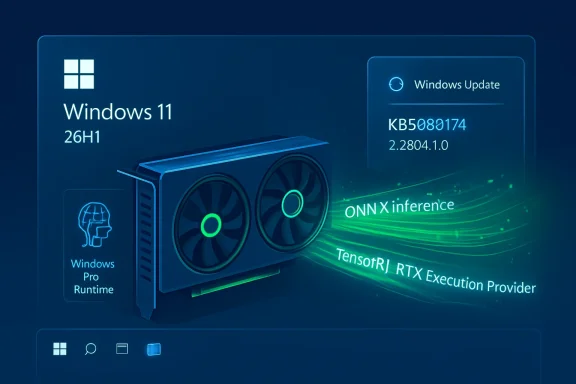
 KB5089174: NVIDIA TensorRT-RTX Execution Provider Update Version 2.2604.1.0 for Windows 11 Version 26H1
Microsoft has released KB5089174, a Windows ML Runtime update for the NVIDIA TensorRT-RTX Execution Provider. The update brings the NVIDIA TensorRT-RTX Execution Provider component to version 2.2604.1.0 and applies to Windows 11, version 26H1.This is not a typical cumulative update, graphics driver update, or feature update. Instead, it is a servicing update for one of the Windows machine-learning execution provider components used by Windows and applications to accelerate local AI inference workloads on compatible NVIDIA RTX GPUs.
After installation, the update should appear in Windows Update history as:
Windows ML Runtime Nvidia TensorRT-RTX Execution Provider Update (KB5089174)
KB5089174 replaces the previously released KB5083464 update, which delivered version 2.2603.1.0 of the same component.
What KB5089174 Updates
KB5089174 updates the NVIDIA TensorRT-RTX Execution Provider, a Windows ML and ONNX Runtime execution provider designed to accelerate ONNX model inference on NVIDIA RTX GPUs in client PC scenarios.In practical terms, this component helps Windows and supported applications run certain AI models locally on the GPU instead of relying only on the CPU or another compute backend. The update includes improvements to the execution provider component for Windows 11, version 26H1.
Microsoft’s support article does not list a long set of end-user feature changes, security fixes, or known issues for this release. The update is described specifically as an improvement to the execution provider component. That means most users should not expect a visible change in the Windows interface after installation. Its importance is mainly under the hood, particularly for applications and Windows AI features that use local machine-learning inference.
What Is the NVIDIA TensorRT-RTX Execution Provider?
The NVIDIA TensorRT-RTX Execution Provider is a component that works with ONNX Runtime and Windows machine-learning infrastructure to accelerate AI model inference on NVIDIA RTX GPUs.ONNX is a widely used model format for machine-learning workloads. ONNX Runtime is a runtime engine that can execute ONNX models across different kinds of hardware. Rather than requiring every app developer to write separate low-level code paths for each vendor’s hardware, ONNX Runtime can use execution providers to route supported parts of a model to the most appropriate accelerator.
An execution provider acts as a hardware-specific acceleration layer. It can take parts of a model graph, determine what the hardware can accelerate, choose optimized kernels, and execute supported operations using vendor-specific libraries. In this case, the vendor-specific acceleration path is NVIDIA TensorRT for RTX.
TensorRT-RTX is designed for client-centric scenarios, meaning PCs used by end users rather than only cloud servers or data-center systems. It is intended to help Windows and applications take advantage of local RTX GPU hardware for AI inference.
The NVIDIA TensorRT-RTX Execution Provider uses NVIDIA’s TensorRT for RTX runtime to generate and run RTX-optimized inference engines on the local GPU. This can allow supported AI workloads to run with better performance and lower latency than they would on a less optimized path.
Why Execution Providers Matter in Windows
Execution providers are part of the broader Windows AI platform. They help Windows and applications run machine-learning models efficiently across different hardware configurations.Modern Windows PCs can include several types of compute hardware: CPUs, integrated GPUs, discrete GPUs, and NPUs. Each has different strengths. A CPU is broadly compatible but may be slower or less power-efficient for certain AI workloads. A GPU can be much faster for parallel compute. An NPU can be efficient for specific AI tasks. Execution providers help abstract these differences so that Windows and apps can use the best available compute path when supported.
For users, the benefit is generally indirect. You may not open an app called “execution provider” or manually launch the TensorRT-RTX component. Instead, the component is available to Windows and to supported software that uses Windows ML or ONNX Runtime. If a workload is compatible, the system can use the NVIDIA RTX acceleration path.
This also helps developers. Rather than building entirely separate acceleration frameworks for every supported device, applications can target Windows ML or ONNX Runtime and rely on execution providers to handle hardware-specific optimization where available.
What Version Is Included?
KB5089174 updates the NVIDIA TensorRT-RTX Execution Provider to:Version 2.2604.1.0
This follows the earlier KB5083464 release, which provided:
Version 2.2603.1.0
Microsoft lists KB5089174 as replacing KB5083464. If the newer update is installed, users and administrators should treat KB5089174 as the current package for this component on supported Windows 11 version 26H1 systems.
Supported Windows Version
KB5089174 is for:Windows 11, version 26H1
Windows 11 version 26H1 is a specialized Windows release designed for select new hardware platforms. It is not a standard feature update offered broadly to existing Windows 11 PCs through Windows Update. Microsoft describes Windows 11 version 26H1 as a release intended to support next-generation hardware innovation with device manufacturers and silicon partners.
This distinction matters because many users running Windows 11 version 24H2 or 25H2 should not expect to see KB5089174 on their systems. If a PC is not running Windows 11 version 26H1, this particular KB is not targeted at that device.
In other words, KB5089174 is not a general update for every Windows 11 PC with an NVIDIA GPU. It is an execution provider component update for Windows 11 version 26H1 systems that meet the relevant servicing and compatibility requirements.
Prerequisite
Microsoft lists one prerequisite for this update:The latest cumulative update for Windows 11, version 26H1 must be installed.
This means the device should already be current on its normal Windows cumulative update servicing path before KB5089174 is installed. If the update does not appear, one of the first checks should be whether the system has installed the latest cumulative update for Windows 11 version 26H1.
For managed environments, administrators should ensure that their update rings, servicing policies, and approval workflows allow the required cumulative update before expecting this component update to deploy.
How the Update Is Installed
KB5089174 is delivered through Windows Update.Microsoft states that the update will be downloaded and installed automatically from Windows Update. Most users do not need to manually download a package, search the Microsoft Update Catalog, or install a separate NVIDIA component for this KB.
Because it is handled through Windows Update, installation behavior may depend on the device’s update settings, management configuration, active hours, restart policies, metered network settings, and enterprise update controls.
On consumer systems, installation should generally occur automatically once the device is eligible. In organizations, deployment timing may depend on Windows Update for Business, WSUS, Intune, Autopatch, or other update-management policies.
How to Check Whether KB5089174 Is Installed
To verify whether KB5089174 is installed:- Open Settings.
- Go to Windows Update.
- Select Update history.
- Look for the following entry:
If that entry is present, the update has been installed.
If the entry is missing, confirm that the device is running Windows 11 version 26H1 and that the latest cumulative update for that version has already been installed. If the device is managed by an organization, update policy may also affect when the update appears.
Replacement Information
KB5089174 replaces:KB5083464: NVIDIA TensorRT-RTX Execution Provider update version 2.2603.1.0
That earlier update delivered the previous version of the same Windows ML Runtime NVIDIA TensorRT-RTX Execution Provider component. KB5089174 moves the component forward to version 2.2604.1.0.
For administrators tracking component servicing history, this means KB5089174 supersedes the earlier March-generation package. If compliance reporting shows KB5089174 installed, the device should not also need KB5083464 as the active current version of the component.
Is This an NVIDIA Graphics Driver Update?
No. KB5089174 should not be confused with a standard NVIDIA display driver update.A graphics driver update typically affects display output, DirectX, Vulkan, OpenGL, CUDA compatibility, game performance, stability, and general GPU driver behavior. KB5089174 is different. It updates the Windows ML Runtime NVIDIA TensorRT-RTX Execution Provider component.
That said, the component is related to NVIDIA RTX GPU acceleration for machine-learning inference. It works in the same general ecosystem as NVIDIA GPU hardware and AI acceleration, but it is not the same thing as installing a GeForce Game Ready Driver, Studio Driver, or enterprise graphics driver.
Users should continue to obtain NVIDIA display drivers through their normal trusted channel, such as Windows Update, the PC manufacturer, enterprise driver-management tools, or NVIDIA’s official driver software, depending on the environment.
Is This a Security Update?
Microsoft’s description of KB5089174 does not present it as a security update. It is described as an update that includes improvements to the NVIDIA TensorRT-RTX Execution Provider component for Windows 11 version 26H1.Because the component is delivered through Windows Update and has a prerequisite cumulative update, it is part of the normal servicing ecosystem. However, users should not assume that KB5089174 is a monthly security cumulative update. It is a component update for the Windows ML Runtime execution provider.
Will Users Notice Any Visual Changes?
Most users should not expect a visible change after KB5089174 installs.This update services a runtime component used by Windows and applications. There is no indication that it adds a new app, desktop feature, Start menu entry, Settings page, or user-facing control. The most likely effects are behind the scenes: improved behavior, compatibility, performance, or reliability for workloads that use the NVIDIA TensorRT-RTX Execution Provider.
The update may matter most to users running applications that rely on local AI acceleration through Windows ML or ONNX Runtime, especially where those applications can use an NVIDIA RTX GPU acceleration path.
What Types of Workloads Could Benefit?
The execution provider is designed for ONNX model inference on NVIDIA RTX GPUs. Potential workloads include local AI features in Windows, developer applications, creative applications, image processing tools, speech or media workflows, and other software that uses ONNX Runtime or Windows ML to execute supported models locally.The update itself does not guarantee that every AI application will automatically run faster. Several conditions must line up:
- The system must be running Windows 11 version 26H1.
- The update must be installed.
- The device must have compatible NVIDIA RTX GPU hardware and drivers.
- The application or Windows feature must use a compatible Windows ML or ONNX Runtime path.
- The model operations must be supported by the execution provider.
- The workload must be suitable for GPU acceleration.
Why Local AI Inference Matters
Local AI inference means the AI model runs on the PC itself instead of sending every task to a cloud service. This can provide several advantages depending on the application.First, local inference can reduce latency. If the model runs directly on the GPU in the device, there may be less delay than sending data over the network and waiting for a remote response.
Second, local inference can improve availability. Some features may continue working even when the device is offline or on a poor network connection.
Third, local inference can help with privacy-sensitive scenarios. Data that can be processed locally does not always need to leave the device, depending on how the application is designed.
Fourth, hardware acceleration can improve user experience. Tasks that would be slow or inefficient on a CPU may become more responsive when run on a GPU or other accelerator.
Execution provider updates like KB5089174 help keep that local acceleration layer current.
How It Relates to Windows ML and ONNX Runtime
Windows ML provides a Windows platform for running machine-learning workloads. ONNX Runtime is a high-performance runtime for ONNX models. Execution providers connect ONNX Runtime to hardware-specific acceleration paths.The NVIDIA TensorRT-RTX Execution Provider is one such path. It allows supported ONNX model workloads to use NVIDIA TensorRT for RTX acceleration on RTX GPUs.
This architecture is useful because it allows Windows and applications to support multiple hardware vendors and accelerators through a modular provider model. A system might use different execution providers depending on whether the available acceleration hardware is from NVIDIA, AMD, Intel, Qualcomm, or another vendor.
For end users, the technical details are largely hidden. The important point is that Windows and applications can choose optimized local compute paths where possible.
Notes for IT Administrators
For IT administrators, KB5089174 is mainly relevant if the organization manages Windows 11 version 26H1 devices with hardware that can use the NVIDIA TensorRT-RTX Execution Provider.Administrators should pay attention to the following points:
- KB5089174 applies to Windows 11 version 26H1.
- It requires the latest cumulative update for Windows 11 version 26H1.
- It is delivered automatically through Windows Update.
- It replaces KB5083464.
- It appears in update history as a Windows ML Runtime NVIDIA TensorRT-RTX Execution Provider update.
- It is not a broad Windows 11 feature update.
- It is not a standard NVIDIA display driver package.
Organizations that do not yet have Windows 11 version 26H1 devices may simply document the update for future reference.
Notes for Developers
Developers building Windows AI applications should understand that KB5089174 updates the platform component used for NVIDIA TensorRT-RTX acceleration on supported Windows 11 version 26H1 systems.If an application uses ONNX Runtime or Windows ML and can take advantage of the NVIDIA TensorRT-RTX Execution Provider, this update may affect the runtime environment on eligible devices.
Developers should still test applications across the expected range of hardware. Execution provider availability can vary by Windows version, GPU, driver, device configuration, model characteristics, and runtime support. Applications should be designed to handle fallback paths gracefully.
A robust application should not assume that a specific execution provider is always available. Instead, it should detect capabilities, use the best available provider, and fall back to another supported backend when necessary.
Troubleshooting: KB5089174 Does Not Appear
If KB5089174 does not appear in Windows Update or update history, check the following:Confirm the Windows Version
KB5089174 is for Windows 11 version 26H1. If the PC is running Windows 11 version 24H2 or 25H2, the update is not expected to appear.Install the Latest Cumulative Update
The latest cumulative update for Windows 11 version 26H1 is required. Install all available cumulative updates first, restart if required, and then check Windows Update again.Check Update Policies
On managed PCs, update policies may delay, defer, or control installation. Check the organization’s Windows Update for Business, Intune, WSUS, or other management configuration.Check Update History
The update may already be installed. Look under Settings > Windows Update > Update history for:Windows ML Runtime Nvidia TensorRT-RTX Execution Provider Update (KB5089174)
Allow Time for Automatic Delivery
Because the update is delivered automatically, it may not appear on every eligible system at the exact same moment. Windows Update rollout behavior can vary.Troubleshooting: AI App Performance Does Not Change
If an AI application does not show an obvious performance difference after installing KB5089174, that does not necessarily mean the update failed.The application may not use Windows ML or ONNX Runtime. It may use a different acceleration framework. The model may not be compatible with the TensorRT-RTX provider. The workload may be falling back to another execution provider. The GPU or driver configuration may not support the expected path. Or the application may already have been using another optimized backend.
KB5089174 updates the platform component, but the application must actually use that component for the update to matter in practice.
Developers and advanced users can check the application’s diagnostic logs, provider selection, runtime configuration, or performance telemetry if available. For most consumer users, the best approach is simply to keep Windows and GPU drivers up to date and let applications choose the appropriate acceleration path.
Frequently Asked Questions
Do I need to manually install KB5089174?
No. Microsoft states that KB5089174 is downloaded and installed automatically from Windows Update on eligible systems.Does KB5089174 apply to Windows 11 version 24H2 or 25H2?
The KB article is for Windows 11 version 26H1. Users on other Windows 11 versions should not expect to see this specific update unless Microsoft separately expands or changes applicability.Does this update replace KB5083464?
Yes. KB5089174 replaces KB5083464, which was the previous NVIDIA TensorRT-RTX Execution Provider update.What is the installed update name?
In update history, it should appear as:Windows ML Runtime Nvidia TensorRT-RTX Execution Provider Update (KB5089174)
What version does it install?
It installs NVIDIA TensorRT-RTX Execution Provider version 2.2604.1.0.Is this the same as an NVIDIA GPU driver?
No. It is a Windows ML Runtime execution provider update, not a standard graphics driver update.Will this update appear on all PCs with NVIDIA RTX graphics?
No. The update is for Windows 11 version 26H1 and has its own servicing prerequisites. Having an NVIDIA RTX GPU alone does not mean the KB will appear on every Windows 11 system.Should gamers install this?
If the update is offered automatically through Windows Update, it can be installed as part of normal Windows servicing. However, it is not primarily a gaming update. It targets the NVIDIA TensorRT-RTX Execution Provider used for machine-learning inference acceleration.Is a restart required?
Microsoft’s article does not highlight a specific restart requirement for KB5089174. Windows Update will indicate whether a restart is required after installation.Why is this update important if I do not use AI apps?
Many Windows components are serviced even when users do not directly interact with them. This update keeps a Windows AI acceleration component current on supported systems. Even if you do not knowingly use AI apps today, Windows or future applications may rely on the component where available.Summary of Key Details
- KB number: KB5089174
- Component: NVIDIA TensorRT-RTX Execution Provider
- Update version: 2.2604.1.0
- Platform: Windows ML Runtime / ONNX Runtime execution provider
- Applies to: Windows 11 version 26H1
- Purpose: Improvements to the execution provider component
- Delivery: Automatically through Windows Update
- Prerequisite: Latest cumulative update for Windows 11 version 26H1
- Replaces: KB5083464
- Update history name: Windows ML Runtime Nvidia TensorRT-RTX Execution Provider Update (KB5089174)
Source: Microsoft Support KB5089174: Nvidia TensorRT-RTX Execution Provider update (version 2.2604.1.0) - Microsoft Support
