

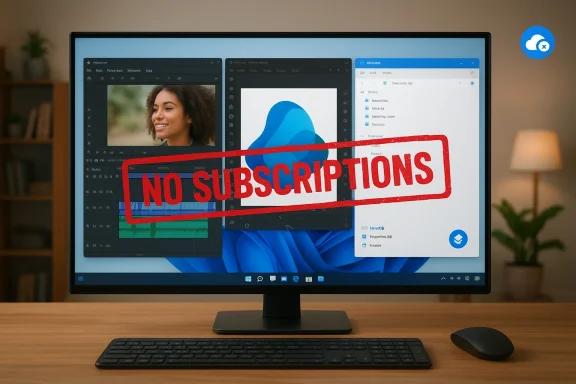
You don't need to bleed a monthly subscription to get professional-grade editing, publishing, and file tools on Windows—three modern, free apps prove it. In an era when software vendors push bundled AI features, cloud storage, and per‑seat licensing that can cost hundreds of dollars per year, Kdenlive, the relaunched Affinity platform, and NanaZip offer working, low‑risk alternatives that cover the bulk of what most users actually need. These options aren’t niche toys: they’re mature projects or commercial offerings with active development, sensible feature sets, and real-world workflow fit—exactly the kinds of apps that let home users, hobbyists, and many pros stop paying for convenience they don't use. s://kdenlive.org/)
Windows users have felt the subscription pressure for years. Creative and productivity suites migrated to subscription models, and vendors increasingly tie advanced features to cloud access or premium tiers. Community roundups and practical "ditch the subscription" guides have proliferated as a result: they document how free and open‑source projects now match common workflows without recurring fees, while commercial players respond with freemium pivots and strategic price changlevel, three dynamics matter when evaluating replacements:
Kdenlive’s UI and workflow will feel familiar to Premiere users: timeline at the bottom, clip inspector, keyframeable effects, and media bins. That familiarity reduces retraining time and makes Kdenlive a practical substitute for anyone who needs a full NLE without Adobe’s recurring fees.
Affinity’s relaunch as a free core app removes the cost argument entirely for many users, though optional AI features or Canva premium subscriptions introduce choice if you want those extras. NanaZip and Kdenlive are free open‑source projects, so the recurring cost reduction is straightforward: you replace a subscription with free software and a possible occasional one‑time utility purchase (e.g., paid codecs or third‑party plugins) if you need special features.
That said, paying still makes sense in three clear scenarios:
Switching to better, cheaper software today is less risky and more practical than it was a decade ago. Kdenlive, Affinity’s new all‑in‑one app, and NanaZip are concrete, tested options that prove you can stop paying for features you rarely use—without downgrading results. Test them on real projects, keep one paid license as a fallback if you need it, and enjoy the fact that the modern Windows ecosystem finally gives you choice rather than a never‑ending subscription bill.
Source: How-To Geek 3 Windows apps that prove you’re overpaying for software
 Background / Overview
Windows users have felt the subscription pressure for years. Creative and productivity suites migrated to subscription models, and vendors increasingly tie advanced features to cloud access or premium tiers. Community roundups and practical "ditch the subscription" guides have proliferated as a result: they document how free and open‑source projects now match common workflows without recurring fees, while commercial players respond with freemium pivots and strategic price changlevel, three dynamics matter when evaluating replacements:- Cost vs. frequency of use: recurring fees only pay off for heavy, professional use.
- Feature parity vs. critical features: free apps often match most workflows but may miss niche pro tools.
- Risk surface: support, security updates, file compatibility, and enterprise management differ between vendor and community projects.
Kdenlive: A serious, no‑cost NLE for most creators
What Kdenlive is and why it matters
Kdenlive (KDE Non‑Linear Video Editor) is a free and open‑source video editor that runs on Linux, Windows, macOS, and BSD. It implements a conventional timeline‑based workflow with multi‑track editing, effects, transitions, titling, and export presets that most creators need. The project has an active release cadence and robust community documentation—recent releases in 2025–2026 added stability, subtitle and AI‑assisted features, and workflow refinements.Kdenlive’s UI and workflow will feel familiar to Premiere users: timeline at the bottom, clip inspector, keyframeable effects, and media bins. That familiarity reduces retraining time and makes Kdenlive a practical substitute for anyone who needs a full NLE without Adobe’s recurring fees.
Strengths
- No subscription, open development: Active community maintenance and transparent roadmaps mean bugs and feature requests are visible and often rapid to resolve.
- Feature set for most projects: Multitrack editing, color scopes, proxy workflows, audio mixing, and plugin support cover YouTube, social clips, tutorials, and indie projects.
- Cross‑platform and portable options: You can run Kdenlive on different OSes or use portable builds for emergency edits on external drives.
- Extensibility: Effects, templates, and community presets make migrating complex yet repeatable tasks feasible.
Limitations and risks
- Advanced color‑grading and studio pipelines: High‑end color work and industry finishing still favor tools like DaVinci Resolve Studio or dedicated grading systems. Resolve’s system requirements scale quickly for Fusion and GPU‑heavy operations (16–32 GB RAM and modern GPUs for 4K/complex effects), so point solutions matter depending on your needs.
- Performance variance: Kdenlive can be lighter than Resolve, but performance depends on codecs and export settings; proxy workflows are essential on modest hardware.
- Support model: Community support (forums, chat rooms) replaces paid vendor SLAs. For individual creators that’s usually fine; production houses will prefer paid support.
How to evaluate Kdenlive for your workflow
- Inventory the top 10 tasks you do in your current NLE (e.g., multi‑cam edit, LUT pipeline, noise reduction).
- Install Kdenlive and run through those tasks on representative clips.
- Use proxies and measure timeline responsiveness; attempt your typical export chain to verify color/codec fidelity.
Affinity reimagined: a new, free all‑in‑one contender
The change in one line
Affinity—formerly a suite of paid one‑time desktop apps from Serif—was acquired by Canva in 2024 and relaunched as a unified, free desktop app in a major redesign that consolidated pixel, vector, and layout tools into a single app. The relaunch positioned Affinity as a zero‑cost alternative to Adobe’s subscription model while reserving advanced AI features behind optional Canva premium parts. Vendor and independent coverage confirm the free relaunch and account requirement for many users.What the new Affinity offers
- Unified workspace: One app with Vector, Pixel, and Layout modes replaces Designer, Photo, and Publisher workflows, reducing context switching.
- Professional file support: PSD, AI, PDF import/export and robust color and RAW pipelines mean creatives can open and continue legacy projects.
- AI as optional upgrade: Free core tools coexist with commercial AI features for users who want generative fills, background removal, or other premium automation—these are often bundled in Canva’s paid tiers.
Strengths
- Cost structure: The core app is free to use, which dramatically lowers the cost of entry for creatives switching away from Adobe. This is a structural shift worth noting for anyone budgeting long‑term creative tools.
- Integrated toolset: Combined vector + raster + layout in one app can simplify workflows that previously required toggling between multiple programs.
- Continued availability for legacy buyers: Existing Affinity v1/v2 owners retain their apps, giving a stable fallback during transition.
Limits and caution
- Account requirement and ecosystem lock: The new model requires signing into a Canva/Canva‑linked account to access some features, and some AI/advanced features are bundled with Canva Premium. That introduces vendor lock elements and telemetry concerns for privacy‑sensitive workflows.
- File format evolution: The new Affinity v3 format is not backward‑compatible; files saved in the new format may not open in older, purchased versions—plan your archival strategy accordingly. Independent reviews note conversion caveats.
- Uncertainty over long‑term monetization: The free core is a strong commitment from Canva today, but the freemium model (AI upsells) makes future pricing or feature gating a plausible risk. Track vendor announcements if you rely on specific capabilities.
Practical guidance
- Try the free Affinity for a month on real projects before retiring older desktop licenses.
- Export master files in open or cross‑compatible formats (PDF/X, TIFF with metadata) to preserve round‑tripping if you later need to open the project in a different tool.
- Keep a stable copy of the old Affinity v2 installer and license if you want to preserve a no‑account, permanent usage path.
NanaZip: a modern, free file archiver that actually fits Windows 11
Why NanaZip matters
Windows users have lived with WinRAR’s persistence and the awkward placement of 7‑Zip in the “Show more options” menu on Windows 11. NanaZip is a modern fork of the 7‑Zip engine that keeps the proven compression technology but integrates a Windows 11‑style UI, context‑menu placement, MSIX packaging, and store availability—removing nags and adapting archive functions to the OS design. The project is actively maintained and available on GitHub and the Microsoft Store.Key features
- All the archive formats you need: Inherits 7‑Zip format support (7z, zip, tar, rar extraction, etc.) and adds UI polish for Windows 11 users.
- Windows 11 integration: Native context menu, Mica effect support, and MSIX packaging make NanaZip feel like a first‑party utility.
- Open source, no popups: No evaluation nags and community‑driven updates avoid the perpetual trial messages WinRAR displays.
Tradeoffs
- Feature parity with WinRAR: WinRAR still has a handful of proprietary features and SFX options that are occasionally useful; keep WinRAR for edge cases if those are required. NanaZip aims to cover the 90% use case.
- MSIX and Store constraints: MSIX packaging imposes some limitations (e.g., file virtualization behaviour in %AppData% in certain Windows versions), and the store licensing model means initial network checks on launch for licensing validation. Read the docs for known issues before deploying widely.
The cost math: how much will you save?
The headline driver for replacements is the subscription cost vs. how often you use the paid features. Adobe’s pricing landscape has shifted in recent years (all‑apps bundles, the new Creative Cloud Pro tier, and frequent promos), so exact monthly comparisons vary. Adobe still lists multiple paid tiers and promotional discounts; historically, a single‑app Premiere subscription has been in the ~$20–24/month range when billed annually (roughly $240–288/year), while all‑apps bundles can be several times that amount—so the savings for hobbyists who rarely use advanced features can be immediate. Verify current vendor pricing before canceling.Affinity’s relaunch as a free core app removes the cost argument entirely for many users, though optional AI features or Canva premium subscriptions introduce choice if you want those extras. NanaZip and Kdenlive are free open‑source projects, so the recurring cost reduction is straightforward: you replace a subscription with free software and a possible occasional one‑time utility purchase (e.g., paid codecs or third‑party plugins) if you need special features.
Migration checklist: move safely and avoid surprises
Follow this pragmatic, reversible plan when replacing paid apps.- Inventory your workflows.
- List the exact tasks and edge‑case files you rely on (e.g., "open .psd with 30+ layers and smart objects" or "export h.264 4K at 100 Mbps").
- Test side‑by‑side.
- Run Kdenlive/Affinity/NanaZip on real proje paid app installed.
- Validate deliverables.
- Export final masters and confirm color, metadata, and format fidelity with recipients/stakeholders.
- Preserve access to paid software during transition.
- Keep the paid software installed (or the license) for 30–90 days as a fallback.
- Harden security and updates.
- For open‑source apps,ndor GitHub/MS Store or trusted package managers and set up automatic update checks where supported.
- Archive final files in stable interchange formats.
- Use PDF/X, flattened TIFF, or intermediate DNxHR/ProRes exports for video masters when compatibility is essential.
- Document your new pipeline.
- Write a short cheat sheet for repeat tasks (export presets, proxy workflows, plugin equivalents).
Risks and mitigations
- Compatibility edge cases: Complex Office, creative, or enterprise files sometimes rely on vendor‑specific formats. Mitigation: test actual client files before retiring the paid tool.
- Support and SLAs: Community support is not vendor support. Mitigation: budget time for community learning or retain a single paid license for mission‑critical emergencies.
- Supply‑chain and repo integrity: Always install from official project pages, verified store entries, or signed binaries to reduce the risk of repackaged installers.
- Future monetization: Free today does not guarantee free forever—especially with commercial players integrating free offerings into larger ecosystems. Mitigation: export masters to open formats and keep backups of legacy installers and licenses.
Practical adoption scenarios
For hobbyists and YouTubers
- Replace Premiere with Kdenlive for vlogs, tutorials, and social edits. Use proxy workflows for smoother editing on modest machines and keep a Resolve Studio trial if you occasionally need advanced color. (kdenlive.org)
For freelance designers and small studios
- Try the new Affinity as a free daily driver; reserve a paid Adobe subscription only if your clients insist on proprietary workflows (e.g., complex InDesign pipelines or shared cloud assets). Archive files in neutral formats when delivering.
For administrators and IT teams
- NanaZip is a lightweight, compliant replacement for 7‑Zip that integrates with modern Windows deployments. Test MSIX packaging behaviour and group policy interactions before broad rollout.
Final anns and where to pay
Free and open‑source alternatives now cover the majority of everyday Windows workflows. Kdenlive provides a capable NLE for most creators, Affinity’s relaunch removes cost barriers for design work while introducing a freemium AI tier, and NanaZip modernizes archive handling for Windows 11 without nags. Community discussions and editorial roundups echo the same message: for a large percentage of users, subscriptions offer convenience rather than necessity.That said, paying still makes sense in three clear scenarios:
- You require guaranteed vendor support, SLAs, and managed licensing for enterprise deployments.
- Your professional workflow depends on unique, advanced features only available in the paid app (high‑end color grading, enterprise PDF redaction, print prepress workflows).
- Your team depends on cloud collaboration and integrated asset pipelines that a vendor uniquely provides.
Quick start: 30–60 minute adoption roadmap
- Install Kdenlive, open a current project, and confirm timeline playback with proxies.
- Install Affinity and open a representative PSD/PDF; try export presets and verify fonts and color.
- Replace 7‑Zip with NanaZip, confirm context‑menu integration, and test encryption and multi‑part archives.
- Export final deliverables in cross‑compatible master formats and store them locally/backed up.
- Wait 30 days before uninstalling paid tools, maintaining a backup plan if clients or collaborators require them.
Switching to better, cheaper software today is less risky and more practical than it was a decade ago. Kdenlive, Affinity’s new all‑in‑one app, and NanaZip are concrete, tested options that prove you can stop paying for features you rarely use—without downgrading results. Test them on real projects, keep one paid license as a fallback if you need it, and enjoy the fact that the modern Windows ecosystem finally gives you choice rather than a never‑ending subscription bill.
Source: How-To Geek 3 Windows apps that prove you’re overpaying for software
