

Lenovo AIO 24: Budget Windows 11 Desktop Under $400

  • Thread Author
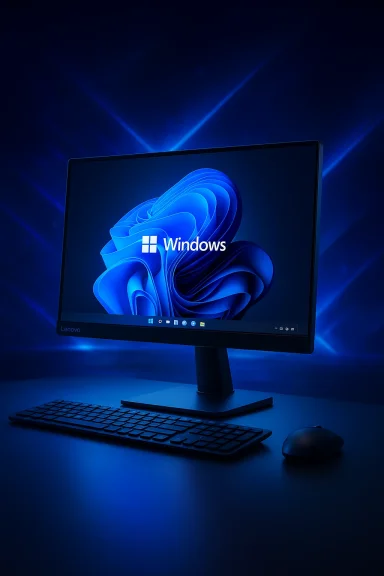
Lenovo’s 23.8‑inch All‑in‑One has suddenly been cast as one of the best baregains in desktop computing: a full Windows 11 PC, complete with a 4‑core Intel N100 processor, 8GB of RAM and a 512GB NVMe SSD, offered in some listings at roughly $400 — a price that undercuts many mainstream tablets while delivering a proper desktop experience.

Background / Overview​

The Lenovo AIO 24 (marketed under model families such as A100 / IdeaCentre variations) follows the recent trend of compact, single‑piece desktops designed for small desks, dorm rooms and tight home‑office setups. The display and system electronics are integrated into a slim panel and compact base, minimizing cables and footprint while leaving buyers with a full Windows 11 environment rather than a mobile tablet OS. Major resellers list the unit with a 23.8‑inch Full HD (1920×1080) IPS panel, Intel N100 silicon, 8GB DDR4 memory and a 512GB PCIe NVMe SSD as a common configuration. This particular AIO has been spotted broadly under Lenovo’s A100 / IdeaCentre naming and appears in multiple regional storefronts with minor SKU differences. Retail descriptions consistently cite the same baseline hardware and a tilt stand, integrated webcam and speaker pair, and wired or wireless keyboard/mouse bundles depending on region and listing.

What exactly is on offer (specs and packaging)​

If you’re comparison‑shopping, here’s what the common configuration includes and what matters in plain language:
  • 23.8‑inch Full HD (1920×1080) IPS display, anti‑glare, ~250 nits and close to 99% sRGB coverage in reseller listings.
  • Intel Processor N100 — a 4‑core, 4‑thread “N‑series” processor (Alder Lake‑N family) with maximum turbo up to 3.40 GHz and 6 MB cache. This is a low‑power SoC targeted at everyday productivity and efficient multitasking.
  • 8GB DDR4 (single SO‑DIMM in many SKUs) — soldered vs. single slot varies by market, but most retailer pages list one SO‑DIMM slot and maximum supported 16GB.
  • 512GB PCIe NVMe M.2 SSD (some SKUs may ship with smaller drives; check exact listing). There are typically two M.2 slots on the motherboard — commonly one reserved for the SSD and a second for the Wi‑Fi module or expansion.
  • Windows 11 Home preinstalled on many retail SKUs (other SKUs and regional variants may ship with DOS or different software bundles).
  • Wi‑Fi 6 (802.11ax) and Bluetooth 5.2, wired Gigabit Ethernet, four USB‑A ports (two USB 2.0 and two USB 3.2 Gen 2 on many SKUs), HDMI‑out, and a 3.5mm combo audio jack.
  • Built‑in HD webcam, microphone and stereo speakers. The bundled keyboard and mouse are usually the USB Calliope series (wired or wireless depending on the SKU).
These are not glamorous flagship specs, but they represent a sensible, modern budget desktop platform: a workable CPU for general tasks, fast NVMe storage for responsive boots and app launches, and modern wireless connectivity. Retailers list the device under model numbers such as F0J6005FIN / F0J60054MT or A100 series SKUs, so confirm the full model when buying.

The price headline and why it matters​

Online reports and deal posts recently flagged the Lenovo AIO 24 at a deeply discounted price — often near $400 — which prompted the comparison to tablet pricing (iPad / Galaxy Tab) because many baseline tablets retail in the same sub‑$500 bracket. One coverage piece called attention to an Amazon listing priced around $400 as a limited‑time deal. Price trackers and deal writers show the AIO dropping into sub‑$500 territory at multiple points, though exact amounts and availability vary by SKU, seller and country. A few important pricing cautions:
  • The AIO is sold in multiple configurations; some listings show more powerful CPU or RAM options (e.g., Core i3 / 16GB), and price history tools show frequent SKU‑driven differences. Confirm the exact CPU, RAM and SSD capacity in the checkout page before purchasing.
  • Deal pages and aggregators will often show “was” vs “now” prices to highlight discounts; the habitual behavior of marketplace sellers can cause rapid swings, so the “$400” figure should be treated as a snapshot rather than a guaranteed permanent price.

AIO vs. tablet: apples, oranges — and a few clear tradeoffs​

The headline "cheaper than an iPad or Galaxy Tab" is attention‑grabbing and true enough in a narrow pricing sense for many configurations, but the two device classes solve different problems. Key distinctions:
  • Operating system and applications: the Lenovo AIO runs full Windows 11, giving you native desktop apps (Office desktop suite, legacy x86 apps, full browser variants, developer tools). Tablets run iPadOS or Android, which are focused on mobile‑optimized apps and have different strengths for touch, apps and media consumption. For users who need desktop software compatibility without emulation workarounds, Windows matters.
  • Input and workflow: the AIO is a stationary desktop with a full keyboard and mouse included (or bundled). Tablets shine for portability and touch/stylus workflows (drawing, on‑the‑go note taking). If you value convertible mobile use, tablets have an edge; if you want a compact, always‑ready workstation, an AIO wins.
  • Price of completing the experience: tablets often require expensive accessories (keyboard cases, pens) to approach laptop‑like productivity, which can push the effective cost well above the base price. The Lenovo AIO typically ships with a keyboard and mouse included, giving better out‑of‑the‑box desktop value.
  • Portability and battery: tablets are battery powered and mobile. The AIO is a mains‑plugged desktop — excellent for a fixed desk but not for couch or travel use.
Bottom line: the AIO’s $400 price (when available) is compelling because it buys a full PC rather than a tablet that might require add‑ons to cover the same desktop use cases. That makes it attractive to students, families and value‑oriented home offices that need Windows compatibility at a low entry cost.

Real‑world performance and limitations​

Understanding the Intel N100 is central to setting realistic expectations.
  • The Intel Processor N100 is a low‑power Alder Lake‑N SoC with 4 cores and 4 threads, a 3.40 GHz turbo ceiling and 6 MB of L3 cache. It targets efficient day‑to‑day work: browsing, email, office apps, video streaming and light multitasking. It is not a high‑end CPU and is neither intended nor capable of sustained heavy compute or modern AAA gaming.
  • Single memory channel and memory ceiling: many SKUs ship with a single SO‑DIMM and a maximum supported memory of 16GB; for heavy multitasking, large browser tab loads or virtualization, this can be a practical limit. Retail pages note one SO‑DIMM slot and an upgrade path to 16GB in several listings.
  • Integrated graphics: the system uses Intel UHD integrated graphics. That’s fine for 1080p media, casual games and light photo editing, but not for GPU‑intensive work like 3D rendering or serious gaming. Benchmarks for N‑series parts show competent but modest single‑thread and multi‑thread throughput relative to mainstream laptop CPUs.
  • Storage and responsiveness: the inclusion of a PCIe NVMe SSD (512GB in many configurations) makes the system feel snappy for everyday tasks — fast boots, responsive application launches and quicker file operations versus mechanical drives. That SSD is one of the single biggest contributors to a fluid user experience on budget hardware.
  • Thermals and sustained loads: as a compact AIO with a low‑power SoC, the machine will handle short bursts well but will throttle under sustained CPU‑heavy workloads. That’s typical of small form‑factor desktops and especially low‑power N‑series designs.
If your daily workflow is web‑heavy, Office/Google Docs, video conferencing and light media tasks, the AIO will be a comfortable fit. If you regularly compile large codebases, work with large datasets, edit multi‑hour 4K timelines, or run VMs for testing, look toward higher‑power desktops or laptops.

Expandability, ports and practical desk setup​

This AIO is designed to remain compact, but Lenovo and reseller specs indicate modest upgrade options:
  • Two M.2 slots are frequently listed (one for SSD, one commonly used for WLAN in some SKUs), which suggests limited storage upgrade flexibility depending on the shipped configuration — check the listing and physical service manual for your unit.
  • Memory upgradeability is commonly limited to a single SO‑DIMM slot (max 16GB), so buyers who want more headroom need to confirm whether that applies to the exact SKU they’re buying.
  • Ports include at least two USB 3.2 Gen 2 ports plus two USB 2.0 ports, HDMI‑out for a secondary monitor and Gigabit Ethernet — enough for a basic multi‑monitor and peripheral setup.
Practical tips:
  1. Confirm whether the keyboard/mouse are wired or wireless in the SKU you select — some retailers bundle wired Calliope sets while others provide wireless EOS combos.
  2. If you plan to use multiple displays, verify whether the HDMI port is output (to extend desktop) or in for alternate mode; most listings show HDMI‑out for a second display.

Security, OS and platform notes​

  • Many retailer pages specifically call out a Firmware TPM 2.0 integrated in the SoC — a necessary component for Windows 11 security features and enterprise deployments. That makes the AIO a reasonable fit for students and small businesses that require modern OS security standards.
  • Warranty and software bundles vary by region and seller. Some SKUs include trial software or lifetime web‑based Office subscriptions in particular local markets; others ship with a bare Windows 11 Home. Confirm warranty length and what’s preinstalled before purchase.

Strengths — why this deal turns heads​

  • Exceptional value for a full desktop: full Windows 11 and desktop app compatibility at tablet‑like price levels makes the AIO uniquely useful for buyers who prioritize software compatibility over portability.
  • Clean, space‑saving design: A single chassis reduces cable clutter and simplifies setup in small spaces. The bundled keyboard and mouse complete the desktop experience without accessory shopping.
  • Modern connectivity: Wi‑Fi 6, Bluetooth 5.2 and USB 3.2 Gen 2 ports provide current generation networking and peripheral performance.
  • Fast NVMe storage: the SSD significantly improves perceived responsiveness versus traditional HDD‑based desks.

Risks and caveats — what buyers should watch for​

  • Time‑sensitive pricing: the $400 figure appears in several deal writeups, but online pricing fluctuates widely between SKUs and sellers. Check the exact model, seller reputation and return policy. Price trackers show frequent changes and SKU confusion (i3, i5 and N‑series models all appear under similar “24‑inch Lenovo” product pages). Treat the deal as opportunistic rather than permanent.
  • SKU confusion and seller listings: Lenovo’s AIO family includes many similar‑looking devices with different CPUs (N100 vs Core i3, or AMD variants) and RAM/storage options. Third‑party marketplace sellers sometimes list multiple variants under the same product title. Confirm the processor, RAM and SSD on the product page and order invoice.
  • Upgrade limits: if you need more than 16GB RAM or a high‑performance GPU later, the AIO platform is not the ideal long‑term upgrade path. The unit shines as a compact, low‑cost desktop but is not as modular as a tower PC.
  • Performance ceiling: for CPU‑intensive or GPU‑heavy workflows, the Intel N100 and integrated graphics will be limiting. For those use cases, a higher‑end desktop or laptop is a better investment.
  • Regional differences: camera resolution (HD vs 5MP), keyboard type (wired vs wireless) and bundled software change by market; check the regional SKU details and customer reviews to confirm the configuration you expect.

Buying checklist — how to verify you’re getting the right deal​

  1. Confirm SKU and full spec line: CPU model (N100 vs other Intel/AMD), RAM amount, SSD capacity.
  2. Check seller reputation: Amazon marketplace sellers vary; if buying from third‑party storefronts, validate returns and warranty handling.
  3. Inspect the included accessories: wired vs wireless keyboard/mouse, presence of recovery media and any preinstalled trial software.
  4. Compare the price on multiple stores and check price‑history or deal posts (some of which flagged earlier sub‑$500 offers) to understand if you’re looking at a true discount or a temporary promotion.
  5. Confirm warranty/legal support for your region — some vendor pages list 12–24 month warranties depending on country.

Verdict — who should buy, who should not​

  • Buy it if: you want the best possible price for a full Windows 11 desktop with a large, comfortable screen and don’t need heavy CPU/GPU horsepower. It’s ideal for students, families, content consumption, office suites, web work and video calls — especially when the price dips into the $400–$500 range.
  • Don’t buy it if: you need a portable device, you run demanding professional creative or engineering workloads, or you require significant upgradability and high‑end GPU horsepower. For those needs, a tower, dedicated desktop workstation or a higher‑spec laptop is a better long‑term investment.

Final thoughts​

At or near the reported $400 deal price, the Lenovo AIO 24 represents a rare commodity: a functional, modern desktop computer with a large, integrated display at the cost of a midrange tablet. That combination of full Windows 11, NVMe SSD performance and a complete input bundle gives the device strong everyday utility for many buyers who need a home or student PC rather than a mobile slate. But the value hinges on the specific SKU and the time‑sensitive nature of online deals; verify the exact configuration, seller and warranty before clicking buy. If the goal is a budget desktop that simply works — and you’re not chasing raw compute or GPU performance — this Lenovo AIO is one of the most cost‑efficient ways to get a complete Windows PC on a small desk.

Source: Gizmodo Lenovo 24" All-in-One Is Now Cheaper Than an iPad or Galaxy Tab, and It’s a Full Windows 11 PC
 

Lenovo’s 23.8‑inch All‑in‑One has suddenly been cast as one of the best baregains in desktop computing: a full Windows 11 PC, complete with a 4‑core Intel N100 processor, 8GB of RAM and a 512GB NVMe SSD, offered in some listings at roughly $400 — a price that undercuts many mainstream tablets while delivering a proper desktop experience.

Background / Overview​

The Lenovo AIO 24 (marketed under model families such as A100 / IdeaCentre variations) follows the recent trend of compact, single‑piece desktops designed for small desks, dorm rooms and tight home‑office setups. The display and system electronics are integrated into a slim panel and compact base, minimizing cables and footprint while leaving buyers with a full Windows 11 environment rather than a mobile tablet OS. Major resellers list the unit with a 23.8‑inch Full HD (1920×1080) IPS panel, Intel N100 silicon, 8GB DDR4 memory and a 512GB PCIe NVMe SSD as a common configuration. This particular AIO has been spotted broadly under Lenovo’s A100 / IdeaCentre naming and appears in multiple regional storefronts with minor SKU differences. Retail descriptions consistently cite the same baseline hardware and a tilt stand, integrated webcam and speaker pair, and wired or wireless keyboard/mouse bundles depending on region and listing.

What exactly is on offer (specs and packaging)​

If you’re comparison‑shopping, here’s what the common configuration includes and what matters in plain language:
  • 23.8‑inch Full HD (1920×1080) IPS display, anti‑glare, ~250 nits and close to 99% sRGB coverage in reseller listings.
  • Intel Processor N100 — a 4‑core, 4‑thread “N‑series” processor (Alder Lake‑N family) with maximum turbo up to 3.40 GHz and 6 MB cache. This is a low‑power SoC targeted at everyday productivity and efficient multitasking.
  • 8GB DDR4 (single SO‑DIMM in many SKUs) — soldered vs. single slot varies by market, but most retailer pages list one SO‑DIMM slot and maximum supported 16GB.
  • 512GB PCIe NVMe M.2 SSD (some SKUs may ship with smaller drives; check exact listing). There are typically two M.2 slots on the motherboard — commonly one reserved for the SSD and a second for the Wi‑Fi module or expansion.
  • Windows 11 Home preinstalled on many retail SKUs (other SKUs and regional variants may ship with DOS or different software bundles).
  • Wi‑Fi 6 (802.11ax) and Bluetooth 5.2, wired Gigabit Ethernet, four USB‑A ports (two USB 2.0 and two USB 3.2 Gen 2 on many SKUs), HDMI‑out, and a 3.5mm combo audio jack.
  • Built‑in HD webcam, microphone and stereo speakers. The bundled keyboard and mouse are usually the USB Calliope series (wired or wireless depending on the SKU).
These are not glamorous flagship specs, but they represent a sensible, modern budget desktop platform: a workable CPU for general tasks, fast NVMe storage for responsive boots and app launches, and modern wireless connectivity. Retailers list the device under model numbers such as F0J6005FIN / F0J60054MT or A100 series SKUs, so confirm the full model when buying.

The price headline and why it matters​

Online reports and deal posts recently flagged the Lenovo AIO 24 at a deeply discounted price — often near $400 — which prompted the comparison to tablet pricing (iPad / Galaxy Tab) because many baseline tablets retail in the same sub‑$500 bracket. One coverage piece called attention to an Amazon listing priced around $400 as a limited‑time deal. Price trackers and deal writers show the AIO dropping into sub‑$500 territory at multiple points, though exact amounts and availability vary by SKU, seller and country. A few important pricing cautions:
  • The AIO is sold in multiple configurations; some listings show more powerful CPU or RAM options (e.g., Core i3 / 16GB), and price history tools show frequent SKU‑driven differences. Confirm the exact CPU, RAM and SSD capacity in the checkout page before purchasing.
  • Deal pages and aggregators will often show “was” vs “now” prices to highlight discounts; the habitual behavior of marketplace sellers can cause rapid swings, so the “$400” figure should be treated as a snapshot rather than a guaranteed permanent price.

AIO vs. tablet: apples, oranges — and a few clear tradeoffs​

The headline "cheaper than an iPad or Galaxy Tab" is attention‑grabbing and true enough in a narrow pricing sense for many configurations, but the two device classes solve different problems. Key distinctions:
  • Operating system and applications: the Lenovo AIO runs full Windows 11, giving you native desktop apps (Office desktop suite, legacy x86 apps, full browser variants, developer tools). Tablets run iPadOS or Android, which are focused on mobile‑optimized apps and have different strengths for touch, apps and media consumption. For users who need desktop software compatibility without emulation workarounds, Windows matters.
  • Input and workflow: the AIO is a stationary desktop with a full keyboard and mouse included (or bundled). Tablets shine for portability and touch/stylus workflows (drawing, on‑the‑go note taking). If you value convertible mobile use, tablets have an edge; if you want a compact, always‑ready workstation, an AIO wins.
  • Price of completing the experience: tablets often require expensive accessories (keyboard cases, pens) to approach laptop‑like productivity, which can push the effective cost well above the base price. The Lenovo AIO typically ships with a keyboard and mouse included, giving better out‑of‑the‑box desktop value.
  • Portability and battery: tablets are battery powered and mobile. The AIO is a mains‑plugged desktop — excellent for a fixed desk but not for couch or travel use.
Bottom line: the AIO’s $400 price (when available) is compelling because it buys a full PC rather than a tablet that might require add‑ons to cover the same desktop use cases. That makes it attractive to students, families and value‑oriented home offices that need Windows compatibility at a low entry cost.

Real‑world performance and limitations​

Understanding the Intel N100 is central to setting realistic expectations.
  • The Intel Processor N100 is a low‑power Alder Lake‑N SoC with 4 cores and 4 threads, a 3.40 GHz turbo ceiling and 6 MB of L3 cache. It targets efficient day‑to‑day work: browsing, email, office apps, video streaming and light multitasking. It is not a high‑end CPU and is neither intended nor capable of sustained heavy compute or modern AAA gaming.
  • Single memory channel and memory ceiling: many SKUs ship with a single SO‑DIMM and a maximum supported memory of 16GB; for heavy multitasking, large browser tab loads or virtualization, this can be a practical limit. Retail pages note one SO‑DIMM slot and an upgrade path to 16GB in several listings.
  • Integrated graphics: the system uses Intel UHD integrated graphics. That’s fine for 1080p media, casual games and light photo editing, but not for GPU‑intensive work like 3D rendering or serious gaming. Benchmarks for N‑series parts show competent but modest single‑thread and multi‑thread throughput relative to mainstream laptop CPUs.
  • Storage and responsiveness: the inclusion of a PCIe NVMe SSD (512GB in many configurations) makes the system feel snappy for everyday tasks — fast boots, responsive application launches and quicker file operations versus mechanical drives. That SSD is one of the single biggest contributors to a fluid user experience on budget hardware.
  • Thermals and sustained loads: as a compact AIO with a low‑power SoC, the machine will handle short bursts well but will throttle under sustained CPU‑heavy workloads. That’s typical of small form‑factor desktops and especially low‑power N‑series designs.
If your daily workflow is web‑heavy, Office/Google Docs, video conferencing and light media tasks, the AIO will be a comfortable fit. If you regularly compile large codebases, work with large datasets, edit multi‑hour 4K timelines, or run VMs for testing, look toward higher‑power desktops or laptops.

Expandability, ports and practical desk setup​

This AIO is designed to remain compact, but Lenovo and reseller specs indicate modest upgrade options:
  • Two M.2 slots are frequently listed (one for SSD, one commonly used for WLAN in some SKUs), which suggests limited storage upgrade flexibility depending on the shipped configuration — check the listing and physical service manual for your unit.
  • Memory upgradeability is commonly limited to a single SO‑DIMM slot (max 16GB), so buyers who want more headroom need to confirm whether that applies to the exact SKU they’re buying.
  • Ports include at least two USB 3.2 Gen 2 ports plus two USB 2.0 ports, HDMI‑out for a secondary monitor and Gigabit Ethernet — enough for a basic multi‑monitor and peripheral setup.
Practical tips:
  1. Confirm whether the keyboard/mouse are wired or wireless in the SKU you select — some retailers bundle wired Calliope sets while others provide wireless EOS combos.
  2. If you plan to use multiple displays, verify whether the HDMI port is output (to extend desktop) or in for alternate mode; most listings show HDMI‑out for a second display.

Security, OS and platform notes​

  • Many retailer pages specifically call out a Firmware TPM 2.0 integrated in the SoC — a necessary component for Windows 11 security features and enterprise deployments. That makes the AIO a reasonable fit for students and small businesses that require modern OS security standards.
  • Warranty and software bundles vary by region and seller. Some SKUs include trial software or lifetime web‑based Office subscriptions in particular local markets; others ship with a bare Windows 11 Home. Confirm warranty length and what’s preinstalled before purchase.

Strengths — why this deal turns heads​

  • Exceptional value for a full desktop: full Windows 11 and desktop app compatibility at tablet‑like price levels makes the AIO uniquely useful for buyers who prioritize software compatibility over portability.
  • Clean, space‑saving design: A single chassis reduces cable clutter and simplifies setup in small spaces. The bundled keyboard and mouse complete the desktop experience without accessory shopping.
  • Modern connectivity: Wi‑Fi 6, Bluetooth 5.2 and USB 3.2 Gen 2 ports provide current generation networking and peripheral performance.
  • Fast NVMe storage: the SSD significantly improves perceived responsiveness versus traditional HDD‑based desks.

Risks and caveats — what buyers should watch for​

  • Time‑sensitive pricing: the $400 figure appears in several deal writeups, but online pricing fluctuates widely between SKUs and sellers. Check the exact model, seller reputation and return policy. Price trackers show frequent changes and SKU confusion (i3, i5 and N‑series models all appear under similar “24‑inch Lenovo” product pages). Treat the deal as opportunistic rather than permanent.
  • SKU confusion and seller listings: Lenovo’s AIO family includes many similar‑looking devices with different CPUs (N100 vs Core i3, or AMD variants) and RAM/storage options. Third‑party marketplace sellers sometimes list multiple variants under the same product title. Confirm the processor, RAM and SSD on the product page and order invoice.
  • Upgrade limits: if you need more than 16GB RAM or a high‑performance GPU later, the AIO platform is not the ideal long‑term upgrade path. The unit shines as a compact, low‑cost desktop but is not as modular as a tower PC.
  • Performance ceiling: for CPU‑intensive or GPU‑heavy workflows, the Intel N100 and integrated graphics will be limiting. For those use cases, a higher‑end desktop or laptop is a better investment.
  • Regional differences: camera resolution (HD vs 5MP), keyboard type (wired vs wireless) and bundled software change by market; check the regional SKU details and customer reviews to confirm the configuration you expect.

Buying checklist — how to verify you’re getting the right deal​

  1. Confirm SKU and full spec line: CPU model (N100 vs other Intel/AMD), RAM amount, SSD capacity.
  2. Check seller reputation: Amazon marketplace sellers vary; if buying from third‑party storefronts, validate returns and warranty handling.
  3. Inspect the included accessories: wired vs wireless keyboard/mouse, presence of recovery media and any preinstalled trial software.
  4. Compare the price on multiple stores and check price‑history or deal posts (some of which flagged earlier sub‑$500 offers) to understand if you’re looking at a true discount or a temporary promotion.
  5. Confirm warranty/legal support for your region — some vendor pages list 12–24 month warranties depending on country.

Verdict — who should buy, who should not​

  • Buy it if: you want the best possible price for a full Windows 11 desktop with a large, comfortable screen and don’t need heavy CPU/GPU horsepower. It’s ideal for students, families, content consumption, office suites, web work and video calls — especially when the price dips into the $400–$500 range.
  • Don’t buy it if: you need a portable device, you run demanding professional creative or engineering workloads, or you require significant upgradability and high‑end GPU horsepower. For those needs, a tower, dedicated desktop workstation or a higher‑spec laptop is a better long‑term investment.

Final thoughts​

At or near the reported $400 deal price, the Lenovo AIO 24 represents a rare commodity: a functional, modern desktop computer with a large, integrated display at the cost of a midrange tablet. That combination of full Windows 11, NVMe SSD performance and a complete input bundle gives the device strong everyday utility for many buyers who need a home or student PC rather than a mobile slate. But the value hinges on the specific SKU and the time‑sensitive nature of online deals; verify the exact configuration, seller and warranty before clicking buy. If the goal is a budget desktop that simply works — and you’re not chasing raw compute or GPU performance — this Lenovo AIO is one of the most cost‑efficient ways to get a complete Windows PC on a small desk.

Source: Gizmodo Lenovo 24" All-in-One Is Now Cheaper Than an iPad or Galaxy Tab, and It’s a Full Windows 11 PC
 

Lenovo’s 23.8‑inch All‑in‑One has suddenly been cast as one of the best baregains in desktop computing: a full Windows 11 PC, complete with a 4‑core Intel N100 processor, 8GB of RAM and a 512GB NVMe SSD, offered in some listings at roughly $400 — a price that undercuts many mainstream tablets while delivering a proper desktop experience.

Background / Overview​

The Lenovo AIO 24 (marketed under model families such as A100 / IdeaCentre variations) follows the recent trend of compact, single‑piece desktops designed for small desks, dorm rooms and tight home‑office setups. The display and system electronics are integrated into a slim panel and compact base, minimizing cables and footprint while leaving buyers with a full Windows 11 environment rather than a mobile tablet OS. Major resellers list the unit with a 23.8‑inch Full HD (1920×1080) IPS panel, Intel N100 silicon, 8GB DDR4 memory and a 512GB PCIe NVMe SSD as a common configuration. This particular AIO has been spotted broadly under Lenovo’s A100 / IdeaCentre naming and appears in multiple regional storefronts with minor SKU differences. Retail descriptions consistently cite the same baseline hardware and a tilt stand, integrated webcam and speaker pair, and wired or wireless keyboard/mouse bundles depending on region and listing.

What exactly is on offer (specs and packaging)​

If you’re comparison‑shopping, here’s what the common configuration includes and what matters in plain language:
  • 23.8‑inch Full HD (1920×1080) IPS display, anti‑glare, ~250 nits and close to 99% sRGB coverage in reseller listings.
  • Intel Processor N100 — a 4‑core, 4‑thread “N‑series” processor (Alder Lake‑N family) with maximum turbo up to 3.40 GHz and 6 MB cache. This is a low‑power SoC targeted at everyday productivity and efficient multitasking.
  • 8GB DDR4 (single SO‑DIMM in many SKUs) — soldered vs. single slot varies by market, but most retailer pages list one SO‑DIMM slot and maximum supported 16GB.
  • 512GB PCIe NVMe M.2 SSD (some SKUs may ship with smaller drives; check exact listing). There are typically two M.2 slots on the motherboard — commonly one reserved for the SSD and a second for the Wi‑Fi module or expansion.
  • Windows 11 Home preinstalled on many retail SKUs (other SKUs and regional variants may ship with DOS or different software bundles).
  • Wi‑Fi 6 (802.11ax) and Bluetooth 5.2, wired Gigabit Ethernet, four USB‑A ports (two USB 2.0 and two USB 3.2 Gen 2 on many SKUs), HDMI‑out, and a 3.5mm combo audio jack.
  • Built‑in HD webcam, microphone and stereo speakers. The bundled keyboard and mouse are usually the USB Calliope series (wired or wireless depending on the SKU).
These are not glamorous flagship specs, but they represent a sensible, modern budget desktop platform: a workable CPU for general tasks, fast NVMe storage for responsive boots and app launches, and modern wireless connectivity. Retailers list the device under model numbers such as F0J6005FIN / F0J60054MT or A100 series SKUs, so confirm the full model when buying.

The price headline and why it matters​

Online reports and deal posts recently flagged the Lenovo AIO 24 at a deeply discounted price — often near $400 — which prompted the comparison to tablet pricing (iPad / Galaxy Tab) because many baseline tablets retail in the same sub‑$500 bracket. One coverage piece called attention to an Amazon listing priced around $400 as a limited‑time deal. Price trackers and deal writers show the AIO dropping into sub‑$500 territory at multiple points, though exact amounts and availability vary by SKU, seller and country. A few important pricing cautions:
  • The AIO is sold in multiple configurations; some listings show more powerful CPU or RAM options (e.g., Core i3 / 16GB), and price history tools show frequent SKU‑driven differences. Confirm the exact CPU, RAM and SSD capacity in the checkout page before purchasing.
  • Deal pages and aggregators will often show “was” vs “now” prices to highlight discounts; the habitual behavior of marketplace sellers can cause rapid swings, so the “$400” figure should be treated as a snapshot rather than a guaranteed permanent price.

AIO vs. tablet: apples, oranges — and a few clear tradeoffs​

The headline "cheaper than an iPad or Galaxy Tab" is attention‑grabbing and true enough in a narrow pricing sense for many configurations, but the two device classes solve different problems. Key distinctions:
  • Operating system and applications: the Lenovo AIO runs full Windows 11, giving you native desktop apps (Office desktop suite, legacy x86 apps, full browser variants, developer tools). Tablets run iPadOS or Android, which are focused on mobile‑optimized apps and have different strengths for touch, apps and media consumption. For users who need desktop software compatibility without emulation workarounds, Windows matters.
  • Input and workflow: the AIO is a stationary desktop with a full keyboard and mouse included (or bundled). Tablets shine for portability and touch/stylus workflows (drawing, on‑the‑go note taking). If you value convertible mobile use, tablets have an edge; if you want a compact, always‑ready workstation, an AIO wins.
  • Price of completing the experience: tablets often require expensive accessories (keyboard cases, pens) to approach laptop‑like productivity, which can push the effective cost well above the base price. The Lenovo AIO typically ships with a keyboard and mouse included, giving better out‑of‑the‑box desktop value.
  • Portability and battery: tablets are battery powered and mobile. The AIO is a mains‑plugged desktop — excellent for a fixed desk but not for couch or travel use.
Bottom line: the AIO’s $400 price (when available) is compelling because it buys a full PC rather than a tablet that might require add‑ons to cover the same desktop use cases. That makes it attractive to students, families and value‑oriented home offices that need Windows compatibility at a low entry cost.

Real‑world performance and limitations​

Understanding the Intel N100 is central to setting realistic expectations.
  • The Intel Processor N100 is a low‑power Alder Lake‑N SoC with 4 cores and 4 threads, a 3.40 GHz turbo ceiling and 6 MB of L3 cache. It targets efficient day‑to‑day work: browsing, email, office apps, video streaming and light multitasking. It is not a high‑end CPU and is neither intended nor capable of sustained heavy compute or modern AAA gaming.
  • Single memory channel and memory ceiling: many SKUs ship with a single SO‑DIMM and a maximum supported memory of 16GB; for heavy multitasking, large browser tab loads or virtualization, this can be a practical limit. Retail pages note one SO‑DIMM slot and an upgrade path to 16GB in several listings.
  • Integrated graphics: the system uses Intel UHD integrated graphics. That’s fine for 1080p media, casual games and light photo editing, but not for GPU‑intensive work like 3D rendering or serious gaming. Benchmarks for N‑series parts show competent but modest single‑thread and multi‑thread throughput relative to mainstream laptop CPUs.
  • Storage and responsiveness: the inclusion of a PCIe NVMe SSD (512GB in many configurations) makes the system feel snappy for everyday tasks — fast boots, responsive application launches and quicker file operations versus mechanical drives. That SSD is one of the single biggest contributors to a fluid user experience on budget hardware.
  • Thermals and sustained loads: as a compact AIO with a low‑power SoC, the machine will handle short bursts well but will throttle under sustained CPU‑heavy workloads. That’s typical of small form‑factor desktops and especially low‑power N‑series designs.
If your daily workflow is web‑heavy, Office/Google Docs, video conferencing and light media tasks, the AIO will be a comfortable fit. If you regularly compile large codebases, work with large datasets, edit multi‑hour 4K timelines, or run VMs for testing, look toward higher‑power desktops or laptops.

Expandability, ports and practical desk setup​

This AIO is designed to remain compact, but Lenovo and reseller specs indicate modest upgrade options:
  • Two M.2 slots are frequently listed (one for SSD, one commonly used for WLAN in some SKUs), which suggests limited storage upgrade flexibility depending on the shipped configuration — check the listing and physical service manual for your unit.
  • Memory upgradeability is commonly limited to a single SO‑DIMM slot (max 16GB), so buyers who want more headroom need to confirm whether that applies to the exact SKU they’re buying.
  • Ports include at least two USB 3.2 Gen 2 ports plus two USB 2.0 ports, HDMI‑out for a secondary monitor and Gigabit Ethernet — enough for a basic multi‑monitor and peripheral setup.
Practical tips:
  1. Confirm whether the keyboard/mouse are wired or wireless in the SKU you select — some retailers bundle wired Calliope sets while others provide wireless EOS combos.
  2. If you plan to use multiple displays, verify whether the HDMI port is output (to extend desktop) or in for alternate mode; most listings show HDMI‑out for a second display.

Security, OS and platform notes​

  • Many retailer pages specifically call out a Firmware TPM 2.0 integrated in the SoC — a necessary component for Windows 11 security features and enterprise deployments. That makes the AIO a reasonable fit for students and small businesses that require modern OS security standards.
  • Warranty and software bundles vary by region and seller. Some SKUs include trial software or lifetime web‑based Office subscriptions in particular local markets; others ship with a bare Windows 11 Home. Confirm warranty length and what’s preinstalled before purchase.

Strengths — why this deal turns heads​

  • Exceptional value for a full desktop: full Windows 11 and desktop app compatibility at tablet‑like price levels makes the AIO uniquely useful for buyers who prioritize software compatibility over portability.
  • Clean, space‑saving design: A single chassis reduces cable clutter and simplifies setup in small spaces. The bundled keyboard and mouse complete the desktop experience without accessory shopping.
  • Modern connectivity: Wi‑Fi 6, Bluetooth 5.2 and USB 3.2 Gen 2 ports provide current generation networking and peripheral performance.
  • Fast NVMe storage: the SSD significantly improves perceived responsiveness versus traditional HDD‑based desks.

Risks and caveats — what buyers should watch for​

  • Time‑sensitive pricing: the $400 figure appears in several deal writeups, but online pricing fluctuates widely between SKUs and sellers. Check the exact model, seller reputation and return policy. Price trackers show frequent changes and SKU confusion (i3, i5 and N‑series models all appear under similar “24‑inch Lenovo” product pages). Treat the deal as opportunistic rather than permanent.
  • SKU confusion and seller listings: Lenovo’s AIO family includes many similar‑looking devices with different CPUs (N100 vs Core i3, or AMD variants) and RAM/storage options. Third‑party marketplace sellers sometimes list multiple variants under the same product title. Confirm the processor, RAM and SSD on the product page and order invoice.
  • Upgrade limits: if you need more than 16GB RAM or a high‑performance GPU later, the AIO platform is not the ideal long‑term upgrade path. The unit shines as a compact, low‑cost desktop but is not as modular as a tower PC.
  • Performance ceiling: for CPU‑intensive or GPU‑heavy workflows, the Intel N100 and integrated graphics will be limiting. For those use cases, a higher‑end desktop or laptop is a better investment.
  • Regional differences: camera resolution (HD vs 5MP), keyboard type (wired vs wireless) and bundled software change by market; check the regional SKU details and customer reviews to confirm the configuration you expect.

Buying checklist — how to verify you’re getting the right deal​

  1. Confirm SKU and full spec line: CPU model (N100 vs other Intel/AMD), RAM amount, SSD capacity.
  2. Check seller reputation: Amazon marketplace sellers vary; if buying from third‑party storefronts, validate returns and warranty handling.
  3. Inspect the included accessories: wired vs wireless keyboard/mouse, presence of recovery media and any preinstalled trial software.
  4. Compare the price on multiple stores and check price‑history or deal posts (some of which flagged earlier sub‑$500 offers) to understand if you’re looking at a true discount or a temporary promotion.
  5. Confirm warranty/legal support for your region — some vendor pages list 12–24 month warranties depending on country.

Verdict — who should buy, who should not​

  • Buy it if: you want the best possible price for a full Windows 11 desktop with a large, comfortable screen and don’t need heavy CPU/GPU horsepower. It’s ideal for students, families, content consumption, office suites, web work and video calls — especially when the price dips into the $400–$500 range.
  • Don’t buy it if: you need a portable device, you run demanding professional creative or engineering workloads, or you require significant upgradability and high‑end GPU horsepower. For those needs, a tower, dedicated desktop workstation or a higher‑spec laptop is a better long‑term investment.

Final thoughts​

At or near the reported $400 deal price, the Lenovo AIO 24 represents a rare commodity: a functional, modern desktop computer with a large, integrated display at the cost of a midrange tablet. That combination of full Windows 11, NVMe SSD performance and a complete input bundle gives the device strong everyday utility for many buyers who need a home or student PC rather than a mobile slate. But the value hinges on the specific SKU and the time‑sensitive nature of online deals; verify the exact configuration, seller and warranty before clicking buy. If the goal is a budget desktop that simply works — and you’re not chasing raw compute or GPU performance — this Lenovo AIO is one of the most cost‑efficient ways to get a complete Windows PC on a small desk.

Source: Gizmodo Lenovo 24" All-in-One Is Now Cheaper Than an iPad or Galaxy Tab, and It’s a Full Windows 11 PC
 

The sudden sight of a full Windows 11 all‑in‑one desktop hitting a sub‑$500 price point is the kind of gadget news that gets attention — and this week that attention is focused on Lenovo’s 23.8‑inch AIO (A100 series) when retailers briefly listed the model with an aggressive $400 price tag. For shoppers weighing tablets versus basic desktop computing for home offices, classrooms, or living‑room media, the headline is irresistible: a fully fledged Windows PC for the price of a midrange tablet. That bargain is real for some SKUs and retailers, but the story deserves a closer look — what the hardware actually delivers, where it beats a tablet, and where the comparison is misleading or incomplete.

Overview​

This Lenovo AIO is a compact 23.8‑inch Full HD all‑in‑one that integrates the system behind the monitor in a slim footprint. Typical configurations we examined include an Intel N100 4‑core processor, 8GB DDR4 RAM, a 512GB PCIe NVMe SSD, Wi‑Fi 6, Bluetooth 5.x, an HD webcam, stereo speakers, and a tilt stand. The machine ships with Windows 11 Home and a keyboard and mouse, making it ready to use out of the box. Retailers have been listing that configuration at a discount that drops the street price into the neighborhood of $400 — a level that undercuts many tablet deals and offers a different value proposition altogether.
This article verifies those core specifications across manufacturer and reseller listings, explains what the Intel N100 platform actually means in real‑world use, compares the AIO to typical tablets (Apple iPad and Samsung Galaxy Tab families), highlights strengths and weaknesses for various user groups, and gives practical buying and setup recommendations.

Background: what this product is and where it fits​

The AIO form factor and Lenovo’s A100 line​

All‑in‑ones like Lenovo’s A100 family combine monitor and PC into one package aimed at saving desk space and reducing cable clutter. They replace the traditional tower, monitor, keyboard, and mouse bundle with a single unit that’s simpler to position and manage. Lenovo has shipped several 23.8‑inch AIO models across different performance tiers; the A100 (also sold under regional SKUs) targets entry‑level productivity users, schools, small offices, and families.

Why this deal matters​

At the headline price being circulated, the AIO becomes a pocket of value for buyers who want a full Windows environment (desktop apps, legacy software, full browser experience, file system access) on a large screen with a full keyboard and mouse included. For users who had been considering a tablet plus keyboard, or a budget Chromebook, the AIO presents a different tradeoff: more computing capability and storage at the expense of portability and battery operation.

Technical snapshot — verified specifications and variability​

Below is a consolidated and cross‑checked snapshot of the typical configuration that spurred the coverage. Because Lenovo ships multiple SKUs regionally, expect some variation; the notes call out areas where listings diverge.
  • Display: 23.8‑inch FHD (1920×1080) IPS, anti‑glare coating; manufacturers list typical brightness around 250 nits and wide sRGB coverage in some SKUs.
  • Processor: Intel N100 (4 cores, 4 threads; burst up to ~3.4 GHz; low‑power 6W class).
  • Memory: 8GB DDR4‑3200 (one SO‑DIMM slot, upgradeable in many units up to 16GB).
  • Storage: 512GB PCIe NVMe M.2 SSD (some configurations and regions offer smaller/larger SSD options).
  • Networking: Wi‑Fi 6 (802.11ax) 2×2 and Bluetooth 5.1/5.2 depending on region.
  • Ports: Rear cluster often includes 2× USB 2.0, 2× USB 3.2 Gen 2 (10 Gbps), HDMI‑out (1.4b), Gigabit Ethernet (RJ‑45), and a 3.5mm combo jack; a USB‑C port appears on some listings.
  • Webcam & audio: Webcam listed variably as HD (720p) or higher resolution in some regional SKUs; built‑in dual speakers (typical stereo).
  • OS/security: Windows 11 Home and firmware TPM 2.0 integrated in SoC on many units.
  • Accessories: USB wired or wireless keyboard and mouse included (model varies).
  • Power: External 65W adapter; Kensington lock slot on many listings.
Important caveat: listings for the same model number show differences between regions (webcam resolution, Bluetooth minor version, and display refresh rate on higher‑end IdeaCentre variants). Buyers should confirm the exact SKU details on the retailer product page before purchase.

The Intel N100 explained: what to expect in day‑to‑day use​

Architecture and performance profile​

The Intel N100 is an entry‑level, low‑power SoC oriented to thin, affordable desktops and laptops. It features four efficient “E” cores without separate performance cores or Hyper‑Threading, a tiny thermal envelope (typical PL1 TDP in single‑digit watts), and a Gen‑12 Intel UHD integrated GPU. In practical terms:
  • The N100 is competent at web browsing, office productivity (Word/Excel), video conferencing, and media playback.
  • It is not designed for heavy multicore workloads like large builds, advanced video rendering, or modern AAA gaming. Even multi‑tab browsing with many heavy web apps will show limitations compared with mainstream laptop processors.
  • Graphics are fine for streaming, casual video, and older or low‑detail games, but will not match discrete GPUs or higher‑end integrated M‑series chips.
Benchmarks and cross‑vendor comparisons place the N100 well below mainstream laptop CPUs and far below Apple’s M‑series silicon; performance is best judged relative to the price and power goals of the product.

Real‑world implications​

  • For home users who primarily browse the web, stream video, run Office apps, and use Zoom/Teams, the N100 will generally feel acceptable and responsive.
  • Multitaskers who demand sustained heavy CPU loads, speedier compile times, or fast photo/video exports will find the chassis limiting.
  • Battery life isn’t a factor (AIOs run on mains power), but the N100’s low power profile keeps fan noise and heat subdued, which is an advantage in small spaces.

How this AIO compares to tablets (iPad / Galaxy Tab)​

A headline comparison — “cheaper than an iPad or Galaxy Tab” — is attention‑grabbing but simplified. The devices serve different use cases; here’s a fairer breakdown.

Where the AIO wins​

  • Full desktop OS (Windows 11): Run legacy desktop apps, full web browsers with full extensions, developer tools, and more flexible file management.
  • Large built‑in display and desktop ergonomics: A 23.8‑inch screen, full keyboard, and mouse are immediate productivity advantages for editing documents, spreadsheets, and multitasking.
  • Storage and ports: 512GB SSD and multiple USB ports give more local storage and peripheral flexibility than most tablets by default.
  • Value for fixed‑location computing: For a stationary home office or family computer, the AIO often delivers more utility per dollar.

Where tablets win​

  • Portability and battery life: Tablets are mobile, battery powered, and designed for use around the house or on the go.
  • Touch‑first apps and optimized UX: Many apps on iPadOS and Android are optimized for touch and media consumption.
  • App ecosystems and tablet‑specific tools: Creative apps (drawing, photo editors), certain games, and mobile ecosystems can offer a different kind of value.
  • Occasional lower price points: Entry tablets and older iPad models can sometimes be cheaper than $400 during sales, so the AIO is not always the lowest‑cost option for a basic web/media device.

Bottom line on the comparison​

If you need a stationary, full Windows PC for work, study, or multi‑window productivity, the AIO delivers more relevant capability than a tablet at similar or lower prices in many sale scenarios. If mobility, touch‑first apps, or tablet‑optimized media is the priority, a tablet remains the better choice.

Strengths: where the Lenovo AIO shines​

  • Out‑of‑box completeness: Windows 11, keyboard, mouse, and a large display — ready for immediate productivity without extra purchases.
  • Storage capacity: A 512GB NVMe SSD is generous at this price tier and avoids the immediate need for external drives.
  • Space efficiency: Small footprint and integrated design free up desk space compared with separate tower and monitor setups.
  • Connectivity: Wi‑Fi 6 and Gigabit Ethernet give modern networking options; 10Gbps USB ports on some models mean fast external SSD transfers.
  • Security and manageability: Firmware TPM 2.0 enables BitLocker device encryption and modern Windows security features.
  • Low power / quiet operation: The N100’s low TDP keeps cooling simple and noise low — useful in bedrooms, nurseries, or quiet offices.

Weaknesses and risks buyers should know​

  • Performance ceiling: The N100 is not a replacement for midrange laptops or desktops when it comes to CPU‑heavy tasks. Expect slower performance on complex multitasking and media‑heavy workloads.
  • RAM limits and configuration: Many retail SKUs ship with 8GB single‑channel DDR4, which is adequate for light tasks but can bottleneck heavier multitasking. Upgrading may require opening the chassis and confirming available SODIMM slots.
  • Spec variability across SKUs: Different regions and resellers list different webcam resolutions, Bluetooth versions, or display refresh rates. Don’t assume the headline specs carry across every listing.
  • Screen brightness and color: Typical brightness on these models is modest (around 250 nits). For bright rooms or heavy color‑critical work, the panel may feel underpowered compared with premium monitors or tablets with higher peak brightness.
  • Limited upgradeability compared with towers: AIOs are more serviceable than tablets but less flexible than full towers. Confirm how many M.2 slots and whether RAM is soldered before relying on future upgrades.
  • Non‑portable: Unlike tablets, the AIO needs mains power and cannot be used away from the desk.

Practical buying advice and checklist​

Before clicking “Buy,” run through this checklist to avoid disappointment:
  1. Verify the exact SKU on the retailer page:
    • Confirm CPU, RAM, SSD size, webcam resolution, and whether a wired or wireless keyboard/mouse is included.
  2. Confirm the retailer price, shipping, and return window:
    • Sales vary by region and time; a sub‑$400 price seen one day may not persist.
  3. Check upgrade options:
    • Look for whether the unit exposes a SODIMM slot and the M.2 mounting location; some retailers list upgrade possibilities in the product specs.
  4. Inspect the port set:
    • Confirm USB‑C presence (if needed), HDMI‑out vs HDMI‑in status, and the number of USB‑A ports.
  5. Assess the display for your environment:
    • If you work in a bright room, a 250‑nit panel may be insufficient — consider monitor brightness or position near controllable lighting.
  6. Plan for software and peripheral needs:
    • Budget for antivirus, productivity software, or a USB headset if you rely heavily on video calls.

Who should buy it — and who should not​

Recommended buyers​

  • Families and shared‑use households that need a central PC for browsing, homework, streaming, and light photo editing.
  • Students needing a low‑cost, full Windows environment for university apps, research, and essay writing.
  • Home‑office users with primarily document‑centric workflows who want a larger screen and full apps for a low price.
  • Budget‑minded buyers who value storage and ports over raw processing headroom.

Not recommended for​

  • Power users who compile code, render video, or run complex simulations regularly.
  • Gamers seeking modern AAA gaming at playable frame rates without an external GPU.
  • Travelers or commuters who need a portable device with battery life.

Setup tips to get the most from the AIO​

  • Use Ethernet for stable large downloads and video conferencing when possible.
  • Upgrade to 16GB RAM if you frequently run many browser tabs or heavier apps; check warranty implications before opening the case.
  • Pair a good external monitor or ergonomic stand if height or viewing angle is critical — the tilt stand is limited.
  • Keep Windows and drivers updated, and enable BitLocker if you want full‑disk encryption (TPM 2.0 makes this straightforward).
  • Calibrate color and brightness if you’ll do photography work, or use an external color‑accurate monitor for serious editing.

Verdict: a real value, with important caveats​

At the promotional price that sparked headlines, Lenovo’s 23.8‑inch AIO is a compelling value: a full Windows 11 desktop with a large integrated screen, generous storage, modern connectivity, and low power consumption for around $400. For stationary productivity and family use, that’s a very appealing proposition compared to buying a budget laptop plus monitor or subscribing to cloud‑only workflows.
However, the “cheaper than an iPad or Galaxy Tab” framing is oversimplified. Tablets vary widely in price and offer portability, different app ecosystems, and touch‑first experiences that the AIO cannot match. More importantly, SKU variability means not every listing for a Lenovo “AIO 24” is identical; webcam resolution, Bluetooth version, the number of USB‑C/USB‑A ports, and display characteristics can differ between regions and retailers. Performance expectations should be adjusted to the Intel N100’s role: efficient and adequate for everyday tasks, but not a substitute for higher‑end processors.
For readers seeking solid value in a fixed workspace — and willing to accept the platform’s limitations — this AIO can be a smart purchase. For those who need portability, touchscreen apps, or heavy compute performance, the tablet or a more powerful PC option remains the right choice.

If you decide to buy, verify the SKU and seller details, confirm the return and warranty policies, and consider a RAM upgrade if your workflows require more memory. The market changes fast; the attractive price point that made headlines is a snapshot in time rather than a permanent redefinition of the devices in play.

Source: Gizmodo Lenovo 24" All-in-One Is Now Cheaper Than an iPad or Galaxy Tab, and It’s a Full Windows 11 PC
 

The sudden sight of a full Windows 11 all‑in‑one desktop hitting a sub‑$500 price point is the kind of gadget news that gets attention — and this week that attention is focused on Lenovo’s 23.8‑inch AIO (A100 series) when retailers briefly listed the model with an aggressive $400 price tag. For shoppers weighing tablets versus basic desktop computing for home offices, classrooms, or living‑room media, the headline is irresistible: a fully fledged Windows PC for the price of a midrange tablet. That bargain is real for some SKUs and retailers, but the story deserves a closer look — what the hardware actually delivers, where it beats a tablet, and where the comparison is misleading or incomplete.

Overview​

This Lenovo AIO is a compact 23.8‑inch Full HD all‑in‑one that integrates the system behind the monitor in a slim footprint. Typical configurations we examined include an Intel N100 4‑core processor, 8GB DDR4 RAM, a 512GB PCIe NVMe SSD, Wi‑Fi 6, Bluetooth 5.x, an HD webcam, stereo speakers, and a tilt stand. The machine ships with Windows 11 Home and a keyboard and mouse, making it ready to use out of the box. Retailers have been listing that configuration at a discount that drops the street price into the neighborhood of $400 — a level that undercuts many tablet deals and offers a different value proposition altogether.
This article verifies those core specifications across manufacturer and reseller listings, explains what the Intel N100 platform actually means in real‑world use, compares the AIO to typical tablets (Apple iPad and Samsung Galaxy Tab families), highlights strengths and weaknesses for various user groups, and gives practical buying and setup recommendations.

Background: what this product is and where it fits​

The AIO form factor and Lenovo’s A100 line​

All‑in‑ones like Lenovo’s A100 family combine monitor and PC into one package aimed at saving desk space and reducing cable clutter. They replace the traditional tower, monitor, keyboard, and mouse bundle with a single unit that’s simpler to position and manage. Lenovo has shipped several 23.8‑inch AIO models across different performance tiers; the A100 (also sold under regional SKUs) targets entry‑level productivity users, schools, small offices, and families.

Why this deal matters​

At the headline price being circulated, the AIO becomes a pocket of value for buyers who want a full Windows environment (desktop apps, legacy software, full browser experience, file system access) on a large screen with a full keyboard and mouse included. For users who had been considering a tablet plus keyboard, or a budget Chromebook, the AIO presents a different tradeoff: more computing capability and storage at the expense of portability and battery operation.

Technical snapshot — verified specifications and variability​

Below is a consolidated and cross‑checked snapshot of the typical configuration that spurred the coverage. Because Lenovo ships multiple SKUs regionally, expect some variation; the notes call out areas where listings diverge.
  • Display: 23.8‑inch FHD (1920×1080) IPS, anti‑glare coating; manufacturers list typical brightness around 250 nits and wide sRGB coverage in some SKUs.
  • Processor: Intel N100 (4 cores, 4 threads; burst up to ~3.4 GHz; low‑power 6W class).
  • Memory: 8GB DDR4‑3200 (one SO‑DIMM slot, upgradeable in many units up to 16GB).
  • Storage: 512GB PCIe NVMe M.2 SSD (some configurations and regions offer smaller/larger SSD options).
  • Networking: Wi‑Fi 6 (802.11ax) 2×2 and Bluetooth 5.1/5.2 depending on region.
  • Ports: Rear cluster often includes 2× USB 2.0, 2× USB 3.2 Gen 2 (10 Gbps), HDMI‑out (1.4b), Gigabit Ethernet (RJ‑45), and a 3.5mm combo jack; a USB‑C port appears on some listings.
  • Webcam & audio: Webcam listed variably as HD (720p) or higher resolution in some regional SKUs; built‑in dual speakers (typical stereo).
  • OS/security: Windows 11 Home and firmware TPM 2.0 integrated in SoC on many units.
  • Accessories: USB wired or wireless keyboard and mouse included (model varies).
  • Power: External 65W adapter; Kensington lock slot on many listings.
Important caveat: listings for the same model number show differences between regions (webcam resolution, Bluetooth minor version, and display refresh rate on higher‑end IdeaCentre variants). Buyers should confirm the exact SKU details on the retailer product page before purchase.

The Intel N100 explained: what to expect in day‑to‑day use​

Architecture and performance profile​

The Intel N100 is an entry‑level, low‑power SoC oriented to thin, affordable desktops and laptops. It features four efficient “E” cores without separate performance cores or Hyper‑Threading, a tiny thermal envelope (typical PL1 TDP in single‑digit watts), and a Gen‑12 Intel UHD integrated GPU. In practical terms:
  • The N100 is competent at web browsing, office productivity (Word/Excel), video conferencing, and media playback.
  • It is not designed for heavy multicore workloads like large builds, advanced video rendering, or modern AAA gaming. Even multi‑tab browsing with many heavy web apps will show limitations compared with mainstream laptop processors.
  • Graphics are fine for streaming, casual video, and older or low‑detail games, but will not match discrete GPUs or higher‑end integrated M‑series chips.
Benchmarks and cross‑vendor comparisons place the N100 well below mainstream laptop CPUs and far below Apple’s M‑series silicon; performance is best judged relative to the price and power goals of the product.

Real‑world implications​

  • For home users who primarily browse the web, stream video, run Office apps, and use Zoom/Teams, the N100 will generally feel acceptable and responsive.
  • Multitaskers who demand sustained heavy CPU loads, speedier compile times, or fast photo/video exports will find the chassis limiting.
  • Battery life isn’t a factor (AIOs run on mains power), but the N100’s low power profile keeps fan noise and heat subdued, which is an advantage in small spaces.

How this AIO compares to tablets (iPad / Galaxy Tab)​

A headline comparison — “cheaper than an iPad or Galaxy Tab” — is attention‑grabbing but simplified. The devices serve different use cases; here’s a fairer breakdown.

Where the AIO wins​

  • Full desktop OS (Windows 11): Run legacy desktop apps, full web browsers with full extensions, developer tools, and more flexible file management.
  • Large built‑in display and desktop ergonomics: A 23.8‑inch screen, full keyboard, and mouse are immediate productivity advantages for editing documents, spreadsheets, and multitasking.
  • Storage and ports: 512GB SSD and multiple USB ports give more local storage and peripheral flexibility than most tablets by default.
  • Value for fixed‑location computing: For a stationary home office or family computer, the AIO often delivers more utility per dollar.

Where tablets win​

  • Portability and battery life: Tablets are mobile, battery powered, and designed for use around the house or on the go.
  • Touch‑first apps and optimized UX: Many apps on iPadOS and Android are optimized for touch and media consumption.
  • App ecosystems and tablet‑specific tools: Creative apps (drawing, photo editors), certain games, and mobile ecosystems can offer a different kind of value.
  • Occasional lower price points: Entry tablets and older iPad models can sometimes be cheaper than $400 during sales, so the AIO is not always the lowest‑cost option for a basic web/media device.

Bottom line on the comparison​

If you need a stationary, full Windows PC for work, study, or multi‑window productivity, the AIO delivers more relevant capability than a tablet at similar or lower prices in many sale scenarios. If mobility, touch‑first apps, or tablet‑optimized media is the priority, a tablet remains the better choice.

Strengths: where the Lenovo AIO shines​

  • Out‑of‑box completeness: Windows 11, keyboard, mouse, and a large display — ready for immediate productivity without extra purchases.
  • Storage capacity: A 512GB NVMe SSD is generous at this price tier and avoids the immediate need for external drives.
  • Space efficiency: Small footprint and integrated design free up desk space compared with separate tower and monitor setups.
  • Connectivity: Wi‑Fi 6 and Gigabit Ethernet give modern networking options; 10Gbps USB ports on some models mean fast external SSD transfers.
  • Security and manageability: Firmware TPM 2.0 enables BitLocker device encryption and modern Windows security features.
  • Low power / quiet operation: The N100’s low TDP keeps cooling simple and noise low — useful in bedrooms, nurseries, or quiet offices.

Weaknesses and risks buyers should know​

  • Performance ceiling: The N100 is not a replacement for midrange laptops or desktops when it comes to CPU‑heavy tasks. Expect slower performance on complex multitasking and media‑heavy workloads.
  • RAM limits and configuration: Many retail SKUs ship with 8GB single‑channel DDR4, which is adequate for light tasks but can bottleneck heavier multitasking. Upgrading may require opening the chassis and confirming available SODIMM slots.
  • Spec variability across SKUs: Different regions and resellers list different webcam resolutions, Bluetooth versions, or display refresh rates. Don’t assume the headline specs carry across every listing.
  • Screen brightness and color: Typical brightness on these models is modest (around 250 nits). For bright rooms or heavy color‑critical work, the panel may feel underpowered compared with premium monitors or tablets with higher peak brightness.
  • Limited upgradeability compared with towers: AIOs are more serviceable than tablets but less flexible than full towers. Confirm how many M.2 slots and whether RAM is soldered before relying on future upgrades.
  • Non‑portable: Unlike tablets, the AIO needs mains power and cannot be used away from the desk.

Practical buying advice and checklist​

Before clicking “Buy,” run through this checklist to avoid disappointment:
  1. Verify the exact SKU on the retailer page:
    • Confirm CPU, RAM, SSD size, webcam resolution, and whether a wired or wireless keyboard/mouse is included.
  2. Confirm the retailer price, shipping, and return window:
    • Sales vary by region and time; a sub‑$400 price seen one day may not persist.
  3. Check upgrade options:
    • Look for whether the unit exposes a SODIMM slot and the M.2 mounting location; some retailers list upgrade possibilities in the product specs.
  4. Inspect the port set:
    • Confirm USB‑C presence (if needed), HDMI‑out vs HDMI‑in status, and the number of USB‑A ports.
  5. Assess the display for your environment:
    • If you work in a bright room, a 250‑nit panel may be insufficient — consider monitor brightness or position near controllable lighting.
  6. Plan for software and peripheral needs:
    • Budget for antivirus, productivity software, or a USB headset if you rely heavily on video calls.

Who should buy it — and who should not​

Recommended buyers​

  • Families and shared‑use households that need a central PC for browsing, homework, streaming, and light photo editing.
  • Students needing a low‑cost, full Windows environment for university apps, research, and essay writing.
  • Home‑office users with primarily document‑centric workflows who want a larger screen and full apps for a low price.
  • Budget‑minded buyers who value storage and ports over raw processing headroom.

Not recommended for​

  • Power users who compile code, render video, or run complex simulations regularly.
  • Gamers seeking modern AAA gaming at playable frame rates without an external GPU.
  • Travelers or commuters who need a portable device with battery life.

Setup tips to get the most from the AIO​

  • Use Ethernet for stable large downloads and video conferencing when possible.
  • Upgrade to 16GB RAM if you frequently run many browser tabs or heavier apps; check warranty implications before opening the case.
  • Pair a good external monitor or ergonomic stand if height or viewing angle is critical — the tilt stand is limited.
  • Keep Windows and drivers updated, and enable BitLocker if you want full‑disk encryption (TPM 2.0 makes this straightforward).
  • Calibrate color and brightness if you’ll do photography work, or use an external color‑accurate monitor for serious editing.

Verdict: a real value, with important caveats​

At the promotional price that sparked headlines, Lenovo’s 23.8‑inch AIO is a compelling value: a full Windows 11 desktop with a large integrated screen, generous storage, modern connectivity, and low power consumption for around $400. For stationary productivity and family use, that’s a very appealing proposition compared to buying a budget laptop plus monitor or subscribing to cloud‑only workflows.
However, the “cheaper than an iPad or Galaxy Tab” framing is oversimplified. Tablets vary widely in price and offer portability, different app ecosystems, and touch‑first experiences that the AIO cannot match. More importantly, SKU variability means not every listing for a Lenovo “AIO 24” is identical; webcam resolution, Bluetooth version, the number of USB‑C/USB‑A ports, and display characteristics can differ between regions and retailers. Performance expectations should be adjusted to the Intel N100’s role: efficient and adequate for everyday tasks, but not a substitute for higher‑end processors.
For readers seeking solid value in a fixed workspace — and willing to accept the platform’s limitations — this AIO can be a smart purchase. For those who need portability, touchscreen apps, or heavy compute performance, the tablet or a more powerful PC option remains the right choice.

If you decide to buy, verify the SKU and seller details, confirm the return and warranty policies, and consider a RAM upgrade if your workflows require more memory. The market changes fast; the attractive price point that made headlines is a snapshot in time rather than a permanent redefinition of the devices in play.

Source: Gizmodo Lenovo 24" All-in-One Is Now Cheaper Than an iPad or Galaxy Tab, and It’s a Full Windows 11 PC
 

The sudden sight of a full Windows 11 all‑in‑one desktop hitting a sub‑$500 price point is the kind of gadget news that gets attention — and this week that attention is focused on Lenovo’s 23.8‑inch AIO (A100 series) when retailers briefly listed the model with an aggressive $400 price tag. For shoppers weighing tablets versus basic desktop computing for home offices, classrooms, or living‑room media, the headline is irresistible: a fully fledged Windows PC for the price of a midrange tablet. That bargain is real for some SKUs and retailers, but the story deserves a closer look — what the hardware actually delivers, where it beats a tablet, and where the comparison is misleading or incomplete.

Overview​

This Lenovo AIO is a compact 23.8‑inch Full HD all‑in‑one that integrates the system behind the monitor in a slim footprint. Typical configurations we examined include an Intel N100 4‑core processor, 8GB DDR4 RAM, a 512GB PCIe NVMe SSD, Wi‑Fi 6, Bluetooth 5.x, an HD webcam, stereo speakers, and a tilt stand. The machine ships with Windows 11 Home and a keyboard and mouse, making it ready to use out of the box. Retailers have been listing that configuration at a discount that drops the street price into the neighborhood of $400 — a level that undercuts many tablet deals and offers a different value proposition altogether.
This article verifies those core specifications across manufacturer and reseller listings, explains what the Intel N100 platform actually means in real‑world use, compares the AIO to typical tablets (Apple iPad and Samsung Galaxy Tab families), highlights strengths and weaknesses for various user groups, and gives practical buying and setup recommendations.

Background: what this product is and where it fits​

The AIO form factor and Lenovo’s A100 line​

All‑in‑ones like Lenovo’s A100 family combine monitor and PC into one package aimed at saving desk space and reducing cable clutter. They replace the traditional tower, monitor, keyboard, and mouse bundle with a single unit that’s simpler to position and manage. Lenovo has shipped several 23.8‑inch AIO models across different performance tiers; the A100 (also sold under regional SKUs) targets entry‑level productivity users, schools, small offices, and families.

Why this deal matters​

At the headline price being circulated, the AIO becomes a pocket of value for buyers who want a full Windows environment (desktop apps, legacy software, full browser experience, file system access) on a large screen with a full keyboard and mouse included. For users who had been considering a tablet plus keyboard, or a budget Chromebook, the AIO presents a different tradeoff: more computing capability and storage at the expense of portability and battery operation.

Technical snapshot — verified specifications and variability​

Below is a consolidated and cross‑checked snapshot of the typical configuration that spurred the coverage. Because Lenovo ships multiple SKUs regionally, expect some variation; the notes call out areas where listings diverge.
  • Display: 23.8‑inch FHD (1920×1080) IPS, anti‑glare coating; manufacturers list typical brightness around 250 nits and wide sRGB coverage in some SKUs.
  • Processor: Intel N100 (4 cores, 4 threads; burst up to ~3.4 GHz; low‑power 6W class).
  • Memory: 8GB DDR4‑3200 (one SO‑DIMM slot, upgradeable in many units up to 16GB).
  • Storage: 512GB PCIe NVMe M.2 SSD (some configurations and regions offer smaller/larger SSD options).
  • Networking: Wi‑Fi 6 (802.11ax) 2×2 and Bluetooth 5.1/5.2 depending on region.
  • Ports: Rear cluster often includes 2× USB 2.0, 2× USB 3.2 Gen 2 (10 Gbps), HDMI‑out (1.4b), Gigabit Ethernet (RJ‑45), and a 3.5mm combo jack; a USB‑C port appears on some listings.
  • Webcam & audio: Webcam listed variably as HD (720p) or higher resolution in some regional SKUs; built‑in dual speakers (typical stereo).
  • OS/security: Windows 11 Home and firmware TPM 2.0 integrated in SoC on many units.
  • Accessories: USB wired or wireless keyboard and mouse included (model varies).
  • Power: External 65W adapter; Kensington lock slot on many listings.
Important caveat: listings for the same model number show differences between regions (webcam resolution, Bluetooth minor version, and display refresh rate on higher‑end IdeaCentre variants). Buyers should confirm the exact SKU details on the retailer product page before purchase.

The Intel N100 explained: what to expect in day‑to‑day use​

Architecture and performance profile​

The Intel N100 is an entry‑level, low‑power SoC oriented to thin, affordable desktops and laptops. It features four efficient “E” cores without separate performance cores or Hyper‑Threading, a tiny thermal envelope (typical PL1 TDP in single‑digit watts), and a Gen‑12 Intel UHD integrated GPU. In practical terms:
  • The N100 is competent at web browsing, office productivity (Word/Excel), video conferencing, and media playback.
  • It is not designed for heavy multicore workloads like large builds, advanced video rendering, or modern AAA gaming. Even multi‑tab browsing with many heavy web apps will show limitations compared with mainstream laptop processors.
  • Graphics are fine for streaming, casual video, and older or low‑detail games, but will not match discrete GPUs or higher‑end integrated M‑series chips.
Benchmarks and cross‑vendor comparisons place the N100 well below mainstream laptop CPUs and far below Apple’s M‑series silicon; performance is best judged relative to the price and power goals of the product.

Real‑world implications​

  • For home users who primarily browse the web, stream video, run Office apps, and use Zoom/Teams, the N100 will generally feel acceptable and responsive.
  • Multitaskers who demand sustained heavy CPU loads, speedier compile times, or fast photo/video exports will find the chassis limiting.
  • Battery life isn’t a factor (AIOs run on mains power), but the N100’s low power profile keeps fan noise and heat subdued, which is an advantage in small spaces.

How this AIO compares to tablets (iPad / Galaxy Tab)​

A headline comparison — “cheaper than an iPad or Galaxy Tab” — is attention‑grabbing but simplified. The devices serve different use cases; here’s a fairer breakdown.

Where the AIO wins​

  • Full desktop OS (Windows 11): Run legacy desktop apps, full web browsers with full extensions, developer tools, and more flexible file management.
  • Large built‑in display and desktop ergonomics: A 23.8‑inch screen, full keyboard, and mouse are immediate productivity advantages for editing documents, spreadsheets, and multitasking.
  • Storage and ports: 512GB SSD and multiple USB ports give more local storage and peripheral flexibility than most tablets by default.
  • Value for fixed‑location computing: For a stationary home office or family computer, the AIO often delivers more utility per dollar.

Where tablets win​

  • Portability and battery life: Tablets are mobile, battery powered, and designed for use around the house or on the go.
  • Touch‑first apps and optimized UX: Many apps on iPadOS and Android are optimized for touch and media consumption.
  • App ecosystems and tablet‑specific tools: Creative apps (drawing, photo editors), certain games, and mobile ecosystems can offer a different kind of value.
  • Occasional lower price points: Entry tablets and older iPad models can sometimes be cheaper than $400 during sales, so the AIO is not always the lowest‑cost option for a basic web/media device.

Bottom line on the comparison​

If you need a stationary, full Windows PC for work, study, or multi‑window productivity, the AIO delivers more relevant capability than a tablet at similar or lower prices in many sale scenarios. If mobility, touch‑first apps, or tablet‑optimized media is the priority, a tablet remains the better choice.

Strengths: where the Lenovo AIO shines​

  • Out‑of‑box completeness: Windows 11, keyboard, mouse, and a large display — ready for immediate productivity without extra purchases.
  • Storage capacity: A 512GB NVMe SSD is generous at this price tier and avoids the immediate need for external drives.
  • Space efficiency: Small footprint and integrated design free up desk space compared with separate tower and monitor setups.
  • Connectivity: Wi‑Fi 6 and Gigabit Ethernet give modern networking options; 10Gbps USB ports on some models mean fast external SSD transfers.
  • Security and manageability: Firmware TPM 2.0 enables BitLocker device encryption and modern Windows security features.
  • Low power / quiet operation: The N100’s low TDP keeps cooling simple and noise low — useful in bedrooms, nurseries, or quiet offices.

Weaknesses and risks buyers should know​

  • Performance ceiling: The N100 is not a replacement for midrange laptops or desktops when it comes to CPU‑heavy tasks. Expect slower performance on complex multitasking and media‑heavy workloads.
  • RAM limits and configuration: Many retail SKUs ship with 8GB single‑channel DDR4, which is adequate for light tasks but can bottleneck heavier multitasking. Upgrading may require opening the chassis and confirming available SODIMM slots.
  • Spec variability across SKUs: Different regions and resellers list different webcam resolutions, Bluetooth versions, or display refresh rates. Don’t assume the headline specs carry across every listing.
  • Screen brightness and color: Typical brightness on these models is modest (around 250 nits). For bright rooms or heavy color‑critical work, the panel may feel underpowered compared with premium monitors or tablets with higher peak brightness.
  • Limited upgradeability compared with towers: AIOs are more serviceable than tablets but less flexible than full towers. Confirm how many M.2 slots and whether RAM is soldered before relying on future upgrades.
  • Non‑portable: Unlike tablets, the AIO needs mains power and cannot be used away from the desk.

Practical buying advice and checklist​

Before clicking “Buy,” run through this checklist to avoid disappointment:
  • Verify the exact SKU on the retailer page:
  • Confirm CPU, RAM, SSD size, webcam resolution, and whether a wired or wireless keyboard/mouse is included.
  • Confirm the retailer price, shipping, and return window:
  • Sales vary by region and time; a sub‑$400 price seen one day may not persist.
  • Check upgrade options:
  • Look for whether the unit exposes a SODIMM slot and the M.2 mounting location; some retailers list upgrade possibilities in the product specs.
  • Inspect the port set:
  • Confirm USB‑C presence (if needed), HDMI‑out vs HDMI‑in status, and the number of USB‑A ports.
  • Assess the display for your environment:
  • If you work in a bright room, a 250‑nit panel may be insufficient — consider monitor brightness or position near controllable lighting.
  • Plan for software and peripheral needs:
  • Budget for antivirus, productivity software, or a USB headset if you rely heavily on video calls.

Who should buy it — and who should not​

Recommended buyers​

  • Families and shared‑use households that need a central PC for browsing, homework, streaming, and light photo editing.
  • Students needing a low‑cost, full Windows environment for university apps, research, and essay writing.
  • Home‑office users with primarily document‑centric workflows who want a larger screen and full apps for a low price.
  • Budget‑minded buyers who value storage and ports over raw processing headroom.

Not recommended for​

  • Power users who compile code, render video, or run complex simulations regularly.
  • Gamers seeking modern AAA gaming at playable frame rates without an external GPU.
  • Travelers or commuters who need a portable device with battery life.

Setup tips to get the most from the AIO​

  • Use Ethernet for stable large downloads and video conferencing when possible.
  • Upgrade to 16GB RAM if you frequently run many browser tabs or heavier apps; check warranty implications before opening the case.
  • Pair a good external monitor or ergonomic stand if height or viewing angle is critical — the tilt stand is limited.
  • Keep Windows and drivers updated, and enable BitLocker if you want full‑disk encryption (TPM 2.0 makes this straightforward).
  • Calibrate color and brightness if you’ll do photography work, or use an external color‑accurate monitor for serious editing.

Verdict: a real value, with important caveats​

At the promotional price that sparked headlines, Lenovo’s 23.8‑inch AIO is a compelling value: a full Windows 11 desktop with a large integrated screen, generous storage, modern connectivity, and low power consumption for around $400. For stationary productivity and family use, that’s a very appealing proposition compared to buying a budget laptop plus monitor or subscribing to cloud‑only workflows.
However, the “cheaper than an iPad or Galaxy Tab” framing is oversimplified. Tablets vary widely in price and offer portability, different app ecosystems, and touch‑first experiences that the AIO cannot match. More importantly, SKU variability means not every listing for a Lenovo “AIO 24” is identical; webcam resolution, Bluetooth version, the number of USB‑C/USB‑A ports, and display characteristics can differ between regions and retailers. Performance expectations should be adjusted to the Intel N100’s role: efficient and adequate for everyday tasks, but not a substitute for higher‑end processors.
For readers seeking solid value in a fixed workspace — and willing to accept the platform’s limitations — this AIO can be a smart purchase. For those who need portability, touchscreen apps, or heavy compute performance, the tablet or a more powerful PC option remains the right choice.

If you decide to buy, verify the SKU and seller details, confirm the return and warranty policies, and consider a RAM upgrade if your workflows require more memory. The market changes fast; the attractive price point that made headlines is a snapshot in time rather than a permanent redefinition of the devices in play.

Source: Gizmodo Lenovo 24" All-in-One Is Now Cheaper Than an iPad or Galaxy Tab, and It’s a Full Windows 11 PC
 

Lenovo’s 23.8-inch AIO suddenly looks like one of the best bargain buys for a full Windows 11 desktop: for roughly $400 you can get a compact all‑in‑one with an Intel N100 quad‑core chip, 8GB of RAM and a 512GB NVMe SSD — hardware that in many real‑world home‑office scenarios is more capable and more flexible than a tablet while still undercutting the sticker price of many mainstream iPad and Galaxy Tab configurations.

Background​

All‑in‑one (AIO) desktops have quietly carved out a practical niche between low‑end laptops and full tower desktops. By integrating the system behind the display, AIOs save desk space and reduce cable clutter while offering the full Windows desktop experience that tablets and Chrome OS devices can’t match in software compatibility.
The specific Lenovo model that's been in the headlines — often marketed simply as the Lenovo AIO 24 or IdeaCentre AIO 24 in various retailer SKUs — pairs a 23.8‑inch Full HD IPS panel with an Intel N100 processor, 8GB DDR4, and a 512GB PCIe NVMe SSD. Retail listings and deal pages show promotional pricing that puts certain SKUs near $399.99, creating a narrative that this is a “full Windows 11 PC” for less than many flagship tablets. This piece verifies the core technical claims, places the machine in practical context, and quantifies the trade‑offs you should expect if you’re tempted to buy one instead of a tablet or an entry laptop.

Overview: what the Lenovo AIO 24 actually is​

  • 23.8‑inch Full HD (1920×1080) IPS display with anti‑glare coating and narrow bezels.
  • Intel N100 processor — 4 cores, 4 threads, up to 3.40GHz turbo; 6MB cache; low TDP mobile part.
  • 8GB of system RAM (DDR4 in some SKUs — check the SKU for memory type).
  • 512GB M.2 PCIe NVMe SSD (configurations may vary by retailer).
  • Built‑in HD webcam, stereo speakers, wired keyboard and mouse included in basic bundles.
  • Wireless: Wi‑Fi 6 (802.11ax) and Bluetooth 5.2 in many retail SKUs.
  • I/O typically includes multiple USB ports (USB 2.0 and USB 3.2 variants), at least one USB‑C or USB‑A 3.2 Gen 2, an HDMI output (some SKUs add HDMI‑in), a 3.5mm combo jack, and a wired RJ‑45 Ethernet jack.
Put simply: this is a compact desktop with modern connectivity and an SSD, sold and positioned as a budget work/home AIO rather than a performance gaming machine.

The CPU: Intel N100 — what to expect​

What the N100 is​

The Intel N100 is part of Intel’s N‑series (Alder Lake‑N lineage) low‑power mobile processors. It’s a quad‑core, quad‑thread design with a maximum turbo clock of 3.40 GHz and a very low thermal envelope (6 W typical), which enables fanless or small‑fan AIO designs. For basic productivity tasks, web browsing, video playback, and light multitasking it performs well — and it runs Windows 11 without special compatibility issues.

Real‑world performance expectations​

  • Excellent for: web browsing, Office apps, video conferencing, streaming 1080p video, and light photo editing.
  • Poor fit for: sustained heavy workloads (video rendering, large Photoshop projects), modern AAA gaming, or CPU‑heavy developer builds.
  • Thermal headroom is limited: long sustained loads will push performance down to thermally sustainable levels (typical for low‑TDP chips), so don’t expect laptop‑class burst performance over long periods.
Cross‑checking Intel’s spec sheet and independent retailer listings confirms the chip’s four cores and 3.4GHz turbo figure, matching the claims in retailer pages listing the AIO.

Memory, storage and expandability​

RAM and storage in the box​

Most of the bargain AIO SKUs use 8GB of RAM paired with a 512GB NVMe SSD. That combination is sensible at this price — the SSD makes the machine feel responsive in everyday use, and 8GB of RAM is the de‑facto minimum for a modern Windows 11 experience. Retail listings confirm that 8GB/512GB is a common configuration for the AIO 24 SKUs currently discounted.

Upgradeability​

  • Many IdeaCentre AIO models include one or two M.2 slots (one reserved for WLAN, one for SSD) and sometimes a 2.5‑inch bay depending on the SKU. That means storage upgrades are usually possible, but memory may be soldered or use a single SO‑DIMM, depending on the board revision — check the exact model number before purchase. Several vendor spec pages show two M.2 slots and single‑channel memory configurations for some SKUs.
Practical takeaway: the SSD is typically upgradeable, but RAM expandability varies. If 16GB matters to you, look for a SKU that ships with 16GB or confirm a supported SO‑DIMM slot.

The display, webcam and audio​

Display​

  • 23.8‑inch FHD IPS with anti‑glare coating. Brightness and color gamut vary by SKU; many vendor pages list ~250 nits and basic sRGB coverage suitable for home/office use but not pro‑grade color work. Slim bezels help the monitor feel larger in a small footprint.

Webcam and audio​

  • Integrated webcam and microphone are included; some higher SKUs use a higher‑resolution webcam (5MP) and IR for Windows Hello, but the entry models typically have HD webcam quality.
  • Stereo speakers deliver reasonable sound for calls and casual media, but expect thin low end compared with dedicated monitors or desktop speaker setups.
Use case note: for frequent video conferencing, upgrading to an external 1080p webcam or using a headset will improve audio/video quality over the stock AIO components.

Connectivity and ports​

Most retailer specs show a useful I/O complement:
  • 2× USB 2.0 (low‑bandwidth peripherals)
  • 2× USB 3.2 Gen 2 or Gen 1 (for external drives and faster peripherals)
  • 1× HDMI‑out (and on some SKUs an HDMI‑in for passthrough)
  • 1× RJ‑45 Gigabit Ethernet
  • 1× USB‑C (data) on certain configurations
  • 1× 3.5mm headphone/mic combo jack
  • Wi‑Fi 6 (802.11ax) and Bluetooth 5.2 in many models, per vendor listings.
That port set is a practical sweet spot for a single‑screen home desktop: it supports wired networking, external storage, a headset, and an extra monitor via HDMI.

Software: Windows 11 Home and the Windows desktop advantage​

These units ship with Windows 11 Home (retailer listings show W11 Home included on many US‑market SKUs). That’s the principal difference versus tablets: you get the full Windows ecosystem — legacy desktop apps, robust driver and peripheral support, and easier multi‑window productivity without app sandbox limits.
If you need a tablet‑style touch interface, some AIO variants offer touch panels, but the bargain N100 SKUs we've been tracking are non‑touch models. If Touch + Windows is critical, look for the specific IdeaCentre AIO variants with in‑cell touch described on vendor spec pages.

Pricing reality check: “cheaper than an iPad or Galaxy Tab?”​

The headline that the Lenovo AIO is “cheaper than an iPad or Galaxy Tab” is technically plausible on a per‑SKU basis during deals, but it’s an oversimplification that needs nuance.
  • Retail and deal pages list the AIO 24 at promotional prices around $399 to $499 in some markets; the specific $399.99 deal has been shown on aggregator and reseller pages, and many sellers rotate that price as a discount from a higher MSRP. Retail pricing is highly variable and time‑limited, so treat the $399 figure as a promotional snapshot rather than a permanent price. (Reporting date: January 23, 2026).
  • iPad pricing is similarly variable. The mainstream iPad 10th/11th gen models have seen periodic discounts pushing them into the $299–$399 range (retailers like Amazon and outlets such as MacRumors and Forbes have documented sub‑$400 sale prices on base iPad models). That means you can often find an iPad at or below the AIO’s promotional price depending on timing and model.
  • Samsung Galaxy Tab pricing spans low‑end Tab A series devices (often well under $300 on sale) up to the premium Tab S series (Tab S8 and above), which typically start at $599 or more but do see discounts. So again, some Galaxy Tabs are cheaper and some are more expensive than Lenovo’s AIO depending on model and sale.
Conclusion: the claim that the AIO 24 is cheaper than “an iPad or Galaxy Tab” is imprecise marketing shorthand. On paper, the AIO’s promotion under $400 can beat certain tablet MSRP figures — especially higher‑end tablets — but many lower‑end tablets and frequent iPad sale events can produce comparable or lower prices. Always compare exact SKUs and current sale prices before buying.

Practical value: when an AIO beats a tablet — and when it doesn’t​

When to choose the Lenovo AIO 24​

  • You need full desktop Windows applications (Office desktop apps, legacy apps, developer tools, desktop Adobe apps).
  • You want a primary family or home office desktop that’s space‑sensitive.
  • You prefer a physical keyboard and mouse included in the box.
  • You want upgradeable storage and a full gigabit LAN port for reliable streaming or backups.
  • You value the desktop multitasking model (multiple resizable windows, external drives, and easy external monitor support).

When a tablet still wins​

  • You need portability and battery operation for out‑of‑home use.
  • You want a tablet‑first app ecosystem (iPadOS exclusive apps) or a specific stylus workflow that’s better on iPad or specific Android tablets.
  • You prize lightweight single‑app consumption and long battery life above raw desktop compatibility.
  • You need the absolute best color and brightness for professional photo work on the go (high‑end iPad Pro/Tab S series may be better choices).

Downsides and risks you should know about​

  • Battery: AIOs are mains‑powered. There’s no portability or internal battery.
  • Upgrade limits: Memory may be soldered or limited; verify the exact SKU if you want to expand RAM later. Vendor pages show variation across IdeaCentre SKUs.
  • Sustained performance: The Intel N100 is a low‑power chip; it’s fine for everyday tasks, but heavy CPU workloads will saturate the thermal limits and reduce performance over time.
  • Display limitations: 250 nits with basic sRGB ranges are common for these models; they’re fine for office work and video but not for professional color grading.
  • Pricing volatility: Deal prices can change quickly. The $399‑ish price is a promotional snapshot; MSRP and local retailer pricing can be significantly higher. Check the seller and return policy.
  • Warranty and preinstalled software: Bundled software and warranty terms vary by seller; verify whether Windows activation and warranty are handled directly by Lenovo or the reseller. Some international retailer pages show “No OS” or different preinstall options on close models.

Buying checklist: what to verify on the product page​

  1. Exact SKU/model number (IdeaCentre AIO 24 variants differ widely based on CPU and feature bundle).
  2. CPU model (N100 vs. i3 vs. Ryzen) — this determines sustained performance and multimode capability.
  3. RAM: 8GB vs 16GB and whether it’s soldered or a replaceable SO‑DIMM.
  4. SSD: capacity and whether it’s NVMe PCIe (most are) and if there’s an empty M.2 or 2.5" bay for upgrades.
  5. Display spec (nits, IPS vs VA, touch vs non‑touch) if color or brightness matters.
  6. Wireless details: Wi‑Fi 6 and Bluetooth 5.2 are typical; confirm if you need Wi‑Fi 6E or a specific Bluetooth version.
  7. Ports: verify whether the HDMI port is in or out (some IdeaCentre models have HDMI‑in too), and the number and speed of USB ports.

Who should seriously consider this AIO?​

  • Students needing a compact, inexpensive Windows desktop for classes, browsing, and content creation basics.
  • Families wanting a single shared desktop for homework, streaming, and light gaming.
  • Remote workers who mainly use browser/Office/Teams and want a tidy desk footprint with a full Windows environment.
  • Buyers upgrading from an older mechanical HDD desktop — the NVMe SSD alone makes the machine feel much snappier.

Who should skip it​

  • Creators who need sustained CPU/GPU performance (video editing, 3D rendering).
  • Gamers wanting high framerate gaming on modern titles.
  • Users who need portability, battery backup, or tablet touchscreen experiences as their primary workflow.

Context from the Windows community​

Community roundups and AIO buying guides in Windows user forums reflect growing interest in space‑saving AIOs as practical family desktops. Forum threads and curated lists from Windows communities emphasize the same trade‑offs described here: AIOs are convenient and affordable for general productivity, but buyers should verify upgradability and port configuration against their needs. Those community discussions contextualize Lenovo’s AIO 24 as one of several value‑focused AIO entries in 2024–2026.

Final verdict: sensible purchase with clear boundaries​

The Lenovo AIO 24 configurations with the Intel N100, 8GB RAM, and 512GB NVMe SSD represent a compelling value if your primary need is a low‑cost, low‑footprint Windows 11 Home desktop for everyday tasks. The hardware matches the claims in retailer and vendor listings, and the Intel N100’s official specs reinforce the advertised core/turbo figures. However, the headline that it’s “cheaper than an iPad or Galaxy Tab” is a marketing simplification. Tablet and AIO pricing frequently overlap when retailers run promotions: sometimes the AIO will undercut higher‑end tablets, sometimes discounted entry tablets undercut the AIO. Always compare exact SKUs, current prices, and what you’ll actually use the device for before choosing.
If you want a tidy Windows desktop for daily work, a little media, and reliable video calls — and you don’t need portability — the Lenovo AIO 24 at a promotional $399–$499 is a responsible, practical buy. If your priorities are battery portability, premium color/touch displays, or heavy creative workloads, a tablet or a higher‑spec laptop/desktop remains the better option.

The market is fast‑moving: the specs summarized here were verified against Intel’s official N100 data and multiple retailer spec pages, and price comparisons reflect the variance in tablet deals and retailer promotions as observed at the time of reporting (January 23, 2026). Always confirm the exact model number, warranty terms, and return policy before completing a purchase.
Source: Gizmodo Lenovo 24" All-in-One Is Now Cheaper Than an iPad or Galaxy Tab, and It’s a Full Windows 11 PC
 

Lenovo’s 23.8-inch AIO suddenly looks like one of the best bargain buys for a full Windows 11 desktop: for roughly $400 you can get a compact all‑in‑one with an Intel N100 quad‑core chip, 8GB of RAM and a 512GB NVMe SSD — hardware that in many real‑world home‑office scenarios is more capable and more flexible than a tablet while still undercutting the sticker price of many mainstream iPad and Galaxy Tab configurations.

Background​

All‑in‑one (AIO) desktops have quietly carved out a practical niche between low‑end laptops and full tower desktops. By integrating the system behind the display, AIOs save desk space and reduce cable clutter while offering the full Windows desktop experience that tablets and Chrome OS devices can’t match in software compatibility.
The specific Lenovo model that's been in the headlines — often marketed simply as the Lenovo AIO 24 or IdeaCentre AIO 24 in various retailer SKUs — pairs a 23.8‑inch Full HD IPS panel with an Intel N100 processor, 8GB DDR4, and a 512GB PCIe NVMe SSD. Retail listings and deal pages show promotional pricing that puts certain SKUs near $399.99, creating a narrative that this is a “full Windows 11 PC” for less than many flagship tablets. This piece verifies the core technical claims, places the machine in practical context, and quantifies the trade‑offs you should expect if you’re tempted to buy one instead of a tablet or an entry laptop.

Overview: what the Lenovo AIO 24 actually is​

  • 23.8‑inch Full HD (1920×1080) IPS display with anti‑glare coating and narrow bezels.
  • Intel N100 processor — 4 cores, 4 threads, up to 3.40GHz turbo; 6MB cache; low TDP mobile part.
  • 8GB of system RAM (DDR4 in some SKUs — check the SKU for memory type).
  • 512GB M.2 PCIe NVMe SSD (configurations may vary by retailer).
  • Built‑in HD webcam, stereo speakers, wired keyboard and mouse included in basic bundles.
  • Wireless: Wi‑Fi 6 (802.11ax) and Bluetooth 5.2 in many retail SKUs.
  • I/O typically includes multiple USB ports (USB 2.0 and USB 3.2 variants), at least one USB‑C or USB‑A 3.2 Gen 2, an HDMI output (some SKUs add HDMI‑in), a 3.5mm combo jack, and a wired RJ‑45 Ethernet jack.
Put simply: this is a compact desktop with modern connectivity and an SSD, sold and positioned as a budget work/home AIO rather than a performance gaming machine.

The CPU: Intel N100 — what to expect​

What the N100 is​

The Intel N100 is part of Intel’s N‑series (Alder Lake‑N lineage) low‑power mobile processors. It’s a quad‑core, quad‑thread design with a maximum turbo clock of 3.40 GHz and a very low thermal envelope (6 W typical), which enables fanless or small‑fan AIO designs. For basic productivity tasks, web browsing, video playback, and light multitasking it performs well — and it runs Windows 11 without special compatibility issues.

Real‑world performance expectations​

  • Excellent for: web browsing, Office apps, video conferencing, streaming 1080p video, and light photo editing.
  • Poor fit for: sustained heavy workloads (video rendering, large Photoshop projects), modern AAA gaming, or CPU‑heavy developer builds.
  • Thermal headroom is limited: long sustained loads will push performance down to thermally sustainable levels (typical for low‑TDP chips), so don’t expect laptop‑class burst performance over long periods.
Cross‑checking Intel’s spec sheet and independent retailer listings confirms the chip’s four cores and 3.4GHz turbo figure, matching the claims in retailer pages listing the AIO.

Memory, storage and expandability​

RAM and storage in the box​

Most of the bargain AIO SKUs use 8GB of RAM paired with a 512GB NVMe SSD. That combination is sensible at this price — the SSD makes the machine feel responsive in everyday use, and 8GB of RAM is the de‑facto minimum for a modern Windows 11 experience. Retail listings confirm that 8GB/512GB is a common configuration for the AIO 24 SKUs currently discounted.

Upgradeability​

  • Many IdeaCentre AIO models include one or two M.2 slots (one reserved for WLAN, one for SSD) and sometimes a 2.5‑inch bay depending on the SKU. That means storage upgrades are usually possible, but memory may be soldered or use a single SO‑DIMM, depending on the board revision — check the exact model number before purchase. Several vendor spec pages show two M.2 slots and single‑channel memory configurations for some SKUs.
Practical takeaway: the SSD is typically upgradeable, but RAM expandability varies. If 16GB matters to you, look for a SKU that ships with 16GB or confirm a supported SO‑DIMM slot.

The display, webcam and audio​

Display​

  • 23.8‑inch FHD IPS with anti‑glare coating. Brightness and color gamut vary by SKU; many vendor pages list ~250 nits and basic sRGB coverage suitable for home/office use but not pro‑grade color work. Slim bezels help the monitor feel larger in a small footprint.

Webcam and audio​

  • Integrated webcam and microphone are included; some higher SKUs use a higher‑resolution webcam (5MP) and IR for Windows Hello, but the entry models typically have HD webcam quality.
  • Stereo speakers deliver reasonable sound for calls and casual media, but expect thin low end compared with dedicated monitors or desktop speaker setups.
Use case note: for frequent video conferencing, upgrading to an external 1080p webcam or using a headset will improve audio/video quality over the stock AIO components.

Connectivity and ports​

Most retailer specs show a useful I/O complement:
  • 2× USB 2.0 (low‑bandwidth peripherals)
  • 2× USB 3.2 Gen 2 or Gen 1 (for external drives and faster peripherals)
  • 1× HDMI‑out (and on some SKUs an HDMI‑in for passthrough)
  • 1× RJ‑45 Gigabit Ethernet
  • 1× USB‑C (data) on certain configurations
  • 1× 3.5mm headphone/mic combo jack
  • Wi‑Fi 6 (802.11ax) and Bluetooth 5.2 in many models, per vendor listings.
That port set is a practical sweet spot for a single‑screen home desktop: it supports wired networking, external storage, a headset, and an extra monitor via HDMI.

Software: Windows 11 Home and the Windows desktop advantage​

These units ship with Windows 11 Home (retailer listings show W11 Home included on many US‑market SKUs). That’s the principal difference versus tablets: you get the full Windows ecosystem — legacy desktop apps, robust driver and peripheral support, and easier multi‑window productivity without app sandbox limits.
If you need a tablet‑style touch interface, some AIO variants offer touch panels, but the bargain N100 SKUs we've been tracking are non‑touch models. If Touch + Windows is critical, look for the specific IdeaCentre AIO variants with in‑cell touch described on vendor spec pages.

Pricing reality check: “cheaper than an iPad or Galaxy Tab?”​

The headline that the Lenovo AIO is “cheaper than an iPad or Galaxy Tab” is technically plausible on a per‑SKU basis during deals, but it’s an oversimplification that needs nuance.
  • Retail and deal pages list the AIO 24 at promotional prices around $399 to $499 in some markets; the specific $399.99 deal has been shown on aggregator and reseller pages, and many sellers rotate that price as a discount from a higher MSRP. Retail pricing is highly variable and time‑limited, so treat the $399 figure as a promotional snapshot rather than a permanent price. (Reporting date: January 23, 2026).
  • iPad pricing is similarly variable. The mainstream iPad 10th/11th gen models have seen periodic discounts pushing them into the $299–$399 range (retailers like Amazon and outlets such as MacRumors and Forbes have documented sub‑$400 sale prices on base iPad models). That means you can often find an iPad at or below the AIO’s promotional price depending on timing and model.
  • Samsung Galaxy Tab pricing spans low‑end Tab A series devices (often well under $300 on sale) up to the premium Tab S series (Tab S8 and above), which typically start at $599 or more but do see discounts. So again, some Galaxy Tabs are cheaper and some are more expensive than Lenovo’s AIO depending on model and sale.
Conclusion: the claim that the AIO 24 is cheaper than “an iPad or Galaxy Tab” is imprecise marketing shorthand. On paper, the AIO’s promotion under $400 can beat certain tablet MSRP figures — especially higher‑end tablets — but many lower‑end tablets and frequent iPad sale events can produce comparable or lower prices. Always compare exact SKUs and current sale prices before buying.

Practical value: when an AIO beats a tablet — and when it doesn’t​

When to choose the Lenovo AIO 24​

  • You need full desktop Windows applications (Office desktop apps, legacy apps, developer tools, desktop Adobe apps).
  • You want a primary family or home office desktop that’s space‑sensitive.
  • You prefer a physical keyboard and mouse included in the box.
  • You want upgradeable storage and a full gigabit LAN port for reliable streaming or backups.
  • You value the desktop multitasking model (multiple resizable windows, external drives, and easy external monitor support).

When a tablet still wins​

  • You need portability and battery operation for out‑of‑home use.
  • You want a tablet‑first app ecosystem (iPadOS exclusive apps) or a specific stylus workflow that’s better on iPad or specific Android tablets.
  • You prize lightweight single‑app consumption and long battery life above raw desktop compatibility.
  • You need the absolute best color and brightness for professional photo work on the go (high‑end iPad Pro/Tab S series may be better choices).

Downsides and risks you should know about​

  • Battery: AIOs are mains‑powered. There’s no portability or internal battery.
  • Upgrade limits: Memory may be soldered or limited; verify the exact SKU if you want to expand RAM later. Vendor pages show variation across IdeaCentre SKUs.
  • Sustained performance: The Intel N100 is a low‑power chip; it’s fine for everyday tasks, but heavy CPU workloads will saturate the thermal limits and reduce performance over time.
  • Display limitations: 250 nits with basic sRGB ranges are common for these models; they’re fine for office work and video but not for professional color grading.
  • Pricing volatility: Deal prices can change quickly. The $399‑ish price is a promotional snapshot; MSRP and local retailer pricing can be significantly higher. Check the seller and return policy.
  • Warranty and preinstalled software: Bundled software and warranty terms vary by seller; verify whether Windows activation and warranty are handled directly by Lenovo or the reseller. Some international retailer pages show “No OS” or different preinstall options on close models.

Buying checklist: what to verify on the product page​

  1. Exact SKU/model number (IdeaCentre AIO 24 variants differ widely based on CPU and feature bundle).
  2. CPU model (N100 vs. i3 vs. Ryzen) — this determines sustained performance and multimode capability.
  3. RAM: 8GB vs 16GB and whether it’s soldered or a replaceable SO‑DIMM.
  4. SSD: capacity and whether it’s NVMe PCIe (most are) and if there’s an empty M.2 or 2.5" bay for upgrades.
  5. Display spec (nits, IPS vs VA, touch vs non‑touch) if color or brightness matters.
  6. Wireless details: Wi‑Fi 6 and Bluetooth 5.2 are typical; confirm if you need Wi‑Fi 6E or a specific Bluetooth version.
  7. Ports: verify whether the HDMI port is in or out (some IdeaCentre models have HDMI‑in too), and the number and speed of USB ports.

Who should seriously consider this AIO?​

  • Students needing a compact, inexpensive Windows desktop for classes, browsing, and content creation basics.
  • Families wanting a single shared desktop for homework, streaming, and light gaming.
  • Remote workers who mainly use browser/Office/Teams and want a tidy desk footprint with a full Windows environment.
  • Buyers upgrading from an older mechanical HDD desktop — the NVMe SSD alone makes the machine feel much snappier.

Who should skip it​

  • Creators who need sustained CPU/GPU performance (video editing, 3D rendering).
  • Gamers wanting high framerate gaming on modern titles.
  • Users who need portability, battery backup, or tablet touchscreen experiences as their primary workflow.

Context from the Windows community​

Community roundups and AIO buying guides in Windows user forums reflect growing interest in space‑saving AIOs as practical family desktops. Forum threads and curated lists from Windows communities emphasize the same trade‑offs described here: AIOs are convenient and affordable for general productivity, but buyers should verify upgradability and port configuration against their needs. Those community discussions contextualize Lenovo’s AIO 24 as one of several value‑focused AIO entries in 2024–2026.

Final verdict: sensible purchase with clear boundaries​

The Lenovo AIO 24 configurations with the Intel N100, 8GB RAM, and 512GB NVMe SSD represent a compelling value if your primary need is a low‑cost, low‑footprint Windows 11 Home desktop for everyday tasks. The hardware matches the claims in retailer and vendor listings, and the Intel N100’s official specs reinforce the advertised core/turbo figures. However, the headline that it’s “cheaper than an iPad or Galaxy Tab” is a marketing simplification. Tablet and AIO pricing frequently overlap when retailers run promotions: sometimes the AIO will undercut higher‑end tablets, sometimes discounted entry tablets undercut the AIO. Always compare exact SKUs, current prices, and what you’ll actually use the device for before choosing.
If you want a tidy Windows desktop for daily work, a little media, and reliable video calls — and you don’t need portability — the Lenovo AIO 24 at a promotional $399–$499 is a responsible, practical buy. If your priorities are battery portability, premium color/touch displays, or heavy creative workloads, a tablet or a higher‑spec laptop/desktop remains the better option.

The market is fast‑moving: the specs summarized here were verified against Intel’s official N100 data and multiple retailer spec pages, and price comparisons reflect the variance in tablet deals and retailer promotions as observed at the time of reporting (January 23, 2026). Always confirm the exact model number, warranty terms, and return policy before completing a purchase.
Source: Gizmodo Lenovo 24" All-in-One Is Now Cheaper Than an iPad or Galaxy Tab, and It’s a Full Windows 11 PC
 

Lenovo’s 23.8-inch AIO suddenly looks like one of the best bargain buys for a full Windows 11 desktop: for roughly $400 you can get a compact all‑in‑one with an Intel N100 quad‑core chip, 8GB of RAM and a 512GB NVMe SSD — hardware that in many real‑world home‑office scenarios is more capable and more flexible than a tablet while still undercutting the sticker price of many mainstream iPad and Galaxy Tab configurations.

Background​

All‑in‑one (AIO) desktops have quietly carved out a practical niche between low‑end laptops and full tower desktops. By integrating the system behind the display, AIOs save desk space and reduce cable clutter while offering the full Windows desktop experience that tablets and Chrome OS devices can’t match in software compatibility.
The specific Lenovo model that's been in the headlines — often marketed simply as the Lenovo AIO 24 or IdeaCentre AIO 24 in various retailer SKUs — pairs a 23.8‑inch Full HD IPS panel with an Intel N100 processor, 8GB DDR4, and a 512GB PCIe NVMe SSD. Retail listings and deal pages show promotional pricing that puts certain SKUs near $399.99, creating a narrative that this is a “full Windows 11 PC” for less than many flagship tablets. This piece verifies the core technical claims, places the machine in practical context, and quantifies the trade‑offs you should expect if you’re tempted to buy one instead of a tablet or an entry laptop.

Overview: what the Lenovo AIO 24 actually is​

  • 23.8‑inch Full HD (1920×1080) IPS display with anti‑glare coating and narrow bezels.
  • Intel N100 processor — 4 cores, 4 threads, up to 3.40GHz turbo; 6MB cache; low TDP mobile part.
  • 8GB of system RAM (DDR4 in some SKUs — check the SKU for memory type).
  • 512GB M.2 PCIe NVMe SSD (configurations may vary by retailer).
  • Built‑in HD webcam, stereo speakers, wired keyboard and mouse included in basic bundles.
  • Wireless: Wi‑Fi 6 (802.11ax) and Bluetooth 5.2 in many retail SKUs.
  • I/O typically includes multiple USB ports (USB 2.0 and USB 3.2 variants), at least one USB‑C or USB‑A 3.2 Gen 2, an HDMI output (some SKUs add HDMI‑in), a 3.5mm combo jack, and a wired RJ‑45 Ethernet jack.
Put simply: this is a compact desktop with modern connectivity and an SSD, sold and positioned as a budget work/home AIO rather than a performance gaming machine.

The CPU: Intel N100 — what to expect​

What the N100 is​

The Intel N100 is part of Intel’s N‑series (Alder Lake‑N lineage) low‑power mobile processors. It’s a quad‑core, quad‑thread design with a maximum turbo clock of 3.40 GHz and a very low thermal envelope (6 W typical), which enables fanless or small‑fan AIO designs. For basic productivity tasks, web browsing, video playback, and light multitasking it performs well — and it runs Windows 11 without special compatibility issues.

Real‑world performance expectations​

  • Excellent for: web browsing, Office apps, video conferencing, streaming 1080p video, and light photo editing.
  • Poor fit for: sustained heavy workloads (video rendering, large Photoshop projects), modern AAA gaming, or CPU‑heavy developer builds.
  • Thermal headroom is limited: long sustained loads will push performance down to thermally sustainable levels (typical for low‑TDP chips), so don’t expect laptop‑class burst performance over long periods.
Cross‑checking Intel’s spec sheet and independent retailer listings confirms the chip’s four cores and 3.4GHz turbo figure, matching the claims in retailer pages listing the AIO.

Memory, storage and expandability​

RAM and storage in the box​

Most of the bargain AIO SKUs use 8GB of RAM paired with a 512GB NVMe SSD. That combination is sensible at this price — the SSD makes the machine feel responsive in everyday use, and 8GB of RAM is the de‑facto minimum for a modern Windows 11 experience. Retail listings confirm that 8GB/512GB is a common configuration for the AIO 24 SKUs currently discounted.

Upgradeability​

  • Many IdeaCentre AIO models include one or two M.2 slots (one reserved for WLAN, one for SSD) and sometimes a 2.5‑inch bay depending on the SKU. That means storage upgrades are usually possible, but memory may be soldered or use a single SO‑DIMM, depending on the board revision — check the exact model number before purchase. Several vendor spec pages show two M.2 slots and single‑channel memory configurations for some SKUs.
Practical takeaway: the SSD is typically upgradeable, but RAM expandability varies. If 16GB matters to you, look for a SKU that ships with 16GB or confirm a supported SO‑DIMM slot.

The display, webcam and audio​

Display​

  • 23.8‑inch FHD IPS with anti‑glare coating. Brightness and color gamut vary by SKU; many vendor pages list ~250 nits and basic sRGB coverage suitable for home/office use but not pro‑grade color work. Slim bezels help the monitor feel larger in a small footprint.

Webcam and audio​

  • Integrated webcam and microphone are included; some higher SKUs use a higher‑resolution webcam (5MP) and IR for Windows Hello, but the entry models typically have HD webcam quality.
  • Stereo speakers deliver reasonable sound for calls and casual media, but expect thin low end compared with dedicated monitors or desktop speaker setups.
Use case note: for frequent video conferencing, upgrading to an external 1080p webcam or using a headset will improve audio/video quality over the stock AIO components.

Connectivity and ports​

Most retailer specs show a useful I/O complement:
  • 2× USB 2.0 (low‑bandwidth peripherals)
  • 2× USB 3.2 Gen 2 or Gen 1 (for external drives and faster peripherals)
  • 1× HDMI‑out (and on some SKUs an HDMI‑in for passthrough)
  • 1× RJ‑45 Gigabit Ethernet
  • 1× USB‑C (data) on certain configurations
  • 1× 3.5mm headphone/mic combo jack
  • Wi‑Fi 6 (802.11ax) and Bluetooth 5.2 in many models, per vendor listings.
That port set is a practical sweet spot for a single‑screen home desktop: it supports wired networking, external storage, a headset, and an extra monitor via HDMI.

Software: Windows 11 Home and the Windows desktop advantage​

These units ship with Windows 11 Home (retailer listings show W11 Home included on many US‑market SKUs). That’s the principal difference versus tablets: you get the full Windows ecosystem — legacy desktop apps, robust driver and peripheral support, and easier multi‑window productivity without app sandbox limits.
If you need a tablet‑style touch interface, some AIO variants offer touch panels, but the bargain N100 SKUs we've been tracking are non‑touch models. If Touch + Windows is critical, look for the specific IdeaCentre AIO variants with in‑cell touch described on vendor spec pages.

Pricing reality check: “cheaper than an iPad or Galaxy Tab?”​

The headline that the Lenovo AIO is “cheaper than an iPad or Galaxy Tab” is technically plausible on a per‑SKU basis during deals, but it’s an oversimplification that needs nuance.
  • Retail and deal pages list the AIO 24 at promotional prices around $399 to $499 in some markets; the specific $399.99 deal has been shown on aggregator and reseller pages, and many sellers rotate that price as a discount from a higher MSRP. Retail pricing is highly variable and time‑limited, so treat the $399 figure as a promotional snapshot rather than a permanent price. (Reporting date: January 23, 2026).
  • iPad pricing is similarly variable. The mainstream iPad 10th/11th gen models have seen periodic discounts pushing them into the $299–$399 range (retailers like Amazon and outlets such as MacRumors and Forbes have documented sub‑$400 sale prices on base iPad models). That means you can often find an iPad at or below the AIO’s promotional price depending on timing and model.
  • Samsung Galaxy Tab pricing spans low‑end Tab A series devices (often well under $300 on sale) up to the premium Tab S series (Tab S8 and above), which typically start at $599 or more but do see discounts. So again, some Galaxy Tabs are cheaper and some are more expensive than Lenovo’s AIO depending on model and sale.
Conclusion: the claim that the AIO 24 is cheaper than “an iPad or Galaxy Tab” is imprecise marketing shorthand. On paper, the AIO’s promotion under $400 can beat certain tablet MSRP figures — especially higher‑end tablets — but many lower‑end tablets and frequent iPad sale events can produce comparable or lower prices. Always compare exact SKUs and current sale prices before buying.

Practical value: when an AIO beats a tablet — and when it doesn’t​

When to choose the Lenovo AIO 24​

  • You need full desktop Windows applications (Office desktop apps, legacy apps, developer tools, desktop Adobe apps).
  • You want a primary family or home office desktop that’s space‑sensitive.
  • You prefer a physical keyboard and mouse included in the box.
  • You want upgradeable storage and a full gigabit LAN port for reliable streaming or backups.
  • You value the desktop multitasking model (multiple resizable windows, external drives, and easy external monitor support).

When a tablet still wins​

  • You need portability and battery operation for out‑of‑home use.
  • You want a tablet‑first app ecosystem (iPadOS exclusive apps) or a specific stylus workflow that’s better on iPad or specific Android tablets.
  • You prize lightweight single‑app consumption and long battery life above raw desktop compatibility.
  • You need the absolute best color and brightness for professional photo work on the go (high‑end iPad Pro/Tab S series may be better choices).

Downsides and risks you should know about​

  • Battery: AIOs are mains‑powered. There’s no portability or internal battery.
  • Upgrade limits: Memory may be soldered or limited; verify the exact SKU if you want to expand RAM later. Vendor pages show variation across IdeaCentre SKUs.
  • Sustained performance: The Intel N100 is a low‑power chip; it’s fine for everyday tasks, but heavy CPU workloads will saturate the thermal limits and reduce performance over time.
  • Display limitations: 250 nits with basic sRGB ranges are common for these models; they’re fine for office work and video but not for professional color grading.
  • Pricing volatility: Deal prices can change quickly. The $399‑ish price is a promotional snapshot; MSRP and local retailer pricing can be significantly higher. Check the seller and return policy.
  • Warranty and preinstalled software: Bundled software and warranty terms vary by seller; verify whether Windows activation and warranty are handled directly by Lenovo or the reseller. Some international retailer pages show “No OS” or different preinstall options on close models.

Buying checklist: what to verify on the product page​

  1. Exact SKU/model number (IdeaCentre AIO 24 variants differ widely based on CPU and feature bundle).
  2. CPU model (N100 vs. i3 vs. Ryzen) — this determines sustained performance and multimode capability.
  3. RAM: 8GB vs 16GB and whether it’s soldered or a replaceable SO‑DIMM.
  4. SSD: capacity and whether it’s NVMe PCIe (most are) and if there’s an empty M.2 or 2.5" bay for upgrades.
  5. Display spec (nits, IPS vs VA, touch vs non‑touch) if color or brightness matters.
  6. Wireless details: Wi‑Fi 6 and Bluetooth 5.2 are typical; confirm if you need Wi‑Fi 6E or a specific Bluetooth version.
  7. Ports: verify whether the HDMI port is in or out (some IdeaCentre models have HDMI‑in too), and the number and speed of USB ports.

Who should seriously consider this AIO?​

  • Students needing a compact, inexpensive Windows desktop for classes, browsing, and content creation basics.
  • Families wanting a single shared desktop for homework, streaming, and light gaming.
  • Remote workers who mainly use browser/Office/Teams and want a tidy desk footprint with a full Windows environment.
  • Buyers upgrading from an older mechanical HDD desktop — the NVMe SSD alone makes the machine feel much snappier.

Who should skip it​

  • Creators who need sustained CPU/GPU performance (video editing, 3D rendering).
  • Gamers wanting high framerate gaming on modern titles.
  • Users who need portability, battery backup, or tablet touchscreen experiences as their primary workflow.

Context from the Windows community​

Community roundups and AIO buying guides in Windows user forums reflect growing interest in space‑saving AIOs as practical family desktops. Forum threads and curated lists from Windows communities emphasize the same trade‑offs described here: AIOs are convenient and affordable for general productivity, but buyers should verify upgradability and port configuration against their needs. Those community discussions contextualize Lenovo’s AIO 24 as one of several value‑focused AIO entries in 2024–2026.

Final verdict: sensible purchase with clear boundaries​

The Lenovo AIO 24 configurations with the Intel N100, 8GB RAM, and 512GB NVMe SSD represent a compelling value if your primary need is a low‑cost, low‑footprint Windows 11 Home desktop for everyday tasks. The hardware matches the claims in retailer and vendor listings, and the Intel N100’s official specs reinforce the advertised core/turbo figures. However, the headline that it’s “cheaper than an iPad or Galaxy Tab” is a marketing simplification. Tablet and AIO pricing frequently overlap when retailers run promotions: sometimes the AIO will undercut higher‑end tablets, sometimes discounted entry tablets undercut the AIO. Always compare exact SKUs, current prices, and what you’ll actually use the device for before choosing.
If you want a tidy Windows desktop for daily work, a little media, and reliable video calls — and you don’t need portability — the Lenovo AIO 24 at a promotional $399–$499 is a responsible, practical buy. If your priorities are battery portability, premium color/touch displays, or heavy creative workloads, a tablet or a higher‑spec laptop/desktop remains the better option.

The market is fast‑moving: the specs summarized here were verified against Intel’s official N100 data and multiple retailer spec pages, and price comparisons reflect the variance in tablet deals and retailer promotions as observed at the time of reporting (January 23, 2026). Always confirm the exact model number, warranty terms, and return policy before completing a purchase.
Source: Gizmodo Lenovo 24" All-in-One Is Now Cheaper Than an iPad or Galaxy Tab, and It’s a Full Windows 11 PC
 

Back
Top