

LG’s about-face — promising to let TV owners delete the Microsoft Copilot shortcut after a wave of viral complaints — is a small code change with outsized implications for privacy, device ownership and how companies roll AI into already‑sold hardware. The episode began with a routine webOS firmware push that pinned a Copilot icon to many LG home screens and ballooned into a public outcry when owners discovered the tile could be hidden but not removed, prompting LG to pledge a follow‑up webOS update to restore a full delete option.
In 2025 TV manufacturers embraced the “AI TV” marketing line, and Microsoft’s Copilot became a central partner in that push — positioned as a conversational helper for content search, spoiler‑free recaps and voice‑first discovery. Microsoft itself described Copilot on TVs as a friendly, animated presence that “reacts and lip‑syncs as it speaks,” designed to give visual feedback on a big screen. The immediate catalyst for the controversy was a Reddit post showing the Copilot tile in an LG launcher and noting it “cannot be deleted.” That single thread rapidly accumulated tens of thousands of upvotes (reported at roughly 35–36K), and the story was amplified across tech press and forums. The combination of a visible AI tile and the perception that it could not be removed generated intense reaction: annoyance, privacy anxiety, and renewed distrust of forced preinstalls. LG responded to the backlash in a media statement confirming that Copilot on affected sets is provided as a browser shortcut — a pinned link that opens Microsoft’s Copilot web UI in the TV’s built‑in browser — and not a fully embedded native app. The company also said microphone use would occur only with a user’s explicit consent and promised to add a delete option in an upcoming webOS update.
If vendors follow through with a durable delete option, publish telemetry disclosures and default to conservative privacy settings, this will likely be read as a course correction and restore some trust. If the promised fix is cosmetic, partial or slow across models and regions, expect continued consumer skepticism and continued calls for stronger transparency and regulation around AI features on durable goods.
For owners, the short path forward is clear: apply mitigations today, watch vendor release notes closely, and demand the guarantees that should have come with the feature in the first place — a visible, persistent delete option and a clear explanation of what data the assistant collects and why. The living room was always personal; the companies building “AI TV” must treat it that way.
Source: The Star LG will let TV owners delete Microsoft Copilot after customer outcry
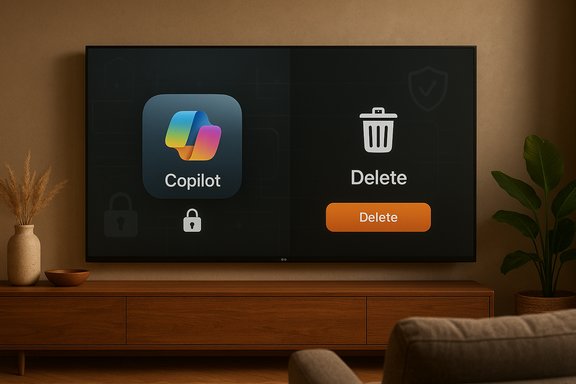 Background: how an AI assistant quietly landed on living‑room screens
In 2025 TV manufacturers embraced the “AI TV” marketing line, and Microsoft’s Copilot became a central partner in that push — positioned as a conversational helper for content search, spoiler‑free recaps and voice‑first discovery. Microsoft itself described Copilot on TVs as a friendly, animated presence that “reacts and lip‑syncs as it speaks,” designed to give visual feedback on a big screen. The immediate catalyst for the controversy was a Reddit post showing the Copilot tile in an LG launcher and noting it “cannot be deleted.” That single thread rapidly accumulated tens of thousands of upvotes (reported at roughly 35–36K), and the story was amplified across tech press and forums. The combination of a visible AI tile and the perception that it could not be removed generated intense reaction: annoyance, privacy anxiety, and renewed distrust of forced preinstalls. LG responded to the backlash in a media statement confirming that Copilot on affected sets is provided as a browser shortcut — a pinned link that opens Microsoft’s Copilot web UI in the TV’s built‑in browser — and not a fully embedded native app. The company also said microphone use would occur only with a user’s explicit consent and promised to add a delete option in an upcoming webOS update. Overview: what actually shipped, and why owners perceived it as “undeletable”
Two packaging models, two different experiences
Smart‑TV platforms can expose partner services in several ways:- As a user‑installable app from the content store — removable through the app manager.
- As a system/privileged package installed outside the normal sandbox — typically hideable or disableable but not removable by the standard UI.
- As a firmware‑baked asset included in the FOTA (firmware‑over‑the‑air) image — restored after a factory reset.
Why a web shortcut still felt like bloatware
A browser shortcut is technically lighter and faster to roll out, which explains why OEMs might prefer it for rapid partner deployments. But on a TV home screen a web shortcut occupies the same real estate as Netflix, Prime Video or Disney+, and if the system UI lacks an explicit delete affordance, it behaves like preinstalled bloatware. That loss of agency — the sense that post‑sale updates can change a purchased device without a straightforward undo — is what drove the public anger.What LG and Microsoft said (and what they didn’t fully answer)
- LG: confirmed Copilot is a shortcut that opens Microsoft’s web Copilot in the TV browser, stated microphone use requires explicit consent, and pledged a forthcoming webOS update to allow deletion of the shortcut. No firm rollout date was provided.
- Microsoft: documented the TV experience in its Copilot blog, highlighting the animated avatar, voice‑enabled interactions, QR‑based sign‑in for personalization and card‑style visual responses optimized for distance viewing. The blog framed Copilot on TV as a shared, voice‑first living‑room assistant.
- Whether the shortcut was installed as a true system app or baked into the firmware image across all affected models (forensic firmware analysis or vendor technical notes would be needed to confirm that packaging detail).
- A concrete timeline and cross‑model/region rollout plan for the promised deletion option.
- A clear, centralized telemetry disclosure specifying what signals are collected when Copilot is launched from a TV and how long those data are retained.
Why this matters: ownership, privacy and the economics of home screens
Ownership and agency
Consumers reasonably expect control over software on hardware they own. When an update can push partner services to a device and make them effectively permanent, it changes the contract of ownership. This is especially sensitive for TVs — shared, long‑lived appliances in private spaces — where visibility and family dynamics are part of the UX calculus. The Copilot tile episode is not just a UI gripe; it’s a test of the social contract between vendors and buyers in the age of connected appliances.Privacy vectors
Even if Copilot is a web shortcut that activates microphones only after explicit consent, several privacy vectors remain:- Automatic Content Recognition (ACR) or “Live Plus” style telemetry that indexes what you watch can enrich targeting signals when linked to an assistant.
- Account linking (e.g., signing a Microsoft account via QR code) can create personalized memories or profiles that persist across sessions.
- Transcripts, logs or metadata from assistant interactions can be processed and stored in cloud backends with retention and reuse policies that matter.
Commercial incentives: discoverability, metrics and monetization
Home‑screen real estate is monetizable. Pinning a partner service or shortcut increases discoverability and use metrics — a legitimate commercial goal for OEMs and partners. But prioritizing discoverability over user choice can backfire: the short‑term adoption gains risk long‑term brand erosion and regulatory scrutiny if consumers feel features were forced on them. The incident spotlights the tension between product growth metrics and respect for post‑sale control.Cross‑checks and verification: what reputable sources confirm
- LG’s deletion pledge and the claim Copilot is a browser shortcut are reported by major tech outlets including The Verge and Tom’s Hardware. Those pieces quote LG’s public statement and the company spokesperson.
- Microsoft’s description of Copilot’s on‑screen avatar and the lip‑sync behavior appears in Microsoft’s official Copilot blog from August; the blog describes the visual, voice and card UI elements created for TV interactions.
- Community evidence — the viral Reddit thread with roughly 35–36K upvotes — was picked up and cited by multiple outlets as the ignition point for the story, which corroborates the breadth and immediacy of the consumer reaction.
- Independent reporting (Tom’s Hardware, The Verge, Digital Trends, Tom’s Guide) consistently documented the same observable pattern: a webOS update added the Copilot tile; standard app‑management UIs offered hide/disable but no delete; and some users reported reappearance after resets. That triangulation makes the core observable facts reliable.
Technical anatomy: why removal can be harder than you think
When a shortcut feels undeletable, three typical engineering choices explain it:- System/privileged package: installed outside the app sandbox; UI often allows hiding or disabling but not uninstalling because of dependency concerns.
- Firmware‑baked asset: included in the system image delivered by FOTA; factory reset restores the image and the asset returns.
- Launcher policy: the launcher component may treat partner tiles as managed assets that require a specific removal API rather than the user app manager workflow.
Immediate, practical advice for owners
Owners who want to reduce exposure while waiting for LG’s promised fix can take several steps — each with tradeoffs:- Hide the Copilot tile from the launcher where possible to remove it from immediate view. This is a cosmetic mitigation only.
- Review and disable ACR/“Live Plus” or ad personalization options in the TV’s privacy settings to limit contextual signals the device might send.
- Avoid signing into a Microsoft account on the TV to prevent profile linking and personalized memory features.
- Place the TV on a segmented guest Wi‑Fi SSID or VLAN and apply router rules or DNS blocking to restrict outbound connections if comfortable managing the network.
- Use an external streaming stick or console as the UX gateway if you want to avoid the TV’s native launcher altogether.
- Monitor LG’s official support pages and firmware release notes for the promised webOS update that exposes a delete control and for telemetry disclosures.
Broader industry context: Copilot is one of several TV‑AI integrations
The Copilot episode sits in a broader market trend: major AI platforms are being shipped to TVs under different integration models.- Microsoft Copilot: integrated into Samsung’s Tizen ecosystem earlier in the year with a native‑looking experience and the animated avatar Microsoft described; LG and others are using shortcuts or different packaging choices.
- Google Gemini: Google announced Gemini for Google TV (Gemini on TV) with an initial rollout to the TCL QM9K series and broader plans for other Google TV devices and some Sony Bravia sets. That deployment is more tightly integrated with Google TV’s stack and has a different permissions/management model.
Risks, regulatory angles and reputational costs
- Consumer trust: Forcing AI shortcuts onto devices risks long‑term brand damage. The short‑term metric boost from preinstalled partner exposure can be outweighed by churn, negative social virality and loss of goodwill.
- Privacy and data protection: Depending on local law, adding features that broaden telemetry collection — even with an opt‑in for microphone activation — can attract scrutiny under data‑protection regimes that require clear purpose limitation, data minimization and informed consent.
- Consumer‑protection enforcement: Regulators focused on unfair commercial practices or deceptive UX could view pushed, hard‑to‑remove installs as problematic if consumers are not given a clear post‑sale opt‑out.
- Technical debt: If the tile was firmware‑baked across multiple model families, delivering a persistent delete option might require complex coordinated firmware images and long staged rollouts, increasing engineering cost and the risk of regressions.
Recommendations: what LG, Microsoft and other OEMs should do now
- Publish a precise timeline and per‑model plan for the webOS update that enables deletion, including whether deletion persists across factory resets and future FOTA images.
- Release a model‑by‑model telemetry disclosure detailing what signals Copilot sessions send (transcripts, device IDs, ACR metadata), retention windows and whether data is used for ad personalization.
- Default to privacy‑minimal settings for new AI features: require opt‑in for microphone capture, personalization and cross‑device memory.
- Provide an explicit, discoverable uninstall or delete flow in the UI from day one when deploying third‑party services via FOTA.
- Avoid baking partner shortcuts into firmware images unless there is a compelling compatibility reason; prefer removable store installs or managed opt‑in placements.
- Publish changelogs and in‑device notices ahead of UI‑changing FOTA updates so owners are not surprised by functional changes to their devices.
Final analysis: a small UI change with a large lesson
The Copilot‑on‑LG‑TV episode is a high‑signal case study in how design, update mechanics and business incentives collide when cloud AI is retrofitted into everyday appliances. The visible outcome — a delete button promised after a backlash — is the immediate corrective. But the deeper lesson is governance: vendors must treat post‑sale software additions as changes to a durable, privately owned product and not as a one‑way channel for partner discovery.If vendors follow through with a durable delete option, publish telemetry disclosures and default to conservative privacy settings, this will likely be read as a course correction and restore some trust. If the promised fix is cosmetic, partial or slow across models and regions, expect continued consumer skepticism and continued calls for stronger transparency and regulation around AI features on durable goods.
For owners, the short path forward is clear: apply mitigations today, watch vendor release notes closely, and demand the guarantees that should have come with the feature in the first place — a visible, persistent delete option and a clear explanation of what data the assistant collects and why. The living room was always personal; the companies building “AI TV” must treat it that way.
Source: The Star LG will let TV owners delete Microsoft Copilot after customer outcry
