

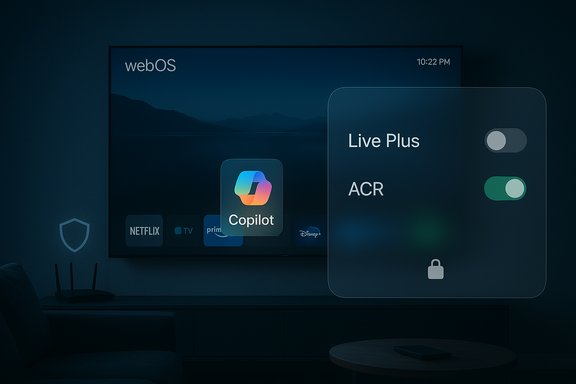
LG owners woke up to an unexpected and unwelcome change after a recent webOS firmware push: Microsoft’s Copilot appeared on many sets as a visible tile — and, according to multiple owner reports, there’s no standard way to delete it from the TV’s app manager.
The appearance of Copilot on living‑room screens traces back to a strategic push by OEMs at trade shows and in press materials: manufacturers announced plans to embed conversational AI assistants into 2025 smart‑TV lineups, positioning them as convenience and discovery features. LG publicly promoted an AI‑forward webOS roadmap and an “AI Remote” for its 2025 OLED evo family, and Microsoft showcased Copilot integrations with TV partners earlier in the year. Those announcements established the product intent — but not the rollout mechanics that have consumers upset.
What unfolded for affected owners is a classic firmware‑over‑the‑air (FOTA) story: routine updates delivered a Copilot app tile into the home screen and the TV’s apps row. Users trying to manage installed software found the Copilot tile could be hidden but not uninstalled using the normal Edit / App management UI. Multiple community threads, screenshots, and user reports show the same pattern across model years and firmware builds — indicating a coordinated package push rather than isolated operator error.
The strongest, verifiable facts here are straightforward: manufacturers announced Copilot for TVs, LG’s webOS includes Live Plus / ACR settings, and many owners report a firmware update added a Copilot tile that lacks a standard uninstall option. Those combined realities explain why the reaction is so intense: a desirable feature plus an opaque installation model and default‑on personalization settings equals a loss of perceived consumer control.
At minimum, vendors should give buyers an obvious path to remove or disable partner services and default to privacy‑minimal settings until users explicitly opt in. If the current rollout reflects a design choice to hard‑bake Copilot into system images, LG and Microsoft will need to explain that choice and publish clear opt‑out and uninstall steps — fast — to avoid sustained reputational damage and potential regulatory scrutiny.
Owners watching this story unfold should take a measured approach: safeguard immediate privacy by disabling Live Plus and ad personalization, hide Copilot and avoid signing in, and consider network‑level controls or external streamers if they want to fully decouple daily usage from webOS. For more structural remedies — policy changes, updated firmware with uninstall paths, or regulatory action — the onus is now on the vendors to respond transparently and quickly.
In short: Copilot’s arrival on LG TVs underscores both the promise of screen‑scale AI and the brittle trust between platform vendors and people who bought the hardware. The technology can be useful — but only if it’s delivered with clear, persistent user control and privacy protections.
Source: PiunikaWeb Users report an “undeletable” Copilot app on LG TVs after latest update
 Background / Overview
The appearance of Copilot on living‑room screens traces back to a strategic push by OEMs at trade shows and in press materials: manufacturers announced plans to embed conversational AI assistants into 2025 smart‑TV lineups, positioning them as convenience and discovery features. LG publicly promoted an AI‑forward webOS roadmap and an “AI Remote” for its 2025 OLED evo family, and Microsoft showcased Copilot integrations with TV partners earlier in the year. Those announcements established the product intent — but not the rollout mechanics that have consumers upset.What unfolded for affected owners is a classic firmware‑over‑the‑air (FOTA) story: routine updates delivered a Copilot app tile into the home screen and the TV’s apps row. Users trying to manage installed software found the Copilot tile could be hidden but not uninstalled using the normal Edit / App management UI. Multiple community threads, screenshots, and user reports show the same pattern across model years and firmware builds — indicating a coordinated package push rather than isolated operator error.
What exactly are owners reporting?
The sequence of events
- Owners’ TVs received a standard automatic or prompted firmware update via LG’s webOS FOTA channel.
- After the update, a new Copilot tile appeared in the home screen, sometimes inside the AI section and often in the apps row.
- When users enter the Edit or App Manager workflow, Copilot lacks the usual uninstall/trash affordance; the UI shows a hide or disable option at best.
- Some owners report that factory resets return the TV to the same post‑update state — a strong sign the app is embedded at the system level rather than installed as a removable user app.
Scale and community reaction
The complaints spread rapidly on Reddit and product forums, with multiple high‑visibility threads and thousands of comments. Advice ranges from the practical (turn off Live Plus, hide the tile, avoid signing in) to the extreme (keep the TV offline, use Pi‑hole or router‑level blocking, buy an external streamer and treat the TV as a dumb display). The volume and similarity of reports suggest the behavior is not confined to a single model or region.Technical explanation: how an app becomes “undeletable”
Manufacturers can deliver software to embedded devices in two common ways that make an app effectively non‑removable:- Install the component as a privileged system package outside the normal user app sandbox. The UI may only expose limited management actions such as hide or disable, not uninstall.
- Bake the package into the firmware image so a factory reset returns the unit to the same updated image — the apparent “undeletable” app simply reappears after reset.
Live Plus, ACR, and why privacy fears escalated
What is Live Plus?
webOS includes a feature family commonly labeled Live Plus (sometimes shown in menus as Live Promotion, LivePlus, or similar). Live Plus is LG’s Automatic Content Recognition (ACR) framework: it can analyze what’s on the screen (audio and/or video fingerprints, metadata) and surface contextual promotions, recommendations, and interactive content tied to the current program. LG’s documentation and multiple privacy guides note that Live Plus and related viewing‑information services are used to deliver personalized services and advertising unless users explicitly opt out.Why Copilot + Live Plus is a problem for many owners
A conversational assistant like Copilot delivers value by being contextual: it can answer questions about the show you’re watching, summarize scenes, or recommend related content. Those capabilities logically benefit from the same signals ACR provides — timestamps, program identifiers, and in‑room context — which increases the set of telemetry flowing off the device. When a vendor installs a partner AI assistant into the system image and combines it with default‑on ACR, users naturally worry about expanded data collection and ad personalization being applied without explicit or persistent consent. Community reporting and privacy analyses highlight that combination as the focal point of concern.What is verifiable — and what isn’t
- Verifiable: Microsoft, Samsung, and LG publicly signaled Copilot’s arrival on TVs; manufacturers showcased AI features at CES and in product press materials. webOS includes Live Plus / ACR settings that can be toggled in menus.
- Observed by users (strong but vendor‑unconfirmed): multiple LG owners report Copilot was added by a firmware update and appears non‑removable via the normal app manager. Screenshots and reset tests support this behavior.
- Not yet confirmed: there is no public LG or Microsoft statement (at the time these reports circulated) that explicitly explains the packaging model used for Copilot in the specific firmware(s). Claims that Copilot collects new classes of telemetry (ambient audio always‑on, cross‑device profiling beyond current webOS flows) require vendor confirmation or independent forensic analysis to verify. Treat those claims as unverified until technical validation is published.
The business logic behind this choice
Embedding a partner assistant at the platform level is commercially rational for multiple players:- Feature differentiation: As panel quality converges, OEMs compete on software and UX. An AI assistant is a headline feature.
- Monetization: Smart TV home screens are lucrative ad inventory. A better personalization engine can increase ad effectiveness and opens new promotional formats tied to content.
- Ecosystem reach: For Microsoft, Copilot across screens expands brand presence and ties into existing services (Windows, Xbox, Microsoft 365). For LG, embedding AI helps advertise the “AI Remote” and webOS AI features.
Practical mitigations for affected owners
If Copilot has appeared on your LG TV and you want to reduce its presence or the telemetry footprint, here are the pragmatic options, ranked from least to most disruptive:- Toggle Live Plus and ad personalization settings: Settings → All Settings → General → System → Additional Settings → Live Plus (menu wording varies by model). Also review User Agreements and opt out of Interest‑Based Advertising and Voice Information where available. This reduces ACR and many ad flows but may not remove a system app.
- Hide the Copilot tile and avoid signing in: If the UI lets you hide the tile, that removes daily visibility and avoids account linkage that enables personalization.
- Keep the TV offline: Disconnect Wi‑Fi/Ethernet to prevent cloud calls and remote updates. This disables native streaming features and automatic updates.
- Use an external streamer: Run streaming through Apple TV, Roku, Fire TV, or Nvidia Shield and use the TV purely as a display. This effectively sidesteps webOS for daily media use.
- Router‑level blocking (Pi‑hole, firewall rules): Block known telemetry and ad domains at the network level. This can reduce data exfiltration but requires skill and careful whitelisting to avoid breaking services.
- Factory reset: If the app is user‑level, reset may remove it. If the app is baked into the firmware, reset will likely reintroduce it. Test cautiously.
Strengths and potential benefits of Copilot on TVs
When implemented transparently and with explicit user consent, Copilot can deliver real value:- Improved content discovery: Aggregated searches across apps and conversational recommendations reduce friction when finding shows.
- Accessibility: Voice navigation and contextual explanations help users with mobility or vision limitations.
- On‑screen companion content: Cards, summaries, and contextual background can enrich sports broadcasts, documentaries, and news.
- Ecosystem convenience: For households invested in Microsoft services, Copilot can link profiles and cross‑device workflows.
Risks, regulatory angles, and consumer rights
- Consent and control: For many owners the central grievance is loss of control — a non‑removable system app feels like hardware that comes with forced software.
- Privacy creep: A system assistant plus default‑on ACR increases the class of data processed on the device (what you watch, when, and potentially voice queries).
- Monetization pressure: A Copilot that improves personalization may amplify ad revenues and create incentives to tie the assistant into advertising ecosystems.
- Regulatory scrutiny: In privacy‑sensitive jurisdictions (EU, California), forced or obscured installs and confusing opt‑out flows can attract attention from authorities and consumer advocates. If vendors are seen to bundle partner apps that collect personal data without adequate consent, regulatory complaints and investigations could follow.
What vendors should do now (practical recommendations)
To restore trust and avoid longer‑term damage, platform vendors and partners should consider these concrete steps:- Make Copilot an optional, user‑level install (or provide an obvious uninstall path).
- Default privacy settings to minimal collection: ACR and personalized ads off until user opt‑in.
- Publish clear patch notes that list app additions and explain how to disable or remove them.
- Offer a simple privacy dashboard on the device (and on the web) to review shared viewing data and delete it.
- Provide clear migration guidance when deprecating features (for example, if Google Assistant is replaced) and offer compensation or support for functionally equivalent replacements where customers were sold a specific capability.
How to evaluate new firmware before installing
Because firmware updates can change device behavior dramatically, consider this pre‑update checklist:- Read the update notes (if published) before applying an automatic update.
- Temporarily block automatic firmware downloads in the TV settings if you want time to assess community feedback.
- If your TV is mission‑critical (home theater, AV ecosystem), test updates on a spare unit or wait 1–2 weeks for community reports.
- Keep your router firewall or Pi‑hole configured to limit telemetry domains you don’t trust.
- Use an external streamer to decouple your daily media experience from the TV’s platform.
Final assessment — product promise vs execution
The Copilot‑on‑TV story is a textbook case of a product that looks useful in principle but backfires in execution. The technical ability to deliver rich, conversational assistance to large screens is real and can improve discovery, accessibility, and integrated household workflows. But the way a feature is delivered and controlled matters more than marketing copy when it lands on already‑owned hardware.The strongest, verifiable facts here are straightforward: manufacturers announced Copilot for TVs, LG’s webOS includes Live Plus / ACR settings, and many owners report a firmware update added a Copilot tile that lacks a standard uninstall option. Those combined realities explain why the reaction is so intense: a desirable feature plus an opaque installation model and default‑on personalization settings equals a loss of perceived consumer control.
At minimum, vendors should give buyers an obvious path to remove or disable partner services and default to privacy‑minimal settings until users explicitly opt in. If the current rollout reflects a design choice to hard‑bake Copilot into system images, LG and Microsoft will need to explain that choice and publish clear opt‑out and uninstall steps — fast — to avoid sustained reputational damage and potential regulatory scrutiny.
Owners watching this story unfold should take a measured approach: safeguard immediate privacy by disabling Live Plus and ad personalization, hide Copilot and avoid signing in, and consider network‑level controls or external streamers if they want to fully decouple daily usage from webOS. For more structural remedies — policy changes, updated firmware with uninstall paths, or regulatory action — the onus is now on the vendors to respond transparently and quickly.
In short: Copilot’s arrival on LG TVs underscores both the promise of screen‑scale AI and the brittle trust between platform vendors and people who bought the hardware. The technology can be useful — but only if it’s delivered with clear, persistent user control and privacy protections.
Source: PiunikaWeb Users report an “undeletable” Copilot app on LG TVs after latest update
