LG webOS Copilot on LG TVs: Why It’s Unremovable and What You Can Do

  • Thread Author
LG smart TVs received a webOS update that silently pinned Microsoft Copilot to many home screens — and owners are discovering there’s no supported way to uninstall it.

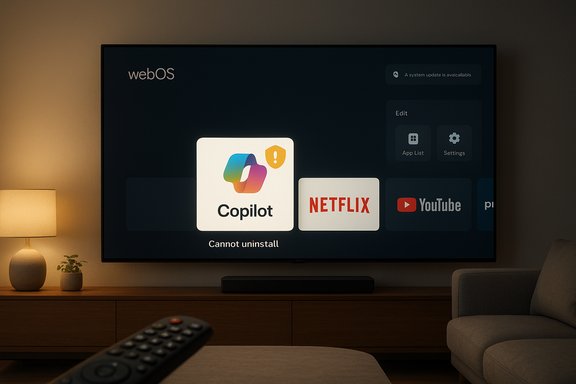
LG webOS TV home screen with Copilot tile highlighted among Disney+, Netflix, YouTube, and Prime Video.Overview​

A recent over‑the‑air webOS update added a visible Copilot tile to a range of LG televisions, placing Microsoft’s AI assistant alongside streaming apps like Netflix and YouTube. Owners report the tile behaves like a system component rather than a removable app: it can be hidden or moved, but the usual uninstall or trash‑can option is absent, and in some cases a factory reset restores the tile, pointing to a firmware‑level provisioning. The issue became broadly visible after a Reddit post and multiple news outlets amplified users’ complaints.

Background​

How Copilot got on TVs​

LG publicly positioned its 2025 TV lineup as “AI TVs” during the CES 2025 cycle, promoting built‑in AI features — from conversational search to on‑screen insights — and mentioning Copilot as part of the overall experience. The company’s marketing and reviews described new remotes with dedicated AI buttons and tighter integration between on‑device AI tools and cloud services. Microsoft has likewise been rolling Copilot to large displays — including partnerships with multiple TV makers — as part of a strategy to extend its assistant beyond PCs and phones. That strategic coordination explains the presence of a Copilot entry on webOS, but it does not explain why the tile was delivered as a non‑removable system artifact rather than a user‑installable app or optional feature.

Timeline of discovery​

The visible spike in attention began when a Reddit screenshot showing the Copilot tile on an LG TV home screen racked up tens of thousands of upvotes and hundreds of comments from owners reporting the same behavior. Coverage from mainstream tech outlets followed within a day, consolidating the pattern: the tile appeared after a routine webOS firmware update and could not be deleted through the TV UI.

What actually happened: the observable facts​

  • A webOS firmware update (FOTA) delivered a new Copilot tile or tile shortcut to many LG TVs’ home screens.
  • The TV app manager offered only hide or disable choices for Copilot; the usual uninstall affordance was missing.
  • In multiple user reports a factory reset returned the Copilot tile, suggesting it is provisioned as part of the system image or installed as a privileged, non‑removable package.
These are consistent, repeatable user observations across models and regions — not isolated bugs. LG’s documentation on preinstalled/system apps also states that some apps cannot be deleted via the standard UI, which aligns with users’ findings.

The technical mechanics: why the tile can’t be removed​

System apps vs. content‑store apps​

Smart TV platforms typically support two classes of software:
  • User‑installable apps — delivered through an app store, removable by users, sandboxed and managed by the apps UI.
  • System or firmware‑baked apps — installed as privileged packages or embedded directly into the TV’s firmware image; these are often not removable through the normal interface and can be restored after resets.
The Copilot tile’s behavior — absence of a delete option, restored after factory reset — matches the second pattern. That means the Copilot component is likely deployed as a privileged system element in the updated webOS image rather than as an optional Content Store download.

Why vendors provision features this way​

OEMs and platform vendors sometimes bake components into firmware for reasons that range from integration simplicity to revenue and measurement:
  • deeper integration with voice stacks and OS services,
  • guaranteed presence of vendor or partner features (for monetization or strategic commitments),
  • simplified QA when a feature is tested as part of the firmware image.
That convenience for the vendor can come at the cost of consumer choice. When an AI assistant is included as a system component, users lose the usual uninstall pathway and are left with hiding or ignoring the feature.

Privacy, tracking, and the Live Plus context​

The Copilot arrival has to be evaluated against the existing telemetry and tracking capabilities on many smart TVs. LG’s webOS includes a feature often marketed as Live Plus (also referenced as Live Promotion or ACR — Automatic Content Recognition). Live Plus can analyze what’s on the screen to enable context‑aware recommendations and advertising personalization. Many owners report that Live Plus is enabled by default in the update and can be toggled off — but the combination of a privileged assistant and ACR raises clear privacy, profiling, and data‑sharing concerns. Several consumer‑facing guides and privacy analyses describe Live Plus’ scope and the menu path to disable it, while also warning that the controls can be deep in menus and that some telemetry flows may persist unless explicitly toggled. Practical guidance from reputable tech‑advice outlets shows how to opt out of the most intrusive behaviors, but those steps vary by model and webOS version.

What users can — and cannot — do right now​

The hard reality for many owners is that there is no supported uninstall for Copilot in affected webOS builds. Here are the current, documented options:
  • Hide or move the Copilot tile in the home interface (this only changes visibility).
  • Disable online capabilities or avoid signing in to a Microsoft account on the TV so Copilot’s personalization features cannot be used (partial mitigation).
  • Turn off Live Plus and other telemetry/ad personalization toggles to reduce automatic content recognition and ad targeting exposure. Steps differ by model, but the general path is Settings → All Settings → General (or Support/Privacy) → Additional Settings/User Agreements.
  • Disconnect the TV from the Internet entirely — this prevents the assistant from contacting cloud services, but also disables streaming, software updates, and many smart features.
None of these is equivalent to a clean uninstall, and each carries trade‑offs: disabling network access makes a smart TV behave like a dumb display, and toggling off personalization may remove convenience features like content suggestions. The only reliable method to stop Copilot’s runtime behavior for now is to keep the TV offline.

The user backlash and marketplace reaction​

The Reddit post that catalyzed this story gathered tens of thousands of upvotes and hundreds of comments reporting identical behavior across models. Mainstream outlets picked up the thread within days, amplifying concerns about device bloat, erosion of ownership, and the expansion of AI assistants into appliances. The uproar is not just about one tile — it’s a signal error in how vendors are balancing preinstalled software and consumer control. Anecdotally and in forums, the reaction is visceral: some owners are refusing future OS updates, others are physically disconnecting TVs, and privacy‑oriented users are declaring “never connect your smart TV to the internet.” The collective pushback echoes past controversies over unrequested software appearing on purchased devices.

Business motives and industry context​

Why would LG and Microsoft deploy Copilot like this?
  • Strategic distribution: Embedding Copilot on TVs offers Microsoft more touchpoints for its assistant and opens a path to account sign‑ups, feature trials, and downstream service adoption.
  • Monetization and recommendation flows: TVs are increasingly seen as ad platforms. An assistant that understands on‑screen context can tie suggested content, sponsored results, or ad targeting to viewer interest signals.
  • Competitive positioning: OEMs compete on features; advertising alliances and AI partnerships are tangible ways to differentiate at CES and in retail marketing.
These motives do not absolve the lack of user choice, but they explain why companies push deep integrations. Historically, the same dynamic has driven preinstalled apps across phones and smart TVs, and consumers have often pushed back when removal is restricted. Similar criticisms surfaced around other AI assistants landing on devices without clear opt‑out mechanisms. Cautionary note: suggestions that Microsoft “paid LG to make Copilot unremovable” are plausible in a commercial sense but are not verifiable from public documentation or company statements; such claims should be treated as speculative unless and until either vendor confirms contractual details. Flagged as unverified.

Security and technical risk assessment​

Adding a cloud‑connected assistant as a privileged service increases the attack surface of a device:
  • privileged system components have broader access and could introduce vulnerabilities if not maintained correctly,
  • integrations with ACR and voice data amplify the amount of sensitive data that flows off‑device,
  • automatic updates that change system behavior without explicit consent make rollbacks and forensic inspection harder for users.
While there is no public evidence that Copilot on LG TVs introduces new security vulnerabilities, the packaging model — system‑level provisioning — makes it harder for owners and independent researchers to audit what runs on the device. Suppliers must be held to robust update, audit, and disclosure practices when dealing with system‑level AI features.

Practical, step‑by‑step guidance​

For owners who want to limit exposure today, these steps consolidate community reporting and vendor documentation:
  • Disable Live Plus (ACR):
  • Settings → All Settings → General → Additional Settings or Privacy → Live Plus (toggle off). Confirm by checking “Viewing Information” and “Interest‑Based Ads” toggles and disabling them if present.
  • Limit ad tracking:
  • Settings → Support → Privacy & Terms → Advertising → Enable “Limit AD Tracking” or toggle “Do Not Sell” equivalents.
  • Avoid signing in with a Microsoft account on the TV:
  • Copilot personalization and account‑level features often require sign‑in. Skip or refuse account linkage to reduce data association.
  • Hide or move the Copilot tile:
  • Use the home edit UI to move Copilot away from primary rows or hide it when possible. This is a cosmetic mitigation only.
  • Consider network isolation:
  • Put the TV on a separate network or VLAN with limited outbound access, or restrict its internet connectivity to necessary endpoints. This is more technical but preserves streaming while blocking telemetry domains if implemented carefully. (This requires networking know‑how and may break services.
  • If comfortable with hardware trade‑offs, use the TV as a display only:
  • Connect streaming devices or consoles that you control, and keep the TV offline. This avoids built‑in smart features but preserves picture usage.
These measures reduce profiling and surface risk, but none restore the uninstall option.

What vendors should do (and what regulators should watch)​

From a consumer‑rights point of view, sensible steps would include:
  • Vendor transparency: publish clear notices with updates that add preinstalled or system apps, including what data the new component collects and how to opt out.
  • Uninstallability for third‑party assistants: give owners a supported uninstall path or at least a persistent, easy‑to‑find “disable” switch that prevents the feature from executing.
  • Granular privacy controls: provide centered privacy dashboards, not buried toggles, so users can control ACR, voice recording, and cross‑device profiling without losing basic TV functionality.
  • Regulatory scrutiny: authorities that enforce unfair commercial practices or deceptive design could examine firmware updates that add non‑removable third‑party components after sale.
If OEMs want consumers to trust in‑device AI, they must combine convenience with clear choices. A default‑on, non‑removable assistant undermines that trust.

Marketplace implications​

This episode is a bellwether for wider tensions in the connected‑device economy:
  • Consumers expect purchased hardware to remain under their control. When vendors treat devices as post‑sale ad and feature platforms, ownership semantics shift.
  • AI distribution strategies are accelerating — but distribution without user consent risks legal and reputational backlash.
  • Device makers and cloud providers will push for more integrated experiences; the winners will be those who combine innovation with defensible privacy and clear user controls.
Manufacturers that insist on system‑level lock‑ins may see short‑term commercial gains but face increased churn, returns, and consumer distrust. Conversely, vendors that give users a clear off‑ramp for unwanted features can turn privacy and control into a competitive advantage.

Final assessment: strengths, risks, and takeaways​

  • Strengths:
  • Integrating a conversational AI like Copilot into TV interfaces can improve discoverability of information, simplify searches, and offer novel on‑screen interactions.
  • Deep integration allows low‑latency voice shortcuts and richer contextual replies that leverage on‑screen metadata.
  • Risks:
  • The deployment model used in this update removes a basic consumer control: the ability to uninstall third‑party features added after purchase.
  • Coupling a privileged assistant with ACR and advertising systems increases the surface for profiling and potential privacy erosion.
  • System‑level provisioning complicates auditing, rollback, and independent security review.
  • Takeaways:
  • For now, the pragmatic steps are to disable Live Plus, limit ad tracking, avoid account sign‑ins, and, if necessary, keep the TV offline.
  • Vendors should respond with clearer opt‑out choices and a supported uninstall or disable option for Copilot. Customers and regulators should watch for further firmware changes and insist on transparency.

Copilot on LG TVs is a reminder that the convenience of smart features arrives with trade‑offs in control and transparency. The technology’s promise is real, but the user experience — and the business model behind its distribution — matters more than ever. Until vendors provide full uninstallability or stronger privacy guarantees, many owners will consider withholding updates, isolating devices on separate networks, or opting for external streaming hardware they can control.
Source: extremetech.com OS Update Forces Unremovable Microsoft Copilot App Onto LG Smart TVs
 

LG smart‑TV owners across multiple forums discovered this week that a routine webOS firmware update silently added Microsoft Copilot to their home screens — and in many reported cases the tile behaves like a preinstalled system app that can be hidden but not uninstalled, touching off a fast‑moving consumer backlash about control, privacy, and how AI is being pushed into already‑sold devices.

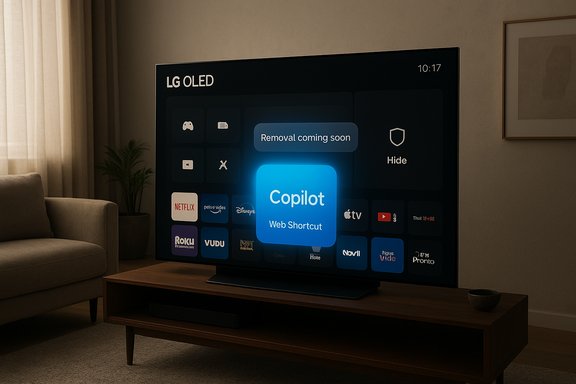
Cozy living room with a webOS TV displaying Copilot, Netflix, and YouTube apps.Background / Overview​

LG, Microsoft and other TV makers began publicly talking about bringing conversational AI to living‑room screens during the 2025 product cycle. The companies framed those integrations as helpful features for content discovery, conversational search, and contextual on‑screen information — part of what LG markets as its “AI TV” experience built into webOS. What changed this week was not the strategy but the delivery: an over‑the‑air webOS update appears to have provisioned a Copilot tile directly on many owners’ home screens rather than offering it as an optional, store‑installed app. The immediate reaction has three clear themes: surprise, irritation, and concern. Users are frustrated that new software was installed without an obvious opt‑in; annoyed that the tile consumes valuable home‑screen real estate; and worried about what additional telemetry or always‑available assistant functionality might mean for privacy. Multiple news outlets and community threads amplified the initial Reddit post that sparked the coverage, and the pattern of reports is repeatable across models and regions.

What owners are actually seeing​

How the Copilot tile appears​

  • A normal webOS firmware‑over‑the‑air (FOTA) update is applied to the TV.
  • After rebooting, owners find a new Copilot tile pinned on the home ribbon alongside Netflix, YouTube and other apps.
  • The Copilot tile commonly functions as a web‑based shortcut to Microsoft’s Copilot interface rather than as a deeply native, local application.

App management behavior: hide, not delete​

When users open the typical Edit / App Manager screens on webOS, the usual delete/trash affordance does not appear for Copilot. Instead, the UI frequently offers only hide or disable, consistent with the experience of system or firmware‑baked apps that manufacturers do not expose for removal through the consumer UI. LG’s own support documentation has for years distinguished between removable store apps and preinstalled/system apps that cannot be deleted from the Edit App List — a behavior that lines up with what owners report. Several users additionally reported that a factory reset restored the Copilot tile, which strongly suggests the component was included in the firmware image or installed as a privileged system package rather than placed as an ordinary Content Store download. That pattern — update, tile appears, no uninstall, reappearance after reset — is the observable chain documented across forum posts and screenshots.

Technical mechanics explained​

Why a TV app can feel “unremovable”​

Embedded platforms and smart‑TV OSes typically support two packaging models:
  • User‑installable Content Store apps — sandboxed, installed from the vendor’s app store and removable via the app manager.
  • System / firmware‑baked packages — included in the firmware image or installed with privileged permissions; the UI commonly allows only hiding or disabling because removing them could break platform behavior or violate carrier/OEM provisioning.
The behavior described by owners — lack of a trash icon and restoration after factory reset — maps cleanly to the second model. That does not prove intent, but it makes the packaging explanation the most technically plausible one based on available evidence.

What Copilot on TV currently looks like​

Early reporting and user screenshots indicate the version appearing on many LG sets is effectively a web wrapper: a home‑screen shortcut that launches Copilot’s web UI in the TV’s browser shell. That approach is common for quickly extending cloud services to constrained devices: it minimizes local footprint while surfacing a familiar web experience. However, even as a simple shortcut its placement as a persistent tile without a delete affordance is the central grievance.

Verifying the key claims​

Multiple independent outlets corroborated the core facts: the Copilot tile arrived via a recent webOS update, numerous owners reported there was no uninstall option, and LG’s documented app‑management model allows some preinstalled apps to be hidden but not deleted. Tom’s Hardware and Digital Trends independently described the tile behaving like a web shortcut and noted the absence of uninstall controls, while LG support documentation explains the platform limitation on deleting preinstalled system apps. Those three sources together support the technically important claims about packaging and user experience. Caveats and what remains unverified:
  • There is no vendor technical bulletin (published at the time of reporting) that explicitly states which firmware builds include Copilot as a privileged system component or why LG chose that packaging. That vendor confirmation would remove ambiguity about intent and scope.
  • Public reporting has not yet produced an independent forensic analysis of telemetry changes introduced by the update; claims about new data flows or microphone activation beyond standard voice‑assist behavior should be treated as concerns until verified.

Why this matters: ownership, privacy, and UX​

Smart TVs are now fully connected platforms, but many consumers still view them as appliances they bought outright. For those users, a post‑purchase firmware push that installs features without a clear uninstall path feels like an erosion of ownership.
Key user concerns:
  • Consent: The update added a new service without an obvious opt‑out during the update flow.
  • Home‑screen pollution: Persistent tiles occupy limited real estate and may prioritize commercial or partner services over the apps users intentionally installed.
  • Privacy: A new assistant raises questions about audio capture, on‑device vs cloud processing, and additional telemetry. While many of these concerns can be addressed technically, they require disclosure and clear opt‑outs.
From a design perspective, the rollout treats an assistant like a system‑level capability rather than a user‑controlled optional feature. That decision reduces friction for adoption but increases friction for trust.

What LG and Microsoft have said — and what they haven’t​

As of the latest reporting, public statements from LG or Microsoft explicitly confirming the packaging choice or announcing an opt‑out path were limited. LG’s marketing and product pages have long discussed Copilot as part of webOS AI features; Microsoft has promoted Copilot’s expansion to devices beyond Windows. But the specific, technical explanation for why Copilot was delivered to some owners as an apparently non‑removable tile — and whether that behavior was intended for all affected models — remained unclarified in vendor‑published technical notes. That omission matters. Without vendor confirmation, owners and privacy advocates are left relying on community forensics and media reporting. The right vendor response would be clear communication about:
  • which firmware versions included Copilot by default,
  • whether Copilot is provisioned as a system app or a user app,
  • how user data used by Copilot is collected, processed and retained,
  • and an explicit remediation path (uninstall, disable, or consent options).

Short‑term mitigation: what owners can do now​

If you own an LG TV affected by this change and you want to reduce Copilot’s visibility or surface area immediately, these workarounds (ordered by ease) are the practical steps many communities recommend:
  • Hide the Copilot tile from the home ribbon via Edit / App List. This removes the visual nuisance but does not uninstall the component.
  • Turn off ad/personalization features such as Live Plus and disable ACR or ad personalization options in Settings to limit on‑device content profiling. Several reports indicate Live Plus was enabled by default in the same update; it can be toggled off from General > Additional Settings on many models.
  • Avoid signing into a Microsoft account on the TV — if you never sign in, personalization signals will be limited and Copilot will behave more like an anonymous web shortcut.
  • Isolate the TV on a segmented network or use DNS/router‑level blocking to prevent the TV from reaching Copilot endpoints (advanced users only). This reduces functionality but is effective at reclaiming network control.
  • Use an external streaming device (Apple TV, Fire TV, Roku, or similar) and treat the LG set as a “dumb” HDMI display. This is the most robust user‑controlled option but offloads future smart features to the external device.
These steps are imperfect. Hiding the tile addresses surface complaints but not the underlying packaging decision; network isolation and external streamers impose costs and complexity.

Longer‑term perspectives: vendor responsibility and regulatory risk​

This incident crystallizes a broader industry tension: manufacturers want to surface new value (and in some cases monetization) through post‑sale platform updates, while consumers expect durable control over devices they paid for.
Manufacturers should consider the following best practices when rolling AI into in‑home platforms:
  • Default to privacy‑minimal settings and require explicit opt‑in for personalization and data sharing.
  • Publish clear update notes that list feature changes and how to reverse them.
  • Provide documented uninstall, disable, or account‑level consent controls that match user expectations for device ownership.
  • Offer transparent, machine‑readable privacy disclosures and a data‑deletion lifecycle for assistant‑generated logs and telemetry.
Failure to follow those steps does not only risk reputational harm; it increases the likelihood of regulatory scrutiny in jurisdictions with strong consumer‑protection or privacy laws. Where vendors make significant post‑sale changes to product behavior without consent, consumer advocates and regulators may view that as a red flag.

The balance of value vs. intrusion​

It’s worth noting the genuine user value that on‑screen assistants can deliver. When thoughtfully designed, an integrated assistant can:
  • Improve accessibility for users with mobility or visual impairments.
  • Make content discovery faster across multiple streaming services.
  • Provide contextual information (cast details, sports stats, quick fact checks) that enhances the viewing experience.
But value and adoption depend heavily on trust. Users are far more likely to welcome Copilot‑style features when they are optional, documented, and accompanied by straightforward controls for privacy and removal. Pushing an assistant into a platform as a privileged component removes the choice that underpins that trust.

Critical analysis: strengths and risks of LG’s approach​

Strengths​

  • Rapid distribution: Bundling Copilot into a firmware image lets LG and Microsoft reach many devices quickly without requiring user downloads or store updates.
  • Seamless UX for adopters: For users who want Copilot, a preinstalled tile lowers friction to try the service and may increase utility out of the box.
  • Consolidated platform integration: Delivering Copilot as a system component can enable tighter interactions with platform features when done with user consent.

Risks​

  • User backlash and erosion of trust: Forced installations on paid hardware can generate negative PR, refund requests, and brand damage that outweigh short‑term engagement gains. The rapid social spread of the Reddit thread that kicked off this affair shows how quickly negative sentiment can scale.
  • Privacy and regulatory exposure: Adding assistants and content recognition features without explicit, granular consent increases regulatory risk in privacy‑sensitive regions and invites scrutiny from consumer protection authorities.
  • Technical fragility on constrained hardware: Some owners also reported performance regressions after webOS updates; adding even web‑based shortcuts and services consumes finite RAM and CPU on low‑end smart‑TV SoCs, potentially degrading experience for other apps. Forum posts mention freezes and reboots after recent updates on some models, though those reports are anecdotal and require forensic validation. Treat performance claims as user‑reported until vendor diagnostics confirm root causes.

What to watch next​

  • Vendor response: A prompt, specific communication from LG explaining the packaging decision, which firmware versions are affected, and whether a true uninstall option will be provided would materially reduce friction.
  • Microsoft clarification: A statement about what data Copilot collects on TVs, whether on‑device processing is used, and how to opt out of personalization would address the most salient privacy questions.
  • Independent technical analysis: Security researchers and privacy groups will likely inspect traffic patterns and firmware images to confirm whether new telemetry endpoints or audio capture behaviors were introduced. Until that analysis is published, claims about hidden telemetry should be labeled as potential risks rather than established facts.

Practical recommendations for buyers and shoppers​

  • If you value control and minimal tracking, consider purchasing a TV model or brand with a documented, user‑friendly app management policy — or plan to use an external streamer that you control.
  • During setup, decline ad personalization and other data‑sharing options and disable features such as Live Plus if you do not want the TV to perform on‑screen content recognition.
  • For existing owners who find Copilot unacceptable, hide the tile, disable personalization, avoid signing in, and if necessary use network segmentation to limit exposure. These steps are pragmatic stopgaps while waiting for vendor remediation.

Conclusion​

The Copilot‑on‑LG episode is a concise case study in modern platform design tradeoffs: the technical ease of pushing cloud AI to existing devices collides with long‑standing consumer expectations about ownership, consent and control. The underlying technology — a conversational assistant surfaced on a large display — can be genuinely useful. The problem here is execution: the update appears to have provisioned Copilot as a privileged component on many TVs without giving owners a clear uninstall or opt‑out path, which predictably provoked a strong backlash.
If LG and Microsoft want Copilot to be welcomed in living rooms, the companies must restore a sense of agency: publish clear technical notes, add explicit opt‑outs or uninstall paths, default to privacy‑minimal settings, and communicate transparently about data use. Absent those steps, this episode will remain an instructive example of how how a feature is shipped can matter as much as what the feature does.
Source: Attack of the Fanboy Some TV owners notice Microsoft quietly added something to their smart TVs, and there's no way to get rid of it | Attack of the Fanboy
 

LG’s latest webOS update quietly planted Microsoft’s Copilot on owners’ home screens — and after a storm of user complaints the company says it will let people fully remove the shortcut, although no firm timeline has been given.

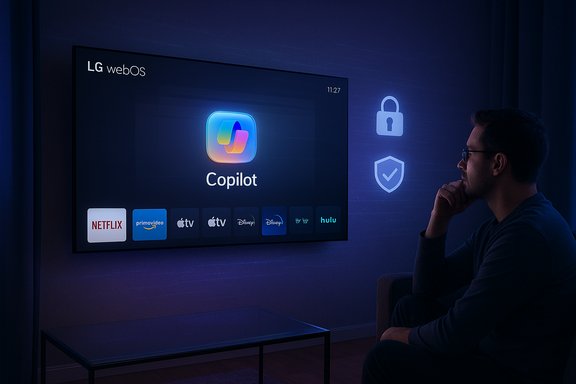
Cozy living room with an LG OLED TV displaying a Copilot Web Shortcut tile among app icons.Background​

LG has been steadily promoting AI features across its TV lineup since announcing Copilot integration at CES earlier this year. The recent controversy began when owners of modern LG smart TVs found a new Copilot tile on their home screens after installing a routine webOS update. Unlike ordinary third‑party apps such as Netflix or YouTube, this Copilot entry behaved like a system component: it could be hidden from view but not uninstalled through the usual interface.
Within days the issue spawned a large social backlash, with screenshots and complaints circulating widely online. The uproar forced LG to address the situation publicly. A company spokesperson confirmed the Copilot tile is not a native app but a web shortcut that launches Microsoft’s Copilot in the set‑top browser, and the firm said it will provide a genuine removal option in a future webOS update. At the time of this writing LG has not provided a precise date for that change.
This episode raises broader questions about manufacturer control over smart‑TV software, the boundaries of acceptable preinstalled content, and the privacy trade‑offs of enabling AI assistants on home entertainment devices.

What exactly happened: the facts, succinctly​

  • A recent webOS update placed a Microsoft Copilot icon on some LG smart‑TV home screens.
  • The icon functions as a browser shortcut to Copilot’s web interface rather than as a full native application.
  • Owners could hide the tile but could not delete or uninstall it through the TV’s settings at first.
  • LG acknowledged the approach was overreaching for some customers, emphasized that microphone/voice features require explicit user consent, and pledged to add a true uninstall option in a later update — with no firm timetable.
  • The update also drew attention to another webOS feature, Live Plus (automatic content recognition/ACR), which many users have found intrusive; Live Plus can be disabled in settings.
These points summarize the core technical and policy elements at the center of the dispute.

Why this matters: context and consumer expectations​

The changing expectations for “smart” devices​

In the early era of smart TVs, preinstalled apps and occasional ads were annoying but expected. Over time consumers learned to accept a base set of system services, but also to expect choice: the ability to install or remove apps and to control privacy settings. The current dust‑up marks a friction point where manufacturers’ desire to ship embedded services — often created via partnerships with large platform players — collides with customers’ expectation of post‑purchase control.
Customers buying expensive OLED and QNED screens expect longevity, a premium user interface, and control over what runs on their devices. When a third‑party feature arrives without a clear opt‑out or uninstall route, it reads to many as bloatware or worse — an encroachment on ownership.

Why a web shortcut feels different than a native app​

A web shortcut tends to be lighter to implement and quicker to roll out, but it is also a sign the manufacturer did not deeply integrate the feature into the TV OS. That can be both good and bad: on the plus side, a web shortcut is easier to patch or disable; on the downside, it often provides a poorer user experience and may reinforce the perception that the company is pushing a partner’s service onto customers rather than offering a genuinely optional feature.
For many users the problem isn’t functionality — it’s agency. Being unable to permanently remove an unwanted icon is an experience that undermines trust between buyer and manufacturer.

Technical anatomy: what the Copilot tile actually does​

How the Copilot “app” works on LG webOS​

  • The Copilot tile is a shortcut that launches the TV’s native web browser and loads Microsoft’s Copilot web interface.
  • Voice interaction and microphone input are handled by the TV’s system only after the user grants explicit permission; LG has emphasized that voice features are not automatically enabled by the shortcut alone.
  • Because the tile is treated as a system component on current webOS builds, the typical uninstall flow for consumer apps (long‑press > uninstall) is unavailable — users can only hide the tile from the UI.

What this means for privacy and telemetry​

  • A web shortcut that launches a cloud service will generally result in data flowing to the service provider (Microsoft) if a user signs in or uses features that require cloud processing.
  • Microphone input — the most sensitive potential vector — requires consent before use, but the presence of a visible AI assistant can prompt users to connect accounts or enable voice features that increase telemetry.
  • The simultaneous presence of ACR (automatic content recognition) features such as LG’s Live Plus amplifies concerns because ACR functions actively scan on‑screen content and can be used to personalize recommendations and advertising.

Live Plus and advertising: the backstage mechanics​

LG’s webOS includes a feature known as Live Plus, an ACR component intended to enhance content discovery and targeted recommendations. Live Plus can identify the program or content being displayed and provide related information, interactive features, or advertising. On some models Live Plus is enabled by default and can be toggled off via the menus.
Live Plus is separate from Copilot, but its introduction alongside an AI assistant tile intensifies privacy concerns, since the combination places a cloud‑driven assistant and content recognition features on the same device. Even when the Copilot shortcut itself is unused, Live Plus’s active content recognition and advertising signals may still be operating unless explicitly disabled.

How to regain control now: practical mitigation steps​

Until LG ships an update that enables full uninstallation, owners who want to reduce visibility or potential data flows have several options, ranked from least to most disruptive.
  • Hide the Copilot tile (least disruptive)
  • Press HOME → enter Edit or App mode (pencil/Edit icon) → select the Copilot tile → choose Hide.
  • This removes the tile from daily view but does not uninstall the underlying component.
  • Disable Live Plus / automatic content recognition
  • Settings → All Settings → General → System → Additional Settings → Live Plus → toggle Off.
  • Check related privacy menus (User Agreements, Interest‑Based Advertising, Voice Information) and opt out where available.
  • Disable voice/assistant features
  • Settings → Support or Privacy menu → Voice Recognition or Voice Information → set to Off.
  • This prevents the TV from recording audio for assistant features.
  • Avoid signing in to a Microsoft account on the TV
  • Without account linkage, personalized features and long‑term conversation history remain limited.
  • Use an external streaming device or cast
  • Route streaming through Apple TV, Roku, Fire TV, or a game console and use the LG TV primarily as a display. This keeps the webOS environment out of daily use.
  • Network‑level blocking (Pi‑hole, firewall)
  • Block known telemetry or ad domains at the router. This requires technical skill and careful whitelisting to avoid breaking legitimate services.
  • Disconnect the TV from the internet (most disruptive)
  • Disconnecting Wi‑Fi or Ethernet prevents web calls but disables automatic updates and many smart features.
Each mitigation comes with trade‑offs. Hiding tiles preserves functionality and convenience; router blocking or going offline can protect privacy but degrades the product’s smart features.

Legal, regulatory, and business implications​

Consumer protection and “ownership” debates​

When a manufacturer installs non‑removable third‑party services on sold hardware, it raises questions about post‑purchase control and consumer rights. Regulators and consumer‑protection agencies in several jurisdictions have already been scrutinizing how devices collect and monetize user data; adding a platform partner’s assistant — particularly one that can be used for advertising and content tracking — will attract scrutiny and fuel calls for clearer disclosure and easier opt‑outs.

Platform partnerships vs. user autonomy​

Device makers increasingly monetize software ecosystems through partnerships. Integrating high‑profile services like Microsoft Copilot can be a selling point: manufacturers get to advertise next‑generation AI features, and platform partners extend their reach into living rooms. But when the partner’s presence becomes mandatory or hard to remove, manufacturers risk eroding brand trust — and that can have long‑term negative effects on reputation and sales.

Potential competitive and antitrust angles​

There’s a broader industry narrative about dominant platform companies using preinstallation to entrench their services. Forced preinstalls on PCs and phones have prompted regulatory attention in the past. While a single non‑removable shortcut on a TV is unlikely to trigger an immediate antitrust investigation, repeated behavior across device categories could draw scrutiny, especially if consumers and competitors can demonstrate exclusionary effects.

The user experience: complaints and real‑world performance​

Early hands‑on reports show that the Copilot shortcut is functional but not transformative. Because it opens Copilot’s web interface, the experience is uneven: some users report limited usefulness for TV‑centric tasks, and the interaction model feels better suited to phones and PCs. Voice input — the natural way to interact with a TV assistant — is constrained by the browser‑based implementation and the need for explicit consent.
Many end users framed their objections not as a critique of Copilot’s technical merits but as a reaction to the method of delivery: an unexpected, hard‑to‑remove tile appearing after what should have been an ordinary firmware update.
That dichotomy — decent utility but poor customer handling — is the core grievance. Had the feature been opt‑in, or delivered as an ordinary removable app, the uproar would likely have been muted.

Strengths and weak points of LG’s response​

Notable strengths​

  • LG acknowledged the concern quickly and clarified the technical nature of the Copilot tile.
  • The company explicitly stated it will provide a removal option, a concrete commitment that recognizes the legitimacy of customers’ grievances.
  • LG emphasized that microphone features require explicit consent, addressing one of the most sensitive privacy fears.

Weaknesses and risks​

  • No firm timeline for delivering the uninstall option creates lingering uncertainty and frustration.
  • Rolling out a preinstalled tile without clear communication or an opt‑out during installation reflects poor change management for a premium consumer product.
  • The web‑shortcut approach suggests a shallow integration that both degrades user experience and signals a partnership that prioritized speed of deployment over user control.
  • Coupling the rollout with ACR features like Live Plus — sometimes enabled by default — magnifies privacy concerns.

What manufacturers should learn from this​

Manufacturers shipping smart devices must respect two fundamental consumer expectations: clear choice and clear communication. A few practical lessons:
  • Deliver new services as opt‑in, or at least as removable options. That preserves autonomy and reduces backlash.
  • When features require sensitive sensors (microphone, camera) combine clear prompts with accessible privacy settings during and after updates.
  • Communicate major UI changes and preloads in update release notes or announcement pages, giving users a heads‑up and the option to defer updates.
  • Provide simple, persistent UI paths to uninstall or permanently disable third‑party services.
Companies that build trust with transparent choices will obtain better adoption and lower the reputational cost of partnerships.

What to watch next​

  • The timing and mechanics of LG’s promised removal option. Will it be a simple “uninstall” action, or will removal require a more complex workflow?
  • Whether other TV makers follow LG’s lead with non‑removable AI tiles — and whether they react differently when the backlash begins.
  • Whether regulators or consumer protection agencies weigh in on mandatory preinstalls and the broader privacy posture of TV ACR services.
  • How Microsoft responds in product messaging: will Copilot on TV be repositioned as an opt‑in convenience or as a default feature that partners can ship widely?
  • Whether deeper Copilot integrations (native app, system‑level features) emerge that improve the user experience — or whether web‑shortcut rollouts become the default, faster but less polished path.

Practical recommendations for owners and buyers​

  • If you own an LG TV that received the tile, hide it and turn off Live Plus to minimize ACR and ad personalization.
  • Review privacy menus under Settings → All Settings → Support or General → Additional Settings, and opt out of Interest‑Based Advertising and Voice Information where present.
  • Delay or review future firmware updates on secondary TVs if you prefer to avoid surprise preloads; check online forums for reports of changes before applying updates.
  • Consider using an external streaming stick or set‑top device to bypass webOS when you want full control over the smart‑TV experience.
  • For buyers: ask retailers or check manufacturer documentation for the ease of removing preinstalled services before purchase, especially on premium TVs where expectations of ownership and longevity are high.

Broader takeaways and the way forward​

This incident is a snapshot of a larger moment in consumer electronics, where device makers, platform giants, and advertisers converge on the living room. AI assistants promise convenience and new features, but they also change the nature of device ownership. Trust is not automatic; it is earned through transparent design choices and respectful defaults.
LG’s pledge to make the Copilot tile removable is the right corrective step. But promises without firm deadlines are not the same as policy change. If manufacturers want customers to accept embedded AI, they must give them real control: opt‑ins, clear privacy defaults, and straightforward uninstallation options.
For now, affected owners can take concrete steps to reduce visibility and telemetry. Longer term, the market and regulators will set norms that determine whether forced preinstalls on premium hardware become an accepted practice — or an industry faux pas that companies learn to avoid.
The episode is an important reminder: smart devices should be smart about user choice first.

Source: Thurrott.com LG to Make Microsoft Copilot App on its Smart TVs Fully Removable
 

LG has quietly reversed course and promised to let owners delete the Microsoft Copilot shortcut that appeared on many webOS smart TVs after a recent over‑the‑air update, a concession aimed at quelling a furious wave of user complaints about an apparently “unremovable” AI tile on the home screen.

A man sits in a dark room, watching a large LG webOS screen featuring Copilot and streaming apps.Background​

The controversy began when a routine webOS firmware update added a new tile labeled Copilot to the home ribbon on a range of LG televisions. The tile looks and behaves like an app icon — side‑by‑side with Netflix, YouTube and other streaming services — but users discovered they could only hide the tile, not delete or uninstall it using the usual Edit / App Manager controls. Several owners reported the tile returning after factory resets, which suggested the entry was being provisioned as a system or firmware asset rather than a removable content‑store app. LG’s public response clarified two things. First, the company said the Copilot tile is a browser shortcut that opens Microsoft’s Copilot web interface in the TV’s built‑in browser, not a native, always‑running app embedded inside webOS. Second, LG acknowledged customer frustration and told the press it “respects consumer choice” and will add a true delete option in a forthcoming webOS update — though it did not provide a firm timetable for the change.

Overview: what happened, in plain terms​

  • A webOS FOTA (firmware‑over‑the‑air) update added a Copilot tile to the TV homescreen.
  • Users discovered the tile could be hidden but not removed through normal settings.
  • Community posts and a viral Reddit thread amplified the problem and drew mainstream media attention.
  • LG responded by confirming the tile is a browser shortcut and promising to allow deletion in a future update.
This sequence is straightforward and corroborated across multiple independent reports and forum investigations. The technical nuance — web shortcut vs native app vs firmware‑baked system component — matters because it affects what users can control and what data flows might be created when Copilot is used from the TV.

Why this touched a nerve: ownership, updates and the modern smart TV​

Smart TVs are no longer passive displays. They are networked platforms that regularly receive FOTA updates, host advertising and personalization engines, and now act as endpoints for cloud AI services. That evolution has three important consequences:
  • Device ownership expectations: Consumers expect to control what software appears and runs on hardware they bought. Preinstalled or persistent software that cannot be removed feels like an erosion of that control.
  • Update scope creep: Firmware updates can change the user experience after purchase. When those updates add partner services or partner shortcuts without a clear opt‑out, buyers feel blindsided.
  • Privacy and telemetry concerns: Even a web shortcut can collect or forward data (voice queries, contextual metadata, device identifiers) to cloud services once the user interacts with it. Absent clear disclosures, it’s reasonable for owners to worry about what is being collected and why.
These forces turned what would otherwise have been a minor UI gripe into a broader debate over how AI features should be deployed on devices that sit in private spaces.

Technical anatomy: why a tile can feel “undeletable”​

There are three common packaging models for software on embedded platforms like webOS:
  • User‑installed app from a content store — typically removable by the owner.
  • System/privileged package installed outside the normal user sandbox — usually only hideable or disableable.
  • Firmware‑baked asset included in the FOTA image — restored by factory resets and effectively persistent until the vendor modifies the default firmware.
The symptoms reported by users (no uninstall option in the Edit / App Manager UI, tile reappearing after factory reset) strongly point to either a privileged system package or a firmware‑baked asset. Those packaging choices explain why a simple home‑screen tile can behave like permanent bloatware. LG’s public clarification that the Copilot entry is a browser shortcut addresses how the feature runs, but it does not in itself explain why the tile was provisioned in a way that blocked deletion for many owners.

What LG actually said (and what that implies)​

LG spokesperson Chris De Maria told reporters that the Copilot tile “opens Microsoft Copilot in the TV’s browser” and that microphone input and other interactive features are only activated with explicit user consent. The company added it would “take steps to allow users to delete the shortcut icon if they wish.” Those claims reduce a particular fear — that Copilot was secretly running as an always‑listening native service — but they leave multiple practical questions open:
  • Which LG models and regional firmware builds are affected?
  • Will the delete option persist across subsequent firmware updates and factory resets?
  • What telemetry or contextual signals (for example, ACR/“Live Plus”) are tied to Copilot interactions, and how are those signals handled?
Until LG publishes precise release notes or telemetry documentation, those remain open issues rather than facts.

Cross‑checking the coverage: independent confirmation​

Multiple reputable outlets reported the same sequence of events: Reddit‑sparked complaints, newsroom coverage, LG’s clarification that Copilot is a web shortcut, and the company’s promise to add a delete option. The Verge and Tom’s Hardware provide independent confirmations of LG’s statement and the user reports, and Ars Technica and Windows Central independently documented the privacy and packaging concerns. That convergence across outlets strengthens the factual core of the story: tile pushed by update, initially non‑removable, LG promises delete option.

What is verified and what remains provisional​

Verified, corroborated claims:
  • A Copilot tile appeared on many LG webOS TVs after a software update.
  • LG described the tile as a browser shortcut and said microphone features require explicit consent.
  • LG has pledged to add a delete option for the shortcut in an upcoming webOS update.
Provisional or unverified claims (should be treated with caution):
  • Whether the Copilot tile was uniformly delivered as a firmware‑baked component on all affected models. This is plausible given the reset behavior reported by some owners, but definitive confirmation requires firmware inspection or a vendor technical disclosure.
  • Specific telemetry endpoints, retention policies, and whether Copilot sessions are tied to unique device identifiers. Forensic network captures or vendor transparency would be required to verify these details.
Flagging these distinctions keeps reporting accurate and avoids amplifying speculative claims.

Practical guidance: how to protect yourself now​

While waiting for LG’s promised delete option and clearer telemetry disclosure, owners can take practical steps to reduce exposure and regain control:
  • Hide the Copilot tile in the launcher to remove visual clutter immediately.
  • Check Privacy settings and disable Live Plus / Automatic Content Recognition if enabled.
  • Turn off ad personalization and any linked account sign‑ins on the TV.
  • Avoid granting microphone or voice permissions unless actively using Copilot; consent gates should prevent background audio capture.
  • Put the TV on a separate guest VLAN or Wi‑Fi SSID, and use router‑level firewall rules or DNS filtering to limit unwanted outbound connections if comfortable managing your network.
  • Use an external streaming device (Roku, Apple TV, Chromecast with Google TV, or a game console) and hide or disable the TV’s smart platform where possible for complete control over the user interface and app set.
These are pragmatic mitigations — not perfect fixes — while awaiting the formal deletion option and any vendor‑issued telemetry disclosures.

The broader risks and systemic lessons​

This incident illustrates several wider issues relevant to smart‑TV makers, cloud AI partners and regulators:
  • Design by distribution: It is easy for vendors and partners to push lightweight web experiences to millions of devices via shortcuts or tiles. That agility aids adoption but can easily outpace user expectations and governance.
  • Opaque update mechanics: Firmware updates operate at a layer where consumers have little visibility. When updates change the UI or add partner services, vendors should use clear release notes and explicit opt‑ins.
  • Consent vs discoverability tradeoffs: Pinning an assistant or partner to the home ribbon increases discoverability and adoption metrics, but it must be balanced against the right to remove or opt out.
  • Privacy default settings: Defaulting to privacy‑minimal settings and requiring explicit opt‑in for personalized features reduces backlash and regulatory exposure; the reverse invites distrust.
If OEMs want AI TV to succeed broadly, the product model must be built around choice, transparency, and durable controls — not surprise pushes.

Corporate incentives and the commercial logic​

There are clear commercial reasons why LG and Microsoft would want Copilot surfaced on TVs:
  • Increased feature discoverability can accelerate user adoption of partner services.
  • A home‑screen entry increases the likelihood of engagement, which can be monetized via personalization, advertising, or premium services.
  • Partnerships expand ecosystem reach for cloud AI platforms across living‑room devices.
But those incentives must be balanced against long‑term trust. Short-term growth strategies that treat owned hardware as a distribution channel risk alienating customers and inviting regulatory scrutiny. The backlash over the Copilot tile is a reminder that distribution tactics that feel coercive will provoke consumer resistance even if the underlying service could be useful.

What to watch next​

  • The timing and rollout details of LG’s promised delete option: will it land as a single global webOS patch or as a regional, staged rollout? Will LG publish exact build numbers and release notes?
  • Whether LG or Microsoft will publish a telemetry or privacy whitepaper explaining what data Copilot collects when launched from TV, how that data is linked (or not) to device IDs or accounts, and how long content is retained.
  • Whether other TV OEMs adjust their approaches to AI shortcuts after this episode; industry peers often follow each other’s playbooks after such public reactions.
Those follow‑ups will determine whether LG’s pledge is a cosmetic fix or part of a larger move toward better governance for AI features on durable goods.

A checklist for journalists and consumer advocates​

  • Verify which LG models and firmware builds received the Copilot tile and whether the delete behavior is consistent across regions.
  • Request from LG a precise technical description of how the tile is packaged (system app, firmware baked asset, or other) and how future firmware updates will treat removals.
  • Ask Microsoft for documentation on Copilot’s web UI telemetry and what contextual signals (if any) are used for personalization coming from TV sessions.
  • Encourage third‑party researchers to perform network captures and firmware inspections, with a clear methodology and legal/ethical guardrails, to confirm or refute telemetry concerns.
  • Demand clearer consumer notice and consent flows for future AI feature rollouts on purchased devices.
These steps will move the debate from headlines to verifiable facts.

Final analysis: a small UI change, a big lesson​

The Copilot tile controversy is a high‑signal case study in how design, update mechanics and partner incentives collide when cloud AI is retrofitted into everyday appliances. The immediate fix — promising a delete button — is the right first step, but implementation details and transparent telemetry disclosures will determine whether trust is restored or merely papered over. For now, the facts are clear and verifiable: LG pushed a Copilot shortcut that many users could not remove, the company says the tile is a browser shortcut and will add a delete option, and owners should take practical steps to limit exposure until the vendor follows through. This episode is instructive for manufacturers and platform partners who are racing to put conversational AI into living rooms: how a feature is shipped matters as much as what it does. Respect for user agency, clear privacy defaults, and durable uninstall controls are not merely nice‑to‑have; they are prerequisites for long‑term adoption of AI on shared household devices.

Quick reference — “How to remove Copilot from my LG TV” (short steps)​

  • Hide the Copilot tile via the Edit / App Manager as a temporary measure.
  • Disable Live Plus / ACR and ad personalization in Settings.
  • Avoid granting mic or account permissions to the Copilot web UI.
  • Move the TV to a segregated network or apply router‑level filtering for a stronger containment option.
  • Watch LG’s webOS release notes for the promised delete option and install the update when it arrives.
The combination of these immediate mitigations and the vendor’s forthcoming software update should restore the baseline control most owners expect over devices they have purchased.

Source: ConsumerAffairs LG will let you remove Microsoft Copilot from your smart TV after user complaints
 

Back
Top