

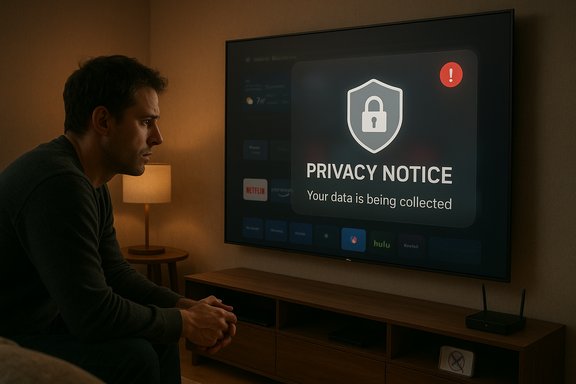
LG’s quiet webOS update that planted Microsoft Copilot on living‑room screens has touched a raw nerve: owners report the assistant being pushed to their TVs via firmware, visible in the app row, and — in many cases — not removable through the normal app manager, leaving only a “hide” option and prompting privacy, consent, and device‑control questions.
Practical regulatory angles that could be raised:
Owners can reduce visibility and telemetry by hiding the app, disabling Live Plus, avoiding account sign‑in, or using external streamers; however, these are imperfect workarounds. The durable fix rests with vendors: make partner AI truly optional, default to privacy‑minimal settings, publish transparent update notes, and provide simple removal or rollback paths. Until then, the controversy stands as a reminder that trust — once lost by surprise updates and opaque packaging — is hard to regain.
Source: Pocket-lint LG's latest TV update installs mandatory AI - and you can't delete it or opt-out
 Background
Where this came from and how it was announced
At CES 2025, LG publicly pitched an “AI‑forward” webOS roadmap and confirmed a strategic partnership with Microsoft to bring Copilot to select TV models. LG’s press materials and product pages highlighted features such as AI Search, an AI Remote, and integration with Microsoft Copilot as ways to improve content discovery and on‑screen assistance. Those announcements established intent: Copilot on TVs was a planned feature of LG’s 2025 smart‑TV lineup. Microsoft and multiple TV OEMs also signaled Copilot for living‑room platforms at CES, positioning it as a conversational aide for contextual searches, metadata lookups, and cross‑service content discovery rather than as a simple replacement for voice search. Early coverage confirmed the partnership and the marketing positioning, even if real‑world interactions and packaging mechanics were not fully documented at the time of the announcements.What users actually saw
Starting with community reports in mid‑2025 and gaining steam in December, LG owners reported receiving a routine webOS firmware update that placed a visible Copilot tile on their home screens. Crucially, when they opened the TV’s app management UI they did not see the usual uninstall or delete option: the Copilot tile could be hidden or disabled, but not removed. Several users reported that a factory reset returned the Copilot tile, strongly suggesting the component is either a privileged system package or baked into the firmware image delivered by LG’s FOTA (firmware‑over‑the‑air) channel. Those field reports were widely shared in forums, Reddit threads, and enthusiast communities.Why people are upset: ownership, privacy, and trust
Loss of device autonomy
Consumers reasonably expect that optional third‑party services installed on hardware they purchased should be removable. When a vendor treats a partner app as a system‑level component, the device feels less like privately owned property and more like a service platform controlled by the manufacturer. That psychological breach — the feeling that new software has been imposed after purchase — is central to the backlash. Forum threads and social posts show owners describing the move as “bloatware” and an erosion of ownership.Privacy and telemetry concerns
Modern smart TVs already collect considerable metadata via features like Automatic Content Recognition (ACR), branded by LG as Live Plus. A conversational assistant that benefits from on‑screen context — what’s playing, timestamps, scene metadata — logically increases the scope of data that can be used for personalization, recommendations, or ad targeting. Without transparent defaults and clear, persistent opt‑outs, users worry the assistant expands telemetry in ways they didn’t explicitly authorize. Community testing and privacy guides point to Live Plus and ad personalization toggles as immediate mitigation levers; however, these do not address the root complaint that the assistant was pushed without a clear opt‑in.The opaque update model
Firmware updates are expected to deliver security patches and stability fixes. When an update delivers a partner service that users did not choose and that cannot be uninstalled, it looks like feature creep hidden inside maintenance channels. Users report examples where TVs update silently or despite Auto Update being disabled, amplifying the sense of lost control. LG’s own documentation confirms that Auto Update can be toggled off — but also notes the TV may still prompt or apply updates depending on configuration, which complicates end‑user expectations.The technical mechanics (how an app becomes “undeletable”)
Two common vendor patterns
- Install as a privileged system package: the vendor delivers the component outside the normal user app sandbox and marks it as a system app. In that case the UI often exposes only hide or disable actions, not uninstall.
- Bake into the firmware image: the app is included in the firmware image applied by a FOTA update. A factory reset restores that image and therefore the app. Removing such a component typically requires a vendor‑issued rollback or low‑level reflashing tools that consumers don’t have.
What LG and Microsoft said (and what they haven’t)
- Publicly: LG and Microsoft announced Copilot integrations at CES and in marketing materials for 2025 TVs; LG promoted AI features such as AI Search and an AI Remote that would surface Copilot for contextual searches. Those vendor communications framed Copilot as a value‑add for discovery and accessibility rather than as mandatory bloat.
- Unanswered: At the time of the community wave, neither LG nor Microsoft had publicly published a detailed firmware‑change log explaining why Copilot had been delivered as a privileged component (if indeed that is what happened), nor had they provided an explicit, permanent uninstall or opt‑out procedure for already‑affected owners. That lack of a vendor technical bulletin or an official removal pathway is the central unresolved issue users and privacy advocates are demanding.
Verifiable facts vs. claims that still need confirmation
- Verifiable:
- LG announced plans to integrate Microsoft Copilot into TV experiences during CES 2025.
- Multiple owners reported receiving a webOS update that added a visible Copilot tile to the home screen. These reports appear across Reddit, enthusiast forums, and community aggregators.
- Many affected owners found no uninstall option and could only hide the Copilot tile; some reported the tile returned after a factory reset. Those on‑the‑ground observations are well documented in forum screenshots and threads.
- Not yet vendor‑verified (needs confirmation or technical audit):
- Whether LG intentionally packaged Copilot as an undeletable, privileged system app in a specific firmware build. Community tests point strongly to this, but vendor disclosure or firmware analysis is required for conclusive proof.
- Any claim that Copilot introduced new classes of continuous ambient audio capture or telemetry beyond existing webOS behaviors. Those are serious privacy allegations that require forensic inspection or an explicit vendor statement to verify. Treat such assertions cautiously until independently analyzed.
Practical guidance for owners (short‑term mitigations)
If Copilot appears on your LG TV and you want to reduce its visibility or data surface, the community and vendor documentation point to the following steps. These are ranked from least to most disruptive.- Quick checks and first steps
- Hide the Copilot tile from the home row using the Edit or Manage Apps flow in webOS. This removes daily visibility but does not delete the component.
- Avoid signing a Microsoft account into the TV. Many personalization and cross‑device features are gated behind account linking; not signing in reduces data tied to your identity.
- Reduce contextual telemetry and ad personalization
- Turn off Live Plus / Automatic Content Recognition (ACR): Settings → All Settings → General → System → Additional Settings → Live Plus (menu wording may vary). This reduces the on‑screen context signals Copilot can use.
- Opt out of interest‑based advertising and any “View Info” or similar prompts during the initial user agreements flow.
- Network‑level and operational mitigations
- Disconnect the TV from the network (General → Network → toggle Wi‑Fi off) to stop cloud calls and future FOTA updates. Note this breaks smart features, app updates, and some streaming functionality.
- Use router‑level blocking or Pi‑hole to block known telemetry domains if you’re comfortable with network administration. This is more technical and can break legitimate services.
- Replace the smart layer
- Use an external streaming device (Apple TV, Roku, Nvidia Shield, Fire TV) and treat the LG TV as a dumb display. This is the most reliable way to avoid the OEM’s smart UI and its persistent services.
- When all else fails: pursue vendor support or consumer remedies
- Contact LG support and request a technical explanation or an uninstall path. Persistently request a firmware rollback or a documented removal procedure. If your usage expectations were materially altered after purchase (for example, if a bundled feature was removed or an intrusive service was added), explore retailer return policies or consumer‑protection channels in your jurisdiction.
What manufacturers and platform partners should do (recommendations)
The way this rollout was executed created avoidable friction. Here are practical, high‑impact steps that would reduce pain and restore trust.- Make partner services optional by default
- Ship Copilot and similar assistants as user‑installable apps or, if system privileges are necessary, provide a one‑click uninstall that removes all associated telemetry and data.
- Default to privacy‑minimal settings
- Any assistant with access to contextual signals (ACR, microphone, viewing history) should be opt‑in by default. Don’t assume consent by placing services behind firmware updates.
- Publish clear, discoverable update notes
- Every FOTA push that adds or changes visible services should include a short, device‑visible change log explaining exactly what was added, how to opt out, and whether a rollback path exists.
- Provide a privacy dashboard and data‑deletion options
- Give users a single place to review what data has been collected and to request deletion of data associated with the assistant or the device.
- Offer a rollback or removal tool
- If a firmware update adds unwanted services, provide a vendor‑supported rollback path or a documented removal method. Leaving consumers to rely on router blocking or third‑party hacks is a poor experience and invites regulatory attention.
Regulatory and legal considerations
Policy makers are increasingly alert to cases where vendors change device behavior post‑sale in ways that are hard to reject. Non‑removable software that expands data collection without clear, durable consent could attract the attention of privacy regulators and consumer‑protection agencies, particularly in jurisdictions with strict data‑protection regimes or robust consumer rights enforcement.Practical regulatory angles that could be raised:
- Whether consumers were provided clear, informed consent before a new data‑collecting service was provisioned.
- Whether firmware updates that materially change a product’s behavior qualify as a sale‑after‑service that must be disclosed.
- Whether obfuscating uninstall options or making opt‑out difficult runs afoul of unfair‑practice rules.
Strengths and legitimate user benefits (why OEMs push Copilot)
It’s important to separate legitimate product value from problematic rollout mechanics. Integrating a conversational assistant on a TV can deliver real benefits when implemented transparently:- Improved content discovery: a single conversational interface that searches across Netflix, Prime Video, YouTube, and live channels can reduce friction.
- Accessibility gains: voice navigation and contextual explanations help users with mobility or vision impairments.
- On‑screen companion content: rich metadata cards, cast details, and immediate fact‑checks during news or sports broadcasts can enhance the viewing experience.
- Ecosystem convenience: households invested in Microsoft services (Xbox, Windows, Microsoft 365) can benefit from cross‑device continuity.
Critical analysis: strengths, risks, and where the burden lies
Strengths
- The product idea is sound: conversational AI can improve navigation and accessibility on large screens.
- Strategic partnerships (LG + Microsoft) bring scale and integration potential that smaller third‑party assistants can’t match.
Risks and execution failures
- Packaging an optional partner service as a privileged, non‑removable component without clear opt‑ins erodes trust.
- Ambiguous update notes and surprise installs create negative PR and encourage users to disconnect devices or switch manufacturers.
- Privacy friction is substantial: assistants that use ACR and voice signals magnify telemetry risks unless default settings are privacy‑preserving.
- The most serious risk is reputational and regulatory: perceived coercion or opaque consent models can invite investigations and class‑action litigation in some markets.
Where the burden lies
- On vendors: to provide clear, prominent opt‑in migration paths and removal tools when feature sets change.
- On regulators and consumer advocates: to insist on transparency and enforceable rights when post‑sale changes materially alter device behavior.
- On users: to be vigilant, keep devices patched, and exercise opt‑out options where available — though the primary onus is on vendors to make that easy.
Checklist for consumers (concise)
- If Copilot appeared: hide the tile and don’t sign into Microsoft on the TV.
- Disable Live Plus / ACR: Settings → All Settings → General → System → Additional Settings → Live Plus.
- Turn off Auto Update if you prefer manual control: Settings → Support → Software Update → Allow Automatic Updates. Expect the TV may still prompt if a critical update is needed.
- Consider using an external streamer if you want a simpler, more controllable smart layer.
What to watch next
- Vendor response: a clear LG or Microsoft technical bulletin explaining packaging choices, a permanent uninstall path, or a rollback option would materially reduce user anger and legal risk.
- Regulatory notices: any investigation or consumer‑protection action that clarifies acceptable post‑sale software changes on consumer hardware.
- Firmware changelogs: improved, discoverable logs with opt‑out steps in future FOTA pushes would be a tangible sign vendors learned from the backlash.
Conclusion
The underlying technology — conversational AI on large screens — has credible use cases for discovery, accessibility, and cross‑device convenience. The problem in this episode is not Copilot itself but the delivery mechanics and defaults: when an assistant is pushed via firmware and cannot be uninstalled through the normal UI, it transforms a potentially useful feature into a contested imposition.Owners can reduce visibility and telemetry by hiding the app, disabling Live Plus, avoiding account sign‑in, or using external streamers; however, these are imperfect workarounds. The durable fix rests with vendors: make partner AI truly optional, default to privacy‑minimal settings, publish transparent update notes, and provide simple removal or rollback paths. Until then, the controversy stands as a reminder that trust — once lost by surprise updates and opaque packaging — is hard to regain.
Source: Pocket-lint LG's latest TV update installs mandatory AI - and you can't delete it or opt-out
