

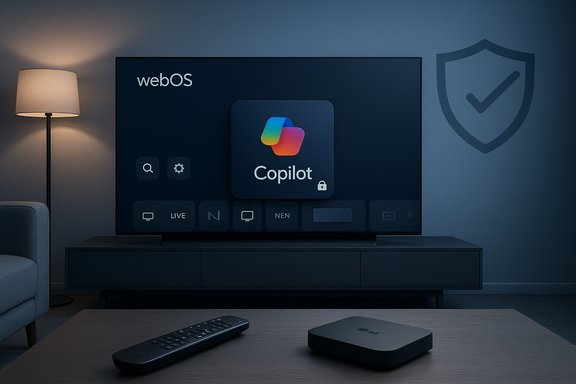
LG’s latest webOS update has quietly planted Microsoft’s Copilot on a broad set of smart TVs and — in a growing number of reported cases — left owners with no straightforward way to remove it, touching off a heated debate about device ownership, privacy, and the way manufacturers deliver new software to already‑sold hardware.
Manufacturers and platform partners will continue to embed AI into consumer hardware because the incentives are strong. The differentiator going forward will be how they ship those experiences: whether they prioritize short‑term engagement metrics or long‑term consumer trust. If vendors default to consent, clear update notes, and easy opt‑outs, AI on TVs can be welcomed in living rooms. If they continue to treat devices as remote canvases for partner services that users cannot control, expect more public blowback, regulatory attention, and calls for stricter oversight.
The immediate landscape is straightforward. Owners who prize control should either harden privacy settings and use workarounds, or demand vendor remedies. Vendors who want AI adoption without a trust deficit should make removal and consent the default, not a last resort.
Conclusion
The Copilot‑on‑LG episode is a test of how hardware makers will manage the tension between platform monetization and user sovereignty in the age of ubiquitous AI. It underlines a simple principle: innovation that ignores agency alienates the people it’s supposed to delight. Manufacturers and partners can still deliver powerful, helpful assistants to the living room — but only if they make users partners in the decision, not passive recipients of an unremovable feature.
Source: Gizmodo LG TVs Get Unremovable Microsoft Copilot App
 Background
How we got here: CES promises turned into firmware pushes
At CES 2025 OEMs and Microsoft publicly promoted an era of “AI TVs,” with LG and Samsung both naming Microsoft Copilot as a key partner for bringing conversational assistants to living‑room screens. LG used CES and subsequent product pages to position webOS as an “AI‑forward” platform — adding an AI Remote, a new AI section in webOS, and promises to surface Copilot to help users “find and organize complex information.” Those marketing commitments set expectations that Copilot would appear on more screens during 2025. What changed this month is the distribution mechanics: owners across multiple forums reported that a routine over‑the‑air webOS firmware update added a Copilot tile to their TV home screens and that, in many of those reports, the tile could only be hidden or disabled — not uninstalled. Several owners say a factory reset returned the tile, strongly suggesting the component is being delivered as a system‑level element rather than a removable Content Store app. Those field reports have been widely shared on Reddit and enthusiast communities and mirrored by mainstream tech outlets.What happened — the observable facts
The update and the visible change
Multiple owners reported receiving a standard webOS FOTA (firmware‑over‑the‑air) update. After the update, a new Copilot icon or Copilot tile appeared on the main apps ribbon or in webOS’s AI/Assistant area. On many sets the tile behaves like a shortcut to a web‑based Copilot experience and accepts voice input through the TV’s mic button.The trouble: no uninstall option
When owners navigated to the usual Edit App List or app manager, many found that Copilot did not show the trash‑can or uninstall affordance that appears for removable third‑party apps. Instead the UI offered only hide or disable — and in several documented cases a factory reset restored the tile, which is the classic symptom of a privileged system package or a firmware‑baked component. Community testing, screenshots, and step‑by‑step posts make this pattern repeatable across models and regions.What LG user documentation says about removals
LG’s own manuals and support pages are instructive because they remind users of a platform limitation: some preinstalled or system apps cannot be deleted through the UI. LG’s official guidance explains that when a preinstalled or system app is selected in Edit App List, the trash bin icon will not appear, effectively preventing deletion via that workflow. That statement is consistent with what users are experiencing when the Copilot tile lacks a delete affordance.Technical mechanics — why a TV app can feel “unremovable”
There are two well‑understood packaging patterns that explain the observed behavior:- Privileged system package: The OEM installs a component outside the standard user app sandbox and marks it as a system app. The end‑user UI typically provides only limited management actions (hide or disable) but not uninstall because removing a system package can break platform features. This is a standard approach for DRM, platform agents, and tightly integrated services.
- Firmware‑baked component: The app or shortcut is included in the firmware image that is applied by the FOTA update. A factory reset restores the firmware image (not the previous user state), so any baked‑in components reappear after reset. Removing such a component requires an OEM firmware rollback or access to low‑level flashing tools consumers don’t have.
Why this matters: ownership, privacy, and trust
Device autonomy and the bloatware problem
Smart TVs are no longer simple displays; they are embedded, networked computing platforms with app ecosystems, telemetry, and monetization channels. When manufacturers treat partner services as system‑level components pushed to devices post‑purchase, consumers lose a basic expectation: the ability to remove software they don’t want. That erosion of autonomy feels especially acute for TVs because they sit in shared family spaces where users value predictability and control. Community outrage has centered on the perception that Copilot was “forced” onto devices without sufficient notification or a meaningful removal path.Data collection and Automatic Content Recognition (ACR)
A core privacy concern is the interaction between an assistant like Copilot and existing TV telemetry. LG’s webOS supports Live Plus, an implementation of Automatic Content Recognition (ACR) that can identify what’s playing on the screen to power personalization and advertising features. Because an assistant’s value increases with contextual signals about what’s being watched, owners fear the combination of a persistent system assistant and default‑on ACR could expand profiling and ad targeting unless clear opt‑outs are enforced. Independent privacy guides and LG’s own support pages document where Live Plus and related user agreements live in settings, and most recommendations for privacy‑minded users begin with disabling Live Plus and opting out of interest‑based advertising.Opaque update mechanics and consent
Firmware updates are expected to patch security bugs, improve stability, and occasionally add new features. What inflames users is when an update also introduces a persistent third‑party service without an explicit consent flow, clear release notes, or a supported removal method. That pattern invites suspicion and undermines trust — especially when updates are automatic and people expect them to be limited to reliability and security fixes.Cross‑platform context: not just LG
The move to put generative or conversational assistants on TVs is industry‑wide. Samsung has publicly rolled Copilot into selected 2025 models and documented staged rollout mechanics, while other OEMs are placing their own AI or third‑party assistants into new models. TCL has been shipping Gemini integrations on some sets, and other companies have explored Perplexity or third‑party search agents. Those broader rollouts demonstrate that the feature set (Copilot, Gemini, etc. is not the unique problem; the distribution and control model is. OEMs are choosing how deep to wire partners into the platform — and that choice determines whether users can opt out.What we can verify — and what remains unproven
What’s verifiable:- Microsoft and TV OEMs publicly announced Copilot integrations at CES and in product materials.
- Multiple owners on Reddit and enthusiast forums reported a webOS update that added a Copilot tile which, in many cases, lacked an uninstall option and could be hidden but not deleted. Those reports include screenshots and stepwise accounts.
- LG’s support documentation explicitly states that preinstalled and system apps cannot be deleted using the normal Edit App List workflow. That behavior explains why some apps show hide/disable but no trash icon.
- Whether LG intentionally packaged Copilot as a privileged system app for all affected firmware builds, or whether the behavior is an accidental side effect of a particular webOS image, is not publicly confirmed by LG or Microsoft. Independent firmware analysis or an OEM statement is required to prove intent and packaging method.
- Claims that Copilot introduced novel ambient‑audio capture, new telemetry categories, or expanded cross‑vendor profiling have not been independently audited. These are reasonable concerns given how assistants use context, but they must be verified with technical analysis or vendor disclosure before being treated as factual.
Consumer mitigation: realistic options (and their trade‑offs)
Owners upset by an unremovable Copilot tile have a small toolkit of imperfect mitigations. Each option carries trade‑offs — convenience, functionality, or future updates may be reduced.- Hide the Copilot tile when the UI permits. This removes daily visibility but not the underlying component.
- Disable Live Plus / ACR and opt out of interest‑based advertising in User Agreements. This reduces contextual signals but does not remove a system app.
- Keep the TV offline (disconnect Wi‑Fi/Ethernet). This prevents cloud calls and updates but disables streaming, smart features, and voice sign‑in.
- Use an external streaming device (Apple TV, Roku, Fire TV, Nvidia Shield). Treat the TV as a dumb display; this preserves privacy but sacrifices webOS convenience and integrated experiences.
- Router‑level blocking (Pi‑Hole, firewall rules, DNS blackholes) to block telemetry and ad domains. This can be effective but risks collateral damage and requires network expertise.
- Request a software rollback from LG or insist on a vendor statement and a supported uninstall path. This is the least technical but most effective long‑term remedy — and it depends on vendor responsiveness.
Why OEMs do this — commercial incentives and the business model
Understanding vendor incentives clarifies why the feature was delivered in this way.- Feature differentiation: In a commoditized hardware market, software and AI experiences are headline features that justify premium pricing and marketing narratives. Vendors want to show an “AI” advantage on spec sheets and store floors.
- Ecosystem reach: Microsoft benefits from placing Copilot on household screens to deepen cross‑device continuity with Windows, Xbox, and Microsoft 365. OEMs trade distribution for partnership advantages.
- Monetization: Assistants improve personalization and ad targeting when paired with telemetry. A persistent assistant that can access context increases the monetizable value of the platform if the company ties usage to promotion or ad inventory. That potential revenue is a clear incentive to embed partner agents as first‑class features.
Regulatory and reputational risk
Forcing or deeply embedding partner services via firmware updates without clear opt‑in raises potential regulatory attention in jurisdictions with strict consent rules for profiling and interest‑based advertising. The recall of previous smart‑TV privacy controversies (notably ACR settlements) demonstrates that regulators and consumer advocates will scrutinize default‑on telemetry and opaque update practices. Companies that prioritize short‑term engagement metrics over durable user consent risk fines, reputational damage, and lost customer trust.What LG and Microsoft should do next
To repair trust and avoid escalation, vendors should consider these immediate moves:- Publish a clear technical bulletin explaining how Copilot was delivered (system app vs. baked firmware) and the security and privacy implications of the integration.
- Provide a supported removal option or a rollback path for affected firmware builds — ideally via an OTA patch that restores a removable app model or exposes an uninstall affordance.
- Default to privacy‑minimal settings for new assistant integrations, requiring a clear opt‑in for personalization that uses ACR or cross‑service sign‑in.
- Publish precise update notes for firmware rolls that list functional additions, where they land in the UI, and whether user actions (uninstall/hide/disable) are supported.
- Ensure a robust customer communications plan: direct notifications to owners, support scripts, and easy‑to‑follow guidance for privacy controls.
Practical how‑to: immediate steps for owners who want to act now
- Disable Live Plus / ACR: Settings → All Settings → General → Live Plus (menu wording varies by model). Also check User Agreements for Viewing Information, Personal Advertising, and Voice Information and toggle opt‑outs.
- Hide the Copilot tile: Enter Edit App List and hide the icon if the UI permits. This is cosmetic but reduces daily friction.
- Use an external streamer: For a “dumb display” workflow, plug in an external device and use the TV only as a screen. This bypasses webOS for primary streaming.
- Isolate the TV on a separate network or use router blocking: Create a guest SSID or use DNS filtering to block telemetry domains if you have the skill and patience. This can mitigate data flows but may break services.
- Contact LG support and demand clarity: Ask whether your firmware includes Copilot as a system app and whether LG will issue a removal or rollback. Keep records of responses.
Final assessment — balancing innovation with agency
Putting generative AI on TVs is not, by itself, a bad idea. Conversational assistants can meaningfully improve accessibility, discovery, and interactivity on big screens when implemented thoughtfully. The problem in this case is execution: delivering Copilot as a persistent, often non‑removable tile via a firmware update — without transparent notice and a supported removal path — turned a design opportunity into a trust failure.Manufacturers and platform partners will continue to embed AI into consumer hardware because the incentives are strong. The differentiator going forward will be how they ship those experiences: whether they prioritize short‑term engagement metrics or long‑term consumer trust. If vendors default to consent, clear update notes, and easy opt‑outs, AI on TVs can be welcomed in living rooms. If they continue to treat devices as remote canvases for partner services that users cannot control, expect more public blowback, regulatory attention, and calls for stricter oversight.
The immediate landscape is straightforward. Owners who prize control should either harden privacy settings and use workarounds, or demand vendor remedies. Vendors who want AI adoption without a trust deficit should make removal and consent the default, not a last resort.
Conclusion
The Copilot‑on‑LG episode is a test of how hardware makers will manage the tension between platform monetization and user sovereignty in the age of ubiquitous AI. It underlines a simple principle: innovation that ignores agency alienates the people it’s supposed to delight. Manufacturers and partners can still deliver powerful, helpful assistants to the living room — but only if they make users partners in the decision, not passive recipients of an unremovable feature.
Source: Gizmodo LG TVs Get Unremovable Microsoft Copilot App
