

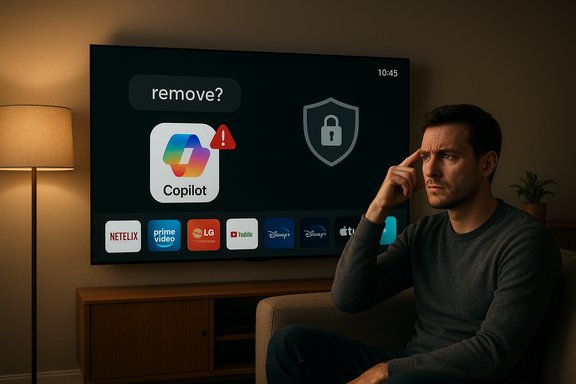
LG’s sudden push of Microsoft Copilot onto webOS TVs — surfaced as an undeletable icon after an automatic update — has forced a public retreat: the company now says the Copilot tile is a browser-based shortcut rather than a native app, and it will issue a webOS update to let owners delete the shortcut if they wish. What began as a routine platform enhancement has turned into a textbook case of user-choice failure, highlighting the fragile trust between smart‑device makers and their customers, and exposing technical, privacy, and product‑management gaps that deserve scrutiny.
Background
LG announced plans to bring Microsoft Copilot to its TVs earlier in the year, positioning the integration as an accessibility and convenience feature for on‑screen search, content discovery, and simple AI assistance. The rollout, however, took a different shape in mid‑December when many owners reported that a software update automatically added a Copilot icon to their TVs. Rather than a removable program, the icon functioned as a shortcut that launched a Copilot experience in the TV’s web browser.A widely shared user post — which quickly became the primary flashpoint for the controversy — captured the frustration: owners discovering an app-like icon they neither requested nor could fully remove. The immediate reaction from users ranged from annoyance to distrust, with some disconnecting devices from the internet entirely as a precaution. In response to the backlash, LG said it “respects consumer choice” and will make changes to allow the shortcut to be deleted in an upcoming webOS update. No timeline has been published for that update.
What actually happened: technical anatomy of the issue
The distinction: native app versus browser shortcut
At the heart of the controversy is a seemingly small but important technical distinction. The Copilot tile on affected LG TVs is not, according to LG, a native application embedded in webOS. Instead, it behaves as a browser-based shortcut — effectively a link that opens a Copilot service hosted on the web.That distinction matters for several reasons:
- Native apps are usually installed, managed, and removed through the OS’s application control surface. They run within sandboxed app environments, may have dedicated storage and update channels, and are typically treated as first‑class system objects.
- Browser shortcuts, by contrast, are handled by the system’s UI layer as tiles or bookmarks that invoke the platform browser to render a remote web page. They may not appear in the app management UI and therefore can be harder for the user to uninstall without explicit UI support.
How webOS updates create persistent changes
Modern smart TV platforms, including webOS, regularly receive over‑the‑air updates that alter system menus, UI assets, and installed platform shortcuts. These patches are necessary for security, performance, and new feature delivery, but they also carry the risk of changing the device’s behavior in ways owners might not expect or want.If an update modifies the system launcher to include new tiles as persistent assets, the only way to revert that behavior — for the end user — is either through specific “remove” functionality implemented by the vendor or by receiving a subsequent update that changes how the launcher treats those tiles. In this case, LG has acknowledged that enabling deletion will require a further webOS update.
Why this matters: privacy, choice, and trust
User autonomy and the problem of enforced features
The core complaint is straightforward: users want control over their devices. When a manufacturer installs or adds features without giving owners a clear opt‑out or remove option, it erodes trust.Smart TVs are not just content playback devices; they are networked, sensor‑laden platforms that can collect data and influence a household’s digital experience. Owners reasonably expect to be able to remove third‑party integrations they do not want.
Privacy and telemetry implications
The presence of an AI assistant tile raises questions about data flows. Even if the Copilot experience is browser‑hosted, interactions initiated from the TV can trigger web requests, telemetry, and account interactions. Users are rightly concerned about what data is being transmitted, stored, or associated with their device identifiers.While neither LG nor Microsoft has framed the addition as intrusive data collection, the lack of upfront transparency and controls magnified fear. When a feature appears unexpectedly and cannot be removed, the presumption is often the worst — that a new data sink has been added without consent. That’s a reputational cost for any manufacturer.
The optics of forced AI
AI, and especially generative or assistant‑style AI, is a lightning rod. Many users are cautious about having an AI presence on devices that sit inside the home. Adding Copilot without a straightforward uninstall path feeds narratives about corporations pushing AI into consumers’ private spaces without permission. Whether justified or not, the optics were poor.Corporate responsibilities and product management failures
Why communication matters
This incident is as much a product‑management failure as it is a technical one. Long before the update pushed to millions of TVs, LG could have:- Announced the change with clear, device‑specific rollout notes;
- Provided an opt‑in path for users who wanted Copilot on their TV;
- Included direct uninstall/remove instructions alongside the update.
Testing and UI validation
Adding a shortcut that cannot be uninstalled creates predictable user friction. Proper QA and UI validation should have flagged that the launcher’s tile mechanics didn’t align with expectations for removability. The fix — a change to webOS to allow deletion — was foreseeable and should have been architected before roll‑out.Practical impact on users today
Short‑term options for frustrated owners
While waiting for LG’s promised webOS update, owners have several pragmatic options to regain a sense of control or mitigate risks:- Hide the Copilot tile from the launcher (if the OS offers hide functionality).
- Place the TV on a segmented or isolated network to limit telemetry and outbound requests.
- Use router‑level blocking (DNS blackholing, Pi‑hole, or firewall rules) to restrict access to the Copilot service domain if identifiable.
- Switch off automatic updates entirely, if the TV’s settings permit, to avoid further surprises — with the caveat that this also blocks security fixes.
- Factory reset the TV to see if the tile persists after a clean state (results may vary and this can be disruptive).
- Contact LG support and request a remedy or provide feedback; reporting the issue improves the case for prioritization.
The risk of disconnecting the TV
Some owners chose to disconnect smart TVs entirely from the internet in response to the incident. While this is the most conservative privacy posture, it removes the TV’s smart functionality and prevents receiving essential security patches and app updates. For many, that’s an impractical long‑term solution.Wider implications for the industry
A recurring pattern: bloat, shortcuts, and preinstalled services
This event sits in a broader pattern across consumer electronics: manufacturers preinstall services, place partner tiles on home screens, and monetize UI real estate. When those placements are removable and transparent, they are tolerated; when they are not, they feel like vendor overreach.The TV ecosystem now competes not only on display technology and streaming subscriptions but on which companion services occupy the launcher. That competition sometimes drives aggressive placement strategies that clash with consumer expectations.
Regulatory and consumer‑protection questions
Regulators are watching the smart‑device space more closely. Questions that could draw attention include:- Does the forced presence of a third‑party service violate consumer rights or platform guarantees?
- Are users adequately informed about changes that have privacy or data‑collection implications?
- Should there be a legal “right to uninstall” for non‑system apps and shortcuts on consumer devices?
Technical deep dive: why deletion may require a webOS update
How launcher tiles are typically implemented
Smart TV launchers are not a single monolithic component; they incorporate a UI layout engine, a registry of tiles, and a storage mechanism (configuration files or system databases) that persist which tiles are present and how they behave. When an update adds a tile as a default launcher asset, it may be written into a protected system location that the regular “app management” UI does not manage.Removing that tile safely often requires the launcher code to expose a deletion API or UI — otherwise, the tile remains a system default. Implementing that deletion capability may require altering the launcher’s code paths, validating permissions, and delivering a signed update via the standard OTA channel.
Why browser‑based shortcuts can be sticky
If the Copilot shortcut is a web app shortcut (akin to bookmarking a web app as a home‑screen tile), the launcher may treat it like a system tile and not list it in the user’s “installed apps” registry. Making a shortcut deletable thus requires the UI layer to recognize the shortcut as a removable item and present the delete affordance. That change is straightforward conceptually, but it still requires a tested software update to avoid regressions.Recommendations: what LG, Microsoft, and other stakeholders should do next
For LG (product‑ and platform owners)
- Ship the promised webOS update quickly and make deletion intuitive — long‑press and a “Delete” or “Uninstall” affordance is a simple expectation.
- Publish clear release notes that explain what the Copilot tile does, what data is sent, and how users can control it.
- Offer a self‑service rollback or opt‑out for users who prefer not to receive the Copilot feature.
- Reassess how partner content is introduced into the default launcher and adopt a policy that favors opt‑in over opt‑out for non‑critical features.
For Microsoft (platform partner)
- Clarify data‑handling practices for Copilot on TV: what telemetry, authentication, and storage are involved when users launch it from a TV.
- Provide a lightweight privacy FAQ designed for TV users, explaining session persistence, authentication options, and how to use Copilot without linking personal accounts — when feasible.
- Work with OEMs to ensure that any partner placement respects user uninstallability and consent norms.
For consumers
- Review your TV’s privacy and network settings; disable features you don’t want and use segmented networks where possible.
- Keep automatic updates on if you value security; otherwise, be aware of the tradeoffs when disabling updates.
- Use vendor support channels and public forums to voice concerns — manufacturers do respond when complaints reach scale.
For regulators and consumer advocates
- Push for clearer labeling of what constitutes a preinstalled system feature versus an optional third‑party service.
- Consider rules requiring uninstallability or clear opt‑outs for non‑essential preinstalled features on connected devices.
Balancing convenience and control: design lessons
The golden rule: “If it’s easy to install, it must be easy to remove”
User interfaces that make it effortless to add services but difficult to remove them are inherently asymmetrical and breed mistrust. Smart TV UX designers should adopt the simple heuristic: any UI element introduced by an update should be removable through the same surface that installs it.Defaults matter
People rarely change defaults. When a company places a service in a default location on a device people live with every day, that placement acts as an endorsement and a persistent nudge. Manufacturers must be selective and transparent about which defaults they push.Communication reduces friction
A short, readable update notice explaining the change, the reason it was added, and how users can remove or disable it goes a long way. When updates carry privacy‑sensitive changes, layered notices (banner + detailed link in settings) help.The reputational cost and the road forward
LG’s quick acknowledgment that it will allow deletion is a pragmatic first step. But reputations in consumer tech are fragile: a single misstep that feels like a security or privacy overreach can linger and haunt brand perception for months.This episode should be a wake‑up call for every company shipping over‑the‑air updates to living rooms. The technical path to fix this is straightforward — modify the launcher to permit tile deletion and ship the patch. The harder work is restoring trust: committing to better communication, opt‑in models for third‑party integrations, and operational transparency.
Checklist: what owners should do now
- Check your TV’s launcher and hide the Copilot tile if possible.
- Review the TV’s privacy settings and disable any unwanted telemetry or voice features.
- If practical, put the TV on a guest or segmented Wi‑Fi network.
- Consider router‑level DNS or firewall blocks for domains if you identify Copilot’s endpoints and are confident you won’t break other services.
- Keep an eye out for the webOS update LG promised — apply it promptly when it arrives.
- Provide feedback to LG through official support channels and public forums to emphasize the importance of user control.
Final analysis: a small change, a big lesson
The Copilot-on-TV controversy is not about a single tile. It’s about the broader relationship between device makers and consumers in an age when everyday products are constantly updated and augmented with cloud services. A smart TV update that quietly placed a browser shortcut on millions of living room screens triggered disproportionate backlash because it violated an implicit social contract: manufacturers should not add persistent, third‑party functionality without clear consent and a clear removal path.Fixing the UI to allow deletion is necessary and overdue. But lasting repair requires deeper shifts: better product governance, clearer communication, and design rules that put user choice first. As devices continue to evolve into ambient computing surfaces, the need to respect user autonomy will only grow. Manufacturers that internalize that reality will retain trust; those that don’t will find customers increasingly unwilling to take updates on faith.
Source: Pocket-lint LG backtracks, will soon let users delete Copilot from its smart TVs
