

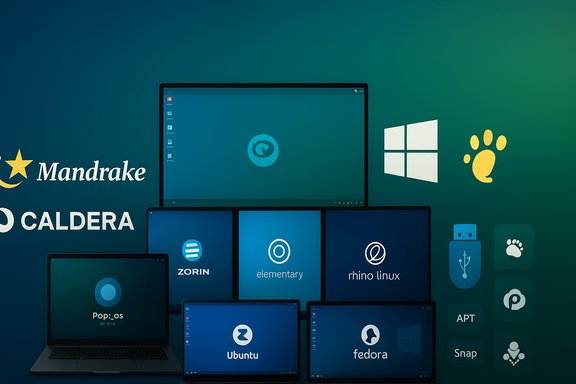
Pop!_OS, Ubuntu Budgie, Rhino Linux, Bodhi, elementaryOS, Ubuntu, Fedora, Ubuntu Server, Zorin OS, Mandrake and Caldera — the ZDNET list is both a personal tour through three decades of Linux desktop evolution and a practical guide for Windows users weighing a migration, and it reveals how design, hardware partnerships, update models and community stewardship shape which distributions endure and which become nostalgic footnotes.
Linux desktop choice is no longer an academic argument among enthusiasts: it affects hardware reuse, privacy posture, application compatibility, and the cost of ownership for hundreds of millions of consumers and small organizations. The ZDNET roundup — a personal top-11 from a long-time Linux writer — mixes current, actively developed projects (Pop!_OS, Fedora, Zorin OS) with niche or archival entries (Rhino Linux, Mandrake, Caldera) to tell a broader story about what matters in 2025: modern UX polish, rolling vs. fixed release trade-offs, hardware integration, and thoughtful defaults for new users.
This feature unpacks that list, verifies the most important technical claims where they matter, and offers a critical analysis aimed at Windows users, desktop power users, and IT decision-makers who are evaluating the best Linux distributions for daily computing in 2025.
Why it’s strong
Why it’s strong
For anyone migrating from Windows, the practical route is consistent: inventory, live-test, pilot, and then switch. For power users and tinkerers, the list points toward promising innovations worth following. And for nostalgia buffs, Mandrake and Caldera are useful reminders that many user-friendly ideas in today’s desktops were forged in the early days of Linux.
(Technical verifications referenced in this article reflect public release notes and independent reporting available from vendor pages, project blogs and respected Linux coverage outlets; where a claim could not be independently measured — notably market-share forecasts — it has been flagged as speculative.
Source: ZDNET My 11 favorite Linux distributions of all time, ranked
 Background
Linux desktop choice is no longer an academic argument among enthusiasts: it affects hardware reuse, privacy posture, application compatibility, and the cost of ownership for hundreds of millions of consumers and small organizations. The ZDNET roundup — a personal top-11 from a long-time Linux writer — mixes current, actively developed projects (Pop!_OS, Fedora, Zorin OS) with niche or archival entries (Rhino Linux, Mandrake, Caldera) to tell a broader story about what matters in 2025: modern UX polish, rolling vs. fixed release trade-offs, hardware integration, and thoughtful defaults for new users.This feature unpacks that list, verifies the most important technical claims where they matter, and offers a critical analysis aimed at Windows users, desktop power users, and IT decision-makers who are evaluating the best Linux distributions for daily computing in 2025.
Overview of ZDNET’s picks — quick summary
- Pop!_OS — System76’s polished, performance-first desktop (COSMIC) and the writer’s top recommendation.
- Ubuntu Budgie — a configurable, attractive Ubuntu flavor with the Budgie desktop.
- Rhino Linux — a young, rolling-Ubuntu experiment with multiple package managers and a rolling model.
- Bodhi Linux — lightweight distro featuring the Moksha desktop (an Enlightenment fork) for older hardware.
- elementaryOS — design-first distro with a consistent, Mac-like aesthetic and privacy-focused features.
- Ubuntu (desktop) — the ubiquitous, beginner-friendly generalist.
- Fedora — cutting-edge, developer-leaning distro that has matured into a fast, modern desktop.
- Ubuntu Server — writer’s preferred server distribution for ease of use and wide software availability.
- Zorin OS — Windows-friendly layouts and migration tooling, with paid Pro editions offering extra polished layouts and apps.
- Mandrake (historical) — fondly remembered, a precursor to Mandriva/OpenMandriva; a formative user-friendly distro.
- Caldera OpenLinux (historical) — early commercial Linux distribution and the author’s first Linux experience.
Why this list matters now
Linux desktop adoption is driven by several converging trends: the end of mainstream support for older Windows versions, more robust graphics/driver stacks on Linux, the maturing of compatibility layers like Proton/Wine, and hardware vendors (notably System76) shipping systems with Linux by default. These macro forces make the choice of distribution more consequential: a distro determines installer ergonomics, hardware enablement, update policy and long-term maintainability. The ZDNET piece captures this era by mixing practical recommendations for switchers with fond recollections of the early, formative distros that shaped this ecosystem.Deep dive: the distributions (what they are, why they matter, and technical verification)
Pop!_OS — System76’s desktop, now with COSMIC
Pop!_OS is the author’s top pick, largely because of its close integration with System76 hardware and a performance-oriented desktop experience. System76 has intentionally developed Pop!_OS as the default OS for its laptops and desktops, and the company has been shipping Pop!_OS and building hardware and firmware with Linux-first support for years. Recent development has centered on COSMIC, a Rust-based, Wayland-native desktop shell that replaces or augments GNOME-style workflows with a tiled, productivity-focused experience. System76’s public product pages and engineering blog confirm COSMIC’s integration into Pop!_OS and show an ongoing feature roadmap and alpha/beta cadence for COSMIC development. Why it’s strong- Tight hardware + software integration (System76 machines tuned for Pop!_OS).
- A productivity-first UI with native tiling, hybrid graphics tools, and Steam-friendly defaults.
- LTS releases with conservative kernel/security stacks when needed; COSMIC updates delivered on top.
- Pop!_OS’s polished defaults and newer desktop components (COSMIC) can make it heavier on RAM and GPU than ultra-lightweight distros; it’s less suitable for reviving very old hardware.
- COSMIC is actively developed; early alphas/betas can present UX regressions or niche compatibility quirks for unusual peripherals. System76’s release notes and blog posts provide an accurate picture of features and limitations.
Ubuntu Budgie — elegance and configurability built on Ubuntu stability
Ubuntu Budgie combines Ubuntu’s package base and hardware support with the Budgie desktop’s clean visuals and sensible defaults. Its strengths are configurability and aesthetics; it’s an excellent candidate for users who want beauty and familiarity without sacrificing the backing of Ubuntu’s repositories and LTS cadence.Why it’s strong
- Uses Ubuntu’s driver and firmware stacks — excellent out-of-the-box hardware compatibility.
- Budgie offers a clean, modern desktop with flexible panels and applets.
- While Budgie is mature, some niche hardware may require manual driver installs — but Ubuntu’s ecosystem makes resolution straightforward.
Rhino Linux — a modern experiment in rolling Ubuntu and package flexibility
Rhino Linux is notable on this list as an experimental, youth-led distro that aims to combine an Ubuntu base with a rolling release model and layered package management. Rhino’s core innovation is its embrace of multiple package sources (APT, Flatpak, Snap, and Pacstall — a community-created package manager with AUR-like package building for Debian/Ubuntu). Rhino provides a unified wrapper (rhino-pkg / rhino-pkg2 / RPK2 depending on the snapshot) to aggregate package operations and delivers frequent snapshot images while treating the installed system as rolling. Coverage from project blogs and independent outlets confirms Rhino’s approach and rapid development since its 2023 release. Why it’s strong- Access to newer userland and kernels without leaving the familiarity of Ubuntu’s ecosystem.
- Flexible package sources allow users to pick the tooling they prefer.
- Rolling Ubuntu is experimental: mixing unstable upstreams with Debian/Ubuntu packaging creates a risk of breakages or dependency conflicts versus a standard LTS. Rhino’s own documentation and independent reviews explicitly warn that the distro is for users who accept occasional instability. If you need absolute stability for work, prefer an LTS-based distribution instead.
Bodhi Linux — Moksha, Enlightenment’s direct descendant
Bodhi Linux leverages the Moksha desktop, a lightweight fork of Enlightenment that emphasizes configurability, low resource usage, and eye-catching themes. Moksha’s origins — a continuation of Enlightenment 17/19 design decisions — are well-documented in project histories, and Bodhi’s decision to remain Ubuntu-based gives it a reliable underlayer while keeping the desktop nimble. Moksha’s features (shade windows, global desktop menu options, gadget applets) are distinct and highly tweakable. Why it’s strong- Exceptional at reviving old hardware due to low memory and CPU footprint.
- Deep UI customization without paying a large performance tax.
- Moksha’s distinct desktop paradigms can present a learning curve for total newcomers; support resources are smaller than for mainstream DEs like GNOME or KDE.
elementaryOS — a design-first, privacy-conscious desktop
elementaryOS is a long-established, design-oriented distro with a tightly curated set of apps and a consistent visual language that draws comparisons to macOS. The project emphasizes simplicity, a consistent UX, and privacy features; recent releases introduced a Wayland-backed “Secure Session” by default and iterative UI polish. Independent reporting confirms the 8.1 release and highlights Wayland adoption and the Secure Session defaults intended to enforce privacy-minded application behavior. Why it’s strong- Excellent for users who care about aesthetics and a cohesive app ecosystem.
- Thoughtful privacy-oriented defaults and a curated app catalog.
- The curated model is both a strength and a limitation: some heavy or niche applications may require manual installs or Flatpak packages, and power users may find the defaults restrictive.
Ubuntu (desktop) and Ubuntu Server — the generalist and the server standard
Ubuntu continues to be a practical all-around choice. Desktop Ubuntu offers wide hardware support, predictable release cadences (LTS and interim releases), and a massive support ecosystem. On the server side, Ubuntu Server remains a go-to for quick deployments, easy management (cloud images, snaps, apt), and security updates — the ZDNET author’s server preference aligns with Ubuntu’s broad adoption across cloud and bare-metal deployments. Canonical’s documentation and Ubuntu’s release pages corroborate the distribution’s popularity in both desktop and server roles.Why it’s strong
- Large repositories, commercial support options, and a predictable lifecycle for LTS releases.
- Wide software availability — apt plus snaps and Flatpak make server software installation straightforward.
- Default tooling choices (snap, for instance) are sometimes controversial among power users; evaluate tooling trade-offs for your team’s workflows.
Fedora — the bleeding-edge, modern desktop that matured fast
Fedora has long been the distribution for cutting-edge Linux features. Around the Fedora 40 cycle reviewers noticed a marked improvement in desktop responsiveness and tighter integration of new features (GNOME 46, KDE Plasma 6 spins, Wayland improvements). Independent reviews and retrospectives confirm that Fedora’s performance and desktop fluidity improved markedly with Fedora 40, turning the “loved to hate” sentiment in some communities into genuine appreciation. Fedora’s fast update cadence suits users and developers who prefer newer kernels and libraries. Why it’s strong- Fast access to recent kernels and desktop stacks.
- Strong upstream alignment (often a proving ground for new features that later land elsewhere).
- Rapid cadence can be a challenge for conservative users who prioritize long-term stability; Fedora’s lifecycle is shorter than Ubuntu LTS.
Zorin OS — migration tooling and Windows-like layouts
Zorin OS is consistently presented as a top pick for users leaving Windows because it provides a switch-on login layout selector that can emulate Windows, macOS or GNOME-like workflows. Zorin Pro editions add polished layouts and paid extras; the vendor’s product pages confirm multi-layout capabilities and paid Pro variants that include additional themes and commercial support bundles. Zorin’s design and migration tooling reduce retraining friction for households and small offices. Why it’s strong- Immediate familiarity for Windows switchers.
- Focus on reducing cognitive friction during migration.
- The Pro edition is commercial; evaluate value vs. free options if budget-conscious.
Mandrake / Mandriva and Caldera OpenLinux — historical roots and why they matter
The list’s inclusion of Mandrake (Mandriva) and Caldera OpenLinux is an acknowledgement that modern desktop distribution design grew from efforts in the late 1990s and 2000s to make Linux approachable for desktop users. Mandrake’s user-friendly installers and configuration tools were important precursors to today’s “easy install” distros; Mandrake later evolved into Mandriva and spawned forks (Mageia, OpenMandriva). Caldera OpenLinux was an early commercial Linux effort that shipped graphical installers and business-oriented tooling; its history is well documented in Linux historical records. These distributions no longer dominate, but their influence persists in usability expectations and installer design. Why remembering them matters- They reveal the origins of desktop-friendly tooling (graphical installers, hardware enablement).
- They explain the lineage of community forks and how projects evolve when corporate-backed distributions change direction.
- Nostalgia is useful but should not replace evaluation against current security and compatibility needs.
Cross-check: key technical claims verified
- System76 ships Pop!_OS on its machines and has made COSMIC a core focus; Pop!_OS 24.04 LTS and COSMIC betas are public and documented on System76’s blog and download/release notes.
- Rhino Linux is an actual rolling-Ubuntu distribution that blends APT with Pacstall and wrapper tooling (rhino-pkg/RPK2); independent coverage and the project’s own FOSDEM talk confirm its rolling approach and multi-manager strategy. Rhino’s rolling model is experimental and intended for users comfortable with occasional instability.
- Moksha on Bodhi is indeed an Enlightenment-derived desktop; Bodhi’s Moksha fork history and features (shade, applets, light footprint) are documented in project histories and documentation.
- elementaryOS 8.1 introduced a Wayland-backed Secure Session as the default in its 8.1 update, moving the distribution toward Wayland as its default session; multiple independent outlets reported this release and its Wayland/Secure Session defaults.
- Fedora 40 marked a visible performance and desktop refresh for Fedora’s Workstation (GNOME/KDE spins), with reviewers noting improved speed and modern desktop updates.
- The ZDNET prediction that “Linux would reach 10% market share by year-end” (or similar market forecasts) is a speculative projection and should be treated cautiously: user-level market share metrics are noisy and require independent telemetry sources. Treat such market-share projections as opinion rather than verifiable fact unless backed by a named, data-driven market study.
Practical guidance for Windows users considering these distros
- Inventory applications and peripherals: list critical Windows-only apps and check compatibility with Proton, Wine, or a VM.
- Create live USBs and test: boot a Live session for at least a day with your Wi‑Fi, webcam, printers and GPU workloads.
- Pilot on non-critical hardware: avoid mass migrations until the pilot confirms workflows work.
- Keep a fallback: keep a Windows VM or a spare Windows machine for mission‑critical tasks that won’t run on Linux.
- Choose your release model based on tolerance for change:
- Conservative (LTS, stability): Ubuntu LTS, Ubuntu Budgie (LTS base), Zorin (LTS base).
- Balanced/modern: Pop!_OS (LTS + COSMIC updates), Fedora (fast cadence).
- Experimental/bleeding-edge: Rhino Linux (rolling Ubuntu), Fedora Rawhide/testing for desktop hackers.
Strengths and limitations — an analytical verdict
Strengths of the ZDNET selection- Balanced mix: the list covers both beginner-friendly distros and experimental projects, giving readers a spectrum of trade-offs.
- Practical framing: recommendations are rooted in usable criteria — hardware compatibility, aesthetics, update policy, and migration friction.
- Emphasis on modern desktop needs: the list highlights Wayland adoption, Rust-based desktop components (COSMIC), and the rise of curated, design-led distros.
- The list is intentionally personal and anecdotal; it mixes nostalgic picks with current recommendations without a strict methodological framework (e.g., performance testing, app-compatibility matrices).
- Risk framing could be stronger: rolling models like Rhino should come with explicit warnings about backup strategies and recovery techniques for novice users.
- Missing enterprise context: for business deployments, configuration management, long-term support contracts and security hardening specifics should factor more prominently into distro choice.
Final recommendations for readers
- If you want a polished, performance-oriented desktop backed by a hardware vendor: evaluate Pop!_OS (COSMIC) first, test on a live USB, and check hybrid graphics workflows. System76’s documentation and release notes are the authoritative source for COSMIC features and limitations.
- If you’re a Windows switcher who wants the least friction: start with Zorin OS or Ubuntu Budgie and perform a week-long pilot with a live USB and optional dual-boot. Zorin’s multi-layout features make day‑one familiarity easy.
- If you’re restoring old hardware: Bodhi Linux provides a lightweight, theme-driven experience that can be tuned for low memory systems.
- If you’re curious about rolling-Ubuntu experiments: Rhino Linux is interesting and capable, but reserve it for a secondary machine or for users comfortable troubleshooting package conflicts. Rhino’s development docs and third-party reviews stress that it is experimental.
- For servers: Ubuntu Server remains a practical, broadly supported choice; it combines ease-of-use with large package availability and commercial support paths.
Conclusion
ZDNET’s list is useful precisely because it blends affection, practical experience, and contemporary relevance. It reminds readers that the choice of Linux distribution is not merely technical trivia: it shapes workflows, hardware longevity and the daily user experience. The modern desktop landscape — from System76’s COSMIC to Rhino’s rolling-Ubuntu experiments and elementaryOS’s privacy-minded Wayland defaults — is healthier and more diverse than it has been in years.For anyone migrating from Windows, the practical route is consistent: inventory, live-test, pilot, and then switch. For power users and tinkerers, the list points toward promising innovations worth following. And for nostalgia buffs, Mandrake and Caldera are useful reminders that many user-friendly ideas in today’s desktops were forged in the early days of Linux.
(Technical verifications referenced in this article reflect public release notes and independent reporting available from vendor pages, project blogs and respected Linux coverage outlets; where a claim could not be independently measured — notably market-share forecasts — it has been flagged as speculative.
Source: ZDNET My 11 favorite Linux distributions of all time, ranked
