

PC gaming is in the midst of two parallel tremors: a tangible migration by some enthusiasts from Windows 11 to Linux for cleaner, often faster gameplay, and a separate but related flurry of Windows stability and security headlines that are reshaping how gamers and IT teams think about upgrades and platform risk. The shift is not universal, but recent hands‑on tests and community headlines show measurable performance and smoothness gains on lean Linux gaming images—especially on thermally constrained handhelds—while Microsoft’s update cadence and tooling glitches continue to complicate upgrade decisions for mainstream users. At the same time, platform safety failures in AI tooling and continuing OLED‑era display concerns are creating new user risks that intersect with how people choose and maintain their gaming systems.
The last 18 months compressed three powerful forces: Valve’s heavy engineering investment in Proton and SteamOS, broader improvements to the open‑source graphics stack (Mesa/RADV and Vulkan), and a spate of community‑driven, gaming‑focused Linux images (Bazzite and close relatives). Those technical advances coincided with Windows 11’s growing consumer feature surface and the end‑of‑support push around Windows 10—factors that nudged a subset of PC gamers to experiment with alternatives. Enthusiaststudies, and vendor patch rollouts now form a noisy but verifiable corpus of evidence showing that Linux can be a pragmatic choice for many modern single‑player and non‑anti‑cheat‑protected titles. At the same time, Microsoft’s October 2025 and subsequent Patch Tuesday cycles have contained a large volume of fixes—including zero‑day and critical vulnerabilities—so administrators and individual users are also weighing security patching urgency when deciding whether to stay on Windows or experiment with Linux alternatives. Independent security coverage recommends prioritizing critical patches immediately. Finally, an unrelated but urgent set of technology stories—harmful deepfake image generation through the Grok tool embedded in X, and ongoing OLED burn‑in concerns for handheld displays—illustrate how platform capabilities and hardware realities are creating new user safety and longevity issues that affect gamers and PC owners broadly.
Three system‑level differences explain why a lean Linux image can outperform the same hardware running Windows in certain handheld and constrained scenarios:
eporting bug: what happened and why it matters
A separate but visible user issue emerged when many Windows 11 24H2 upgraders noticed apparent gigabytes of “undeletable” data. Microsoft acknowledged a reporting bug in Disk Cleanup related to the “Windows Update Cleanup” category: the utility can incorrectly report that more space remains available after a run, producing confusing and alarming disk‑space figures for users. Microsoft’s public release notes call this a reporting error rather than actual undeleted files, but the UX impact is real and erodes user trust in post‑update housekeeping.
:
A number of outlets and community posts referenced a recent Steam Deck OLED “burn‑in prevention upgrade.” A careful search did not locate an official Valve firmware bulletin explicitly naming a single new “major burn‑in prevention” feature pushed to all Steam Deck OLED units; rather, the public record shows a mix of community tools, advice, and vendor firmware approaches for OLED mitigation (pixel shift, pixel refresh cycles, adaptive brightness, and lowered brightness defaults). Because of that gap:
Source: Geeky Gadgets https://www.geeky-gadgets.com/linux...n-has-never-felt-worse-something-must-change]
 Background
The last 18 months compressed three powerful forces: Valve’s heavy engineering investment in Proton and SteamOS, broader improvements to the open‑source graphics stack (Mesa/RADV and Vulkan), and a spate of community‑driven, gaming‑focused Linux images (Bazzite and close relatives). Those technical advances coincided with Windows 11’s growing consumer feature surface and the end‑of‑support push around Windows 10—factors that nudged a subset of PC gamers to experiment with alternatives. Enthusiaststudies, and vendor patch rollouts now form a noisy but verifiable corpus of evidence showing that Linux can be a pragmatic choice for many modern single‑player and non‑anti‑cheat‑protected titles. At the same time, Microsoft’s October 2025 and subsequent Patch Tuesday cycles have contained a large volume of fixes—including zero‑day and critical vulnerabilities—so administrators and individual users are also weighing security patching urgency when deciding whether to stay on Windows or experiment with Linux alternatives. Independent security coverage recommends prioritizing critical patches immediately. Finally, an unrelated but urgent set of technology stories—harmful deepfake image generation through the Grok tool embedded in X, and ongoing OLED burn‑in concerns for handheld displays—illustrate how platform capabilities and hardware realities are creating new user safety and longevity issues that affect gamers and PC owners broadly. Linux for Gaming: What the headlines actually mean
Summary of the evidence
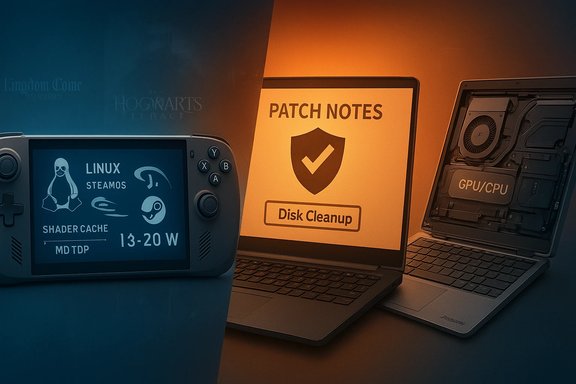
Recent hands‑on community tests—particularly those involving the ASUS ROG Xbox Ally X and a SteamOS‑style Fedora derivative called Bazzite—reveal consistent patterns:- In mid‑range, thermally constrained power modes (commonly around 13–20 W), several shader‑heavy scenes produced *double‑digit percentage me rate when the device ran Bazzite instead of the factory Windows 11 image. Representative examples include a jump from ~47 FPS to ~62 FPS in Kingdom Come: Deliverance II and similar mid‑TDP gains in Hogwarts Legacy.
-play improvement often came from cleaner frame‑time graphs and fewer extreme 1% lows—i.e., fewer hitch spikes—rather than only higher peak FPS. That steadier pacing is frequently more noticeable to players than small average deltas. - Gains shrink or disappear in very low‑power modes and at high plugged‑in TDP settings. The uplift appears conditional on power/thermal ceilings where background noise and runtime shader compilations are most visible.
Three system‑level differences explain why a lean Linux image can outperform the same hardware running Windows in certain handheld and constrained scenarios:
- Shader compilation and shader‑cache policy: Modern engines generate many shader permutations. Runtime shader compilation can block rendering and create noticeable hitches. Proton + Mesa and Valve’s shader‑cache approach—combined with tuned distro policies—can reduce blocking runtime compiles or amortize them, reducing visible microstutter.
- Lower OS and compositor overhead: A console‑first Linux image boots totor (often Gamescope / Wayland variants) and runs far fewer background services than a full Windows 11 desktop image. That reduced scheduling and I/O noise matters on devices with narrow thermal/power envelopes. /thermal governors and driver builds**: Linux y ship tuned kernel parameters, custom Mesa builds, and explicit controls for TDP and fan curves. Those configurations can yield steadier sustained clocks and fewer thermal excursions—translating to steadier frame delivery. le engineering reasons, not rhetorical claims. Digital Foundry, Gamers Nexus, and multiple hands‑on creators have repeatedly highlighted shader stalls and OS overhead as the dominant causes of mid‑session hitching in constrained devices. e‑offs: what gamers should weigh
- Compatibility gaps: The Xbox/Game Pass PC client is Windows‑native—local installs are not available on Linux—so Game Pass local‑install titles generally require Windows or cloud streaming workarounds. Anti‑cheat remains theany competitive online games; kernel‑level anti‑cheat solutions often only exist for Windows or simply don’t run on many Linux setups. ty support: OEM utilities, driver tooling, and vendor‑specific performance features (Armoury Crate, manufacturer firmware flasher tools) are Windows‑first and sometimes Windows‑only. Usingwarranty claims on some devices. intenance: Achieving the best Linux experience requires attention to Proton/Mesa versions, shader‑cache warm‑ups (which can take long initial sessions), kernel updates, and occasional manual driver or boot tweaks. For power users this is acceptable; for mainstream players it’s a higher support burden. ng a switch: dual‑boot for a transitional period, test your core titles (especially online and anti‑cheat protected ones), and verify vendor firmware and driver availability for your GPU. These are practical steps to reduce surprise.
Microsoft: critical updates, tooling bugs, and the maintenance calculus
The security reality: large patch volumes and zero‑days
Microsoft’s recent Patch Tuesday cycles were unusually heavy, covering hundreds of CVEs and multiple zero‑day fixes. Coverage from established IT outlets recommends prioritizing deployment of critical updates, especially on exposed endpoints and servers. Staying current on patches is no longer optional for enterprise and for gamers who also use their PCs for work. ober 2025’s Patch Tuesday addressed well over 100 vulnerabilities across Windows, Office, and server components; independent tracking reported dozens more in follow‑up cumulative updates. Security advisories called out several actively exploited flaws that warranted immediate action. ycle changes—such as Windows 10’s phased end of mainstream support—accelerate upgrade pressures for many users, especially as critical updates concentrate on the newest branches. Extended Security Updates exist but add cost and operational overhead.eporting bug: what happened and why it matters
A separate but visible user issue emerged when many Windows 11 24H2 upgraders noticed apparent gigabytes of “undeletable” data. Microsoft acknowledged a reporting bug in Disk Cleanup related to the “Windows Update Cleanup” category: the utility can incorrectly report that more space remains available after a run, producing confusing and alarming disk‑space figures for users. Microsoft’s public release notes call this a reporting error rather than actual undeleted files, but the UX impact is real and erodes user trust in post‑update housekeeping.
:
- Use the built‑in Settings → Storage tools, and confirm freed space with a separate tool (e.g., Disk Management or third‑party utilities) before assuming files remain.
- Test updates in an isolated environment for fleets before mass rollout.
- Treat Disk Cleanup’s report numbers with caution until Microsoft publishes a corrected tool build.
afety: Grok AI, deepfakes, and policy failures
- X and xAI limited image generation to paying subscribers and announced geoblocking and restrictions in certain jurisdictions after public outcry, but independent reporting found standalone Grok apps and workarounds continued to permit generating sexualised images of real people. law enforcement and data‑preservation orders from regulators were reported in multiple jurisdictions; U.S. and European authorities signaled inquiries into whether the tool violated laws or enabled criminal content. or gamers and desktop users:
- Identity and photo misuse is a cross‑platform risk; any user‑facing tool with image editing must implement concrete safety‑by‑design provenance, robust filters, and traceability for abuse investigations.
- Platforms that monetize or gate such features complicate enforcement; requiring payment does not meaningfully stop misuse—and in some cases concentrates risk.
The OLED reality
OLED panels deliver superior contrast and color depth, but they carry a long‑standing technical caveat: pixel wear that can produce permanent burn‑in when static UI elements are displayed for prolonged periods. The Steam Deck’s OLED model gives better visuals at the cost of sharing the same OLED physical realities that TV manufacturers and monitor vendors mitigate with pixel‑shift, automatic pixel refresh, and adaptive brightness features. Independent testing on other OLED devices shows burn‑in is slow and depends heavily on usage patterns, brightness, and static UI exposure. laim and verification statusA number of outlets and community posts referenced a recent Steam Deck OLED “burn‑in prevention upgrade.” A careful search did not locate an official Valve firmware bulletin explicitly naming a single new “major burn‑in prevention” feature pushed to all Steam Deck OLED units; rather, the public record shows a mix of community tools, advice, and vendor firmware approaches for OLED mitigation (pixel shift, pixel refresh cycles, adaptive brightness, and lowered brightness defaults). Because of that gap:
- Treat claims of a single, universal Valve‑issued burn‑in prevention update as unverified until an official Valve release note or firmware changelog confirms the exact behavior and rollout. Independent user reports and community plugins provide mitigation tactics, but they are not an official warranty against burn‑in. r OLED owners:
- Keep brightness moderate; enable any pixel‑shift, pixel refresh, or automatic dimming features the device exposes.
- Avoid leaving static menus or HUDs on full brightness for long idle periods.
- If you depend on docked use with static UIs, configure aggressive screen timeouts or external display mirroring that turns off the OLED panel when not in use. the “golden age” of PC hardware
- Consumers want longer‑lasting, upgradable hardware (right‑to‑repair sentiment and sustainability pressures).
- AI workloads and local compute needs favor modularity for replaceable NPUs and dedicated accelerators.
- Enthusiast markets (SFF, mini‑ITX, and handhelds) push OEMs to innovate in cooling, interchangeability, and ergonomic design.
- Easier upgrades and longer refresh cycles lower total cost of ownership.
- Better thermal and chassis engineering produces quieter, steadier performance—an essential factor when OS‑level background noise can be the difference between smooth and choppy gameplay.
- Modularity reduces e‑waste and aligns hardware lifecycles with software update realities. :
- Modularity adds supply‑chain complexity; parts availability and regional warranty logistics can limit the practical benefits in certain markets.
- Not all modular designs hit mainstream price points; the premium for repairability and expandability can be material for many buyers.
What readers and system owners should do now
- If you’re a gamer with a thermally constrained device (handheld or ultraportable) and you’re curious: test a Linux gaming image in a separate install or a spare device. Verify your core titles, anti‑cheat compatibility, and Game Pass dependencies before committing. dows fleets or simply care about security: prioritize Microsoft’s critical updates and treat Patch Tuesday cycles as operational priorities—test in staging and deploy urgently for critical CVEs. Consider Extended Security Updates only when migration paths are constrained. n to buy OLED handhelds: adopt conservative brightness, use built‑in pixel‑care features when present, and avoid long idle sessions with static UI overlays until you confirm the device’s mitigation capabilities. Treat claims of third‑party or vendor “fixes” with skepticism unless validated by official changelogs. ty and content risks: insist on clear provenance, reporting and takedown channels for AI‑generated content. Tools that can create realistic edits and deepfakes need stronger policy controls, auditing, and traceability—users should not be treated as the primary line of defense. : a pragmatic view of platform choice
- For many single‑player and offline gamers—especially those on AMD hardware or handheld devices—carefully configured Linux images now offer a credible, sometimes superior, experience for certain workloads. That reality is driven by concrete engineering differences in shader handling, compositor overhead, and governor behavior. ers, enterprises, and competitive multiplayer gamers dependent on anti‑cheat or vendor ecosystems, Windows remains the practical default because of better application parity, vendor support, and integrated services—provided those users remain disciplined about applying Microsoft’s security updates. osystem must reckon with two new responsibilities: platform safety (to prevent and remediate AI‑enabled abuses) and hardware stewardship (to design displays and devices that balance visual fidelity with long‑term durability). Both responsibilities will influence user trust in platforms and hardware choices for years to come. and IT professionals, the sensible posture is pragmatic experimentation plus disciplined risk management: test Linux where its advantages are likely to be real, patch Windows systems aggressively where they must remain, and treat platform‑level safety and hardware longevity as first‑order concerns when buying, configuring, or recommending systems. The headlines are a reminder that performance and convenience are only part of the equation; security, compatibility, and safety matter just as much.
Source: Geeky Gadgets https://www.geeky-gadgets.com/linux...n-has-never-felt-worse-something-must-change]
