

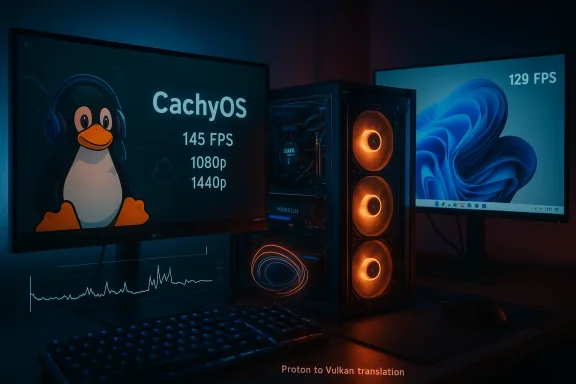
Capcom’s newest entry, Resident Evil Requiem, has quickly become not just a commercial hit but a stress test for modern PC stacks — and a fresh benchmark battleground for an argument that’s been heating up for years: can Linux actually beat Windows at gaming? A recent set of side‑by‑side tests summarized in the community and press — driven by a detailed YouTube test from the NJ Tech channel and reported by outlets including Notebookcheck — shows CachyOS (a gaming‑tuned Arch derivative running Proton-CachyOS) delivering higher average frame rates than a Windows 11 Pro 25H2 install on the same hardware, with one headline figure claiming 145 FPS on Linux vs 129 FPS on Windows 11 when Frame Generation is used. This result, if reproducible, exposes the complex interactions between drivers, middleware (Proton), vendor frame‑generation implementations and OS platform overhead — and it deserves careful unpacking. tps://overclockers.ru/blog/breaking-news/show/250734/Linux-obespechil-rost-fps-v-Resident-Evil-Requiem-na-fone-Windows-11-v-1080p-i-1440p-na-RX-5700-XT)
Resident Evil Requiem shipped with modern upscaling and frame‑generation options (DLSS / DLSS Frame Generation on NVIDIA hardware, and AMD’s driver‑level Fluid Motion Frames / AFMF on Radeon hardware), a path‑traced rendering mode and a fairly broad compatibility surface that has forced reviewers and players to exercise multiple APIs and driver stacks. The NJ Tech video — which compared Windows 11 Pro 25H2 against CachyOS using a test rig built around an AMD Ryzen 9 7900X, 32 GB DDR5-6200 CL30, and an AMD Radeon GPU — reported consistent average‑FPS wins for CachyOS across most common settings and resolutions, with the mosearing at 1080p and 1440p. Community reports and local copies of review summaries picked up the same pattern.
Those interested in the raw technical pieces should note the environment used in the tests: the Windows side used a modern Windows 11 Pro 25H2 image; the Linux side used CachyOS with a Proton build labeled CachyOS‑Proton (20260207) to maximize compatibility. The reviewer also enabled CPU tuning features — Precision Boost Overdrive (PBO) and Curve Optimizer on the Ryzen 9 7900X — and used a typical high‑end consumer hardware stack (MSI PRO X670‑P WiFi, Samsung 980 Pro NVMe SSD, Corsair RM1000x PSU). These are important variables: driver versions, Proton builds, kernel versions and BIOS/AGESA revisions all materially affect results in modern games.
However, it is not a clean, platform‑agnostic declaration that “Linux beats Windows for games” across the board. Differences in drivers, feature support, and ecosystem maturity mean gains are often narrow, situational, and sensitive to the exact versions used. The responsible takeaway for readers is twofold:
Resident Evil Requiem’s launch has become more than another AAA game release: it’s a live experiment in how modern games expose the strengths and weaknesses of platform stacks. For the enthusiast, the lesson is clear — measure, test and tune. For the ecosystem, the lesson is perhaps larger: driver maturity, cross‑platform middleware, and transparent feature parity will decide how many gamers can realistically benefit from the last 10–15% of performance gains on any given configuration. The NJ Tech runs and the subsequent community chatter have given us a high‑quality data point — but the broader verdict will come only after more independent, cross‑vendor tests land and the driver and Proton pipelines stabilize.
Source: Notebookcheck Resident Evil Requiem benchmark shows Linux hits 145 FPS vs 129 FPS on Windows 11 with Frame Generation
 Background / Overview
Resident Evil Requiem shipped with modern upscaling and frame‑generation options (DLSS / DLSS Frame Generation on NVIDIA hardware, and AMD’s driver‑level Fluid Motion Frames / AFMF on Radeon hardware), a path‑traced rendering mode and a fairly broad compatibility surface that has forced reviewers and players to exercise multiple APIs and driver stacks. The NJ Tech video — which compared Windows 11 Pro 25H2 against CachyOS using a test rig built around an AMD Ryzen 9 7900X, 32 GB DDR5-6200 CL30, and an AMD Radeon GPU — reported consistent average‑FPS wins for CachyOS across most common settings and resolutions, with the mosearing at 1080p and 1440p. Community reports and local copies of review summaries picked up the same pattern.Those interested in the raw technical pieces should note the environment used in the tests: the Windows side used a modern Windows 11 Pro 25H2 image; the Linux side used CachyOS with a Proton build labeled CachyOS‑Proton (20260207) to maximize compatibility. The reviewer also enabled CPU tuning features — Precision Boost Overdrive (PBO) and Curve Optimizer on the Ryzen 9 7900X — and used a typical high‑end consumer hardware stack (MSI PRO X670‑P WiFi, Samsung 980 Pro NVMe SSD, Corsair RM1000x PSU). These are important variables: driver versions, Proton builds, kernel versions and BIOS/AGESA revisions all materially affect results in modern games.
What the numbers actually say
The headline: Linux averages higher FPS here
- The most quoted figure — 145 FPS on CachyOS vs 129 FPS on Windows 11 with Frame Generation enabled — appears in coverage summarizing the NJ Tech video. That single comparison encapsulates a larger pattern: Linux beat Windows in the majority of tested configurations at 1080p and 1440p, often by a mid‑single‑digit to low‑double‑digit percent, while 4K results were mixed and sometimes favored Windows depending on the exact mode and whether path tracing or specific upscalers were used.
Variation by preset and feature set
- At 1080p and 1440p the CachyOS image was ahead in 8–9 of 9 tested modes in the NJ Tech runs, with gains that ranged from small (≈4%) to meaningful (≈17–20%) depending on FSR/DLSS settings and whether driver frame generation was active. At 4K the picture was mixed: without any frame generation Windows sometimes led, but enabling FSR/driver frame generation shifted the advantage back toward Linux in some modes. These swings tell us performance here is highly feature‑dependent.
Community corroboration (or caveats)
- Linux gaming communities have been quick to share both corroborating runs and warnings: multiple posts report Resident Evil Requiem running very well on CachyOS with Proton‑CachyOS or GE Proton, but others report stutters, graphical artifacts or crashes depending on GPU driver versions (NVIDIA driver series, Mesa, Vulkan layers) and Proton revisions. In other words, results appear sensitive to driver/proton versions and user configuration.
Why Linux sometimes wins: technical anatomy
Several architectural and practical reasons can explain why CachyOS produced higher average FPS in this test rig. These are not magic — they’re measurable interactions between drivers, APIs, and the OS.1) Driver stack differences and shader handling
- On AMD hardware, the open‑source Mesa stack plus vendor‑supplied drivers can produce different shader compilation and caching behaviour compared with AMD’s Windows driver pipeline. Linux distributions optimized for gaming (CachyOS, Bazzite, SteamOS derivatives) often ship tuned kernels, preconfigured mesa/driver stacks, and aggressive shader‑cache warmup strategies that reduce runtime shader compilation hitches. That reduces CPU/GPU stalls and can raise average FPS on shader‑heavy workloads. Community performance writeups and prior distro comparisons have repeatedly shown shader cache warmup and driver differences produce visible gains.
2) Lighter background system load
- A gaming‑focused Linux distro with services trimmed and a minimal compositor can present fewer background interruptions than a stock Windows 11 image that runs numerous system services, telemetry, and helper daemons. Less OS noise reduces unexpected scheduling pauses and can reduce the magnitude of frame‑time spikes — improving average FPS and 1%/0.1% lows in some test scenarios. This is not universal, but it can be a measurable factor.
3) Proton / vkd3d‑Proton and Vulkan translation efficiency
- Proton translates Direct3D 12 calls to Vulkan via vkd3d‑Proton. On some titles this translation can be extremely efficient, particularly when combined with Mesa and a Vulkan driver implementation that matches the game's patterns well. Conversely, Windows has proprietary D3D12 drivers that sometimes incur additional overhead in specific workloads. If the translation and the Vulkan implementation align well, Linux can be surprisingly efficient. This is an active area of improvement by Valve/Wine developers and benefits many modern UE5/DirectX titles. Community test footage for RE Requiem indicates Proton‑CachyOS optimizations contributed materially to the gains in several presets.
4) Frame generation behaviour and vendor implementations
- Frame generation (driver‑level frame synthesis) is a new lever that changes the calculus. AMD’s Fluid Motion Frames (AFMF) operates at the driver level and can boost FPS outside the game's engine. However, AFMF’s behaviour, availability and latency characteristics depend on OS drivers and instruction paths. AFMF documentation explicitly warns it may add latency and requires specific driver/overlay settings to function correctly; it also has per‑API support differences and needs VSync disabled for best results. That means toggling frame generation may affect Windows and Linux differently because of driver‑level implementation differences.
Strengths of the NJ Tech / Notebookcheck findings
- Real‑world cross‑platform comparison: The test used the same hardware and multiple realistic presets — not just synthetic microbenchmarks — and included modern features like FSR/DLSS/Frame Generation. That gives the numbers practical relevance rather than theoretical interest.
- Transparency on software stack: The report lists Proton‑CachyOS (20260207) and Windows 11 25H2, plus the BIOS/AGESA and CPU tuning choices. Those details reduce the chance the result is an artifact of an obvious misconfiguration and allow readers to try to reproduce the test if they match versions.
- Community confirmation: Multiple independent Linux users reported improved performance in Resident Evil Requiem on CachyOS or similar distros, and some Steam threads reported smoother experiences in specific GPU/driver combos. That corroboration matters for headline credibility.
Risks, confounding factors and why you should be cautious
- Single rig, single GPU family — The NJ Tech tests were performed on a specific hardware configuration (Ryzen 9 7900X with a Radeon GPU in the published summary). Results do not automatically generalize to Intel/NVIDIA combinations, or to different AMD GPU generations where driver maturity and AFMF support differ. Community reports show divergent behaviour across GPUs.
- Driver and Proton volatility — Both Windows drivers (Adrenalin / NVIDIA drivers) and the Proton stack are frequently updated. A one‑week driver change can flip results. Proton‑CachyOS is a curated build; other Proton versions will behave differently. That makes snapshotting performance fragile.
- Frame generation trade‑offs — AMD’s AFMF can boost apparent FPS but may add latency or image artifacts in some modes. The AFMF release notes caution about latency and note that AFMF may disable itself in fast motion scenes to preserve image quality. That means raw FPS gains can come with gameplay trade‑offs — and comparing “FPS with frame generation” to “native FPS” needs careful context because perceived responsiveness and micro‑stutter matter as much as the headline average.
- Feature support mismatches (ray tracing, DLSS/FSR, path tracing) — Not all platforms and drivers support every high‑end feature in the same way. For example, some Linux users reported inability to enable path tracing on certain drivers or having to downgrade NVIDIA drivers to avoid specific vertex corruption. Those feature mismatches change which benchmarks are apples‑to‑apples.
- Reproducibility — The strongest conclusions come from multiple independent media using the same methodology. At time of writing, the NJ Tech result is compelling but remains one data point among many. Independent verification across GPU families, driver versions and kernel variants is necessary before concluding Linux is generally faster for Resident Evil Requiem.
Practical guidance: How to reproduce similar results (if you want to try)
If you want to test Resident Evil Requiem yourself and compare Windows 11 vs CachyOS/Proton, follow a disciplined approach to reduce noise:- Prepare the hardware:
- Use the same GPU driver version across runs where possible (note: Windows and Linux drivers are not identical, but pick the latest stable vendor releases for each).
- Disable aggressive background tasks (recording tools, overlays beyond the game’s).
- Fix the game and driver variables:
- Use the same in‑game presets and exact resolution for both tests.
- On Windows, record which Adrenalin or NVIDIA driver you used and whether AFMF/DLSS Frame Gen / MFG were enabled.
- On Linux, list the Proton version, kernel version, Mesa and Vulkan driver versions, and whether you used proton‑cachyos or proton‑ge builds.
- Run multiple warm‑up runs:
- Run the same benchmark scenario three times and discard the first run to allow shader caches to populate.
- Collect average FPS, 1% low and 0.1% low to understand smoothness, not just average. Use the game overlay and an external tool when available.
- Log temperatures and clocks:
- Capture CPU/GPU clock behavior — thermal throttling or power‑limit variation explains many anomalies.
- Share results and artifacts:
- Save the in‑game run files, driver logs, and a short system snapshot so the community can inspect them.
What this means for gamers, builders and buyers
- For gamers: If you’re comfortable with Linux and Proton, there’s a real chance you can get excellent performance in Resident Evil Requiem — in many configurations that includes higher average FPS than a vanilla Windows install. However, be ready for occasional instability, driver puzzles and the need to tune Proton or drivers. Community tips (downgrading specific NVIDIA driver minor versions, adjusting mesh quality or disabling a problematic feature) are already circulating.
- For builders and enthusiasts: This result underscores that platform choice and stack tuning now matter as much as raw hardware. Distros focused on gaming (CachyOS, Bazzite, SteamOS variants) are maturing quickly and can extract additional performance in practical scenarios.
- For buyers and competitive players: Frame generation and vendor upscalers change the value equation for GPUs. When frame generation is used, the real limiting factor shifts from raw shader throughput to how effectively the driver and the rest of the stack synthesize frames and control latency. The best hardware for “max average FPS” is not necessarily the best for “lowest input latency.” AFMF documentation explicitly warns about latency trade‑offs. If you play competitively, validate responsiveness, not just average FPS.
Final analysis: why this result matters — and why it isn’t a universal verdict
The NJ Tech / Notebookcheck‑summarized comparison — supported by community logs and follow‑ups — is meaningful because it shows how modern game performance is no longer purely a function of GPU silicon. The middleware (Proton), the driver architecture (Mesa vs proprietary stacks), OS scheduling and background services, and new features like frame generation all interact. In this Resident Evil Requiem case, a tuned Linux image with a curated Proton build ran faster in many modes on the tested hardware. That is newsworthy and actionable for enthusiasts.However, it is not a clean, platform‑agnostic declaration that “Linux beats Windows for games” across the board. Differences in drivers, feature support, and ecosystem maturity mean gains are often narrow, situational, and sensitive to the exact versions used. The responsible takeaway for readers is twofold:
- If you are comfortable with Linux and willing to invest time in driver and Proton tuning, you may be able to get better performance in modern titles like Resident Evil Requiem — particularly on AMD stacks and at 1080p/1440p where shader and driver interactions dominate.
- If you demand stability, universal feature parity (especially cutting‑edge path tracing and vendor‑specific upscalers) and minimal triage when issues arise, Windows 11 remains the safer choice because of vendor support, driver QA cycles and the fact that some vendor features are still Windows‑centric. Be cautious with frame‑generation settings — larger FPS numbers don’t guarantee a better playing experience if latency or artifacts increase.
Resident Evil Requiem’s launch has become more than another AAA game release: it’s a live experiment in how modern games expose the strengths and weaknesses of platform stacks. For the enthusiast, the lesson is clear — measure, test and tune. For the ecosystem, the lesson is perhaps larger: driver maturity, cross‑platform middleware, and transparent feature parity will decide how many gamers can realistically benefit from the last 10–15% of performance gains on any given configuration. The NJ Tech runs and the subsequent community chatter have given us a high‑quality data point — but the broader verdict will come only after more independent, cross‑vendor tests land and the driver and Proton pipelines stabilize.
Source: Notebookcheck Resident Evil Requiem benchmark shows Linux hits 145 FPS vs 129 FPS on Windows 11 with Frame Generation
