

Both Linux Mint and Zorin OS have emerged as reliable, user-friendly alternatives for Windows users facing the end of Windows 10 support, but choosing between them comes down to three practical questions: how much you value familiarity versus polish, how much flexibility you need from the desktop, and which Windows-dependent workflows you must preserve.
Linux desktop choices have matured quickly over the past decade. Long‑term support (LTS) Ubuntu bases, modern kernels, and polished desktop environments mean mainstream Linux distributions can now address the majority of home and small‑business use cases without deep technical work. That evolution is why both Linux Mint and Zorin OS are top contenders for users who want to stop upgrading Windows or to revive older hardware instead of buying new machines.
A surge in interest followed the official end of free Windows 10 security updates, driving spikes in downloads and evaluations of alternative operating systems. Reports show Zorin OS experienced a notable download spike in that window, a marker of its growing traction among users seeking a familiar desktop experience on existing hardware. That uptick is useful context — it reflects real migration interest, not a technical endorsement — and should be treated as an indicator, not a guarantee, of suitability for any one user.
Key practical strengths:
Key practical strengths:
Conclusion
The end of Windows 10 support created a practical prompt for change. Linux Mint and Zorin OS answer that prompt with two slightly different promises: Mint with a steady, familiar experience; Zorin with a curated, visually polished handoff. Both protect privacy, extend device life, and lower upgrade costs — pick the one whose first impression fits your comfort level, validate critical apps and peripherals with live media, and migrate deliberately. The result for most home users will be the same: a secure, fast, and private desktop that doesn't force costly hardware upgrades.
Source: ZDNET Linux Mint vs. Zorin OS: How to pick between these Windows alternatives
 Background
Linux desktop choices have matured quickly over the past decade. Long‑term support (LTS) Ubuntu bases, modern kernels, and polished desktop environments mean mainstream Linux distributions can now address the majority of home and small‑business use cases without deep technical work. That evolution is why both Linux Mint and Zorin OS are top contenders for users who want to stop upgrading Windows or to revive older hardware instead of buying new machines.A surge in interest followed the official end of free Windows 10 security updates, driving spikes in downloads and evaluations of alternative operating systems. Reports show Zorin OS experienced a notable download spike in that window, a marker of its growing traction among users seeking a familiar desktop experience on existing hardware. That uptick is useful context — it reflects real migration interest, not a technical endorsement — and should be treated as an indicator, not a guarantee, of suitability for any one user.
Overview: what each distro is trying to solve
Linux Mint — the low‑friction Windows successor
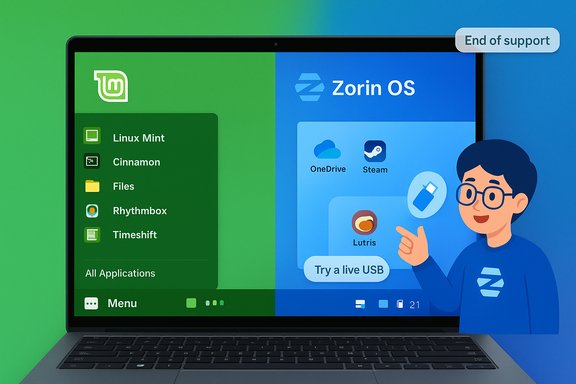
Linux Mint is designed to be simple, predictable, and familiar. Built on an Ubuntu LTS foundation, it benefits from Ubuntu’s Hardware Enablement (HWE) kernel strategy for broad device compatibility while maintaining a conservative, stable update profile. The default Cinnamon desktop intentionally mirrors the classic Windows desktop metaphor: a bottom panel, a start‑menu style application launcher, system tray icons, and desktop shortcuts. This approach minimizes surprises for newcomers.Key practical strengths:
- Very low learning curve for users migrating from Windows.
- Good hardware recognition and driver availability via the Ubuntu base and HWE kernels.
- Efficiency on older hardware — Cinnamon and the lighter MATE/Xfce spins are optimized for modest RAM footprints.
- Privacy and minimal telemetry — distributions like Mint prioritize user control and reduced background data collection by default.
Zorin OS — aesthetics, layout flexibility, and migration tooling
Zorin OS also uses an Ubuntu LTS base, but its product emphasis is different: it aims to look and feel like a modern desktop out of the box. The distribution offers multiple desktop layouts that let users mimic Windows, macOS, or choose a modern bespoke layout with a single click. Its Appearance tool is central to that promise and can switch layouts at runtime. Zorin also bundles migration conveniences — an installer that detects Windows installer files and suggests Linux alternatives and integrated tooling for OneDrive and Android phone connectivity.Key practical strengths:
- Multiple polished layouts (more via the paid Pro edition) for immediate aesthetic satisfaction.
- Migration helpers that recommend native alternatives when a Windows installer is opened.
- Integrated OneDrive/Web Apps and Zorin Connect for phone syncing.
- Out-of-the-box gaming tools like Steam and Lutris preinstalled or easy to add, and accessibility enhancements for users who need them.
Hands‑on usability: first impressions and daily workflows
Both distributions set out to minimize friction; the difference lies in the details of the first 30 minutes and the first 30 days.- Linux Mint gives a very familiar launch sequence: boot to a clean, pragmatic desktop; find your apps in a menu that behaves like Windows; install extra software through a straightforward Software Manager; use Driver Manager and Update Manager to keep the system current. The bundled tools (Timeshift snapshots, codecs, and driver helpers) are designed for a comfortable first week of use.
- Zorin OS aims to delight on first boot. The initial desktop layouts, visual polish, and the referral system for Windows installers are specifically designed to reduce cognitive load and make the environment look professionally finished. The distribution is slightly more opinionated about visuals and user interface metaphors, and that can make it feel more “complete” to users who prize aesthetics and convenience.
Hardware compatibility and performance
Hardware support now hinges primarily on kernel version, driver stacks, and whether the distro uses Ubuntu’s HWE kernels. Both Mint and Zorin use Ubuntu LTS bases, so their real‑world device compatibility is broadly similar, but there are useful distinctions.- New hardware compatibility: Distros that ship with newer kernels and driver stacks will usually offer better out‑of‑the‑box support for very recent GPUs and Wi‑Fi chipsets. Zorin OS 18, for example, packages a newer kernel and driver stack on its Ubuntu 24.04 LTS foundation, which helps modern hardware "just work" more often without manual kernel upgrades. Linux Mint’s LTS alignment and its available HWE options likewise provide good coverage, but checking exact kernel versions in release notes is recommended for the newest chipsets.
- Older hardware and efficiency: Mint’s MATE and Xfce flavours are particularly suited to low‑RAM machines, while Cinnamon is surprisingly efficient for a modern desktop. Zorin offers a Lite/Xfce option for older devices as well, with a design goal of preserving polish while reducing resource demand. Both distros will outperform Windows 10/11 on modest hardware in most day‑to‑day tasks.
- SSD/Trim and power management: These distros include proper SSD/TRIM support and power‑mode settings; Linux Mint explicitly markets optimized SSD behavior and power modes, which help on laptops for battery life. Zorin provides tuned defaults as well. Confirm power profiles and test battery life on your machine during a live USB session to validate vendor‑specific behavior.
Applications and compatibility: what runs and what doesn’t
The migration headache is rarely the OS itself — it’s the Windows‑only, proprietary desktop apps and vendor drivers that create friction.- Both Mint and Zorin rely on the same underlying Linux ecosystem, so native Linux apps and Flatpak/Snap packages behave identically across both. For mainstream tasks (web browsing, cloud productivity, email, media playback), both can match or improve on your Windows experience.
- Windows desktop applications: Zorin makes the transition friendlier by detecting Windows installers and recommending native alternatives; it bundles Wine tooling and migration helpers to triage installer expectations. This eases decision‑making but does not magically make every .exe run. Wine, Bottles, or Proton are useful, but compatibility is application specific — kernel drivers, low‑level copy protection, and kernel‑mode anti‑cheat systems for games typically require a Windows VM or keeping a Windows host. Mint users can install Wine and Proton as well, but Zorin’s UI tools can shorten the learning curve.
- Cloud continuity and OneDrive: Zorin integrates OneDrive browsing via GNOME Online Accounts and Web Apps utilities, which often satisfies users who primarily access Microsoft 365 content online. Important nuance: many OneDrive integrations offer browsing/online access, not a full selective sync experience identical to Windows Files On‑Demand. Test offline availability if you rely on local copies for critical work. Linux Mint users can also access OneDrive through third‑party clients or GNOME/KDE integrations, but Zorin places this capability front and center in its migration messaging.
Privacy, telemetry and vendor behavior
Both distros position themselves as privacy‑respecting alternatives to mainstream commercial OSes. They do not enable vendor telemetry by default, require no mandatory cloud account at first boot, and focus on user control.- Linux Mint explicitly emphasizes no telemetry and a minimal approach to background data collection. It is oriented toward users who want a predictable, private desktop environment.
- Zorin OS also states it does not collect user data by default and avoids embedded AI/telemetry bloat. Its commercial Pro edition is a one‑time purchase for extra layouts and features; that transaction model differs from subscription or telemetry‑driven models. Evaluate each distro’s privacy policy if data sovereignty is a deciding factor.
Support, community, and long‑term maintenance
- Update cadence and LTS: Both distros leverage Ubuntu LTS lines for predictable security updates and maintenance windows. This makes them suitable for users who want long windows of support without chasing moving releases. Release notes and kernel choices matter: review the specific release’s maintenance timeline and kernel version for hardware-critical deployments.
- Community and help: Linux Mint has a large, long‑standing community and extensive documentation aimed at new users. Zorin’s community and paid Pro option provide a more guided, polished experience for those who want curated support and a centralized user experience. For enterprise or regulated environments, plan for commercial support contracts or a phased pilot with virtualization fallbacks.
Practical migration checklist — test first, migrate safely
A measured rollout reduces surprises. Use the following sequence before committing to a full switch:- Back up everything: create a full disk image and copy critical data to separate storage.
- Create live USB media for both distributions and boot your target machine without installing.
- Validate hardware: Wi‑Fi, audio, webcam, printing, GPU acceleration, and sleep/hibernate behavior.
- Test OneDrive, email, and the top 3 productivity apps you need (native, web, or Wine).
- If critical apps fail, plan for virtualization (VirtualBox, GNOME Boxes, VMware) or a dual‑boot for an interim period.
- Take a Timeshift (or image) backup immediately after install. Use snapshots to experiment safely.
Who should pick which — a practical decision matrix
- Choose Linux Mint if:
- You want the lowest learning curve and a classic Windows‑like desktop.
- You value a conservative, stable desktop with strong community documentation.
- You’re migrating older hardware and prefer minimal visual novelty.
- Choose Zorin OS if:
- You prioritize modern visual polish and the ability to switch desktop layouts easily.
- You want built‑in migration tooling, OneDrive integration, and a more curated out‑of‑the‑box experience.
- You value straightforward phone integration (Zorin Connect) and gaming conveniences.
Risks, gotchas and scenarios where Linux won’t be enough
- Specialized Windows applications and kernel drivers: If your workflow relies on kernel‑level Windows drivers, protected desktop software, or vendor‑locked peripherals, Linux alone will not replace Windows in production without virtualization or hardware changes. Test these critical items in a live or VM environment before migrating.
- Anti‑cheat and gaming edge cases: Some multiplayer titles require kernel‑level anti‑cheat solutions that are not compatible with Linux. While Proton and Lutris cover many games, compatibility varies and must be validated on a per‑title basis.
- Peripherals and vendor firmware: Proprietary printer/scanner drivers, specialized medical or industrial devices, and some fingerprint readers can be problematic. Confirm vendor support or community drivers exist for essential hardware.
- Unverifiable claims and download numbers: Publicized download spikes are a signal of interest but do not guarantee suitability for your environment. Treat reported download counts as context, not proof of technical fit. Validate yourself.
Step‑by‑step: a recommended migration path for home users
- Inventory: list every app and peripheral you rely on, ranked by criticality.
- Backup: image your Windows disk and export important profiles (browser bookmarks, email).
- Live test: boot both Linux Mint and Zorin OS from USB to test hardware and workflows.
- Pilot: pick a non‑critical machine for a full install and live with it for a week.
- Dual‑boot or VM: if mission‑critical Windows apps exist, maintain a Windows VM or dual‑boot setup during the transition.
- Rollout: once confident, migrate the rest of your machines and implement a backup + snapshot schedule.
Final analysis and recommendation
Both Linux Mint and Zorin OS are mature, well‑supported alternatives that can keep aging hardware secure and productive beyond Windows 10’s end of free support. The decision is less about which is technically superior and more about which user experience aligns with expectations.- If familiarity and minimal retraining matter most, Linux Mint is the pragmatic pick. It reduces cognitive friction for users who want to resume their daily tasks quickly with little re‑education.
- If the immediate visual experience, layout flexibility, and migration nudges are decisive, Zorin OS is the better choice. Its polished presentation, layout switching, and installer heuristics accelerate the “it looks like home” feeling for switchers.
Conclusion
The end of Windows 10 support created a practical prompt for change. Linux Mint and Zorin OS answer that prompt with two slightly different promises: Mint with a steady, familiar experience; Zorin with a curated, visually polished handoff. Both protect privacy, extend device life, and lower upgrade costs — pick the one whose first impression fits your comfort level, validate critical apps and peripherals with live media, and migrate deliberately. The result for most home users will be the same: a secure, fast, and private desktop that doesn't force costly hardware upgrades.
Source: ZDNET Linux Mint vs. Zorin OS: How to pick between these Windows alternatives
