MacBook Neo with Parallels: Windows VM for Light Use Only

  • Thread Author
Parallels’ engineers have quietly confirmed what many Mac shoppers have been wondering this week: the $599 MacBook Neo can run Windows inside Parallels Desktop. The caveat is immediate and practical — Parallels’ initial tests show that virtual machines install and operate stably on the Neo, but real-world performance will hinge on what you plan to run inside Windows. With an A18 Pro chip, only 8 GB of unified memory, and a fanless, passively cooled chassis, the Neo is optimized for lightweight macOS tasks and on-device AI features — not sustained, heavyweight Windows workloads or modern gaming. This is good news for users who need occasional Windows-only utilities; a cautionary note for anyone considering the Neo as a daily workstation replacement for Windows-native software.

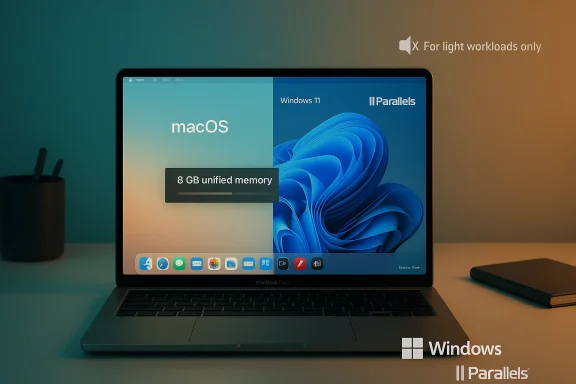
MacBook showing macOS and Windows 11 side by side via Parallels.Background / Overview​

Apple’s new MacBook Neo arrives as a low-cost, highly energy-efficient entry in the Mac lineup. The Neo ships with an Apple A18 Pro system-on-chip (6‑core CPU, 5‑core GPU, hardware-accelerated media engine and a 16‑core Neural Engine), choices of 256 GB or 512 GB SSD, and 8 GB of unified memory as standard — and crucially, no memory upgrade option at purchase. Apple’s positioning emphasizes everyday tasks, battery life, and on-device AI capabilities rather than raw sustained compute.
Parallels Desktop — the market-leading virtualization product for macOS — updated its knowledge‑base after running initial compatibility tests on Neo hardware. The company reports that Parallels installs and VMs operate stably in basic usability testing, and that the Neo’s A18 Pro exposes the virtualization features Parallels needs through macOS’ hypervisor framework. At the same time Parallels warns that the experience varies by workload: light, occasional Windows use is reasonable, while CPU- or GPU‑intensive Windows applications are not what the Neo is designed for.
At stake for users are three interlocking constraints: the Neo’s limited memory footprint (8 GB total), its passive thermal design (no fan), and the limits of virtualization-based GPU acceleration on Apple silicon. Those constraints translate into very different experiences depending on whether you need a Windows app for a single task, or you expect to run modern Windows desktop workloads regularly.

Why architecture matters: A18 Pro, ARM, and virtualization​

ARM architecture and Apple silicon​

The MacBook Neo’s A18 Pro is an ARM-based Apple silicon design derived from Apple’s mobile SoC work. That matters because Apple silicon Macs run Windows differently than the old Intel Macs did. On Intel Macs there was the option to run Windows natively (Boot Camp) or virtualized. On ARM-based Macs, Windows runs inside a virtual machine as an Arm-native Windows build — Windows 11 on Arm — and that guest OS in turn provides emulation for many legacy x86 apps.

The hypervisor and Parallels’ approach​

Parallels Desktop is a local hypervisor that leverages macOS virtualization APIs to run guest operating systems directly on the host hardware. For Apple silicon devices, Parallels runs the ARM build of Windows 11 in a VM, and the guest OS then handles binary translation for many legacy x86/x64 Windows applications. Parallels’ initial tests confirm that the Neo’s A18 Pro exposes the low-level virtualization support Parallels needs, so the VM can boot and run Windows.

What that delivers — and what it doesn’t​

This architecture delivers a couple of practical benefits: VM startup and basic app compatibility are possible, and many legacy Windows utilities will run fine. But there are important limitations:
  • The guest Windows is the ARM edition; some Windows programs and device drivers expect x86/x64 native hardware and will depend on the guest’s emulation layer, which can increase CPU overhead or introduce incompatibilities.
  • GPU acceleration inside a VM is not the same as native GPU access. Parallels uses a translation layer (mapping DirectX/OpenGL calls to Metal) rather than true GPU passthrough, so graphics-heavy Windows workloads may be constrained.
  • Memory and thermal ceilings are host-level constraints that virtualization cannot overcome.

Memory: the single most important limiter on MacBook Neo​

8 GB unified memory is the reality​

The Neo ships with 8 GB of unified memory shared across macOS and any running virtual machines. Microsoft’s minimum requirement for Windows 11 is 4 GB of RAM; that means a Windows 11 VM typically needs at least half of the Neo’s total memory to run at all. That leaves roughly 4 GB (or less) for macOS, background services, and the host applications you also want to run.

What that feels like in practice​

Allocating 4 GB to a Windows VM is the bare minimum to get Windows 11 operational. In this configuration you may be able to run:
  • Lightweight business utilities
  • Legacy single-purpose apps (for example, some accounting packages, point-of-sale tools, or internal utilities)
  • Microsoft Office light usage (Word, Excel — but not huge spreadsheets or complex macros)
  • Web-based Windows apps through Edge/Chrome inside the VM
But the moment you try to run:
  • Developer IDEs (large Visual Studio solutions)
  • Desktop virtualization of large databases or analysis tools
  • Heavy Office workloads with big datasets
  • Modern Windows games or GPU-accelerated creative apps
you will likely encounter swapping, slow responsiveness, or crashes. The macOS host itself needs memory to keep the UI smooth; with heavy disk swap you will see big performance hits.

Swap, SSD, and longevity considerations​

When RAM is insufficient, both macOS and Windows will use swap (disk-backed memory). The Neo’s base SSD is 256 GB (optionally 512 GB), and while Apple builds fast flash storage into its Macs, swapping is still orders of magnitude slower than RAM and will dramatically raise latency for interactive tasks. Heavy swapping also increases write cycles to the SSD; while modern SSDs are durable, sustained swap-heavy workflows can accelerate wear over many years.

Thermals and sustained performance: passive cooling matters​

Fanless design means thermal throttling​

The MacBook Neo is designed around passive thermal management: the aluminum chassis dissipates heat without an internal fan. That’s excellent for silence and battery life under light use, but under sustained CPU or GPU load the SoC will lower its clock speeds to stay within thermal limits. Parallels’ engineers explicitly note this behavior: the A18 Pro was designed for a mobile device thermal profile, and Neo’s passive design reduces performance during extended workloads.

What throttling does to VMs​

A virtual machine that briefly needs bursts of CPU power will likely behave acceptably. However, a VM running prolonged builds, large compilations, video exports, or GPU-accelerated workloads will see performance decline as the SoC throttles. Because the host and guest share the same physical cores, throttling impacts both macOS responsiveness and the Windows guest in lockstep.

Graphics: virtualized, translated — and limited​

How Parallels handles graphics on Apple silicon​

Parallels provides 3D acceleration inside Windows VMs by translating DirectX and OpenGL calls into Metal API calls that macOS understands. This approach enables many 3D applications and older DirectX games to run, but it is not equivalent to direct hardware GPU passthrough and has functional limits.

Current practical limits​

  • Parallels’ virtualization graphics support is robust for DirectX 11 / OpenGL‑level workloads, but modern DirectX 12+ features and higher-end gaming scenarios may not be available or may run poorly.
  • Shader translation or driver differences can break specific games or workloads; some Unity or shader-heavy scenes, for instance, are known to encounter artifacts or compilation failures.
  • GPU-accelerated Windows apps that expect dedicated Windows drivers and low-level GPU access will often underperform relative to native Windows machines with discrete GPUs.

Result for MacBook Neo​

With the Neo’s modest 5‑core GPU and the translation layer overhead, expect acceptable performance for casual gaming or GPU-accelerated Windows utilities at low settings, but not parity with a Windows notebook built around a discrete GPU.

Real-world use cases: where MacBook Neo with Parallels makes sense (and where it doesn’t)​

Good fits (recommended)​

  • Single-purpose legacy business apps that are Windows-only (POS tools, certain industry-specific utilities)
  • Occasional use of a Windows-only configuration or admin tool
  • Light Office work inside Windows for compatibility testing or file behavior checks
  • Educational or lab tasks where sessions are short and resource demands are low

Borderline / risky fits (use with caution)​

  • Software development where you occasionally build small projects and test in Windows — possible, but expect slow builds and long compile times.
  • Older 3D games or indie titles that run at modest settings — may work but expect quality/performance compromises.
  • Running a Windows-only web development toolchain or local server stack — doable for lightweight dev but not for large containerized environments.

Not a fit (avoid)​

  • Heavy video editing, 3D rendering, or GPU‑accelerated creative workflows in Windows
  • Modern AAA gaming or competitive eSports play
  • Large-scale virtualization, database servers, or running multiple heavyweight VMs

Alternatives and recommendations for buyers​

If you need a Mac that will also serve as a capable Windows virtualization host, consider these options:
  • MacBook Air with M5: The newer MacBook Air models with the M5 chip start with 16 GB of unified memory as standard and offer a more powerful, actively cooled platform for heavier VMs and graphics workloads. This is the recommended step-up for users who expect regular Windows virtualization.
  • Refurbished M4 or higher MacBook Air: Refurbished or certified pre-owned M4 MacBook Air units often already include 16 GB of memory and can be a cost-effective middle ground.
  • A dedicated Windows laptop or desktop: For gaming, GPU-accelerated creative work, or professional Windows-only toolchains, a Windows PC with discrete GPU and expandable RAM will beat any VM on Neo.
  • Cloud-based Windows instances: Services that stream Windows desktops or cloud PCs can offload CPU/GPU work to remote hardware and are attractive if you have a reliable high-speed connection and need occasional heavy workloads.
  • Compatibility layers (CrossOver/Wine): If you only need a handful of Windows apps, a compatibility layer such as CrossOver can sometimes run those apps directly on macOS without a full VM or Windows license, reducing memory and thermal overhead.

A practical setup guide: trying Parallels on a MacBook Neo (short numbered steps)​

  • Plan expectations — treat the Neo as a light-use Windows host: for one-off tools and occasional sessions, not full-time heavy workflows.
  • Install Parallels Desktop — get the latest version of Parallels Desktop for Mac, ideally the build updated after Parallels’ Neo compatibility testing.
  • Obtain Windows 11 on Arm — use the ARM64 Windows 11 build that Parallels supports; ensure you have proper licensing (an authorized Windows license or a valid retail/enterprise key where appropriate).
  • Create the VM and set memory — allocate 4 GB to the VM to meet Windows 11’s minimum; avoid allocating more than half of total memory on an 8 GB system.
  • Adjust CPU core assignment — allocate fewer cores (1–2) to leave capacity for macOS; experiments show conservative CPU assignment reduces contention and thermal spikes.
  • Optimize Parallels settings — enable “Optimize for battery” or “Better battery life” when not testing performance; toggle graphics settings to “Best for battery” if responsiveness is more important than raw frame rates.
  • Keep session lengths short — for sustained heavy tasks, move to a more capable Mac or cloud host to avoid thermal throttling and excessive SSD swapping.
  • Monitor activity — use Activity Monitor and Parallels’ performance widgets to watch memory pressure, swap usage, and CPU thermal behavior. Back up important data before testing.

Security, licensing, and long-term support considerations​

  • Windows licensing: Running Windows in a VM typically requires a valid Windows license. The ARM edition licensing can differ from x86 consumer SKUs, and organizations should confirm license terms for Windows 11 on Arm in virtual environments.
  • Driver and device support: Some third‑party Windows hardware drivers and device integrations are not available or may behave differently on Windows 11 on Arm. Expect potential device compatibility issues with niche peripherals.
  • Vendor validation is ongoing: Parallels’ statement is based on initial testing. They are continuing validation and performance testing; future updates to Parallels Desktop and macOS could change compatibility or behavior.
  • Security updates: Running Windows inside a VM still requires diligent patching of the guest OS and awareness that vulnerabilities can exist at the virtualization layer and guest tooling.

Critical analysis: strengths, risks, and an evidence-based verdict​

Strengths​

  • Affordability and portability: At $599, the Neo dramatically lowers the entry point for macOS hardware while delivering modern SoC performance for everyday tasks and on-device AI features.
  • Basic Windows compatibility: Parallels’ confirmation opens a door for users who need occasional Windows productivity or legacy apps without buying a second machine.
  • Power efficiency and silence: Passive cooling and efficient Apple silicon deliver long battery life and a quiet user experience for typical macOS workloads.

Risks and limitations​

  • Memory ceiling (8 GB) is the primary bottleneck: The mathematics are unforgiving — Windows 11’s 4 GB minimum consumes half the machine’s RAM, leaving little for the host and modern macOS apps.
  • Thermal throttling under sustained load: Fanless designs mean the Neo cannot sustain high CPU/GPU clocks for extended periods, directly impacting VM workloads that require sustained compute.
  • Graphics translation imposes compatibility and performance constraints: Parallels’ DirectX/OpenGL-to-Metal translation allows many workloads to function, but it is not a substitute for native GPU support; DirectX 12+ workloads are particularly vulnerable to poor performance or incompatibility.
  • Unfinished validation: Parallels explicitly states validation is ongoing; initial stability in basic testing does not guarantee perfect behavior across every app or scenario.

Verdict​

For users who need occasional Windows-only utilities, remote access to Windows-only systems, or very light testing inside Windows, the MacBook Neo with Parallels is a practical and economical choice. If your day-to-day workflow depends on Windows — especially for development, media production, modern gaming, or other CPU/GPU-intensive tasks — the Neo is not the right primary machine. In those cases, spending more for a Mac with 16 GB or more of unified memory (for example, the MacBook Air with M5) or using a dedicated Windows system will deliver a consistently better experience.

The bottom line for buyers and admins​

  • If you’re buying a Mac primarily for macOS tasks and want the option to run a Windows utility occasionally, the MacBook Neo now works with Parallels Desktop in initial testing — but with important practical limits.
  • If you foresee frequent or demanding Windows usage, budget for a machine with 16 GB of unified memory or more. The MacBook Air with M5 represents the most straightforward Apple-side upgrade for reliable virtualization.
  • For organizations and professionals, weigh the cost of a Neo plus the time spent managing performance workarounds against the predictable productivity delivered by higher-memory machines or dedicated Windows hardware.
  • Finally, if you decide to experiment with Parallels on a Neo, treat it as a trial: keep critical projects on devices with more headroom, monitor performance closely, and be ready to move heavier workloads to more capable hardware or to cloud-based Windows instances.
The MacBook Neo is a bold move by Apple to broaden its entry-level Mac footprint and deliver on-device AI to a wider audience. Parallels’ confirmation makes the Neo more useful to those who occasionally need Windows, but the platform’s fundamental hardware trade-offs mean it will remain a niche fit for Windows virtualization — excellent for light compatibility and emergency access, insufficient for heavy lifting.

Source: MacRumors Parallels Confirms MacBook Neo Can Run Windows in a Virtual Machine
 

Parallels’ engineers have quietly confirmed that the new, budget-priced MacBook Neo can run Windows virtual machines using Parallels Desktop — but “runs” does not mean “replaces a Windows laptop.”

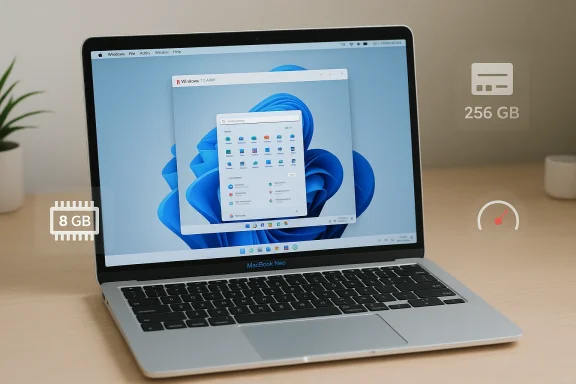
MacBook Neo running Windows 11 with 8 GB RAM and 256 GB storage.Background / Overview​

Apple’s March announcement of the MacBook Neo collapsed the company’s price floor and introduced a 13‑inch laptop built around an A18 Pro system-on-chip, with a base configuration that includes 8 GB of unified memory and a 256 GB SSD in a fanless, passively cooled chassis. The price and thermal design make the Neo a notable entry for budget-conscious buyers, but they also shape expectations for any heavier workloads — including running Windows in a virtual machine.
Parallels Desktop has been the de facto choice for running Windows on macOS for years, evolving alongside Apple’s transition from Intel to Apple Silicon. Recent Parallels releases have emphasized compatibility with Apple’s latest macOS and Microsoft’s Windows 11 ARM builds, while also adding broader emulation and enterprise features to bridge compatibility gaps. That engineering effort is why Parallels can now install and start Windows VMs on a Neo, according to early test notes and Parallels’ own engineers.
This article examines what “Parallels on the MacBook Neo” actually means in practice: the technical realities, the user scenarios where it makes sense, expected performance trade-offs, optimization steps, and the risks IT teams and consumers must weigh before treating a $599 Mac as a Windows substitute.

What Parallels’ confirmation actually says​

Parallels’ recent engineering updates and early tests show two concrete facts:
  • Parallels Desktop installs and virtual machines can boot and operate on the MacBook Neo.
  • The Neo’s hardware — especially the low memory floor (8 GB), A18 Pro SoC architecture, and a fanless chassis — creates practical limitations that meaningfully affect how well Windows workloads will perform. Parallels engineers explicitly framed the result as “it works, but…” rather than a blanket endorsement for heavy Windows workflows.
Those two facts are straightforward; the nuance lies in what a user is trying to run inside Windows. Lightweight productivity apps, single-purpose utilities, and cloud‑native services are a different proposition to full Visual Studio builds, heavy Excel models, or triple‑A games.

Why this is technically possible​

Parallels’ evolution on Apple Silicon​

Parallels invested heavily to support Apple Silicon. Over multiple releases the product gained compatibility with Apple’s M‑series and the Windows ARM ecosystem; Parallels Desktop 26 (and earlier compatibility builds) focus on working with Windows 11 ARM and macOS host changes. Parallels also added support layers for emulation where necessary, which is why running Windows — and Windows apps — inside a VM on ARM‑based Macs is now a mainstream workflow.

Windows on ARM and emulation layers​

Windows 11 ARM includes emulation for x86 / x64 binaries, enabling many traditional Windows apps to run even when the guest OS is ARM‑native. Emulation is inherently slower than native execution, and Parallels and Microsoft each add their own translation and integration layers. Those layers work well enough for moderate apps and many productivity workflows, but they introduce CPU overhead and memory pressure that matters on an 8 GB machine.

MacBook Neo hardware: the limiting factors​

The Neo’s strengths are its affordability and energy efficiency. Its weaknesses for virtualization are structural:
  • 8 GB unified memory: On a Mac running macOS and a guest Windows VM simultaneously, 8 GB is a tight constraint. macOS alone uses a nontrivial portion of memory, leaving only a small pool for the VM and the apps inside it. Swap activity will be frequent unless the VM is aggressively sized and apps are light.
  • Fanless, passively cooled chassis: Without active cooling, the Neo will thermal‑throttle sustained load sooner than a ventilated laptop. Running heavy CPU or GPU workloads inside a VM pushes the SoC and will reduce long‑run throughput to protect thermals.
  • A18 Pro SoC architecture: Apple’s SoCs are highly efficient, but they are not designed as drop‑in replacements for x86 laptop silicon in every workload. Emulated x86 code and Windows ARM code interacting with device drivers can create inefficiencies.
  • Storage and write endurance: Virtual machines consume disk I/O and may use dynamic disk images that write frequently. On a 256 GB base SSD, space management and wear become practical concerns over time.
These are not show‑stoppers, but they frame realistic expectations: the Neo is a capable companion for occasional Windows use, not a heavy Windows workstation.

Real‑world user scenarios where Parallels on Neo makes sense​

  • Occasional Windows‑only utilities: If you have one or two Windows‑only apps (a line‑of‑business installer, a small legacy accounting tool, or a single device driver utility), the Neo will likely suffice for occasional use.
  • Office productivity and web apps: Microsoft 365, browser‑based services, and light Office workflows should run acceptably, particularly if you run the Windows ARM build and avoid heavy add‑ins.
  • Remote desktop and cloud work: Using Neo as a thin client to a more powerful remote Windows machine or cloud desktop is an excellent fit. Parallels plus RDP or cloud workstations reduces local resource pressure.
  • Testing and short development tasks: Quick app checks, UI testing, or compiling small projects are possible — but sustained builds or large local dev containers will be limited by memory and thermals.
What the Neo is not good for:
  • Heavy local virtualization (multiple VMs, Docker builds)
  • Professional media encoding inside Windows
  • High‑end PC gaming or GPU‑accelerated Windows workloads
    These limits are both practical and structural. Parallels’ early notes highlight precisely these trade‑offs.

Performance expectations and benchmarks (what to expect)​

Parallels’ internal testing, and follow‑up community benchmarking of Parallels on Apple Silicon, shows a spectrum:
  • Native ARM Windows guest workloads run more efficiently than x86 emulation, but many Windows apps still rely on x86/x64 libraries that trigger emulation and cost CPU cycles.
  • On an 8 GB host, expect increased swap, notably when launching Office apps simultaneously with macOS background tasks. Swap increases responsiveness lag and SSD writes.
  • Sustained CPU‑bound tasks will see thermal throttling due to the Neo’s fanless design. Short bursts of work will be acceptable; long builds or exports will slow as the SoC reduces clock to manage heat.
These expectations mean that simple workloads feel fine; complex tasks will degrade and may produce user frustration.

Practical setup: configuring Parallels for the MacBook Neo​

If you plan to try Parallels on a Neo, follow a focused setup and tuning checklist to maximize the experience.

Pre‑installation checklist​

  • Install the latest Parallels Desktop release (choose the build with Apple Silicon and macOS 26 compatibility). Parallels’ year‑based numbering aligns with Apple releases and includes important fixes.
  • Obtain a Windows ARM image (Windows 11 ARM is the right guest platform for Apple Silicon hosts). Using the ARM guest minimizes translation overhead compared to trying to run an x86 guest.
  • Update macOS and ensure you have at least 30–40% free disk space for VM images and swap.

Recommended VM settings for Neo​

  • CPU: limit vCPUs to 2 to avoid overcommitting the SoC and hitting thermal limits.
  • Memory: allocate 3–4 GB to the VM at most to leave room for macOS — with 8 GB total a 4 GB VM is the pragmatic balance.
  • Disk: use a fixed‑size virtual disk if you can (reduces fragmentation) and keep the VM on the internal SSD. Reserve at least 60–100 GB for Windows and user files depending on needs.
  • Graphics: use Parallels’ default settings but disable unnecessary 3D acceleration for productivity use.
  • Integration: enable Coherence/Shared Clipboard sparingly; too many background syncs (folder sync, shared drives) increase IO and memory pressure.

In‑guest tuning​

  • Choose the Windows ARM build, and in Windows:
  • Turn off fancy visual effects (Animations, Shadows).
  • Disable startup apps you don’t use.
  • Prefer 64‑bit ARM‑native apps where available; these save emulation overhead.
  • Use browser versions and cloud apps optimized for ARM where possible.

Workflow best practices​

  • Use cloud storage and remote desktops for heavy workloads.
  • Suspend or shut down VMs when not actively in use to free memory.
  • Periodically compact or recreate dynamic disks if storage becomes tight.
These steps aim to balance a usable Windows environment with the Neo’s constrained resource envelope.

Security, licensing, and compliance considerations​

  • Windows licensing: Running Windows in Parallels requires appropriate licensing. In many cases this means an OEM or retail license for Windows; enterprises should verify their volume licensing agreements for virtualized ARM guests. Parallels’ documentation and Windows ARM availability are evolving, so check the licensing terms relevant to your organization.
  • Security posture: Running a VM increases the attack surface. Ensure Windows Update, Defender (or equivalent), and Parallels Tools are kept current. Shared folders and clipboard integration are convenient but can increase risk; disable them for sensitive work.
  • Supportability: Parallels’ support statements that “VMs run on Neo” are accurate for initial compatibility, but enterprise support and certified workflows may not include the Neo as a recommended hardware platform — especially for regulated or high‑availability workloads. Parallels’ compatibility guidance should be consulted for production deployments.

Risks and downsides — what Parallels’ “it works” doesn’t promise​

  • Performance surprises: Emulation costs and memory pressure can create inconsistent performance; apps that run fine for a few minutes may degrade under sustained use.
  • Thermal and battery trade‑offs: The Neo’s fanless design prioritizes quiet operation and battery life, not sustained throughput. Users who push CPU/GPU will see faster battery drain and thermal throttling.
  • SSD wear: Heavy swap and VM disk activity on a 256 GB drive can accelerate write cycles. Consider external storage for frequent large datasets.
  • App compatibility: Some low‑level drivers, kernel‑mode software, or licensing dongles may not work in an ARM Windows guest or under Parallels’ virtualization.
  • Supportability for IT: Enterprises that require predictable SLAs for Windows workloads will typically choose hardware and configurations that Parallels certifies for corporate deployment. The Neo’s consumer orientation may exclude it from those lists.
When Parallels says the Neo “runs Windows,” it is not making a warranty about long‑term performance, driver support, or enterprise suitability.

Alternatives and recommended buys​

If running Windows apps regularly is critical, consider these alternatives:
  • Buy a Mac with more RAM and active cooling (16 GB or more) — M‑series MacBooks with higher memory footprints reduce swap and improve responsiveness in VMs. Parallels Desktop is better suited to these hosts for heavier workloads.
  • Use a dedicated Windows laptop for sustained Windows tasks. A $600‑$900 Windows notebook often outperforms a Neo in the kinds of Windows workloads Neos struggle with.
  • Use cloud desktops, RDP to a beefier Windows VM, or Windows cloud workstations for heavy builds and rendering — the Neo can be an excellent thin client for these services.
  • For developers, use containerized or remote build farms instead of local VM builds on constrained hardware.
These alternatives reflect fundamental engineering trade‑offs: convenience vs. capacity.

Quick troubleshooting checklist (if you hit problems)​

  • Confirm you’re using the latest Parallels Desktop release and that Parallels Tools are installed inside Windows.
  • Check macOS activity monitor for memory pressure and swap activity; reduce VM RAM if macOS is under heavy pressure.
  • Ensure your Windows guest is the ARM build; running an x86 guest on top of an ARM host through additional translation layers will multiply overhead.
  • Disable shared folders and unnecessary background sync while diagnosing performance issues.
  • If thermal throttling appears, reduce sustained CPU usage, or move heavy workloads to remote machines.

Final analysis: practical verdict for readers​

Parallels running on the MacBook Neo is real and meaningful — it materially expands what that $599 machine can do. But the more important story is what it doesn’t change: the Neo is a budget, low‑memory, fanless laptop at heart. For users who need occasional access to Windows utilities, web‑centric Windows apps, or RDP to cloud desktops, the Neo becomes a versatile, compact choice. For anyone who relies on heavy local Windows workloads — development, media production, gaming, or large‑scale data tasks — the Neo is a compromise and not a replacement.
Parallels’ engineering validation is an important milestone for cross‑platform compatibility and demonstrates how mature virtualization has become on Apple Silicon. Yet Parallels’ own caveats make clear that the user experience depends on sensible expectations, careful VM tuning, and choosing the right workflows for the platform. For those reasons, buyers and IT teams should treat the Neo as a capable companion for light Windows work, not as a primary Windows workstation.

Recommended next steps for readers​

  • If you already own a MacBook Neo and need Windows apps: install Parallels, use a Windows ARM guest, and follow the tuning checklist above. Monitor memory pressure and be prepared to shift heavy tasks to remote hosts.
  • If you’re buying and Windows matters moderately: consider spending more for a Mac with 16 GB unified memory or buying a dedicated Windows notebook depending on your workload.
  • For IT planners: evaluate whether Parallels on Neo meets compliance and support requirements before approving it for production use. Parallels’ compatibility notes are helpful but not a substitute for organization‑level validation.
Parallels on the MacBook Neo is a provocative example of how software and platform engineering continue to blur platform boundaries — but in practice, the right tool still depends on the task at hand.

Source: The Mac Observer Parallels Allows You to run Windows Apps on the MacBook Neo
 

Parallels’ confirmation that Apple’s new MacBook Neo can run Windows 11 in a virtual machine is a bigger story than a simple compatibility note. It shows how far Apple’s low-cost laptop has come in a matter of days: a $599 machine with an A18 Pro chip and 8GB of unified memory can now be credibly positioned as a light-duty Windows host, at least for users who understand the limits. Parallels says the Neo is suitable for light, occasional Windows use, especially legacy business tools and Windows-only utilities, while recommending an M-series Mac for anything CPU- or GPU-heavy

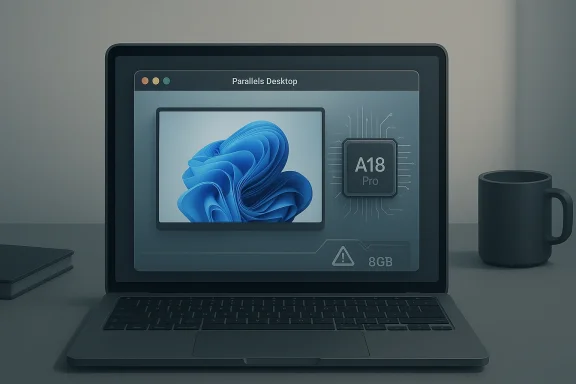
Laptop screen shows “Parallels Desktop” with an A18 Pro chip graphic, on a desk beside a mug.Background​

Apple’s MacBook Neo is the kind of product that instantly changes the conversation around entry-level laptops because it is not trying to be a compromise in the old, obvious sense. Apple’s own specs and launch materials show a 13-inch fanless notebook built around the A18 Pro, with 8GB unified memory, a 256GB SSD, and a battery designed for long runtimes in a thin-and-light chassis
That hardware choice matters because the Neo is not an M-series Mac, and that is exactly why Parallels’ support statement turned heads. Parallels’ compatibility note says the Neo’s A18 Pro is ARM-based Apple silicon, but not part of the M-series family, and it warns that Windows 11 leaves little headroom on an 8GB system re running at the same time
The other important piece is Microsoft’s virtualization stance. Microsoft says Parallels Desktop versions 18, 19, and 20 are authorized to run Arm versions of Windows 11 Pro and Enterprise in a virtual environment on Apple M1, M2, and M3 Macs, and Microsoft’s support guidance also notes that Arm Windows has limits, especially around some hardware-dependent apps and nested virtualization scenarios
So the Neo lands at the intersection of three trends: Apple pushing deeper into the value segment, Windows continuing to embrace ARM as a practical desktop platform, and virtualization becoming a default compatibility bridge for users who need a small slice of Windows rather than a full Windows machine. That is why this story feels larger thar one Parallels update. It is about the ongoing collapse of the old binary between “Mac for Mac work” and “PC for PC work,” even if that collapse remains partial and conditional
A final historical wrinkle is memory. Apple’s 8GB floor is controversial only because Windows users have spent years learning to read RAM as a blunt proxy for capability, while Apple has long argued that unified memory and tighter software-hardware integration change the equation. Indepe at the Neo’s lower memory ceiling is both a cost-saving measure and a product-definition choice: this is not a machine meant to be upgraded into something it was never designed to be

What Parallels Actually Confirmed​

The key phrase in Parallels’ statement is not “can run Windows,” but rather best suited for light, occasional Windows use. That wording tells you almost everything you need toot marketing the Neo as a replacement for a fully provisioned business laptop; it is saying the hardware is stable enough to support a VM for narrowly scoped jobs
That distinction matters because virtualization is always a resource-sharing exercise. On an 8GB machine, Windows 11’s own minimum requirement of 4GB immediately consumes half of the available unified memory before macOS, Parallels overhead, and the user’s own macOS applications are even counted
Parallels’ guidance therefore reads less like a generic endorsement and more like an engineering boundary marker. If your Windows workload is a legacy accounting utility, a vendor portal, or one stubborn lineion, the Neo may be a perfectly reasonable host. If your workload involves large spreadsheets, CAD, video effects, or anything that expects a real discrete GPU, the answer gets much less comfortable very quickly

Why the wording matters​

This is one of those moments whe is unusually precise. “Suitable” does not mean ideal, and “common Windows apps will feel quick and responsive” does not mean every app will. In the world of virtualization, feel is doing a lot of work, because a smooth launcher and a responsive Notepad window can coexist with a sluggish, memory-starved Office session if the workload expands even slightly
  • Stable VM boot and operation are not the same as broad workload suitability.
  • Legacy utilities are a better fit than creative or engineering software.
  • Single-app use is much more realistic than running Windows as a full parallel desktop.
  • Unified memory makes allocation decisions more consequential than on many PC notebooks.
  • Fanless thermals can keep the Neo quiet, but they also limit sustained performance under load.
The most useful ’ statement is as a permission slip with guardrails. It tells cautious users they do not need to dismiss the Neo outright if they occasionally need Windows, but it also tells power users not to project their usual workstation habits onto a budget laptop. That nuance is exactly what makes the announcement credible rather than promotional

How Windows 11 Fits on an 8GB Mac​

The headline number here is 8GB, and the problem is not just that it is “small” by premium-laptop standards. It is that virtualization adds a second operating system on top of the first, which means memory pressure multiplies quickly as soon as users open a browser, an Excel workbook, or any application that is not trivially light
Parallels’ own product pages show that its Standard edition is intended for light home use, with a maximum of 8GB vRAM and 4 vCPUs, while higher-tier editions support more generous allocation on Apple silicon Macs. But the Neo cannot magically become an M-series Mac simply by installing Parallels, so the ceiling here is still constrained by the host hardware (parallels.com)
This is why the Neo can be a smart fit for the kind of Windows use that does not scale linearly with resource demand. Launch a proprietary utility, connect to a secure website, process a form, print a label, or use an old client app, and you are asking for a short burst of compatibility rather than a sustained CPU-and-memory workout. That is a good match for Apple’s low-cost notebook philosophy and for tion model

Single-core strength versus multicore limits​

Parallels said its benchmark testing showed the Neo outperforming a Windows laptop on single-core CPU performance while trailing on multicore performance. That split is exactly what you would expect from an iPhone-derived chip in a fanless chassis: the device can feel snappy in everyday interactions, but sustained thher matter entirely
That matters because many Windows workflows are deceptively mixed. A login screen, a line-of-business app, or a one-off admin tool may depend mostly on single-thread responsiveness. But the moment a user opens a large archive, triggers an export, or starts anything with background sync or rendering, multicore performance starts to matter more than the headline “feels fast” experience
The upshot is simple: Windows 11 on the Neo is plausible because it is bounded. The platform works when the workload is disciplined, not when the workload expands into the territory of a primary Windows workstation. That is a meaningful distinction for travelers, students, and mixed-platform users, but it is a poor fit for anyone hoping to consolidate a heavy Windows setup into a bargain Mac

Performance Expectations for Real Users​

Parallels’ statement that common Windows apps should feel “quick and responsive” is encouraging, but it needs context. In virtualization, perceived speed is shaped by storage responsiveness, app complexity, graphicmuch memory is left after macOS has done its own work. On a machine with 8GB of unified memory, those variables become much more visible than they would on a 16GB or 32GB host
That means the Neo’s strongest case is for users who want Windows the way many Mac users have traditionally wanted it: as a second environment for specific tasks, not a permanent residence. The company’s recommendation for light, occasional use is basically a way of saying don’t overread the result. It works, but it works within a very deliberate envelope
There is also the thermal angle. Apple’s fanless design keeps the Neo silent, which is one of its most appealing consumer features, but passive cooling also means that long-running workloads are more likely to hit a stable plateau than a high sustained peak. That is excellent for the classroom, the cshop. It is less excellent for repeated CPU-intensive Windows sessions

Consumer versus enterprise expectations​

Consumers are likely to judge the Neo by whether it can handle a random Windows-only app when needed. Enterprises, by contrast, will judge it by repeatability, manageability, and supportability. Those are much harsher standards, and they are why Parallels’ recommendation stops at light workloads while nudging heavier users toward an M-series Mac with more memory
  • Consumers care about occasional compatibility.
  • IT teams care about consistent policy and predictable performance.
  • Educators care about battery life, simplicity, and app coverage.
  • Developers care about toolchains, emulation layers, and VM overhead.
  • Field workers care about whether the app opens fast enough to avoid friction.
The Neo’s value proposition is strongest when Windows is not the main event. It is weakest when the user assumes that “Windows on Mac” is a promise of full desktop parity. That difference is crucial, because the market often treats virtualization as a substitute for native support when it is really a compatibility bridge

Why This Matters for Microsoft​

Microsoft has spent years trying to normalize the idea that Windows on ARM is not a combut a viable one. Its support documentation explicitly calls Parallels Desktop an authorized solution for running Arm versions of Windows 11 Pro and Enterprise on supported Apple silicon Macs, and its warnings about Arm limitations are a reminder that the company sees this as a real platform, not a side project
The Neo story helps Microsoft in one sense: it broadens the audience for Windows 11 ARM as something people may encounter casually rather than only in specialized enterprise or developer circles. If a $599 Mac can run a Windows VM acceptably for light use, then the notion of Windows on ARM becomes less exotic and more normal in day-to-day computing discourse
But it also exposes a challenge. If the most affordable Mac can serve as an occasional Windows host, then Microsoft’s traditional budget-PC advantage becomes less about price alone and more about the full strength of the Windows hardware ecosystem. That means OEMs have to justify themselves on displays, battery life, repairability, ports, and raw compatibility rather than assuming that “it runs Windows” is enough

The ARM migration problem remains​

The larger strategic issue is that Windows on ARM still needs application ecosystems to mature. Microsoft’s own guidance notes that some ARM apps and nested virtualization scenarios remain unsupported or limited, and that is the friction point that keeps turning up whenever the platform moves from slides to real users
That friction is exactly why Parallels’ careful language matters. The Neo does not solve Windows on ARM’s compatibility story; it merely gives that story one more credible host on which to run. For Microsoft, that is progress, but not closure. The platform still lives or dies by application breadth, not by a single impressive benchmark
The broader implication is that Microsoft may increasingly benefit from a world in which Windows is an app-hosting platform as much as it is an operating system boundary. That is a subtle but important shift, and virtualization is one of the tools making that shift feel less theoretical and more practical

What It Means for Apple​

For Apple, Parallels’ confirmation is a strategic bonus because it softens the old fear that cheaper Macs are somehow “less capable” in the one dimension some buyers still care about: compatibility with Windows-only software. The Neo is not designed as a Windows machine, but the fact that it can host Windows 11 in a VM helps broaden its appeal without Apple having to change its core design philosophy
That is especially valuable because Apple’s own positioning for the Neo is unapologetically consumer-first. The company is pitching a quiet, affordable, battery-friendly laptop for daily tasks, and the A18 Pro plus unified memory architecture supports that message. Parallels’ testing adds a useful edge case: even a low-cost Mac can cross into Windows territory when necessary
There is, however, an important brand risk in overhyping this result. If shoppers read “Windows 11 runs on the Neo” and assume it is a budget virtualization workstation, they will create their own disappointment. Apple is better served by the current framing: the Neo is a mainstream, low-maintenance Mac that also handles a narrow slice of Windows use, rather than a full PC replacement in disguise

The low-end Mac strategy​

The Neo’s real significance is not Windows supt lowers the entrance fee into Apple’s ecosystem while retaining enough polish to feel unmistakably “Mac.” That strategy threatens the low end of the PC market more than the high end, because it puts pressure on schools, families, and small businesses that once compared Apple mainly on price
  • Apple gains flexibility by making the base Mac more approachable.
  • Windows compatibility becomes a feature of convenience, not a core identity.
  • Education buyers get a lower-cost path into the Mac ecosystem.
  • Switchers can keep one or two Windows tools without buying a second laptop.
  • Competitors must answer on total value, not sticker price alone.
That is a clever position for Apple, because it turns a perceived weakness — the absence of upgradeable memory and the use of an A-series chip — into a product philosophy. The Neo is cheap because it is intentionally narrow, not because it is unfinished

The Enterprise Angle​

The enterprise reaction to the Neo will be more complicated than the consumer one. On paper, a $599 Mac that can host an occasional Windows VM looks appealing for mixed-device fleets, branch offices, and workers who need one Windows-only utility without carrying a full Windows notebook. In practice, procurement teams will immediately ask how repeatable the experience is under managed workloads
Microsoft’s documentation helps frame that discussion because it explicitly recognizes Parallels as an authorized solution on supported Apple silicon Macs, which gives IT a sanctioned route for some Windows-on-Mac deployments
But the Neo itself is the limiting factor. Eight gigabytes of unified memory is enough for light virtualization, yet it leaves little slack for enterprise multitasking, remote management tools, browser sessions, and background security agents. That fit niche deployment scenarios, but it is unlikely to become a default managed endpoint for demanding knowledge workers

Where it could fit​

The best enterprise use cases are the boring ones, which is often a compliment in IT. If a user only needs a legacy intranet tool, a signed client, a thin app wrapper, or a vendor portal that insists on Windows, the Neo could be a tidy solution. It reduces hardware sprawl and keeps the user in one ecosystem without requiring a separate PC just for one app
That said, enterprise deployment is never just about “can it run.” It is about policy, support, lifecycle, compliance, and incident response. A low-memory fanless notebook may be perfect for some employees, but it is still a narrow bet compared with a conventional business laptop that offers more headroom and more predictable behavior under strain
In other words, the Neo is an interesting endpoint in a managed fleet, but it is not a universal one. The distinction between possible and *practicaocurement teams are paid to enforce

Strengths and Opportunities​

The MacBook Neo’s biggest strength is that it seems to have found a credible middle ground between low cost, respectable performance, and platform flexibility. Parallels’ validation adds a real-world use case that makes the machine more than a budget Mac; it becomes a surprisingly adaptable one for people whose Windows needs are limited but unavoidable
  • Affordable entry point into the Mac ecosystem.
  • Strong single-core responsiveness for everyday tasks.
  • Officially supported Windows virtualization in the right scenarios.
  • Excellent fit for legacy utilities and occasional Windows tasks.
  • Silent fanless operation that suits classrooms and travel.
  • Unified memory efficiency that can make 8GB feel better than the number suggests.
  • Reduced need for a second laptop for sporadic Windows-only work.
The opportunity is bigger than the device itself. Apple gains another proof point for its low-end strategy, Parallels gains a fresh showcase for its software, and Microsoft gets one more public example of Windows ARM behaving like a mainstream compatibility layer rather than an oddity

Risks and Concerns​

The main risk is that buyers will hear “Windows 11 works” and miss the asterisk. The Neo is not a replacement for a well-equipped Windows laptop, and Parallels has been careful to frame it as a machine for light, occasional use. That is an honest position, but it can be lost in the noise of social media and headline compression
  • 8GB memory ceiling leaves very little room for multitasking.
  • Fanless design may limit sustained performance.
  • Heavy Windows apps are a poor fit.
  • GPU-heavy workflows remain out of reach for this class of device.
  • Enterprise expectations may outrun what the hardware can comfortably provide.
  • Buyer misunderstanding could lead to disappointment or returns.
There is also a broader ecosystem concern. If Apple can credibly say that a $599 laptop can handle occasional Windows use, the pressure shifts to Windows OEMs to explain why their similarly priced machines should still be preferred. That is good for competition, but it could squeeze margins at the exact low end where many vendors already operate on thin profit profiles
The final concern is psychological. Budget Mac buyers may overestimate the usefulness of VM-based compatibility, while Windows loyalists may underestimate how much a polished, cheap Mac can erode the old default assumptions. Both reactions are understandable, and both can distort purchase decisions if users skip the details

Looking Ahead​

The real test now is not whether the Neo can boot Windows 11 in Parallels. It is how quickly the market normalizes that idea and what kihat “good enough for a VM” is actually enough for their daily routine. If that happens, we could see a modest but meaningful shift in how people think about low-end Mac versus low-end PC value
Apple will also be watching whether the Neo’s positioning draws in first-time Mac buyers who previously assumed they needed Windows for one or two indispensable apps. If Parallels helps eliminate that objection, the Neo could become even more effective as a gateway device than Apple expected. If not, it still serves as a strong statement about how far Apple can push the entry price without abandoning the Mac experience

What to watch​

  • Whether Parallels publishes deeper benchmark data for the Neo.
  • Whether Microsoft expands ARM app support in ways that reduce compatibility friction.
  • Whether Apple offers a higher-memory budget Mac that preserves the same price strategy.
  • Whether developers optimize more apps for Windows on ARM as a result of broader adoption.
  • Whether schools and small businesses treat the Neo as a viable mixed-platform device.
The safest conclusion is the most boring one: the MacBook Neo can run Windows 11, but only in the sense that a lightweight, carefully engineered host can support a carefully constrained guest. That is still important, because it proves the gap between Mac and Windows is now narrow enough for everyday users to cross when they need to. And in a laptop market increasingly defined by efficiency, ecosystem lock-in, and selective compatibility, that narrow crossing may be all many buyers were waiting for

Source: Thurrott.com Parallels Confirms Apple's MacBook Neo is Suitable for Virtualizing Windows 11
 

Back
Top